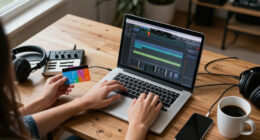


For most new DJs, I’d start with the Pioneer DJ DDJ-FLX4: its two-channel layout and flexible software support make it a strong all-around learning deck. The Hercules DJControl Inpulse 300 MK2 is a better fit if guided learning tools matter most, while the Numark Mixtrack Pro FX gives beginners more hands-on controls for mixing. The main tradeoff is between portability and room to grow: compact controllers are easy to carry but have less space for controls, while larger models need more desk room. Bundles can simplify setup, though included accessories may not suit every learner. Read on for the full breakdown of all 15 options and how I’d match each one to a beginner’s needs.

Get audio and creator gear delivered free with Prime
- Fast, free delivery on millions of items
- Prime Video, Amazon Music and more included
- Member-only deals all year
Complete the kit


Key Takeaways
- The DDJ-FLX4 leads as the best all-around choice because it balances a familiar two-channel layout, flexible software support, and room to develop without making the first setup feel overly specialized.
- The Inpulse models separate learning support from performance flexibility: the Inpulse 200 MK2 keeps things simple, while the Inpulse 300 MK2 offers a more expansive control surface for learners ready to practice more techniques.
- Small controllers serve distinct needs, not every beginner: the DJControl Starlight and DJ2GO2 Touch are easier to pack and store, but their compact controls can feel limiting as skills grow.
- Starter bundles reduce setup guesswork but add compromises: the DJLearning Kit MK II includes core gear, while the Inpulse 500 bundle and FLX4 case bundle focus on particular accessories rather than a complete learning setup.
- Extra performance features are most useful when they support a real goal: the REV1’s layout, Mixtrack Platinum FX’s displays, and Party Mix II’s lights each suit a narrower preference than a straightforward first controller.
| AlphaTheta Pioneer DJ DDJ-FLX2 2-Channel DJ Controller |  | Best for App-Based First Mixes | Channels: 2 | Connectivity: USB-C | Compatible devices: Smartphones, tablets, PC, Mac | VIEW LATEST PRICE | See Our Full Breakdown |
| Hercules DJControl Starlight Compact 2-Channel DJ Controller |  | Best for Small-Space Portability | Channels: 2 | Connectivity: USB | Power source: Battery powered | VIEW LATEST PRICE | See Our Full Breakdown |
| Pioneer DJ DDJ-FLX4 2-Channel DJ Controller with 16 Performance Pads, White |  | Best Overall for Beginner-to-Intermediate Growth | Channels and decks: 2 channels, 2 decks | Performance pads: 16 | Connectivity: USB, Bluetooth | VIEW LATEST PRICE | See Our Full Breakdown |
| Hercules DJLearning Kit MK II Beginner DJ Set with Controller, Speakers, and Headphones |  | Best Complete Starter Setup | Included components: DJControl Inpulse 200 MK2 controller, DJMonitor 32 speakers, HDP DJ45 headphones, DJUCED mixing software, 2 power cables | Controller channels: 2 | Connectivity: USB | VIEW LATEST PRICE | See Our Full Breakdown |
| Hercules DJControl Inpulse 500 2-Deck DJ Controller for Serato and DJUCED |  | Best for Hands-On Skill Building | Channels: 2 | Connectivity: USB | Power source: Corded electric | VIEW LATEST PRICE | See Our Full Breakdown |
| Numark Party Mix II 2-Deck DJ Controller with Built-In Lights |  | Best for Learning with Built-In Lights | Decks: 2 | Mixer channels: 2 | Software: Serato DJ Lite | VIEW LATEST PRICE | See Our Full Breakdown |
| Numark DJ2GO2 Touch Compact DJ Controller |  | Best for Ultra-Portable Practice | Decks: 2 | Channels: 2 | Included software: Serato DJ Lite | VIEW LATEST PRICE | See Our Full Breakdown |
| Hercules DJControl Inpulse 300 MK2 2-Deck DJ Controller |  | Best for Guided Beatmatching | Decks: 2 | Channels: 2 | Compatible software: Serato and DJUCED | VIEW LATEST PRICE | See Our Full Breakdown |
| Numark Mixtrack Pro FX 2-Deck DJ Controller |  | Best for Hands-On Mixing and Live Setups | Decks: 2 | Audio interface: Built-in, 24-bit | Jog wheels: 6-inch capacitive touch | VIEW LATEST PRICE | See Our Full Breakdown |
| Pioneer DJ DDJ-FLX4 2-Channel DJ Controller |  | Best for Growing Beyond the Basics | Model: DDJ-FLX4 | Channels and decks: 2 channels, 2 decks | Performance pads: 16 | VIEW LATEST PRICE | See Our Full Breakdown |
| Pioneer DJ DDJ-REV1 2-Deck Serato DJ Controller |  | Best for Learning Scratch Techniques | Channels: 2 | Software: Serato DJ Lite | Connectivity: USB, auxiliary | VIEW LATEST PRICE | See Our Full Breakdown |
| Hercules DJControl Inpulse 200 MK2 DJ Controller |  | Best for Guided Beatmatching | Channels: 2 | Supported software: Serato DJ Lite and DJUCED | Pad count and modes: 8 pads; Hot Cue, Stems, FX, and Sampler | VIEW LATEST PRICE | See Our Full Breakdown |
| Hercules DJControl Inpulse 500 DJ Controller Bundle with HDP DJ45 Headphones and Mini-to-6′ RCA Cable |  | Best Beginner Bundle with Expanded Controls | Decks: 2 | Connection: USB | Audio interface: Built-in | VIEW LATEST PRICE | See Our Full Breakdown |
| Numark Mixtrack Platinum FX DJ Controller |  | Best for Growing into Four-Deck Mixing | Deck control: 4 decks | Software: Serato DJ Lite included | Audio interface: 24-bit | VIEW LATEST PRICE | See Our Full Breakdown |
| Pioneer DJ DDJ-FLX4 2-Channel DJ Controller Bundle with Carrying Case and Polishing Cloth |  | Best for Flexible Computer and Mobile Learning | Channels: 2 | Compatible software: rekordbox, Serato DJ Lite, Serato DJ Pro with separate license, and djay | Device compatibility: PC, Mac, iPhone, iPad, and Android | VIEW LATEST PRICE | See Our Full Breakdown |
| DJ controllers for beginner | Connectivity | Weight | Channels | Dimensions |
|---|---|---|---|---|
| AlphaTheta Pioneer DJ DDJ-FLX2 | USB-C | 2.7 lb | 2 | 18 x 11.7 x 4.4 in |
| Hercules DJControl Starlight C | USB | 1.1 pounds | 2 | — |
| Pioneer DJ DDJ-FLX4 2-Channel | USB, Bluetooth | 2.8 kg | — | — |
| Hercules DJLearning Kit MK II | USB | 14.3 pounds | — | 20.87 x 14.44 x 10.83 inches |
| Hercules DJControl Inpulse 500 | USB | 11.6 pounds | 2 | 10.54 x 20.26 x 5.12 inches |
| Numark Party Mix II 2-Deck DJ | USB Type B | 1.76 pounds | — | 7.83 x 12.82 x 2.04 inches |
| Numark DJ2GO2 Touch Compact DJ | — | — | 2 | — |
| Hercules DJControl Inpulse 300 | USB | 5.6 pounds | 2 | 3.78 x 20.16 x 12.68 inches |
| Numark Mixtrack Pro FX 2-Deck | — | — | — | 9.48 x 21.61 x 2 inches |
| Pioneer DJ DDJ-FLX4 2-Channel | USB and Bluetooth | 2.8 kg | — | — |
| Pioneer DJ DDJ-REV1 2-Deck Ser | USB, auxiliary | 5 lb | 2 | 10.6 × 20.7 × 2.33 inches |
| Hercules DJControl Inpulse 200 | — | 2.84 lb | 2 | 15.6 × 10.3 × 3.7 inches |
| Hercules DJControl Inpulse 500 | — | — | — | — |
| Numark Mixtrack Platinum FX DJ | USB, microphone input, headphone output, and RCA output | — | — | — |
| Pioneer DJ DDJ-FLX4 2-Channel | USB Type-C and Bluetooth | — | 2 | — |
More Details on Our Top Picks
AlphaTheta Pioneer DJ DDJ-FLX2 2-Channel DJ Controller
The DDJ-FLX2 suits a beginner who wants to start mixing with a phone, tablet, or computer rather than build a desk setup around a laptop. Its Smart Fader helps coordinate volume, BPM, and bass during crossfader moves, giving new users a hand with transitions as they learn to make those adjustments themselves. USB-C connectivity and support for rekordbox, djay, and Serato DJ Lite offer more device and software flexibility than the Hercules DJControl Starlight, which is centered on Serato DJ Lite. The FLX2 is also notably light at 2.7 pounds, though its 18-inch width makes it less pocketable than the Starlight. Its main tradeoff is reliance on a connected device for USB-C power, and streaming access depends on the app and service. Choose it for flexible, casual practice; skip it if you want a self-contained setup or more than two channels.
Pros:- Smart Fader assists with volume, BPM, and bass during transitions.
- Works with compatible DJ apps across phones, tablets, and computers.
- Lightweight design is easier to carry than the DDJ-FLX4.
- Supports headphone cueing as well as speaker playback.
Cons:- USB-C bus power requires a connected phone, tablet, or computer.
- Streaming support depends on the compatible app and service.
- Its 2-channel layout limits practice to two-deck mixing.
Best for: New DJs who want to practice casually with a smartphone, tablet, or computer and value guided transitions and app choice.
Not ideal for: Buyers who need a controller that runs without a connected host device, want more than two channels, or prefer a compact controller small enough for a tight travel setup.
- Channels:2
- Connectivity:USB-C
- Compatible devices:Smartphones, tablets, PC, Mac
- Supported software:rekordbox, djay, Serato DJ Lite
- Platforms:Android, Windows, iOS
- Outputs:3.5 mm audio output
- Dimensions:18 x 11.7 x 4.4 in
- Weight:2.7 lb
- Power:USB-C bus powered
Our verdict“Pick the DDJ-FLX2 for flexible, device-based beginner practice, but choose the Hercules DJControl Starlight if minimizing size matters more.”
Hercules DJControl Starlight Compact 2-Channel DJ Controller
For a beginner who wants to learn the basics in a cramped room or pack a controller for trips, the DJControl Starlight puts portability first: it weighs just 1.1 pounds and works with Serato DJ Lite. Its built-in sound card provides headphone and speaker outputs, so a learner can cue the next track privately rather than mix entirely through speakers. Pressure-sensitive jog wheels, loops, effects, hot cues, and sampling give it more hands-on practice tools than its size suggests. Compared with the DDJ-FLX2, the Starlight is lighter and adds rhythm-synced lighting, but it offers a narrower software path and a more limited two-channel format. The RGB effects may appeal to bedroom mixers, though they matter less than learning controls. Battery power also means users must keep power availability in mind. Choose it for compact Serato practice, not for a setup meant to grow into broader software or channel options.
Pros:- Very light at 1.1 pounds and easy to pack.
- Built-in sound card supports headphone pre-listening and speaker output.
- Pressure-sensitive jog wheels plus controls for loops, effects, hot cues, and sampling.
- RGB base lighting can sync strobe effects to the rhythm.
Cons:- Limited to two channels, which restricts the mixing layout.
- Serato DJ Lite is the specified software, offering less choice than the DDJ-FLX2.
- Battery-powered design requires attention to power availability during use.
Best for: Beginners with limited desk space or frequent travelers who want a lightweight Serato DJ Lite controller with headphone cueing.
Not ideal for: Learners who want several software options, a larger control surface, or a setup with fewer power-management concerns.
- Channels:2
- Connectivity:USB
- Power source:Battery powered
- Output connector:RCA
- Software:Serato DJ Lite
- Audio:Built-in sound card with headphone and speaker outputs
- Lighting:RGB and rhythm-synced strobe effects
- Weight:1.1 pounds
Our verdict“Choose the Starlight if portability is your priority; choose the DDJ-FLX2 if broader app compatibility matters more.”
Pioneer DJ DDJ-FLX4 2-Channel DJ Controller with 16 Performance Pads, White
The DDJ-FLX4 is the most rounded choice here for a beginner who expects to keep learning beyond basic fades. Its 16 performance pads provide space to explore hot cues, effects, beat jumps, and sampling, while Smart Fader and Smart CFX offer guided ways to experiment with transitions and effects. It supports both rekordbox and Serato and connects to computers, phones, and tablets, giving it a broader practice path than the Serato-focused DJControl Starlight. Compared with the DDJ-FLX2, it adds more performance controls and microphone mixing, but it is heavier at 2.8 kg and still controls only two decks. The built-in sound card also supports monitoring and speaker connections, useful as a home setup develops. Its value is in flexibility, not unlimited expansion: skip it if you need more channels or a very light travel controller.
Pros:- Smart Fader and Smart CFX help beginners explore transitions and effects.
- Sixteen pads support hot cues, Pad FX, Beat Jump, and Sampler modes.
- Works with Serato and rekordbox across computers and mobile devices.
- Built-in sound card and microphone mixing support monitoring and livestreaming.
Cons:- Two-channel, two-deck control limits more complex setups.
- At 2.8 kg, it is heavier than the DDJ-FLX2 and DJControl Starlight.
- Some streaming and software features depend on compatible apps or services.
Best for: Beginners who want a two-deck controller with multiple software options, performance pads, and room to develop more advanced mixing habits.
Not ideal for: Travel-focused beginners who need the lightest possible controller, or aspiring DJs who want more than two decks or channels.
- Channels and decks:2 channels, 2 decks
- Performance pads:16
- Connectivity:USB, Bluetooth
- Compatible platforms:Android, Windows, iOS, PC, Mac
- Supported software:Serato, rekordbox
- Weight:2.8 kg
- Material:Stainless steel
- Warranty:1 year limited manufacturer warranty
Our verdict“Choose the DDJ-FLX4 if you want the broadest set of beginner-friendly controls here without moving beyond a two-deck setup.”
Hercules DJLearning Kit MK II Beginner DJ Set with Controller, Speakers, and Headphones
The DJLearning Kit MK II is the practical pick for someone who has no DJ equipment yet and wants the core pieces in one package: a controller, speakers, headphones, and mixing software. Its Beatmatch Guide LEDs cue learners to work with tempo faders and jog wheels, while the included headphones make it possible to preview a track privately before bringing it into the mix. That makes the learning path more self-contained than buying a controller alone, such as the DJControl Starlight, which is more compact but does not include this speaker-and-headphone bundle. The tradeoff is a larger, 14.3-pound set with separate power cables for the speakers and controller. The listed device compatibility also varies between laptop/PC and PC/Mac, so check that against your planned setup. Choose this kit for a ready-to-practice home station; skip it if portability is the priority.
Pros:- Includes the controller, DJMonitor 32 speakers, and HDP DJ45 headphones.
- Beatmatch Guide LEDs help learners practice with tempo faders and jog wheels.
- Includes DJUCED and Serato DJ Lite software.
- Headphones support private track cueing and preview.
Cons:- The 14.3-pound kit is much less portable than the DDJ-FLX2 or DJControl Starlight.
- Speakers and controller may need separate power connections.
- Device compatibility is described inconsistently as laptop/PC and PC/Mac.
Best for: First-time home learners who need a controller, speakers, headphones, and beginner guidance in one coordinated set.
Not ideal for: Traveling DJs, buyers who already own speakers and headphones, or users who need clearly specified compatibility beyond laptop and desktop setups.
- Included components:DJControl Inpulse 200 MK2 controller, DJMonitor 32 speakers, HDP DJ45 headphones, DJUCED mixing software, 2 power cables
- Controller channels:2
- Connectivity:USB
- Compatible devices:Laptop, PC
- Supported software:Serato DJ Lite, DJUCED
- Hardware platform:PC/Mac
- Dimensions:20.87 x 14.44 x 10.83 inches
- Weight:14.3 pounds
Our verdict“Choose the DJLearning Kit for a ready-to-practice home setup, but avoid it if you already own audio gear or need a portable controller.”
Hercules DJControl Inpulse 500 2-Deck DJ Controller for Serato and DJUCED
The DJControl Inpulse 500 is a better fit for a learner who wants a substantial two-deck surface and plans to practice hands-on techniques, rather than prioritize portability. Its touch-detection jog wheels support scratching, and the 16 backlit RGB pads, filter and FX controls, and beatmatch light guides give beginners several ways to learn beyond simple crossfader moves. The built-in audio interface and hardware input mixer also make it more adaptable to connected audio sources than the lightweight DDJ-FLX2. Fold-out feet raise the controller above the surface, but they do not offset its 11.6-pound weight or need for corded power. Compared with the DDJ-FLX4, it shares a two-deck focus and 16 pads, while offering Serato and DJUCED support. Pick it for a more involved home practice station; skip it if you need a light, bus-powered controller.
Pros:- Touch-detection jog wheels support scratch practice.
- Sixteen backlit RGB pads and dedicated filter and FX controls broaden practice options.
- Built-in audio interface and hardware input mixer add connection flexibility.
- Beatmatch light guides and fold-out feet support a more hands-on setup.
Cons:- At 11.6 pounds, it is far less portable than the DDJ-FLX2 or DJControl Starlight.
- Corded electric power limits use away from a suitable outlet.
- The two-deck layout does not provide more than two-channel control.
Best for: Beginners with a dedicated practice space who want to learn scratching, beatmatching, and pad-based performance on a substantial controller.
Not ideal for: Students who need a lightweight travel setup, want USB bus power, or would rather have an all-in-one kit with speakers and headphones.
- Channels:2
- Connectivity:USB
- Power source:Corded electric
- Jog wheels:Touch detection
- Pads:16 backlit RGB pads
- Compatible software:Serato and DJUCED
- Dimensions:10.54 x 20.26 x 5.12 inches
- Weight:11.6 pounds
Our verdict“Choose the Inpulse 500 for hands-on skill building at home, but pick a lighter model if you expect to carry your controller often.”
Numark Party Mix II 2-Deck DJ Controller with Built-In Lights
The Party Mix II makes early practice feel more hands-on and visual: its touch-sensitive jog wheels, performance pads, and filter controls cover the basics, while beat-synced RGB lights add a party-ready cue to home mixing. The built-in audio interface gives beginners separate headphone and speaker outputs, so they can preview a track before bringing it into the mix. Compared with the more lesson-oriented Hercules DJControl Inpulse 300 MK2, this Numark emphasizes compact fun over beatmatch guidance. Its small, USB-powered body is easy to set up, but the plastic construction is less reassuring for frequent travel, and the main output is only 1/8 inch. I’d choose it for casual practice and small gatherings, not for someone who needs sturdier construction or more conventional speaker connections.
Pros:- Touch-sensitive jog wheels and performance pads offer tactile ways to practice mixing.
- Beat-synced RGB lights add a visual cue and party effect without extra equipment.
- Built-in audio interface provides separate main and headphone outputs.
- Compact, USB-powered design is simple to set up with a Mac or Windows computer.
Cons:- Plastic construction may be less suited to frequent travel than sturdier builds.
- The 1/8-inch main output may require an adapter for some speaker setups.
Best for: New DJs who want an easy-to-store Serato controller for home practice and casual gatherings, with lighting built into the unit.
Not ideal for: Beginners planning frequent transport or connecting to audio gear that expects larger output connectors; its plastic body and 1/8-inch main output are limiting.
- Decks:2
- Mixer channels:2
- Software:Serato DJ Lite
- Compatibility:Mac and Windows
- Connectivity:USB Type B
- Outputs:1/8-inch main output and headphone output
- Lighting:Three built-in RGB LED lights
- Weight:1.76 pounds
- Dimensions:7.83 x 12.82 x 2.04 inches
Our verdict“Choose the Party Mix II for compact, light-filled beginner practice, but pick the Inpulse 300 MK2 if learning aids matter more than party effects.”
Numark DJ2GO2 Touch Compact DJ Controller
The DJ2GO2 Touch prioritizes carrying convenience over a roomy mixing surface. Its touch-capacitive jog wheels, crossfader, pitch faders, and four pad modes give beginners physical controls for basic cueing and scratching, while the built-in audio interface supports headphone monitoring alongside a main output. Compared with the Numark Party Mix II, it is the more minimal choice: there are no built-in lights listed, but its compact format is a better fit when desk space or a travel bag is tight. It works with Serato DJ Lite and can also be mapped to other DJ software, which leaves some room to adapt. The tradeoff is scale: two decks and 1/8-inch outputs keep the setup simple but limit expansion and may call for adapters. I’d skip it as a primary controller for someone who wants larger controls for extended practice.
Pros:- Compact design is easy to fit into a small workspace or travel bag.
- Touch-capacitive jog wheels provide hands-on control for scratching.
- Built-in audio interface supports separate headphone and main outputs.
- Serato DJ Lite support and MIDI mapping offer software flexibility.
Cons:- Two-deck control limits expansion for learners who want a larger setup.
- Both listed audio outputs use 1/8-inch connections, which may require adapters.
- Its compact control surface offers less room for hands-on practice than larger options such as the Mixtrack Pro FX.
Best for: Beginners who need a very compact two-deck controller for occasional practice, travel, or a crowded desk.
Not ideal for: Learners who want a larger, more spacious control layout or need outputs that connect directly to audio setups without 1/8-inch connections.
- Decks:2
- Channels:2
- Included software:Serato DJ Lite
- Compatibility:Mac and Windows
- Controls:Touch-capacitive jog wheels, crossfader, pitch faders, and four pad modes
- Audio outputs:1/8-inch headphone output and 1/8-inch main output
- Software mapping:Works with other MIDI-mappable DJ software
Our verdict“Pick the DJ2GO2 Touch when portability matters more than control-surface space or straightforward connections to larger audio systems.”
Hercules DJControl Inpulse 300 MK2 2-Deck DJ Controller
The Inpulse 300 MK2 is the clearest teaching pick here because its beatmatch guide LEDs give beginners visual help while they learn to align tracks. With 16 performance pads and pre-mapped Stems controls, it also offers room to try performance features beyond basic fades. It supports both DJUCED and Serato, unlike controllers in this group centered on Serato DJ Lite, so buyers can choose between the listed software options. Compared with the Numark Mixtrack Pro FX, the Hercules puts more emphasis on guided learning, while the Numark lists larger 6-inch jog wheels, effects paddles, and a microphone input for a more performance-oriented setup. The Inpulse still requires a computer, and its plastic construction is not the pick for buyers seeking a sturdier-feeling unit. I’d favor it for structured practice over plug-and-play portability.
Pros:- Beatmatch guide LEDs offer visual support while learning to align tracks.
- Compatible with both DJUCED and Serato.
- Sixteen performance pads and pre-mapped Stems controls support creative practice.
- Supports music stored on a computer and select streaming services.
Cons:- Requires a computer for use.
- Plastic construction may not suit buyers seeking a sturdier-feeling controller.
- Compared with the Mixtrack Pro FX, the listed features do not include 6-inch jog wheels or a microphone input.
Best for: Computer-owning beginners who want visual beatmatching guidance and a choice of DJUCED or Serato while learning two-deck mixing.
Not ideal for: DJs who need a standalone controller, frequently transport their equipment, or prefer larger jog wheels and a microphone input.
- Decks:2
- Channels:2
- Compatible software:Serato and DJUCED
- Learning features:Beatmatch guide LEDs
- Performance controls:16 performance pads and pre-mapped Stems control
- Connectivity:USB
- Compatible computers:Mac and PC
- Weight:5.6 pounds
- Dimensions:3.78 x 20.16 x 12.68 inches
Our verdict“Choose the Inpulse 300 MK2 if beatmatching guidance is your priority and you already plan to mix from a computer.”
Numark Mixtrack Pro FX 2-Deck DJ Controller
The Mixtrack Pro FX suits a beginner who wants controls that feel ready for longer practice sessions and small live setups. Its 6-inch capacitive jog wheels give more surface for cueing and scratching than the compact Numark DJ2GO2 Touch, while 16 pads, loop controls, and effects paddles make common performance actions easy to reach. The built-in 24-bit audio interface and listed microphone, headphone, and RCA connections offer a broader connection mix than the Party Mix II’s 1/8-inch main output. That extra equipment support comes with a larger footprint, so it is less suited to a tight desk or travel-first use. Serato DJ Lite is included, not the full Serato DJ software, which may matter as skills and software needs develop. I’d choose it for tactile practice and basic live connections, not maximum portability.
Pros:- Six-inch capacitive jog wheels provide a larger surface for cueing and scratching.
- Sixteen backlit pads, loop controls, and effects paddles support varied practice.
- Built-in 24-bit audio interface supports audio playback and monitoring.
- Microphone input, headphone output, and RCA output suit a broader range of setups.
Cons:- Serato DJ Lite is included rather than the full Serato DJ software.
- Its wider body is less convenient to store or carry than the DJ2GO2 Touch.
- The two-deck layout may not suit buyers planning to control more decks.
Best for: Beginners who want larger jog wheels, practical performance controls, and connections for speakers and a microphone in a home or small live setup.
Not ideal for: Learners with little desk or transport space, or buyers who specifically want the full Serato DJ software included.
- Decks:2
- Audio interface:Built-in, 24-bit
- Jog wheels:6-inch capacitive touch
- Performance pads:16 backlit pads
- Software:Serato DJ Lite
- Connections:USB, microphone input, headphone output, and RCA output
- Mixer controls:3-band EQ, filter knobs, channel faders, and crossfader
- Power source:USB bus power
- Dimensions:9.48 x 21.61 x 2 inches
Our verdict“Choose the Mixtrack Pro FX for spacious, hands-on practice and more flexible live connections, provided you can accommodate its larger body.”
Pioneer DJ DDJ-FLX4 2-Channel DJ Controller
The DDJ-FLX4 is the most flexible long-term beginner pick in this group. Its Smart Fader assists with volume, bass, and BPM adjustments during transitions, giving new DJs a helping hand without limiting them to a tiny practice layout. The 16 pads and support for rekordbox, Serato DJ Pro, and djay give it a broader software path than the Serato DJ Lite-focused Numark controllers. It also supports computer and mobile-device use, with streaming and livestreaming options described in the product information. Compared with the Hercules DJControl Inpulse 300 MK2, the FLX4 emphasizes assisted transitions and platform flexibility rather than beatmatch guide LEDs. Its two-channel, two-deck design remains a boundary for larger setups, and some functions depend on compatible apps and devices. I’d pick it for a beginner who wants room to develop, not someone seeking automatic guidance for every mixing skill.
Pros:- Smart Fader assists with volume, bass, and BPM adjustments during transitions.
- Sixteen performance pads support Hot Cues, Pad FX, Beat Jump, and Sampler.
- Compatible software includes rekordbox, Serato DJ Pro, and djay.
- Supports computer and compatible mobile-device use, as well as streaming and livestreaming.
Cons:- Two-channel, two-deck control limits larger setups.
- Some mixing functions depend on compatible apps and devices.
- Its broader software and device options may require more setup choices than a simple single-software beginner controller.
Best for: Beginners who want assisted transitions, multiple software options, and the flexibility to practice from a computer or compatible mobile device.
Not ideal for: DJs who need more than two channels or decks, or buyers who want every function to work without checking app and device compatibility.
- Model:DDJ-FLX4
- Channels and decks:2 channels, 2 decks
- Performance pads:16
- Connectivity:USB and Bluetooth
- Compatible platforms:Android, Windows, and iOS
- Compatible devices:PC, Mac, iPhone, iPad, and Android devices
- Compatible software:djay, rekordbox, and Serato DJ Pro
- Weight:2.8 kg
- Color:Graphite
Our verdict“Pick the DDJ-FLX4 if you want beginner-friendly transition help and flexibility to grow across supported software and devices.”
Pioneer DJ DDJ-REV1 2-Deck Serato DJ Controller
The DDJ-REV1 suits beginners drawn to scratching and open-format mixing more than those who want a general-purpose first controller. Its battle-style layout puts the deck controls in an arrangement inspired by turntables and a scratch mixer, while tall pitch faders and quick effect controls give new DJs hands-on tools for practicing timing and transitions. Scratch routine triggers offer a guided starting point, though they are not a substitute for learning the movements yourself.
Compared with the DDJ-FLX4, the REV1 has a more focused scratch-oriented layout rather than broader software and device flexibility. It runs Serato DJ Lite and connects to a PC or Mac, but it is still an entry-level, two-channel controller. Choose it for its layout and practice aids; skip it if you want mobile compatibility or room to control more decks.
Pros:- Battle-style layout familiarizes beginners with a mixer-and-turntable arrangement
- Tall pitch faders and quick effect controls support hands-on scratch practice
- Scratch routine triggers offer a guided entry point for learning techniques
- Works with Serato DJ Lite on Mac and Windows computers
Cons:- Two-channel design limits mixing multiple sources at once
- Requires a PC or Mac, unlike controllers in the roundup with mobile-device compatibility
- Its scratch-focused layout may be less intuitive for beginners who mainly want straightforward general mixing
Best for: New Serato users who want a battle-style layout and dedicated controls for practicing scratching and open-format sets.
Not ideal for: Beginners who want to mix from a phone or tablet, need more than two channels, or prefer a more general-purpose layout like the DDJ-FLX4.
- Channels:2
- Software:Serato DJ Lite
- Connectivity:USB, auxiliary
- Computer compatibility:Mac and PC
- Dimensions:10.6 × 20.7 × 2.33 inches
- Weight:5 lb
- USB ports:1
- Warranty:1-year manufacturer warranty
Our verdict“Choose the DDJ-REV1 if learning scratch techniques is your priority; pick the DDJ-FLX4 for a more flexible beginner setup.”
Hercules DJControl Inpulse 200 MK2 DJ Controller
For a beginner who wants visible help learning timing, the DJControl Inpulse 200 MK2 puts beatmatching guidance at the center of the experience. Its built-in light guides are designed to help you align tracks, while access to DJ Academy video tutorials adds a learning path beyond the controller itself. That makes it a more teaching-oriented choice than the scratch-focused DDJ-REV1, whose layout and controls favor practicing turntable-style techniques.
The Inpulse 200 MK2 also supports Serato DJ Lite and DJUCED, with eight pads for Hot Cue, Stems, FX, and Sampler modes. That gives beginners ways to experiment without adding much complexity. The tradeoff is a plastic build and only two channels; the larger Inpulse 500 offers more controls and a built-in input mixer, but is a less compact starting point. Pick this model for guided fundamentals, not a more expandable setup.
Pros:- Light guides support learning how to beatmatch
- Compatible with both Serato DJ Lite and DJUCED
- Eight pads offer Hot Cue, Stems, FX, and Sampler modes
- DJ Academy video tutorials provide extra learning support
Cons:- Plastic construction may feel less substantial than the Inpulse 500
- Two channels limit mixing multiple decks at once
- Compact controls offer less room for a growing setup than larger controllers
Best for: First-time DJs who want visual beatmatching guidance, tutorial access, and a choice between Serato DJ Lite and DJUCED.
Not ideal for: Beginners seeking a sturdier-feeling controller, an input mixer, or extra room for more advanced mixing controls.
- Channels:2
- Supported software:Serato DJ Lite and DJUCED
- Pad count and modes:8 pads; Hot Cue, Stems, FX, and Sampler
- Audio outputs:Master speaker output and headphone monitoring output
- Interface:USB
- Compatible devices:Mac and PC
- Dimensions:15.6 × 10.3 × 3.7 inches
- Weight:2.84 lb
Our verdict“Choose the Inpulse 200 MK2 if guided beatmatching matters more than a larger, more expandable controller.”
Hercules DJControl Inpulse 500 DJ Controller Bundle with HDP DJ45 Headphones and Mini-to-6′ RCA Cable
The DJControl Inpulse 500 bundle is a good fit for a beginner who wants useful hardware controls and a couple of starter accessories in one package. Its built-in audio interface and hardware input mixer let you connect external audio sources or a microphone, giving it more practical input flexibility than the two-channel DDJ-REV1. Large touch-detection jog wheels, 16 RGB pads, and dedicated loop and Filter/FX controls also provide more room to explore techniques as your mixing develops.
That added control comes with a larger, more involved setup than the Inpulse 200 MK2, which is aimed more directly at guided learning. The bundle includes HDP DJ45 headphones and an RCA cable, but those accessories do not change the controller’s USB connection requirement. Choose this package if the extra inputs and hands-on controls matter; skip it if your priority is a simpler, more compact first step.
Pros:- Built-in audio interface and hardware input mixer support external audio sources and a microphone
- Large touch-detection jog wheels support scratching
- Sixteen RGB pads and dedicated loop and Filter/FX controls provide hands-on creative options
- Bundle includes HDP DJ45 headphones and a mini-to-6-foot RCA cable
Cons:- Requires a USB connection to operate
- More controls may feel less approachable than the learning-focused Inpulse 200 MK2
- The supplied accessories do not remove the need to provide a computer and other setup components
Best for: New DJs who want a controller with external-source and microphone inputs, dedicated performance controls, and included headphones.
Not ideal for: Beginners who want a compact, minimal controller with built-in guidance, or who do not need the extra input and mixing controls.
- Decks:2
- Connection:USB
- Audio interface:Built-in
- Input mixer:Built-in hardware mixer
- Performance pads:16 backlit RGB pads
- Jog wheels:Large, with touch detection
- Included accessories:Hercules HDP DJ45 over-ear headphones and mini-to-6-foot RCA cable
- Additional controls:Vinyl function, Loop In/Loop Out buttons, and Filter/FX area
Our verdict“Pick this Inpulse 500 bundle if you want broader hands-on controls and useful input connections from the start.”
Numark Mixtrack Platinum FX DJ Controller
The Mixtrack Platinum FX is the standout here for beginners who already know they want to experiment beyond two decks. It controls up to four decks, and its 6-inch jog wheels have color displays that show information such as BPM, platter position, beats remaining, and pitch adjustment or key. Those readouts can reduce the need to keep checking the computer screen, while the performance pads, effects, and instant loop controls give you plenty to practice.
Compared with the two-channel DDJ-FLX4, this Numark provides more deck control but less software and device flexibility in the supplied details: it includes Serato DJ Lite and is specified for Mac and Windows. Four-deck capability also means more controls to learn at once, which can distract a true beginner. Its microphone, headphone, and RCA connections suit a home setup, but no wireless connection is specified. Choose it for room to expand, not maximum simplicity.
Pros:- Controls up to four decks for experimenting with layered mixes
- Color jog-wheel displays show useful track and platter information
- Performance pads, quick-launch effects, and instant loop controls support creative practice
- Microphone, headphone, and RCA connections cover common home setup needs
Cons:- Four-deck controls may add complexity for a beginner learning basic transitions
- Supplied software is Serato DJ Lite rather than a higher-tier Serato edition
- Wireless connectivity is not specified
Best for: Computer-based beginners who expect to learn four-deck mixing and want jog-wheel displays to keep track of deck information.
Not ideal for: First-time DJs who want the simplest two-deck layout or mobile compatibility like the DDJ-FLX4.
- Deck control:4 decks
- Software:Serato DJ Lite included
- Audio interface:24-bit
- Jog wheels:6-inch capacitive-touch with color displays
- Performance pads:8 per deck
- Mixer controls:3-band EQ, filter knobs, channel faders, and crossfader
- Connectivity:USB, microphone input, headphone output, and RCA output
- Compatibility:Mac and Windows
Our verdict“Choose the Mixtrack Platinum FX if four-deck practice is part of your plan; otherwise, a simpler two-channel controller may be easier to learn.”
Pioneer DJ DDJ-FLX4 2-Channel DJ Controller Bundle with Carrying Case and Polishing Cloth
The DDJ-FLX4 bundle earns its place for beginners who want options in how they learn and where they mix. It supports rekordbox, Serato DJ Lite, and djay across computers and mobile devices, while Smart Fader and Smart CFX can make basic transitions and effects easier to approach. Microphone mixing also suits aspiring MCs or streamers. The included carrying case adds a practical way to transport the controller, while the polishing cloth is a small accessory rather than a reason to choose the bundle.
Compared with the scratch-focused DDJ-REV1, the FLX4 is the more flexible all-rounder; compared with the Mixtrack Platinum FX, it sticks to two channels and a simpler control setup. That simplicity helps new DJs focus on fundamentals, but Serato DJ Pro requires a separate license, and the stated PA guidance recommends an external DAC or audio interface for larger professional systems. Choose it for adaptable learning, not four-deck expansion.
Pros:- Works with rekordbox, Serato DJ Lite, and djay on computers and mobile devices
- Smart Fader and Smart CFX simplify entry-level transitions and effects
- Microphone mixing supports MCing and live streaming
- Bundle includes a carrying case and USB Type-C cable
Cons:- Serato DJ Pro requires a separate license
- Two-channel design does not match the Mixtrack Platinum FX for four-deck control
- An external DAC or audio interface is recommended for larger professional PA systems
Best for: Beginners who want to learn on a computer or mobile device, compare DJ software, and carry a two-channel controller between practice spots.
Not ideal for: DJs who want four-deck control, a scratch-first layout, or Serato DJ Pro without obtaining a separate license.
- Channels:2
- Compatible software:rekordbox, Serato DJ Lite, Serato DJ Pro with separate license, and djay
- Device compatibility:PC, Mac, iPhone, iPad, and Android
- Connectivity:USB Type-C and Bluetooth
- Audio performance:16-bit/24-bit, 44.1 kHz/48 kHz
- Inputs:1 microphone input
- Outputs:Master RCA and 3.5 mm stereo headphone jack
- Included accessories:Carrying case, polishing cloth, USB Type-C cable, and quick start guide
Our verdict“Choose the DDJ-FLX4 bundle if you want a portable two-channel learning setup with broad software and device compatibility.”

How We Picked
I ranked these DJ controllers for beginners by how well they help a new user learn basic mixing while remaining practical after the first few sessions. I weighed layout clarity, access to useful controls, software compatibility, portability, included learning or setup support, and the likelihood that a buyer could continue using the controller as skills improve. A lower-complexity layout can be a real advantage for a first deck, but not if it leaves too little room to practice.
The order favors balanced, beginner-friendly choices over products with one standout feature and a narrower audience. Controllers with guided learning features or a complete starter setup earn credit for reducing early friction; portable models rank higher for travel and limited space, not as universal picks. Bundles are judged by what they add to the learning setup, while near-identical versions are distinguished by their included accessories. I also account for meaningful drawbacks, such as a compact control surface, a specialized layout, or a feature set that a beginner may not need.
Factors to Consider When Choosing DJ Controllers For Beginners
Before choosing a first controller, I’d match the hardware to how you plan to learn and where you’ll use it. The right fit depends less on having the most buttons and more on whether the layout, software, and setup support your practice habits.
Choose a Layout You Can Learn Without Guesswork
A standard two-deck layout makes it easier to connect the controller to common beginner lessons and practice routines. Specialized layouts can be a good fit when you already know the style of mixing you want to pursue, but they may make general tutorials harder to follow. Before buying, compare the location of the play, cue, tempo, and channel controls with the lessons or software you expect to use. Beginners often mistake a large number of controls for better learning support. A clear layout that lets you repeat basic transitions is more useful at first than extra effects you rarely touch. If you want to develop beyond basic mixing, look for a controller with controls you can grow into rather than a surface that feels cramped immediately.
Check Software and Device Compatibility First
A controller is only useful if it works with the computer or mobile device you plan to practice on. Check the manufacturer’s current compatibility information for your operating system, connection type, and intended DJ software before choosing a model. Software access and included features can differ, so confirm what is available with the controller rather than assuming every version provides the same tools. A low-friction setup matters: extra adapters, software changes, or device limitations can interrupt practice before you learn the basics. If you may switch platforms later, favor a controller with broader software support. If you have settled on one program, a more focused controller can make sense as long as its controls and support match that choice.
Decide Whether Guided Lessons or Room to Experiment Matters More
Some beginners benefit from on-screen prompts and structured learning features that explain timing and transitions. Others learn faster by repeating a mix, listening critically, and adjusting controls without prompts. Guided tools can help build confidence, but they should not replace learning to hear when tracks are out of sync or mismatched. A controller with more performance controls gives you more ways to experiment, though it can also add distractions before you know the basics. Think about your practice style: do you want a clear learning path, or do you prefer to explore at your own pace? Choosing for that preference is more useful than selecting the controller with the longest feature list.
Plan for Your Space, Transport, and Connections
A compact controller can fit a small desk or travel bag, but its smaller controls may make extended practice less comfortable. A larger deck usually provides more working room, which can help when learning to use several controls at once, but it needs a stable surface and a place to store it. Check whether your intended setup requires separate speakers, headphones, cables, or an adapter; not every controller bundle covers the same needs. Built-in lights can add visual feedback or atmosphere, but they do not replace a reliable monitoring setup. Consider where you will actually practice and whether you expect to carry the controller to lessons or gatherings. Buying for your real space can prevent a capable controller from becoming inconvenient to use.
Spend on Features You Will Use, Not Just Included Extras
Accessories and performance controls can add convenience, but they are not automatically valuable to every beginner. A bundle may reduce setup friction if it includes equipment you would otherwise need, while a case or headphones may be redundant if you already own suitable gear. Likewise, displays, effects, and performance pads are helpful only if they support the kind of practice or mixing you want to do. Set aside room in your decision for the full setup, including audio monitoring and any required cables, rather than focusing only on the controller. A sensible first purchase leaves you able to practice consistently without paying for features that sit unused. If you expect to perform or develop advanced techniques soon, more capable hardware may be worth choosing from the start.
Frequently Asked Questions
Is a controller with built-in learning tools better for a complete beginner?
It can help if you want structured prompts and a clear path through basic mixing, but it is not the only way to learn. Guided features are useful for understanding timing and transitions, while listening and repeated practice build skills the prompts cannot provide. A simpler controller may be a better match if you already plan to follow lessons or learn by experimenting. I’d choose learning tools when they fit your practice style, not just because you are new. Check that the software and learning features work with the device you intend to use.
Should I choose the DDJ-FLX4 or a smaller controller for my first setup?
The FLX4 is a stronger fit if you have room for a standard two-channel layout and want a controller you can grow with. A compact model makes more sense when portability, limited desk space, or occasional practice matters more than access to a roomier control surface. Smaller controls can make longer sessions feel less comfortable and may limit how easily you work with several functions. Consider how often you will carry the controller and where it will live between sessions. If neither portability nor storage is a concern, the larger layout is usually the more flexible starting point.
Do I need speakers and headphones in a beginner DJ bundle?
You need a way to hear the mix, but you do not necessarily need a bundle to get it. A starter kit can make setup simpler if you own no audio gear and its included speakers and headphones suit your space. If you already have compatible headphones or speakers, a bundle may add items you will not use. Check the connection requirements and included cables before deciding, since an accessory set may still leave a practical gap. A quiet practice space may also make headphones more useful than speakers at first.
Is a specialized controller layout a sensible first choice?
It can be, if you already know the style you want to practice and are comfortable following lessons made for that layout. For a beginner who wants broad, transferable mixing basics, a more conventional two-deck arrangement is often easier to match with general tutorials. A specialized layout can make some techniques feel more natural but may reduce flexibility for other approaches. Think about whether the layout supports a lasting interest or only looks appealing right now. If you are unsure, a general-purpose controller is the safer learning platform.
When does a beginner benefit from a controller with extra performance features?
Extra pads, effects, displays, or lighting are worthwhile when they support a specific goal, such as practicing samples, trying creative transitions, or performing for others. They are less useful if they distract from learning beatmatching, phrasing, and level control. More features can also mean more decisions during early practice, so the added capability should not come at the expense of a clear layout. Beginners planning to explore beyond basic blends may appreciate having those controls available as their skills develop. Start with the techniques you want to learn, then choose features that make those techniques easier to practice.
Conclusion
For the best overall balance, I’d choose the Pioneer DJ DDJ-FLX4: it gives beginners a familiar two-channel foundation with room to develop. The best value for learning is the Hercules DJControl Inpulse 300 MK2 for buyers who want a capable layout and guided practice features; choose the Inpulse 200 MK2 if you prefer a simpler first step. The best premium-leaning option is the Hercules DJControl Inpulse 500, especially for someone who wants a larger control surface, while its bundle suits buyers who also need the listed accessories. For a complete beginner who wants core gear in one package, the DJLearning Kit MK II is the most direct starter-set choice. If you need a compact controller, look at the DJControl Starlight or DJ2GO2 Touch; choose the REV1 for its specialized layout or the Party Mix II if built-in lights are part of the appeal. Match the controller to your space, software, and learning style, then prioritize regular practice over features you are unlikely to use.