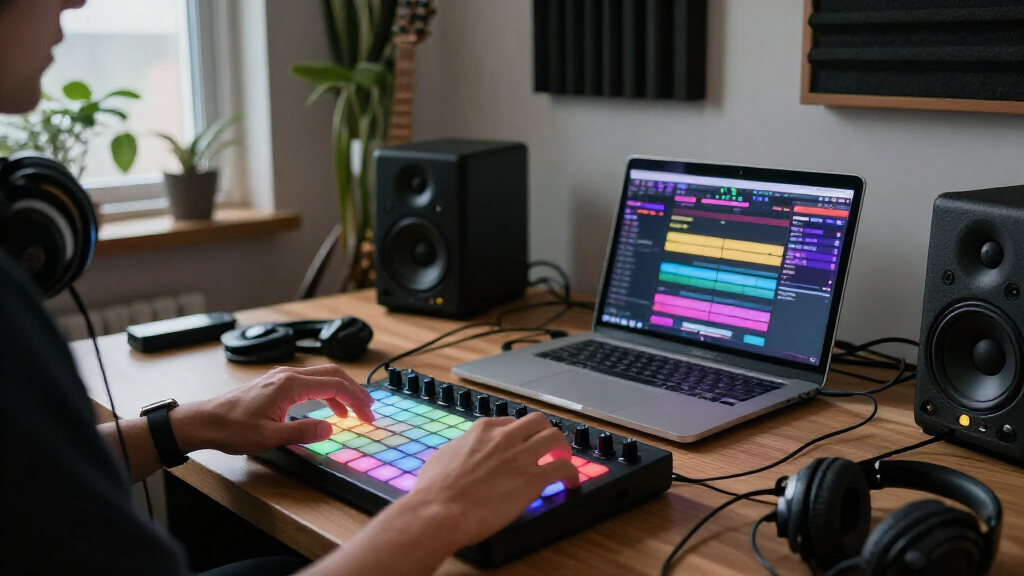

For most music producers, I’d start with the Akai Professional MPD218: its velocity-sensitive pads and straightforward layout make it a focused choice for drum programming and triggering samples. The Novation Launchpad X stands out for grid-based clip launching, while the Akai Professional LPD8 suits a small desk or travel setup. The main tradeoffs are pad count and playing feel, portability, and how much control you want over a DAW or live performance. Some models focus on finger drumming; others are built around launching clips or controlling software. Read on for my full breakdown of all 12 options and how to choose between them.

Get audio and creator gear delivered free with Prime
- Fast, free delivery on millions of items
- Prime Video, Amazon Music and more included
- Member-only deals all year
Complete the kit


Key Takeaways
- The MPD218 is my strongest focused pick for finger drumming: it keeps the job centered on velocity-sensitive performance pads rather than a larger clip-launching grid.
- Launchpad X and Launchpad Mini MK3 serve a different workflow: their 64-pad grids favor launching clips and arranging live sets, not the compact drum-pad layout of the Akai MPD models.
- The LPD8 prioritizes portability over pad count: its eight pads and knobs can fit a tighter setup, while 16-pad options offer more room for samples and mapped actions.
- The MPC Studio is the more production-centered Akai option: it makes more sense for users drawn to an MPC-style workflow than for someone seeking a basic plug-in-and-play pad surface.
- Several models compete on wireless features or bundled software: compare the EMP16, Umelody JP-1 and JP-MINI, Donner models, and PreSonus ATOM by checking compatibility and workflow needs rather than assuming a bundle or wireless connection is automatically useful.
| EMP16 MIDI Pad Controller Beat Maker Machine With Bluetooth |  | Best for Standalone Hands-On Control | Pads: 16 RGB velocity-sensitive pads; four banks, up to 64 assignable pad positions | Assignable controls: 4 faders, 4 endless rotary knobs, and 5 buttons; controls available across 3 banks | Connectivity: Bluetooth 5.0, USB MIDI, standard MIDI input and output | VIEW LATEST PRICE | See Our Full Breakdown |
| Akai Professional LPD8 USB MIDI Pad Controller |  | Best Compact Controller | Pads: 8 velocity-sensitive RGB-backlit drum pads | Knobs: 8 assignable Q-Link knobs | Presets: 4 programmable preset slots | VIEW LATEST PRICE | See Our Full Breakdown |
| Umelody JP-1 16-Pad MIDI Controller |  | Best for Wireless 16-Pad Flexibility | Model: JP-1 | Pads: 16 RGB velocity-sensitive pads | Connectivity: Bluetooth and USB-C | VIEW LATEST PRICE | See Our Full Breakdown |
| Umelody JP-MINI Wireless MIDI Pad Controller with 16 Velocity-Sensitive RGB Pads |  | Best Ultra-Compact Wireless Pick | Pads: 16 velocity-sensitive RGB pads | Connectivity: Wireless MIDI and USB-C | Velocity curves: 4 | VIEW LATEST PRICE | See Our Full Breakdown |
| Akai Professional MPC Studio USB MIDI Pad Controller |  | Best for MPC-Centered Production | Pads: 16 velocity- and pressure-sensitive RGB pads | Pad banks: 8 | Touch strip: Assignable | VIEW LATEST PRICE | See Our Full Breakdown |
| Novation Launchpad X 64-Pad MIDI Grid Controller |  | Best Overall for Expressive Ableton Performance | Pads: 64 RGB velocity- and pressure-sensitive pads | Connectivity: USB-C | Controls: Stop, solo, mute, record arm, mixer, and transport | VIEW LATEST PRICE | See Our Full Breakdown |
| Donner STARRYPAD PRO MIDI Pad Controller |  | Best for Wireless and Mobile Setups | Pads: 16 RGB velocity-sensitive pads with polyphonic aftertouch | Velocity curves: 3 customizable | Assignable knobs: 8 | VIEW LATEST PRICE | See Our Full Breakdown |
| Akai Professional APC Mini MK2 USB MIDI Pad Controller |  | Best for Ableton Mixer Control | Pad matrix: 8 × 8, with 64 RGB pads | Faders: 9 assignable | Modes: Drum and Note | VIEW LATEST PRICE | See Our Full Breakdown |
| Novation Launchpad Mini MK3 64-Pad MIDI Grid Controller |  | Best Compact Clip Launcher | Pads: 64 RGB pads | Connectivity: USB-C | Power: USB bus-powered | VIEW LATEST PRICE | See Our Full Breakdown |
| Donner STARRYPAD USB MIDI Pad Controller |  | Best Value for Assignable Drum Pads | Pads: 16 backlit silicone pads | Assignable pads: 48 across 3 switchable banks | Additional controls: 2 faders, 2 knobs, 3 buttons, and Shift key | VIEW LATEST PRICE | See Our Full Breakdown |
| Akai Professional MPD218 USB MIDI Pad Controller |  | Best for Expressive MPC-Style Drumming | Pads: 16 velocity- and pressure-sensitive MPC pads | Pad banks: 3 | Assignable pad triggers: 48 across three banks | VIEW LATEST PRICE | See Our Full Breakdown |
| PreSonus ATOM Production & Performance MIDI Pad Controller |  | Best for Studio One Production Control | Pads: 16 full-size velocity- and pressure-sensitive RGB pads | Pad banks: 8 assignable banks | Buttons: 20 assignable buttons | VIEW LATEST PRICE | See Our Full Breakdown |
| MIDI pad controllers for music production | Pads | Connectivity | Included software |
|---|---|---|---|
| EMP16 MIDI Pad Controller Beat | 16 RGB velocity-sensitive pads; four banks, up to 64 assignable pad positions | Bluetooth 5.0, USB MIDI, standard MIDI input and output | — |
| Akai Professional LPD8 USB MID | 8 velocity-sensitive RGB-backlit drum pads | USB | — |
| Umelody JP-1 16-Pad MIDI Contr | 16 RGB velocity-sensitive pads | Bluetooth and USB-C | — |
| Umelody JP-MINI Wireless MIDI | 16 velocity-sensitive RGB pads | Wireless MIDI and USB-C | — |
| Akai Professional MPC Studio U | 16 velocity- and pressure-sensitive RGB pads | USB | MPC2 software license with instruments and production effects |
| Novation Launchpad X 64-Pad MI | 64 RGB velocity- and pressure-sensitive pads | USB-C | — |
| Donner STARRYPAD PRO MIDI Pad | 16 RGB velocity-sensitive pads with polyphonic aftertouch | USB-C and wireless MIDI | Cubase LE, WaveLab LE, Melodics |
| Akai Professional APC Mini MK2 | — | USB 2.0 Type B | — |
| Novation Launchpad Mini MK3 64 | 64 RGB pads | USB-C | Ableton Live Lite |
| Donner STARRYPAD USB MIDI Pad | 16 backlit silicone pads | USB-C; MIDI in/out | Cubase LE and Melodics courses |
| Akai Professional MPD218 USB M | 16 velocity- and pressure-sensitive MPC pads | USB | MPC Beats, Ableton Live Lite, and Drum Synth 500 |
| PreSonus ATOM Production & Per | 16 full-size velocity- and pressure-sensitive RGB pads | — | Studio One Artist, Ableton Live Lite, Studio Magic Plug-In Suite, and MVP Loops content |
More Details on Our Top Picks
EMP16 MIDI Pad Controller Beat Maker Machine With Bluetooth
The EMP16 suits producers who want more than a pad grid: its 16 velocity-sensitive pads sit alongside faders, knobs, transport controls, and an OLED display, so common adjustments can happen without reaching for the computer. Compared with the Akai Professional LPD8, it offers twice as many pads and a broader set of performance controls, making it better suited to full beat-making sessions than a compact sample-triggering setup. Its Bluetooth and USB MIDI, plus standard MIDI input and output, also give it more connection options for compatible mobile devices and external gear.
The tradeoff is a denser control layout and more setup choices than the simpler LPD8. Wireless use depends on compatible devices and software, and the two AA batteries are not included. I’d choose it for flexible studio-to-stage control, not for the smallest possible controller.
Pros:- Four banks expand the 16 pads to 64 assignable pad positions.
- Faders, knobs, and buttons add hands-on control beyond pad triggering.
- Bluetooth, USB MIDI, and standard MIDI input and output support varied setups.
- OLED display and onboard features provide access to settings without a separate editor.
Cons:- The larger control set may take more time to configure than the simpler LPD8.
- Wireless operation depends on compatible hardware and software.
- Battery operation requires two AA batteries, which are not included.
Best for: Beat makers who want 16 pads, assignable mixing controls, and MIDI connections for both a computer and external gear.
Not ideal for: Producers seeking a minimal, pocketable pad controller or a device with built-in sounds; this model relies on external software or MIDI instruments.
- Pads:16 RGB velocity-sensitive pads; four banks, up to 64 assignable pad positions
- Assignable controls:4 faders, 4 endless rotary knobs, and 5 buttons; controls available across 3 banks
- Connectivity:Bluetooth 5.0, USB MIDI, standard MIDI input and output
- Power:USB or 2 AA batteries (not included)
- Display:OLED
- Performance features:Velocity curves, aftertouch, Note Repeat, swing, gate, sequencer, and transport controls
- Compatibility:Mac, Windows, iOS; supports software including Ableton Live, Logic, Cubase, Pro Tools, and FL Studio
- Included components:USB cable and 1/8-inch-to-MIDI adapter
Our verdict“Choose the EMP16 if you want a versatile pad-and-control surface with wireless and external MIDI options rather than a bare-bones portable trigger pad.”
Akai Professional LPD8 USB MIDI Pad Controller
The LPD8 is the straightforward choice when desk space and portability matter more than a full drum-pad layout. Its eight velocity-sensitive RGB pads cover sample triggering and basic finger drumming, while eight assignable knobs let me map useful software controls without adding a second device. Compared with the Umelody JP-1, it has half as many pads and no wireless connection, but its USB-powered, driver-free setup is a simpler fit for a laptop-based rig.
That simplicity has limits: eight pads can feel restrictive when a kit or sample set needs more simultaneous assignments, and the four presets must be created and managed on a computer. I’d favor the LPD8 for portable production and focused control, while producers who want a larger playing surface should look at the EMP16 or JP-1.
Pros:- Compact, lightweight body is easy to carry and fit beside a laptop.
- Eight velocity-sensitive RGB pads provide responsive triggering and visual identification.
- Eight assignable knobs add tactile control of DAW and instrument parameters.
- USB power and driver-free Mac and Windows setup keep connections simple.
Cons:- Eight pads offer less room for kits and sample assignments than 16-pad options.
- Preset creation and management require a computer.
- USB connectivity only; no wireless or standard MIDI ports are listed.
Best for: Laptop producers and mobile beat makers who need a lightweight, USB-powered controller for a small sample or drum setup.
Not ideal for: Finger drummers who need 16 or more pads at once, or players who want wireless operation and preset management without a computer.
- Pads:8 velocity-sensitive RGB-backlit drum pads
- Knobs:8 assignable Q-Link knobs
- Presets:4 programmable preset slots
- Connectivity:USB
- Power:USB-powered; no AC adapter required
- Compatible platforms:Mac and Windows
- Dimensions:12.12 × 3.24 × 1.32 inches
- Weight:0.4 kg
Our verdict“Pick the LPD8 for a small, simple laptop rig; choose a 16-pad model such as the JP-1 if you need more playing space.”
Umelody JP-1 16-Pad MIDI Controller
The JP-1 brings a full 16-pad layout to a controller that can connect over Bluetooth or USB-C, giving mobile producers a larger playing surface than the eight-pad Akai LPD8 without tying every session to a USB cable. Its velocity-sensitive RGB pads suit finger drumming, sample triggering, and looping, while broad listed compatibility spans phones, tablets, and computers. That makes it a flexible pick for people who move between devices or want one pad controller for several production setups.
Compared with the EMP16, the JP-1 keeps its control concept simpler: the supplied information lists pads and connectivity, not faders, knobs, an OLED display, or standard MIDI ports. The product details also omit battery and charging information, along with physical dimensions and weight. I’d choose it for wireless pad access, but not when those missing setup details or deeper hands-on controls are a priority.
Pros:- Sixteen velocity-sensitive RGB pads provide more playing space than the eight-pad LPD8.
- Bluetooth and USB-C offer wireless and wired connection options.
- Listed compatibility covers Android, iOS, Mac, and Windows devices.
- Supports a broad range of named production software.
Cons:- Battery type, charging method, and battery life are not specified.
- Dimensions and weight are not provided, making portability harder to judge.
- The listed feature set does not include extra faders, knobs, or a display.
Best for: Mobile producers who want a 16-pad Bluetooth-capable controller that can work with a phone, tablet, or computer.
Not ideal for: Producers who need detailed hardware controls, external MIDI ports, or confirmed battery and size information before choosing a portable setup.
- Model:JP-1
- Pads:16 RGB velocity-sensitive pads
- Connectivity:Bluetooth and USB-C
- Compatible devices:Laptop, PC, smartphone, and tablet
- Compatible platforms:Android, Mac, Windows, and iOS
- Supported software:Includes Ableton Live, FL Studio, Pro Tools, GarageBand, Logic, Reaper, Cubase/Nuendo, and Studio One
- Included components:MIDI pad controller, USB cable, and user manual
- Warranty:1 year
Our verdict“Choose the JP-1 if a wireless-capable 16-pad surface matters more than extensive onboard controls or documented battery details.”
Umelody JP-MINI Wireless MIDI Pad Controller with 16 Velocity-Sensitive RGB Pads
The JP-MINI prioritizes portability without cutting the pad count: it packs 16 velocity-sensitive RGB pads into a 150 g body and adds a rechargeable battery for sessions away from a USB connection. Compared with the larger-featured EMP16, it gives up faders, knobs, and standard MIDI ports, but its tiny dimensions and wireless MIDI make it easier to carry for mobile beat sketching. Four velocity curves, aftertouch support, and Note Repeat also give performers more expressive options than a basic pad grid.
This is still a controller, not a standalone instrument: music software or another MIDI sound source must provide the audio. Wireless compatibility can vary, and the listed notes flag possible Android app needs and a separate adapter for Lightning devices. I’d pick it over the JP-1 when low weight and a rechargeable battery are documented priorities; I’d skip it if a broader control surface matters more.
Pros:- Very compact 150 g design is easier to carry than the broader EMP16 control surface.
- Rechargeable 750mAh battery supports use away from a direct USB power connection.
- Four velocity curves, aftertouch, and Note Repeat offer expressive performance options.
- Wireless MIDI and USB-C provide cable-free and wired operation.
Cons:- Requires connected software or MIDI gear for sounds; it has no built-in sounds.
- Lightning devices need a separately sold adapter, and Android wireless use may require a compatible app.
- Its compact layout omits the extra knobs and faders found on the EMP16.
Best for: Traveling beat makers who want 16 expressive pads, a rechargeable battery, and wireless MIDI in a very small controller.
Not ideal for: Producers who need built-in sounds, multiple hardware controls, standard MIDI ports, or guaranteed plug-and-play wireless support across every mobile device.
- Pads:16 velocity-sensitive RGB pads
- Connectivity:Wireless MIDI and USB-C
- Velocity curves:4
- Aftertouch:Polyphonic aftertouch or channel pressure
- Note Repeat:1/4 through 1/32T divisions; 50%–70% swing
- Battery:Rechargeable 750mAh
- Dimensions:106.5 × 115 × 16.5 mm
- Weight:150 g
- Compatible platforms:Windows, macOS, iOS, Android, and HarmonyOS
Our verdict“Choose the JP-MINI for a lightweight, rechargeable 16-pad travel setup, but choose the EMP16 if you need more hands-on controls and connections.”
Akai Professional MPC Studio USB MIDI Pad Controller
The MPC Studio is the strongest fit here for producers who want a dedicated software-led beat-making workflow. Its 16 velocity- and pressure-sensitive RGB pads are paired with eight pad banks, an assignable touch strip, and a color LCD, giving more performance and navigation tools than the simpler Akai LPD8. The included MPC2 software license, with instruments and production effects, also makes this more than a pad surface for someone building around Akai’s production environment.
That focus is also the main tradeoff. The controller needs a Windows or Mac computer and USB connection, so it is less suited to cable-free mobile sessions than the Umelody JP-MINI. MPC2 must be redeemed through product registration, and producers committed to another DAW may not make full use of its software-centered workflow. I’d choose it for computer-based MPC production, not as a standalone or wireless controller.
Pros:- Velocity- and pressure-sensitive pads support expressive playing.
- Eight pad banks expand the available pad assignments.
- Assignable touch strip and color LCD add hands-on performance and navigation control.
- MPC2 license includes instruments and production effects.
Cons:- Requires a Windows or Mac computer and USB connection.
- MPC2 software license must be redeemed through product registration.
- Less suitable for wireless mobile sessions than the JP-MINI.
Best for: Computer-based beat makers who want pressure-sensitive pads and a hands-on controller built around the MPC2 production workflow.
Not ideal for: Mobile producers who need wireless or battery-powered operation, and DAW users who do not want to rely on MPC2 software.
- Pads:16 velocity- and pressure-sensitive RGB pads
- Pad banks:8
- Touch strip:Assignable
- Display:Color LCD
- Connectivity:USB
- USB ports:1
- Compatibility:Windows and Mac
- Included software:MPC2 software license with instruments and production effects
Our verdict“Choose the MPC Studio if MPC2 is central to your computer-based beat-making workflow; choose a wireless model for mobile production.”
Novation Launchpad X 64-Pad MIDI Grid Controller
The Launchpad X is my strongest pick for producers who want a full grid for clips and expressive note playing in one controller. Its 64 velocity- and pressure-sensitive RGB pads respond to both playing force and pressure, giving it more performance range than the Launchpad Mini MK3, whose pads are not listed with pressure sensitivity. Dedicated mixer and transport controls also make common Ableton tasks easier to handle without reaching for the mouse. Four customizable MIDI modes add room for personal mappings, while USB-C keeps the setup simple. The tradeoff is its grid-first layout: it is not a keyboard, and its deepest clip and mixer integration is centered on Ableton Live. I’d choose the APC Mini MK2 instead if assignable faders matter more than pressure-sensitive pads.
Pros:- 64 RGB pads respond to velocity and pressure for more expressive performances
- Ableton-focused clip, mixer, and transport controls reduce mouse use
- Four customizable MIDI modes support tailored mappings
- USB-C connection is described as driver-free
Cons:- Grid layout does not provide piano keys
- Full clip and mixer integration is centered on Ableton Live
Best for: Ableton producers who want a full-size clip grid that also supports expressive pad playing and custom MIDI mappings
Not ideal for: Keyboard-focused players or producers who need the same level of clip and mixer integration across several DAWs
- Pads:64 RGB velocity- and pressure-sensitive pads
- Connectivity:USB-C
- Controls:Stop, solo, mute, record arm, mixer, and transport
- Custom modes:4
- Supported software:Ableton Live, Logic Pro, HUI
- Platforms:Mac, Windows
- USB ports:1
- Warranty information:3 years EU spare part availability
Our verdict“Choose the Launchpad X if expressive pad control and Ableton clip performance matter more than piano keys or faders.”
Donner STARRYPAD PRO MIDI Pad Controller
The STARRYPAD PRO is the most flexible choice here for producers who want to move between a desktop and a mobile device. Its wireless MIDI connectivity, built-in battery, and compatibility with Android and iOS set it apart from the USB-powered Akai APC Mini MK2 and Novation Launchpad Mini MK3. The 16 velocity-sensitive pads include polyphonic aftertouch, and three velocity curves let players adjust response to their style. Eight assignable knobs and dedicated DAW transport controls add hands-on control beyond triggering sounds. The tradeoff is capacity: it has 16 pads rather than the 64-pad grids of the Launchpads and APC Mini. It also needs DAW software to produce audio, and its battery is rated for up to 10 hours, so it is better for portable sessions than uninterrupted, all-day use.
Pros:- Wireless MIDI supports portable setups across mobile and desktop devices
- 16 velocity-sensitive pads offer polyphonic aftertouch and three velocity curves
- Eight assignable knobs and dedicated DAW transport controls add direct control
- Built-in battery is rated for up to 10 hours
Cons:- 16 pads provide less grid space than the Launchpad X or APC Mini MK2
- Requires DAW software to generate sound
- Battery life is limited to up to 10 hours per charge
Best for: Mobile and desktop producers who want wireless MIDI, aftertouch, and assignable controls in a portable pad controller
Not ideal for: Ableton performers who need a 64-pad clip-launching grid or musicians seeking a controller that produces sound without a DAW
- Pads:16 RGB velocity-sensitive pads with polyphonic aftertouch
- Velocity curves:3 customizable
- Assignable knobs:8
- Connectivity:USB-C and wireless MIDI
- Compatible platforms:Android, iOS, Mac, Windows
- Battery life:Up to 10 hours
- Included software:Cubase LE, WaveLab LE, Melodics
- Audio generation:Requires DAW software; does not produce audio by itself
- Warranty:1 year
Our verdict“Pick the STARRYPAD PRO if wireless mobile use and pad expression outweigh the larger grids on the Launchpad and Akai options.”
Akai Professional APC Mini MK2 USB MIDI Pad Controller
The APC Mini MK2 makes the most sense for Ableton users who want faders beside their clip grid. Its 64 RGB pads handle launching, Drum mode, and Note mode, while nine assignable faders give it a clearer mixer-control advantage over the Novation Launchpad Mini MK3, which lists Stop, Solo, and Mute controls but no faders. That layout suits performers who want to adjust levels or device parameters without leaving the controller. It is also compact and USB-powered, keeping the setup straightforward. The tradeoff is software focus: support is listed for Ableton Live 11.2.7 or later, so it is a less natural fit for producers building around other DAWs. Unlike the Launchpad X, its listed strengths center on fader control rather than pressure-sensitive pads.
Pros:- 64 RGB pads provide visual feedback for clip launching
- Nine assignable faders give direct access to mixer and device controls
- Drum and Note modes support sample triggering and melody playing
- Compact, USB-powered design supports a simple setup
Cons:- Designed around Ableton Live, with support listed for version 11.2.7 or later
- Requires a USB connection to operate
Best for: Ableton Live producers who want clip launching alongside hands-on control of mixer levels and device parameters
Not ideal for: Producers using other DAWs or players who prioritize pressure-sensitive pads and broader software support
- Pad matrix:8 × 8, with 64 RGB pads
- Faders:9 assignable
- Modes:Drum and Note
- Connectivity:USB 2.0 Type B
- Supported software:Ableton Live 11.2.7 or later
- Platforms:Mac, Windows
- Power:USB-powered
- Color:Black
Our verdict“Choose the APC Mini MK2 if Ableton fader control is more useful to you than the Launchpad X’s pressure-sensitive pads.”
Novation Launchpad Mini MK3 64-Pad MIDI Grid Controller
The Launchpad Mini MK3 is the straightforward pick for producers who want a portable 64-pad grid without the extra performance features of the Launchpad X. Its USB-C, bus-powered design makes it easy to add to a compact Ableton setup, and dedicated Stop, Solo, and Mute controls cover a few useful performance actions. Three customizable modes also let the grid control MIDI devices beyond clip launching. Compared with the Launchpad X, the Mini is the more portable, simpler option, but it does not list pressure-sensitive pads or the same range of mixer and transport controls. That makes it less suited to players seeking expressive pad performance or extensive hands-on mixing. It supports Logic Pro as well, though its clip feedback and core workflow are tailored to Ableton Live.
Pros:- 64 RGB pads provide visual feedback for clips and scenes
- USB-C bus power keeps the setup portable
- Stop, Solo, and Mute controls support hands-on performance
- Three customizable modes allow personal MIDI mappings
Cons:- Grid layout does not provide piano keys
- Lacks the pressure-sensitive pads and broader listed controls of the Launchpad X
- Some features and clip feedback are tailored to Ableton Live
Best for: Ableton users who need a portable, bus-powered 64-pad grid for launching clips and scenes
Not ideal for: Performers who want pressure-sensitive pads, extensive mixer controls, or a keyboard-style layout
- Pads:64 RGB pads
- Connectivity:USB-C
- Power:USB bus-powered
- Custom modes:3
- Controls:Stop, Solo, and Mute
- Supported software:Ableton Live, Logic Pro
- Platforms:Mac, Windows 10, Windows 7
- Included software:Ableton Live Lite
Our verdict“Pick the Launchpad Mini MK3 if portability and a full Ableton clip grid matter more than the Launchpad X’s added playing expression.”
Donner STARRYPAD USB MIDI Pad Controller
The original STARRYPAD is a practical choice for producers who want assignable drum pads and a few hardware controls without needing a full 64-pad grid. Its three switchable banks turn 16 physical pads into 48 assignable slots, giving it more mapped-pad capacity than the STARRYPAD PRO’s 16 pads, though changing banks is less immediate than working across a single grid. Two faders and two knobs add basic parameter control, while MIDI in/out offers a connection option the USB-only Launchpad Mini MK3 does not list. The pads are backlit silicone with adjustable velocity sensitivity, but the description does not specify aftertouch, unlike the STARRYPAD PRO. It also cannot produce sound on its own and needs DAW software; iPhone and iPad users need a separately purchased Lightning-to-USB adapter.
Pros:- Three banks provide 48 assignable pad slots from 16 physical pads
- Backlit pads use seven colors for visual grouping
- Two faders, two knobs, and MIDI in/out expand control options
- Class-compliant USB connection supports plug-and-play setup
Cons:- Requires DAW software to produce sound
- Connecting to an iPhone or iPad requires a separately purchased Apple Lightning-to-USB adapter
- Bank switching is less immediate than a single large grid such as the Launchpad Mini MK3
Best for: Producers who want multiple banks of assignable drum pads, basic fader and knob control, and MIDI in/out
Not ideal for: Players who need a large clip-launching grid, wireless MIDI, or direct iPhone and iPad connection without an extra adapter
- Pads:16 backlit silicone pads
- Assignable pads:48 across 3 switchable banks
- Additional controls:2 faders, 2 knobs, 3 buttons, and Shift key
- Connectivity:USB-C; MIDI in/out
- Compatibility:Android, iOS, Mac, Windows
- Included software:Cubase LE and Melodics courses
- Pad material:Silicone
- Standalone sound:Requires DAW software; does not produce sound on its own
Our verdict“Choose the STARRYPAD if banked drum-pad assignments and MIDI in/out matter more than a large, always-visible clip grid.”
Akai Professional MPD218 USB MIDI Pad Controller
The MPD218 is a strong fit for producers who want a straightforward, tactile drum pad controller rather than a grid built around launching clips. Its 16 velocity- and pressure-sensitive MPC pads support expressive hits, while three banks expand the setup to 48 assignable triggers for samples, notes, or other MIDI commands. Compared with the PreSonus ATOM, it gives you more assignable knobs on paper and a more focused MPC-style control layout; the ATOM counters with RGB pads, more buttons, and closer hands-on integration with Studio One.
USB power and its compact footprint make the MPD218 easy to pair with a laptop, but the control information is inconsistent: it lists 18 assignable potentiometers and also refers to six assignable knobs. I would choose it for pad performance, not if detailed control documentation or direct iOS hookup is a priority; iOS use needs a separate Camera Connection Kit.
Pros:- Velocity- and pressure-sensitive pads allow expressive drum and sample performance.
- Three banks provide 48 assignable triggers without adding another controller.
- USB-powered, compact design is convenient for a laptop-based setup.
- Includes MPC Beats, Ableton Live Lite, and Drum Synth 500.
Cons:- Connecting to iOS requires a separately sold Camera Connection Kit.
- Product information conflicts on whether it has 18 or six assignable knobs.
- The control layout is less oriented toward clip launching and DAW navigation than the PreSonus ATOM.
Best for: Beatmakers who want pressure-sensitive MPC-style pads, multiple banks, and a portable USB controller for a desktop or laptop studio.
Not ideal for: iOS producers seeking a ready-to-connect setup, or users who need clearly documented knob assignments and extensive DAW transport controls.
- Pads:16 velocity- and pressure-sensitive MPC pads
- Pad banks:3
- Assignable pad triggers:48 across three banks
- Knobs:18 assignable 360-degree potentiometers listed; product information also mentions six assignable knobs
- Connectivity:USB
- Compatibility:Windows, Mac, and iOS
- Included software:MPC Beats, Ableton Live Lite, and Drum Synth 500
- Dimensions and weight:8 x 18 x 2 inches; 2 lb
- Power:USB-powered
Our verdict“Choose the MPD218 for portable, expressive MPC-style drumming and banked triggers, but pick the PreSonus ATOM if RGB feedback and deeper Studio One control matter more.”
PreSonus ATOM Production & Performance MIDI Pad Controller
The PreSonus ATOM suits producers who want pads to do more than trigger drums. Its 16 full-size, velocity- and pressure-sensitive RGB pads are joined by 20 assignable buttons, four endless encoders, and eight pad banks, giving it room for performance controls and session tasks. Studio One integration is the main distinction: the ATOM can support workflow actions such as setting loop points and editing or quantizing MIDI, making it a more production-focused choice than the Akai MPD218, whose appeal centers on MPC-style pad playing and assignable triggers.
The ATOM also includes Studio One Artist and Ableton Live Lite, though the strongest workflow benefits depend on using compatible software, especially Studio One. Its compact, USB-powered format helps in mobile setups, but the controller has fewer physical pads than the 64-pad Novation Launchpad X, and the listed dimensions vary across product information. Choose it for integrated production control, not maximum grid size.
Pros:- RGB pads provide visual feedback while triggering samples, loops, and instruments.
- Eight pad banks expand the controller beyond its 16 physical pads.
- Studio One integration adds practical session and MIDI-editing controls.
- Includes Studio One Artist, Ableton Live Lite, Studio Magic plug-ins, and MVP Loops content.
Cons:- Its strongest workflow integration is tied to Studio One and supported software features.
- Four rotary encoders provide fewer dedicated knob controls than the MPD218’s listed count.
- The 16-pad layout is less suited to large-scale clip launching than 64-pad grid controllers.
Best for: Studio One producers who want expressive drum pads plus hands-on controls for arranging, editing, and operating a session.
Not ideal for: Clip-launch performers who need a large grid like the Novation Launchpad X, or buyers who want the same dedicated workflow across every DAW.
- Pads:16 full-size velocity- and pressure-sensitive RGB pads
- Pad banks:8 assignable banks
- Buttons:20 assignable buttons
- Rotary encoders:4 endless encoders
- Connectivity and power:USB 2.0; bus-powered
- Included software:Studio One Artist, Ableton Live Lite, Studio Magic Plug-In Suite, and MVP Loops content
- Pad response features:Selectable velocity curves and pressure thresholds
- Compatibility:Most music production and performance software via USB; Windows, macOS, iOS, and Android listed
- Dimensions and weight:Listed as 9.9 x 9.9 x 2.7 inches and 16 oz
Our verdict“Pick the ATOM if Studio One workflow control and expressive RGB pads matter more than a large launch grid or a software-agnostic control layout.”
How We Picked
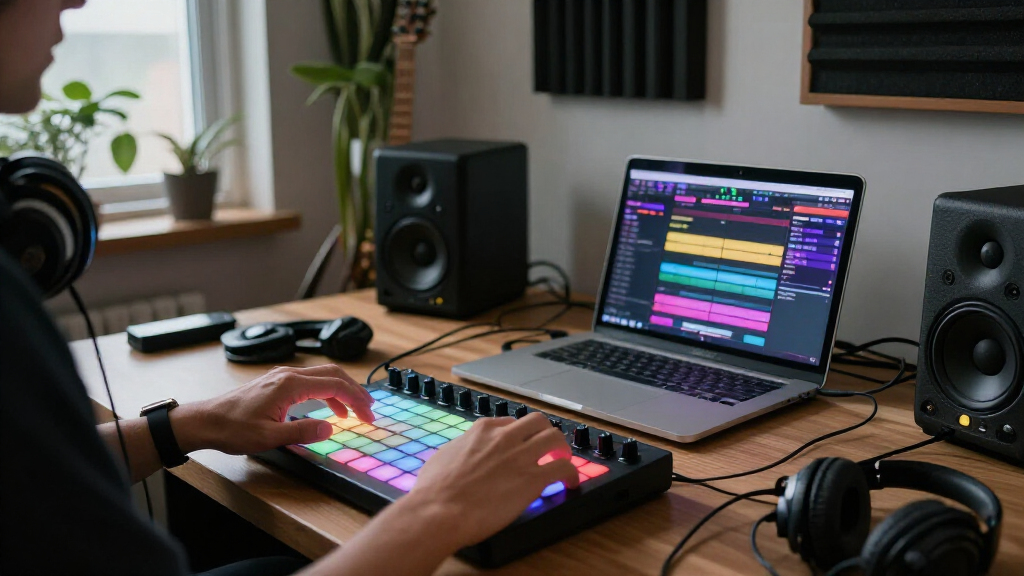
I compared these MIDI pad controllers for music production by the work they make easier: finger drumming, sample triggering, clip launching, and hands-on DAW control. I also weighed pad layout and response, control options beyond the pads, connection and setup needs, portability, and how clearly each model fits a particular kind of session. Those factors matter more than pad count alone; a compact controller can be a better production tool than a larger one if it fits the way someone actually works.
The ranking favors clear, practical roles and useful control over a broad range of music-making tasks. Grid controllers rank well for clip-based performance but are not interchangeable with drum-focused pads, while compact models trade playing surface for desk space and portability. I also account for software dependence and connectivity, since a controller’s appeal can change with a buyer’s DAW, computer, and preferred workflow. Where product details or compatibility may vary by version, I recommend checking the current manufacturer specifications before buying.
| MIDI pad controllers for music production | Included software |
|---|---|
| EMP16 MIDI Pad Controller Beat | — |
| Akai Professional LPD8 USB MID | — |
| Umelody JP-1 16-Pad MIDI Contr | — |
| Umelody JP-MINI Wireless MIDI | — |
| Akai Professional MPC Studio U | MPC2 software license with instruments and production effects |
| Novation Launchpad X 64-Pad MI | — |
| Donner STARRYPAD PRO MIDI Pad | Cubase LE, WaveLab LE, Melodics |
| Akai Professional APC Mini MK2 | — |
| Novation Launchpad Mini MK3 64 | Ableton Live Lite |
| Donner STARRYPAD USB MIDI Pad | Cubase LE and Melodics courses |
| Akai Professional MPD218 USB M | MPC Beats, Ableton Live Lite, and Drum Synth 500 |
| PreSonus ATOM Production & Per | Studio One Artist, Ableton Live Lite, Studio Magic Plug-In Suite, and MVP Loops content |
Factors to Consider When Choosing MIDI Pad Controllers For Music Production
Before choosing a controller, decide what you want your hands to do during a session. A pad surface can speed up drum programming, trigger samples, launch clips, or control a production environment, but no single layout is best at all four. These broader choices can help narrow the field before comparing individual models.
Match the Layout to Your Main Task
For finger drumming, look for a layout that leaves enough room for repeated hits and gives you access to the sounds you use most. A larger grid can be useful for launching clips or triggering many samples, but it may take up space without improving a basic beat-making workflow. If you build songs from scenes and loops, a grid designed around clip launching may be more helpful than a compact cluster of drum pads. A common mistake is choosing by pad count alone; placement and mapping can matter more than the number of triggers. List your most frequent actions, then check whether the controller can put them within easy reach. If you need both drum performance and clip control, plan for a compromise or a second controller rather than expecting one layout to excel at everything.
Think About Pad Response and Playing Style
Velocity sensitivity lets a pad send different values depending on how hard it is struck, which can make programmed drums feel more expressive. That matters most if you play parts by hand and want accents or softer hits without editing each note afterward. If you mainly trigger one-shot samples or launch clips, a simple, dependable trigger may matter more than expressive response. Pad size and spacing affect accuracy, particularly during fast patterns; a crowded layout can be awkward for larger hands. Do not infer performance feel from RGB lighting or a high pad count. Check the maker’s specifications and, if possible, try the surface or confirm the seller’s return terms before committing.
Check DAW Support Before Relying on Software Features
A controller’s usefulness depends partly on how well it communicates with the software you use. Basic MIDI notes and messages are widely applicable, but tailored scripts, transport controls, and clip-launch functions can depend on a particular DAW or software version. Before buying, verify the current compatibility list and whether setup requires installing a script, editor, or bundled application. A software bundle can add value if it matches your workflow, but it should not outweigh the hardware fit if you already have a preferred DAW. Buyers who switch computers or programs should favor flexible MIDI mapping over features tied to one environment. This small check can prevent a controller from arriving with controls that need more setup than expected.
Balance Portability Against Hands-On Control
Compact controllers are easier to carry and leave connected on a crowded desk, but small surfaces can limit pad spacing and dedicated controls. A larger controller may reduce menu use or give you more mapped actions, yet it asks for permanent workspace and extra room in a bag. Think about where you will make music most often: a fixed studio, a laptop setup, or both. Wireless connectivity can reduce cable clutter, although it adds another connection method to check and may not suit every live or studio setup. Confirm whether the controller still works in the wired configuration you prefer and whether it needs batteries or other accessories. Choose the smallest format that handles your recurring tasks comfortably, not simply the smallest device available.
Budget for the Whole Setup, Not Just the Controller
A pad controller usually needs a computer or compatible device, music software, and a suitable connection, so the controller is only one part of the setup. Check what cables, adapters, or power sources are required, especially if you plan to use a tablet or a computer with limited ports. Bundled software may help a new producer get started, but confirm licensing terms and whether the programs run on your operating system. If you already own a DAW and sample library, an included starter package may have little practical value. Spend more when added controls or a better fit solve a real limitation in your sessions. Avoid paying for features you will not map or use, but do not sacrifice a comfortable layout to save space on paper.
Plan for Mapping, Setup, and Future Changes
MIDI mapping determines which sounds or commands each pad and knob controls, and that setup can shape how quickly a controller fits into a session. A fixed, purpose-built layout can be easy to learn, while a configurable surface gives more freedom as projects change. That flexibility may require extra setup, so think about whether you enjoy customizing controls or want a ready-made workflow. Save or document mappings for recurring sessions, and check whether settings live on the controller, in an editor, or inside the DAW. If you expect to change software, avoid building your entire workflow around one application-specific mode. A little planning makes it easier to move between projects without rebuilding your control scheme every time.
Frequently Asked Questions
Should I choose a drum-pad controller or a 64-pad grid?
Choose a drum-pad layout if your main goal is playing beats, triggering samples, or recording percussive parts by hand. A 64-pad grid is a better fit when you launch clips, switch scenes, or organize many triggers across a live set. Neither format replaces the other completely, but they make different actions feel direct. If you split your time evenly, check how easily the controller can be mapped for both tasks and whether its layout feels practical for your most common one. For many producers, choosing around the task they do every session is more useful than buying the most versatile-looking surface.
Do I need velocity-sensitive pads to make beats?
No, you can make beats with pads that send a consistent trigger, especially if you prefer editing note velocity inside your DAW. Velocity sensitivity is useful when you want accented hits and softer notes to come from your playing rather than a later editing step. It can make a performance feel more expressive, but the benefit depends on how you record and shape drums. Also check whether the pads support the response and configuration you want; sensitivity alone does not determine comfort or accuracy. If you mostly launch clips or fire one-shot effects, consistent triggering may be enough.
Will any of these controllers work with my DAW?
Most MIDI controllers can send standard MIDI messages, but specialized controls may not work the same way in every DAW. Verify the manufacturer’s current compatibility information for your software and operating system before buying. Check whether clip launching, transport controls, or custom modes rely on a specific integration or installation step. You may still be able to map basic pads and knobs yourself, though that can take time. If you use more than one DAW, flexible MIDI mapping is often more useful than a feature tied to a single program.
Is a wireless pad controller a good choice for a studio?
Wireless operation can reduce cable clutter and suit a portable setup, but it is not automatically an advantage in a fixed studio. Check what wireless connection the controller uses, whether your computer supports it, and how the controller is powered. For recording or performance, consider whether you want the simplicity of a wired connection as a fallback. Wireless capability also does not guarantee that every software control works without setup. Choose it when untethered placement matters to your workflow, not just because the feature appears on the specification list.
Should a beginner prioritize bundled music software or a simpler controller?
A beginner may benefit from bundled software if it includes a usable DAW or tools that match the kind of music they want to make. Still, software is only helpful if it runs on their computer and supports the controller’s core functions. A straightforward layout can be easier to learn than a more configurable model with many modes, especially when building basic drum patterns. If you already own a DAW, compare the controller’s pad feel, mappings, and connection needs instead of treating the bundle as a deciding factor. The best starting point is the one that fits the first few tasks you want to learn and leaves room to grow.
Conclusion
For an all-around drum-focused starting point, I recommend the Akai Professional MPD218 as my best overall pick; its focused pad workflow is a clearer fit for beat-making than a clip-launch grid. The Akai Professional LPD8 is my best value-style choice for producers who want a small, simple controller and can work within eight pads. For a premium, more production-centered workflow, consider the Akai Professional MPC Studio, especially if its MPC-style approach suits how you build tracks. Beginners who want a direct way into finger drumming can start with the MPD218, while producers learning clip-based performance should look at the Novation Launchpad X; the Mini MK3 is the more compact grid alternative. For wireless flexibility, compare the Umelody JP-MINI and EMP16 closely, and for a tight desk, the LPD8 is the most natural fit. My final advice is to choose the layout that matches the action you repeat most, then verify software compatibility and setup requirements before ordering.