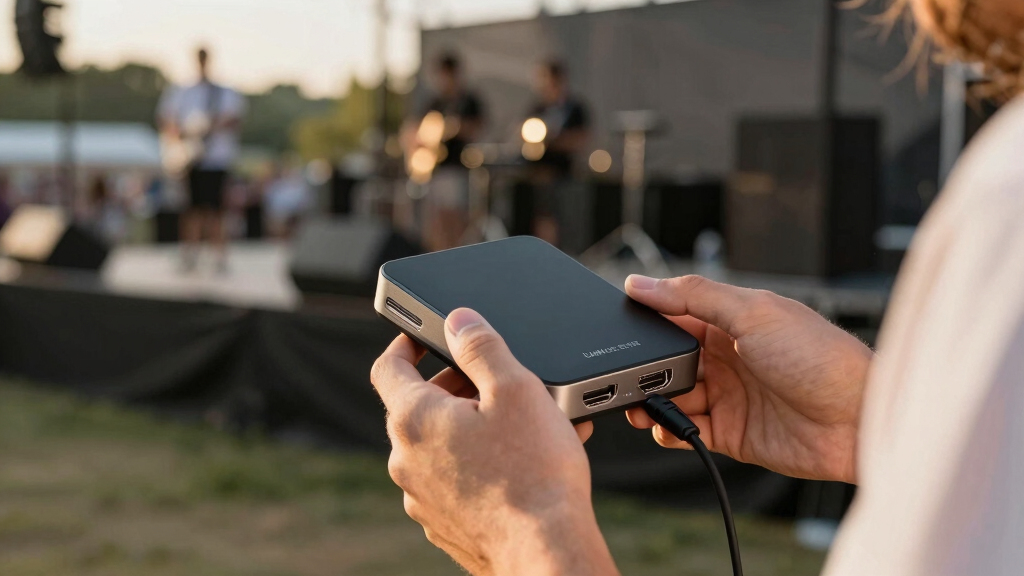

Finding the best HDMI capture device for concert streaming requires balancing quality, compatibility, and ease of use. The Elgato 4K S External Capture Card stands out for its 4K support and seamless integration, making it ideal for high-resolution streams. The UGREEN Full HD 1080P Capture Card offers solid performance at a budget-friendly price, perfect for beginners or casual streamers. Meanwhile, the ClearClick Video to USB provides a straightforward, plug-and-play solution for those who prioritize simplicity. Each option involves tradeoffs between resolution, latency, and compatibility, so continue reading for a detailed comparison to help you pick the best fit for your concert streaming setup.
Key Takeaways
- Higher resolution capture cards tend to come with increased cost and setup complexity but deliver clearer, more professional streams.
- Compatibility with multiple devices and operating systems is essential for versatile concert streaming setups.
- Ease of use and plug-and-play features significantly reduce setup time, especially for beginners.
- Price often correlates with features; budget options can suffice for casual use, but serious streamers may need to invest in premium models.
- Latency and frame rate support are critical for live concert streaming to ensure real-time, smooth video quality.
| ClearClick Video to USB 1080P Audio Video Capture & Live Streaming Device |  | Best Overall for Versatile, Multi-Source Streaming | Input Types: HDMI, AV, RCA, S-Video | Output: USB-C | Supported Resolutions: Up to 1080P (4K 30 FPS for HDMI) | VIEW LATEST PRICE | See Our Full Breakdown |
| UGREEN Full HD 1080P Capture Card 4K HDMI to USB 2.0 for Gaming, Streaming, Teaching |  | Best Value for High-Resolution Flexibility | Input Resolution: up to 4K@60Hz | Output Resolution: up to 1080p@30Hz | Interface: HDMI, USB 2.0 (USB-A and USB-C) | VIEW LATEST PRICE | See Our Full Breakdown |
| Elgato 4K S External Capture Card for PS5, Xbox Series X/S, Switch 2, PC, Mac, iPad |  | Best for 4K60 Gaming and High-Quality Content | Capture Resolution: 4K60 | High Frame Rate Support: 1440p120, 1080p240 | HDR Support: HDR10 | VIEW LATEST PRICE | See Our Full Breakdown |
| Capture Card for Nintendo Switch, 4K HDMI Video Capture Card, 1080P 60FPS, HDMI to USB 3.0 for Streaming | 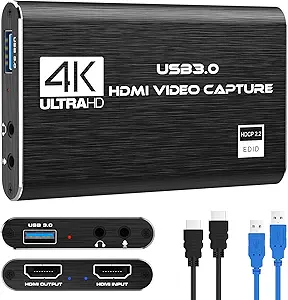 | Best for Console Gamers Seeking Easy Setup | Hardware Interface: USB | Video Capture Resolution: 1080P 60FPS | Operating System: Windows, Mac OS | VIEW LATEST PRICE | See Our Full Breakdown |
| 4K USB3.0 HDMI Capture Card for Streaming and Recording |  | Best Compact 4K Capture for Versatile Use | Video Input: 4K HDMI | Recording Resolution: 1080P@60Hz | Supported Frame Rate: 2K@30Hz, 1080P@60Hz | VIEW LATEST PRICE | See Our Full Breakdown |
| 4K HDMI Video Capture Card, Game & Streaming Capture Device, HDMI to USB 2.0 |  | Best Compact Option for High-Quality 1080p Streaming | Hardware Interface: USB 2.0 | Video Capture Resolution: 1080p | Maximum Input Resolution: 4K@60Hz | VIEW LATEST PRICE | See Our Full Breakdown |
| 4K HDMI to USB 3.0 Video Capture Device, 1080P HD 60fps for Gaming, Streaming, and Recording |  | Best for Low-Latency, High-Resolution Streaming | Hardware Interface: USB 3.0 | Video Capture Resolution: 1080p | Input Max Resolution: 3840×2160@60Hz | VIEW LATEST PRICE | See Our Full Breakdown |
| UGREEN 2K@30Hz HDMI Capture Card with 1080p@60FPS Support for Streaming and Recording |  | Best for Versatile, Moderate-Resolution Content Creation | Hardware Interface: HDMI, USB 3.0, USB Type C | Video Capture Resolution: 1080p, 2K | Operating System: Windows, MacOS, Linux | VIEW LATEST PRICE | See Our Full Breakdown |
| 4K HDMI Capture Card for Streaming, 1080P 60FPS USB 3.0/Type-C with 4K HDMI Loop-Out |  | Best for Live Monitoring with 4K Loop-Out Capability | Input Resolution: 4K@60Hz | Capture Resolution: 1080P@60Hz | Loop-Out: Yes, 4K HDMI | VIEW LATEST PRICE | See Our Full Breakdown |
| Papeaso 4K HDMI to 1080P USB-C Video Capture Card for Gaming Streaming and Recording |  | Best Value for Versatile 1080p Streaming | Hardware Interface: HDMI, USB Type C | Video Capture Resolution: 1080p | Operating System: Windows, Linux, Mac OS | VIEW LATEST PRICE | See Our Full Breakdown |
| Audio Express AXHDCAP 4K HDMI Video Capture Card, USB 2.0, Supports 4K Input, 1080P Recording for Streaming and Broadcasting |  | Best for 4K Input with Ultra-Low Latency | Input Resolution: Up to 3840×2160@30Hz | Output Resolution: Up to 1920×1080@30Hz | Video Output: 1080P at 30FPS | VIEW LATEST PRICE | See Our Full Breakdown |
More Details on Our Top Picks
ClearClick Video to USB 1080P Audio Video Capture & Live Streaming Device
This device stands out for its ability to handle a wide range of video sources, including HDMI, AV, RCA, and S-Video, making it more adaptable than the Elgato 4K S, which is primarily optimized for gaming. Its support for up to 1080P ensures sharp quality without the complexity of 4K setups, ideal for concert streaming where high resolution is desired but not at the expense of simplicity. The inclusion of software and step-by-step instructions simplifies setup across Windows, Mac, and Linux, unlike some competitors that require additional drivers or hardware adjustments. However, it’s limited to 1080P for HDMI sources and needs a bulky external power supply, which could be inconvenient for mobile or quick setups. This pick makes the most sense for streamers who need flexibility with various legacy and modern video sources and value broad OS compatibility.
Pros:- Supports multiple input types, including analog sources
- Compatible with Windows, Mac, and Linux systems
- Includes user-friendly software with clear instructions
- Affordable for versatile, multi-source use
Cons:- Limited to 1080P resolution for HDMI, not suitable for 4K needs
- Requires external power, which may add bulk
Best for: Content creators and live streamers needing multi-source input and broad system support
Not ideal for: Streamers aiming for 4K resolution or minimal setup footprint
- Input Types:HDMI, AV, RCA, S-Video
- Output:USB-C
- Supported Resolutions:Up to 1080P (4K 30 FPS for HDMI)
- Compatibility:Windows 10/11/12, macOS 11.0+, Ubuntu 14.04+
- Power:96 Watts
- Color:Blue
Bottom line: This device suits those seeking flexible, multi-source streaming with reliable software support at 1080P.
UGREEN Full HD 1080P Capture Card 4K HDMI to USB 2.0 for Gaming, Streaming, Teaching
Compared to the Elgato 4K S, the UGREEN capture card offers support for up to 4K input resolution, making it a strong choice for concert streaming where higher-quality sources are used. Its output, capped at 1080P, aligns with most streaming platforms and cameras, while its plug-and-play nature requires no driver installation—an advantage over devices that demand software setup. Its compatibility across Windows, Linux, iOS, and Android widens its appeal, especially for mobile or multi-device setups. The tradeoff is that it doesn’t support HDCP encrypted signals, limiting use with some commercial content or game consoles without HDCP removal. Overall, this pick is ideal for users who want high input resolution flexibility without sacrificing ease of use or broad device compatibility.
Pros:- Supports 4K@60Hz input, allowing high-quality source capture
- No drivers required, plug-and-play setup
- Compatible across multiple operating systems and mobile devices
- Lightweight and portable for on-the-go streaming
Cons:- Cannot capture HDCP-protected signals
- Limited to 1080P output resolution
Best for: Streamers and educators who need high input resolution and cross-platform support
Not ideal for: Gamers streaming protected content or those requiring 4K output resolution
- Input Resolution:up to 4K@60Hz
- Output Resolution:up to 1080p@30Hz
- Interface:HDMI, USB 2.0 (USB-A and USB-C)
- Supported Devices:Switch, Xbox, PS4, PS5, Cameras, Webcams, Mobile Phones
- Compatibility:Windows 8.1/10, Linux, iOS 17+, Android
- Weight:19.9g
Bottom line: Best suited for users who prioritize high-input resolution with broad device compatibility and ease of use.
Elgato 4K S External Capture Card for PS5, Xbox Series X/S, Switch 2, PC, Mac, iPad
This device is tailored for gamers and content creators aiming for ultra-high-definition streams, supporting 4K60 capture with HDR10 for vibrant visuals, outperforming other options like the B097DKNS1M which maxes at 1080p. Its support for high frame rates—up to 1440p120 and 1080p240—ensures smooth footage, especially for fast-paced concert visuals or dynamic performances. The inclusion of analog audio input adds flexibility for commentary or capturing in-game chat. The main tradeoff is its price and setup complexity, which might be excessive for casual streamers or those only seeking basic 1080P output. This pick makes the most sense for users who want top-tier video quality and are willing to invest in compatible hardware and software.
Pros:- Supports 4K60 capture with high detail and HDR10
- High frame rate support for smooth footage
- Cross-platform compatibility including PC, Mac, and iPad
- Includes analog audio input for commentary
Cons:- High price point relative to basic options
- Requires compatible hardware and software setup
Best for: Professional gamers and streamers seeking 4K60 quality with HDR support
Not ideal for: Casual streamers or those on a tight budget who only need 1080P output
- Capture Resolution:4K60
- High Frame Rate Support:1440p120, 1080p240
- HDR Support:HDR10
- Connectivity:USB-C
- Audio Input:3.5mm analog
- Platforms:PC, Mac, iPad
Bottom line: Ideal for serious content creators prioritizing 4K quality and high dynamic range in their streams.
Capture Card for Nintendo Switch, 4K HDMI Video Capture Card, 1080P 60FPS, HDMI to USB 3.0 for Streaming
This capture card is designed for users who want straightforward, reliable performance with 1080P60 streaming, making it well-suited for Nintendo Switch and similar consoles. Its plug-and-play setup with no drivers required is a significant advantage over more complex devices like the B0FW3K52JL, which may need additional software configuration. The inclusion of microphone input allows for commentary without extra equipment. However, its inability to support 4K input or 120Hz output limits its appeal for future-proofing or high-end video quality. It’s a straightforward choice for casual streamers who prioritize ease of use and compatibility over ultra-high resolution or frame rates.
Pros:- Supports 1080P at 60FPS for smooth gameplay streaming
- Plug-and-play, no driver installation required
- Includes microphone input for commentary
- Compatible with multiple operating systems
Cons:- Limited to 1080P resolution, not suitable for future 4K content
- No support for 4K120Hz input or output
Best for: Console gamers and streamers prioritizing quick setup and reliable 1080P60 streaming
Not ideal for: Those needing 4K input or high frame rate capture for professional content
- Hardware Interface:USB
- Video Capture Resolution:1080P 60FPS
- Operating System:Windows, Mac OS
- Item Weight:0.18 Kilograms
- Item Dimensions:3 x 2 x 1 inches
- Minimum System Requirements:Windows OS, USB 3.0 port
Bottom line: Best for casual console streamers who need quick, reliable 1080P60 performance with minimal setup fuss.
4K USB3.0 HDMI Capture Card for Streaming and Recording
This compact device supports 4K HDMI input and records at 1080P60Hz, making it suitable for high-quality concert streaming and professional recordings. Its ultra-low latency and plug-and-play setup make it highly portable, aligning well with users who need to stream from multiple locations or mobile setups, unlike bulkier options like the Elgato 4K S. While it supports high-resolution input, it’s limited by its 1080P recording output and may require testing HDMI sources beforehand to confirm compatibility. It’s an excellent choice for users who want a small, versatile device without sacrificing too much resolution or latency, though it may fall short for those needing 4K60 recording.
Pros:- Supports 4K HDMI input with 1080P60Hz recording
- Ultra-low latency for smooth live streaming
- Plug-and-play, compatible across platforms
- Compact, portable design
Cons:- Limited to 1080P output, not true 4K recording
- Requires HDMI source testing for compatibility
Best for: Travel-ready streamers and professionals needing a lightweight, high-res input device
Not ideal for: Streamers seeking 4K recording output or ultra-high frame rate capture
- Video Input:4K HDMI
- Recording Resolution:1080P@60Hz
- Supported Frame Rate:2K@30Hz, 1080P@60Hz
- Interface:USB 3.0, USB-C
- Compatibility:Windows 7-11, macOS, Linux, Android
- Included Accessories:USB-C adapter, User manual
Bottom line: Great for mobile or flexible setups that require 4K input but only need 1080P recording output.
4K HDMI Video Capture Card, Game & Streaming Capture Device, HDMI to USB 2.0
This capture card stands out for offering 4K@60Hz input support while maintaining a simple plug-and-play experience via USB 2.0, making it suitable for those who prioritize portability without sacrificing resolution. Compared with the 4K HDMI to USB 3.0 Video Capture Device, it lacks the higher bandwidth of USB 3.0, which could limit streaming stability at maximum input resolution, but its compact design makes it ideal for outdoor setups or quick deployments. However, its reliance on high-quality HDMI cables for 4K input and absence of audio mixing features are drawbacks for more demanding productions.
Pros:- Supports 4K input and 1080p recording for high-quality video
- Plug-and-play with no driver installation required
- Compatible with Windows, Mac, and Android
Cons:- Limited to USB 2.0 bandwidth, which may affect stability at 4K input
- No built-in audio mixing or advanced streaming features
Best for: Travelers or event organizers who need a portable, high-quality capture device that works with multiple platforms.
Not ideal for: Streamers requiring high bandwidth for uncompressed 4K recording or integrated audio mixing, as this device is limited to 1080p output and lacks audio controls.
- Hardware Interface:USB 2.0
- Video Capture Resolution:1080p
- Maximum Input Resolution:4K@60Hz
- Output Resolution:1920×1080@60Hz
- Compatibility:Windows, Android, MacOS
- Dimensions:2.4 x 1.18 x 0.67 inches
Bottom line: This pick is best for users who need a compact, reliable device that handles high-resolution input without complex setup.
4K HDMI to USB 3.0 Video Capture Device, 1080P HD 60fps for Gaming, Streaming, and Recording
This device excels in delivering ultra-low latency and broad compatibility, supporting 4K input and 1080p output at 60fps, making it ideal for fast-paced concert streaming where timing is critical. Unlike the 4K HDMI Video Capture Card for Streaming, which is limited by USB 2.0 bandwidth, this model’s USB 3.0 interface ensures smoother, more stable streams at high resolutions. Its compact size and plug-and-play design simplify setup, but it’s limited to 1080p output resolution despite the 4K input support, which could matter for viewers expecting 4K playback.
Pros:- Supports 4K input and 1080p 60fps output for smooth streaming
- Ultra-low latency for real-time broadcasting
- Compatible with multiple operating systems and devices
Cons:- Limited to 1080p output resolution, despite 4K input support
- Requires compatible software for streaming, which adds setup steps
Best for: Professional streamers or concert videographers who need minimal delay and high-quality live feeds.
Not ideal for: Casual users or those with older computers lacking USB 3.0 ports, as this device requires high-speed connectivity for optimal performance.
- Hardware Interface:USB 3.0
- Video Capture Resolution:1080p
- Input Max Resolution:3840×2160@60Hz
- Output Max Resolution:1920×1080@30Hz
- Operating System Compatibility:Windows 7/8/8.1/10, MacOS, Linux, Android, iPadOS 17+
- Item Weight:22 grams
Bottom line: Ideal for high-end streaming setups needing low latency and reliable performance with broad device compatibility.
UGREEN 2K@30Hz HDMI Capture Card with 1080p@60FPS Support for Streaming and Recording
This capture card offers a balanced mix of resolution and affordability, supporting 2K@30Hz and 1080p@60FPS, making it suitable for streamers who prioritize consistent frame rates over maximum resolution. Compared with the 4K HDMI Capture Card for Streaming, it doesn’t support 4K input, but its compatibility with a wide range of operating systems and devices, including Nintendo Switch and iOS, makes it a versatile choice. Its USB 3.0 and USB Type-C interfaces ensure fast data transfer, yet its support for only 2K at 30Hz limits its appeal for high-end concert streaming where 4K clarity might be desired.
Pros:- Supports 1080p and 2K at 60FPS for smooth recordings
- Compatible with a wide array of devices and OS
- Includes both USB-A and USB-C for flexible connectivity
Cons:- Limited to 2K@30Hz, which may not satisfy high-resolution demands
- Does not support HDMI output for monitoring
Best for: Content creators looking for a flexible device that handles 1080p or 2K streams without breaking the bank.
Not ideal for: Professionals needing true 4K support or high frame rate capture for large-scale events, due to resolution and refresh rate constraints.
- Hardware Interface:HDMI, USB 3.0, USB Type C
- Video Capture Resolution:1080p, 2K
- Operating System:Windows, MacOS, Linux
- Antenna Location:Video Recording
- Special Features:Ultra Low Latency, 5 Gbps Data Transfer
- Item Dimensions:5.91 x 3.94 x 0.67 inches
Bottom line: Best suited for streamers who want a reliable, multi-device compatible capture device at moderate resolutions.
4K HDMI Capture Card for Streaming, 1080P 60FPS USB 3.0/Type-C with 4K HDMI Loop-Out
This capture device emphasizes live feedback, supporting 4K@60Hz input and 1080p@60Hz recording, with a built-in 4K HDMI loop-out that allows real-time, lag-free monitoring. Unlike the 4K HDMI Video Capture Card, Game & Streaming Device, which lacks loop-out, this model provides seamless on-screen monitoring essential for live concert streaming. Its plug-and-play setup and broad device compatibility make it a flexible choice for professional environments, though it requires no external power which might limit advanced configurations. Its limitation to 1080p at 60FPS for recording may disappoint users seeking higher resolution playback.
Pros:- Supports 4K@60Hz input and 1080p@60Hz recording
- Includes 4K HDMI loop-out for instant monitoring
- Plug-and-play with broad compatibility
Cons:- Limited to 1080p output resolution for recordings
- No dedicated audio mixing capabilities
Best for: Concert streamers and broadcasters who need real-time 4K monitoring alongside high-quality recording.
Not ideal for: Streamers who require 4K recording at full resolution, or those needing advanced audio mixing features, as this device focuses on video loop-out.
- Input Resolution:4K@60Hz
- Capture Resolution:1080P@60Hz
- Loop-Out:Yes, 4K HDMI
- Connection:USB 3.0/Type-C
- Microphone Input:3.5mm TRS
- Included Cables:2 HDMI, USB 3.0
Bottom line: Ideal for live concert streaming setups that benefit from real-time 4K feedback with reliable, lag-free monitoring.
Papeaso 4K HDMI to 1080P USB-C Video Capture Card for Gaming Streaming and Recording
This capture card stands out for its high-quality 1080p at 60fps recording, making it a reliable choice for concert streaming where smooth video is essential. Compared to the Audio Express AXHDCAP, it offers a more straightforward setup with a USB-C connection, which is increasingly common among modern devices. However, it limits users to 1080p resolution, unlike the AXHDCAP’s support for 4K input, so it’s less future-proof for those wanting higher resolution sources. Its compatibility with a broad range of devices, including gaming consoles and cameras, makes it flexible for various content setups. The absence of advanced features like hardware encoding or bundled software means it’s more suited for straightforward streaming rather than professional production. This pick makes the most sense for users seeking reliable 1080p capture at a reasonable price without needing 4K support.
Pros:- High-quality 1080p at 60fps recording ensures smooth playback
- Broad device compatibility including cameras and gaming consoles
- No delay or freezing during live streaming
Cons:- Limited to 1080p resolution, not suitable for 4K sources
- Requires devices with USB-C or HDMI ports, which may limit older setups
Best for: Content creators and streamers who prioritize smooth 1080p video and wide device compatibility on a budget
Not ideal for: Professionals needing 4K capture or advanced streaming features, as it cannot handle higher resolutions or complex workflows
- Hardware Interface:HDMI, USB Type C
- Video Capture Resolution:1080p
- Operating System:Windows, Linux, Mac OS
- Input:USB-C
- Output:HDMI
- Compatible Devices:Camera, Gaming Console, Laptop, PC
Bottom line: This device is ideal for streamers seeking dependable 1080p capture with wide compatibility and straightforward setup.
Audio Express AXHDCAP 4K HDMI Video Capture Card, USB 2.0, Supports 4K Input, 1080P Recording for Streaming and Broadcasting
The Audio Express AXHDCAP excels with its support for 4K HDMI input at 60FPS, making it ideal for concert streaming where high-resolution sources are common. In comparison with the Papeaso model, which is limited to 1080p, the AXHDCAP offers a significant advantage if you want to incorporate 4K footage or future-proof your setup. Its ultra-low latency and real-time preview capabilities are crucial for live events, reducing lag and improving sync during streaming. However, it relies on USB 2.0, which may bottleneck higher data rates and limit performance on newer systems that support USB 3.x, potentially affecting long-term reliability. Its plug-and-play design simplifies setup across Windows, MacOS, and Linux, but the maximum recording resolution remains at 1080p at 30FPS, which could be a drawback for those needing higher frame rates at 4K. This device is best suited for users who want to stream from high-resolution sources without complex setup and don’t mind the USB 2.0 limitation.
Pros:- Supports 4K HDMI input at 60FPS for high-resolution sources
- Ultra-low latency ensures real-time preview and smooth streaming
- Plug-and-play setup with broad OS compatibility
Cons:- Limited to USB 2.0, which can restrict data transfer speed
- Maximum recording resolution is 1080p at 30FPS, not full 4K recording
Best for: Producers and streamers who need 4K input support and ultra-low latency for live concert broadcasts
Not ideal for: Users requiring higher frame rates at 4K or newer systems with USB 3.x ports, as the device is limited by USB 2.0 bandwidth
- Input Resolution:Up to 3840×2160@30Hz
- Output Resolution:Up to 1920×1080@30Hz
- Video Output:1080P at 30FPS
- Connection:USB 2.0
- Compatibility:Windows, MacOS, Linux
- Power:Plug-and-play, no external power required
Bottom line: This capture card suits streaming professionals who need 4K input support combined with minimal delay, but should be avoided if higher frame rates at 4K are essential or USB 3.x compatibility is preferred.
How We Picked
These products were selected based on a combination of performance, build quality, usability, and value. We prioritized devices that support high-resolution input and output, as well as broad compatibility with popular streaming platforms and hardware. Ease of setup and reliability during live streams also played a key role. The ranking reflects a balance between cost and advanced features, ensuring options are available for different experience levels and streaming needs. Devices that offered clear advantages in either image quality, latency, or user experience earned higher positions, while those with notable limitations were ranked lower.Factors to Consider When Choosing Best HDMI Capture Device For Concert Streaming
Choosing the right HDMI capture device for concert streaming involves assessing several key factors. Understanding your specific needs—such as resolution, ease of use, and budget—helps narrow options. It’s also important to consider device compatibility with your hardware and streaming software, as well as the level of technical setup required. Making an informed choice can prevent common pitfalls like latency issues or unsupported devices, ensuring a smooth streaming experience.Resolution and Frame Rate Support
Higher resolution and frame rate support typically translate into better video quality, which is crucial for capturing the vibrancy of live concerts. Look for devices supporting at least 1080p at 60fps for smooth, professional-looking streams. If you plan to stream in 4K, ensure your hardware and internet connection can handle the bandwidth, and verify that the capture device supports these specifications. Remember, higher specs often come with increased cost and complexity, so match these features to your streaming goals.
Compatibility and Connectivity
Ensure the capture device works seamlessly with your existing setup—be it Windows, Mac, or streaming platforms like OBS or Streamlabs. Compatibility extends to HDMI versions, USB types (USB 3.0 vs. USB-C), and whether the device supports loop-out for monitoring. Devices with broader compatibility reduce headaches during setup and allow flexibility for future upgrades or changes in equipment.
Ease of Use and Setup
For concert streaming, especially if you do it live, a plug-and-play device can save you time and frustration. Some capture cards come with intuitive software or even standalone modes that simplify configuration. Less technical setups reduce the risk of errors mid-performance and make it easier to focus on the music rather than technical issues.
Price and Value
Budget options may suffice for casual streaming, but investing in a higher-quality device often pays off in clearer video, lower latency, and more reliability. Consider your streaming frequency and quality expectations; for regular, high-quality concert streams, a mid-range or premium device might deliver better long-term value. Avoid sacrificing essential features for savings, as poor video quality or connection issues can ruin a live performance.
Latency and Frame Rate Stability
Real-time feedback is critical in concert streaming to avoid lag or delays that disrupt the experience. Devices supporting low latency and stable frame rates ensure your audience receives a smooth, synchronized video feed. Check reviews for reports of lag or dropped frames — these issues can undermine the professionalism of your stream and frustrate viewers.
Frequently Asked Questions
Can I use a consumer-grade capture device for professional concert streaming?
Yes, many consumer-grade devices can handle professional streaming, especially if they support 1080p or 4K at 60fps with low latency. However, for highly demanding live events, investing in higher-end models with better build quality, more reliable connections, and lower latency can improve the experience. Always consider whether the device’s specifications meet your quality expectations and whether it integrates well with your streaming setup.
Is 4K support necessary for concert streaming?
While 4K support offers sharper, more detailed video, it isn’t always necessary depending on your audience’s devices and bandwidth. If your viewers are primarily on mobile or have limited internet speeds, streaming in 1080p may be more practical. However, if you aim for high-end production values and have the hardware to support it, 4K can make your streams stand out, especially on larger screens.
How important is latency in live concert streaming?
Latency impacts how synchronized your audio and video appear to viewers. Low latency is vital for real-time experiences, especially when coordinating multiple camera angles or interacting with the audience. A delay of even a few seconds can detract from the concert feel, so look for capture devices that specify support for minimal latency during live streams.
Should I prioritize higher resolution or frame rate support?
Both matter, but if you must choose, prioritize frame rate support—preferably 60fps—for fluid motion, especially for fast-moving scenes or lively performances. Resolution adds detail but can be limited by your internet and hardware. For most concert streams, 1080p at 60fps offers a good balance of quality and performance, while 4K is better suited for high-end setups.
What common mistakes should I avoid when choosing an HDMI capture device?
One common mistake is selecting a device that doesn’t support your desired resolution or frame rate, leading to inferior video quality. Another is ignoring compatibility with your streaming software or hardware, which can cause setup issues. Failing to consider latency and reliability can also result in laggy, unprofessional streams. Always check reviews and specifications thoroughly before purchasing.
Conclusion
For casual streamers or those just starting out, a budget-friendly device like the UGREEN Full HD 1080P Capture Card provides good value and simplicity. If you aim for professional, high-resolution concert streams, the Elgato 4K S External Capture Card offers excellent quality and features, making it the best overall choice. Beginners should consider plug-and-play options, while experienced streamers requiring high fidelity might prefer premium models with advanced features. Those with specific needs, such as multi-camera setups or 4K output, should prioritize compatibility and resolution support to match their production standards.