
To keep your phone photos safe while filming all night, enable automatic cloud backups like iCloud or Google Photos to secure your images off-device. Encrypt sensitive photos and use strong passwords or two-factor authentication on your accounts. Keep your device updated with the latest security patches, avoid unsecured Wi-Fi, and regularly back up during breaks. If you follow these steps, you’ll better protect your footage—more tips await to help you stay secure.
Key Takeaways
- Enable automatic cloud backup to securely save photos during night filming sessions.
- Use encrypted cloud services or encrypt photos locally for added security.
- Keep device security features like passcodes and biometric locks active throughout filming.
- Avoid unsecured Wi-Fi networks; prefer trusted networks or cellular data for uploads.
- Regularly update security settings and enable two-factor authentication on cloud accounts.
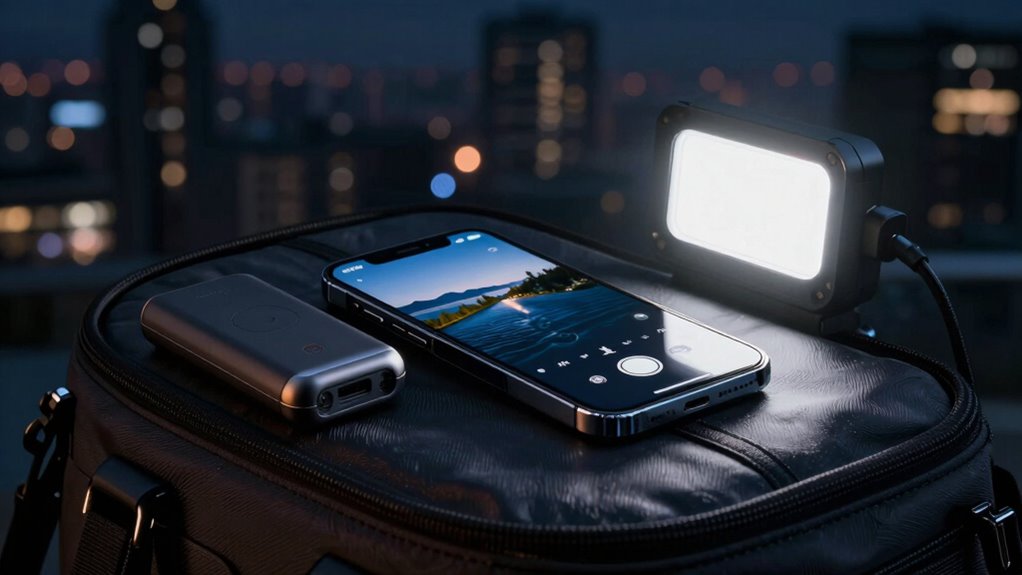
Have you ever lost important photos because your phone was stolen or accidentally erased them? If so, you know how heartbreaking it can be to lose memories you’d hoped to cherish forever. To prevent this from happening, it’s essential to keep your photos safe, especially when you’re out filming all night. One effective way to do this is by using cloud backup services. These platforms automatically upload your photos to secure servers, ensuring that even if your phone gets lost, damaged, or stolen, your images remain safe and accessible. Setting up cloud backup is straightforward; most smartphones come with built-in options like iCloud or Google Photos. Activate these features, and your photos will be continuously saved in the background, without you needing to think about it. This way, you won’t have to worry about manually transferring files or losing everything in a mishap.
Alongside cloud backup, implementing photo encryption adds an extra layer of security. Photo encryption scrambles your images, making them unreadable to anyone who doesn’t have the decryption key. This is especially important if you’re filming sensitive or personal content during your night shoots. With encrypted photos stored locally or in the cloud, even if someone gains unauthorized access to your device or account, they won’t be able to view your images without the proper key. Many secure cloud services offer built-in encryption, or you can use dedicated apps to encrypt your photos before uploading them. Always choose strong, unique passwords for your accounts and enable two-factor authentication to further protect your data. Combining cloud backup with photo encryption ensures your content stays private and protected from prying eyes or accidental loss.
While filming all night, it’s tempting to keep your phone active constantly, but that can also increase the risk of losing data or having your device compromised. Make sure your phone’s security settings are up to date, and consider enabling biometric locks or passcodes that are difficult to guess. Regularly backing up your photos during breaks helps minimize the risk of losing the entire night’s footage. Additionally, avoid using unsecured Wi-Fi networks when uploading sensitive content; instead, opt for trusted networks or cellular data. This reduces the chance of interception or hacking attempts. Remember that backup power solutions can help keep your devices running safely throughout your filming sessions.
Frequently Asked Questions
Can I Use Cloud Storage to Automatically Back up Nighttime Photos?
Yes, you can use cloud storage to automatically back up your nighttime photos. Enable cloud backup and automatic syncing on your phone to make certain your photos are saved instantly as you capture them. This way, even if something happens to your device, your images stay safe in the cloud. Just make sure you’re connected to Wi-Fi and have enough storage space to avoid interruptions during those long filming nights.
What Security Features Should I Enable on My Phone?
You should enable photo encryption and biometric security on your phone to safeguard your nighttime photos. Photo encryption guarantees your images are scrambled and only accessible with your password or biometric data, like fingerprint or facial recognition. Biometric security adds an extra layer of protection, making it harder for others to access your photos without your consent. Activate these features in your security settings for peace of mind during overnight filming sessions.
How Does Low Battery Affect Photo Safety?
A low battery can threaten your photo safety because your phone might shut down unexpectedly, risking loss or damage to your images. To prevent this, use battery preservation and power management features to extend your device’s lifespan during filming. Keep an eye on your battery level, and consider carrying a portable charger. This way, you guarantee continuous filming and protect your photos from unexpected shutdowns.
Are There Specific Apps to Protect Photos During Filming?
Think of apps as your digital bodyguards, shielding your photos like treasure in a vault. Yes, there are apps that offer photo encryption, locking your images behind secure walls, and they often require careful app permissions to function effectively. These permissions give the app access to protect and manage your photos, ensuring your footage stays private during your all-night filming. Just choose reputable apps and review permissions carefully to keep your memories safe.
What Should I Do if My Phone Gets Wet While Filming Overnight?
If your phone gets wet while filming overnight, act quickly to prevent water damage. Remove it from the water immediately and turn it off to avoid short circuits. Dry it gently with a soft cloth and avoid using heat. If possible, place it in a waterproof case or sealed bag with silica gel packets to absorb moisture. Using waterproof cases beforehand offers extra protection, so invest in one for future filming sessions.
Conclusion
Remember, your phone is more than just a device—it’s a treasure chest of memories. By backing up your photos regularly and using strong security settings, you’re sealing your digital vault from prying eyes and accidents. Don’t let a single night of filming turn into a lost moment; think of your photos as stars—beautiful, countless, and worth protecting. Keep them safe, and they’ll shine brightly for years to come.