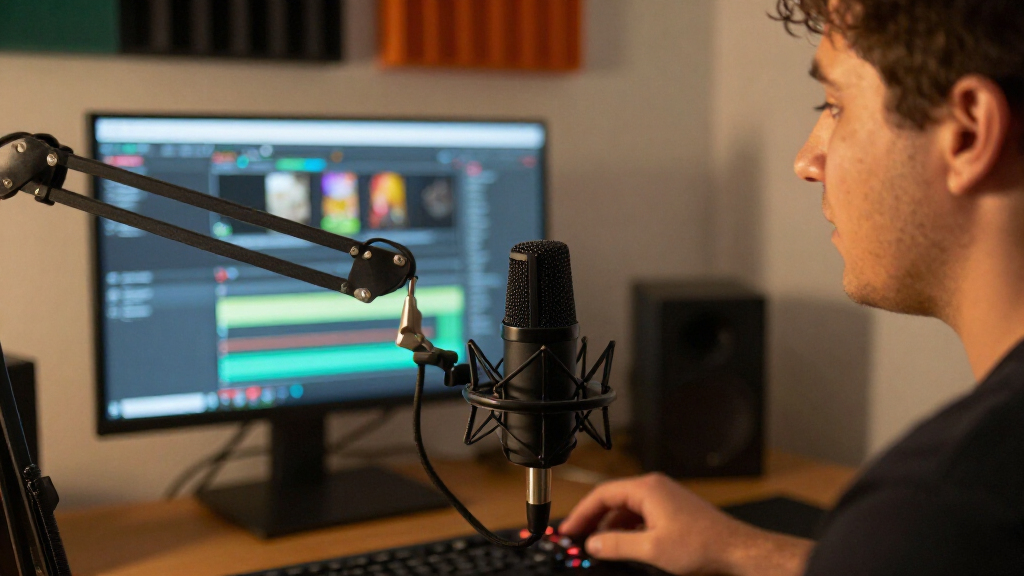
For most streamers, the Shure MV7+ is the best overall dynamic microphone for streaming because it offers both USB-C and XLR connections, making it easier to start simple and expand later. The FIFINE AmpliTank K688 is a flexible value alternative with the same connection options, while the Shure SM7B is a strong fit for experienced creators building a dedicated XLR setup. The main tradeoff is convenience versus control: USB mics simplify setup, while XLR models call for an audio interface but offer a more modular recording chain. Bundled stands, lighting, wireless features, and software controls can also matter as much as the microphone itself. Read on for the full comparison and help matching a mic to your room, gear, and streaming habits.

Get audio and creator gear delivered free with Prime
- Fast, free delivery on millions of items
- Prime Video, Amazon Music and more included
- Member-only deals all year
Complete the kit


Key Takeaways
- The MV7+ is the most adaptable all-round pick: USB-C supports a direct-to-computer setup, and XLR leaves room for a later interface-based chain.
- The K688 models stand out for connection flexibility: FIFINE offers USB/XLR options at multiple kit levels, so check whether the bundle includes accessories you will actually use.
- The SM7B suits an established XLR workflow: its appeal is strongest for creators ready to build around an interface, rather than buyers seeking the simplest plug-and-play start.
- Wireless and RGB solve different problems: the MAONO PD200W prioritizes freedom of movement, while models such as the PD200XS and AM8 focus on desk-based streaming features.
- Several entries share product families or near-identical names: compare the MV7+ with and without the stand, and distinguish the K688CT and AM8T kits from their standalone-style counterparts.
| Shure MV7X XLR Dynamic Podcast & Recording Microphone – Black |  | Best for XLR-First Streaming | Connectivity: XLR | Polar pattern: Unidirectional | Frequency range: 50–16,000 Hz | VIEW LATEST PRICE | See Our Full Breakdown |
| MAONO PD200XS XLR/USB Dynamic Microphone Kit with RGB Lighting |  | Best Streaming Starter Kit | Connectivity: USB, USB-C, and XLR | Polar pattern: Unidirectional | Frequency range: 40 Hz–16 kHz | VIEW LATEST PRICE | See Our Full Breakdown |
| RØDE PodMic Cardioid Dynamic Broadcast Microphone, XLR | 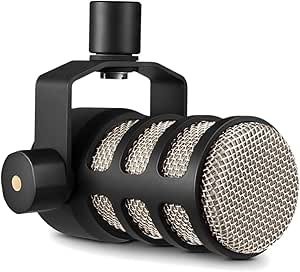 | Best for Broadcast-Style Speech | Connectivity: XLR | Polar pattern: Unidirectional | Frequency response: 20 Hz–20 kHz | VIEW LATEST PRICE | See Our Full Breakdown |
| FIFINE AmpliTank K688CT Podcast Microphone Kit, USB/XLR Dynamic Mic | 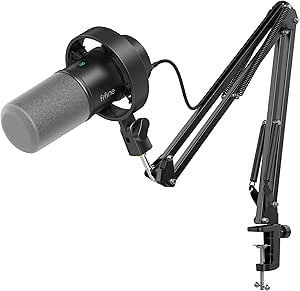 | Best for Desk-Ready Flexibility | Connectivity: USB and XLR | Polar pattern: Unidirectional | Frequency range: 50 Hz–16 kHz | VIEW LATEST PRICE | See Our Full Breakdown |
| PUPGSIS XLR/USB Dynamic Podcast Microphone for Streaming, Recording, Gaming |  | Best for Feature-Packed Gaming Desks | Connectivity: USB and XLR | Connector: USB-C and XLR | Polar pattern: Unidirectional | VIEW LATEST PRICE | See Our Full Breakdown |
| Shure MV7+ USB-C & XLR Podcast Dynamic Microphone with Stand – Black |  | Best Overall for Flexible Streaming Setups | Connectivity: USB-C, XLR | Polar pattern: Unidirectional | Frequency response: 50 Hz | VIEW LATEST PRICE | See Our Full Breakdown |
| Shure SM7B Dynamic Vocal Microphone for Podcasting & Streaming |  | Best Premium XLR Vocal Pick | Connectivity: XLR | Polar pattern: Unidirectional | Impedance: 150 ohm | VIEW LATEST PRICE | See Our Full Breakdown |
| FIFINE AmpliGame AM8 USB/XLR Dynamic Microphone for Gaming Streaming |  | Best for Gaming-Style Streaming | Connectivity: USB, XLR | Polar pattern: Unidirectional | Frequency response: 50 Hz–16 kHz | VIEW LATEST PRICE | See Our Full Breakdown |
| MAONO PD200W Hybrid Wireless Podcast Microphone for PC, Dynamic XLR USB Mic |  | Best for Wireless Streaming | Connectivity: USB, wireless, XLR | Polar pattern: Unidirectional | Signal-to-noise ratio: 82 dB | VIEW LATEST PRICE | See Our Full Breakdown |
| FIFINE AmpliTank K688 Dynamic Microphone, XLR/USB Podcast Recording PC Mic |  | Best Value for a Dual-Connection Desk Setup | Connectivity: USB, XLR | Polar pattern: Unidirectional | Frequency range: 50 Hz–16 kHz | VIEW LATEST PRICE | See Our Full Breakdown |
| TONOR Dynamic Gaming Microphone with AI Noise Cancellation, RGB Lighting, USB & XLR Support |  | Best for Noisy Gaming Spaces | Connectivity: USB and XLR | Microphone form: Desktop | Noise feature: AI noise cancellation (DeNoise) | VIEW LATEST PRICE | See Our Full Breakdown |
| Shure MV7+ USB-C & XLR Podcast Dynamic Microphone – Black |  | Best Premium Streaming Upgrade | Connectivity: USB-C and XLR | Polar pattern: Unidirectional | Frequency range: 50 Hz–16 kHz | VIEW LATEST PRICE | See Our Full Breakdown |
| FIFINE AmpliGame AM8T XLR/USB Gaming Microphone Set, Dynamic PC Mic |  | Best Complete Boom-Arm Kit | Connectivity: USB and XLR | Polar pattern: Unidirectional | Frequency range: 50 Hz–16 kHz | VIEW LATEST PRICE | See Our Full Breakdown |
| dynamic microphones for streaming | Connectivity | Polar pattern | Signal-to-noise ratio | Weight |
|---|---|---|---|---|
| Shure MV7X XLR Dynamic Podcast | XLR | Unidirectional | 72 dB | — |
| MAONO PD200XS XLR/USB Dynamic | USB, USB-C, and XLR | Unidirectional | 80 dB | 350 g |
| RØDE PodMic Cardioid Dynamic B | XLR | Unidirectional | 78 dB | 937 g |
| FIFINE AmpliTank K688CT Podcas | USB and XLR | Unidirectional | 80 dB | — |
| PUPGSIS XLR/USB Dynamic Podcas | USB and XLR | Unidirectional | 80 dB | — |
| Shure MV7+ USB-C & XLR Podcast | USB-C, XLR | Unidirectional | 65 dB | 3.6 pounds |
| Shure SM7B Dynamic Vocal Micro | XLR | Unidirectional | — | 2.7 pounds |
| FIFINE AmpliGame AM8 USB/XLR D | USB, XLR | Unidirectional | 80 dB | — |
| MAONO PD200W Hybrid Wireless P | USB, wireless, XLR | Unidirectional | 82 dB | 1.32 kg |
| FIFINE AmpliTank K688 Dynamic | USB, XLR | Unidirectional | 80 dB | — |
| TONOR Dynamic Gaming Microphon | USB and XLR | — | — | 850 g |
| Shure MV7+ USB-C & XLR Podcast | USB-C and XLR | Unidirectional | 60 dB | — |
| FIFINE AmpliGame AM8T XLR/USB | USB and XLR | Unidirectional | 80 dB | 2.6 pounds |
More Details on Our Top Picks
Shure MV7X XLR Dynamic Podcast & Recording Microphone – Black
The Shure MV7X is the strongest fit here for streamers who already own an audio interface or mixer and want a focused, broadcast-style voice without USB extras. Its unidirectional pickup and voice isolation aim to keep attention on the speaker, while its metal construction suits a permanent boom-arm setup. Compared with the RØDE PodMic, the MV7X offers a wider stated low-end reach, but the PodMic lists an internal pop filter and shock mounting; the Shure’s supplied details do not specify those built-in conveniences. The main tradeoff is clear: this is an XLR-only mic, so a beginner must add interface hardware and handle gain setup. I’d pick it over the dual-connection MAONO PD200XS when a simple, interface-based signal path matters more than USB flexibility.
Pros:- Voice isolation is designed to emphasize speech and reduce distracting room sound
- XLR connection fits established interface and mixer setups
- All-metal construction is suited to regular desk use
- 50–16,000 Hz stated range covers the core speech band
Cons:- XLR-only operation requires an interface or mixer
- No USB connection or built-in monitoring
- Requires separate gain setup and supporting audio gear
Best for: Streamers with an audio interface or mixer who want a durable, focused vocal mic for a dedicated desk setup
Not ideal for: New streamers seeking a direct USB connection, onboard monitoring, or a bundled interface
- Connectivity:XLR
- Polar pattern:Unidirectional
- Frequency range:50–16,000 Hz
- Signal-to-noise ratio:72 dB
- Form factor:Large diaphragm
- Power source:Corded electric
- Construction:Metal or sturdy plastic enclosure
Our verdict“Choose the MV7X if you already stream through an interface and prefer focused XLR simplicity over the USB convenience of the MAONO PD200XS.”
MAONO PD200XS XLR/USB Dynamic Microphone Kit with RGB Lighting
The MAONO PD200XS makes a useful first streaming setup because it combines USB and XLR connections with a boom arm, mute and level controls, and zero-latency monitoring. USB lets a new streamer connect to a computer without first buying an interface; XLR leaves a path to a mixer later. That makes it more adaptable than the XLR-only Shure MV7X, though the Shure is the more straightforward pick for someone already committed to an interface. The MAONO’s RGB lighting and software controls also suit a visible gaming setup, but they are not substitutes for better mic placement or room treatment. Full feature access depends on its software, setup may take more work, and its XLR cable is not included. I’d choose it for flexibility, not for a stripped-down, no-configuration signal chain.
Pros:- USB and XLR connections accommodate both computer-first and interface-based setups
- Included boom arm makes desk positioning easier
- Zero-latency monitoring and onboard mute and level controls support live use
- Customizable RGB lighting and software control add streaming-focused features
Cons:- XLR cable is not included
- Full feature access relies on MAONO Link software
- Setup can feel more involved than the XLR-only Shure MV7X
Best for: First-time streamers who want a computer-ready USB mic, a bundled boom arm, and the option to move to XLR
Not ideal for: Streamers who want an XLR cable in the box or prefer a minimal setup with no companion software
- Connectivity:USB, USB-C, and XLR
- Polar pattern:Unidirectional
- Frequency range:40 Hz–16 kHz
- Signal-to-noise ratio:80 dB
- Impedance:680 ohms
- Weight:350 g
- Special features:RGB lighting, MAONO Link software, mute, gain and volume controls, zero-latency monitoring
Our verdict“Pick the PD200XS if you want a flexible starter kit with USB now and XLR as an option for a later upgrade.”
RØDE PodMic Cardioid Dynamic Broadcast Microphone, XLR
The RØDE PodMic is aimed at streamers who want a speech-focused broadcast mic and are already prepared to connect through an interface or mixer. Its internal pop filter and shock mounting address two common desk-audio annoyances: plosive bursts and some handling or vibration noise. That gives it a practical advantage over the Shure MV7X, whose supplied product details emphasize voice isolation but do not list those internal features. The PodMic’s all-metal build also feels suited to a fixed studio position. Its tradeoffs are just as direct: it has no USB connection, weighs 937 g, and is described primarily for speech rather than music. Compared with the USB/XLR MAONO PD200XS, it gives up plug-and-play flexibility and bundled controls in favor of a more conventional XLR broadcast setup.
Pros:- Internal pop filter helps reduce plosive sounds during close speech
- Shock mounting helps limit unwanted vibration reaching the mic
- All-metal enclosure is suited to a dedicated broadcast desk
- 20 Hz–20 kHz stated response extends beyond the speech range
Cons:- XLR connection requires an interface or mixer
- At 937 g, it is heavier than the MAONO PD200XS
- Speech-oriented design is less suited to music recording
Best for: Podcasters and streamers with an interface who prioritize speech clarity and built-in pop and vibration management
Not ideal for: USB-only beginners, frequent travelers, or creators who need one mic for both streaming and music recording
- Connectivity:XLR
- Polar pattern:Unidirectional
- Frequency response:20 Hz–20 kHz
- Impedance:150 ohms
- Signal-to-noise ratio:78 dB
- Weight:937 g
- Special feature:Internal antipop filter and shock mounting
- Enclosure:Metal
Our verdict“Choose the PodMic for a fixed XLR streaming setup where built-in pop and vibration control matter more than USB convenience.”
FIFINE AmpliTank K688CT Podcast Microphone Kit, USB/XLR Dynamic Mic
The FIFINE AmpliTank K688CT suits a streamer who wants a boom arm and useful desk controls alongside the choice of USB or XLR. Its mute and volume controls are available for simple computer-based operation, while the supplied noise-reduction accessories help build out a ready-to-position setup. Compared with the MAONO PD200XS, the K688CT’s listed appeal is less about RGB and software customization and more about practical mounting and included accessories. It also offers a USB route unlike the Shure MV7X, but there is a limitation to understand before switching connections: its function keys are USB-only, and XLR use needs an external mixer for those controls. Input level also calls for careful adjustment. This is a versatile kit, but not one whose controls work identically in both modes.
Pros:- USB and XLR connections support computer and interface setups
- Included boom arm supports flexible desk placement
- Mute and volume controls suit live streaming when connected by USB
- Noise-reduction accessories add practical setup options
Cons:- Function keys are available only in USB mode
- XLR mode requires an external mixer for control functions
- Input volume needs careful adjustment for a suitable signal
Best for: Desk-based streamers who want an included boom arm, mute and volume controls, and a choice of USB or XLR
Not ideal for: Users who expect onboard controls to work over XLR or want a mic that needs little input-level adjustment
- Connectivity:USB and XLR
- Polar pattern:Unidirectional
- Frequency range:50 Hz–16 kHz
- Signal-to-noise ratio:80 dB
- Controls:Mute and volume; function keys operate in USB mode
- Form factor:Microphone with arm stand
- Enclosure:Metal
Our verdict“Choose the K688CT if an included arm and USB controls matter more than having the same controls available over XLR.”
PUPGSIS XLR/USB Dynamic Podcast Microphone for Streaming, Recording, Gaming
The PUPGSIS XLR/USB microphone is the most gaming-oriented choice in this group, pairing two connection options with an adjustable arm, real-time monitoring, mute, RGB lighting, and reverb effects. Those extras can appeal to streamers who want a visible desk mic with hands-on features, but they make this a different proposition from the more broadcast-focused RØDE PodMic, which centers on speech and internal pop control. The PUPGSIS also offers USB for direct computer use, unlike the XLR-only Shure MV7X. Its main tradeoff is build: the enclosure is plastic, while the Shure and RØDE list metal construction. The product data also gives a 40 Hz–16 kHz response and describes noise cancellation without further detail. I’d favor it for its feature mix, not for a proven professional-studio upgrade path.
Pros:- USB and XLR connections provide flexibility across computer and interface setups
- Real-time monitoring and a mute button support live sessions
- Adjustable arm stand helps position the mic near the speaker
- RGB lighting and reverb effects cater to gaming-focused setups
Cons:- Plastic enclosure may feel less durable than the metal Shure MV7X or RØDE PodMic
- Listed 40 Hz–16 kHz response is narrower than the PodMic’s stated range
- Multiple connection and effect options may add setup complexity
Best for: Gaming streamers who want USB and XLR options, live monitoring, mute, lighting, and an adjustable arm in one setup
Not ideal for: Creators prioritizing metal construction or a clearly specified, studio-oriented speech microphone
- Connectivity:USB and XLR
- Connector:USB-C and XLR
- Polar pattern:Unidirectional
- Frequency response:40 Hz–16 kHz
- Impedance:580 ohms
- Signal-to-noise ratio:80 dB
- Special features:Mute, noise cancellation, RGB lighting, reverb effects, real-time monitoring
- Enclosure:Plastic
Our verdict“Pick the PUPGSIS for a gaming desk where built-in monitoring, lighting, and effects outweigh a more robust metal build.”
Shure MV7+ USB-C & XLR Podcast Dynamic Microphone with Stand – Black
The Shure MV7+ is the most adaptable pick here for streamers who want onboard help managing voice levels without giving up an XLR upgrade path. Its USB-C and XLR connections let you start directly at a computer, then move to an audio interface later; the auto level adjustment and DSP noise reduction can also help keep speech more consistent during a live session. Compared with the FIFINE AmpliGame AM8, it puts more emphasis on sound processing than gaming-style RGB controls. That flexibility comes with a steeper learning curve and a heavier body, so a stable stand matters. I’d choose it over the XLR-only Shure SM7B for a simpler computer-first setup, but skip it if you want a bare-bones mic with few settings to manage.
Pros:- USB-C and XLR connectivity support both direct computer use and an audio-interface setup.
- Auto level adjustment and DSP noise reduction can help maintain consistent speech during streams.
- Customizable LED touch controls provide visual feedback and convenient mute access.
- Built-in reverb effects offer extra sound-shaping options.
Cons:- At 3.6 pounds, it calls for a sturdy stand or mounting setup.
- Its range of controls and processing features may take time to learn.
- More feature-rich than necessary for buyers who only need straightforward voice capture.
Best for: Streamers who want USB convenience now, XLR connectivity for a later studio setup, and onboard controls for managing voice levels.
Not ideal for: Beginners seeking a simple plug-in microphone or creators using a lightweight desk stand that may not support its 3.6-pound weight.
- Connectivity:USB-C, XLR
- Polar pattern:Unidirectional
- Frequency response:50 Hz
- Signal-to-noise ratio:65 dB
- Weight:3.6 pounds
- Dimensions:15.9 x 7.8 x 7.7 inches
- Power source:Corded electric
- Controls and features:LED light, mute function, auto level adjustment, DSP noise reduction
Our verdict“Choose the MV7+ if you want a flexible USB-first streaming mic with a clear path to XLR, and skip it if simple setup matters more than extra controls.”
Shure SM7B Dynamic Vocal Microphone for Podcasting & Streaming
The Shure SM7B suits streamers building an XLR-based vocal chain who value a warm, natural presentation and a durable metal body. Its cardioid-style unidirectional pickup and included pop filtering help focus attention on close-miked speech, which can be useful when a room or desk setup adds unwanted sound. Compared with the Shure MV7+, the SM7B is less convenient for direct computer connection: it has no USB output, so you’ll need an audio interface or mixer with ample clean gain. That extra gear and its 2.7-pound weight make it a less practical first streaming mic than the USB-capable FIFINE AmpliTank K688. I’d favor it for a settled studio chain, not a quick, portable setup.
Pros:- Warm, natural vocal character suited to spoken-word streaming.
- Built-in pop filter and windscreen help reduce plosives and breath noise.
- Rugged all-metal construction is suited to a permanent studio setup.
- XLR output works with standard interfaces and mixers.
Cons:- Requires an XLR interface or mixer and a preamp with sufficient gain.
- Has no USB connection for direct computer use.
- Its 2.7-pound weight and large body are less convenient for portable setups.
Best for: Streamers with an XLR interface or mixer who want a robust, close-miked vocal microphone for a dedicated desk or studio.
Not ideal for: USB-only streamers, beginners without an interface, or creators whose preamp cannot supply sufficient clean gain.
- Connectivity:XLR
- Polar pattern:Unidirectional
- Impedance:150 ohm
- Frequency response:50–20,000 Hz
- Enclosure material:Metal
- Weight:2.7 pounds
- Dimensions:13.5 x 7 x 4.5 inches
- Power:No external power required
Our verdict“Pick the SM7B for a dedicated XLR streaming chain with ample preamp gain, but choose the MV7+ or K688 if you need direct USB connectivity.”
FIFINE AmpliGame AM8 USB/XLR Dynamic Microphone for Gaming Streaming
The FIFINE AmpliGame AM8 is aimed at streamers who want a straightforward USB mic with visible gaming-desk styling and the option to move to XLR later. Its mute and monitoring controls make routine live-session adjustments easier, while the unidirectional pattern is intended to prioritize the speaker in front of it. Unlike the more processing-focused Shure MV7+, the AM8 leans on RGB lighting and accessible controls rather than a listed auto-level system. One catch: its RGB and function keys are inactive over XLR, so the full feature set belongs to USB mode. The separate XLR cable is also not included. I’d choose it over the plainer FIFINE AmpliTank K688 if desk lighting matters, but not if you want consistent controls across both connections.
Pros:- USB and XLR connectivity offer a route from direct computer use to an interface.
- Mute and monitoring controls suit quick adjustments during live sessions.
- Customizable RGB lighting gives a gaming-focused desk setup a visual accent.
- Unidirectional pickup is designed to focus on the speaker in front of the mic.
Cons:- RGB lighting and function keys are inactive when connected through XLR.
- An XLR cable is not included for interface-based setups.
- Some of its advertised controls and features are limited to USB mode.
Best for: PC gamers and new streamers who want USB operation, easy mute and monitoring controls, and customizable RGB on their desk.
Not ideal for: Creators who plan to rely on XLR while using the mic’s RGB and function controls, or buyers who need an included XLR cable.
- Connectivity:USB, XLR
- Polar pattern:Unidirectional
- Frequency response:50 Hz–16 kHz
- Signal-to-noise ratio:80 dB
- Materials:ABS plastic, metal
- Power source:Corded electric
- Controls and features:Mute, monitoring controls, RGB lighting
Our verdict“Choose the AM8 for USB-first gaming streams where RGB and quick controls matter, but look at the K688 if you prefer a less lighting-focused dual-connection mic.”
MAONO PD200W Hybrid Wireless Podcast Microphone for PC, Dynamic XLR USB Mic
The MAONO PD200W stands apart from the rest of this group by adding wireless operation to USB and XLR, giving streamers more freedom to move around or work across computer, camera, and smartphone setups. Its listed noise reduction and customizable sound profiles offer more flexibility than the simpler wired FIFINE AmpliTank K688, while the included battery supports use away from a powered desk. The tradeoff is a more involved setup: you’ll need to manage battery power, and some recording configurations may call for extra accessories. At 1.32 kg, it is also not a particularly light choice for portable streaming, despite its wireless capability. I’d pick it for creators who genuinely need cable-free movement; for a fixed streaming desk, the MV7+ offers a more direct USB/XLR path.
Pros:- Wireless, USB, and XLR connections support varied streaming and recording setups.
- Noise reduction and customizable sound profiles provide options for shaping voice capture.
- Listed compatibility spans audio interfaces, cameras, PCs, and smartphones.
- The product description lists up to 60 hours of battery use and a 60 m wireless range.
Cons:- Battery operation adds charging or replacement management to a streaming setup.
- At 1.32 kg, it is bulky for frequent portable use.
- Some recording configurations, including dual-mic use, may require extra accessories or setup.
Best for: Streamers who move between a desk, camera, or smartphone setup and want wireless alongside USB and XLR connections.
Not ideal for: Stationary PC streamers who do not need wireless operation, or highly mobile creators seeking a lightweight microphone with minimal battery management.
- Connectivity:USB, wireless, XLR
- Polar pattern:Unidirectional
- Signal-to-noise ratio:82 dB
- Power:Battery powered or corded electric
- Battery:1 C battery required; included
- Weight:1.32 kg
- Dimensions:8.78 x 7.4 x 4.84 inches
- Software and controls:MaonoLink support, mute, volume control, noise reduction
Our verdict“Choose the PD200W if wireless movement across devices is a real part of your streaming setup, but use a wired mic like the K688 for a simpler fixed desk.”
FIFINE AmpliTank K688 Dynamic Microphone, XLR/USB Podcast Recording PC Mic
The FIFINE AmpliTank K688 makes sense for streamers who want both USB simplicity and an XLR option without the lighting-first design of the FIFINE AmpliGame AM8. Its USB connection is plug-and-play, and onboard mute, gain, headphone volume, and monitoring controls help keep common adjustments close at hand. Switching to XLR gives it a place in an interface-based setup, though some controls are USB-only. The mic is unidirectional, but the supplied information notes that it needs close placement for the best recording quality; that can be awkward if your desk or camera framing keeps it far from your mouth. An XLR cable, boom arm, and stand are also not included, so plan for mounting gear. Compared with the Shure MV7+, it offers a more basic feature set rather than advanced DSP processing.
Pros:- USB and XLR outputs allow direct computer use or connection to an interface.
- Mute, gain, headphone-volume, and monitoring controls support practical streaming adjustments.
- Metal enclosure suits a desk setup where durability matters.
- Plug-and-play USB operation makes it accessible for computer-based streaming.
Cons:- The mic performs best when kept close, which can complicate desk and camera placement.
- An XLR cable, boom arm, and mic stand are not included.
- Some features are available only over USB.
Best for: Budget-conscious PC streamers who want USB controls now and an XLR connection available for a future interface, with the mic positioned close to their voice.
Not ideal for: Creators who need a stand or XLR cable in the box, cannot keep a mic close to their mouth, or want onboard processing beyond basic controls.
- Connectivity:USB, XLR
- Polar pattern:Unidirectional
- Frequency range:50 Hz–16 kHz
- Signal-to-noise ratio:80 dB
- Impedance:16 ohm
- Enclosure material:Metal
- Power source:Corded electric
- Controls and connections:Mute, gain, headphone volume, headphone jack
Our verdict“Pick the K688 for a practical USB/XLR desk mic with useful onboard controls, but choose the MV7+ if you want more advanced processing or the AM8 if RGB is a priority.”
TONOR Dynamic Gaming Microphone with AI Noise Cancellation, RGB Lighting, USB & XLR Support
The TONOR TD510 Air S+H is the most gaming-focused pick here: AI noise cancellation aims to keep keyboard and room noise from distracting listeners, while RGB lighting suits a camera-facing setup. Its USB and XLR connections let you start with a computer and later add an audio interface, unlike the XLR-only RØDE PodMic, which needs recording hardware from the start. Real-time monitoring and quick volume adjustments also help manage a live stream without digging through software menus. The tradeoff is that XLR use needs an external sound card or interface, and the required XLR cable is not included. It also lacks Xbox compatibility, so its console appeal is narrower than its broad gaming positioning suggests.
Pros:- AI noise cancellation can help reduce distracting background sounds during streams.
- USB and XLR connectivity support a simple start and a later interface-based setup.
- Customizable RGB lighting suits visible gaming setups.
- Real-time monitoring and accessible volume control support live adjustments.
Cons:- XLR mode requires an external sound card or audio interface.
- An XLR cable is not included.
- Not compatible with Xbox consoles.
Best for: PC and PlayStation streamers who want noise-reduction features, on-mic monitoring, and RGB in a USB-first setup with an eventual XLR upgrade path.
Not ideal for: Xbox streamers, or buyers who want a ready-to-use XLR setup without purchasing an interface and cable separately.
- Connectivity:USB and XLR
- Microphone form:Desktop
- Noise feature:AI noise cancellation (DeNoise)
- Compatible devices:Laptop and personal computer
- Weight:850 g
- Dimensions:16.65 x 5.39 x 4.49 inches
- Power:Corded electric
- Warranty:Two years from purchase
Our verdict“Choose the TONOR if you stream on PC or PlayStation in a noisy space and want gaming-focused controls and lighting, but skip it for Xbox or a plug-and-play XLR kit.”
Shure MV7+ USB-C & XLR Podcast Dynamic Microphone – Black
The Shure MV7+ suits streamers who want more control over their sound than a basic USB mic provides, without giving up a direct computer connection. Its USB-C and XLR outputs support a gradual move from software-based streaming to an audio interface, while auto level adjustment can help keep voice volume steadier during animated sessions. Real-time denoising adds another tool for less controlled rooms. Compared with the gaming-led TONOR TD510 Air S+H, the MV7+ puts more emphasis on audio control and creator features than RGB atmosphere; its touch panel and reverb effects give it a more production-oriented feel. That flexibility comes with a steeper learning curve, and buyers who only need basic USB voice chat may find its feature set unnecessary. It also needs a corded power connection.
Pros:- USB-C and XLR outputs accommodate both computer recording and interface-based setups.
- Auto level adjustment can help maintain more consistent speech volume.
- Real-time denoising is useful in rooms with some background noise.
- Customizable LED touch panel provides on-mic controls and visual feedback.
Cons:- Advanced controls and effects may take time to learn.
- Corded power limits placement flexibility.
- Its feature set may be excessive for basic streaming or voice chat.
Best for: Streamers and podcasters who want USB-C convenience now, XLR expansion later, and hands-on level and denoising tools for a more controlled voice sound.
Not ideal for: Casual gamers seeking a simple, low-fuss voice-chat mic, or buyers who prefer a wireless setup and do not need advanced audio controls.
- Connectivity:USB-C and XLR
- Polar pattern:Unidirectional
- Frequency range:50 Hz–16 kHz
- Signal-to-noise ratio:60 dB
- Channels:1
- Enclosure material:Metal
- Compatible devices:Personal computer, Windows 10, and macOS 12
- Power:Corded electric
Our verdict“Pick the MV7+ for a feature-rich streaming mic that can grow into XLR production; choose the TONOR instead if gaming lighting and a more gaming-oriented feature set matter more.”
FIFINE AmpliGame AM8T XLR/USB Gaming Microphone Set, Dynamic PC Mic
The FIFINE AmpliGame AM8T stands out for including the adjustable boom arm, so a new streamer can position the mic near their mouth without adding a separate stand to the setup. USB and XLR connections leave room to move from a computer connection to an audio interface, while the mute button, gain control, and headphone jack put useful stream adjustments within reach. Compared with the TONOR TD510 Air S+H, the AM8T’s strongest practical advantage is its included arm; the TONOR instead emphasizes AI noise cancellation. The AM8T also brings customizable RGB lighting, but its desk clamp only fits surfaces under two inches thick. XLR use calls for compatible audio hardware, and the cable is not included, so the kit is most straightforward when used over USB.
Pros:- Included adjustable boom arm makes close mic placement easier without a separate stand.
- USB and XLR connections offer options for current and future recording setups.
- On-mic mute, gain, and headphone controls support quick live adjustments.
- Customizable RGB lighting adds a visual feature for gaming streams.
Cons:- The desk clamp is limited to surfaces under two inches thick.
- An XLR cable is not included.
- XLR operation can add setup complexity for beginners unfamiliar with audio interfaces.
Best for: PC streamers building a first desk setup who want a mic, adjustable boom arm, USB connection, and accessible mute and gain controls in one kit.
Not ideal for: People with desks two inches thick or more, or beginners who want XLR connectivity without sourcing an audio interface and cable.
- Connectivity:USB and XLR
- Polar pattern:Unidirectional
- Frequency range:50 Hz–16 kHz
- Channels:1
- Signal-to-noise ratio:80 dB
- Included hardware:Adjustable boom arm stand
- Compatible devices:Computer, mixer, audio interface, Mac OS, and Windows
- Weight:2.6 pounds
- Dimensions:12.6 x 4.72 x 1.97 inches
Our verdict“Choose the AM8T if you want a streaming mic and boom arm together, but look at the TONOR if noise cancellation matters more than the included mounting kit.”
How We Picked
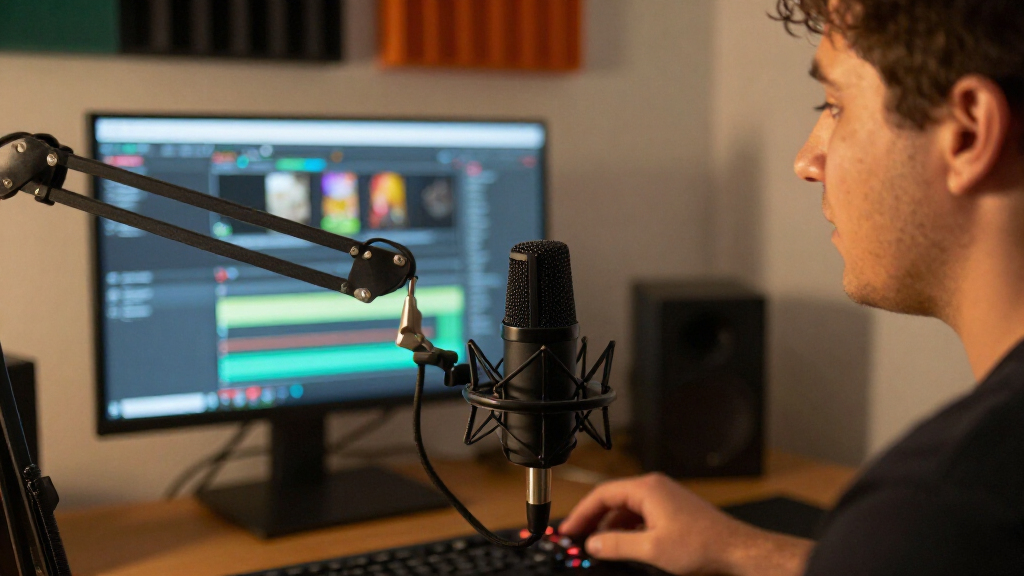
I ranked these microphones around the needs of a working streaming setup: clear, consistent voice capture; practical connection choices; simple controls; useful included accessories; and build features that suit regular desk use. I also considered how much extra equipment a buyer may need, since an XLR microphone can become a larger setup project when an interface, cable, and stand are not already available. Noise rejection is relevant in untreated rooms, but a dynamic design alone does not remove keyboard, fan, or room noise; mic placement and gain still matter.
The order favors microphones that combine useful streaming performance with a manageable setup and a clear upgrade path. USB/XLR models rank well for giving beginners a direct route while keeping XLR available, while dedicated XLR choices rank higher for buyers who already have compatible gear and value a focused broadcast setup. Bundled stands, wireless operation, RGB lighting, and AI noise-control claims add value only when they solve a real need, so feature-heavy kits do not automatically outrank simpler, more adaptable options. Where the lineup includes closely related variants, I treat included accessories and connection details as buying distinctions rather than assuming the names indicate the same package.
Factors to Consider When Choosing Dynamic Microphones For Streaming
Before choosing a model, decide how it will fit into your entire stream, not just how it looks on a desk. Your connection, room, mic position, and willingness to manage accessories can change which option makes sense.
Choose USB for Simplicity or XLR for a Modular Setup
USB lets a microphone connect directly to a computer, which can reduce setup time and the number of parts on your desk. XLR connects through an audio interface or mixer, adding controls and room to change equipment later, but also adding cost, cables, and another device to configure. A dual USB/XLR mic can bridge those approaches, though you should check whether its USB controls and software features suit your computer and streaming apps. Do not buy XLR solely because it sounds more professional; the interface and gain setup are part of that decision. If you already own an interface, a dedicated XLR model may be a more natural fit than paying for features you will not use. If you are starting from scratch, include the complete signal chain in your plan.
Plan for Mic Position Before Judging Noise Control
Dynamic microphones are often chosen for close voice work, but they still capture sounds around them. A mic placed close to your mouth can let you use lower gain and reduce the level of distant room noise, while a mic left far away may require more amplification and pick up more of the room. Check whether your desk, monitor, or keyboard makes it hard to position the mic near you. A boom arm may solve that problem better than a microphone with extra software features, though it is a separate purchase unless included. Noise cancellation can help with some unwanted sounds, but it is not a substitute for sensible placement or a quieter recording space. Think about where the mic will sit during actual gameplay before choosing based on a feature list.
Compare the Whole Kit, Not Just the Microphone
A bundled stand can help you start streaming right away, but it may not place the microphone where your voice sounds best. Check what is included: a desk stand, boom arm, cable, shock mount, or pop filter each serves a different purpose. Also check whether the package name identifies a specific kit variant; the K688CT and K688, or the AM8T and AM8, may not include the same accessories. Avoid paying attention to lighting or decorative extras before confirming that the mount fits your desk and the cable reaches your computer or interface. If you already own a stable arm and compatible cable, a simpler package may be the better use of your budget. If you do not, the value of a kit depends on whether its accessories meet your needs rather than merely being present.
Treat Wireless as a Workflow Choice
A wireless microphone can be useful if you move around while presenting, record away from your desk, or want fewer cables in view. For a fixed streaming setup, wireless may add charging and connection management without improving your day-to-day workflow. Before choosing a hybrid wireless model, check how it connects to your computer, what happens if the battery runs low, and whether it can also work through USB or XLR. Wireless use can bring more possible points of failure than a wired connection, so think about how disruptive a brief interruption would be during a live stream. A wired USB/XLR mic is usually easier to keep connected in one place. Choose wireless for mobility, not simply because it adds another mode.
Set Realistic Expectations for Software and AI Features
Lighting, mute controls, companion software, and AI noise cancellation can make a streaming setup easier to operate, but they do not replace a good signal path. A mute button is useful only if it is easy to reach and its status is clear while you are live. RGB lighting is mostly an appearance choice, so it should not outweigh connection quality or comfortable mic placement. Noise-processing tools can alter the voice or behave differently with changing background sounds, making a test recording useful before a live session. Check whether software is required for a feature you want and whether it works with your operating system. If you prefer fewer settings to manage, a simpler mic may be a better match even if it has fewer advertised extras.
Spend More Only When the Upgrade Fits Your Setup
A premium microphone makes more sense when your room, interface, positioning, and streaming routine can make use of its strengths. If you have no interface, no suitable mount, and little room to position a mic close, spending more on an XLR-only option may leave the real setup problems untouched. A dual-connection model can be a useful middle ground when you want to begin on USB and keep an XLR path open. Beginners may get more practical benefit from a ready-to-use kit than from a higher-end mic that needs additional equipment. Experienced streamers can prioritize the sound chain and controls that match their existing workflow. Compare the total setup and the tradeoffs you will notice every session, not just the microphone’s position in a lineup.
Frequently Asked Questions
Can I use an XLR streaming microphone without an audio interface?
An XLR microphone generally needs an interface or mixer to connect to a computer, so an XLR cable alone is not a complete computer setup. The interface converts the microphone signal and provides the input connection and controls your computer needs. Some microphones in this roundup also offer USB, which can let you start without an interface and use XLR later. Check the exact model and package because similarly named versions may differ. If you already own an interface, confirm that it has a suitable input and enough gain for your chosen mic.
Will a dynamic microphone stop my keyboard and fan from being heard?
No microphone can guarantee that nearby sounds will disappear. A dynamic mic can work well for close voice capture, but keyboard clicks, fans, and room noise may still be audible depending on distance, mic direction, input gain, and processing. Positioning the mic close to your mouth and keeping its less-sensitive side toward unwanted noise can help. A quieter fan or a different keyboard may make a larger difference than buying a mic with extra noise-control features. Test your setup with a recording before relying on software to clean up a live stream.
Should I choose a USB/XLR microphone if I might buy an interface later?
A dual-connection microphone can be a sensible choice if you want direct USB operation now and the option to use XLR in a later setup. It avoids having to replace the microphone just to change connection methods. Before buying, check whether its USB features, controls, and computer compatibility are useful to you, since those details vary by model. Also plan for the later interface, cable, and any mounting gear you may need. If you already have a complete XLR setup, a dedicated XLR model may be a cleaner fit.
Is the Shure MV7+ with a stand different from the MV7+ without one?
The listed products share the MV7+ name and USB-C/XLR connection description, but one listing specifically includes a stand. That package distinction can matter if you need a ready-to-place setup or do not already own a suitable mount. Compare the exact contents of the listings rather than assuming the two names indicate different microphone electronics. If you use a boom arm, the included stand may have little value to you. Confirm the connection and accessory details for the exact package before ordering.
Is a wireless mic a good choice for a stationary streaming desk?
It can work at a desk, but wireless is most useful when you need to move around or want to record away from the computer. A stationary setup often benefits more from a simple wired connection, which avoids charging and wireless-link management. For a hybrid model, check whether it can also connect by USB or XLR and how you would switch between modes. Think about whether a battery or connection interruption would disrupt your stream. If mobility is not part of your routine, prioritize the wired setup and controls you will use every session.
Conclusion
For the best overall, I recommend the Shure MV7+ for its USB-C and XLR flexibility. The FIFINE AmpliTank K688 is my best value direction for buyers who want both connection types, while the Shure SM7B is the best premium fit for creators with an established XLR chain. Beginners should look closely at USB/XLR kits such as the MAONO PD200XS or FIFINE AM8, choosing based on the controls and accessories they will use. For creators who need mobility, the MAONO PD200W is the lineup’s specific wireless option; for a fixed desk setup, a wired model is the simpler pick. Match the microphone to your connection, mount, and room before paying for features that will not change your stream.
Halloween Picks
halloween
As an affiliate, we earn on qualifying purchases.



![Iron Maiden Legend Nicko McBrain Turned Down Trump Golf Invite: “[He] Should Be Put In Jail”](https://deadsetlive.com/wp-content/uploads/2026/10/iron-maiden-legend-nicko-mcbrain-turned-down-trump-golf-invite-he-should-be-put-featured-260x140.jpg)