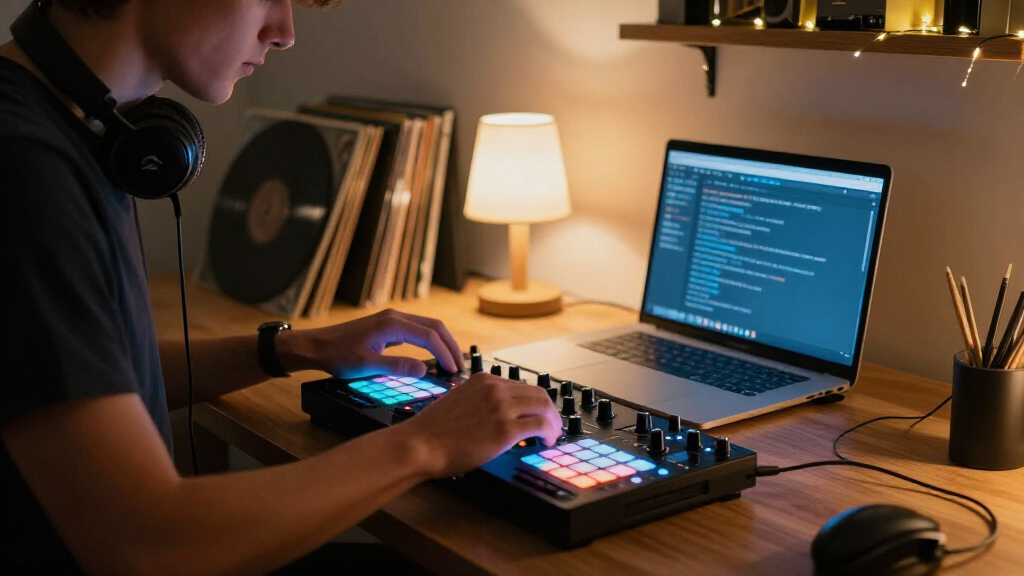

The best DJ controller for home mixing is the Pioneer DJ DDJ-FLX4, because it balances professional-feeling jog wheels, a clean layout, and bundled rekordbox and Serato compatibility at a price home DJs can justify. If you want to spend less, the Hercules DJControl Inpulse 200 MK2 includes built-in coaching tools that genuinely help beginners, while the Pioneer DJ DDJ-FLX10 is the upgrade pick for producers who want four channels and club-style stems control without leaving the house. The main tradeoff in this category is between software lock-in, jog wheel size, and whether you eventually want to play out live. Read on for the full breakdown of all 15 controllers.

Get audio and creator gear delivered free with Prime
- Fast, free delivery on millions of items
- Prime Video, Amazon Music and more included
- Member-only deals all year
Complete the kit


Key Takeaways
- Pioneer DJ dominates home mixing with seven of the 15 slots, but the FLX4’s three near-identical variants (standard, white, and bundled with a case) mean buyers should compare bundle value rather than features.
- The biggest price jump with the smallest usability loss sits between the Hercules Inpulse 200 MK2 and the DDJ-FLX4 — beginners lose little by starting cheap because both use the same core software workflows.
- Standalone controllers like the Denon DJ SC LIVE 4 cost far more but eliminate the laptop, which changes the entire home mixing experience rather than just upgrading it.
- Scratch-focused layouts (DDJ-REV1, DDJ-REV5) put the crossfader and pitch faders in battle position — great for turntablists, awkward for DJs who mostly blend house and electronic sets.
- Sub-$150 controllers like the Numark Party Mix III and Hercules Starlight are genuinely capable for learning beatmatching, but their small jogs and plastic build make them outgrown within a year of serious practice.
| Hercules DJControl Inpulse 200 MK2 DJ Controller |  | Best for Absolute Beginners | Channels: 2 | Weight: 2.84 pounds | Dimensions: 15.6 x 10.3 x 3.7 inches | VIEW LATEST PRICE | See Our Full Breakdown |
| Roland DJ-707M DJ Controller |  | Best Premium All-Rounder | Channels: 4 | Drum Patterns: 128 (TR-808, TR-909, TR-707, TR-606) | Vocal Effects: 16 hardware effects | VIEW LATEST PRICE | See Our Full Breakdown |
| Pioneer DJ DDJ-FLX4 2-Channel DJ Controller Bundle with Carrying Case |  | Best Overall Bundle | Channels: 2 | Compatible Software: rekordbox, Serato DJ Lite, Serato DJ Pro (license required), djay | Device Compatibility: PC, Mac, iPhone, iPad, Android | VIEW LATEST PRICE | See Our Full Breakdown |
| Pioneer DJ DDJ-FLX4 2-Channel DJ Controller |  | Best Value for Growing Skills | Channels: 2 | Decks: 2 | Performance Pads: 16 | VIEW LATEST PRICE | See Our Full Breakdown |
| Numark Party Mix III 2-Deck DJ Controller with Bluetooth MIDI and Built-In Lights |  | Best Compact Party Pick | Decks: 2 | Connectivity: USB-C, Bluetooth MIDI | Lighting: Beat-synchronized built-in LED light show | VIEW LATEST PRICE | See Our Full Breakdown |
| Gemini GMX USB DJ Controller & Media Player with VirtualDJ LE |  | Best Standalone Option | Channels: 2 | Playback: Standalone USB media player plus MIDI control | Audio Interface: 24-bit | VIEW LATEST PRICE | See Our Full Breakdown |
| Pioneer DJ DDJ-REV1 2-Deck Serato DJ Controller |  | Best for Scratch Beginners | Channels: 2 | Software: Serato DJ Lite (included) | Layout: Battle-style with mixer between decks | VIEW LATEST PRICE | See Our Full Breakdown |
| Numark Mixtrack Pro FX DJ Controller |  | Best Value All-Rounder | Decks: 2 | Audio Interface: Built-in, 24-bit | Jog Wheels: 6-inch capacitive-touch | VIEW LATEST PRICE | See Our Full Breakdown |
| Pioneer DJ DDJ-FLX10 4-Channel DJ Controller |  | Best Premium Pick | Channels: 4 | Compatible Software: rekordbox, Serato DJ Pro | Key Features: Track Separation, DMX output, multicolor on-jog displays | VIEW LATEST PRICE | See Our Full Breakdown |
| AlphaTheta Pioneer DJ DDJ-FLX2 2-Channel DJ Controller |  | Best Ultra-Portable Starter | Channels: 2 | Connectivity: USB-C (bus-powered) | Compatible Devices: Phone, tablet, computer | VIEW LATEST PRICE | See Our Full Breakdown |
| Pioneer DJ DDJ-REV5 2-Channel Scratch DJ Controller with On-Jog Displays | 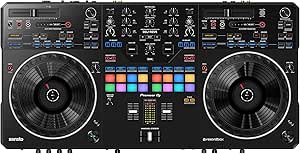 | Best for Scratch-Style Mixing | Channels: 2 | Jog Wheels: Full-size with on-jog displays | Connectivity: USB (Type-C) | VIEW LATEST PRICE | See Our Full Breakdown |
| Pioneer DJ DDJ-FLX4 2-Channel DJ Controller, White |  | Best Starter Controller for Mobile Mixing | Channels: 2 | Decks: 2 | Performance Pads: 16 | VIEW LATEST PRICE | See Our Full Breakdown |
| Pioneer DJ DDJ-FLX4 2-Channel DJ Controller |  | Best Value for Software Flexibility | Channels: 2 | Software Compatibility: rekordbox, Serato DJ | Features: SMART CFX, SMART FADER | VIEW LATEST PRICE | See Our Full Breakdown |
| Denon DJ SC LIVE 4 Standalone DJ Controller Black |  | Best Laptop-Free Option | Screen: 7-inch touchscreen | Media Inputs: SD slot, 2 USB ports | Wireless: Wi-Fi streaming, Bluetooth audio in | VIEW LATEST PRICE | See Our Full Breakdown |
| DJ controllers for home mixing | Channels | Connectivity |
|---|---|---|
| Hercules DJControl Inpulse 200 | 2 | — |
| Roland DJ-707M DJ Controller | 4 | USB, MIDI Clock, dual 1/4-inch jacks, 1/8-inch stereo aux |
| Pioneer DJ DDJ-FLX4 2-Channel | 2 | USB Type-C, Bluetooth |
| Pioneer DJ DDJ-FLX4 2-Channel | 2 | USB or Bluetooth |
| Numark Party Mix III 2-Deck DJ | — | USB-C, Bluetooth MIDI |
| Gemini GMX USB DJ Controller & | 2 | — |
| Pioneer DJ DDJ-REV1 2-Deck Ser | 2 | USB, auxiliary |
| Numark Mixtrack Pro FX DJ Cont | — | USB, microphone input, headphone output, RCA output |
| Pioneer DJ DDJ-FLX10 4-Channel | 4 | USB |
| AlphaTheta Pioneer DJ DDJ-FLX2 | 2 | USB-C (bus-powered) |
| Pioneer DJ DDJ-REV5 2-Channel | 2 | USB (Type-C) |
| Pioneer DJ DDJ-FLX4 2-Channel | 2 | USB, Bluetooth |
| Pioneer DJ DDJ-FLX4 2-Channel | 2 | — |
| Denon DJ SC LIVE 4 Standalone | — | — |
More Details on Our Top Picks
Hercules DJControl Inpulse 200 MK2 DJ Controller
What separates the Inpulse 200 MK2 from every other entry-level controller here is its built-in light guidance system, which physically shows you which direction to nudge the jog wheel to beatmatch. No other budget pick — not the Numark Party Mix III, not the Pioneer DDJ-REV1 — teaches you the mechanics of mixing this directly. The bundled DJ Academy tutorials and STEMS support mean a complete novice can go from zero to coherent mixes without paying for lessons. Compared with the DDJ-FLX4, the layout is simpler and the software ecosystem less polished, and the all-plastic build feels like the cost cutting it is. Two channels also cap how far you’ll grow into it. This pick makes the most sense for someone whose first question is “how do I even start?” rather than “what will I want in a year?”
Pros:- Light guides physically teach beatmatching, a feature unique in this lineup
- Two software bundles plus DJ Academy video tutorials
- STEMS support for separating vocals and instrumentals early in the learning curve
- Lightweight and genuinely easy to set up on Mac or PC
Cons:- Plastic construction feels less durable than the DDJ-FLX4 or Roland DJ-707M
- Two channels only, so it’s outgrown quickly
Best for: Total beginners who want guided, step-by-step beatmatching instruction built into the hardware
Not ideal for: DJs who already understand beatmatching — the light guides and plastic build become limitations fast
- Channels:2
- Weight:2.84 pounds
- Dimensions:15.6 x 10.3 x 3.7 inches
- Compatible Devices:Mac, PC
- Hardware Interface:USB
- Included Software:Serato DJ Lite, DJUCED
- Learning Tools:Built-in light guides, DJ Academy tutorials
Our verdict“Buy this if you’ve never mixed before and want the controller to teach you; skip it once you can beatmatch by ear.”
Roland DJ-707M DJ Controller
The DJ-707M plays a completely different game than everything else here. Where the Pioneer DDJ-FLX4 is a bedroom learning tool, this is a 4-channel workhorse aimed at DJs who also livestream, host events, or produce content. The onboard TR-series drum machine with 128 patterns and 16 hardware vocal effects effectively bundle a rhythm composer and vocal processor into the controller — nothing else in this roundup does either. Flexible routing lets you send different signals to streams, speakers, and booth monitors from one box, and front-facing inputs accommodate guest mics or instruments. The tradeoff is real: this feature depth creates a steep learning curve, and beginners will be paying for capabilities they may never touch. Compared with the standalone Denon SC LIVE 4, it still needs a laptop, but it does far more once connected.
Pros:- Four channels support complex mixing that no 2-channel option here can match
- Onboard TR-808/909-style drum machine with 128 patterns
- 16 hardware vocal effects with auto-pitch for MCing and streaming
- Flexible routing handles livestream, main output, and booth feeds simultaneously
Cons:- Steep learning curve that punishes beginners
- Far more controller than a casual home mixer needs
Best for: DJs who mix, livestream, MC, and run small events and want one controller covering all of it
Not ideal for: First-time DJs — the routing, effects, and drum machine layers will overwhelm someone still learning to blend two tracks
- Channels:4
- Drum Patterns:128 (TR-808, TR-909, TR-707, TR-606)
- Vocal Effects:16 hardware effects
- Connectivity:USB, MIDI Clock, dual 1/4-inch jacks, 1/8-inch stereo aux
- Extra Inputs:Front-facing inputs for guest mics/instruments
- Included Software:90-day BPM Supreme Premium subscription
Our verdict“This is the pick for the multi-hyphenate DJ — skip it if mixing at home is genuinely all you do.”
Pioneer DJ DDJ-FLX4 2-Channel DJ Controller Bundle with Carrying Case
This bundle takes the DDJ-FLX4 — arguably the strongest beginner-to-intermediate controller in this entire roundup — and adds a carrying case and cleaning cloth for protection between sessions. The controller itself justifies the top billing: Smart Fader blends volume, bass, and BPM automatically so rough transitions still sound clean, and compatibility with rekordbox, Serato, and djay across computers and mobile devices gives you room to change software without changing hardware. The 103 dB signal-to-noise ratio and Bluetooth connectivity put it a step above the Hercules Inpulse 200 MK2 in audio quality and flexibility. The honest tradeoffs: Serato DJ Pro needs a paid license, and large PA systems benefit from an external audio interface. If you’ll ever take your controller to a friend’s place, this bundle beats the standalone FLX4 on practicality alone.
Pros:- Works with rekordbox, Serato DJ Lite, and djay on PC, Mac, iOS, and Android
- Smart Fader and Smart CFX smooth out beginner transitions
- Carrying case protects the controller between sessions and on the move
- Bluetooth plus dual USB-C ports make connectivity painless
Cons:- Serato DJ Pro requires a separate paid license
- Professional PA setups benefit from an external DAC or audio interface
Best for: Beginner-to-intermediate DJs who want the most flexible software ecosystem and will transport their gear
Not ideal for: Budget-focused buyers who never leave home — the standalone DDJ-FLX4 covers the same essentials for less
- Channels:2
- Compatible Software:rekordbox, Serato DJ Lite, Serato DJ Pro (license required), djay
- Device Compatibility:PC, Mac, iPhone, iPad, Android
- Connectivity:USB Type-C, Bluetooth
- Soundcard:16-bit/24-bit, 44.1 kHz/48 kHz
- Signal-to-Noise Ratio:103 dB
- Included Accessories:Carrying case, polishing cloth, USB Type-C cable
Our verdict“The safest all-around purchase in this roundup — buy the bundle if portability matters, the standalone if it doesn’t.”
Pioneer DJ DDJ-FLX4 2-Channel DJ Controller
The standalone DDJ-FLX4 earns its spot by giving you the Pioneer Pro layout — the same arrangement you’ll find on club-standard gear — at a beginner price. That matters more than it sounds: skills and muscle memory built here carry over to professional equipment, which the Hercules Inpulse 200 MK2’s more tutorial-driven layout doesn’t reward as well. Smart Fader automates volume, bass, and BPM adjustments for smooth blends, while the 16 performance pads handle cues, beat jumps, and sampling with headroom for creative growth. Unlike the Numark Party Mix III, it skips gimmicks like LED light shows and spends the budget on layout and sound quality instead. The limits are familiar: two channels and two decks cap advanced setups, and Bluetooth reliability varies by device. This model is better suited to someone who wants a genuine foundation rather than a party toy.
Pros:- Layout mirrors professional Pioneer DJ gear, so skills transfer upward
- Smart Fader simplifies blending volume, bass, and BPM
- 16 performance pads cover cues, effects, beat jumps, and samples
- Connects to computers and mobile devices via USB or Bluetooth
Cons:- Capped at two channels and two decks
- Wireless performance depends on the connected device and setup
Best for: Beginners serious about progressing toward club-style Pioneer gear and building transferable skills
Not ideal for: DJs who need four channels for multi-deck mixing — the Roland DJ-707M or DDJ-FLX10 serve that ambition
- Channels:2
- Decks:2
- Performance Pads:16
- Connectivity:USB or Bluetooth
- Compatible Devices:PC, Mac, iPhone, iPad, Android
- Audio:Built-in sound card
Our verdict“The best long-term learning investment in the budget tier — buy it if you see DJing as a skill, not a phase.”
Numark Party Mix III 2-Deck DJ Controller with Bluetooth MIDI and Built-In Lights
The Party Mix III knows exactly what it is: a USB-powered pocket-sized rig built for fun rather than career development. Its signature feature — beat-synchronized LED lights — turns any living room session into a visual event, something the more serious DDJ-FLX4 and DDJ-REV1 deliberately ignore. Bluetooth MIDI means you can mix from a phone or tablet without cables, and the bundled smartphone stand confirms who Numark built this for. The 3-band EQ, filter knobs, and 8 performance pads per deck are genuinely usable for casual remixing, and visual beat-align indicators help newcomers find the groove. Compared with the similarly beginner-focused Hercules Inpulse 200 MK2, this one trades teaching tools for entertainment value. The downside is a hard ceiling: plastic build, beginner-grade sound routing, and no upgrade path once the novelty fades.
Pros:- Beat-synced LED lights add instant visual atmosphere to home sessions
- USB-powered with Bluetooth MIDI for cable-free phone and tablet mixing
- 8 performance pads per deck plus Stems controls for creative remixing
- RCA and headphone outputs plus included adapters make setup simple
Cons:- Beginner-focused design with a low performance ceiling
- Requires a compatible DJ app or software to function at all
Best for: Casual DJs and party hosts who want a fun, cable-light setup that doubles as a light show
Not ideal for: Anyone pursuing DJing seriously — the build quality and feature set plateau almost immediately
- Decks:2
- Connectivity:USB-C, Bluetooth MIDI
- Lighting:Beat-synchronized built-in LED light show
- Performance Pads:8 per deck
- Mixer Controls:3-band EQ, channel filter knobs, crossfader
- Audio Outputs:RCA main output, 1/8-inch headphone output
- Power:USB-powered
- Included Software:Serato DJ Lite, Algoriddim djay
Our verdict“Buy it for fun, not for a future in DJing — it’s the entertainment pick, not the training pick.”
Gemini GMX USB DJ Controller & Media Player with VirtualDJ LE
This option stands out for one thing almost nothing else in this price bracket can do: it plays music directly from a USB drive with no computer in sight. That makes it closer in spirit to the Denon DJ SC LIVE 4 than to laptop-dependent units like the Pioneer DJ DDJ-REV1, though at a far more modest level. The dual onboard screens show waveforms and track info without extra hardware, which is a genuinely useful outcome for kitchen-counter practice sessions where a laptop feels like overkill.
The tradeoffs are real, though. Compared with the Numark Mixtrack Pro FX, the jog wheels and faders feel lighter and less precise, and the included VirtualDJ LE is more limited than Serato’s ecosystem. Manufacturer software update support is unconfirmed, so this is better treated as a self-contained player than a growing platform.
Pros:- Standalone playback from USB drives with no computer required
- Dual onboard screens display waveforms and track info
- Fully mappable MIDI controls with included VirtualDJ LE software
- Under 7 pounds with XLR and RCA master outputs
Cons:- No confirmed manufacturer software update support
- Corded power only — no battery option
- Build quality trails the Pioneer and Numark units in this lineup
Best for: DJs who want to mix from USB sticks without a laptop, or anyone wanting a lightweight backup player for parties
Not ideal for: Software-focused beginners building skills toward Serato DJ Pro or rekordbox — the ecosystem here is thinner
- Channels:2
- Playback:Standalone USB media player plus MIDI control
- Audio Interface:24-bit
- Outputs:Master XLR and RCA, booth RCA, headphones (1/4″ and 1/8″)
- Inputs:1/4″ microphone
- Included Software:VirtualDJ LE
- Weight:2.47 kg (under 7 lbs)
- Warranty:1 year
Our verdict“Buy this if computer-free mixing from a USB stick matters more to you than a deep software ecosystem.”
Pioneer DJ DDJ-REV1 2-Deck Serato DJ Controller
The DDJ-REV1 earns its spot with a battle-style layout that puts the mixer between the decks — the same orientation as the club-standard DJM-S mixers. For a home DJ learning to scratch, that geometry matters: your hands sit where they would on pro gear, and the tall pitch faders mirror the layout of Pioneer’s pricier DDJ-REV5, just with smaller jogs and fewer displays. Compared with the Numark Mixtrack Pro FX, the REV1 feels more focused — its quick-effect paddles and one-motion scratch triggers are tuned for hip-hop and open-format sets rather than general blending.
What you give up is headroom. The pads and faders are firmly entry-grade, and there’s no on-jog display or track separation trickery — this is a practice tool, not a performance centerpiece, and advancing DJs will outgrow it.
Pros:- Battle-style layout mirrors professional scratch setups
- Tall pitch faders give precise tempo control for its class
- One-motion scratch routine triggers speed up learning
- Compact footprint fits a desk or small home setup
Cons:- Entry-level build that advancing DJs will outgrow
- Smaller jog wheels than the REV5 or Mixtrack Pro FX
Best for: Beginner scratch and hip-hop DJs who want a club-style battle layout at home without paying for pro features
Not ideal for: Advanced DJs or beatmatching-focused mixers — the entry-level faders and pads limit long-term growth
- Channels:2
- Software:Serato DJ Lite (included)
- Layout:Battle-style with mixer between decks
- Connectivity:USB, auxiliary
- Compatible Devices:PC, Mac
- Weight:5 lb
- Dimensions:10.6 × 20.7 × 2.33 in
Our verdict“This pick makes the most sense for aspiring scratch DJs who want authentic battle-style ergonomics on a beginner budget.”
Numark Mixtrack Pro FX DJ Controller
For pure feature-per-dollar, this model is hard to beat in the beginner tier. You get 6-inch capacitive jog wheels — noticeably larger than the compact pads-and-buttons approach of the AlphaTheta DDJ-FLX2 — plus 16 backlit performance pads, FX paddles, and a full mixer section with 3-band EQ and filter knobs on every channel. The built-in 24-bit audio interface means one USB cable handles sound, which is exactly the simplicity a first-time home DJ needs.
Compared with the Pioneer DJ DDJ-REV1, the Mixtrack Pro FX is the more versatile choice — better for blending and beatmatching than dedicated scratching — though it lacks Pioneer’s battle layout and polish. The main limitation is software: Serato DJ Lite caps your feature set until you upgrade, and the whole unit is built to a beginner price point, so expect plasticky faders rather than club-grade components.
Pros:- Large 6-inch capacitive jog wheels great for beatmatching practice
- Complete control set: 16 pads, FX paddles, loop controls, EQ and filters
- Built-in 24-bit audio interface with mic, headphone, and RCA outputs
- Works with both Mac and Windows out of the box
Cons:- Ships with Serato DJ Lite, not Pro
- Beginner-tier build quality throughout
Best for: First-time DJs who want big jog wheels and a complete control surface for the least money
Not ideal for: DJs planning to move quickly into paid gigging — the entry-level faders and Lite software will need replacing
- Decks:2
- Audio Interface:Built-in, 24-bit
- Jog Wheels:6-inch capacitive-touch
- Performance Pads:16 backlit pads
- Software:Serato DJ Lite included
- Mixer Controls:3-band EQ, filter knobs, channel faders, crossfader
- Connectivity:USB, microphone input, headphone output, RCA output
- Compatibility:Mac and Windows
Our verdict“The best budget pick for a complete first controller — just plan on upgrading software as your skills grow.”
Pioneer DJ DDJ-FLX10 4-Channel DJ Controller
This is the ceiling of the roundup. The DDJ-FLX10’s Track Separation technology splits any song into vocals, drums, and instruments live, enabling mashups that used to require hours of stem preparation — nothing else on this list, including the capable Denon DJ SC LIVE 4, offers that on a laptop controller. The 4-channel layout mirrors a club CDJ/DJM booth, so home practice translates directly to gigging, and dual compatibility with rekordbox and Serato DJ Pro means you’re not locked into one ecosystem.
The tradeoffs are weight and cost. At 14.8 pounds, it dwarfs portable options like the DDJ-REV1 or DDJ-FLX2, making it a studio fixture rather than something you toss in a backpack. And flagship pricing puts it far beyond what a beginner testing the waters should spend — the Mixtrack Pro FX covers that ground for a fraction of the outlay. This is a controller for someone already committed to DJing.
Pros:- Track Separation enables live vocal/drum/instrument mashups with no prep
- 4-channel layout translates directly to professional booth setups
- Works with both rekordbox and Serato DJ Pro
- Large jog wheels with multicolor displays plus built-in DMX lighting output
Cons:- Heavy at 14.8 pounds — poorly suited to mobile use
- Premium flagship pricing well beyond beginner budgets
Best for: Serious hobbyists and working DJs who want a club-standard 4-channel workflow and live stem control at home
Not ideal for: Beginners and casual bedroom mixers — the price and channel count are wasted on entry-level needs
- Channels:4
- Compatible Software:rekordbox, Serato DJ Pro
- Key Features:Track Separation, DMX output, multicolor on-jog displays
- Connectivity:USB
- Platform:PC/Mac
- Weight:14.8 lbs
- Color:Black
Our verdict“If DJing is a commitment rather than a curiosity, this is the home controller that grows with you all the way to the club.”
AlphaTheta Pioneer DJ DDJ-FLX2 2-Channel DJ Controller
Where the Numark Mixtrack Pro FX asks you to sit at a computer, the DDJ-FLX2 asks only for your phone. A single USB-C bus-powered cable connects it to a phone, tablet, or computer, and the onboard Smart Fader automatically matches volume, BPM, and bass during blends — a genuine confidence-builder for someone mixing for the first week. Support for streaming services through compatible apps means you can practice with tracks you already listen to, no library management required.
The compromises follow from the size. There’s no built-in professional audio interface — output is a 3.5 mm jack rather than the XLR masters on the Gemini GMX — and the jog controls are small compared with the FLX4 or Mixtrack Pro FX. It’s a gateway device: brilliant for couch and travel mixing, but a stepping stone rather than a destination.
Pros:- Works with phone, tablet, or computer over a single USB-C cable
- Smart Fader assists with beatmatching and smooth blends
- Compatible with rekordbox, djay, and Serato DJ Lite plus streaming services
- Extremely compact and bus-powered for true portability
Cons:- Requires a compatible DJ app for any mixing
- Only 3.5 mm audio output — no professional connections
Best for: Total beginners and casual mixers who want to practice from a phone or tablet using streaming music
Not ideal for: DJs building toward gigging — the 3.5 mm output and small controls won’t carry into any performance context
- Channels:2
- Connectivity:USB-C (bus-powered)
- Compatible Devices:Phone, tablet, computer
- Supported Software:rekordbox, djay, Serato DJ Lite
- Key Features:Smart Fader, Smart CFX, lightweight portable design
- Audio Output:3.5 mm with headphone monitoring
Our verdict“The easiest on-ramp into DJing for phone-first beginners, as long as you accept it’s a starter rather than a keeper.”
Pioneer DJ DDJ-REV5 2-Channel Scratch DJ Controller with On-Jog Displays
The DDJ-REV5 stands out for home DJs whose interest leans toward scratching and open-format mixing rather than smooth blend transitions. Its battle-style layout mirrors a professional DJM/PLX setup, and the full-size jog wheels with on-jog displays mean you can track playback position without glancing at your laptop screen — a genuine advantage over the DDJ-FLX4, whose smaller jogs and condensed layout are built for mixing, not turntablism. Compared with the entry-level DDJ-REV1, this model feels like the serious end of the REV line: heavier, more physical, and far more capable under aggressive scratching.
The tradeoff is real, though. This option makes the most sense for DJs who have outgrown beginner gear; if you’re still learning beatmatching, the FLX4’s Smart Fader will get you further than the REV5’s pro-oriented controls.
Pros:- Full-size jog wheels with on-jog displays reduce laptop dependence
- Battle-style layout mirrors professional scratch setups
- Includes both Serato DJ Pro and rekordbox licenses
- Performance Pads handle Hot Cues, loops, and samples with room to grow
Cons:- Overkill for beginners who haven’t settled on a mixing style
- Heavier and less portable than compact options like the Hercules Starlight
Best for: Intermediate scratch and open-format DJs who want a battle-style layout that mirrors club gear at home
Not ideal for: Absolute beginners — the scratch-oriented layout skips the hand-holding features that make the DDJ-FLX4 easier to learn on
- Channels:2
- Jog Wheels:Full-size with on-jog displays
- Connectivity:USB (Type-C)
- Supported Software:Serato DJ Pro, rekordbox
- Layout:Battle-style scratch layout
- Compatible Devices:Laptop, PC, Mac
- Weight:14 pounds
Our verdict“Buy this if scratching is the point of your home setup; skip it if you just want to blend tracks smoothly.”
Pioneer DJ DDJ-FLX4 2-Channel DJ Controller, White
This white edition of the DDJ-FLX4 earns its place as the pick for beginners who want to mix from a phone or tablet, not just a laptop. Its USB and Bluetooth connectivity opens up iOS and Android mixing — something the DDJ-REV5 can’t touch — and the Smart Fader automates smooth volume handoffs while you’re still learning manual transitions. The 16 Performance Pads cover Hot Cues, Pad FX, Beat Jump, and Sampler, giving the layout room to grow beyond the basics.
Compared with the Hercules Starlight, the FLX4 offers larger jog wheels, fuller-size controls, and a proper upgrade path into the same Pioneer ecosystem used in clubs. The flip side: this is still a two-deck controller, so if you eventually want four-channel mixing, the DDJ-FLX10 is where you’d land instead.
Pros:- Bluetooth and USB connectivity supports computers and mobile devices
- Smart Fader smooths out beginner transitions
- 16 Performance Pads provide a real upgrade path
- Built-in sound card handles headphone cueing and speaker output
Cons:- Two channels and two decks cap long-term growth
- Some features depend on compatible software and streaming services
Best for: Beginners and casual home DJs who want to practice on a laptop, phone, or tablet with one controller
Not ideal for: DJs planning to grow into four-deck or scratch-heavy setups — the two-deck ceiling arrives quickly
- Channels:2
- Decks:2
- Performance Pads:16
- Connectivity:USB, Bluetooth
- Supported Software:Serato DJ Pro, rekordbox
- Built-in Sound Card:Yes
- Compatible Platforms:Windows, Mac, iOS, Android
Our verdict“The friendliest entry point in this lineup for mobile-first beginners who still want room to improve.”
Pioneer DJ DDJ-FLX4 2-Channel DJ Controller
The standard black DDJ-FLX4 is the value anchor of this roundup: the same professional-inspired layout and creative tools as the white edition, without the styling premium. Its strongest argument is software freedom — full compatibility with both rekordbox and Serato lets you try each ecosystem before committing, which cheaper options like the Gemini GMX (bundled with VirtualDJ LE) don’t offer. The SMART CFX and SMART FADER functions are genuinely useful learning aids, producing polished-sounding results while your manual skills catch up.
Compared with the Mixtrack Pro FX, the FLX4 wins on software licensing and ecosystem continuity — your library and muscle memory carry forward if you later buy a DDJ-FLX10 or DDJ-REV5. The honest drawback: this is still an entry-level build, with lighter faders and smaller jogs than Pioneer’s pro tier.
Pros:- Works with both rekordbox and Serato DJ software
- SMART CFX and SMART FADER make early mixes sound finished
- USB audio output simplifies microphone integration
- Layout mirrors pro Pioneer gear, easing future upgrades
Cons:- Entry-level build quality with lighter faders and smaller jogs
- Limited to two decks, capping advanced setups
Best for: First-time buyers who want to test both rekordbox and Serato before committing to an ecosystem
Not ideal for: DJs who already know they want scratching or four-channel control — those needs point to the DDJ-REV5 or DDJ-FLX10
- Channels:2
- Software Compatibility:rekordbox, Serato DJ
- Features:SMART CFX, SMART FADER
- Audio Output:USB audio out for mic integration
- Device Compatibility:Multiple devices
- Layout:Professional Pioneer-style layout
Our verdict“The safest first controller for home mixing — flexible software, sensible price tier, and a clear upgrade path.”
Denon DJ SC LIVE 4 Standalone DJ Controller Black
The SC LIVE 4 plays a different game than everything else here: it doesn’t need a computer at all. Running Engine DJ OS with media loaded from SD cards or USB drives, plus Wi-Fi streaming and a 7-inch touchscreen, it turns home mixing into a laptop-free experience. The built-in speakers mean you can practice in a bedroom with zero external gear — no other controller in this lineup can say that, including the DDJ-FLX4, which always assumes a connected device.
The tradeoffs are worth weighing. Those integrated speakers won’t match a dedicated monitoring setup, the feature depth (stems, lighting control for Philips Hue and DMX, 128-bar autoloops) creates a steeper learning curve than a FLX4, and streaming-dependent workflows falter on shaky home internet. This model is better suited to experienced DJs who want independence from a laptop than to newcomers building fundamentals.
Pros:- Fully standalone operation via Engine DJ OS, SD, and USB media
- 7-inch touchscreen makes browsing and waveform reading intuitive
- Built-in speakers allow practice without external monitors
- Extensive outputs (XLR, RCA, booth) plus smart lighting integration
Cons:- Built-in speakers fall short of dedicated monitor quality
- Feature depth creates a steep learning curve for newcomers
- Wi-Fi streaming workflows fail when internet access is unreliable
Best for: Experienced home DJs who want to mix without a laptop and value all-in-one convenience with speakers built in
Not ideal for: Beginners — the standalone OS and deep feature set demand more learning than a DDJ-FLX4 or Inpulse 200 MK2
- Screen:7-inch touchscreen
- Media Inputs:SD slot, 2 USB ports
- Wireless:Wi-Fi streaming, Bluetooth audio in
- Audio Outputs:XLR main, 2 RCA main, 1/4-inch booth
- Microphone Inputs:2
- Built-in Speakers:Yes
- Lighting Integration:Philips Hue, Nanoleaf, DMX
- Autoloop Max:128 bars
Our verdict“The pick for DJs who want their entire rig inside one box — just be ready to learn a full standalone operating system.”

How We Picked
I ranked these controllers against what actually matters for home mixing: software compatibility and cost (whether full DJ software is included or a paid unlock is needed), jog wheel size and feel (the single biggest driver of whether practice translates to real skills), layout logic (how closely the controls mirror club-standard gear), and footprint and build (most home setups live on a desk or small table). I also weighed upgrade path — a controller that teaches skills you can carry to club gear scores higher than one with gimmick features.
The ranking favors controllers that justify their price tier rather than simply listing specifications. That’s why the DDJ-FLX4 sits above cheaper Hercules and Numark options despite fewer flashy features, and why the standalone Denon SC LIVE 4 earns a premium slot even though most home DJs don’t strictly need it. Controllers were penalized for software lock-in, tiny non-touch jogs, and feature redundancy with cheaper models in the same family.
Factors to Consider When Choosing DJ Controllers For Home Mixing
Before picking a specific controller, it helps to understand what actually separates a satisfying home setup from gear you outgrow in six months. These are the factors that shaped my ranking.Software Lock-In Is the Hidden Cost
Most buyers compare hardware and ignore software, but the platform your controller is built for shapes everything about your mixing. Pioneer’s controllers are typically built for rekordbox and Serato, Numark and Denon lean on Serato or Engine DJ, and Hercules uses DJUCED or Serato compatibility. Some bundles include full licenses; others ship with limited editions that restrict features until you pay. Before buying, check whether full DJ software is included and whether that software matches the platform you’ll eventually want to use at gigs. A cheaper controller with a full software license often costs less over two years than a discounted one that requires a paid unlock.
Jog Wheels Decide How Fast You Learn
Jog wheel size is the feature beginners most often regret compromising on. Small jogs on ultra-compact controllers are workable for blending tracks, but they make scratch technique and precise nudging harder to develop, and muscle memory built on tiny jogs doesn’t transfer cleanly to larger gear. Larger, tension-adjustable jogs — like those on the FLX4 and REV series — let you practice techniques you can carry to club equipment. If scratch style is your goal, the battle-style layout on the REV controllers matters as much as jog size. My advice: never buy a controller with jogs under 3 inches if you plan to take mixing past hobby level.
Channel Count and Stems: Pay Only If You’ll Use Them
Two channels handle the vast majority of home mixing — blending, transitions, and basic scratching all work fine on a two-deck layout. Four channels and stems control (found on the DDJ-FLX10) open up advanced routines, mixing with acapellas, and layered performances, but they add cost, size, and complexity that a solo bedroom DJ may never touch. A common mistake is buying a four-channel controller for future-proofing and then using it as a two-deck unit for years. Match the channel count to how you actually mix today, not how you imagine you might in three years. You can always sell and upgrade — controllers hold resale value reasonably well when cared for.
Laptop vs. Standalone Changes Everything
Most controllers here are laptop-dependent: they’re control surfaces that need a computer running DJ software. Standalone units like the Denon DJ SC LIVE 4 have onboard processors and screens, so you can mix from a USB drive with no laptop at all. Standalone gear costs more and takes up more desk space, but it boots faster, removes laptop audio-routing headaches, and feels closer to playing on installed club gear. If your laptop is aging or you dislike staring at a screen while mixing, standalone is worth the premium. If you already produce or organize music on a laptop, a standard controller is the more sensible spend.
Footprint, Desk Space, and Build Reality
Home setups live in bedrooms, home offices, and apartments, so measure your space before choosing. Compact controllers like the Starlight and Party Mix III fit a laptop-and-controller arrangement on a small desk, while the FLX10 and SC LIVE 4 demand a dedicated surface. Build quality also correlates with longevity: lightweight plastic shells flex, USB ports loosen, and faders collect dust faster on budget gear. That said, a home controller doesn’t endure the transport abuse of gigging gear, so full metal construction is a want, not a need, for bedroom use. Spend the savings on speakers or headphones, which affect your sound more than a metal chassis does.
Bundles and Color Variants: Compare Before Clicking Buy
Identical controllers often appear in multiple listings — different colors, with or without cases, with or without headphone bundles. This roundup alone includes the DDJ-FLX4 in standard, white, and case-bundle variants. The mistake to avoid is assuming the cheapest listing is the best deal: a bundled case or headphones can be worth having if the markup is small, but bundled accessories are sometimes low quality and inflate the price. Decide whether you need a case (only if you’ll transport it) and whether aesthetics matter on your desk. Then compare variants on what’s actually in the box, not the headline photo.
Frequently Asked Questions
Is a cheap DJ controller good enough to actually learn on, or will I outgrow it immediately?
Budget controllers under $150 are genuinely good enough to learn beatmatching, phrasing, EQ blending, and basic transitions — the core skills of DJing are conceptual, not hardware-dependent. What you will outgrow is the hardware feel: small jogs, light faders, and cramped layouts start to limit scratch technique and precision within a year of serious practice. That’s why many DJs start on a Party Mix III or Inpulse 200 MK2 and upgrade once they know they’ll stick with the hobby. If your budget stretches to a DDJ-FLX4 from day one, buy it once and skip the upgrade cycle. If money is tight, starting cheap is a rational choice, not a compromise.
Do I need to pay for DJ software separately when buying a controller?
It depends entirely on the controller and bundle. Most Pioneer controllers include rekordbox for free and often work with Serato in practice mode, but unlocking Serato Pro fully can require a license or hardware activation. Numark and Roland controllers typically bundle Serato DJ Lite with an upgrade path to Pro. Hercules controllers include DJUCED, which is free and capable but less industry-standard. Always check the listing or manufacturer page for the words “full version” versus “LE” or “Lite” before buying. Factoring software cost into the total price often reorders which controller is actually cheapest.
Should I buy the DDJ-FLX4 now or save up for the DDJ-FLX10?
The honest answer depends on whether four channels and stems control solve a problem you currently have. The FLX4 covers blending, transitions, effects, and even beginner scratching — nearly every home mixing scenario. The FLX10 adds a fourth channel, larger jogs, stems separation, and a layout that mirrors Pioneer’s pro CDJ ecosystem, which matters if you plan to play on club gear eventually. If you’re mixing for fun at home, the FLX10’s extra capability will likely sit unused, and the price difference buys excellent monitors or headphones instead. If you’re building toward paid gigs or produce your own tracks, the FLX10 is the last controller you’ll need to buy for years.
Are battle-style controllers like the DDJ-REV1 and REV5 good for regular home mixing too?
They are, but with a caveat about layout. Battle-style controllers place the pitch faders vertically beside the jogs and position the crossfader for scratch cuts — superb for turntablism, slightly less intuitive for long blends where you’re riding the pitch constantly. If you mix house, disco, or ambient sets with gradual transitions, a traditional layout like the FLX series will feel more natural. If you’re drawn to scratching, hip-hop, or drum and bass cutting, the REV layout is genuinely better and hard to replicate by re-mapping a standard controller. The REV5’s on-jog displays are a quality-of-life upgrade, not a necessity, so choose based on layout first.
Is a standalone controller worth it if I only mix at home?
Standalone units like the Denon DJ SC LIVE 4 make sense for a specific kind of home DJ: one who wants to mix without laptop clutter, boots up quickly for spontaneous sessions, and wants the feel of playing on real installed gear. For everyone else, a laptop-based controller is more flexible — you get access to streaming libraries, easier playlist management, and usually a lower price. Standalone gear really earns its cost when you start playing at parties or small venues where hauling a laptop is a liability. If you already love your laptop workflow, standalone adds cost without adding much daily value.
Conclusion
Best overall: the Pioneer DJ DDJ-FLX4 wins for home mixing because it nails jog feel, software flexibility, and layout at a price that makes sense for a bedroom setup. Best value: the Hercules DJControl Inpulse 200 MK2 delivers coaching features and a full skill-building experience for far less. Best premium: the Pioneer DJ DDJ-FLX10 for four-channel creativity and stems, or the Denon DJ SC LIVE 4 if you’d rather ditch the laptop entirely. Best for beginners: the Inpulse 200 MK2 or the Numark Party Mix III for the tightest budgets. Best for specific needs: the DDJ-REV1 or REV5 for scratch-focused turntablists, the Hercules Starlight for ultra-portable setups, and the DDJ-FLX4 bundle with case if you expect to transport your gear. Whatever your pick, match the controller to how you mix today — that’s the decision that keeps you practicing instead of upgrading.
Halloween Picks
halloween
As an affiliate, we earn on qualifying purchases.