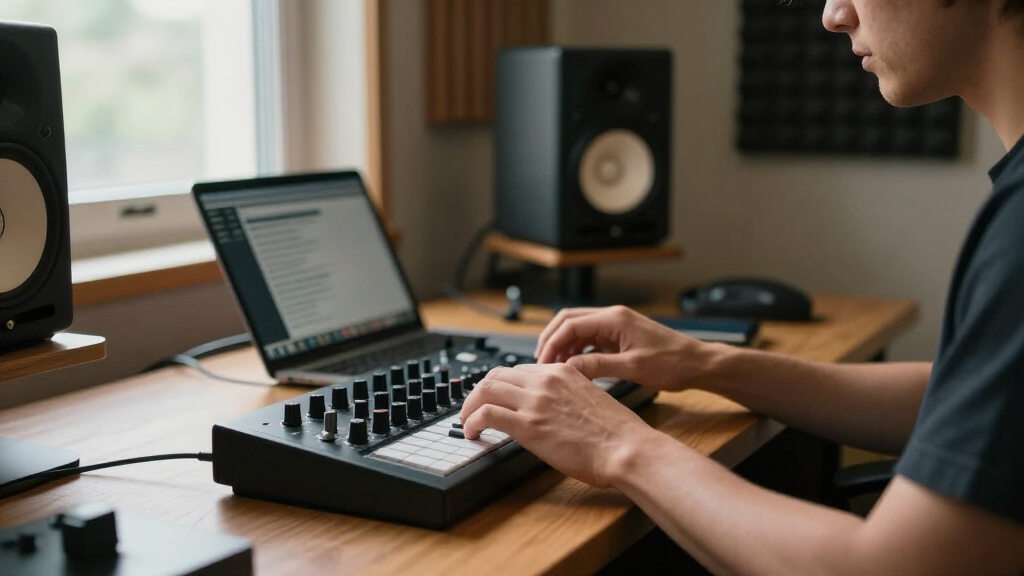

MIDI controllers are the physical bridge between your ideas and your DAW, and picking the wrong one can mean fighting your workflow instead of enjoying it. After comparing 14 popular music production MIDI controllers across key count, pad quality, software bundles, and DAW integration, the Akai MPK Mini MK3 earns the best overall spot for its balance of playable keys, responsive pads, and bundled software at a beginner-friendly price. If your production style lives in Ableton, the Akai APC40 MKII is the stronger clip-launching choice, while the Arturia MiniLab 3 stands out for its seamless integration across multiple DAWs and its superb included software suite. The core tradeoff in this category is portability versus control surface: compact 25-key units travel well but lack faders and encoders, while larger grid controllers offer deep hands-on mixing at the cost of desk space and keyboard playability. Read on for the full breakdown of all 14 controllers and which one belongs in your setup.

Get audio and creator gear delivered free with Prime
- Fast, free delivery on millions of items
- Prime Video, Amazon Music and more included
- Member-only deals all year
Complete the kit


Key Takeaways
- Akai dominates this roundup with seven of fourteen slots, and its ecosystem consistency — pads, software bundles, and Ableton-centric grid design — is why so many of its models landed near the top.
- The biggest differentiator wasn’t key count but software: controllers bundled with Ableton Live Lite and a solid virtual instrument library (MPK Mini MK3, MiniLab 3, ATOM) delivered dramatically more value at the same price point.
- Grid controllers like the APC40 MKII and APC64 are not interchangeable with keyboard controllers — they serve clip-based performance and drum programming, not melodic playing, and buyers frequently confuse the two categories.
- Under $60, the M-Audio Keystation Mini 32 MK3 and Donner N-25 work fine for input but cut corners on pads and encoders, meaning budget buyers should expect to upgrade sooner rather than later.
- Bluetooth control surfaces like the Korg NanoKONTROL Studio trade latency-free USB reliability for cable-free convenience — a worthwhile swap for mobile producers but a liability for tight-timing mixing work.
| Akai Professional LPD8 USB MIDI Pad Controller |  | Best Portable Pad Controller | Pads: 8 RGB-backlit MPC drum pads | Knobs: 8 assignable Q-Link knobs | Presets: 4 programmable preset slots | VIEW LATEST PRICE | See Our Full Breakdown |
| Korg NanoKONTROL Studio Bluetooth/USB MIDI Control Surface with 8 Faders |  | Best for Mixing and Wireless Control | Faders: 8 mixer faders | Control Buttons: 45 controls total including transport | Connectivity: Bluetooth and USB | VIEW LATEST PRICE | See Our Full Breakdown |
| Akai Professional MPK Mini Play MK3 25-Key USB MIDI Keyboard Controller |  | Best Standalone Mini Keyboard | Keys: 25 mini keys | Built-in Speaker: Yes | Internal Sounds: 100+ including pianos, synths, and pads | VIEW LATEST PRICE | See Our Full Breakdown |
| Akai Professional APC40 MKII USB MIDI Pad Controller |  | Best for Ableton Live | Clip-launch Grid: 5×8 RGB-backlit matrix | Faders: 9 channel faders plus assignable crossfader | Knobs: 8 control knobs, 8 device controls | VIEW LATEST PRICE | See Our Full Breakdown |
| Donner Mini MIDI Keyboard N-25, 25-Key Velocity-Sensitive Controller with Light-up Buttons and Teaching Courses |  | Best Budget Pick for Beginners | Keys: 25 velocity-sensitive mini keys | Teaching Courses: 40 included lessons | Connectivity: USB-MIDI, OTG adapter for mobile | VIEW LATEST PRICE | See Our Full Breakdown |
| PreSonus ATOM Production & Performance MIDI Pad Controller with Studio One Artist and Ableton Live Lite Recording Software |  | Best Software Bundle | Pads: 16 velocity- and pressure-sensitive RGB pads | Assignable Buttons: 20 | Rotary Encoders: 4 | VIEW LATEST PRICE | See Our Full Breakdown |
| Akai Professional MPK Mini Plus 37-Key USB MIDI Keyboard Controller |  | Best for Hardware Integration | Number of Keys: 37 mini keys | Octaves: 3 full octaves | Connectivity: USB, MIDI I/O, CV/Gate | VIEW LATEST PRICE | See Our Full Breakdown |
| Arturia MiniLab 3 Universal MIDI Controller, White |  | Best Compact All-Rounder | Number of Keys: 25 velocity-sensitive | Pads: 2 banks of 8 velocity- and pressure-sensitive RGB pads | Controls: 8 rotary encoders, capacitive pitch bend and mod touch strips | VIEW LATEST PRICE | See Our Full Breakdown |
| M-AUDIO Keystation Mini 32 MK3 USB MIDI Controller |  | Best Budget Starter | Number of Keys: 32 velocity-sensitive mini keys | Connectivity: USB (bus-powered) | Compatibility: Windows and Mac | VIEW LATEST PRICE | See Our Full Breakdown |
| Akai Professional APC Mini MK2 USB MIDI Pad Controller |  | Best for Ableton Clip Launching | Pad Matrix: 8×8 RGB pads | Faders: 9 (8 assignable + 1 master) | Connectivity: USB powered, plug-and-play | VIEW LATEST PRICE | See Our Full Breakdown |
| Akai Professional APC64 USB MIDI Pad Controller | 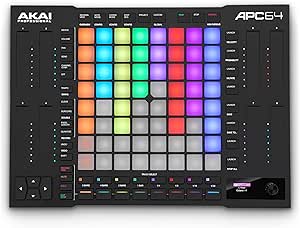 | Best Premium Pick | Number of Pads: 64 RGB velocity-sensitive with poly aftertouch | Touch Strips: 8 assignable | Built-in Sequencer: 8-track, 32-step | VIEW LATEST PRICE | See Our Full Breakdown |
| Native Instruments Komplete Kontrol M32 Controller Keyboard |  | Best for Software Ecosystem Integration | Number of Keys: 32 | Display: OLED | Control Knobs: Touch-sensitive encoders | VIEW LATEST PRICE | See Our Full Breakdown |
| Akai Professional APC Key 25 MK2 25-Key USB MIDI Keyboard Controller |  | Best for Ableton Clip Launching on a Budget | Number of Keys: 25 velocity-sensitive | Octaves: 2 | Pad Matrix: 5×8 RGB pads | VIEW LATEST PRICE | See Our Full Breakdown |
| Akai Professional MPK Mini MK3 25-Key USB MIDI Keyboard Controller |  | Best Value for Beginners | Number of Keys: 25 mini velocity-sensitive | Pads: 8 MPC-style backlit velocity-sensitive | Knobs: 8 assignable 360-degree | VIEW LATEST PRICE | See Our Full Breakdown |
| music production MIDI controller | Connectivity | Included Software |
|---|---|---|
| Akai Professional LPD8 USB MID | USB (full-size, bus-powered) | — |
| Korg NanoKONTROL Studio Blueto | Bluetooth and USB | — |
| Akai Professional MPK Mini Pla | USB | MPC Beats, MPC expansions, AIR Keyboards, Electric, Melodics lessons |
| Akai Professional APC40 MKII U | USB-powered, plug-and-play Mac and PC | Ableton Live Lite, Puremagnetik Effect Racks, Hybrid 3, TubeSynth, sample packs |
| Donner Mini MIDI Keyboard N-25 | USB-MIDI, OTG adapter for mobile | — |
| PreSonus ATOM Production & Per | — | Studio One Artist, Ableton Live Lite, Studio Magic Plug-In Suite |
| Akai Professional MPK Mini Plu | USB, MIDI I/O, CV/Gate | — |
| Arturia MiniLab 3 Universal MI | USB | — |
| M-AUDIO Keystation Mini 32 MK3 | USB (bus-powered) | MPC Beats plus educational lessons |
| Akai Professional APC Mini MK2 | USB powered, plug-and-play | Ableton Live Lite, Hybrid 3, Mini Grand, Velvet |
| Akai Professional APC64 USB MI | USB-C, MIDI in/out, CV/Gate | Ableton Live Lite, VST/AU plug-ins, 1GB samples |
| Native Instruments Komplete Ko | USB 2.0 | Komplete instruments and effects bundle, Ableton Live 10 Lite |
| Akai Professional APC Key 25 M | USB powered | Ableton Live Lite, Hybrid 3, Mini Grand, Velvet |
| Akai Professional MPK Mini MK3 | USB powered | MPC Beats, 3 virtual instruments, 2GB sound content, 2 months Splice |
More Details on Our Top Picks
Akai Professional LPD8 USB MIDI Pad Controller
Most compact MIDI controllers force you to choose between pads and keys — the LPD8 skips the keyboard entirely and does one job well: finger drumming and sample triggering on the road. At roughly the footprint of a paperback, it undercuts even the Arturia MiniLab 3 for desk-space savings, and its 8 RGB-backlit MPC pads carry the same heritage feel as Akai’s larger units. The 8 assignable Q-Link knobs give it just enough parameter control to tweak synths without a second device.
The tradeoff is scope. With only 8 pads, producers building layered drum kits will hit a ceiling fast compared to the 5×8 grid on the APC40 MKII, and there are no built-in sounds — unlike the MPK Mini Play MK3, it’s dead without a computer running a DAW.
Pros:- True MPC-style pads with velocity response in a pocketable size
- Plug-and-play USB with no drivers or external power needed
- 4 preset slots let you switch mappings between instruments instantly
- 8 Q-Link knobs add real parameter control for such a small device
Cons:- Only 8 pads caps how complex your drum programming can get
- No standalone mode or built-in sounds — a computer is mandatory
Best for: Traveling beatmakers and DJs who want genuine MPC pads in a bag-friendly size for sketching drum patterns anywhere
Not ideal for: Producers who trigger full drum kits or perform live clips — 8 pads is genuinely limiting compared to grid controllers
- Pads:8 RGB-backlit MPC drum pads
- Knobs:8 assignable Q-Link knobs
- Presets:4 programmable preset slots
- Connectivity:USB (full-size, bus-powered)
- Compatibility:Mac, PC, all major DAWs
- Power:USB bus-powered, no drivers required
Our verdict“Buy it if pads are your priority and portability is non-negotiable; skip it if you need keys, a grid, or standalone play.”
Korg NanoKONTROL Studio Bluetooth/USB MIDI Control Surface with 8 Faders
This is the only controller in this lineup that isn’t about playing notes at all — it’s about mixing and transport control. Where the APC40 MKII dedicates its surface to clip launching, the NanoKONTROL Studio puts 8 faders, mute/solo/record buttons, and a jog wheel under your hands so you can ride levels without touching a mouse. Its Bluetooth connectivity is the real differentiator: it pairs with iPads and laptops cable-free, which no Akai pad controller here can do.
Be honest about what it isn’t. There are no pads and no playable keys in the conventional sense, so it complements — rather than replaces — something like the LPD8 or an MPK keyboard. And Bluetooth MIDI adds occasional latency and pairing friction that a USB cable never will.
Pros:- Wireless Bluetooth MIDI eliminates cable clutter on mobile setups
- 8 faders plus dedicated transport, mute, and solo buttons for real mixing work
- Works across PC, Mac, and iOS with major DAWs
- Lightweight and slim enough to sit beside a laptop
Cons:- Not a playable instrument — needs to be paired with a keyboard or pad controller
- Bluetooth MIDI can introduce latency and setup headaches versus wired connections
Best for: Producers and home-studio mixers who already own a keyboard or pad controller and want physical faders for mixing, especially on iPad setups
Not ideal for: Anyone looking for a first or only controller — there’s nothing here to play melodies or drums on
- Faders:8 mixer faders
- Control Buttons:45 controls total including transport
- Connectivity:Bluetooth and USB
- Mixer Channels:8
- Supported DAWs:Ableton Live, Pro Tools, FL Studio and more
- Hardware Platforms:PC, Mac, iOS
- Power:USB or batteries for wireless use
Our verdict“This makes the most sense as a second controller for mixing duty, not as your primary production tool.”
Akai Professional MPK Mini Play MK3 25-Key USB MIDI Keyboard Controller
The killer feature here is right in the name: Play. With over 100 built-in sounds and an onboard speaker, this is the rare mini keyboard that makes noise without a computer — something the MPK Mini MK3, its otherwise near-identical sibling, simply can’t do. Battery power plus the speaker means you can sketch melodies on a train, then plug in via USB and use it as a full 25-key MIDI controller with pads, an arpeggiator, and NKS support for Native Instruments plugins.
Those additions cost you. It’s bulkier and pricier than the plain Donner N-25, and the mini keys still cramp two-handed playing. The bundled MPC Beats and AIR instruments software takes some patience to set up properly, and forget batteries in the box — they’re not included.
Pros:- Plays standalone with built-in sounds and speaker — no computer needed
- Battery power makes it genuinely mobile
- Bundled MPC Beats, AIR instruments, and Melodics lessons add real value
- NKS support integrates smoothly with Native Instruments software
Cons:- Heavier and more expensive than non-speaker rivals like the Donner N-25
- Software setup and preset management can frustrate first-time users
Best for: Songwriters and beat makers who want to capture ideas away from the computer without giving up a full DAW controller at the desk
Not ideal for: Pianists or anyone needing two-handed, multi-octave playing — 25 mini keys will fight you the whole way
- Keys:25 mini keys
- Built-in Speaker:Yes
- Internal Sounds:100+ including pianos, synths, and pads
- Connectivity:USB
- Power:USB or batteries (not included)
- Included Software:MPC Beats, MPC expansions, AIR Keyboards, Electric, Melodics lessons
- NKS Support:Yes
Our verdict“If writing away from your desk matters, this standalone capability justifies the premium; otherwise the standard MPK Mini MK3 does the same job for less.”
Akai Professional APC40 MKII USB MIDI Pad Controller
If Ableton Live is your home, nothing else in this roundup comes close. The 5×8 RGB clip-launch grid maps directly to Live’s session view, the 9 channel faders handle mixing, and the crossfader and device controls mean you can perform an entire set without looking at your laptop. The APC Mini MK2 offers a similar concept at a fraction of the price, but with a shallower grid, fewer faders, and less durable construction — the APC40 MKII’s reinforced faders are built for years of gigging.
The tradeoff is commitment. This is a Live-centric instrument; in any other DAW most of its magic mapping evaporates and you’re left with a bulky generic controller. It’s also the priciest and largest item here, and newcomers to clip-launching workflows will face a real learning curve before it clicks.
Pros:- Deepest Ableton Live integration available at this price, mapped out of the box
- RGB clip grid gives instant visual feedback with color-coded scenes
- Reinforced faders and solid build stand up to live performance abuse
- Bundles Ableton Live Lite plus a serious stack of instruments and sample packs
Cons:- Purpose-built for Ableton — awkward and underutilized in other DAWs
- Larger, pricier, and more complex than beginner-oriented options like the APC Mini MK2
Best for: Ableton Live producers and live performers who need deep, hands-on session view control night after night
Not ideal for: FL Studio, Logic, or Pro Tools users — and anyone short on desk space — since most of its design value disappears outside Ableton
- Clip-launch Grid:5×8 RGB-backlit matrix
- Faders:9 channel faders plus assignable crossfader
- Knobs:8 control knobs, 8 device controls
- Compatibility:Ableton Live 9.1.3 and later
- Connectivity:USB-powered, plug-and-play Mac and PC
- Included Software:Ableton Live Lite, Puremagnetik Effect Racks, Hybrid 3, TubeSynth, sample packs
Our verdict“For committed Ableton users this is the control surface to buy; everyone else should pass and pick a DAW-agnostic controller.”
Donner Mini MIDI Keyboard N-25, 25-Key Velocity-Sensitive Controller with Light-up Buttons and Teaching Courses
For a true beginner, the Donner N-25 gets the essentials right at a price that undercuts nearly everything in this guide. Its 25 velocity-sensitive keys respond to how hard you play, which the similarly sized M-Audio Keystation Mini 32 MK3 can’t claim at this price point, and the bundled 40 teaching courses turn it from a dumb input device into an actual learning tool — no other controller here includes structured lessons.
Just don’t expect to grow into it. There are no pads, no knobs worth mentioning, and no built-in sounds like the MPK Mini Play MK3 offers, so it lives entirely inside your DAW. Connecting to a phone requires an OTG adapter, and the mini keys will feel cramped once your skills outpace two octaves.
Pros:- Very low entry price with velocity-sensitive keys, not just fixed switches
- 40 included teaching courses make it genuinely beginner-friendly
- Light-up buttons give helpful visual feedback while learning
- Works with Mac, PC, iOS, and major DAWs right out of the box
Cons:- No pads, knobs, or built-in sounds — far less capable than similarly portable rivals
- Only 25 mini keys, and phone use requires a separate OTG adapter
Best for: Complete beginners and casual hobbyists who want the cheapest reliable way to start making music while learning the basics
Not ideal for: Intermediate or advanced producers — the basic feature set will be outgrown within months
- Keys:25 velocity-sensitive mini keys
- Teaching Courses:40 included lessons
- Connectivity:USB-MIDI, OTG adapter for mobile
- Compatibility:Mac, PC, iPhone, iPad
- Controls:Light-up buttons with visual feedback
- Power:USB bus-powered
Our verdict“The smartest first purchase for someone testing the waters; upgrade later if the hobby sticks.”
PreSonus ATOM Production & Performance MIDI Pad Controller with Studio One Artist and Ableton Live Lite Recording Software
The PreSonus ATOM stands out for what comes in the box: a full copy of Studio One Artist, Ableton Live Lite, and the Studio Magic plug-in suite. Compared with the Akai APC Mini MK2, which also ships with Ableton Live Lite, the ATOM’s software package is genuinely more valuable — Studio One Artist alone is a complete recording environment, not a teaser. The 16 velocity- and pressure-sensitive RGB pads respond to aftertouch, which the APC Mini’s clip-launching grid doesn’t offer, making this the more expressive instrument for finger drumming and sound design. Twenty assignable buttons and four encoders round out the control surface. The tradeoff is focus: this is a pad controller with no keys, so anyone who plays melodic parts will still need a keyboard alongside it.
Pros:- Velocity- and pressure-sensitive pads with aftertouch for expressive playing
- Studio One Artist plus Ableton Live Lite and plug-ins included
- 20 assignable buttons and 4 encoders give deep control without menu diving
- Note Repeat and Full Velocity modes speed up beat-making workflows
Cons:- No keys — melodic input requires a separate keyboard controller
- USB-only connectivity with no MIDI DIN or CV outputs for hardware synths
Best for: Beatmakers and finger drummers who want a production-ready pad controller with a DAW included out of the box
Not ideal for: Keyboard players and melody-first producers — there are no keys, so it can’t serve as your only controller
- Pads:16 velocity- and pressure-sensitive RGB pads
- Assignable Buttons:20
- Rotary Encoders:4
- Included Software:Studio One Artist, Ableton Live Lite, Studio Magic Plug-In Suite
- Compatibility:Most music production software via USB
- Additional Features:MIDI keyboard mode, Note Repeat mode, Full Velocity mode
Our verdict“If you’re starting from zero software and want an expressive pad controller, the ATOM’s bundle makes it the strongest value here.”
Akai Professional MPK Mini Plus 37-Key USB MIDI Keyboard Controller
The MPK Mini Plus earns its place through rare connectivity: MIDI I/O and CV/Gate outputs mean it can drive analog gear and hardware synths, something no other compact controller in this lineup — not the Arturia MiniLab 3, not the MPK Mini MK3 — can do. Add a built-in 64-step sequencer, eight RGB MPC pads, and eight encoders, and it functions as a command center rather than just a keyboard. NKS support and the bundled Komplete 15 Select library also make it a natural pairing with Native Instruments software. The compromises are real: three octaves of mini keys will frustrate pianists, and the sheer number of features creates a learning curve that a true beginner controller like the M-Audio Keystation Mini 32 deliberately avoids.
Pros:- MIDI I/O and CV/Gate outputs connect directly to hardware synths and modular gear
- Built-in 64-step sequencer enables standalone pattern creation
- NKS support plus Komplete 15 Select for deep Native Instruments integration
- 37 keys and 8 RGB MPC pads in a still-portable footprint
Cons:- Mini keys limited to 3 octaves restrict two-handed playing
- Feature-dense interface overwhelms first-time producers
Best for: Synth enthusiasts and modular or hardware-gear owners who need CV/Gate and MIDI DIN control from one portable keyboard
Not ideal for: Beginners who just want plug-and-play simplicity — the sequencer, banks, and routing options add complexity before you make a sound
- Number of Keys:37 mini keys
- Octaves:3 full octaves
- Connectivity:USB, MIDI I/O, CV/Gate
- Pads:8 RGB MPC pads
- Rotary Knobs:8 assignable
- Sequencer:64-step built-in
- Software Included:MPC Beats, Komplete 15 Select
- NKS Support:Yes
Our verdict“This is the pick for producers whose studio includes hardware — its CV/Gate and sequencer capabilities simply aren’t matched elsewhere at this size.”
Arturia MiniLab 3 Universal MIDI Controller, White
Where most small controllers specialize, the MiniLab 3 spreads its capabilities evenly: 25 keys, two banks of pressure-sensitive RGB pads, eight encoders, a built-in arpeggiator, and a clickable browsing knob with a small display for navigating presets. Compared with the MPK Mini MK3, its closest size rival, the MiniLab’s capacitive touch strips for pitch and mod feel sleeker, and its Analog Lab integration is tighter — Arturia’s software is clearly the intended home here. The mini display is a genuine convenience at this price, letting you confirm parameter changes without squinting at your laptop. The tradeoff is scope: 25 mini keys cap you at two octaves, and there’s no standalone mode or battery, so it lives entirely tethered to a computer via a single USB port.
Pros:- Unusually complete feature set for the size: keys, dual pad banks, 8 encoders, arpeggiator
- Mini display and clickable knob make preset browsing fast
- Includes Ableton Live Lite, Analog Lab Intro, and UVI Model D
- Slim, light footprint fits any backpack or tiny desk
Cons:- 25 mini keys limit melodic range and playing comfort
- No standalone operation — requires a USB-connected computer
Best for: Desk-space-constrained producers and travelers who want keys, pads, and encoders in one slim unit
Not ideal for: Players who need real keyboard feel or more than two octaves — the mini keys will fight you on anything pianistic
- Number of Keys:25 velocity-sensitive
- Pads:2 banks of 8 velocity- and pressure-sensitive RGB pads
- Controls:8 rotary encoders, capacitive pitch bend and mod touch strips
- Additional Features:Built-in arpeggiator, mini display, clickable browsing knob
- Connectivity:USB
- Supported Software:Ableton Live Lite, Analog Lab Intro, UVI Model D
- Platform:Mac, Windows 10
Our verdict“The MiniLab 3 is the best-jack-of-all-trades compact controller here, provided you accept two octaves of mini keys.”
M-AUDIO Keystation Mini 32 MK3 USB MIDI Controller
The Keystation Mini 32 MK3 does one thing affordably: it puts 32 velocity-sensitive keys under your fingers for pocket change, powered entirely over USB. Against the Donner N-25 and other entry-level minis, its advantage is key count and simplicity — octave buttons, pitch bend, modulation, a volume knob, and a sustain button cover the basics without menus or banks. Bundled MPC Beats software plus included educational lessons make this the friendliest on-ramp in the roundup for someone who has never opened a DAW. The tradeoffs are equally clear: there are no pads, no encoders, and no arpeggiator, so it can’t shape sounds the way the Arturia MiniLab 3 can. It’s an input device, not a control surface, and the mini key action won’t satisfy trained hands.
Pros:- Very low price with 32 full-width mini keys — more than most controllers this cheap
- True plug-and-play, USB-powered with zero setup friction
- Includes MPC Beats software and beginner lessons
- Light and slim enough for a laptop bag
Cons:- No pads, encoders, or performance features — strictly note input
- Mini key action feels basic compared with premium compact controllers
Best for: Complete beginners and students who want the cheapest reliable way to start playing notes into a DAW
Not ideal for: Anyone producing beats or needing hands-on sound control — there are no pads, knobs, or faders whatsoever
- Number of Keys:32 velocity-sensitive mini keys
- Connectivity:USB (bus-powered)
- Compatibility:Windows and Mac
- Included Software:MPC Beats plus educational lessons
- Controls:Pitch bend, modulation, octave buttons, volume knob, sustain button
Our verdict“If your only goal is learning to record MIDI without spending much, this is the entry point; outgrow it and you’ll want pads and knobs fast.”
Akai Professional APC Mini MK2 USB MIDI Pad Controller
If your DAW is Ableton Live, the APC Mini MK2 is purpose-built for it in a way generic controllers aren’t. The 8×8 RGB pad matrix maps directly to Live’s session view, with nine faders — eight assignable plus a master — for mixing, and the pads give clear color-coded visual feedback on clip states. Compared with the larger APC40 MKII, you give up fader count and dedicated device controls but gain a footprint that fits beside a laptop. Against the PreSonus ATOM, this is the better clip-launching and mixing tool, while the ATOM wins for finger drumming thanks to pressure sensitivity. The narrow focus is the caveat: outside Ableton-centric workflows (and the included Live Lite), its value drops sharply, and the absence of any display means deeper parameter edits still happen on screen.
Pros:- Native, well-mapped Ableton Live session view control out of the box
- 8×8 RGB matrix gives instant visual feedback on clips and scenes
- 9 faders enable real hands-on mixing, not just launching
- Compact and USB-powered for stage or café-table sessions
Cons:- Value drops sharply outside Ableton-centric workflows
- No display for parameter feedback — editing still happens on screen
Best for: Ableton Live users who need an affordable, portable clip-launching and mixing surface
Not ideal for: Producers on other DAWs or finger drummers — the pad grid is built for launching clips, not expressive playing
- Pad Matrix:8×8 RGB pads
- Faders:9 (8 assignable + 1 master)
- Connectivity:USB powered, plug-and-play
- Included Software:Ableton Live Lite, Hybrid 3, Mini Grand, Velvet
- Integration:Seamless Ableton Live mapping
Our verdict“Ableton users on a budget get the most direct session-view control per dollar here; everyone else should look at the ATOM or a keyboard controller instead.”
Akai Professional APC64 USB MIDI Pad Controller
The APC64 is the most capable controller in this roundup, and its price reflects that. What separates it from the APC40 MKII and APC Mini MK2 is hardware independence: the built-in 8-track step sequencer runs without a computer, and its CV/Gate outputs let it drive modular synths and vintage gear directly. Poly aftertouch pads and eight touch strips give it expressive depth that pad-only units like the LPD8 can’t touch. The tradeoffs are real, though — setup is involved, much of its value only opens up inside Ableton Live, and beginners will pay for capability they may not use for years. This pick makes the most sense for a producer already committed to Live who wants one surface to rule the studio and the stage.
Pros:- 64 RGB pads with poly aftertouch for expressive playing
- Built-in step sequencer works standalone without a computer
- CV/Gate and MIDI I/O for direct hardware and modular control
- Generous software bundle including Ableton Live Lite and samples
Cons:- Premium price far above compact controllers like the MPK Mini MK3
- Deep functionality is heavily tied to Ableton Live
- Complex setup and mapping process overwhelms newcomers
Best for: Experienced Ableton Live producers and live performers who also integrate hardware synths or modular gear
Not ideal for: Beginners or FL Studio/Logic users — the steep learning curve and Live-centric design waste most of what you’re paying for
- Number of Pads:64 RGB velocity-sensitive with poly aftertouch
- Touch Strips:8 assignable
- Built-in Sequencer:8-track, 32-step
- Connectivity:USB-C, MIDI in/out, CV/Gate
- CV/Gate Outputs:8
- Power:USB bus powered
- Included Software:Ableton Live Lite, VST/AU plug-ins, 1GB samples
Our verdict“If you live inside Ableton and want a single premium surface for production, performance, and hardware control, the APC64 justifies its cost — everyone else should spend less.”
Native Instruments Komplete Kontrol M32 Controller Keyboard
The Komplete Kontrol M32 plays a different game than the Akai options here. Where the APC Key 25 MK2 is built around Ableton’s clip workflow, this keyboard is built around Native Instruments’ NKS ecosystem, meaning every Komplete instrument, effect, and third-party NKS patch appears with tagged browsing right on the controller. The OLED display and touch-sensitive knobs mean you can browse and tweak sounds without looking at your screen — something no other compact model in this lineup offers. The compromises: 32 mini keys limit two-handed playing, and there’s no pad matrix for finger drumming, so beat makers will find the MPK Mini MK3 more naturally suited to their workflow. For sound-design-heavy producers working inside NI’s world, though, nothing this portable comes close.
Pros:- Deep NKS integration with on-device browsing of NI and third-party libraries
- OLED display and touch knobs allow screen-free sound tweaking
- Genuinely portable with a full software bundle included
- Solid build quality for its compact size
Best for: Producers who own or plan to buy Native Instruments instruments and want tag-based browsing and hands-on tweaking from a portable keyboard
Not ideal for: Beat makers and finger drummers — the lack of pads makes rhythm work awkward compared to MPC-style controllers
- Number of Keys:32
- Display:OLED
- Control Knobs:Touch-sensitive encoders
- Connectivity:USB 2.0
- Power:USB bus powered
- Included Software:Komplete instruments and effects bundle, Ableton Live 10 Lite
Our verdict“Buy the M32 if your sound library lives in the Native Instruments ecosystem; skip it if you need pads or you’re anchored to a different DAW.”
Akai Professional APC Key 25 MK2 25-Key USB MIDI Keyboard Controller
The APC Key 25 MK2 answers a specific question: what if you want Ableton’s clip grid and a keyboard in one affordable device? Its 5×8 RGB pad matrix mirrors your Session View directly, something neither the MPK Mini MK3 nor the Komplete Kontrol M32 can do — their eight pads are for drumming, not launching scenes. Combined with eight assignable knobs and plug-and-play Live integration, it’s a surprisingly complete Ableton cockpit for laptop-bag money. The costs are range and versatility: two octaves of keys restrict melodic work, and compared with the more capable APC64, the pads lack aftertouch and the whole unit depends on Live for its identity. Producers in other DAWs should look elsewhere, since the pad matrix loses most of its logic outside Ableton.
Pros:- 5×8 RGB pad matrix maps directly to Ableton’s Session View
- Combines keys, pads, and knobs in one compact unit
- Plug-and-play Live integration with no manual mapping needed
- Includes a solid software bundle with virtual instruments
Cons:- Only 2 octaves of keys limits melodic range
- Sparse physical controls compared to larger APC models like the APC64
Best for: Ableton Live users who want clip launching, keyboard playing, and knob control in one compact, affordable controller
Not ideal for: FL Studio, Logic, or Bitwig producers — the pad matrix is designed around Ableton’s Session View and feels arbitrary elsewhere
- Number of Keys:25 velocity-sensitive
- Octaves:2
- Pad Matrix:5×8 RGB pads
- Control Knobs:8 assignable rotary
- Connectivity:USB powered
- Included Software:Ableton Live Lite, Hybrid 3, Mini Grand, Velvet
Our verdict“For Ableton-centered producers on a budget, the APC Key 25 MK2 is the cheapest way to get a real clip-launching grid plus keys — users of other DAWs get far less from it.”
Akai Professional MPK Mini MK3 25-Key USB MIDI Keyboard Controller
The MPK Mini MK3 remains the default first MIDI controller for good reason: it packs 8 MPC-style pads, eight knobs, a built-in arpeggiator, and a genuinely useful software bundle into one of the cheapest name-brand packages available. Compared with the APC Key 25 MK2, it trades Ableton-specific clip launching for broader DAW-agnostic flexibility, and its NKS support mirrors the Komplete Kontrol M32’s library browsing at a fraction of the price. The compromises are predictable at this size: mini keys frustrate trained pianists, the arpeggiator is functional but basic, and full customization requires digging into the editor software. Compared with the equally tiny Donner N-25, the MPK’s pads, knobs, and arpeggiator give it far more room to grow as skills improve — which is exactly what a first controller should do.
Pros:- Keys, MPC-style pads, and knobs in one ultra-portable, affordable package
- Built-in arpeggiator with adjustable modes and range
- NKS support for browsing Native Instruments libraries
- Strong starter bundle with MPC Beats, instruments, and Splice access
Cons:- Mini keys feel cramped for anyone with piano technique
- Arpeggiator and customization options are fairly basic
Best for: Beginners and mobile producers who want keys, pads, and knobs together for under a modest budget in any DAW
Not ideal for: Trained keyboard players — the mini keys and 25-key range make expressive two-handed playing impractical
- Number of Keys:25 mini velocity-sensitive
- Pads:8 MPC-style backlit velocity-sensitive
- Knobs:8 assignable 360-degree
- Arpeggiator:Yes, adjustable resolution, range, and modes
- Connectivity:USB powered
- Included Software:MPC Beats, 3 virtual instruments, 2GB sound content, 2 months Splice
- Additional Features:NKS support, customizable mapping
Our verdict“The MPK Mini MK3 is the smartest first controller here — cheap, flexible, and growable — as long as you accept mini keys and don’t need Ableton-specific clip control.”
How We Picked
I evaluated each controller against the criteria that actually shape a producer’s daily experience: playability (key feel, pad sensitivity, fader smoothness), DAW and software integration (out-of-the-box mapping depth and the quality of bundled instruments), build quality versus price, and versatility across production styles like beat-making, mixing, and live performance. A controller that maps instantly to Ableton but ignores other DAWs was scored differently than one with universal HUI/MCU support, because buyers rarely switch DAWs but often start on whichever one shipped in the box.
Ranking also reflected longevity: models with assignable encoders, editor software, and expandable footswitch inputs placed higher because they adapt as a producer’s needs grow. Ultra-compact units were not penalized for size, but they were penalized when their smaller footprint came with flimsy controls or shallow software bundles. The final order favors controllers that solve a specific production problem well rather than devices that try to do everything at a mediocre level.
Factors to Consider When Choosing Music Production MIDI Controllers
Before committing to a controller, it helps to understand the broader patterns in this category — the mistakes buyers make, the hidden costs, and why paying more sometimes saves money later.Keyboard Controller vs. Pad Controller vs. Control Surface
The single most common buying mistake is purchasing the wrong controller type entirely. Keyboard controllers (MPK Mini, MiniLab 3, Keystation) suit producers who play melodies, chords, and basslines. Pad and grid controllers (APC line, ATOM, LPD8) suit clip launching, drum programming, and sample triggering. Control surfaces like the Korg NanoKONTROL Studio exist purely for mixing — faders, knobs, and transport — with no playing surface at all. Many producers eventually own two devices, one for playing and one for control, so buying your primary weakness first usually beats buying a compromise device that does neither job well. Hybrid options like the APC Key 25 MK2 try to bridge this gap, and they succeed for clip-heavy producers who only occasionally need keys.
Key Count, Size, and Semi-Weighted Feel
Key count determines what you can physically play: 25 keys limit you to two octaves at a time, which frustrates anyone composing with both hands, while 32 or 37 keys open up two-handed chord voicings without a huge footprint increase. Key type matters even more than count — mini synth-action keys (found on most compact models) tire your hands during long sessions, and no controller in the ultra-portable class offers semi-weighted action. If you come from piano background, factor in that you may outgrow mini keys within a year. The octave shift buttons on compact boards partially compensate, but shifting octaves mid-performance breaks musical flow. Producers who plan to record expressive parts should budget for a larger controller earlier rather than paying twice.
DAW Integration and Mapping Depth
Some controllers work the moment you plug them in; others demand an evening of MIDI mapping before they feel useful. Akai’s APC line offers deep native Ableton integration but comparatively little for Logic or FL Studio users, while Arturia’s MiniLab 3 ships with mapping scripts for every major DAW. Native Instruments’ Komplete Kontrol M32 ties you into the NI ecosystem, which is a strength if you own Komplete and a limitation if you don’t. Before buying, check whether your DAW is explicitly supported — ‘class-compliant MIDI’ only means the device sends notes, not that its knobs control anything. Editor software availability also matters long-term, since remappable controls keep a controller useful when you change plugins or workflows.
The Real Value of Bundled Software
Bundled software can be worth more than the hardware itself. A controller that includes Ableton Live Lite, a sample library, and a synth or two effectively subsidizes your first production setup by $100 or more. But read the fine print: some bundles are stripped-down versions with limited tracks, and some require account registration that locks the license to your first activation. Software bundles also influence which DAW you learn — starting on the DAW your controller shipped with is a genuine advantage, because your tutorials and mappings all line up. If you already own a DAW and plugin suite, discount the bundle value entirely and compare hardware on merit alone; you’ll often find the ‘cheaper’ controller without software is the better-built one.
Pads, Aftertouch, and Expressive Control
Pad quality varies enormously even within one brand, and it directly affects how satisfying drum programming feels. Velocity sensitivity is the baseline; pressure sensitivity and polyphonic aftertouch (found on premium grids like the APC64) let you add expression after the initial hit, which is what separates flat-sounding programmed drums from dynamic ones. Cheaper pads can have notorious dead zones or require hard strikes, which becomes physically tiring. If beat-making is your primary use case, this is the category where spending more pays off most clearly. Also check pad count against your workflow: 8 pads suit simple kits, while 64-pad grids enable melodic step-sequencing and clip scenes.
Wired vs. Wireless and Power Considerations
Most controllers in this range draw power over USB, which keeps setup simple but ties you to a cable and computer port. Battery-powered Bluetooth options like the Korg NanoKONTROL Studio free you for couch-side mixing or iPad production, but introduce potential latency and a battery to manage. MIDI DIN ports — present on a few larger models like the MPK Mini Plus — future-proof you for hardware synths and standalone gear, which matters if you expect your studio to grow beyond the laptop. For desktop-only producers, none of this matters and standard USB is the most reliable choice. Mobile producers, however, should verify USB-C or Lightning compatibility before buying, since not every class-compliant device behaves well with iOS.
Frequently Asked Questions
Do I need a keyboard controller if I already have a pad controller?
It depends on how you write music. If you program all your melodies by mouse or step-sequencer and that workflow feels fast, a keyboard adds little. But most producers find that playing chords and basslines on keys is quicker and more musical than drawing notes, and a compact 25-key board costs far less than the time you’ll spend programming. Hybrid devices like the APC Key 25 MK2 exist precisely for this situation, adding keys to a clip-launching grid without doubling your desk footprint. If you already own an APC-style grid, a small keyboard is usually the smarter second purchase than a larger grid.
Is a 25-key controller enough for serious production?
Yes, for most modern production styles — with caveats. Beat-making, EDM, hip-hop, and pop production rarely require two-handed playing, and octave-shift buttons cover a wide melodic range for single-line parts. The limitations appear with piano-style composition, complex chord voicings, and live recording of both hands simultaneously. If you’re a trained keyboardist, 25 mini keys will feel cramped quickly, and stepping up to a 37-key model like the MPK Mini Plus delays that upgrade by years. For everyone else, the portability of a 25-key board usually outweighs the occasional octave-shifting hassle.
What’s the difference between the Akai APC line and the MPK line?
The MPK line is keyboard-first: built around playable keys with pads and knobs as supporting features, aimed at playing and programming instruments. The APC line is grid-first: designed around Ableton Live’s clip-launching workflow, with pads arranged as a session-view matrix and only limited or no keyboard on some models. If you produce in Ableton and perform or arrange with clips, an APC will feel like an extension of the software. If you write by playing parts, an MPK fits better. The APC Key 25 MK2 splits the difference for producers who want both clip launching and a small keyboard in one device.
Are cheap MIDI controllers under $50 worth buying, or will I need to upgrade?
Budget controllers are genuinely usable for input — the M-Audio Keystation Mini 32 MK3 and Donner N-25 send MIDI as reliably as anything else — but the savings show up in pad feel, knob quality, and software bundles. What typically triggers an upgrade isn’t failure, it’s frustration: mushy pads, encoders that skip values, or the realization that a bundled DAW and instrument library were worth more than the price difference. If you’re testing whether production sticks as a hobby, a sub-$50 controller is a rational first purchase. If you’ve already committed to producing regularly, spending $100–150 on a mid-tier model with strong software almost always delays your second purchase by years.
Does Bluetooth MIDI introduce latency problems for production?
Conclusion
For most producers, the Akai MPK Mini MK3 is the best overall choice: playable keys, solid pads, a built-in arpeggiator, and a software bundle that covers your first year of production. The Arturia MiniLab 3 is the best value alternative if you want broader DAW support and arguably the strongest included software suite at its price. On the premium end, the Akai APC64 justifies its cost for Ableton-centric producers and performers who need aftertouch, step sequencing, and a full clip grid. Beginners on a strict budget should start with the Donner N-25 or M-Audio Keystation Mini 32 MK3, accepting that pads and encoders will come later. For specific needs: the APC40 MKII for live Ableton performance, the Korg NanoKONTROL Studio for wireless mixing control, the MPK Mini Plus for growing into hardware synths, and the PreSonus ATOM if you’re committing to Studio One as your DAW. Match the controller to how you actually make music, not to the longest spec sheet, and you’ll get years of use from whichever pick you choose.
Columbus Day / Indigenous Peoples' Day Picks
long weekend sales
As an affiliate, we earn on qualifying purchases.