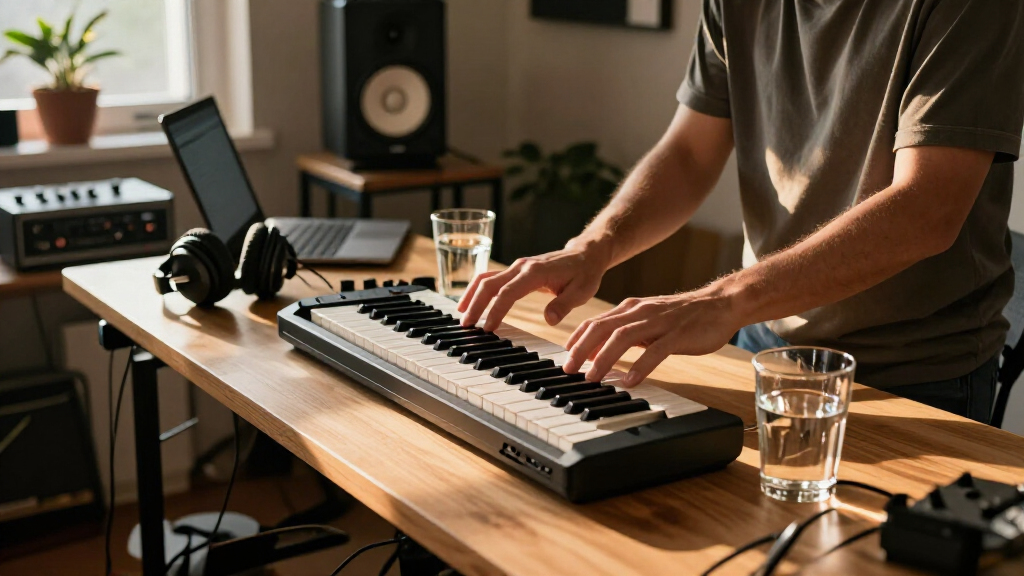
Compact MIDI keyboards range from simple 25-key controllers to feature-rich models with pads, knobs, or a larger 37-key span. I rank the Akai Professional MPK Mini IV as the best overall for its mix of compact size and hands-on controls; the Arturia MiniLab 37 stands out for players who want more keys, while the Akai MPK Mini Play MK3 suits anyone who needs built-in sounds. The main tradeoff is between saving desk and bag space, having enough keys to play naturally, and getting controls that reduce mouse work. A small controller can be ideal for sketches and mobile setups but limiting for two-handed parts. Read on for the full breakdown and help matching a keyboard to your workflow.

Get audio and creator gear delivered free with Prime
- Fast, free delivery on millions of items
- Prime Video, Amazon Music and more included
- Member-only deals all year
Complete the kit


Key Takeaways
- The MPK Mini IV leads as the most balanced pick: its compact 25-key layout pairs with hands-on controls, making it a stronger all-round studio choice than bare-bones mini controllers.
- More keys change how you can play: the 37-key MPK Mini Plus and Arturia MiniLab 37 give more room for phrases and two-handed ideas than the 25-key models, though they take up more space.
- Standalone sound is a distinct advantage: the MPK Mini Play MK3 can make music without a computer, unlike the USB-focused controllers in this lineup.
- Simple controllers suit narrow needs: the Akai LPK25, Korg nanoKEY2, and Donner N-25 prioritize compact MIDI input over extensive hands-on controls.
- Some lineup entries are variants, not different designs: the white and black versions of the MicroLab Mk3, MPK Mini IV, and MPK Mini Plus mainly differ in finish, so buyers can choose by appearance and availability.
| Akai Professional LPK25 25-Key USB MIDI Keyboard Controller |  | Best for Fast, Focused DAW Input | Keys: 25 responsive mini keys | Connectivity: USB | Power: USB-powered | VIEW LATEST PRICE | See Our Full Breakdown |
| Korg nanoKEY2 25-Key USB MIDI Controller, Black |  | Best for the Slimmest Laptop Setup | Keys: 25 velocity-sensitive keys | Connectivity: USB | Dimensions: 3.7 x 14.6 x 1.6 inches | VIEW LATEST PRICE | See Our Full Breakdown |
| M-Audio Keystation 49 MK3 USB MIDI Controller |  | Best for Full-Size Keys | Keys: 49 full-size velocity-sensitive keys | Connectivity: USB-MIDI | Power: USB-powered; no separate power supply required | VIEW LATEST PRICE | See Our Full Breakdown |
| Donner DMK-25 Pro USB-C MIDI Keyboard Controller, 25 Keys, Black |  | Best for Built-In Production Controls | Keys: 25 | Connectivity: USB-C | Display: OLED | VIEW LATEST PRICE | See Our Full Breakdown |
| Donner N-25 25-Key Mini MIDI Keyboard Controller |  | Best for New Producers on Multiple Platforms | Keys: 25 velocity-sensitive mini keys | Connectivity: USB | Controls: Programmable controls, arpeggiator, sustain, octave, tap tempo, pitch-bend wheel | VIEW LATEST PRICE | See Our Full Breakdown |
| Arturia MicroLab Mk3 25-Key USB MIDI Controller, Black |  | Best for a Minimal, Software-Ready Setup | Keys: 25 | Connectivity: USB Type-C | Controls: Four buttons and two touch strips | VIEW LATEST PRICE | See Our Full Breakdown |
| Arturia MicroLab Mk3 25-Key USB MIDI Controller, White |  | Best for Preset-Focused Beginners | Keys: 25 velocity-sensitive slim keys | Connectivity: USB-C | Controls: Four buttons and two touch strips | VIEW LATEST PRICE | See Our Full Breakdown |
| Akai Professional MPK Mini IV 25-Key USB-C MIDI Keyboard Controller, Black |  | Best for Beat-Making Control | Keys: 25 velocity-sensitive mini keys | Connectivity: USB-C | MIDI output: Full-size MIDI Out | VIEW LATEST PRICE | See Our Full Breakdown |
| Akai Professional MPK Mini Plus 37-Key USB MIDI Keyboard Controller |  | Best Compact Controller for External Gear | Keys: 37 velocity-sensitive mini keys | Connectivity: USB, MIDI I/O, and CV/Gate | Pads: Eight RGB MPC pads | VIEW LATEST PRICE | See Our Full Breakdown |
| Arturia MiniLab 37 MIDI Keyboard Controller |  | Best for Two-Handed Playing in a Compact Footprint | Keys: 37 slim keys | Connectivity: USB-C | Dimensions: 20.98 × 7 × 3.11 in (D × W × H) | VIEW LATEST PRICE | See Our Full Breakdown |
| Akai Professional MPK Mini Play MK3 25-Key USB MIDI Keyboard Controller |  | Best for Standalone Practice | Keys: 25 | Connectivity: USB | Onboard sounds: 128+ instruments and drum kits | VIEW LATEST PRICE | See Our Full Breakdown |
| Akai Professional MPK Mini Plus 37-Key USB MIDI Keyboard Controller, White |  | Best for Hardware and Modular Setups | Keys: 37 velocity-sensitive mini keys | Keybed: Gen 2 dynamic keybed | Connectivity: USB, MIDI I/O, and CV/Gate | VIEW LATEST PRICE | See Our Full Breakdown |
| M-Audio Keystation Mini 32 MK3 USB MIDI Controller |  | Best for Lightweight Essentials | Keys: 32 velocity-sensitive mini keys | Connectivity: USB | Power: USB; no external power supply required | VIEW LATEST PRICE | See Our Full Breakdown |
| Akai Professional MPK Mini MK3 25-Key USB MIDI Keyboard Controller |  | Best All-Rounder for Beat-Making | Keys: 25 mini velocity-sensitive keys | Pads: 8 backlit velocity-sensitive MPC-style pads | Knobs: 8 assignable 360-degree knobs | VIEW LATEST PRICE | See Our Full Breakdown |
| Akai Professional MPK Mini IV 25-Key USB-C MIDI Keyboard Controller, White |  | Best Premium Compact Controller | Keys: 25 velocity-sensitive mini keys | Connectivity: USB-C | MIDI output: Full-size MIDI Out | VIEW LATEST PRICE | See Our Full Breakdown |
| compact MIDI keyboard | Keys | Connectivity | Controls |
|---|---|---|---|
| Akai Professional LPK25 25-Key | 25 responsive mini keys | USB | — |
| Korg nanoKEY2 25-Key USB MIDI | 25 velocity-sensitive keys | USB | Sustain button |
| M-Audio Keystation 49 MK3 USB | 49 full-size velocity-sensitive keys | USB-MIDI | Volume fader, transport and directional buttons, pitch and modulation wheels, octave buttons |
| Donner DMK-25 Pro USB-C MIDI K | 25 | USB-C | 4 wheels and 6 transport controllers |
| Donner N-25 25-Key Mini MIDI K | 25 velocity-sensitive mini keys | USB | Programmable controls, arpeggiator, sustain, octave, tap tempo, pitch-bend wheel |
| Arturia MicroLab Mk3 25-Key US | 25 | USB Type-C | Four buttons and two touch strips |
| Arturia MicroLab Mk3 25-Key US | 25 velocity-sensitive slim keys | USB-C | Four buttons and two touch strips |
| Akai Professional MPK Mini IV | 25 velocity-sensitive mini keys | USB-C | — |
| Akai Professional MPK Mini Plu | 37 velocity-sensitive mini keys | USB, MIDI I/O, and CV/Gate | — |
| Arturia MiniLab 37 MIDI Keyboa | 37 slim keys | USB-C | DAW-integrated pads and faders; mini display |
| Akai Professional MPK Mini Pla | 25 | USB | 4 assignable rotary encoder knobs |
| Akai Professional MPK Mini Plu | 37 velocity-sensitive mini keys | USB, MIDI I/O, and CV/Gate | — |
| M-Audio Keystation Mini 32 MK3 | 32 velocity-sensitive mini keys | USB | Octave, pitch bend, modulation, volume, and sustain |
| Akai Professional MPK Mini MK3 | 25 mini velocity-sensitive keys | USB 2.0 Type B | — |
| Akai Professional MPK Mini IV | 25 velocity-sensitive mini keys | USB-C | 8 assignable encoders |
More Details on Our Top Picks
Akai Professional LPK25 25-Key USB MIDI Keyboard Controller
The Akai Professional LPK25 is a strong fit when a keyboard needs to take up little desk space but still offer useful performance controls. Its built-in arpeggiator, sustain button, and octave controls make it more hands-on than the slim Korg nanoKEY2, particularly for sketching repeating parts without reaching for software controls. Eight programmable presets also help keep preferred setups ready to use. USB power and plug-and-play computer compatibility make setup simple, though the controller still relies on a connected computer and music software for sound. Its main compromise is the 25 mini-key range: it works well for short melodies and parts, but gives less room for two-handed playing than the M-Audio Keystation 49 MK3. Choose it for compact beat-making and idea capture, not as a full-range piano substitute.
Pros:- Compact footprint fits beside other studio equipment
- Built-in arpeggiator and clock add hands-on pattern control
- Eight programmable presets can store preferred configurations
- USB-powered setup avoids a separate power supply
Cons:- 25 mini keys limit range and feel compared with full-size controllers
- Requires a connected computer and music software to produce sound
Best for: Laptop producers who want a small USB controller with an onboard arpeggiator, sustain, and preset storage for short parts.
Not ideal for: Players who need full-size keys, a broad playing range, or a controller suited to extended two-handed piano parts.
- Keys:25 responsive mini keys
- Connectivity:USB
- Power:USB-powered
- Performance controls:Octave up/down buttons, sustain button, built-in arpeggiator and clock
- Programmable presets:8
- Compatibility:Mac and PC; compatible with popular music production applications
Our verdict“Choose the LPK25 if you want a compact, feature-focused controller for entering short parts, but opt for the Keystation 49 MK3 if playing range matters more than desk space.”
Korg nanoKEY2 25-Key USB MIDI Controller, Black
The Korg nanoKEY2 puts portability ahead of piano-like feel. At 3.7 x 14.6 x 1.6 inches and 16 ounces, its low-profile design is easy to pair with a laptop, while spaced, velocity-sensitive keys can help reduce missed notes during quick software input. A sustain button adds a practical touch for entering piano parts. Compared with the Akai LPK25, the nanoKEY2 is the more minimal desk companion; the LPK25 adds an arpeggiator and programmable presets for players who want more performance options at the keyboard. The Korg’s tradeoff is its simple control set and limited 25-key range. It suits note entry and travel setups better than expressive, feature-heavy playing, and its wired USB connection keeps placement tied to cable reach.
Pros:- Slim, low-profile body is easy to fit alongside a laptop
- Velocity-sensitive keys support changes in playing intensity
- Key spacing is designed to help reduce missed notes
- Sustain button is useful for entering piano parts
Cons:- Only 25 keys provide a narrow playing range
- USB cable limits placement and the controller requires a connected device
Best for: Laptop-based producers who need an especially slim, light controller for entering notes at a desk or on the go.
Not ideal for: Players who want an arpeggiator, extensive performance controls, or more than 25 keys for broader playing parts.
- Keys:25 velocity-sensitive keys
- Connectivity:USB
- Dimensions:3.7 x 14.6 x 1.6 inches
- Weight:16 ounces
- Controls:Sustain button
- Color:Black
- Supported software:Ableton Live
- Warranty:1 year
Our verdict“Pick the nanoKEY2 for a light, space-saving note-entry keyboard, while the Akai LPK25 is a better match if you want onboard arpeggiator controls.”
M-Audio Keystation 49 MK3 USB MIDI Controller
The M-Audio Keystation 49 MK3 is the outlier here: it gives up the tiny footprint of the 25-key models to offer 49 full-size velocity-sensitive keys. That extra range and familiar key size make it better suited to practicing melodies, playing chords with both hands, and performing longer lines without constant octave changes. Pitch and modulation wheels, transport controls, and a sustain-pedal input also make it more useful as a playing surface than the simpler Korg nanoKEY2. The tradeoff is clear: it takes more room and is less convenient to carry than the compact controllers this roundup centers on. USB power keeps setup straightforward, but the sustain pedal is separate. Choose this when comfortable, broader key playing matters more than the smallest possible setup.
Pros:- 49 full-size velocity-sensitive keys provide a broader, familiar playing surface
- Pitch and modulation wheels support expressive control
- Transport controls and a sustain-pedal input add practical DAW and playing functions
- USB-powered design and included software support a straightforward computer setup
Cons:- Larger keybed takes more desk and bag space than 25-key options
- Sustain pedal is sold separately
- iOS connection requires a separately sold Apple to USB Camera Adapter
Best for: Keyboard players and producers who want full-size keys and room for two-handed parts while keeping a USB-powered computer setup.
Not ideal for: Traveling laptop producers or desk users with limited space who need a compact 25-key controller.
- Keys:49 full-size velocity-sensitive keys
- Connectivity:USB-MIDI
- Power:USB-powered; no separate power supply required
- Controls:Volume fader, transport and directional buttons, pitch and modulation wheels, octave buttons
- Pedal input:1/4-inch (6.3 mm) sustain pedal input
- Compatibility:Mac and PC; iOS devices via Apple to USB Camera Adapter, sold separately
- Included software:MPC Beats, Ableton Live Lite, Velvet, XPand2, Mini Grand, Touch Loops
Our verdict“Choose the Keystation 49 MK3 if full-size keys and broader playing range outweigh portability; for a genuinely small desk footprint, consider the LPK25 instead.”
Donner DMK-25 Pro USB-C MIDI Keyboard Controller, 25 Keys, Black
The Donner DMK-25 Pro packs a broad set of controls into a 25-key format: eight drum pads, an OLED display, four wheels, and six transport controllers give it a more production-oriented layout than the Korg nanoKEY2. Its scale, chord, arpeggio, and note-repeat functions can help players build parts without relying on keyboard technique alone, while USB-C connects it to a computer or a compatible mobile setup. That feature density makes it a strong choice for beat-making and guided practice, but it also means this is not the simplest option for someone who only wants to enter notes. It has just 25 keys, and it cannot generate sound on its own; a connected device and DAW are required. Mobile use may also call for a separate adapter.
Pros:- Eight drum pads add hands-on rhythm input
- OLED display and multiple controllers provide more direct workflow feedback than a basic 25-key model
- Scale, arpeggio, note-repeat, and chord functions support varied part creation
- Includes access to 40 keyboard teaching courses
Cons:- Requires a connected device and DAW software to produce sound
- 25 keys limit the range available for playing
- Some mobile devices may need a separately purchased adapter
Best for: Beat-makers and newer producers who want pads, scale and chord tools, and an onboard display in a compact controller.
Not ideal for: Players seeking a straightforward keyboard, standalone sound, or a broader key range for extended piano parts.
- Keys:25
- Connectivity:USB-C
- Display:OLED
- Drum pads:8
- Controls:4 wheels and 6 transport controllers
- Performance features:Arpeggio, note repeat, chord functions, pitch-bend touch bar
- Scale tones:16
- Compatibility:PC and mobile devices with compatible interface
- Sound generation:Requires a connected device and DAW software
Our verdict“Choose the DMK-25 Pro for a compact controller with pads and music-making aids, but choose the nanoKEY2 if a slim, simple note-entry device is the priority.”
Donner N-25 25-Key Mini MIDI Keyboard Controller
The Donner N-25 is a compact starter controller that combines velocity-sensitive mini keys with a pitch-bend wheel, arpeggiator, tap tempo, sustain, and octave controls. That mix gives it more expressive and timing options than the very stripped-down Korg nanoKEY2, while its USB connection supports Mac and Windows computers and, with an OTG adapter, iOS or Android devices. The included 40 teaching courses also make it a more guided entry point for beginners. Unlike the DMK-25 Pro, the N-25 keeps the controls less centered on drum pads and display-led production features. Its limits are still those of a 25-key mini controller: the playing span is short, and the stated warranty is 90 days. Mobile users need to supply an OTG adapter.
Pros:- Velocity-sensitive mini keys, pitch-bend wheel, and arpeggiator support expressive input
- Tap tempo, sustain, and octave controls cover useful basics
- Compatible with Android, Mac, Windows, and iOS platforms
- Includes music production software and access to 40 teaching courses
Cons:- 25 mini keys limit playing range and may feel cramped for piano-style parts
- Smartphone and tablet connections require an OTG adapter
- 90-day warranty is shorter than the one-year warranty listed for the Korg nanoKEY2
Best for: Beginners learning keyboard parts and basic music production on a Mac, Windows computer, or compatible mobile device.
Not ideal for: Experienced players who need full-size keys, a wide playing range, or a longer stated warranty.
- Keys:25 velocity-sensitive mini keys
- Connectivity:USB
- Controls:Programmable controls, arpeggiator, sustain, octave, tap tempo, pitch-bend wheel
- Compatible platforms:Android, Mac, Windows, iOS
- Included components:MIDI keyboard, USB cable, music production software, 40 teaching courses
- Color:Black
- Warranty:90 days
Our verdict“Pick the N-25 for a beginner-friendly, multi-platform controller with learning materials, but look to the DMK-25 Pro for more pads and display-based controls.”
Arturia MicroLab Mk3 25-Key USB MIDI Controller, Black
The MicroLab Mk3 keeps its controls focused: 25 slim keys, four buttons, and two touch strips in a compact, USB-powered design. Its chord mode and included Analog Lab Intro presets give a laptop-based producer useful starting points without adding a pad bank or a larger control surface. Compared with the Akai MPK Mini IV, it is simpler and less geared toward beat-making, since it lacks dedicated MPC pads and assignable encoders. That smaller feature set also means less to manage when desk space and portability matter most. The tradeoff is a short keyboard range, and it depends on a compatible computer and music software rather than operating as a standalone instrument. I’d choose it for a pared-back travel or home setup, not for extended two-handed parts.
Pros:- Compact, lightweight design with USB power
- Responsive slim keybed for a small controller
- Chord mode and dual touch strips add expressive control
- Includes Analog Lab Intro presets and Ableton Live Lite
Cons:- 25 keys limit range for two-handed playing
- Requires a compatible computer and music software
Best for: Laptop producers who want a very small controller with chord tools and included software, but do not need drum pads.
Not ideal for: Players who need more than two octaves, standalone sounds, or pad-based beat programming.
- Keys:25
- Connectivity:USB Type-C
- Controls:Four buttons and two touch strips
- Features:Chord mode and DAW compatibility
- Included software:Analog Lab Intro presets and Ableton Live Lite
- Compatible platforms:Mac, Windows 10, Windows 11
- Color:Black
- Model year:2025
Our verdict“Choose the MicroLab Mk3 if you want a compact, software-ready keyboard with useful touch controls and can work within 25 keys.”
Arturia MicroLab Mk3 25-Key USB MIDI Controller, White
The white MicroLab Mk3 suits beginners who want a small keyboard and a clear path into software instruments: its bundle includes Analog Lab Intro and Ableton Live Lite, while chord mode can help build harmonies without requiring a wide key range. It shares the black Mk3’s compact layout and controls, so the color is the main distinction between those two listings; I’d choose between them by setup preference rather than musical capability. Against the Akai MPK Mini IV, the MicroLab favors a simpler, key-and-touch-strip workflow instead of pads, encoders, and more performance tools. Its velocity-sensitive slim keys bring expression to a portable form, but the 25-key span and plastic-and-rubber construction are compromises. This is a practical first controller for a computer-based setup, not a sturdy-feeling, expandable centerpiece.
Pros:- Small, lightweight format suits tight desks and mobile setups
- Velocity-sensitive slim keys add expressive control
- Chord mode and dual touch strips provide useful performance options
- Includes Analog Lab Intro and Ableton Live Lite
Cons:- Only 25 keys, limiting range for layered or two-handed parts
- Plastic-and-rubber construction may feel less substantial than larger controllers
Best for: New producers building a compact Mac or Windows setup who want bundled instruments and a straightforward keyboard layout.
Not ideal for: Beat-makers who rely on pads and knobs, or players seeking a longer range or more substantial materials.
- Keys:25 velocity-sensitive slim keys
- Connectivity:USB-C
- Controls:Four buttons and two touch strips
- Features:Chord mode
- Included software:Analog Lab Intro and Ableton Live Lite
- Compatible platforms:Mac, Windows 10, Windows 11
- Material:Plastic and rubber
- Color:White
Our verdict“Pick the white MicroLab Mk3 as a beginner-friendly compact controller if bundled software matters more than pads, extra keys, or a heavier build.”
Akai Professional MPK Mini IV 25-Key USB-C MIDI Keyboard Controller, Black
The MPK Mini IV packs more hands-on production control into 25 keys than the MicroLab Mk3: eight assignable encoders and eight pressure-sensitive RGB MPC pads give beat-makers dedicated places for drums and parameter changes. Chord and scale modes, plus an arpeggiator with Pattern, Freeze, and Mutate options, add ways to develop ideas without expanding the keyboard footprint. Full-size MIDI Out also makes it more flexible with external gear than the computer-focused MicroLab. Its software bundle adds sounds and production tools, but those features depend on compatible software, and the small key range remains a constraint for melodic playing. Compared with the MPK Mini Plus, it is the more compact choice, though the Plus offers 37 keys and CV/Gate connections. Choose this model when portable pad control matters more than keyboard reach.
Pros:- Eight pressure-sensitive RGB pads support expressive drum input
- Eight assignable encoders provide hands-on software control
- Arpeggiator, chord mode, and scale mode expand performance options
- USB-C and full-size MIDI Out suit computer and external-gear setups
Cons:- 25 mini keys restrict melodic range and may feel cramped to full-size-key players
- Many production features depend on compatible software
- The range of controls can be unnecessary for a simple keyboard-only setup
Best for: Portable beat-makers and producers who want pads, encoders, and MIDI Out in a 25-key controller.
Not ideal for: Keyboard-led players who need a broader range, prefer full-size keys, or want features to work without compatible software.
- Keys:25 velocity-sensitive mini keys
- Connectivity:USB-C
- MIDI output:Full-size MIDI Out
- Encoders:Eight assignable 360-degree encoders
- Pads:Eight velocity- and pressure-sensitive RGB MPC pads
- Performance tools:Arpeggiator with Pattern, Freeze, and Mutate; chord and scale modes
- Supported platforms:Mac, Windows, and mobile setups
- Included sounds:More than 1,000 sounds
- Additional software:Ableton Live Lite 12, 30-day Melodics trial, two months of Splice, and one of three Native Instruments sound bundles
Our verdict“Choose the MPK Mini IV if you want a compact controller built around beat-making controls, rather than a longer keyboard range.”
Akai Professional MPK Mini Plus 37-Key USB MIDI Keyboard Controller
The MPK Mini Plus takes the compact-controller idea beyond a basic laptop keyboard: its 37 mini keys provide three octaves, while USB, MIDI I/O, and CV/Gate give it routes to computers and compatible external instruments. Its 64-step sequencer can support composing without keeping a computer at the center of every task, a distinction from the 25-key MPK Mini IV, which is more compact and oriented around its software bundle. Eight RGB pads and assignable knobs keep beat and parameter control close at hand. The added range and connections make the Plus more capable, but also less minimal than the MicroLab Mk3; mini keys still won’t suit everyone, and some functions rely on software or external equipment. I’d favor it for a small hybrid setup rather than a strictly portable, keyboard-only rig.
Pros:- 37 keys offer three octaves in a compact controller
- USB, MIDI I/O, and CV/Gate support varied equipment connections
- 64-step sequencer supports drum and melodic patterns
- Eight RGB MPC pads and eight assignable knobs add hands-on control
Cons:- Mini keys may feel cramped for players accustomed to full-size keys
- Larger than the 25-key MPK Mini IV and MicroLab Mk3
- Some functions depend on compatible software or external equipment
Best for: Electronic musicians who need a compact controller for a computer plus compatible MIDI or CV/Gate equipment.
Not ideal for: Players who prioritize the smallest footprint, full-size keys, or a simple plug-in-and-play keyboard.
- Keys:37 velocity-sensitive mini keys
- Connectivity:USB, MIDI I/O, and CV/Gate
- Pads:Eight RGB MPC pads
- Assignable knobs:Eight
- Sequencer:64-step, with tracks for drums and melodies or chords
- Compatible platforms:Mac and Windows
- Included software:MPC Beats
- Preset support:Native Instruments NKS presets
Our verdict“Choose the MPK Mini Plus if you want three octaves, sequencing, and external-gear connections without moving to a full-size keyboard.”
Arturia MiniLab 37 MIDI Keyboard Controller
The MiniLab 37 is the better fit when 25 keys feel too restrictive but a larger keyboard would crowd the desk. Its 37 slim keys support two-handed playing, while DAW-integrated pads and faders, a mini display, and custom mappings keep common production controls within reach. Compared with the Akai MPK Mini Plus, it offers a similarly compact three-octave format but puts its emphasis on DAW control and Arturia’s arpeggiator and chord mode, rather than the Akai’s sequencer and CV/Gate connections. At 1.17 kg, it remains suitable for moving between a home setup and a mobile one. The compromise is the slim key feel, which may not satisfy players who want full-size keys; it also needs a compatible computer or setup to serve as a MIDI controller.
Pros:- 37-key layout supports more two-handed parts than 25-key controllers
- DAW-integrated pads and faders provide direct production control
- Arpeggiator and chord mode support idea generation
- Lightweight design suits home and mobile use
Cons:- Slim keys may not suit players who prefer a full-size keybed
- Requires a computer or compatible setup to function as a MIDI controller
Best for: Producers who want a three-octave keyboard for two-handed parts, plus DAW controls, in a portable setup.
Not ideal for: Pianists who prefer full-size keys or musicians seeking a controller that works without a compatible computer or setup.
- Keys:37 slim keys
- Connectivity:USB-C
- Dimensions:20.98 × 7 × 3.11 in (D × W × H)
- Weight:1.17 kg
- Controls:DAW-integrated pads and faders; mini display
- Performance features:Arpeggiator and chord mode
- Compatible platforms:macOS and Windows
- Color:White
- Warranty:Two years
Our verdict“Pick the MiniLab 37 if you need more playing range than a 25-key board while keeping DAW controls and portability in one compact unit.”
Akai Professional MPK Mini Play MK3 25-Key USB MIDI Keyboard Controller
The MPK Mini Play MK3 is the pick here for making music away from a computer: its built-in speaker, battery power, and 128+ onboard sounds let it play on its own, unlike the USB-dependent MPK Mini MK3. That makes it useful for quick practice or sketching ideas where setting up a laptop would get in the way. It still works as a controller, with velocity-sensitive keys, eight MPC pads, and four assignable knobs. The tradeoff is a compact 25-key range, which can feel limiting for two-handed parts, and its four knobs offer fewer hands-on controls than the MPK Mini MK3’s eight. Batteries are also sold separately. Choose it for portable standalone playing; skip it if your priority is a broader keyboard range or extensive DAW control.
Pros:- Built-in speaker and battery operation support standalone playing
- More than 128 onboard instruments and drum kits
- Velocity-sensitive keys and eight MPC pads add expressive input
- Includes MPC Beats, AIR Music Tech instruments, and Melodics lessons
Cons:- 25 keys limit the range for two-handed parts
- Four assignable knobs provide less hands-on control than the MPK Mini MK3
- Batteries are not included
Best for: Players who want to practice or sketch melodies without bringing a computer, especially when battery-powered portability and onboard sounds matter.
Not ideal for: Keyboard players who need a wider playing range or producers who want more assignable controls for shaping software instruments.
- Keys:25
- Connectivity:USB
- Onboard sounds:128+ instruments and drum kits
- Drum pads:8 velocity-sensitive MPC pads
- Controls:4 assignable rotary encoder knobs
- Display:OLED
- Built-in speaker and battery life:Yes; 14+ hours
- Headphone output:1/8-inch
- Compatibility and software:Mac and Windows; MPC Beats, AIR Music Tech instruments, and Melodics lessons
Our verdict“Choose the MPK Mini Play MK3 if standalone practice and onboard sounds matter more than a wider key range or extra knobs.”
Akai Professional MPK Mini Plus 37-Key USB MIDI Keyboard Controller, White
Among these five, the MPK Mini Plus makes the most sense for buyers who need a compact controller that can reach beyond a computer. Its MIDI I/O and CV/Gate connections let it control external synthesizers and modular gear, while the built-in 64-step sequencer supports composing without a DAW. Compared with the 25-key MPK Mini MK3, its 37 keys give melodies and chords more room, though they still use a mini-key format. Eight RGB pads and eight assignable knobs also offer more control than the MPK Mini Play MK3. The cost of that flexibility is a larger footprint than a 25-key model, and the single USB port may complicate a setup that needs additional USB connections. Choose it for a hybrid hardware-and-computer studio, not for the smallest travel rig.
Pros:- 37 keys provide three octaves for broader melodic and chord parts
- MIDI I/O and CV/Gate support external hardware and modular gear
- Built-in 64-step sequencer can create patterns without a computer
- Eight RGB pads and eight assignable knobs provide hands-on control
Cons:- Mini keys may feel cramped for players accustomed to full-size keys
- Larger than 25-key models such as the MPK Mini MK3
- Only one USB port
Best for: Electronic musicians combining a computer with external MIDI synthesizers or CV/Gate-compatible modular equipment.
Not ideal for: Travelers seeking the smallest controller, or players who need full-size keys rather than a compact mini-key bed.
- Keys:37 velocity-sensitive mini keys
- Keybed:Gen 2 dynamic keybed
- Connectivity:USB, MIDI I/O, and CV/Gate
- Drum pads:8 RGB MPC pads
- Assignable knobs:8
- Sequencer:64-step
- USB connector:USB 2.0 Type B
- Compatibility and software:Mac and Windows; MPC Beats
- Color:White
Our verdict“Pick the MPK Mini Plus if you need compact keys with sequencing and connections for external hardware.”
M-Audio Keystation Mini 32 MK3 USB MIDI Controller
The Keystation Mini 32 MK3 suits buyers who want a simple, lightweight keyboard for controlling software instruments rather than a collection of pads and knobs. At 454 g, it is easy to carry, and its 32 velocity-sensitive mini keys give it a little more range than the 25-key MPK Mini MK3. USB power and plug-and-play operation keep setup straightforward on a compatible Mac or Windows computer. Compared with the MPK Mini MK3, though, it gives up MPC pads, an arpeggiator, and a bank of assignable knobs, so it is less suited to beat-making from the keyboard itself. Its mini keys can also feel cramped, and the listed use depends on a USB-compatible computer or device. Pick it for portable, no-fuss input; choose the Akai if performance controls matter more.
Pros:- Lightweight at 454 g and slim enough for portable setups
- 32 velocity-sensitive keys provide more range than a 25-key controller
- USB power requires no separate power supply
- Includes selectable key-response curves and MPC Beats software
Cons:- Mini keys may feel small for players with larger hands or full-size-key habits
- Lacks the pads and assignable knob bank found on the MPK Mini MK3
- Requires a USB-compatible computer or device
Best for: Laptop-based producers and students who want a lightweight keyboard for entering notes into virtual instruments and DAWs.
Not ideal for: Beat-makers seeking drum pads, multiple assignable knobs, or a controller that can play without a USB-connected computer or device.
- Keys:32 velocity-sensitive mini keys
- Connectivity:USB
- Power:USB; no external power supply required
- Dimensions:4.2 × 16.44 × 0.72 in
- Weight:454 g
- Controls:Octave, pitch bend, modulation, volume, and sustain
- Compatibility:Mac and Windows
- Included software:MPC Beats
Our verdict“Choose the Keystation Mini 32 MK3 for lightweight note entry, but pick the MPK Mini MK3 if you want pads and performance controls.”
Akai Professional MPK Mini MK3 25-Key USB MIDI Keyboard Controller
The MPK Mini MK3 is a strong choice for a compact production desk because it combines keys, pads, knobs, and performance features without needing the standalone speaker and sounds of the MPK Mini Play MK3. Its eight MPC-style pads suit drum programming, while eight assignable knobs provide more direct software control than the Play MK3’s four. The arpeggiator, Note Repeat, and pitch/modulation joystick add ways to shape phrases and beats from the controller. Unlike the 37-key MPK Mini Plus, this model stays smaller, but its 25 mini keys leave little room for extended parts or broad two-handed playing. It is also USB-powered, so it is not a standalone practice instrument. I’d choose it for a desk-based beat-making setup; players needing more keys or hardware connections should look to the Mini Plus.
Pros:- Eight velocity-sensitive MPC-style pads support expressive drum input
- Eight assignable knobs offer hands-on DAW and instrument control
- Arpeggiator, Note Repeat, and pitch/modulation joystick add performance options
- Includes MPC Beats, three virtual instruments, and 2GB of sound content
Cons:- 25 mini keys restrict playing range and may feel cramped
- USB-powered design requires a connected computer or compatible power source
- Does not offer the standalone sounds and speaker of the MPK Mini Play MK3
Best for: Beat-makers building a compact Mac or Windows DAW setup who want keys, drum pads, and assignable controls in one unit.
Not ideal for: Players who need more than two octaves, standalone sound and speaker, or MIDI and CV/Gate connections for external hardware.
- Keys:25 mini velocity-sensitive keys
- Pads:8 backlit velocity-sensitive MPC-style pads
- Knobs:8 assignable 360-degree knobs
- Connectivity:USB 2.0 Type B
- Power:USB-powered
- Additional features:Arpeggiator, four-way pitch and modulation joystick, Note Repeat, and Full Level
- Compatibility:Mac and Windows
- Included software:MPC Beats, 3 virtual instruments, and 2GB of sound content
Our verdict“Choose the MPK Mini MK3 for a compact, pad-equipped beat-making controller, or the MPK Mini Plus if you need more keys and hardware connections.”
Akai Professional MPK Mini IV 25-Key USB-C MIDI Keyboard Controller, White
The MPK Mini IV is the most feature-rich 25-key option in this group, aimed at producers who want a compact controller with a more expressive, information-rich interface. Its full-color display, USB-C connection, and DAW integration make it a more current-feeling control surface than the MPK Mini MK3, while chord and scale modes can help turn simple input into structured parts. Eight RGB pads respond to both velocity and pressure, and a full-size MIDI Out lets the controller connect to external gear in a way the Keystation Mini 32 MK3 cannot. The main compromise is still the 25-key mini layout: the extra controls do not add playing range. It also lacks the MPK Mini Plus’s 37 keys and CV/Gate. Choose this model for feature depth in a small footprint, not for extended keyboard performance.
Pros:- Full-color display and USB-C connection modernize compact controller operation
- Velocity- and pressure-sensitive RGB pads support expressive triggering
- Full-size MIDI Out connects to compatible external MIDI equipment
- Chord and scale modes, arpeggiator, and over 1,000 software sounds broaden creative options
Cons:- 25 mini keys limit range for extended or two-handed parts
- Does not offer the MPK Mini Plus’s 37 keys or CV/Gate connections
Best for: Producers who want a compact 25-key controller with USB-C, expressive pads, DAW integration, and direct MIDI output to hardware.
Not ideal for: Keyboard-focused players who need a wider range, or modular musicians who need CV/Gate and more than 25 keys.
- Keys:25 velocity-sensitive mini keys
- Connectivity:USB-C
- MIDI output:Full-size MIDI Out
- Controls:8 assignable encoders
- Pads:8 velocity- and pressure-sensitive RGB MPC pads
- Display:Full-color display
- Software sounds:1,000+ sounds
- Compatibility:Mac, Windows, and mobile setups
- Color:White
Our verdict“Choose the MPK Mini IV for the richest controls and hardware MIDI output in a compact 25-key format, but choose the MPK Mini Plus for more playing range.”
How We Picked
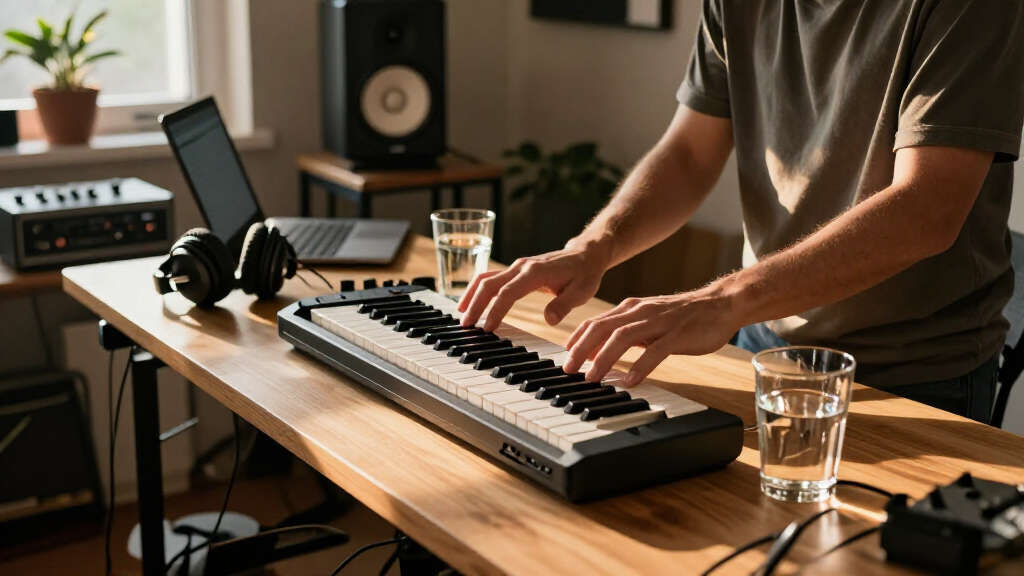
I compared these keyboards by how well they balance small footprint, playable range, and control access. Key count matters, but so does whether the controls help with common tasks such as adjusting sounds, triggering parts, or shaping a performance without reaching for a mouse. I also considered practical setup needs: USB connectivity, whether a computer is required, and how each form factor fits a desk or travel kit.
The ranking favors models that offer useful musical flexibility without giving up the compact brief. That puts the MPK Mini IV ahead as a well-rounded 25-key option, while 37-key controllers rank higher for buyers who value range over the smallest footprint. More minimal models remain sensible for straightforward note entry, and the MPK Mini Play MK3 earns a distinct place for standalone use. Color variants are treated as the same underlying option rather than separate performance upgrades.
| compact MIDI keyboard | Connectivity |
|---|---|
| Akai Professional LPK25 25-Key | USB |
| Korg nanoKEY2 25-Key USB MIDI | USB |
| M-Audio Keystation 49 MK3 USB | USB-MIDI |
| Donner DMK-25 Pro USB-C MIDI K | USB-C |
| Donner N-25 25-Key Mini MIDI K | USB |
| Arturia MicroLab Mk3 25-Key US | USB Type-C |
| Arturia MicroLab Mk3 25-Key US | USB-C |
| Akai Professional MPK Mini IV | USB-C |
| Akai Professional MPK Mini Plu | USB, MIDI I/O, and CV/Gate |
| Arturia MiniLab 37 MIDI Keyboa | USB-C |
| Akai Professional MPK Mini Pla | USB |
| Akai Professional MPK Mini Plu | USB, MIDI I/O, and CV/Gate |
| M-Audio Keystation Mini 32 MK3 | USB |
| Akai Professional MPK Mini MK3 | USB 2.0 Type B |
| Akai Professional MPK Mini IV | USB-C |
Factors to Consider When Choosing Compact MIDI Keyboards
Before choosing a compact MIDI keyboard, decide what “compact” needs to mean in your setup. A controller that fits beside a laptop may still feel cramped for regular playing, while a slightly wider model can reduce octave switching and menu work. These broader factors can help you avoid buying for a spec sheet instead of your actual workflow.
Choose Key Count Around the Music You Make
Key count affects more than the keyboard’s footprint: it shapes how often you need to change octaves while playing. A 25-key model works well for short melodies, bass lines, and entering notes into a DAW, but it can constrain two-handed parts and longer phrases. A 32- or 37-key controller gives you more room without taking up as much space as a full-size keyboard. Before paying for more keys, consider whether your music benefits from playing wider ranges live or whether you mostly record one part at a time. Buyers who compose with a mouse may find a small keybed is enough, while piano-style players often appreciate every extra key. Measure your actual desk or bag space so a larger model does not become an awkward fit.
Treat Mini-Key Feel as a Personal Tradeoff
Compact keyboards save space partly by using smaller keys, and that can change your playing more than a short key count does. Mini keys are often handy for quick input and travel, but may feel crowded if you have larger hands or rely on precise finger technique. A slim controller may be perfectly comfortable for sketching ideas yet frustrating as your main instrument for extended practice. If possible, compare key spacing and key travel in person rather than assuming all mini keybeds feel alike. Also check how the controller responds to velocity if expressive dynamics matter to your parts. For a desk-bound player who performs often, giving up a little portability for a more comfortable layout can be a worthwhile choice.
Count the Controls You Will Actually Use
Knobs, pads, and performance controls can make a compact controller more useful without adding keys. They may help you adjust a software instrument, trigger samples, or record ideas with fewer mouse clicks. But extra controls only help when they suit the software and tasks you use; unused buttons can add clutter without improving your workflow. Think through a typical session and identify which actions you repeat most, such as changing a filter or launching clips. Then check whether the controller’s layout gives those actions direct access or requires setup and mapping. A simpler keyboard can be the better purchase if you mainly want to enter notes and prefer doing the rest on screen.
Check the Full Setup, Not Just USB Connectivity
Many compact MIDI keyboards send performance data to a computer or compatible device, but they do not produce sound by themselves. That distinction matters if you want to play away from a laptop or make music in a location without your usual software setup. A controller with built-in sounds answers a different need from a controller that relies on a DAW and virtual instruments. Before choosing, check what devices you plan to connect, what cables or adapters that connection may require, and whether your preferred software recognizes the controller’s controls. USB-C on a keyboard does not automatically mean every tablet or phone setup will work without an adapter or suitable app. Map out the complete signal chain first, especially for a mobile rig.
Budget Space for Accessories and Carrying
The keyboard’s stated footprint is only part of its travel convenience. A controller may also need a cable, a protective sleeve, a stand, or a separate device to make sound, and those extras can determine whether it is easy to carry. Check the keyboard’s shape against the space you actually have, including room for your hands and any connected equipment. Very compact designs can sit neatly beside a laptop, but may be less comfortable when positioned on a deep desk or used without a stable surface. Think about whether the keyboard will live in one place or move between home, rehearsal, and travel. A slightly larger model can be more practical if it avoids extra setup pieces or better matches how you carry your gear.
Frequently Asked Questions
Is a 25-key compact MIDI keyboard enough for learning piano?
A 25-key controller can support basic note learning and short exercises, but it is not a close substitute for a full piano range. You may need to switch octaves often, and compact keys can feel different from standard piano keys. If your goal is primarily learning piano technique, prioritize a wider key range and a comfortable keybed over extra pads or knobs. For learning melodies, composing in a DAW, or practicing short parts, 25 keys may be workable. Decide based on the kind of practice you expect to do most often.
Do compact MIDI keyboards make sound without a computer?
Most compact MIDI keyboards in this roundup are controllers: they send note and control information to another device but do not generate sound on their own. You typically need a computer, compatible mobile device, sound module, or other instrument to hear the notes. The MPK Mini Play MK3 is the notable option here for built-in sounds and use away from a computer. Check the exact connection and power requirements for your intended setup before buying. “MIDI keyboard” describes its control role, not a promise that it contains a sound engine.
Should I choose a 25-key controller or a 37-key model?
Choose 25 keys if desk space and portability matter more than playing range, or if you mainly enter one musical part at a time. A 37-key controller offers more room for melodies and accompaniment before you need to change octaves, which can make it more comfortable for live playing and longer compositions. The tradeoff is a larger footprint and less convenient packing. The MPK Mini Plus and Arturia MiniLab 37 show the lineup’s move toward extra range, while the MPK Mini IV keeps a smaller 25-key format with more hands-on control. Think about the parts you play, not just the number of keys on the product page.
Can I use a USB MIDI keyboard with a phone or tablet?
Often, but compatibility depends on the keyboard, device, app, and connection method. A phone or tablet may require a suitable adapter, and some setups need a powered hub if the device cannot supply enough power. Confirm that the music app accepts external MIDI input and that the keyboard’s controls are supported or can be mapped. A USB-C connector alone does not guarantee a direct connection to every mobile device. Check the manufacturer’s compatibility guidance for your exact device before building a travel setup around it.
Are the black and white versions different keyboards?
For the matching models in this roundup, the black and white listings are color variants rather than separate feature tiers. The MPK Mini IV, MPK Mini Plus, and Arturia MicroLab Mk3 each appear in both finishes, so compare their model features rather than treating the color as a performance difference. Color can still matter if you want the keyboard to fit a particular studio setup or be easier to distinguish in a shared workspace. Check the listing carefully to confirm the model name, generation, and included items are the same. If those details match, choose the finish that suits your setup.
Conclusion
For the best overall balance of a small footprint and hands-on control, I recommend the Akai Professional MPK Mini IV. The Akai Professional LPK25 is my best value-style choice for straightforward note entry, while the Arturia MiniLab 37 is the best premium-style pick for buyers who want a wider playing range and more room to work. Beginners who want a direct, compact controller can start with the Arturia MicroLab Mk3; those who need sound without a computer should choose the Akai MPK Mini Play MK3. If playing space matters more than the smallest footprint, compare the MPK Mini Plus with the MiniLab 37; if portability is the priority, stick with a 25-key model. Match the keyboard to your playing habits and setup rather than choosing by key count alone.
Halloween Picks

Spirit Halloween Scary Sitting Scarecrow Animatronic, 4 ft 6 in

Gemmy 6-Foot Leatherface Animatronic Halloween Decoration

JOYIN 5-Foot Halloween Animatronic Drinking Skeleton
As an affiliate, we earn on qualifying purchases.