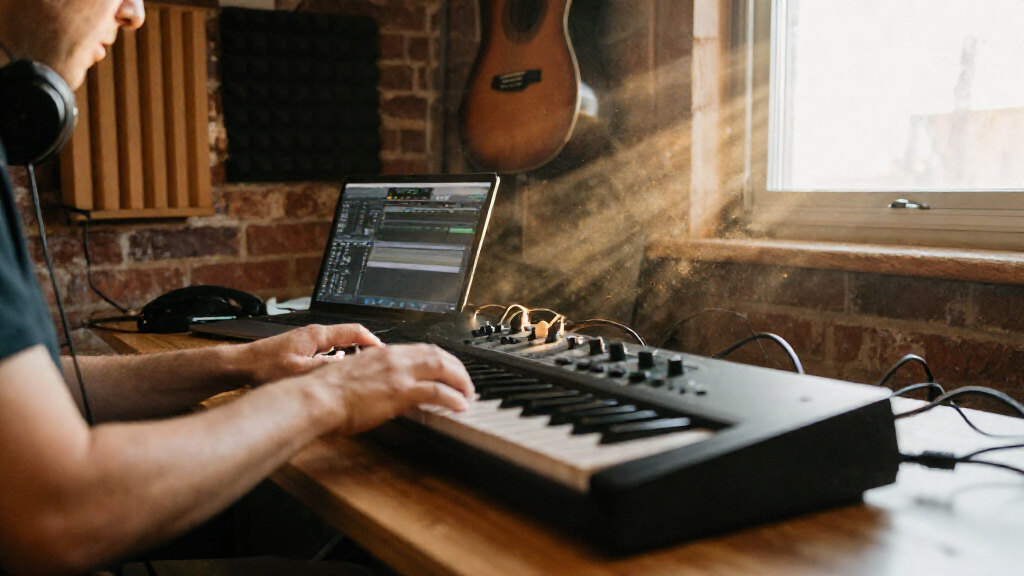
MIDI keyboard controllers come in every size and price tier, and the right one depends on how you produce: a bedroom beatmaker needs different things than a pianist scoring to picture. Across this comparison, the Novation Launchkey 49 MK4 earns the top spot for its deep Ableton integration, responsive controls, and enough keys to play real parts without dominating a desk. The Arturia MiniLab 3 stands out as the smarter compact choice thanks to genuine software integration and a tactile control set, while the M-Audio Keystation 88 MK3 remains the default answer for players who want a full weighted-feel keyboard at a sensible price. The main tradeoffs in this category are key count versus desk space, control surface depth versus simplicity, and standalone features like onboard sounds versus pure controller design. Read on for the full breakdown of all 15 controllers.

Get audio and creator gear delivered free with Prime
- Fast, free delivery on millions of items
- Prime Video, Amazon Music and more included
- Member-only deals all year
Complete the kit


Key Takeaways
- Software integration was the biggest differentiator: the Novation Launchkey MK4 models and Arturia MiniLab 3 offer real DAW-mapped control, while several budget 25-key options send only basic note data.
- The M-Audio Keystation family (32, 49, 61, 88) is remarkably consistent — choosing between them is purely a key-count decision, not a quality one.
- Three Akai MPK Mini variants made the list, and the MPK Mini Plus 37 justifies its premium role with onboard sounds, CV/gate outputs, and a sequencer the smaller versions lack.
- Sub-$60 mini controllers like the Donner N-25 and Akai LPK25 are best treated as secondary travel tools, not primary studio keyboards.
- USB-C connectivity (Donner DMK-25 Pro, Akai MPK Mini IV) is quietly becoming the new standard and adds convenience for modern laptop setups.
| Arturia MiniLab 37 MIDI Keyboard Controller |  | Best for Compact Two-Handed Control | Keys: 37 slim keys | Pads: 8 pads in a 2×4 layout | Controls: DAW-integrated pads and faders | VIEW LATEST PRICE | See Our Full Breakdown |
| M-Audio Keystation 49 MK3 USB MIDI Controller |  | Best for Full-Size Keys on a Budget Setup | Keys: 49 full-size velocity-sensitive keys | Connectivity: Class-compliant USB-MIDI | Compatibility: Mac, PC, and iOS via separately sold adapter | VIEW LATEST PRICE | See Our Full Breakdown |
| Akai Professional MPK Mini Play MK3 25-Key USB MIDI Keyboard Controller |  | Best for Standalone Practice and Sketching | Keys: 25 Gen 2 dynamic keys | Drum pads: 8 velocity-sensitive backlit MPC pads | Display: OLED | VIEW LATEST PRICE | See Our Full Breakdown |
| Akai Professional MPK Mini MK3 25-Key USB MIDI Keyboard Controller |  | Best for Beatmaking in a Small Studio | Keys: 25 velocity-sensitive mini keys | Pads: 8 backlit velocity-sensitive MPC-style pads | Knobs: 8 assignable 360-degree knobs | VIEW LATEST PRICE | See Our Full Breakdown |
| Akai Professional LPK25 25-Key USB MIDI Keyboard Controller |  | Best Minimalist Travel Controller | Keys: 25 mini keys | Connectivity: USB, bus-powered | Arpeggiator: Built-in arpeggiator with clock | VIEW LATEST PRICE | See Our Full Breakdown |
| Donner N-25 Mini MIDI Keyboard Controller, 25 Velocity-Sensitive Keys |  | Best Ultra-Cheap Starter Controller | Keys: 25 velocity-sensitive mini keys | Connectivity: USB-MIDI | Controls: Programmable banks, arpeggiator, sustain, octave, tap tempo, pitch bend | VIEW LATEST PRICE | See Our Full Breakdown |
| Arturia MiniLab 3 MIDI Controller, White |  | Best Slim Control Surface for Small Desks | Color: White | Keys: Velocity-sensitive | Drum pads: 8 | VIEW LATEST PRICE | See Our Full Breakdown |
| Akai Professional MPK Mini Plus 37-Key USB MIDI Keyboard Controller |  | Best for Hardware and Modular Gear Integration | Keys: 37 mini keys (Gen 2 dynamic keybed) | Octaves: 3 | Pads: 8 RGB MPC pads | VIEW LATEST PRICE | See Our Full Breakdown |
| Donner DMK-25 Pro 25-Key USB-C MIDI Keyboard Controller |  | Best Value Feature-Packed Controller | Keys: 25 | Drum pads: 8 | Display: OLED | VIEW LATEST PRICE | See Our Full Breakdown |
| Akai Professional MPK Mini IV 25-Key USB-C MIDI Keyboard Controller, Black |  | Best Modern Portable Production Hub | Keys: 25 velocity-sensitive mini keys | Knobs: 8 assignable 360° knobs | Pads: 8 velocity- and pressure-sensitive MPC pads with RGB feedback | VIEW LATEST PRICE | See Our Full Breakdown |
| M-Audio Keystation Mini 32 MK3 USB MIDI Controller |  | Best Ultra-Portable Pick | Keys: 32 miniature velocity-sensitive keys | Velocity response: Selectable velocity curves | Controls: Pitch bend and modulation buttons, octave up/down, volume knob, sustain button | VIEW LATEST PRICE | See Our Full Breakdown |
| Novation Launchkey 49 MK4 USB MIDI Keyboard Controller |  | Best for Ableton Live Producers | Keys: 49 semi-weighted | Pads: 16 FSR pads with polyphonic aftertouch | Connectivity: USB and MIDI | VIEW LATEST PRICE | See Our Full Breakdown |
| M-Audio Keystation 88 MK3 USB MIDI Controller |  | Best Full-Range Controller | Key count: 88 | Key type: Full-size, velocity-sensitive, semi-weighted | Controls: Volume fader, transport and directional buttons, pitch and modulation wheels, octave buttons | VIEW LATEST PRICE | See Our Full Breakdown |
| M-Audio Keystation 61 MK3 USB MIDI Controller |  | Best Mid-Size Value | Keys: 61 full-size, velocity-sensitive semi-weighted | Controls: Volume fader, transport and directional buttons, pitch and modulation wheels, octave buttons | Pedal input: Sustain pedal | VIEW LATEST PRICE | See Our Full Breakdown |
| Novation Launchkey 61 MK4 USB MIDI Keyboard Controller |  | Best Premium All-Rounder | Keys: 61 semi-weighted | Pads: 16 FSR pads with polyphonic aftertouch | Connectivity: USB and MIDI | VIEW LATEST PRICE | See Our Full Breakdown |
| MIDI keyboard controller | Keys | Connectivity | Controls | Compatibility |
|---|---|---|---|---|
| Arturia MiniLab 37 MIDI Keyboa | 37 slim keys | — | DAW-integrated pads and faders | — |
| M-Audio Keystation 49 MK3 USB | 49 full-size velocity-sensitive keys | Class-compliant USB-MIDI | Volume fader, transport and directional buttons, pitch and modulation wheels, octave buttons | Mac, PC, and iOS via separately sold adapter |
| Akai Professional MPK Mini Pla | 25 Gen 2 dynamic keys | USB MIDI; USB Type B to A cable included | 4 encoder knobs, arpeggiator, and note repeat | — |
| Akai Professional MPK Mini MK3 | 25 velocity-sensitive mini keys | USB | — | — |
| Akai Professional LPK25 25-Key | 25 mini keys | USB, bus-powered | Octave up and down buttons, sustain button | Mac, PC, and major DAWs including Ableton Live, Logic Pro, FL Studio, and Pro Tools |
| Donner N-25 Mini MIDI Keyboard | 25 velocity-sensitive mini keys | USB-MIDI | Programmable banks, arpeggiator, sustain, octave, tap tempo, pitch bend | — |
| Arturia MiniLab 3 MIDI Control | Velocity-sensitive | USB | — | — |
| Akai Professional MPK Mini Plu | 37 mini keys (Gen 2 dynamic keybed) | USB, CV/Gate, MIDI I/O | — | NKS (Native Instruments), Mac and PC |
| Donner DMK-25 Pro 25-Key USB-C | 25 | — | Arpeggio, note repeat, chord, pitch/modulation touch bar, 4 wheels, 6 transport controllers | PC and mobile devices; various DAWs |
| Akai Professional MPK Mini IV | 25 velocity-sensitive mini keys | USB-C and full-size MIDI Out | — | Mac, PC, and mobile setups |
| M-Audio Keystation Mini 32 MK3 | 32 miniature velocity-sensitive keys | — | Pitch bend and modulation buttons, octave up/down, volume knob, sustain button | Windows and Mac |
| Novation Launchkey 49 MK4 USB | 49 semi-weighted | USB and MIDI | — | — |
| M-Audio Keystation 88 MK3 USB | — | USB | Volume fader, transport and directional buttons, pitch and modulation wheels, octave buttons | Mac, PC; iOS via separately sold Apple USB camera adapter |
| M-Audio Keystation 61 MK3 USB | 61 full-size, velocity-sensitive semi-weighted | USB, no drivers or external power required | Volume fader, transport and directional buttons, pitch and modulation wheels, octave buttons | Mac and PC; iOS via separately sold Apple USB camera adapter |
| Novation Launchkey 61 MK4 USB | 61 semi-weighted | USB and MIDI | — | — |
More Details on Our Top Picks
Arturia MiniLab 37 MIDI Keyboard Controller
The MiniLab 37 suits desktop producers who want room for two-handed parts without giving up pads and hands-on DAW controls. Its 37 slim keys cover more musical ground than the 25-key Akai MPK Mini MK3, while the MiniLab’s pads, faders, and real-time display put more control within reach than a basic keyboard controller. The built-in arpeggiator and Chord mode can help shape ideas directly from the controller, and custom mappings make its controls adaptable to a DAW setup. That extra range and control come with a tradeoff: the slim keys may feel less substantial than full-size keys on the M-Audio Keystation 49 MK3. Choose it for a compact, feature-rich desk or mobile rig; skip it if full-size key feel matters most.
Pros:- 37 slim keys give two-handed parts more room than a 25-key controller
- Pads and faders support hands-on DAW control
- Arpeggiator and Chord mode add performance options
- Compact, lightweight design fits small desks and mobile rigs
Cons:- Slim keys may feel less substantial than full-size keys
- 37 keys still offer less range than a 49-key controller
Best for: Desktop and mobile producers who need more than two octaves plus pads and DAW controls in a shallow footprint
Not ideal for: Pianists who prioritize full-size keys or players who want a longer keyboard range
- Keys:37 slim keys
- Pads:8 pads in a 2×4 layout
- Controls:DAW-integrated pads and faders
- Display:Real-time mini display
- Creative features:Built-in arpeggiator and Chord mode
- Mapping:Custom DAW mappings
- Form factor:Compact, lightweight, shallow desktop design
Our verdict“Choose the MiniLab 37 if you want expanded playing range and DAW controls in a compact setup and can live with slim keys.”
M-Audio Keystation 49 MK3 USB MIDI Controller
The Keystation 49 MK3 is the straightforward choice for players who want four octaves of full-size, velocity-sensitive keys and familiar performance controls. Compared with the compact Arturia MiniLab 37, it gives your hands more room and adds pitch and modulation wheels, making expressive playing more direct. USB plug-and-play operation keeps setup simple on Mac or PC, while the fader and transport buttons cover common DAW tasks. Its included production software and lessons can also help a new setup get started. The tradeoff is a more basic creative surface: it has no drum pads or built-in arpeggiator like the Akai MPK Mini MK3. Its iOS connection needs a separately sold adapter, and a sustain pedal is also sold separately.
Pros:- 49 full-size velocity-sensitive keys suit two-handed parts
- Pitch and modulation wheels offer familiar expressive control
- Plug-and-play USB connection needs no external power supply
- Bundled software and lessons give new producers tools to start
Cons:- No drum pads or built-in arpeggiator
- iOS use requires a separately sold Apple USB Camera Adapter
- Sustain pedal is sold separately
Best for: Producers and keyboard players who want full-size keys, a 49-key range, and simple USB setup for a computer studio
Not ideal for: Beatmakers seeking built-in pads and creative controls, or mobile iOS users who want direct connection without an adapter
- Keys:49 full-size velocity-sensitive keys
- Connectivity:Class-compliant USB-MIDI
- Compatibility:Mac, PC, and iOS via separately sold adapter
- Controls:Volume fader, transport and directional buttons, pitch and modulation wheels, octave buttons
- Sustain input:1/4-inch (6.3 mm) input
- Power:USB-powered; no external supply required
- Included software:MPC Beats, Ableton Live Lite, Velvet, Xpand2, Mini Grand, and Touch Loops
- Lessons:Online lessons from Skoove and Melodics
Our verdict“Pick the Keystation 49 MK3 if full-size keys and a wider range matter more than pads or onboard creative tools.”
Akai Professional MPK Mini Play MK3 25-Key USB MIDI Keyboard Controller
The MPK Mini Play MK3 stands apart from the other compact controllers here because it can make sound without a computer: its built-in speaker and more than 100 internal sounds support quick practice and idea sketching. The Akai MPK Mini MK3 also offers 25 keys, pads, and an arpeggiator, but it depends on a connected device for sound. The Play MK3 adds an OLED display, note repeat, and battery operation, so it can travel beyond a desk; its eight velocity-sensitive pads also suit basic beat input. That independence comes at the cost of range: its 25 keys are more limiting for two-handed playing than the Arturia MiniLab 37. Batteries are not included, and the built-in speaker is best treated as a convenience for quick sessions rather than a substitute for a studio monitoring setup.
Pros:- Built-in speaker and internal sounds allow standalone play
- USB or battery power supports use away from a desk
- OLED display makes controller information easier to see
- Eight velocity-sensitive pads support beat input
Cons:- 25 keys limit range for two-handed playing
- Batteries are not included
- Mini keys may feel cramped for players used to full-size keys
Best for: Songwriters and students who want a portable keyboard for practicing or sketching ideas without connecting a computer
Not ideal for: Players who need more than two octaves, full-size keys, or a controller focused solely on a computer-based studio workflow
- Keys:25 Gen 2 dynamic keys
- Drum pads:8 velocity-sensitive backlit MPC pads
- Display:OLED
- Controls:4 encoder knobs, arpeggiator, and note repeat
- Internal sounds:More than 100 drum and instrument sounds
- Connectivity:USB MIDI; USB Type B to A cable included
- Power:USB or batteries; batteries not included
- Included software:MPC Beats, AIR Music Tech instruments, Melodics lessons, and NKS bundle selection
Our verdict“Choose the MPK Mini Play MK3 if standalone practice and quick sketching matter more than a wider keyboard range.”
Akai Professional MPK Mini MK3 25-Key USB MIDI Keyboard Controller
The MPK Mini MK3 is built around a compact production workflow: play a short keyboard part, tap in drums on eight MPC-style pads, and adjust software parameters with eight assignable knobs. Its four-way joystick combines pitch and modulation control in a small footprint, while the arpeggiator adds another way to develop a part. Compared with the MPK Mini Play MK3, this model is more focused on controlling a connected computer and does not add a speaker or internal sounds. That keeps its purpose clear, though it also means a computer or other sound source is necessary. The 25 mini keys are easy to fit on a crowded desk but offer less range and a tighter playing feel than the Arturia MiniLab 37. Its USB-powered design also ties use to a connected device.
Pros:- Eight velocity-sensitive pads support expressive beat programming
- Eight assignable knobs give hands-on control over software
- Four-way joystick combines pitch and modulation control
- Includes MPC Beats, virtual instruments, and sound content
Cons:- 25 mini keys can feel cramped and limit playing range
- USB power requires a connected device
- No built-in speaker or internal sounds
Best for: Computer-based beatmakers who want pads, assignable knobs, and keyboard input in a compact desk setup
Not ideal for: Players who need standalone sounds, more than 25 keys, or full-size key spacing
- Keys:25 velocity-sensitive mini keys
- Pads:8 backlit velocity-sensitive MPC-style pads
- Knobs:8 assignable 360-degree knobs
- Pitch and modulation:Four-way joystick
- Creative feature:Built-in arpeggiator
- Connectivity:USB
- Software:MPC Beats, 3 virtual instruments, and 2 GB of sound content
- Integration:Native Instruments Kontrol Standard support
Our verdict“Pick the MPK Mini MK3 for computer-based beatmaking when pads and knobs matter more than standalone play or keyboard range.”
Akai Professional LPK25 25-Key USB MIDI Keyboard Controller
The LPK25 is the leanest pick in this group: 25 mini keys, octave buttons, a sustain button, and a built-in arpeggiator with clock. Its eight programmable preset slots let a producer save setups for different DAWs or instruments, giving it a practical edge over the more hands-on Akai MPK Mini MK3 when a small keyboard is all the desktop needs. The simpler control set also means less room for tweaking software from the hardware itself. Unlike the MPK Mini Play MK3, it has no speaker or internal sounds, so it needs a computer or other MIDI sound source. USB bus power makes setup direct, but the 25 mini keys and lack of mentioned pitch or modulation wheels make it a limited choice for expressive performance.
Pros:- Compact 25-key layout is easy to carry and place on a desk
- USB bus power supports straightforward computer setup
- Built-in arpeggiator and clock add rhythmic note patterns
- Eight programmable preset slots support different DAWs or instruments
Cons:- No drum pads or assignable knobs
- No pitch or modulation wheels are listed
- 25 mini keys limit range and may feel small to full-size keyboard players
Best for: Traveling producers who want a small USB keyboard for entering notes and triggering arpeggiated parts in a DAW
Not ideal for: Beatmakers who need drum pads and assignable knobs, or performers who rely on pitch and modulation wheels
- Keys:25 mini keys
- Connectivity:USB, bus-powered
- Arpeggiator:Built-in arpeggiator with clock
- Preset slots:8 programmable slots
- Controls:Octave up and down buttons, sustain button
- Compatibility:Mac, PC, and major DAWs including Ableton Live, Logic Pro, FL Studio, and Pro Tools
Our verdict“Choose the LPK25 if portability and basic note entry are your priorities and you do not need pads or expanded performance controls.”
Donner N-25 Mini MIDI Keyboard Controller, 25 Velocity-Sensitive Keys
The Donner N-25 earns its spot as the simplest, most affordable entry point in this lineup. It covers the fundamentals — velocity-sensitive mini keys, a pitch-bend rocker, an arpeggiator, and octave shifting — without asking a beginner to learn a control surface first. The bundled 40 keyboard lessons make it more instructive than the Akai LPK25, which strips everything down to bare keys. Compared with its sibling, the Donner DMK-25 Pro, the N-25 gives up drum pads, the OLED display, and scale modes, so anyone who wants to produce beats rather than just learn notes should pay a little more for that model. The tradeoff here is comfort: mini keys feel cramped for adult hands and piano-trained fingers, and phone connections often need an OTG adapter Donner doesn’t include.
Pros:- Genuinely compact and slips into a backpack with a laptop
- Velocity-sensitive keys enable expressive playing at a budget price
- 40 bundled keyboard lessons give beginners a structured start
- Works across Mac, Windows, iOS, and Android with major DAWs
Cons:- Mini keys feel small and cramped for larger hands or trained pianists
- Connecting to smartphones typically requires a separately sourced OTG adapter
Best for: Complete beginners and students who want the cheapest way to start learning keyboard and basic MIDI control
Not ideal for: Beatmakers and producers who need drum pads, displays, and performance controls — the DMK-25 Pro covers that better
- Keys:25 velocity-sensitive mini keys
- Connectivity:USB-MIDI
- Controls:Programmable banks, arpeggiator, sustain, octave, tap tempo, pitch bend
- Included lessons:40 keyboard teaching courses
- Compatible platforms:Android, Mac, Windows, iOS
- Compatible software:Cubase LE, Ableton Live, Logic Pro, Pro Tools, Studio One
- Color:Black
Our verdict“A no-frills learning tool for first-time MIDI users — just don’t expect production-grade controls.”
Arturia MiniLab 3 MIDI Controller, White
The Arturia MiniLab 3 stands out for its balance: eight responsive drum pads, four faders, and velocity-sensitive keys in a slim footprint that disappears into a cramped desk setup. Those faders are the differentiator — the Donner N-25 offers none, and even the MPK Mini IV substitutes knobs, which are less intuitive for mixing volume or filter sweeps. This makes the MiniLab 3 the better pick for producers who mix and perform while they play, rather than just triggering notes. Arturia’s tight DAW integration also means the pads and encoders map themselves sensibly out of the box, saving setup friction. The honest tradeoffs: faders are short-throw and lack the resolution of larger controllers like the Novation Launchkey 49 MK4, and buyers who need pitch and mod wheels in traditional form will find the touch-strip approach takes adjustment.
Pros:- Eight drum pads for finger drumming and clip launching
- Four faders give hands-on mixing control most compact controllers omit
- Slim, desk-friendly footprint with a distinctive white finish
- Velocity-sensitive keys keep basic playing expressive
Cons:- Short-throw faders offer limited resolution for fine mixing moves
- Compact keybed restricts two-handed playing and melodic range
Best for: Laptop producers with limited desk space who want pads, faders, and keys in one slim unit
Not ideal for: Players who want a piano-feel experience or two-handed composing — the compact keybed and small key count get in the way
- Color:White
- Keys:Velocity-sensitive
- Drum pads:8
- Faders:4
- Connectivity:USB
- Category:Compact MIDI keyboard controller
Our verdict“The best space-saving option for producers who want real mixing control alongside their keys.”
Akai Professional MPK Mini Plus 37-Key USB MIDI Keyboard Controller
The MPK Mini Plus is the only controller in this batch built to live at the center of a hardware rig. Its CV/Gate and MIDI I/O let it drive modular synths, vintage gear, and sound modules directly — something the MPK Mini IV and the Donner DMK-25 Pro simply can’t do. The extra key count matters too: three full octaves open up two-handed playing that 25-key models make impossible, and the built-in 64-step sequencer means you can sketch patterns with no computer at all. The software bundle, including MPC Beats and a Komplete 15 Select bundle, is generous for the category. Real limitations remain: the mini keybed still feels cramped next to full-size options like the M-Audio Keystation 49 MK3, and the sequencer caps out at two tracks — drums plus one melodic lane — so it’s a sketchpad, not an arrangement tool.
Pros:- CV/Gate and MIDI I/O connect directly to modular gear, synths, and sound modules
- 37 keys and 3 full octaves enable genuine two-handed playing
- Built-in 64-step sequencer works without a computer
- Generous software bundle including MPC Beats and Komplete 15 Select
Cons:- Mini keys feel cramped compared with full-size keybeds like the Keystation series
- Sequencer limits you to two tracks — one drum, one melodic
Best for: Modular synth owners and hardware-based producers who need CV/Gate, MIDI I/O, and standalone sequencing in a compact frame
Not ideal for: Pianists who want full-size keys and wide two-handed range — the mini keybed will frustrate them quickly
- Keys:37 mini keys (Gen 2 dynamic keybed)
- Octaves:3
- Pads:8 RGB MPC pads
- Knobs:8 assignable rotary knobs
- Sequencer:Built-in 64-step (1 drum track, 1 melody/chord track)
- Connectivity:USB, CV/Gate, MIDI I/O
- Compatibility:NKS (Native Instruments), Mac and PC
- Included software:MPC Beats, Komplete 15 Select bundle, 60 days Splice Creator
Our verdict“The compact pick for hardware-centric studios that need real connectivity, not just USB.”
Donner DMK-25 Pro 25-Key USB-C MIDI Keyboard Controller
For buyers who want maximum capability per dollar, the Donner DMK-25 Pro punches well above its price tier. The OLED display — rare at this size and absent from both the N-25 and most budget rivals — makes editing arpeggios and scale modes far less guesswork-heavy. Speaking of scales: 16 scale modes plus chord, note repeat, and arpeggio functions give it genuine performance depth, closer to what Akai’s MPK Mini line offers than what typical budget boards attempt. Compared with the Arturia MiniLab 3, the DMK-25 Pro trades faders for pads and performance wheels, which suits beatmakers over mixers. The key caveat is fundamental: it’s a controller only, producing no sound on its own, and mobile users may need a separately purchased adapter. If your workflow already centers on a DAW, that’s a non-issue.
Pros:- OLED display makes on-device editing and menu navigation far easier
- 16 scale modes with arpeggio, chord, and note-repeat tools enable expressive performance
- Eight drum pads included at a budget price point
- 40 bundled teaching courses add beginner value
Cons:- Produces no sound on its own — requires a connected computer or mobile DAW
- Some mobile devices need a separately purchased adapter
Best for: Budget-conscious beatmakers who want pads, scale modes, and a display without paying premium-brand prices
Not ideal for: Anyone expecting standalone sound generation or analog outputs — it’s strictly a USB-C controller for connected devices
- Keys:25
- Drum pads:8
- Display:OLED
- Connection:USB-C
- Scale modes:16
- Controls:Arpeggio, note repeat, chord, pitch/modulation touch bar, 4 wheels, 6 transport controllers
- Compatibility:PC and mobile devices; various DAWs
- Included learning content:40 keyboard teaching courses
Our verdict“The most capability-dense budget controller here, as long as your DAW is always in the loop.”
Akai Professional MPK Mini IV 25-Key USB-C MIDI Keyboard Controller, Black
The MPK Mini IV is the most refined version of Akai’s iconic compact formula. A color screen — absent from the MPK Mini MK3 and the Donner N-25 — plus modern USB-C and full-size MIDI Out make it feel genuinely current, and the MIDI Out opens the door to controlling hardware sound modules directly, edging it toward MPK Mini Plus territory without the CV/Gate extras. Its eight aftertouch-capable MPC pads remain the best-feeling pads in this batch for finger drumming, and the software bundle — Ableton Live Lite 12, Melodics lessons, and Splice access — is a complete starter kit. The compromises are inherited: mini keys still feel small for pianists, and USB powering means it always needs a host device nearby. Compared with the DMK-25 Pro, you give up scale modes but gain Akai’s superior pad feel and broader software ecosystem.
Pros:- Color screen simplifies editing and on-device navigation
- Pressure-sensitive MPC pads with RGB feedback offer excellent finger-drumming response
- USB-C plus full-size MIDI Out supports hardware control and modern setups
- Strong software bundle including Ableton Live Lite 12 and Melodics lessons
Cons:- Mini keys feel small for players used to full-size keybeds
- USB-powered operation means it always depends on a connected device
Best for: Mobile producers and finger drummers who want a modern, screen-equipped do-everything compact controller
Not ideal for: Piano-first players with larger hands — the mini keybed is the same cramped format as every 25-key model here
- Keys:25 velocity-sensitive mini keys
- Knobs:8 assignable 360° knobs
- Pads:8 velocity- and pressure-sensitive MPC pads with RGB feedback
- Connectivity:USB-C and full-size MIDI Out
- Power:USB-powered
- Compatibility:Mac, PC, and mobile setups
- Included software:Ableton Live Lite 12, virtual instruments, 30-day Melodics trial, 2 months Splice
Our verdict“The most polished 25-key all-rounder for producers who want pads, knobs, and hardware output in one travel-friendly unit.”
M-Audio Keystation Mini 32 MK3 USB MIDI Controller
Of everything in this lineup, the Keystation Mini 32 MK3 is the one that fits in a laptop bag without a second thought. Where the M-Audio Keystation 61 MK3 demands desk space and a dedicated spot in a setup, this model trades full-size keys for grab-and-go convenience. The miniature keys are the real tradeoff: fine for sketching basslines and drum parts, frustrating for two-handed piano playing. What makes it more than a toy is the selectable velocity curves, which let you tune the response so short key throws still feel dynamic, plus pitch bend and modulation buttons rather than wheels. The bundled MPC Beats software and 60 Melodics lessons give beginners something to do on day one. Compared with the Donner N-25, you get seven extra keys and velocity curve control at a similar footprint.
Pros:- Slip-into-a-backpack size that larger models like the Keystation 88 MK3 can’t match
- Selectable velocity curves make short-throw keys feel more expressive
- Pitch bend, modulation, sustain and octave controls despite the small footprint
- Bundled MPC Beats software and Melodics lessons for immediate productivity
Cons:- Miniature keys limit expressive, two-handed playing
- Buttons instead of wheels make pitch bends less nuanced
Best for: Producers and travelers who want to sketch ideas on a laptop anywhere
Not ideal for: Pianists and anyone learning two-handed playing — the mini keys are too small for proper technique
- Keys:32 miniature velocity-sensitive keys
- Velocity response:Selectable velocity curves
- Controls:Pitch bend and modulation buttons, octave up/down, volume knob, sustain button
- Connection:USB (no drivers or external power required)
- Compatibility:Windows and Mac
- Included software:MPC Beats
- Learning content:60 interactive Melodics lessons
Our verdict“A traveling producer’s sketchpad — buy it for portability, not for piano technique.”
Novation Launchkey 49 MK4 USB MIDI Keyboard Controller
The Launchkey 49 MK4 earns its place by being the most deeply integrated controller here for clip-based production. Its 16 FSR pads with polyphonic aftertouch do double duty as clip launchers and finger-drumming surfaces, something no Keystation model offers — the M-Audio Keystation 88 MK3 gives you more keys but none of the pad-and-mixer workflow. Creative tools like Scale Mode, Chord Modes and an editable arpeggiator, with an OLED display showing detected chords, translate into fewer wrong notes and faster songwriting. Compared with the Launchkey 61 MK4, you’re giving up an octave of range for a tighter footprint that leaves room on the desk for a mouse and monitor speakers. The tradeoff: at 49 semi-weighted keys it’s neither a true piano substitute nor truly compact, sitting awkwardly between roles for some buyers.
Pros:- Deep integration with Ableton Live plus support for Logic, Cubase and HUI
- Pads with polyphonic aftertouch handle drums, clips and expressive synth control
- Scale, Chord and arpeggiator tools speed up songwriting
- Semi-weighted keybed plays better than budget synth-action boards
Cons:- Semi-weighted action falls short of a real piano feel
- Feature-rich surface has a learning curve before everything feels fluid
- No 5-pin MIDI output flexibility beyond its listed integrations for some setups
Best for: Electronic producers working in Ableton Live who want clip launching, pads and chord tools in one surface
Not ideal for: Players who mainly want a straightforward piano-style controller — the pad-focused layout adds cost and complexity they won’t use
- Keys:49 semi-weighted
- Pads:16 FSR pads with polyphonic aftertouch
- Connectivity:USB and MIDI
- Additional features:Scale Mode, Chord Modes, editable arpeggiator, chord detector with OLED display
- Supported software:Ableton Live, Logic Pro, Cubase, HUI; Native Instruments integration
- Compatible devices:PC, synthesizer, groovebox
Our verdict“The obvious choice for Ableton-centric producers who want pads, chords and keys under one roof.”
M-Audio Keystation 88 MK3 USB MIDI Controller
If your priority is playing real piano parts across the full 88-note range, this is the only option in the lineup that delivers it. The full-size semi-weighted keybed makes the Keystation 61 MK3 feel like a compromise rather than a sibling — that extra octave and a half matters for classical pieces, splits and layered sounds. Pitch and modulation wheels, a volume fader and transport buttons cover the essentials, but unlike the Novation Launchkey 49 MK4 there are no pads, scale modes or arpeggiator, so it’s strictly a playing-and-control instrument. The sustain pedal input is the feature that seals it for pianists; every smaller controller here treats that as optional. Be honest about the keybed, though: semi-weighted is comfortable for producing, but players trained on hammer-action pianos will notice the difference. Factor in the separately sold Apple adapter for iOS use before budgeting.
Pros:- Full 88-note range for splits, layers and classical repertoire
- Sustain pedal input enables genuinely expressive playing
- Generous software bundle including Ableton Live Lite, Xpand!2 and Mini Grand
- Pitch and modulation wheels plus transport controls cover core production needs
Cons:- Semi-weighted action won’t satisfy players expecting a fully weighted piano feel
- iOS use requires a separately sold Apple USB camera adapter
- No pads or performance features compared with the Launchkey models
Best for: Pianists and composers who need the full 88-key range for virtual instruments
Not ideal for: Beatmakers who want pads and clip control — there’s nothing here for finger drumming or loop-based workflows
- Key count:88
- Key type:Full-size, velocity-sensitive, semi-weighted
- Controls:Volume fader, transport and directional buttons, pitch and modulation wheels, octave buttons
- Sustain pedal input:Yes
- Connectivity:USB
- Compatibility:Mac, PC; iOS via separately sold Apple USB camera adapter
- Included software:MPC Beats, Ableton Live Lite, Mini Grand, Xpand!2, TouchLoops, Velvet
Our verdict“The only pick here for genuine 88-key piano work — just don’t expect weighted-action realism.”
M-Audio Keystation 61 MK3 USB MIDI Controller
This is the sweet spot of the Keystation family: 61 full-size semi-weighted keys — enough for two-handed playing without the bulk of the Keystation 88 MK3. Compared with the 88-key version, you lose the top and bottom octaves but gain a controller that still fits on most desks and travels more realistically. Against pad-equipped rivals like the Novation Launchkey 61 MK4, it’s simpler and cheaper-feeling in control count, but everything a keyboardist needs is present: pitch and modulation wheels, a volume fader, transport buttons, octave shifting and a sustain pedal input. Plug-and-play USB with no drivers or power supply means setup is genuinely one cable. The bundled lessons from Skoove and Melodics make it unusually strong for someone learning to play while producing. Just know that iOS users must buy the Apple adapter separately, and the controls are basic compared with the Launchkey’s display-driven workflow.
Pros:- 61 full-size keys support proper two-handed technique
- Sustain pedal input and pitch/mod wheels for expressive playing
- True plug-and-play USB with no drivers or power supply
- Includes Skoove and Melodics lessons alongside Ableton Live Lite
Cons:- iOS connection needs a separately sold adapter
- Control set is basic next to the Launchkey 61 MK4’s pads and OLED display
- Semi-weighted action won’t suit players chasing an authentic piano feel
Best for: Developing keyboardists and home producers who want full-size keys without 88-key bulk
Not ideal for: Producers who want pads, an arpeggiator and DAW mixer control in one device — this is keys-first and feature-light
- Keys:61 full-size, velocity-sensitive semi-weighted
- Controls:Volume fader, transport and directional buttons, pitch and modulation wheels, octave buttons
- Pedal input:Sustain pedal
- Connectivity:USB, no drivers or external power required
- Compatibility:Mac and PC; iOS via separately sold Apple USB camera adapter
- Included software:MPC Beats, Ableton Live Lite, Velvet, Xpand!2, Mini Grand, TouchLoops
- Included lessons:Skoove online lessons and 60+ Melodics lessons
Our verdict“The sensible middle ground for players who want real keys, real basics and nothing they’ll never use.”
Novation Launchkey 61 MK4 USB MIDI Keyboard Controller
The Launchkey 61 MK4 is what you buy when you refuse to choose between playing and producing. Its 16 aftertouch-sensitive pads, Scale and Chord modes, editable arpeggiator and OLED display give it the creative depth of the Launchkey 49 MK4 with an extra octave for real two-handed parts — territory the M-Audio Keystation 61 MK3 covers only on the keys side, with none of the pad, arpeggiator or mixer control. Support stretches across Ableton Live, Logic, Cubase, Reason, Reaper, FL Studio and Ardour, so it survives a DAW switch. That breadth is also the tradeoff: the footprint is large, the feature set takes time to learn, and casual players who just want keys and a pitch wheel are paying for capability they’ll never touch. It’s also tied to a computer or compatible hardware for its USB-based workflow — it isn’t a standalone instrument.
Pros:- Broad DAW support from Ableton and Logic to FL Studio and Reaper
- Pads with polyphonic aftertouch for drums and expressive sound shaping
- Scale, Chord and arpeggiator tools keep ideas musical and moving
- 61 semi-weighted keys enable genuine two-handed arrangement work
Cons:- Large footprint demands serious desk real estate
- Feature depth means a real learning curve before full fluency
- Requires a connected computer or compatible device — not a standalone instrument
Best for: Serious producers who want one controller covering keys, pads, chords, arpeggios and DAW mixing
Not ideal for: Casual beginners or minimal setups — the size and feature depth are overkill for simple melodic input
- Keys:61 semi-weighted
- Pads:16 FSR pads with polyphonic aftertouch
- Connectivity:USB and MIDI
- Additional features:Scale Mode, Chord Modes, Arpeggiator, Chord Detector, OLED display
- Supported software:Ableton Live, Logic Pro, Cubase, Reason, Reaper, FL Studio, Ardour
- Compatible devices:PC, synthesizer, groovebox
Our verdict“The do-everything centerpiece for a producer who wants a single controller for years of growth.”
How We Picked
My ranking logic starts with a simple question: what does each controller ask the buyer to give up? I evaluated every model on key feel and playability, since velocity response and key size determine whether an instrument is pleasant to actually play or merely functional. Next came control integration — pads, knobs, faders, and bundled software that genuinely map to a DAW rather than sitting unused. I also weighed build quality, footprint, connectivity (USB-B versus USB-C), and included software value, because a controller bundled with a capable DAW or synth bundle saves a new producer real money.
The lineup was then ordered by how well each model serves its intended buyer, not by raw feature count. Full-size, integration-rich controllers like the Launchkey MK4 pair rank highest because they cover the widest range of use cases. Simple no-frills boards like the Keystation series place mid-pack: they do fewer things but do them dependably. The ultra-compact mini keyboards rank lower overall despite low cost, because their short keys and minimal controls limit long-term usefulness — a fair tradeoff for travel, a poor one as a only keyboard.
Factors to Consider When Choosing MIDI Keyboard Controllers
Before settling on a specific model, it helps to understand the structural decisions that shape every MIDI keyboard controller purchase. These are the factors that separate a controller you outgrow in six months from one that stays in your setup for years.Key Count: Buy for the Music You Actually Make
Key count is the single most consequential decision, and buyers routinely get it wrong in both directions. A 25-key board forces hand-shifting for anything beyond simple basslines and chords, which becomes frustrating the moment you try to play melodic solos or two-handed parts. Conversely, an 88-key controller eats an enormous amount of desk space and is overkill if your productions center on programmed drums, bass, and stabs. The honest middle ground for most producers is 49 or 61 keys — enough for two-handed playing while still fitting on a stand or desk. A common mistake is buying small for portability you never use, then paying twice when you upgrade. If you already read music or come from piano, go bigger than you think you need; if you sketch beats one hand at a time, 25 to 37 keys is genuinely enough.
Key Feel: Mini Keys Versus Full-Size
Mini keyboards use short, narrow keys that are fine for entering notes but tiring for expressive playing, and the muscle memory they build does not transfer cleanly to full-size keys. Full-size synth-action keys — like those on the Keystation and Launchkey lines — feel familiar to anyone who has touched a piano and respond more predictably to velocity changes. Weighted or semi-weighted actions cost more and add weight, but they matter if piano is your primary instrument. My advice: never buy mini keys as your only keyboard if you play at all seriously. Buy them as a second controller for travel or for triggering drums and samples, where feel barely matters. Trying keys in person, even once at a store before buying online, will tell you more than any spec sheet.
Controls: Pads, Knobs, and Faders Are Not Optional for Beatmakers
A controller with eight pads and a handful of knobs changes how you work: finger drumming, filter sweeps, and mixer control become physical acts instead of mouse clicks. The catch is that cheap implementations — stiff pads with poor velocity response or knobs that feel loose — can be worse than no controls at all. DAW-specific integration is the real dividing line. Controllers designed around a specific DAW auto-map their controls the moment you plug in, while generic controllers require manual MIDI mapping that many beginners never complete. If you use Ableton, Novation’s Launchkey line is purpose-built for it; if your DAW is something else, check the manufacturer’s integration page before buying. Buyers who skip this step often end up with a controller whose pads and knobs sit untouched.
Power and Connectivity: USB-C, Bus Power, and Mobile Use
Nearly every modern controller draws power over USB, which is convenient but means port selection matters. Older USB-B connectors are still common and work fine, but USB-C models are more future-proof if your laptop has swapped to C-only ports — one fewer adapter to lose. If you plan to work with an iPad or iPhone, confirm the controller is class-compliant and supports mobile connection, since not all of them do. Sustain pedal inputs and MIDI DIN outputs are easy to overlook at purchase but matter later: a pedal input is nearly mandatory for piano playing, and DIN ports let you hook up vintage hardware synths. A common purchasing mistake is treating connectivity as a given; it is exactly where budget models cut corners.
Bundled Software: The Hidden Value Multiplier
The software that ships with a controller often represents more value than the hardware itself, particularly for beginners who do not yet own a DAW. Arturia bundles a capable software ecosystem with the MiniLab line, Akai includes production software with the MPK series, and M-Audio ships a starter DAW with the Keystation boards. This is also where price comparisons mislead: two controllers at similar prices can differ by hundreds of dollars in software value if you were going to buy those instruments anyway. Check exactly what is included and whether the licenses are full versions or limited trials — the difference matters. If you already own a complete production setup, ignore the bundles and buy purely on hardware quality instead; you are no longer the customer the bundles exist for.
When to Pay More — and When Not To
Stepping up in this category buys tangible things: better key actions, more durable housings, deeper DAW integration, onboard sounds, and features like built-in sequencers and CV outputs for modular gear. If any of those map to how you work, the premium is justified — a serious producer uses a controller for hours daily, and cheap keys punish that. But the entry tier has never been better, and a basic velocity-sensitive controller covers note entry and simple playing completely. Do not pay extra for pads and knobs you will not map, standalone sounds you will not use because you produce in-the-box, or key counts your space cannot hold. The buyers who overspend are usually buying aspirations rather than workflow. Match the purchase to the music you make this year, not the music you imagine making someday.
Frequently Asked Questions
Is a 25-key MIDI controller enough to learn production on?
For beatmaking and electronic production, yes — most basslines, chords, and drum triggers fit comfortably on 25 keys, and many producers never feel limited. The limitation appears with melodic playing: two-handed parts, wide voicings, and anything resembling piano repertoire will not work. If you plan to study keys seriously, start at 49 keys so you are not repurchasing within a year. A reasonable compromise seen in this lineup is the 37-key tier, which adds just enough range for melodies while staying backpack-portable.
What’s the actual difference between the Akai MPK Mini MK3, MPK Mini Play MK3, and MPK Mini Plus?
The standard MPK Mini MK3 is a pure USB controller with pads and knobs. The Play version adds onboard sounds and a speaker so you can use it untethered from a computer — genuinely useful for sketching ideas away from your desk. The Plus is a different class entirely: 37 keys, a built-in sequencer, and CV/gate outputs for controlling modular or analog gear. Buyers who never leave their computer should save money with the standard MK3. Anyone producing with hardware synths or wanting standalone capability should step up to the Plus.
Do I need weighted keys on a MIDI controller?
Only if piano repertoire is central to your music. Weighted actions add cost, weight, and bulk, and most electronic production does not benefit from them — synth-action keys are the norm for a reason. Where this matters in practice: if you will play expressive piano parts, weighted or at least semi-weighted keys change everything, and an 88-key board like the Keystation 88 MK3 is the affordable route. If your parts are chords, basslines, and pads, save the money and desk space. Note that most controllers under 49 keys do not offer weighting at all, so the question usually answers itself once you pick a size.
Are cheap mini keyboards like the Donner N-25 or Akai LPK25 worth buying?
They are worth buying in one specific scenario: as a secondary controller for travel, mobile sketching, or triggering drums alongside a larger primary board. As a only keyboard, the mini keys, minimal controls, and basic velocity response get limiting fast. The value calculation improves if you already own all your software and just need cheap note input. But if this is your first controller and your only budget, stretching slightly to something like the Arturia MiniLab 3 or Donner DMK-25 Pro buys noticeably better integration and feel. The ultra-budget tier is a supplement, not a foundation.
Which controllers in this lineup work best with Ableton Live specifically?
The Novation Launchkey MK4 models are the clear answer — their pads, knobs, and faders are built around Ableton’s session view and map automatically, including clip launching and device control. The Arturia MiniLab 3 also offers solid DAW integration, though it is more general-purpose. Everything else in this roundup is a generic MIDI controller that will work fine with Ableton but requires manual MIDI mapping to control anything beyond notes. If Ableton is your DAW and hands-on control matters to you, the Launchkey premium buys back hours of mapping time. If you mostly play notes and program with a mouse, any controller here will serve.
Conclusion
Matching these 15 controllers to buyer types: for best overall, the Novation Launchkey 49 MK4 delivers the strongest blend of playability, DAW integration, and long-term usefulness, with the 61-key version for those with the desk space. The Arturia MiniLab 3 takes best value, bundling genuine software integration and a solid control set into a compact frame. For best premium, the Akai MPK Mini Plus earns it with onboard sounds, a sequencer, and CV/gate for hardware rigs. Best for beginners goes to the M-Audio Keystation 49 MK3 — simple, dependable, full-size keys, and nothing to confuse a new producer. For specific needs: the Keystation 88 MK3 for piano players, the Akai MPK Mini Play MK3 for standalone sketching away from a computer, and the Donner N-25 or Keystation Mini 32 as ultraportable second keyboards. Pick based on the music you make today, and every one of these will earn its place on your desk.
Halloween Picks
halloween
As an affiliate, we earn on qualifying purchases.