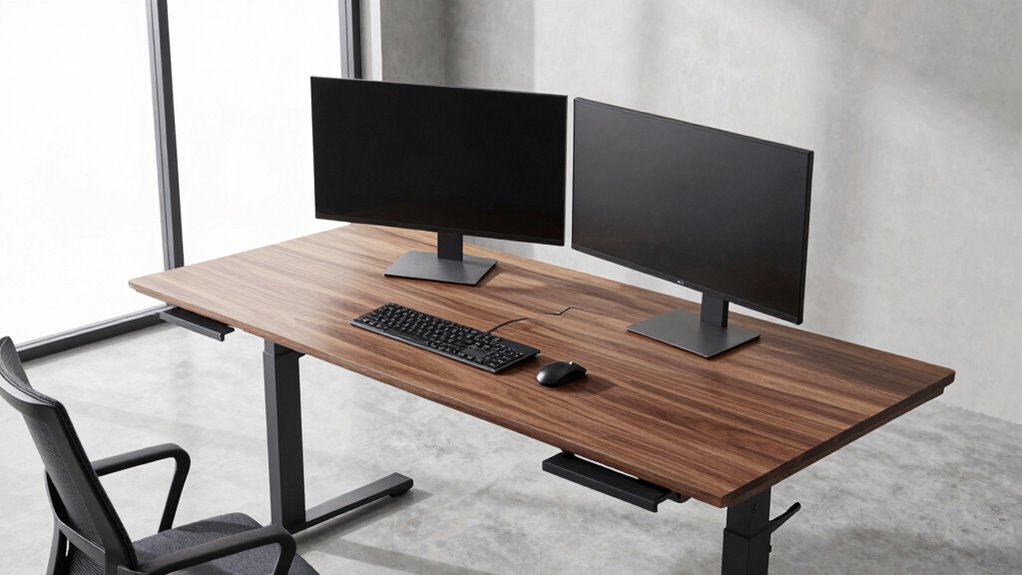

For a heavy-duty standing desk for dual monitors, I’d start with the VIVO 71 x 30-inch desk for its wide, deep work surface, while the Grandder 55 x 32-inch desk stands out for extra depth and the Mount-It! mobile desks suit buyers who need wheels and monitor mounts. The main tradeoff is between a larger, more stable-feeling workspace and the flexibility of a compact or mobile setup. Frame capacity, desktop dimensions, monitor-arm compatibility, and cable space matter as much as the number of screens. A desk that fits two displays may still feel cramped once you add stands, speakers, and everyday work gear. Read on for the full breakdown and help matching each option to your setup.

Get audio and creator gear delivered free with Prime
- Fast, free delivery on millions of items
- Prime Video, Amazon Music and more included
- Member-only deals all year
Complete the kit


Key Takeaways
- VIVO’s 71 x 30-inch surface is the broadest conventional desk in this lineup, making it the strongest starting point when two monitors need room alongside other equipment.
- Grandder’s 55 x 32-inch desktop prioritizes front-to-back space; that depth can be more useful than extra width for large displays, monitor arms, or a generous keyboard-and-mouse area.
- FEZIBO’s 83 x 37-inch desk offers the largest work area listed, but its footprint calls for a room that can accommodate a substantial workstation.
- ErGear, HUANUO, and FLEXISPOT EN1 share a 48 x 24-inch format; their appeal is a more manageable footprint, with HUANUO adding drawers and FLEXISPOT using a one-piece top.
- The two Mount-It! mobile desks trade a fixed workstation’s layout for mobility, with dual-monitor mounting built into the concept; check their usable surface and rolling stability against your actual equipment.
| OffiGo 55 Inch U-Shaped Electric Standing Desk with Keyboard Tray, White |  | Best for a Built-In Dual-Monitor Setup | Dimensions: 29.1 x 55.1 x 33.1 inches | Height range: 28.3–46.5 inches | Weight capacity: 154 lbs | VIEW ON AMAZON | See Our Full Breakdown |
| ErGear 48 x 24 Inch Height Adjustable Electric Standing Desk, Black |  | Best Value for a Standard Dual-Monitor Desk | Dimensions: 47.2 W x 23.6 D inches | Height range: 28.35–46.46 inches | Weight capacity: 176 lbs | VIEW ON AMAZON | See Our Full Breakdown |
| FEZIBO 83 x 37 Inch Electric Standing Desk, Black |  | Best Heavy-Duty Choice for Multiple Screens | Dimensions: 83 x 37 inches | Height range: 28.3–46.5 inches | Weight capacity: 220 lbs | VIEW ON AMAZON | See Our Full Breakdown |
| Grandder 55×32 Extra-Deep Electric Standing Desk, Oak |  | Best for Monitor Depth and Screen Placement | Dimensions: 55 W x 32 D inches | Desktop depth: 31.5 inches | Height range: 28.3–46.5 inches | VIEW ON AMAZON | See Our Full Breakdown |
| HUANUO 48″ x 24″ Electric Standing Desk with 2 Drawers, C-Clamp Mount Compatible, Height Adjustable Computer Desk, Home Office Stand Up Desk with 4 Preset Heights & 2 Hooks, Black | 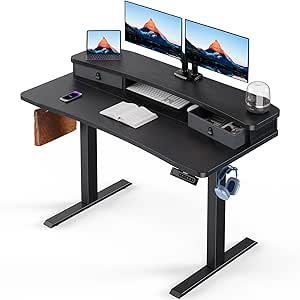 | Best for Storage and Monitor-Arm Users | Dimensions: 48 W x 24 D inches | Height range: 27.5–46.4 inches | Weight capacity: 176 lbs | VIEW ON AMAZON | See Our Full Breakdown |
| Mount-It! Mobile Standing Desk with Dual Monitor Mount – 40 Inch Wide Height Adjustable Rolling Computer Workstation with Four Wheels |  | Best Mobile Desk with Integrated Monitor Mount | Work surface width: 40 inches | Height range: 37.25–55 inches | Maximum weight capacity: 132 lbs | VIEW ON AMAZON | See Our Full Breakdown |
| VIVO Black 71 x 30 in Standing Desk, DESK-KIT-1B7B |  | Best for a Wide Dual-Monitor Work Surface | Dimensions: 29.5 x 70.9 x 29.2 inches | Tabletop width: 71 inches | Height range: 28.8–48 inches | VIEW ON AMAZON | See Our Full Breakdown |
| FLEXISPOT EN1 One-Piece Electric Standing Desk, 48×24 inches, White |  | Best Compact Electric Desk for Dual Monitors | Desktop dimensions: 48 x 24 inches | Height range: 28.9–46.5 inches | Weight capacity: 176 lbs | VIEW ON AMAZON | See Our Full Breakdown |
| Mount-It! Dual Monitor Mobile Standing Desk with Wheels, CPU Holder, and Adjustable Screen Mount |  | Best for Larger Monitors on a Mobile Workstation | Monitor support: Two monitors up to 32 inches | Maximum monitor weight: 17.6 lbs each | Dimensions: 24 x 24 x 42.5 inches | VIEW ON AMAZON | See Our Full Breakdown |
| heavy duty standing desk for dual monitor | Dimensions | Height range | Weight capacity | Height presets |
|---|---|---|---|---|
| OffiGo 55 Inch U-Shaped Electr | 29.1 x 55.1 x 33.1 inches | 28.3–46.5 inches | 154 lbs | 3 |
| ErGear 48 x 24 Inch Height Adj | 47.2 W x 23.6 D inches | 28.35–46.46 inches | 176 lbs | 4 |
| FEZIBO 83 x 37 Inch Electric S | 83 x 37 inches | 28.3–46.5 inches | 220 lbs | — |
| Grandder 55×32 Extra-Deep Elec | 55 W x 32 D inches | 28.3–46.5 inches | 176 lbs | 2 |
| HUANUO 48" x 24" Electric Stan | 48 W x 24 D inches | 27.5–46.4 inches | 176 lbs | 4 |
| Mount-It! Mobile Standing Desk | 26 x 39.5 x 72.25 inches | 37.25–55 inches | — | — |
| VIVO Black 71 x 30 in Standing | 29.5 x 70.9 x 29.2 inches | 28.8–48 inches | 220 lbs | 4 |
| FLEXISPOT EN1 One-Piece Electr | — | 28.9–46.5 inches | 176 lbs | 4 |
| Mount-It! Dual Monitor Mobile | 24 x 24 x 42.5 inches | — | — | — |
More Details on Our Top Picks
OffiGo 55 Inch U-Shaped Electric Standing Desk with Keyboard Tray, White
The OffiGo is a strong match for buyers who want a dual-monitor station with its own raised monitor stand, rather than a bare tabletop that needs separate accessories. Its U-shaped layout, keyboard tray, and charging ports help keep a work or gaming setup organized, while the steel frame supports up to 154 pounds. Compared with the Grandder 55×32, it offers more integrated workstation features, but the Grandder has a higher stated weight capacity and a simpler, extra-deep surface. The OffiGo’s three height positions provide fewer saved settings than the four on the ErGear 48 x 24. Its broad footprint also takes more room than either 48-inch desk, and the 46.5-inch maximum height may not suit every tall user. I’d choose it for an all-in-one setup, not a compact office.
Pros:- U-shaped desktop and raised monitor stand make it easier to arrange two screens and accessories.
- Keyboard tray frees up some of the main work surface.
- Built-in charging ports and customizable LED lighting add convenience without separate desk accessories.
- Electric adjustment includes three preset positions and a steel frame rated for 154 pounds.
Cons:- The large 55.1-by-33.1-inch footprint can be difficult to fit in a compact office.
- Its 154-pound capacity is lower than the FEZIBO 83 x 37’s 220-pound rating.
- The 46.5-inch maximum height and three presets may limit fit and saved-position flexibility for some users.
Best for: Home-office or gaming buyers who want a wide U-shaped desk with a built-in monitor stand, keyboard tray, and charging ports.
Not ideal for: People furnishing a small room, very tall users who need a higher standing position, or buyers who need greater load capacity than 154 pounds.
- Dimensions:29.1 x 55.1 x 33.1 inches
- Height range:28.3–46.5 inches
- Weight capacity:154 lbs
- Tabletop thickness:0.6 inches
- Frame material:Steel
- Height presets:3
- Color:White
- Features:Dual-monitor stand, keyboard tray, built-in USB outlet, LED light
Our verdict“Choose the OffiGo if you want a feature-rich, built-in dual-monitor workstation and have room for its broad U-shaped footprint.”
ErGear 48 x 24 Inch Height Adjustable Electric Standing Desk, Black
For a straightforward dual-monitor setup, the ErGear pairs a 176-pound capacity with a conventional 48-by-24-inch surface and four height presets. That capacity exceeds the OffiGo’s 154 pounds, though the OffiGo provides a dedicated raised monitor stand and keyboard tray that this desk lacks. ErGear’s four presets also give it an advantage over the Grandder’s two when more than one person shares the desk or you switch often between sitting and standing. The tradeoff is its 24-inch depth: two monitors can fit, but stands, a keyboard, and other equipment may crowd the work area. Its maximum height of 46.46 inches is not especially high, either. Low-VOC materials and a steel frame suit a practical home office, but buyers wanting a larger surface or integrated monitor storage should compare the FEZIBO or OffiGo instead.
Pros:- 176-pound capacity provides more stated load allowance than the OffiGo.
- Four height presets make repeated sitting and standing adjustments convenient.
- Steel frame and electric adjustment support a practical everyday workstation.
- Low-VOC materials are specified for the indoor workspace.
Cons:- The 23.6-inch depth can feel tight with two monitors, a keyboard, and other gear.
- No built-in monitor stand, keyboard tray, or storage is listed.
- The 46.46-inch maximum height may not provide a comfortable standing position for some tall users.
Best for: Home-office users who want a conventional 48-inch electric desk, four saved height settings, and enough rated capacity for a typical dual-monitor setup.
Not ideal for: Buyers using deep monitor stands, bulky peripherals, or a large equipment load who need more surface area or integrated monitor support.
- Dimensions:47.2 W x 23.6 D inches
- Height range:28.35–46.46 inches
- Weight capacity:176 lbs
- Weight:43.8 lbs
- Top material:Engineered wood
- Frame material:Steel
- Tabletop thickness:0.67 inches
- Height presets:4
Our verdict“Pick the ErGear for a capable, conventional dual-monitor desk with four presets, provided its 24-inch depth suits your equipment.”
FEZIBO 83 x 37 Inch Electric Standing Desk, Black
The FEZIBO is the clear choice here for buyers whose dual-monitor setup also includes heavy accessories, speakers, or extra displays: its 220-pound capacity is the highest listed among these five desks, and the 83-by-37-inch top leaves room to spread out. Compared with the ErGear 48 x 24, it offers dramatically more work surface and 44 pounds more rated capacity, though that compact desk is a better fit for a small room. The one-inch desktop is thicker than the OffiGo’s 0.6-inch top, and a USB-C charging port adds practical access at the desk. Those advantages come with a substantial footprint and a heavier, harder-to-move build. Its height range matches the OffiGo and Grandder at 28.3 to 46.5 inches, so it does not offer extra standing height for taller users.
Pros:- 220-pound capacity is the highest listed among the five desks in this batch.
- 83-by-37-inch desktop leaves ample room for two monitors, peripherals, and paperwork.
- One-inch desktop is thicker than the tops listed for the OffiGo and ErGear.
- Built-in USB-C charging port and adjustable electric height support a more capable workstation.
Cons:- Its large footprint can overwhelm compact home offices and bedrooms.
- The heavy construction may make assembly and later relocation difficult.
- The 46.5-inch maximum height is no higher than several smaller options.
Best for: Multi-monitor users, streamers, or workstation owners who need a very large surface and substantial rated capacity for screens and accessories.
Not ideal for: People with limited floor space, anyone who may need to move the desk frequently, or tall users seeking a higher maximum desk position.
- Dimensions:83 x 37 inches
- Height range:28.3–46.5 inches
- Weight capacity:220 lbs
- Desktop thickness:1 inch
- Top material:Engineered wood
- Frame material:Alloy steel
- Color:Black
- Charging:Built-in USB-C fast charging port
Our verdict“Choose the FEZIBO when capacity and expansive workspace matter more than a compact footprint or easy relocation.”
Grandder 55×32 Extra-Deep Electric Standing Desk, Oak
The Grandder’s main advantage for dual monitors is its 31.5-inch desktop depth, which gives buyers more room to position screens and keep the keyboard and accessories within reach. It is a more focused choice than the OffiGo 55-inch U-shaped desk: the OffiGo supplies a raised monitor stand and keyboard tray, while the Grandder offers a broad, straightforward surface with a higher 176-pound capacity. That capacity also exceeds the OffiGo’s, although it falls short of the FEZIBO’s 220 pounds. Two memory presets cover a regular sit/stand routine, but the ErGear offers four, which is handier for multiple users or more saved positions. Anti-collision technology adds a useful safeguard when the desk moves near surrounding objects. Expect careful alignment during assembly, and skip this oak-only option if you need storage or a compact footprint.
Pros:- 31.5-inch depth gives more room for monitor placement than the 24-inch-deep ErGear.
- 176-pound capacity exceeds the OffiGo’s stated 154-pound limit.
- Two memory presets support repeatable sitting and standing positions.
- Anti-collision technology adds protection when the moving desktop meets an obstruction.
Cons:- Only two memory presets, compared with four on the ErGear and HUANUO.
- No built-in monitor stand, keyboard tray, or drawers are listed.
- Oak is the only listed color, and careful assembly alignment may take extra effort.
Best for: Dual-monitor users who want extra front-to-back room for screen placement, keyboard distance, and desk accessories without moving to an oversized 83-inch desk.
Not ideal for: Buyers who need more than two saved heights, built-in drawers or a monitor riser, or a desk that fits a very small room.
- Dimensions:55 W x 32 D inches
- Desktop depth:31.5 inches
- Height range:28.3–46.5 inches
- Weight capacity:176 lbs
- Materials:Engineered wood and metal
- Color:Oak
- Height presets:2
- Safety feature:Anti-collision technology
Our verdict“Pick the Grandder if screen distance and a deep, uncluttered surface matter more than integrated storage or multiple saved presets.”
HUANUO 48″ x 24″ Electric Standing Desk with 2 Drawers, C-Clamp Mount Compatible, Height Adjustable Computer Desk, Home Office Stand Up Desk with 4 Preset Heights & 2 Hooks, Black
The HUANUO is the most storage-oriented option in this group: two drawers and two hooks give small items a place to go, while C-clamp compatibility suits buyers who prefer monitor arms over stands. That makes it distinct from the OffiGo, which includes a raised monitor stand and keyboard tray but takes up more space. Its four presets match the ErGear’s count, and its 27.5-inch minimum is lower than the other desks listed here, offering extra flexibility for seated setups. The compromise is the familiar 48-by-24-inch footprint; two screens and a clamp-mounted arm may fit, but accessories can still compete for the limited depth. The stated 176-pound capacity is solid, though below the FEZIBO’s 220 pounds. Choose it for organization and arm mounting, not maximum load or desktop area.
Pros:- C-clamp compatibility supports monitor arms and can free up tabletop space.
- Two drawers and two hooks add practical storage absent from the ErGear.
- Four height presets make it easier to save common positions.
- 27.5-inch minimum height is lower than the stated minimums of the other desks in this batch.
Cons:- The 24-inch depth can limit room for two screens, a keyboard, and accessories.
- 176-pound capacity is below the FEZIBO’s 220-pound rating.
- Assembly requires tools, and the product description does not specify motor noise.
Best for: Home-office users who want a tidy 48-inch dual-monitor desk with drawers, hooks, four presets, and the option to use C-clamp monitor arms.
Not ideal for: Owners of especially heavy monitor and equipment setups, or anyone who needs a deep desktop for large stands and several peripherals.
- Dimensions:48 W x 24 D inches
- Height range:27.5–46.4 inches
- Weight capacity:176 lbs
- Drawers:2
- Height presets:4
- Materials:Engineered wood and carbon steel
- Color:Black
- Additional features:C-clamp monitor-mount compatible, 2 hooks
Our verdict“Choose the HUANUO if drawers and C-clamp monitor-arm compatibility are priorities for your compact dual-monitor workstation.”
Mount-It! Mobile Standing Desk with Dual Monitor Mount – 40 Inch Wide Height Adjustable Rolling Computer Workstation with Four Wheels
The 40-inch rolling workstation is a fit for buyers who need dual screens and the option to move their setup between rooms. Its included mount supports two monitors up to 27 inches with tilt and rotation, while locking casters let me reposition the desk and secure it for work. The 132-pound capacity and shelves give it more utility than a basic cart, though that limit must cover the screens and everything else on the workstation. Compared with the Mount-It! Dual Monitor Mobile Standing Desk with Wheels, this model has a wider work surface and is specified for a taller maximum height, but supports smaller monitors and does not list a CPU holder or cable management. Its footprint and multi-part assembly make it less suited to tight rooms than the stationary VIVO desk.
Pros:- Integrated mount supports two monitors up to 27 inches with tilt and rotation.
- Four locking casters make it possible to move the workstation and hold it in place.
- 40-inch work surface and four shelves provide room for equipment and supplies.
- 37.25-to-55-inch height range accommodates a range of working positions.
Cons:- The 132-pound capacity must cover the entire workstation load, not just the monitors.
- The 40-inch-wide rolling frame can be cumbersome in compact rooms.
- Assembly may take assistance, particularly when handling the frame and shelves.
Best for: People who need a movable workstation with an integrated mount for two monitors up to 27 inches and extra shelf space.
Not ideal for: Buyers with monitors larger than 27 inches, a very small workspace, or a preference for a simple one-piece desk setup.
- Work surface width:40 inches
- Height range:37.25–55 inches
- Maximum weight capacity:132 lbs
- Monitor support:Two monitors up to 27 inches
- Monitor adjustment:Full rotation and tilt
- Shelves:4
- Casters:Four locking wheels
- Dimensions:26 x 39.5 x 72.25 inches
Our verdict“Choose this desk if you want a rolling, shelf-equipped workstation for two monitors up to 27 inches and can accommodate its larger frame.”
VIVO Black 71 x 30 in Standing Desk, DESK-KIT-1B7B
For dual-monitor users who want space around their screens, the 71-inch tabletop is this VIVO’s main advantage: it leaves room for a keyboard, accessories, and other work gear without relying on a narrow cart. The electric lift and four memory presets make recurring sitting and standing changes straightforward. Its 220-pound capacity is the highest specified among these four desks, though capacity alone does not confirm how steady a particular monitor setup will feel. Unlike the mobile Mount-It! 40-inch workstation, this is a broad stationary desk without an integrated monitor arm, so buyers need to arrange their own screen support. The engineered-wood surface is also a tradeoff against the FLEXISPOT EN1’s smaller one-piece top: VIVO gives me far more width, but its particle board may be less durable over time.
Pros:- 71-inch tabletop leaves generous room for two screens and other work equipment.
- Electric height adjustment supports sitting and standing work.
- Four memory presets make it easy to return to preferred heights.
- 220-pound stated capacity offers more load allowance than the other products in this batch.
Cons:- The large footprint is a poor fit for compact rooms.
- Assembly may be easier with two people.
- The engineered-wood particle board may not hold up as well as a more durable desktop surface.
Best for: Dual-monitor users who want a wide, stationary desktop with electric height changes and saved positions.
Not ideal for: People who need a mobile workstation, an included dual-monitor mount, or a surface material built for especially rough use.
- Dimensions:29.5 x 70.9 x 29.2 inches
- Tabletop width:71 inches
- Height range:28.8–48 inches
- Weight capacity:220 lbs
- Tabletop thickness:1 inch
- Height presets:4
- Materials:Engineered wood and alloy steel
- Item weight:57 lbs
Our verdict“Pick the VIVO if your priority is a wide, stationary dual-monitor surface with preset electric height adjustment.”
FLEXISPOT EN1 One-Piece Electric Standing Desk, 48×24 inches, White
The 48-by-24-inch one-piece top gives this FLEXISPOT a cleaner, compact footprint than the VIVO’s 71-inch surface, while still offering space for two monitors and everyday accessories. Its electric lift has four memory presets, so I can save working heights rather than readjusting by feel. The 176-pound capacity is below the VIVO’s 220-pound rating, but provides a stated load limit for the desk and its equipment. Compared with the rolling Mount-It! options, the EN1 is a stationary desk without an integrated monitor mount, CPU holder, or cable-management features; buyers will need to plan those pieces separately. The seamless top helps create an uninterrupted work area, though its 0.63-inch thickness and single white color option may not suit people seeking a heavier-looking surface or more finish choices.
Pros:- One-piece 48-by-24-inch surface creates an uninterrupted workspace.
- Electric adjustment with four memory presets makes height changes repeatable.
- 176-pound capacity accommodates a dual-monitor workstation within the stated limit.
- Compact footprint takes less width than the 71-inch VIVO desk.
Cons:- No built-in cable management is listed.
- The 24-inch depth can feel restrictive with large monitors and several accessories.
- Only white is specified, and the tabletop is 0.63 inches thick.
Best for: Home-office users who want an electric desk for two monitors but have less room than a wide workstation requires.
Not ideal for: Buyers who need an integrated monitor arm, built-in cable management, a larger desktop, or multiple color choices.
- Desktop dimensions:48 x 24 inches
- Height range:28.9–46.5 inches
- Weight capacity:176 lbs
- Height presets:4
- Tabletop thickness:0.63 inches
- Materials:Engineered wood and alloy steel
- Color:White
- Item weight:45 lbs
Our verdict“Choose the EN1 if you want a compact, preset-controlled electric desk for dual monitors and do not need an integrated mount.”
Mount-It! Dual Monitor Mobile Standing Desk with Wheels, CPU Holder, and Adjustable Screen Mount
This Mount-It! is the more screen-focused choice for buyers who want a rolling dual-monitor workstation: its articulated mount supports two displays up to 32 inches and 17.6 pounds each, exceeding the 27-inch monitor limit on the other Mount-It! desk here. The CPU holder and cable management also help keep a mobile setup organized. Locking casters let me move the unit between work areas, then secure it in place. Compared with the 40-inch Mount-It!, this model favors screen size and included computer-management features over a spacious tabletop and shelves. Its listed 24-by-24-inch dimensions suggest a more compact work surface, so it is less suited to users who need room for papers or accessories beside their screens. Check individual monitor weights against the per-screen limit before choosing it.
Pros:- Dual mount supports monitors up to 32 inches and 17.6 pounds each.
- Full-motion adjustment includes tilt and swivel.
- CPU holder and cable management help organize a mobile setup.
- Locking casters allow repositioning while providing a way to secure the workstation.
Cons:- Each monitor must stay within the 17.6-pound limit.
- The listed 24-by-24-inch dimensions indicate limited space for work materials.
- Assembly may take effort, and the rolling design may still be too large for very tight spaces.
Best for: People in shared offices, classrooms, or clinical work areas who need a mobile stand for two monitors up to 32 inches.
Not ideal for: Buyers who need a broad desktop for paperwork, monitors heavier than 17.6 pounds each, or a stationary desk with a large work surface.
- Monitor support:Two monitors up to 32 inches
- Maximum monitor weight:17.6 lbs each
- Dimensions:24 x 24 x 42.5 inches
- Minimum height:42.5 inches
- Maximum height:161.3 cm
- Material:Steel
- Casters:Locking
- Included features:Full-motion dual monitor mount, CPU holder, and cable management
Our verdict“Pick this Mount-It! if monitor size and a tidy, mobile dual-screen setup matter more than having a wide desktop.”
How We Picked
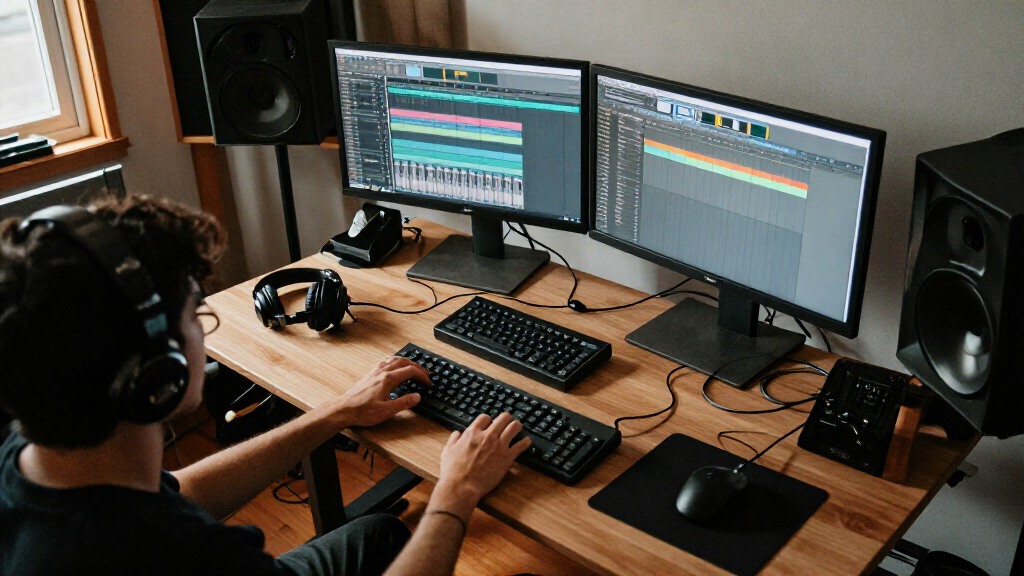
I compared these desks through the needs of a two-monitor setup: usable desktop area, height-adjustment format, stated design features, and how well each model’s layout appears suited to screens plus everyday work gear. I gave more weight to dimensions and practical setup flexibility than to styling, since monitor stands, arms, keyboards, and accessories can quickly consume a small surface. I also looked at whether the product description identifies features that change the desk’s role, such as drawers, a keyboard tray, a one-piece top, or wheels with monitor mounting.
The order reflects the range of buyers each desk can serve, not a claim that every model has the same load capacity or stability. The wide VIVO ranks first as a straightforward workspace option; Grandder and FEZIBO follow for buyers who need more depth or a much larger footprint. Compact electric desks rank lower for heavy multi-device setups but may suit smaller rooms, while the Mount-It! models are distinct choices for mobility. Product descriptions do not provide comparable frame-capacity or stability figures for every model, so I recommend checking those details against your complete equipment load before buying.
| heavy duty standing desk for dual monitor | Color |
|---|---|
| OffiGo 55 Inch U-Shaped Electr | White |
| ErGear 48 x 24 Inch Height Adj | — |
| FEZIBO 83 x 37 Inch Electric S | Black |
| Grandder 55×32 Extra-Deep Elec | Oak |
| HUANUO 48" x 24" Electric Stan | Black |
| Mount-It! Mobile Standing Desk | — |
| VIVO Black 71 x 30 in Standing | — |
| FLEXISPOT EN1 One-Piece Electr | White |
| Mount-It! Dual Monitor Mobile | — |
Factors to Consider When Choosing Heavy Duty Standing Desk For Dual Monitors
A dual-monitor desk can look spacious on paper and still be awkward once the screens, mounts, and work accessories are in place. I’d match the desk to the whole workstation and the way you use it, rather than choosing by monitor count alone.
Measure the Full Setup, Not Just the Screens
Measure the width and depth of your monitors with their stands or arms, then mark out space for a keyboard, mouse, and anything you keep within reach. Two displays on their original stands can take up more depth than a monitor arm, while an arm needs a suitable mounting edge and enough clearance behind the desk. A 48 x 24-inch surface may work for two compact screens, but it can feel crowded if you also use speakers, notebooks, or a laptop. Wider desks such as the VIVO provide more side-to-side room, while Grandder’s 32-inch depth addresses a different constraint. Leave space for cables and for the desk’s movement so accessories do not snag when you raise it.
Check Load Capacity and Stability as Separate Questions
A desk’s stated lifting capacity tells you how much weight its mechanism is designed to raise, but it does not by itself describe how steady the surface feels at standing height. Add the weight of both monitors, arms, computer, and accessories, then compare that total with the manufacturer’s published capacity. If that figure is unavailable or unclear, ask the seller or manufacturer before placing a heavy setup on the desk. Pay attention to frame design, leg construction, and any guidance about monitor-arm use, since a clamp can concentrate force at one point. For large displays, a strong capacity rating paired with a stable frame matters more than capacity alone.
Choose Desktop Size Around the Room
More surface area helps with a wide setup, but the largest desk is not automatically the best fit. The FEZIBO’s 83 x 37-inch footprint can support a sprawling workstation, yet it needs generous room and can complicate cable routing or access around the desk. A 48 x 24-inch desk is easier to place in a small office, though it leaves less room to spread out. Measure the desk’s intended location, including space for a chair, drawers, doors, and walking paths. Also check the desktop’s full dimensions rather than assuming that a model name or monitor count tells you how much usable space remains after accessories are added.
Confirm Monitor-Arm and Clamp Compatibility
Monitor arms can free surface area, but they rely on a secure clamp point and enough clearance below and behind the desktop. Check the top’s thickness, construction, and any restrictions on clamp mounting before buying an arm or desk. HUANUO specifically identifies C-clamp compatibility, which helps buyers who plan to mount displays, but that still does not replace checking the arm’s own requirements. A keyboard tray, like the one on the OffiGo U-shaped desk, may also affect where you can position a chair or accessories. If the monitor arm is central to your setup, verify both desk and arm specifications rather than relying on a general compatibility label.
Decide Whether Mobility Is Worth the Tradeoff
A rolling desk can be useful in a shared room, temporary workstation, or space where the setup needs to move between tasks. The Mount-It! options add mobile monitor mounting, and one listing includes a CPU holder, which can help keep a tower off the main surface. Wheels and a compact footprint, however, serve a different purpose from a large, fixed desktop built for spreading out. Check whether the wheels lock, how the workstation behaves when raised, and whether the available surface accommodates your keyboard and pointing device. If you rarely move the desk, a stationary model may provide a more natural home for a broad dual-monitor layout.
Choose Features That Solve a Real Workday Problem
Presets can make it easier to return to preferred sitting and standing heights, but the useful number is the desk’s adjustment range relative to your body and chair. Storage features such as HUANUO’s drawers or OffiGo’s keyboard tray can reduce desktop clutter, though they may affect legroom or accessory placement. A one-piece top, as listed for FLEXISPOT EN1, may appeal to buyers who prefer a continuous surface, while a larger desk can better accommodate peripherals without relying on storage. Before paying for add-ons, identify the recurring annoyance they would fix: clutter, moving the workstation, or limited screen placement. Features that do not address a specific need can add complexity without improving the setup.
Frequently Asked Questions
Is a 48 x 24-inch desk wide enough for two monitors?
It can be, especially with compact monitors or an arm that places the screens close together, but width is only part of the fit. The 24-inch depth also needs to accommodate your viewing distance, keyboard, and mouse. If both displays use broad stands or you keep work materials on the desk, the layout may feel crowded. Compare the monitor footprints with the usable desktop dimensions before choosing a compact model such as ErGear, HUANUO, or FLEXISPOT EN1. If you cannot reduce the equipment footprint, a wider desk is the safer direction.
Can I clamp a dual-monitor arm to any standing desk?
No. Clamp compatibility depends on the desktop’s thickness, edge shape, construction, and the monitor arm’s own requirements. A desk listing that names C-clamp compatibility, such as HUANUO’s, is a helpful clue, but you should still check the exact measurements and permitted load. Also confirm that the clamp will not interfere with drawers, a keyboard tray, or the desk frame. If the desk maker does not publish enough detail, ask before buying rather than assuming a clamp will fit securely.
How much lifting capacity should I look for with two monitors?
Start by adding the weight of both monitors, their arms or stands, your computer, and everything else that will stay on the desktop. Compare the total with the desk’s published lifting capacity and leave room for equipment you may add later. A capacity figure alone cannot tell you whether the desk will wobble at standing height, so check frame and stability information too. This matters especially when using a long monitor arm, which can place force unevenly on the surface. If a listing does not provide a clear capacity, get confirmation from the manufacturer before relying on it for a heavy setup.
Should I choose a mobile desk or a full-size standing desk?
Choose a mobile model if moving the workstation is a regular need, such as sharing a room or changing work areas. The Mount-It! desks are built around wheels and monitor mounting, and one version also lists a CPU holder. A fixed desk is usually a better match when you want a broad, settled workspace for two displays and additional equipment. Before picking a mobile model, check its surface dimensions, wheel locks, and behavior at standing height. If the desk will stay in one place most of the time, mobility may be less useful than extra desktop area.
Is a deeper desktop more useful than a wider one for dual monitors?
It depends on what is constraining your setup. More width helps when the displays sit side by side and you want room for speakers, a laptop, or other items at either end. Extra depth can improve the space available between you and the screens and leave more room for a keyboard and mouse. Grandder’s 55 x 32-inch surface emphasizes depth, while VIVO’s 71 x 30-inch desk gives a broader overall layout. Measure your screen arrangement and your typical working distance to see which dimension solves the actual problem.
Conclusion
For most buyers who want a roomy, conventional two-monitor workstation, I’d choose the VIVO 71 x 30-inch desk as the best overall starting point. The best value in footprint is one of the 48 x 24-inch electric options when your monitors are compact and space is limited; HUANUO adds drawers and stated clamp compatibility, while ErGear and FLEXISPOT EN1 offer a simpler layout, with FLEXISPOT listing a one-piece top. For a larger, more expansive setup, FEZIBO is the best premium-size pick, while Grandder makes more sense if extra depth matters more than a very wide surface. Beginners who want a manageable electric format can start with a 48 x 24-inch model after checking their monitor footprints. For a mobile workstation, compare the two Mount-It! desks and choose based on whether you need the listed CPU holder; for a keyboard-tray or wraparound layout, consider OffiGo. Before deciding, verify capacity, height range, clamp fit, and room measurements for your exact setup.