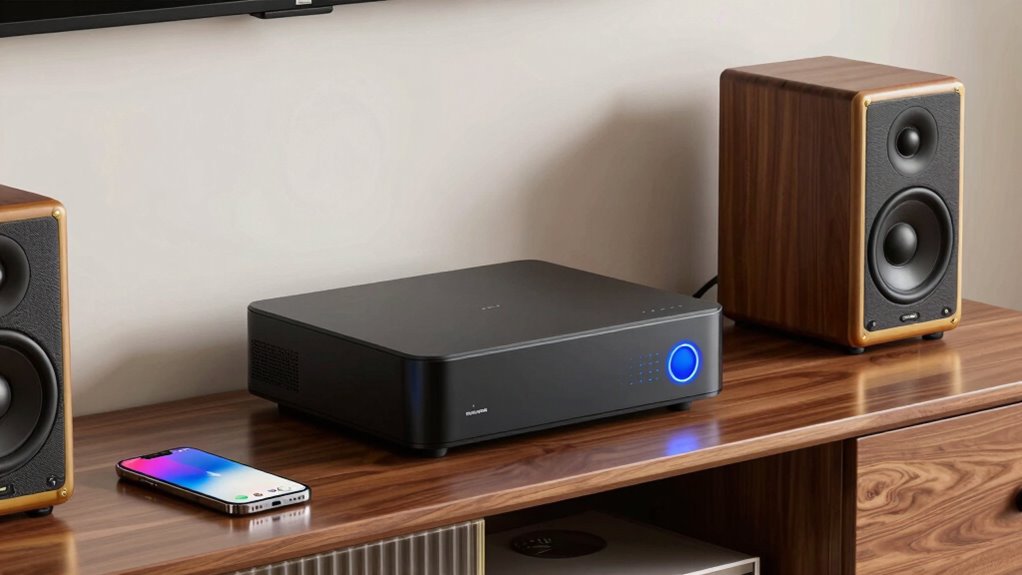

A Wi-Fi audio streamer for any speakers can add network music playback to a stereo you already own, but the right pick depends on its inputs, outputs, and whether your speakers need an amplifier. I rank the WiiM Pro as the best overall choice for adding streaming to an existing audio system, while the WiiM Mini stands out for a compact, simpler setup and the WiiM Amp for passive speakers that need amplification. The main tradeoff is between an affordable, small receiver and a more capable unit with broader connections or built-in power for speakers. Check your system’s connections before choosing, then read on for the full breakdown and buying advice.

Get audio and creator gear delivered free with Prime
- Fast, free delivery on millions of items
- Prime Video, Amazon Music and more included
- Member-only deals all year
Complete the kit


Key Takeaways
- WiiM Pro is my best overall pick because it focuses on streaming into an existing audio system, rather than asking buyers to replace their amplifier.
- WiiM Amp fills a different role from the receiver-style streamers: it can power passive speakers, so it suits setups that lack a separate amplifier.
- WiiM Mini and the compact receiver options favor simple add-on use, but their smaller scope makes them less suitable when a buyer needs more connections or system control.
- The lineup spans more than one kind of device. Products such as the Arylic A30+ and WiiM Amp include amplification, while most options are streamers or receivers; confusing those categories can lead to a unit that cannot drive the speakers.
- Connection and platform fit separate close contenders. AirPlay 2, Spotify Connect, DLNA, Bluetooth, and HDMI ARC serve different setups, so the best pick depends on the buyer’s devices and sources, not a feature count.
| Fosi Audio S3 Lite Wi-Fi 6 and Bluetooth 5.3 Music Streamer |  | Best for External DAC Setups | Connectivity: Wi-Fi 6 (2.4 GHz and 5 GHz), Bluetooth 5.3, LAN | Streaming protocols: Google Cast, AirPlay 2, DLNA, Spotify Connect, TIDAL Connect, Qobuz Connect | Outputs: USB-A, optical, coaxial | VIEW ON AMAZON | See Our Full Breakdown |
| Arylic A30+ Wi-Fi and Bluetooth 5.0 Stereo Mini Amplifier |  | Best for Passive Speakers | Amplifier type: Two-channel Class D | Connectivity: Wi-Fi, Bluetooth 5.0, USB, line input | Streaming protocols: AirPlay 1, Qplay, DLNA, UPnP | VIEW ON AMAZON | See Our Full Breakdown |
| VSSL MS.1 AirPlay 2 Wireless Audio Streamer |  | Best for TV and Rack Systems | Streaming protocols: AirPlay 2, Chromecast, Spotify Connect | Supported services: Apple Music, Spotify, YouTube Music | Inputs and outputs: HDMI eARC, optical, USB, analog RCA, Bluetooth LE Audio | VIEW ON AMAZON | See Our Full Breakdown |
| Arylic LP10 Wireless Music Streamer |  | Best Overall Standalone Streamer | Connectivity: Wi-Fi, Bluetooth, Ethernet, line in, USB | Streaming: AirPlay 2, Google Cast, Spotify Connect, Tidal Connect | Inputs: Line, USB | VIEW ON AMAZON | See Our Full Breakdown |
| iEAST Olio 1 AirPlay 2 Wireless Audio Receiver with Wi-Fi and Bluetooth |  | Best for AirPlay 2 Multiroom | Connectivity: Dual-band Wi-Fi (2.4 GHz and 5 GHz), Bluetooth 5.2 | Audio streaming: AirPlay 2, Spotify Connect, TIDAL Connect, internet radio | Maximum audio resolution: 24-bit/192 kHz | VIEW ON AMAZON | See Our Full Breakdown |
| Rockville Mini Wi-Fi Music Player and Push-to-Talk Voice Remote Bundle |  | Best for Hands-On Remote Control | Wi-Fi: Dual-band 2.4 GHz and 5 GHz; 802.11 a/b/g/n/ac | Bluetooth: Version 5.0; SBC and AAC codecs | Audio outputs: Line out and SPDIF | VIEW ON AMAZON | See Our Full Breakdown |
| WiiM Pro Music Streamer with AirPlay 2 and Spotify Connect |  | Best Overall | Connectivity: Wi-Fi, Bluetooth, Ethernet | Connectors: USB Type-C, RCA, optical SPDIF, coaxial, Ethernet | Audio resolution: Up to 24-bit/192 kHz | VIEW ON AMAZON | See Our Full Breakdown |
| ACEMAX Audiocast Pro M20 Wireless Audio Receiver |  | Best for Ethernet and Simple Remote Control | Connectivity: Bluetooth, 2.4 GHz Wi-Fi, Ethernet, infrared | Connectors: 3.5 mm jack and RCA | Supported internet service: Spotify | VIEW ON AMAZON | See Our Full Breakdown |
| M5 AudioCast Wi-Fi Music Receiver with AirPlay and DLNA |  | Best for Budget Multiroom Setups | Connectivity: Wi-Fi, auxiliary, USB | Wireless technologies: AirPlay and Wi-Fi | Connectors: 3.5 mm jack and USB | VIEW ON AMAZON | See Our Full Breakdown |
| FiiO SR11 AirPlay Audio Streamer Receiver, Black |  | Best for High-Resolution Digital Systems | Streaming protocols: AirPlay and Roon Ready | Connectivity: Ethernet, 2.4 GHz Wi-Fi, 5 GHz Wi-Fi | Ethernet speed: 1000 Mbps | VIEW ON AMAZON | See Our Full Breakdown |
| WiiM Amp Streaming Amplifier for Passive Speakers with HDMI ARC – Space Gray |  | Best for Turning Passive Speakers into a TV-and-Music System | Power output: 60 W per channel at 8 ohms; 120 W per channel at 4 ohms | Connectivity: Wi-Fi, HDMI ARC, AirPlay 2, Bluetooth | Supported streaming: Spotify, Amazon Music, TIDAL, Qobuz, local library | VIEW ON AMAZON | See Our Full Breakdown |
| ACEMAX M5 AudioCast Wi-Fi Audio Transmitter |  | Best for Basic AUX-Based Multiroom Streaming | Model: ACEMAX M5 | Wireless connectivity: 2.4 GHz Wi-Fi | Supported protocols: AirPlay 1, DLNA, UPnP | VIEW ON AMAZON | See Our Full Breakdown |
| WiiM Ultra Hi-Res Music Streamer with Touchscreen and ESS DAC, Space Gray |  | Best Premium Streamer for a Component-Based Stereo System | DAC: ESS ES9038 Q2M | Display: 3.5-inch touchscreen | Connectivity: Wi-Fi 6, Bluetooth 5.3, Ethernet | VIEW ON AMAZON | See Our Full Breakdown |
| WiiM Mini Wi-Fi Music Streamer with AirPlay 2 and Hi-Res Audio |  | Best Compact Streamer for Existing Powered Speakers or Amplifiers | Connectivity: Wi-Fi, Bluetooth | Connectors: USB Type-C, auxiliary, SPDIF (TOSLINK) | Audio outputs: Analog and digital | VIEW ON AMAZON | See Our Full Breakdown |
| wi fi audio streamer for any speaker | Connectivity |
|---|---|
| Fosi Audio S3 Lite Wi-Fi 6 and | Wi-Fi 6 (2.4 GHz and 5 GHz), Bluetooth 5.3, LAN |
| Arylic A30+ Wi-Fi and Bluetoot | Wi-Fi, Bluetooth 5.0, USB, line input |
| VSSL MS.1 AirPlay 2 Wireless A | — |
| Arylic LP10 Wireless Music Str | Wi-Fi, Bluetooth, Ethernet, line in, USB |
| iEAST Olio 1 AirPlay 2 Wireles | Dual-band Wi-Fi (2.4 GHz and 5 GHz), Bluetooth 5.2 |
| Rockville Mini Wi-Fi Music Pla | — |
| WiiM Pro Music Streamer with A | Wi-Fi, Bluetooth, Ethernet |
| ACEMAX Audiocast Pro M20 Wirel | Bluetooth, 2.4 GHz Wi-Fi, Ethernet, infrared |
| M5 AudioCast Wi-Fi Music Recei | Wi-Fi, auxiliary, USB |
| FiiO SR11 AirPlay Audio Stream | Ethernet, 2.4 GHz Wi-Fi, 5 GHz Wi-Fi |
| WiiM Amp Streaming Amplifier f | Wi-Fi, HDMI ARC, AirPlay 2, Bluetooth |
| ACEMAX M5 AudioCast Wi-Fi Audi | — |
| WiiM Ultra Hi-Res Music Stream | Wi-Fi 6, Bluetooth 5.3, Ethernet |
| WiiM Mini Wi-Fi Music Streamer | Wi-Fi, Bluetooth |
More Details on Our Top Picks
Fosi Audio S3 Lite Wi-Fi 6 and Bluetooth 5.3 Music Streamer
The S3 Lite is a strong fit when you already own a DAC and want to add network streaming without replacing it. Its USB, optical, and coaxial digital outputs give you several ways to connect that DAC, while AirPlay 2, Google Cast, Spotify Connect, TIDAL Connect, and Qobuz Connect cover a wide mix of listening habits. Compared with the Arylic LP10, the S3 Lite is more focused on digital connections: it has no analog output, so it cannot feed powered speakers directly. That limitation is the defining tradeoff, not a minor omission. Wi-Fi 6, wired LAN, and a 12V trigger add useful flexibility in a more involved stereo system, but buyers need to supply the DAC and speakers or amplifier. I’d choose it over a simpler receiver only when those digital connections matter.
Pros:- Supports AirPlay 2, Google Cast, Spotify Connect, TIDAL Connect, and Qobuz Connect.
- Offers USB, optical, and coaxial digital outputs for connecting an external DAC.
- Includes Wi-Fi 6, Bluetooth 5.3, and wired LAN.
- 12V trigger can help coordinate compatible audio equipment.
Cons:- No built-in DAC or analog output, so it cannot directly feed powered speakers.
- USB and optical outputs cannot be used at the same time.
- Remote control batteries are not included.
Best for: Listeners with an external DAC and an existing stereo system who want broad streaming support and digital-output choices.
Not ideal for: Buyers who want to connect powered speakers directly or need an all-in-one streamer with a built-in DAC.
- Connectivity:Wi-Fi 6 (2.4 GHz and 5 GHz), Bluetooth 5.3, LAN
- Streaming protocols:Google Cast, AirPlay 2, DLNA, Spotify Connect, TIDAL Connect, Qobuz Connect
- Outputs:USB-A, optical, coaxial
- DAC:Not built in
- Maximum sampling rate:Up to 32-bit/768 kHz via LAN; up to 32-bit/384 kHz via Wi-Fi over USB
- App features:10-band EQ, multiple volume modes, 12 languages
- Power:12V DC
- Weight:0.5 kg
Our verdict“Choose the S3 Lite if you already have a DAC and want a compact streamer with several digital connection options.”
Arylic A30+ Wi-Fi and Bluetooth 5.0 Stereo Mini Amplifier
Unlike the S3 Lite and LP10, the Arylic A30+ is an amplifier as well as a streamer. Its two-channel Class D design means it can power a compatible pair of passive speakers directly, reducing the number of boxes needed for a basic listening setup. It supports Wi-Fi, Bluetooth, USB, and line input, plus FLAC and WAV playback, and the 4stream app adds multi-room control. The tradeoff is a narrower streaming-protocol list: the supplied data names AirPlay 1, Qplay, DLNA, and UPnP, rather than AirPlay 2 or Google Cast. It is also built for stereo speakers, not a broader multichannel system. I’d favor it over a standalone receiver when amplification is the missing piece; if you already own an amplifier, the LP10 or Olio 1 is a better match.
Pros:- Built-in two-channel Class D amplification can power compatible passive speakers.
- Supports lossless playback of FLAC, WAV, APE, and MP3 files.
- 4stream app provides multi-room and multi-zone control.
- Includes Wi-Fi, Bluetooth 5.0, USB, and line input.
Cons:- Streaming protocols include AirPlay 1 rather than AirPlay 2.
- Designed for two-channel speaker setups.
- The supplied protocol list is more limited than the LP10’s AirPlay 2 and Google Cast support.
Best for: Listeners building a compact two-channel system around passive speakers who want streaming and amplification in one unit.
Not ideal for: Owners of an existing amplifier, buyers who need AirPlay 2 or Google Cast, or anyone building a multichannel setup.
- Amplifier type:Two-channel Class D
- Connectivity:Wi-Fi, Bluetooth 5.0, USB, line input
- Streaming protocols:AirPlay 1, Qplay, DLNA, UPnP
- Audio formats:MP3, APE, FLAC, WAV
- App compatibility:iOS and Android
- Multi-room support:Yes
- Weight:0.85 kg
- Warranty:1 year
Our verdict“Pick the A30+ when you need a compact streamer that can also power passive stereo speakers.”
VSSL MS.1 AirPlay 2 Wireless Audio Streamer
The VSSL MS.1 is the most connection-rich option here for a system that includes a television, receiver, or rack-mounted equipment. HDMI eARC, optical, USB, and analog RCA make it more adaptable across TV and stereo setups than the S3 Lite, which relies on digital outputs and an external DAC. AirPlay 2, Chromecast, and Spotify Connect cover major streaming routes, with Siri and Google Assistant voice control. Its compact body fits a 1U rack space and can join VSSL MX Series systems for synchronized playback. Those strengths come with a more installation-oriented feel: remote management and advanced smart-home integration are aimed at professional installers, and the supplied service list is shorter than the LP10’s. I’d choose the MS.1 for a mixed TV and audio system, but not for a simple setup where its extra connections and VSSL ecosystem would go unused.
Pros:- HDMI eARC, optical, USB, and analog RCA support varied audio-system connections.
- AirPlay 2, Chromecast, and Spotify Connect cover several common streaming methods.
- Compact design fits in 1U rack space.
- Can integrate with VSSL MX Series devices for synchronized multiroom playback.
Cons:- Some remote-management and smart-home features are aimed at professional installers.
- The supplied list of supported music services is narrower than the Arylic LP10’s.
- Its extra TV and rack connections may be unnecessary for a basic powered-speaker setup.
Best for: Home-theater and stereo owners who want one streamer to connect to a TV, receiver, or rack system and may use VSSL multiroom equipment.
Not ideal for: Buyers seeking a simple, low-complexity streamer for one pair of powered speakers or those who do not need TV and rack connections.
- Streaming protocols:AirPlay 2, Chromecast, Spotify Connect
- Supported services:Apple Music, Spotify, YouTube Music
- Inputs and outputs:HDMI eARC, optical, USB, analog RCA, Bluetooth LE Audio
- Network connectivity:Wi-Fi, Ethernet
- Voice assistants:Siri, Google Assistant
- Dimensions:5.75 × 5.75 × 1.75 in
- Weight:1.2 lbs
- Mounting:Fits in 1U rack space
Our verdict“Choose the MS.1 if you need a rack-friendly streamer that can connect to both a TV and a multiroom audio system.”
Arylic LP10 Wireless Music Streamer
The LP10 is the most flexible standalone pick for turning existing speakers or audio equipment into a streaming system, provided the speakers are powered or connected to an amplifier. Its analog line and optical outputs let it suit both simpler and more advanced setups, while Wi-Fi, Bluetooth, Ethernet, and support for AirPlay 2, Google Cast, Spotify Connect, and Tidal Connect give it more ways to fit into a home. Compared with the iEAST Olio 1, the LP10 adds line and USB inputs plus touch controls; the Olio 1, by contrast, lists Siri and Alexa control. The LP10’s optical output supports up to 192 kHz/24-bit processing, though Google Cast is limited to 96 kHz/24-bit. It still needs compatible playback equipment, so it is not a self-contained speaker system.
Pros:- Supports AirPlay 2, Google Cast, Spotify Connect, and Tidal Connect.
- Analog line and optical outputs suit different existing audio systems.
- Includes line and USB inputs as well as Wi-Fi, Bluetooth, and Ethernet.
- Offers app, IR remote, and touch-button control.
Cons:- Requires powered speakers or an amplifier for playback.
- Google Cast is limited to 96 kHz/24-bit.
- Does not include built-in speakers or amplification.
Best for: Listeners with powered speakers or an amplifier who want broad streaming support, multiple output choices, and both app and physical controls.
Not ideal for: Buyers who need an amplifier for passive speakers or want a streamer with built-in speakers.
- Connectivity:Wi-Fi, Bluetooth, Ethernet, line in, USB
- Streaming:AirPlay 2, Google Cast, Spotify Connect, Tidal Connect
- Inputs:Line, USB
- Outputs:Analog line, optical
- Audio resolution:Up to 192 kHz/24-bit; Google Cast up to 96 kHz/24-bit
- Controls:Go Control app for iOS and Android, IR remote, touch buttons
- Dimensions:4.4 × 3 × 1 in
- Color:Black
Our verdict“Choose the LP10 if you want a versatile standalone streamer with broad protocol support and both analog and optical outputs.”
iEAST Olio 1 AirPlay 2 Wireless Audio Receiver with Wi-Fi and Bluetooth
The Olio 1 is a straightforward way to add AirPlay 2 and multiroom playback to powered speakers or an amplifier. Its stereo AUX and optical outputs cover analog and digital connections, and the stated 24-bit/192 kHz maximum gives it a high-resolution output option for compatible equipment. Compared with the LP10, the Olio 1 lists Siri and Alexa voice control, while the LP10 offers more inputs and Ethernet. It also supports Bluetooth 5.2, Spotify Connect, TIDAL Connect, and internet radio. The setup is not complete on its own: it has no built-in speakers or amplifier, and its USB-C cable needs a 5V 1A adapter that is not included. I’d pick it over the S3 Lite for a direct analog connection to powered speakers, but skip it if you need to power passive speakers.
Pros:- Adds AirPlay 2 and multiroom playback to existing audio equipment.
- Provides stereo AUX and optical outputs.
- Supports Spotify Connect, TIDAL Connect, internet radio, Siri, and Alexa.
- Dual-band Wi-Fi and Bluetooth 5.2 offer wireless connection options.
Cons:- Requires powered speakers or an amplifier; it cannot drive passive speakers directly.
- The required 5V 1A USB power adapter is not included.
- Offers fewer listed inputs than the Arylic LP10.
Best for: AirPlay households adding multiroom streaming and voice control to powered speakers or an existing amplifier.
Not ideal for: Buyers with passive speakers and no amplifier, or anyone expecting the box to include speakers and a power adapter.
- Connectivity:Dual-band Wi-Fi (2.4 GHz and 5 GHz), Bluetooth 5.2
- Audio streaming:AirPlay 2, Spotify Connect, TIDAL Connect, internet radio
- Maximum audio resolution:24-bit/192 kHz
- Outputs:Stereo AUX, optical
- Voice control:Siri, Alexa
- Power:USB Type-C; requires 5V 1A adapter, not included
- Speaker requirement:Powered speakers or an amplifier required
- Included cables:USB Type-C cable and AUX cable
Our verdict“Choose the Olio 1 for AirPlay 2 multiroom and voice control when your speakers are already powered or connected to an amplifier.”
Rockville Mini Wi-Fi Music Player and Push-to-Talk Voice Remote Bundle
The Rockville Mini bundle suits listeners who want a compact streamer plus physical controls close at hand. Its line out and SPDIF connect to different kinds of existing audio gear, while line-in adds a way to bring another source into the setup. Dual-band Wi-Fi and Bluetooth 5.0 give it more connection flexibility than the Wi-Fi-only M5 AudioCast. The remote is the differentiator: voice search, playback and volume controls, and four customizable presets can make everyday listening less app-dependent. The tradeoff is that its feature set and service compatibility are less fully specified here than the WiiM Pro’s broad platform support. Bluetooth transmitter support also depends on a software update, and the remote needs two AAA batteries that are not included.
Pros:- Dual-band Wi-Fi and Bluetooth 5.0 offer more connection choices than Wi-Fi-only streamers.
- Line-in, line out, and SPDIF support varied connections to existing audio equipment.
- Remote includes voice search, playback and volume controls, and four customizable presets.
- Supports a broad range of listed audio formats, including FLAC, ALAC, and WAV.
Cons:- Bluetooth transmitter support depends on a software update.
- Two AAA batteries for the remote are not included.
- Streaming-service support is not detailed as clearly as it is for the WiiM Pro.
Best for: Listeners adding streaming to a stereo who want both digital and analog connections and prefer preset buttons and voice search over app-only control.
Not ideal for: Buyers who need clearly documented support for a wide range of streaming services, or who want Bluetooth transmitter support without relying on a software update.
- Wi-Fi:Dual-band 2.4 GHz and 5 GHz; 802.11 a/b/g/n/ac
- Bluetooth:Version 5.0; SBC and AAC codecs
- Audio outputs:Line out and SPDIF
- Audio input:Line in
- Audio formats:MP3, AAC, ALAC, APE, FLAC, WAV, WMA, OGG
- Player dimensions:69 × 69 × 24 mm (2.7 × 2.7 × 0.9 in)
- Remote features:Voice search, playback and volume controls, mute, four customizable preset buttons
- Remote batteries:Two AAA batteries, not included
Our verdict“Choose the Rockville Mini if you want a small, flexibly connected streamer with useful physical remote controls.”
WiiM Pro Music Streamer with AirPlay 2 and Spotify Connect
The WiiM Pro earns the broadest-use role here by pairing AirPlay 2, Google Cast, Spotify Connect, and TIDAL Connect with connections suited to an existing stereo: RCA, optical, and coaxial. That mix makes it easier to fit into different homes and listening habits than the Rockville Mini, whose provided details emphasize its remote and format support rather than named streaming platforms. The WiiM Pro also supports gapless playback, multiroom audio, and output up to 24-bit/192 kHz, giving it room to serve both casual listening and higher-resolution setups. Those capabilities depend on the service and source material, and TIDAL Master playback through its MQA core decoder is listed up to 24-bit/96 kHz. Buyers seeking a display and more hands-on hardware controls may prefer the FiiO SR11.
Pros:- Supports AirPlay 2, Google Cast, Spotify Connect, and TIDAL Connect.
- RCA, optical, and coaxial outputs fit a variety of amplifiers and DACs.
- Offers gapless playback and output up to 24-bit/192 kHz.
- Works with Alexa and Google Assistant voice control and is compatible with Siri.
Cons:- Maximum resolution depends on the service and the available music source.
- TIDAL Master playback through the MQA core decoder is listed up to 24-bit/96 kHz.
- No onboard display is specified, unlike the FiiO SR11.
Best for: Stereo owners who want broad streaming-platform support, voice control, multiroom playback, and a choice of analog or digital outputs.
Not ideal for: Listeners who want an onboard screen and prominent physical controls, or who expect every service to deliver the streamer’s maximum resolution.
- Connectivity:Wi-Fi, Bluetooth, Ethernet
- Connectors:USB Type-C, RCA, optical SPDIF, coaxial, Ethernet
- Audio resolution:Up to 24-bit/192 kHz
- Streaming features:Spotify Connect, TIDAL Connect, AirPlay 2, Google Cast, Roon Ready, NAS, DLNA
- Voice and control:Google Assistant, Amazon Alexa, app control; compatible with Siri
- Dimensions:5.5 × 5.5 × 1.6 in
- Weight:11.6 oz
- Memory:512 MB
Our verdict“Pick the WiiM Pro for the most flexible blend of streaming platforms, stereo connections, and multiroom features in this group.”
ACEMAX Audiocast Pro M20 Wireless Audio Receiver
The ACEMAX Audiocast Pro M20 is aimed at buyers who want a straightforward way to add wireless playback to wired speakers, with Ethernet as well as 2.4 GHz Wi-Fi. An included IR remote handles playback, volume, and EQ, so basic adjustments do not have to happen in an app. Its RCA and 3.5 mm outputs suit common stereo inputs, and multiroom playback can synchronize rooms or give each one separate music. That practical approach is less platform-flexible than the WiiM Pro, which lists AirPlay 2, Google Cast, and several direct-connect services. The M20 is explicitly limited here: it does not support AirPlay 2, Chromecast, Pandora, or YouTube Music, and Spotify is the only listed internet service. Skip it if your household depends on those missing platforms.
Pros:- Offers both 2.4 GHz Wi-Fi and Ethernet network connections.
- RCA and 3.5 mm outputs connect with common stereo inputs.
- Included IR remote provides playback, volume, and EQ controls.
- Multiroom playback supports synchronized or separate music.
Cons:- Does not support AirPlay 2 or Chromecast, unlike the WiiM Pro.
- Pandora and YouTube Music are not supported.
- Spotify is the only listed internet service.
Best for: Owners of wired stereo systems who want Ethernet or 2.4 GHz Wi-Fi, app-based multiroom playback, and a supplied remote for basic adjustments.
Not ideal for: Households that rely on AirPlay 2, Chromecast, Pandora, or YouTube Music, or listeners seeking a broad list of supported streaming services.
- Connectivity:Bluetooth, 2.4 GHz Wi-Fi, Ethernet, infrared
- Connectors:3.5 mm jack and RCA
- Supported internet service:Spotify
- Control methods:App and IR remote
- Multiroom playback:Synchronized or separate playback
- Audio output:Stereo
- Channels:2
- Included accessories:IR remote, power adapter, USB power cable, 3.5 mm line-out cable, RCA line-out cable
Our verdict“Choose the M20 if Ethernet, included remote control, and simple multiroom playback matter more than wide platform support.”
M5 AudioCast Wi-Fi Music Receiver with AirPlay and DLNA
The M5 AudioCast focuses on the basics: send music over Wi-Fi to existing speakers, then group as many as eight rooms through its app. That room count gives it a clear use case for a home spread across several listening areas, while the ACEMAX M20 also offers multiroom playback but adds Ethernet and a physical remote. The M5 instead lists AirPlay, DLNA, and several services, including Spotify, Deezer, and TuneIn, with an equalizer, music alarm, and sleep timer in the app. Connection options are a 3.5 mm jack and USB, so check that your speaker or audio system accepts one of them. The manual warns that the web-console connection option may not work with some devices, and wireless streaming requires the same Wi-Fi network.
Pros:- Supports synchronized or separate playback across up to eight rooms.
- Offers AirPlay and DLNA streaming with iOS and Android compatibility.
- App includes an equalizer, music alarm, and sleep timer.
- Lists services including Spotify, Deezer, Pandora, Tidal, and TuneIn.
Cons:- Wireless streaming requires the device and source to use the same Wi-Fi network.
- The manual cautions that the web-console connection option may not work with some devices.
- The listed physical connections are limited to a 3.5 mm jack and USB.
Best for: iOS or Android households adding app-controlled streaming and synchronized playback across several rooms to compatible speakers.
Not ideal for: Buyers who need Ethernet, a supplied physical remote, or a connection process that avoids the manual’s web-console compatibility caveat.
- Connectivity:Wi-Fi, auxiliary, USB
- Wireless technologies:AirPlay and Wi-Fi
- Connectors:3.5 mm jack and USB
- Audio output:Stereo, 2 channels
- Supported audio formats:WAV and WMA
- Control method:App
- Multiroom support:Up to 8 rooms
- Listed music services:Amazon Music, Deezer, Pandora, Spotify, Tidal, TuneIn, iHeartRadio
Our verdict“The M5 AudioCast is a fit for app-focused households that value eight-room playback over Ethernet or remote control.”
FiiO SR11 AirPlay Audio Streamer Receiver, Black
The FiiO SR11 is the specialist pick for a setup built around digital audio equipment, rather than the easiest all-purpose choice for every speaker. Its AirPlay and Roon Ready support, dual-band Wi-Fi, and gigabit Ethernet suit a networked listening system, while the LCD, control knob, and infrared remote provide more direct feedback than the WiiM Pro. Its headline resolution figures depend on the output: USB supports up to PCM 768 kHz/32-bit and DSD256, while SPDIF is listed up to PCM 192 kHz/24-bit and DSD64. That makes the connected DAC or audio equipment part of the buying decision; this unit is a streamer, not a complete speaker-driving system. The WiiM Pro is a more versatile fit for buyers who prioritize a wider set of named streaming platforms and voice assistants.
Pros:- Supports AirPlay and Roon Ready streaming.
- USB output supports up to PCM 768 kHz/32-bit and DSD256.
- Dual-band Wi-Fi and 1000 Mbps Ethernet provide network options.
- LCD, control knob, and infrared remote offer several ways to operate it.
Cons:- Requires compatible decoding or audio equipment to form a working system.
- SPDIF has lower listed maximum audio specifications than USB.
- Streaming protocols are limited to AirPlay and Roon Ready in the provided details, unlike the WiiM Pro’s broader platform list.
Best for: Roon users and digital-audio enthusiasts with compatible DACs or audio equipment who want high-resolution output and onboard controls.
Not ideal for: Buyers who need a complete amplifier for passive speakers, broad named service support, or the same high-resolution limits over USB and SPDIF.
- Streaming protocols:AirPlay and Roon Ready
- Connectivity:Ethernet, 2.4 GHz Wi-Fi, 5 GHz Wi-Fi
- Ethernet speed:1000 Mbps
- USB audio support:Up to PCM 768 kHz/32-bit and DSD256
- SPDIF audio support:Up to PCM 192 kHz/24-bit and DSD64
- Controls:App, infrared remote, control knob
- Display:Custom LCD
- Dimensions:5.91 × 5.12 × 1.18 in
- Weight:0.64 kg
Our verdict“Choose the SR11 if your system already has a compatible DAC and you value Roon support, high-resolution USB output, and physical controls.”
WiiM Amp Streaming Amplifier for Passive Speakers with HDMI ARC – Space Gray
The WiiM Amp is the pick here for someone whose speakers need amplification, not just a streaming adapter. Its 60 watts per channel at 8 ohms lets it drive passive stereo speakers directly, while HDMI ARC makes it a more natural fit beside a TV than the WiiM Mini, which connects to an existing amplifier or powered speaker. Wi-Fi streaming, multiroom playback, room correction, and EQ bring useful flexibility for a shared living room setup.
The tradeoff is that this is not a small receiver for every kind of speaker: it works with passive speakers only and has no built-in speakers. Full setup and control also rely on the WiiM Home app, which may take some learning. Choose the Mini instead if your system is already amplified and you want a smaller, simpler streamer.
Pros:- Drives passive speakers directly with 60 watts per channel at 8 ohms.
- HDMI ARC connects the system to a compatible TV.
- Supports high-resolution streaming up to 24-bit/192 kHz and multiroom playback.
- Room correction and independent EQ help tailor sound to the room.
Cons:- Designed for passive speakers, so it is not the right match for powered speakers.
- Full functionality depends on the WiiM Home app, which may take time to learn.
- Receives AirPlay streams but cannot transmit AirPlay to other devices.
Best for: Listeners building a stereo system around passive bookshelf or floorstanding speakers who also want TV audio over HDMI ARC.
Not ideal for: Owners of powered speakers or anyone seeking a simple line-level streamer; the amplification is unnecessary for their setup, and app control is central to using the Amp.
- Power output:60 W per channel at 8 ohms; 120 W per channel at 4 ohms
- Connectivity:Wi-Fi, HDMI ARC, AirPlay 2, Bluetooth
- Supported streaming:Spotify, Amazon Music, TIDAL, Qobuz, local library
- Maximum audio resolution:24-bit/192 kHz
- Voice assistants:Alexa, Google Assistant, Siri
- Control app:WiiM Home app
- Additional features:Multiroom audio, room correction, independent EQ
- Speaker compatibility:Passive speakers
Our verdict“Choose the WiiM Amp if you want one compact component to power passive speakers and handle both music streaming and TV audio.”
ACEMAX M5 AudioCast Wi-Fi Audio Transmitter
The ACEMAX M5 is a straightforward way to add Wi-Fi streaming to a speaker or amplifier that already has an AUX input. It supports AirPlay 1, DLNA, and UPnP, so it can suit households using different ways to send audio, and its AudioCast app supports grouped multiroom playback or separate audio for different rooms. Compared with the WiiM Mini, however, it has fewer modern connection options and no stated high-resolution audio support.
Its limits are a significant part of the decision: the M5 works only on 2.4 GHz Wi-Fi, lacks Bluetooth, AirPlay 2, and Chromecast, and needs a 5 V, 1 A power adapter that is not included. I’d choose it for an older AUX-equipped system and basic network playback, but skip it if you want current wireless standards or a ready-to-use kit.
Pros:- Adds Wi-Fi streaming to speakers with an AUX input.
- Supports AirPlay 1, DLNA, and UPnP.
- AudioCast app supports grouped multiroom playback or different audio in each room.
- Supports Spotify and internet radio through the app.
Cons:- Connects only to 2.4 GHz Wi-Fi.
- Does not support Bluetooth, AirPlay 2, or Chromecast.
- Recommended 5 V, 1 A power adapter is not included.
Best for: Budget-conscious owners of AUX-equipped speakers or amplifiers who want basic Wi-Fi playback and multiroom grouping.
Not ideal for: Buyers with 5 GHz-only networks, Bluetooth-dependent playback, or a need for AirPlay 2, Chromecast, or a supplied power adapter.
- Model:ACEMAX M5
- Wireless connectivity:2.4 GHz Wi-Fi
- Supported protocols:AirPlay 1, DLNA, UPnP
- Speaker connection:AUX input
- App:AudioCast
- Power:USB power cable; 5 V, 1 A adapter recommended and not included
- In the box:AudioCast unit, quick start guide, line-in cable, USB power cable
- Multiroom playback:Supported through the AudioCast app
Our verdict“Pick the M5 for basic Wi-Fi and multiroom playback on an AUX-equipped system, but choose the WiiM Mini for broader wireless support.”
WiiM Ultra Hi-Res Music Streamer with Touchscreen and ESS DAC, Space Gray
The WiiM Ultra suits listeners who want a full-featured hub for a stereo system, rather than a small adapter. Its range of analog and digital connections includes RCA, optical, phono, HDMI ARC, USB, and headphone output, giving it more ways to connect sources and equipment than the WiiM Mini. The 3.5-inch touchscreen offers direct access to controls, while its ESS DAC, room correction, customizable EQ, and support for up to 24-bit/192 kHz streaming make it the most elaborate music-focused option in this group.
That breadth comes with clear limits. It is a larger, standalone component, outputs stereo, and is not compatible with AirPlay or an AirPlay receiver. The WiiM Amp is the better fit if passive speakers need power; the Ultra is for an existing system that needs a versatile streamer, not an integrated amplifier.
Pros:- Wide selection of analog and digital inputs and outputs, including phono and HDMI ARC.
- ESS ES9038 Q2M DAC and streaming up to 24-bit/192 kHz.
- Touchscreen, room correction, and customizable EQ provide several ways to control and tune a system.
- Supports multiroom audio with compatible Amazon Echo, Google Home, and WiiM devices.
Cons:- Does not support AirPlay and cannot act as an AirPlay receiver.
- Provides stereo output rather than multichannel audio.
- Does not amplify passive speakers, unlike the WiiM Amp.
Best for: Stereo-system owners who want a connected streaming hub with phono, HDMI ARC, digital outputs, a touchscreen, and room tuning.
Not ideal for: AirPlay-dependent households, buyers who need an amplifier for passive speakers, or anyone seeking a tiny plug-in streamer.
- DAC:ESS ES9038 Q2M
- Display:3.5-inch touchscreen
- Connectivity:Wi-Fi 6, Bluetooth 5.3, Ethernet
- Inputs:RCA, phono, optical, HDMI ARC, USB
- Outputs:RCA, optical, coaxial, USB, headphone, subwoofer
- Maximum audio resolution:24-bit/192 kHz
- Multiroom compatibility:Amazon Echo, Google Home, WiiM devices
- Dimensions and weight:8.3 x 7.87 x 2.83 inches; 3.1 pounds
- AirPlay compatibility:Not compatible
Our verdict“Choose the WiiM Ultra if your stereo system needs a feature-rich streamer and varied connections, and AirPlay is not part of your setup.”
WiiM Mini Wi-Fi Music Streamer with AirPlay 2 and Hi-Res Audio
The WiiM Mini is the simplest fit when your speakers already have power and you need a compact way to bring them onto Wi-Fi. Its analog and optical outputs let it connect to different stereo setups, while AirPlay 2, Bluetooth, Spotify Connect, and TIDAL Connect offer more everyday playback routes than the ACEMAX M5. It also supports up to 24-bit/192 kHz audio and multiroom playback, so its small size does not mean basic streaming alone.
This is a streamer, not an amplifier: it cannot drive passive speakers by itself, unlike the WiiM Amp. It can receive AirPlay streams but cannot transmit AirPlay, and it does not support Google Cast. I’d choose the Mini for a modest existing system that needs broad app and wireless support; the Ultra makes more sense when you want a touchscreen and a much wider range of connections.
Pros:- Compact 2.7-inch design connects to a range of existing stereo equipment.
- Offers analog and optical digital outputs.
- Supports AirPlay 2, Bluetooth, Spotify Connect, and TIDAL Connect.
- Provides voice control and multiroom playback, with audio up to 24-bit/192 kHz.
Cons:- Cannot power passive speakers; it needs an amplifier or powered speakers.
- Receives AirPlay streams but cannot transmit AirPlay to other devices.
- Does not support Google Cast.
Best for: Owners of powered speakers, DACs, or amplifiers who want a compact Wi-Fi streamer with AirPlay 2 and both analog and optical outputs.
Not ideal for: People with passive speakers and no amplifier, or Google Cast users who need that protocol for their household setup.
- Connectivity:Wi-Fi, Bluetooth
- Connectors:USB Type-C, auxiliary, SPDIF (TOSLINK)
- Audio outputs:Analog and digital
- Maximum audio resolution:192 kHz/24-bit
- Supported features:Spotify Connect, TIDAL Connect, AirPlay 2, NAS, DLNA
- Voice assistants:Amazon Alexa, Siri
- Control:App, remote, voice
- Dimensions and weight:2.7 x 2.7 x 0.9 inches; 1.69 ounces
- Channels:2
Our verdict“Choose the WiiM Mini to add flexible Wi-Fi streaming to an already-powered stereo without taking up space.”
How We Picked
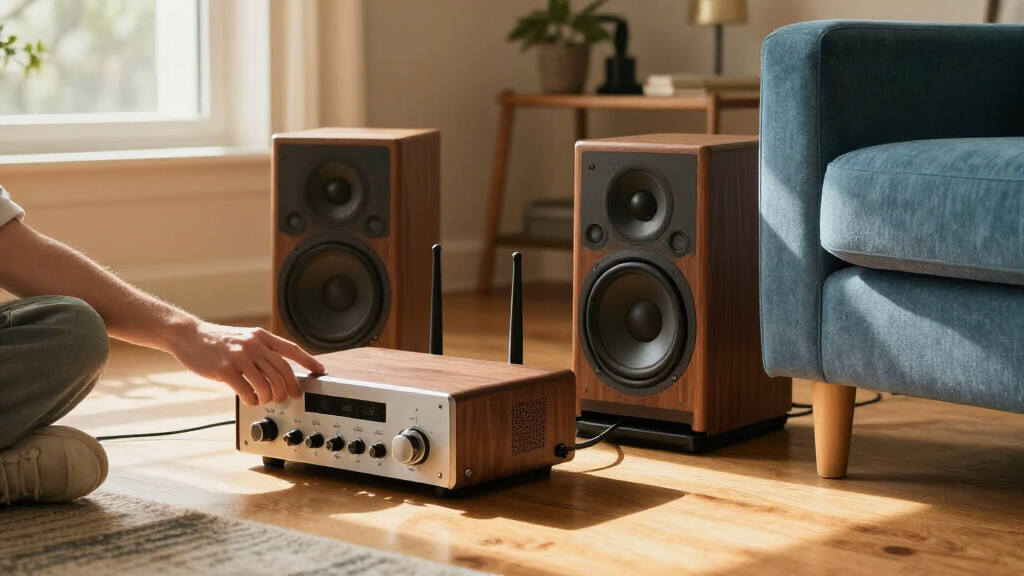
I ranked these 14 products by how well they help someone add Wi-Fi audio to speakers they already own. My main criteria were the type of device—streamer, receiver, or streaming amplifier—its connection options, supported playback methods, and how clearly it fits a particular system. I gave extra weight to products that make a practical role easy to understand, since a streamer with line-level output cannot directly power passive speakers.
The ranking favors flexible, clearly positioned options for common home audio setups, then separates compact or more specialized models by who they suit. A built-in amplifier, HDMI ARC, or touchscreen can be useful, but only when it solves a real setup need; extra features alone do not make a product a better streamer for every speaker system. I also considered the tradeoffs between simplicity, system compatibility, and the need to keep existing equipment.
Factors to Consider When Choosing Wi Fi Audio Streamer For Any Speakers
Before choosing a streamer, I would start with the speakers and amplifier already in the room. The biggest source of mismatch is buying a receiver when the speakers need power, or paying for an amplifier when a working stereo already has one. These checks help narrow the field before comparing streaming features.
Check whether your speakers are passive or powered
Passive speakers need an amplifier between them and a source; powered speakers contain their own amplification. A standard streamer usually sends audio to an amplifier or powered speaker through an audio output, but it cannot drive passive speakers on its own. If there is no amplifier in your setup, look at a streaming amplifier such as the WiiM Amp or Arylic A30+ rather than a receiver-only model. One common mistake is assuming that a device called a streamer will power every kind of speaker. Check the speaker terminals and the current system before ordering. Matching the product type to the speaker is more important than choosing the longest feature list.
Match the output to an available input
Write down the inputs on your amplifier, receiver, or powered speakers, then check that the streamer has a matching output. Analog line-level connections are straightforward for many existing systems, while digital connections can suit equipment with compatible digital inputs. Avoid assuming that two devices will connect just because both have audio ports; output and input types must match. If you plan to use a television, look specifically for a path designed for TV audio, such as HDMI ARC on a compatible amplifier. Adapters may solve some mismatches, but they can add clutter and another point of failure. A modest streamer with the right connection can be a better fit than a more advanced model that requires extra hardware.
Choose streaming features around your devices
AirPlay 2, Spotify Connect, DLNA, and Bluetooth are not interchangeable, so start with the phones, apps, and music sources you already use. AirPlay 2 is useful for Apple-device households, while Spotify Connect lets compatible devices hand playback to the streamer instead of keeping a phone as the audio source. DLNA may matter for users with a local music library or compatible network software. Bluetooth can be a convenient fallback, but it does not replace Wi-Fi playback for every use. Check support for the specific services and control method you rely on rather than treating a feature label as proof of universal compatibility. This avoids buying for a protocol that never enters your regular listening routine.
Decide how much system control you want
A basic add-on streamer can be a good match when you mainly want to send music to an existing stereo. A more feature-rich model may make sense if you want extra inputs, device-based controls, or a dedicated display. More controls can help when the streamer is a central part of the room, but they can also add cost and complexity without improving a simple setup. Think about who will operate the system and whether playback usually starts from a phone, a remote, or the equipment itself. Buyers sharing a stereo may value a clear, direct control method more than a long list of supported formats. Pick the simplest interface that suits everyone who uses the speakers.
Plan for the network and speaker location
Wi-Fi performance depends on the home network and where the streamer sits, not only on its advertised wireless standard. A unit tucked behind a cabinet or placed far from the router may have a less reliable connection than one positioned in an open area. If the stereo is in a network-poor room, consider whether wired networking or a change to router placement is available before blaming the audio device. Bluetooth can provide a backup path, though it has different range and playback tradeoffs from Wi-Fi. Also check that the streamer can be placed near both the audio system and a suitable power outlet. A tidy installation often matters more day to day than a small difference in wireless specifications.
Pay for the feature that changes your setup
Spending more is easiest to justify when a higher-tier feature removes another component or solves a connection problem. Built-in amplification can replace a separate amp in a suitable system, and HDMI ARC can simplify a compatible TV-and-speaker arrangement. A touchscreen or additional connection options may be useful for a central listening system, but they are less compelling if the unit will sit out of sight and stream from a phone. On the other hand, the least expensive compact option can be a false economy if it lacks the output or platform support you need. Compare the total setup—streamer, amplifier, adapters, and control method—not just the streamer itself. The best value is the option that adds the required capability without duplicating equipment you already own.
Frequently Asked Questions
Can I connect a Wi-Fi streamer directly to passive speakers?
Only if the streamer also includes a speaker amplifier designed to power them. Most receiver-style streamers provide a signal for an amplifier or powered speakers, not the power passive speakers need. A streaming amplifier such as the WiiM Amp or Arylic A30+ is the relevant type in this lineup. Check the product’s speaker outputs and your speakers’ requirements before buying, rather than relying on the word “streamer” in the name. If you already own a stereo amplifier, a separate streamer may be the simpler choice.
Will one of these streamers work with my older stereo receiver?
It can, provided the receiver has an input that matches the streamer’s audio output. Many older receivers accept analog line-level audio, while some newer models also offer digital inputs. Check both devices’ connection labels before you choose, and confirm that the input is not reserved for a different signal type. A streamer adds network playback; it does not replace the receiver’s amplification or repair an incompatible connection. If the receiver has no matching input, you may need a different streamer or an appropriate converter.
Is Bluetooth enough, or should I choose Wi-Fi streaming?
Bluetooth can be enough when playback is occasional, the source device stays nearby, and convenience matters most. Wi-Fi streaming is usually a better fit for a fixed home stereo because playback can be controlled over the network and does not depend on keeping a phone next to the audio system. Service support and app behavior vary, so check that the streamer works with the platforms you use. Some models offer both, giving you a fallback when network playback is inconvenient. Choose based on your listening habits rather than assuming one connection method suits every household.
Do I need AirPlay 2 if I use an Android phone?
Not for basic Wi-Fi audio streaming, but AirPlay 2 may still matter if other people in the household use Apple devices. Android listeners may prefer a streamer that supports their usual music service’s direct-connect feature or a compatible network protocol. Check which apps can send audio to the device and whether control works from the phone you use most often. Bluetooth may cover casual playback but offers a different experience from app-based Wi-Fi control. The right choice depends on the whole household’s devices, not just the primary buyer’s phone.
Should I replace my receiver with a streaming amplifier?
Usually not if your current receiver works well and already powers your speakers. A separate streamer can add network playback while preserving the amplifier and other components you already use. A streaming amplifier is more appealing when you want to simplify a system, lack an amplifier, or need a feature such as HDMI ARC in a compatible setup. Before replacing equipment, compare the inputs and speaker connections you would lose as well as the functions you would gain. Keeping a capable receiver can be the more practical route even when an all-in-one unit looks tidier.
Conclusion
For most people adding network playback to a stereo they already own, I would start with the WiiM Pro as best overall. The WiiM Mini is my best value and beginner-friendly direction when a compact, straightforward add-on suits the system; buyers should still confirm its connections meet their needs. For a system built around passive speakers without a separate amplifier, choose the WiiM Amp for the all-in-one route, or compare it with the Arylic A30+ if that model’s setup better matches your requirements. The WiiM Ultra is the best premium-style pick for buyers who want a more substantial streamer with a touchscreen and ESS DAC rather than the smallest add-on. If you need AirPlay 2, Bluetooth, DLNA, or TV audio support, make that specific requirement your deciding factor and verify the matching inputs before buying.