
To fix a skipping record safely, start by checking that your needle is properly aligned and sitting correctly in the groove. Next, clean the record’s surface gently with a microfiber cloth to remove dust and dirt. Inspect the stylus for dirt or wear, and clean or replace it if necessary. Maintaining these simple steps can prevent skipping and improve sound quality, and if you explore further, you’ll find even more tips to keep your records playing smoothly.

Get audio and creator gear delivered free with Prime
- Fast, free delivery on millions of items
- Prime Video, Amazon Music and more included
- Member-only deals all year
Key Takeaways
- Ensure the stylus is clean and free of dirt using a gentle stylus brush.
- Check that the record surface is free of dust and debris with a microfiber cloth.
- Verify the tonearm is properly balanced and not pressing too hard on the record.
- Use an alignment protractor or consult the turntable’s manual to confirm correct needle placement.
- Gently clean the record with appropriate cleaning solutions or tools to improve groove contact.
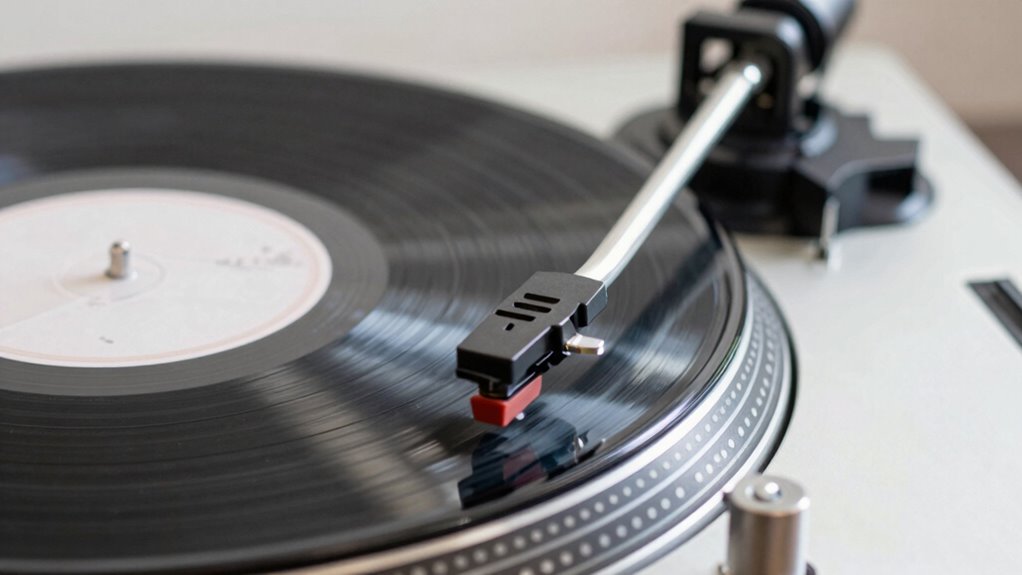
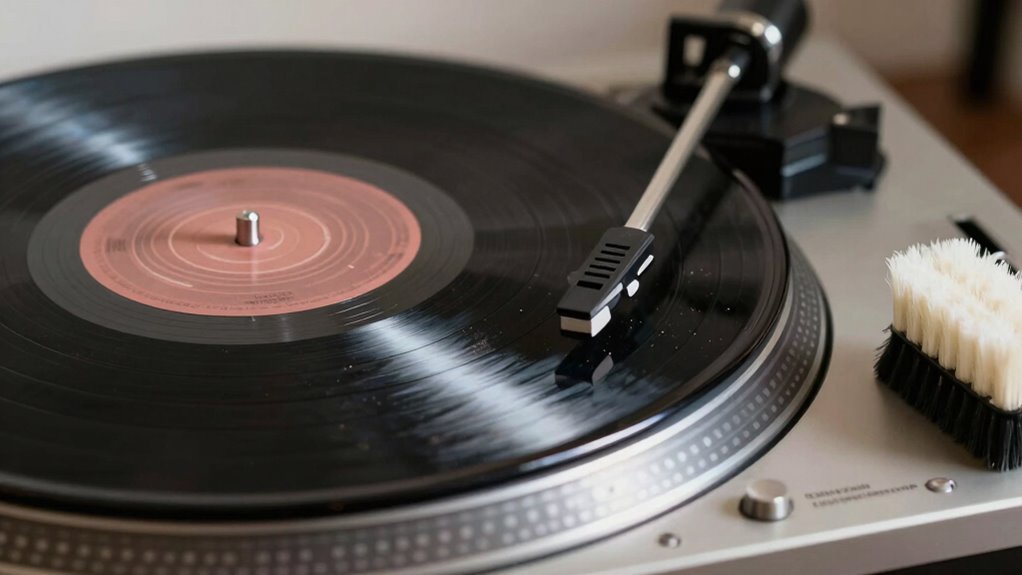
If your record keeps skipping, it can be frustrating, but most issues are fixable with some simple troubleshooting. Often, the culprit is either a misaligned needle or dirt and dust on the record’s surface. Before attempting any complex repairs, start by examining the needle alignment. A properly aligned needle ensures it sits correctly in the record groove, reducing skipping and preserving both your record and stylus. To check this, consult your turntable’s manual or use a mirror and a flashlight to observe the cartridge angle. If it looks off, adjust the tonearm so the needle is perfectly aligned with the grooves. Many turntables have an alignment protractor included, which makes this process straightforward. Correcting needle alignment can make a significant difference, often resolving skipping issues without needing to replace parts. Additionally, record surface condition plays a crucial role in playback quality and skipping prevention. Another common cause of skipping is dirt or debris on the record surface. Even tiny particles can cause the stylus to jump. Regular record cleaning can dramatically improve playback quality and prevent skipping. Use a soft, microfiber cloth or a dedicated record brush to gently remove dust from the surface before each play. For more thorough cleaning, consider a record cleaning solution and a record cleaning machine or a hand-held cleaning brush designed specifically for vinyl. When cleaning, be gentle and avoid harsh chemicals that could damage the record. Cleaning not only removes surface dirt but also restores the record’s grooves, allowing the stylus to track smoothly and reducing the chances of skipping. While inspecting and cleaning, take a moment to check the stylus itself. Over time, the stylus tip can become worn or dirty, causing tracking issues. If you notice wear or buildup, consider replacing the stylus or carefully cleaning it with a stylus brush. Maintaining a clean and properly aligned needle ensures it sits correctly in the groove and tracks the record accurately. Remember, always handle your stylus carefully, as it’s delicate and essential for sound quality.
As an affiliate, we earn on qualifying purchases.
Frequently Asked Questions
Can a Skipping Record Damage My Turntable?
A skipping record can cause damage to your turntable if it leads to excessive platter vibration or stylus wear. The vibrations may strain your stylus, leading to quicker wear or damage, and could also impact the turntable’s motor over time. To prevent this, make sure your record is clean and properly aligned, and check that your stylus isn’t worn. Regular maintenance helps avoid long-term harm to both your records and turntable.
How Often Should I Clean My Vinyl Records?
Think of your vinyl as a cherished book—clean regularly to preserve its sound. You should clean your records after every few plays or weekly, depending on how much you listen. Follow storage best practices by keeping them upright, in a cool, dust-free environment. Regular cleaning prevents dust and dirt buildup, ensuring your records sound crisp and last longer. Stick to a routine, and your vinyl collection will reward you with flawless tunes.
Is It Safe to Use Household Items on Records?
Using household remedies for record cleaning isn’t recommended because it can damage your vinyl. Household items like soap or harsh chemicals might cause more harm than good. Instead, stick to proper record cleaning solutions and brushes designed for vinyl. They safely remove dirt and debris without risking scratches or warping. Keep your records safe and sounding their best by avoiding risky household remedies and using dedicated cleaning products.
What Signs Indicate a Record Needs Replacing?
Like a vintage vinyl from a bygone era, your record shows signs it needs replacing when you notice record label wear or groove damage. If the sound quality is consistently poor, with persistent skips or distortion, it’s time to retire that record. Scratches, warping, or deep gouges also signal that your record has suffered enough wear and tear, making playback unreliable and risking further damage to your turntable.
Can Environmental Factors Cause Records to Skip?
Environmental factors can definitely cause records to skip. Dust accumulation on the record or turntable can interfere with the needle’s contact, leading to skips. Static buildup can also be a culprit, causing the record to cling to the stylus or create uneven tracking. To prevent this, keep your records clean and store them in a dust-free environment. Using an anti-static brush regularly can also help reduce static buildup and improve playback.
As an affiliate, we earn on qualifying purchases.
Conclusion
Think of your record as a delicate dance partner—if one step falters, the entire routine feels off. By carefully cleaning, inspecting, and adjusting your record and stylus, you’re guiding it back into perfect harmony. These simple, risk-free moves help guarantee your music flows smoothly, without missing a beat. With patience and a gentle touch, you’ll keep your record spinning beautifully, turning a frustrating skip into a seamless melody that keeps your groove alive.
record player needle alignment protractor
As an affiliate, we earn on qualifying purchases.
As an affiliate, we earn on qualifying purchases.
microfiber cloth for vinyl cleaning
As an affiliate, we earn on qualifying purchases.
As an affiliate, we earn on qualifying purchases.
Fall Picks
fall essentials
As an affiliate, we earn on qualifying purchases.