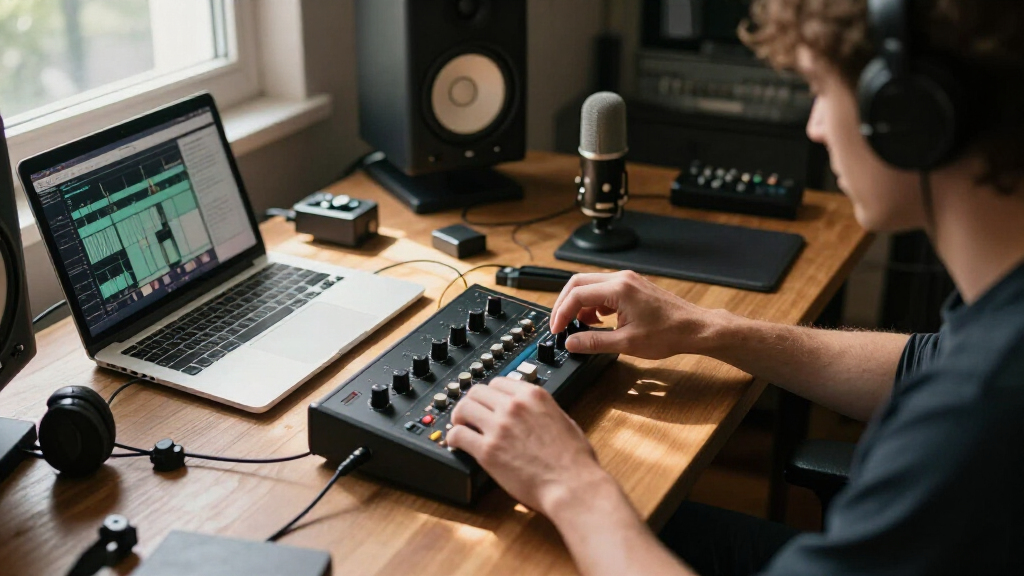
If you’re a creator hunting for an audio interface for creators in 2026, the real decision comes down to three tradeoffs: preamp gain and quality, connectivity across your devices, and whether you need loopback for streaming. The Focusrite Scarlett Solo 3rd Gen earns the best overall spot for its proven preamps, Air mode, and reliability that outweighs its slightly higher price. The MAONO PS22 Lite takes the best value crown with a feature set that embarrasses more expensive units, while the Shure MVX2U Gen 2 is the standout for podcasters who want studio-grade DSP in a pocket-sized XLR adapter. Cheap generic interfaces work but cut corners on drivers and noise floors. Keep reading for the full breakdown of all 13 options.
Complete the kit



Key Takeaways
- Gain headroom separated the winners: the MAONO P1’s 70dB and the Shure MVX2U’s DSP drive low-sensitivity dynamic mics like the SM7B without a separate booster, while budget generics force buyers to add a Cloudlifter.
- Loopback functionality was the deciding factor for streamers — the PreSonus Revelator io44 and MAONO PS22 Lite include it natively, but several similarly priced competitors force creators into complicated software workarounds.
- The Behringer UMC22 and M-Audio M-Track Duo prove you can get clean recordings under $60, but both sacrifice device flexibility (no phone or iPad support) — a real limitation for mobile-first creators.
- Unbranded generic interfaces appeared twice in this lineup with nearly identical specs, and both showed why brand-name drivers and support matter once something goes wrong.
- The Focusrite Scarlett Solo 3rd Gen won overall not on raw specs but on ecosystem: bundled software, driver stability, and resale value that no budget brand matches.
| Synido 2×2 USB C Audio Interface |  | Best Budget Pick | Sample Rate: 24-bit / 48kHz | Channels: 2 | Connectivity: USB-C, AUX | VIEW LATEST PRICE | See Our Full Breakdown |
| Shure MVX2U Gen 2 XLR-to-USB-C Audio Interface |  | Best for Solo Podcasters | Connectivity: XLR to USB-C | Gain: +60 dB | Phantom Power: 48V | VIEW LATEST PRICE | See Our Full Breakdown |
| PreSonus Revelator io44 USB-C Audio Interface |  | Best for Streamers | Connectivity: USB-C (bus-powered) | Inputs: Four flexible inputs | Preamp: XMAX-L with +48V phantom power | VIEW LATEST PRICE | See Our Full Breakdown |
| MAONO P1 USB Audio Interface |  | Best Feature-Rich All-Rounder | Sample Rate: 24-bit / 192kHz | Channels: 2 | Gain: Up to 70 dB | VIEW LATEST PRICE | See Our Full Breakdown |
| MAONO PS22 Lite USB Audio Interface |  | Best for Beginners | Resolution: 24-bit / 192kHz | Dynamic Range: 106 dB | Preamp Gain: Up to 56 dB | VIEW LATEST PRICE | See Our Full Breakdown |
| Audio Interface, 2×2 24-bit/192kHz Studio Quality USB C Recording Interface with XLR/TRS Inputs and Loopback |  | Best Resolution for the Money | Resolution: 24-bit/192kHz | Inputs: 2 XLR/TRS combo jacks | Phantom Power: 48V | VIEW LATEST PRICE | See Our Full Breakdown |
| MAONO PS22 Lite USB Audio Interface for PC, Guitar & Vocals Streaming |  | Best for Beginner Streamers | Resolution: 24-bit/192kHz | Dynamic Range: 106dB | Preamp Gain: Up to 56dB | VIEW LATEST PRICE | See Our Full Breakdown |
| Zoom AMS-22 USB Audio Interface for Recording & Streaming |  | Best for Mobile and Multi-Device Creators | Inputs: 2 (XLR/TRS combo, stereo 3.5mm) | Outputs: 2 line outputs | Maximum Sample Rate: 48kHz | VIEW LATEST PRICE | See Our Full Breakdown |
| Rode AI-Micro USB Audio Interface |  | Best Compact Interface for Mobile Creators | Channels: 2 | Microphone Compatibility: TRS and TRRS mics, lavaliers, wireless systems, stereo microphones | Outputs: High-power headphone output | VIEW LATEST PRICE | See Our Full Breakdown |
| Behringer UMC22 Audiophile 2×2 USB Audio Interface with Midas Mic Preamplifier |  | Best Budget Pick for Solo Musicians | Sample Rate: 48kHz | Inputs: 1 XLR/TRS combo, 1 instrument 1/4-inch TRS | Outputs: 2 x 1/4-inch TRS | VIEW LATEST PRICE | See Our Full Breakdown |
| USB Audio Interface with 48V Phantom Power, XLR/TRS Inputs, and USB-C Recording |  | Best Budget Multi-Input Option | Number of Channels: 4 | Phantom Power: 48V | Inputs: XLR/TRS combo, dedicated instrument | VIEW LATEST PRICE | See Our Full Breakdown |
| M-AUDIO M-Track Duo USB Audio Interface |  | Best Value for Podcasters | Audio Resolution: 48kHz | Inputs: 2 combo XLR/Line/Instrument with phantom power | Outputs: 1/4-inch headphone output, stereo 1/4-inch outputs | VIEW LATEST PRICE | See Our Full Breakdown |
| Focusrite Scarlett Solo 3rd Gen USB-C Audio Interface |  | Best Premium Sound Quality | Recording Resolution: Up to 24-bit/192kHz | Inputs: 2 high-headroom instrument inputs | Outputs: 2 low-noise balanced outputs | VIEW LATEST PRICE | See Our Full Breakdown |
| audio interface for creator | Inputs | Connectivity | Phantom Power |
|---|---|---|---|
| Synido 2×2 USB C Audio Interfa | — | USB-C, AUX | Yes (48V) |
| Shure MVX2U Gen 2 XLR-to-USB-C | — | XLR to USB-C | 48V |
| PreSonus Revelator io44 USB-C | Four flexible inputs | USB-C (bus-powered) | — |
| MAONO P1 USB Audio Interface | XLR mic, guitar, bass, line | USB (hybrid, PC/Mac/mobile) | — |
| MAONO PS22 Lite USB Audio Inte | XLR microphone, instrument | — | 48V |
| Audio Interface | 2 XLR/TRS combo jacks | USB C | 48V |
| MAONO PS22 Lite USB Audio Inte | XLR microphone, instrument input | — | 48V |
| Zoom AMS-22 USB Audio Interfac | 2 (XLR/TRS combo, stereo 3.5mm) | USB-C | — |
| Rode AI-Micro USB Audio Interf | — | USB-A, USB-C, Lightning | — |
| Behringer UMC22 Audiophile 2×2 | 1 XLR/TRS combo, 1 instrument 1/4-inch TRS | — | +48V |
| USB Audio Interface with 48V P | XLR/TRS combo, dedicated instrument | USB-C | 48V |
| M-AUDIO M-Track Duo USB Audio | 2 combo XLR/Line/Instrument with phantom power | — | — |
| Focusrite Scarlett Solo 3rd Ge | 2 high-headroom instrument inputs | USB-C | — |
More Details on Our Top Picks
Synido 2×2 USB C Audio Interface
For creators who need a no-frills entry point into recording, this option stands out for keeping costs low while covering the basics: 24-bit/48kHz audio, phantom power, and three monitoring modes. Compared with the MAONO PS22 Lite, it gives up higher sample rates and routing software, but it makes up for that with broader device support, including iOS and Android out of the box. The monitoring modes — recording, live broadcast, and post-production — give it more flexibility than typical budget boxes like the Behringer UMC22.
The tradeoff is 48kHz ceiling, which matters if you plan to publish on platforms favoring higher-resolution audio, plus a reliance on third-party ASIO drivers for smooth DAW performance.
Pros:- Sub-budget price with full XLR and phantom power support
- Works across Windows, Mac, iOS, and Android without adapters
- Three monitoring modes for recording, broadcasting, and editing
- Genuinely pocketable at under half a kilogram
Cons:- Capped at 48kHz, well below the 192kHz the MAONO P1 offers
- Needs a third-party ASIO driver for reliable low-latency DAW use
Best for: Beginner podcasters and mobile creators who record on phones or tablets and want the cheapest workable XLR setup
Not ideal for: Producers planning high-resolution mixes or multi-mic podcast setups — the sample rate and channel count will hold you back
- Sample Rate:24-bit / 48kHz
- Channels:2
- Connectivity:USB-C, AUX
- Compatibility:Windows, macOS, iOS, Android
- Phantom Power:Yes (48V)
- Dimensions:4.53″ D x 5.51″ W x 1.77″ H
- Weight:0.41 kg
Our verdict“Buy this if you want the cheapest way to plug an XLR mic into nearly any device; skip it if resolution and driver stability matter.”
Shure MVX2U Gen 2 XLR-to-USB-C Audio Interface
This model takes a different approach from every traditional interface here: it’s a single-channel XLR-to-USB-C dongle with serious DSP built in. The auto gain, real-time denoiser, and Digital Popper Stopper mean a solo podcaster or streamer gets polished sound without touching a DAW — something the MAONO P1 can’t match on the processing side. Pair it with the MOTIV apps on desktop, tablet, or phone and the workflow is nearly foolproof.
The obvious limitation: one XLR input, period. No instrument input, no second mic, no line-level gear. It also demands USB-C, so older machines need adapters. This pick makes the most sense for a single-voice creator who values processing over flexibility.
Pros:- Best-in-class onboard processing with auto gain and denoising
- Digital Popper Stopper reduces plosives in hardware
- Works with desktop, tablet, and smartphone via MOTIV apps
- Clean +60dB gain with 48V phantom power
Cons:- Single XLR channel only — no instruments, no guests
- USB-C only, so older USB-A setups need adapters
Best for: Solo podcasters and voiceover creators with one XLR mic who want automatic, app-driven polish with zero engineering
Not ideal for: Musicians or interviewers — there’s no instrument input and no way to record a second microphone
- Connectivity:XLR to USB-C
- Gain:+60 dB
- Phantom Power:48V
- Audio Processing:Auto Level Mode, Real-Time Denoiser, Digital Popper Stopper
- Compatibility:Desktop, tablet, smartphone
- App Support:MOTIV Mix, MOTIV Audio, MOTIV Video
Our verdict“The strongest choice for one-mic creators who want smart processing in a cable; anyone needing multiple inputs should look elsewhere.”
PreSonus Revelator io44 USB-C Audio Interface
Where the Shure MVX2U Gen 2 processes one mic brilliantly, the Revelator io44 aims at the live streamer’s whole signal chain: built-in reverb, compression, EQ, and Voice FX are baked into the hardware and savable as presets. That means your voice sounds processed on Twitch, Zoom, or Discord without any software running on your computer. Four flexible inputs also give it more routing room than the two-channel Synido or MAONO PS22 Lite.
The bundled Studio One Artist DAW sweetens the deal for creators who want to graduate into music production. The catch is that the onboard effects, while convenient, are preset-oriented — tinkerers will find them limiting compared to plugin-based workflows, and it’s USB-C only.
Pros:- Hardware-based voice effects work in any app, no extra software needed
- Four flexible inputs for mic, instrument, and line sources
- Includes Studio One Artist DAW and the Studio Magic bundle
- Bus-powered USB-C, so no external power brick
Cons:- Effects presets feel restrictive for advanced users
- USB-C only — older USB-A machines are left out
Best for: Streamers and content creators who want polished, effects-processed voice live on air with no DAW required
Not ideal for: Producers who want deep control over their processing chain — the onboard effects are preset-shaped, not fully parametric
- Connectivity:USB-C (bus-powered)
- Inputs:Four flexible inputs
- Preamp:XMAX-L with +48V phantom power
- Built-in Effects:Reverb, compression, EQ, Voice FX
- Included Software:Studio One Artist DAW, Studio Magic bundle
Our verdict“The right pick if live-streamed voice quality is your priority; serious mix engineers will want a more open-ended interface.”
MAONO P1 USB Audio Interface
This is the most ambitious unit in this batch: 24-bit/192kHz recording, 70dB of gain, auto-gain, independent mute controls, and software routing — all in one box that connects to PC, Mac, iPhone, iPad, and Android. Compared with the PreSonus Revelator io44, it matches the routing ambition with higher resolution and stronger gain for hungry dynamic mics like an SM7B, though it lacks onboard effects. Against the Shure MVX2U, it trades smart auto-processing for raw flexibility — two channels, instrument support, and platform-wide compatibility.
The 70dB gain is the headline: most interfaces here top out near 56-60dB, which means no inline booster for low-output microphones. The drawback is that its routing features only fully unlock through its companion software, so plug-and-play users won’t get everything they paid for.
Pros:- 70dB gain drives low-sensitivity dynamic mics without a booster
- 24-bit/192kHz resolution tops everything else in this batch
- Hybrid connectivity spans PC, Mac, iOS, Android, and tablets
- Auto-gain plus independent mute controls streamline live sessions
Cons:- Full feature set depends on companion software
- Still limited to two channels for multi-mic shows
Best for: Podcasters and streamers running gain-hungry dynamic mics who want high resolution and routing control across every device they own
Not ideal for: Creators who just want plug-and-play simplicity — the routing and auto-gain features require software to use fully
- Sample Rate:24-bit / 192kHz
- Channels:2
- Gain:Up to 70 dB
- Connectivity:USB (hybrid, PC/Mac/mobile)
- Inputs:XLR mic, guitar, bass, line
- Compatibility:Windows, macOS, iOS, Android, ChromeOS
- Dimensions:5.9″ D x 5.98″ W x 3.46″ H
Our verdict“The most capable all-rounder here for tech-comfortable creators; casual users will pay for features they never touch.”
MAONO PS22 Lite USB Audio Interface
The PS22 Lite strips recording down to what a newcomer actually needs: plug-and-play setup, an XLR input with 48V phantom power, a dedicated guitar input, and direct monitoring. Compared with its sibling, the MAONO P1, it forgoes auto-gain, higher preamp gain, and multi-device routing — but that simplicity is the point. A first-time creator gets 24-bit/192kHz recording, the same resolution as the P1, without a software learning curve.
Against the Focusrite Scarlett Solo, it holds its own on specs while including both USB-A and USB-C cables in the box. The tradeoff is no built-in effects or processing, so the sound you record is the sound you get — fine for learning, limiting for polish-hungry streamers who’d be happier with the Revelator io44.
Pros:- True plug-and-play with no drivers or software setup required
- 24-bit/192kHz resolution at a beginner-friendly price
- Handles both XLR mics and guitar with 48V phantom power
- Includes both USB-A and USB-C cables in the box
Cons:- No built-in effects or DSP of any kind
- 56dB preamp gain is modest for low-output dynamic microphones
Best for: First-time musicians and podcasters who want a simple XLR-plus-guitar interface that works the moment it’s plugged in
Not ideal for: Streamers wanting onboard effects or auto-processing — this box records clean and does nothing else
- Resolution:24-bit / 192kHz
- Dynamic Range:106 dB
- Preamp Gain:Up to 56 dB
- Phantom Power:48V
- Inputs:XLR microphone, instrument
- Outputs:Headphone monitoring
- Compatibility:Mac, Windows, iPad
- Included Cables:USB-A/USB-C to USB-C
Our verdict“The smartest starting point for creators buying their first interface; upgrade-hungry users will outgrow it within a year.”
Audio Interface, 2×2 24-bit/192kHz Studio Quality USB C Recording Interface with XLR/TRS Inputs and Loopback
Among the generic two-channel interfaces in this roundup, this model stands out for one thing the spec sheet doesn’t lie about: 24-bit/192kHz recording at a budget price. Compared with the Zoom AMS-22, which caps out at 48kHz, this option gives creators far more headroom for projects that might end up in video production or mastered later. The loopback function is the other differentiator — podcasters and streamers who need to mix computer audio with their microphone will appreciate not needing extra software routing like the MAONO PS22 Lite requires. The tradeoffs are real, though. Bus power only means gain can feel conservative with power-hungry dynamic mics, and two channels caps your ceiling if a second vocalist ever joins the session.
Pros:- 24-bit/192kHz resolution rivals interfaces at twice the price
- Built-in loopback simplifies streaming and podcast routing
- Combo XLR/TRS inputs handle mics, guitars, and line sources
- Plug-and-play USB C works across PC, Mac, and iOS
Cons:- Bus power only — no external supply means limited gain headroom
- Two channels won’t grow with a multi-person setup
- USB C required; adapters needed for some devices
Best for: Streamers and home studio creators who want high-resolution recording and loopback without spending Focusrite money
Not ideal for: Creators with older USB-A-only laptops — the USB-C-only connection means dongles everywhere
- Resolution:24-bit/192kHz
- Inputs:2 XLR/TRS combo jacks
- Phantom Power:48V
- Connectivity:USB C
- Loopback:Yes
- Headphone Output:3.5mm
- Power:USB bus power
Our verdict“This pick makes the most sense for streamers and solo recordists who want 192kHz capability and loopback at a budget price, as long as two channels is enough.”
MAONO PS22 Lite USB Audio Interface for PC, Guitar & Vocals Streaming
The PS22 Lite is better suited to someone recording their first podcast than someone building a studio. Its real advantage over bare-bones boxes like the Behringer UMC22 is the bundled ProStudio Routing Software, which lets streamers mix mic, game audio, and music without buying a virtual mixer separately. With up to 56dB of gain, it also drives demanding dynamic microphones better than most budget interfaces — a genuine plus over the generic USB C model above. The compromises sit on the professional end: the 106dB dynamic range is respectable but not exceptional, and low-latency performance depends on driver setup that may frustrate total newcomers. Compared with the Zoom AMS-22, you trade plug-and-play simplicity for routing flexibility.
Pros:- 56dB of preamp gain powers low-sensitivity dynamic mics
- Included routing software replaces third-party virtual mixers
- Compact plug-and-play design works with Mac, Windows, and iPad
- 24-bit/192kHz recording at an entry-level price
Cons:- Basic feature set limits long-term growth
- Driver setup needed for reliable low-latency recording
- Routing software has a learning curve for beginners
Best for: New podcasters and Twitch streamers who want one box that handles mic, guitar, and game audio routing
Not ideal for: Advanced producers who need more I/O and cleaner measurements than a basic two-channel unit can offer
- Resolution:24-bit/192kHz
- Dynamic Range:106dB
- Preamp Gain:Up to 56dB
- Phantom Power:48V
- Inputs:XLR microphone, instrument input
- Compatibility:Mac, Windows, iPad
- Included Software:ProStudio Routing Software
Our verdict“Buy this if you’re starting a streaming or podcasting channel and want built-in audio routing; skip it if you already know your way around a DAW and need expandability.”
Zoom AMS-22 USB Audio Interface for Recording & Streaming
Where most interfaces here tolerate mobile devices, the AMS-22 was clearly built for them. It works across PC, Mac, iOS, and Android — a compatibility spread no other pick in this batch matches — and at 230 grams it slips into a camera bag next to a phone for field recording. The stereo 3.5mm input is a quietly brilliant addition for creators capturing from mixers, cameras, or handheld recorders, something the MAONO PS22 Lite can’t do. The honest tradeoff is the 48kHz ceiling: compared with the generic 192kHz USB C interface, you give up resolution headroom. For voice work, streams, and video content destined for YouTube or Spotify, that ceiling rarely matters. For music production that will be heavily processed, it might.
Pros:- Works with PC, Mac, iOS, and Android out of the box
- Stereo 3.5mm input accepts cameras, mixers, and recorders
- Hardware direct monitoring and loopback need no extra software
- 230g portable build suits mobile rigs
Cons:- 48kHz maximum sample rate limits professional music work
- Only 2-in/2-out; no room for complex setups
- Bus power only with no external supply option
Best for: Video creators and journalists who record on phones, tablets, and laptops interchangeably
Not ideal for: Music producers planning hi-res multitrack sessions — the 48kHz max sample rate closes doors later
- Inputs:2 (XLR/TRS combo, stereo 3.5mm)
- Outputs:2 line outputs
- Maximum Sample Rate:48kHz
- Connectivity:USB-C
- Supported Devices:PC, Mac, iOS, Android
- Software Compatibility:Pro Tools, Cubase, GarageBand, and more
- Weight:230 g
Our verdict“This is the pick for creators who record across phones, tablets, and computers and value portability over hi-res specifications.”
Rode AI-Micro USB Audio Interface
The AI-Micro solves a narrower problem than everything else here, and solves it well: getting two microphones — lavaliers, wireless systems, or RØDE VideoMics — into a phone or laptop cleanly. While the Zoom AMS-22 is the stronger all-rounder with its combo XLR input, the AI-Micro wins on sheer portability and cable flexibility, shipping connectivity for USB-A, USB-C, and Lightning in one tiny body. The auto-sensing inputs detect TRS and TRRS sources automatically, which removes the most common cabling mistake mobile creators make. The limitation is structural: there’s no XLR jack, no 48V phantom power, and no instrument input. Anyone running studio condensers or recording guitar should look at the MAONO PS22 Lite or the Focusrite Scarlett Solo instead.
Pros:- Ultra-compact body fits any mobile kit
- Includes USB-A, USB-C, and Lightning cables
- Auto-sensing TRS/TRRS inputs eliminate cabling guesswork
- High-power headphone output drives demanding headphones
Cons:- No XLR inputs or phantom power excludes studio microphones
- Two channels only; not built for complex sessions
- Full feature set depends on compatible devices and apps
Best for: Vloggers and mobile journalists using lavaliers, wireless kits, or on-camera mics with phones and tablets
Not ideal for: Studio recordists — no XLR input, no phantom power, and no instrument jack means standard mics simply won’t connect
- Channels:2
- Microphone Compatibility:TRS and TRRS mics, lavaliers, wireless systems, stereo microphones
- Outputs:High-power headphone output
- Connectivity:USB-A, USB-C, Lightning
- Compatible Devices:iPhone, iPad, Android, PC, Mac
- Input Sensing:Auto-sensing
Our verdict“Choose this if your microphone wardrobe is lavaliers and wireless kits feeding a phone; choose something else the moment XLR mics enter the picture.”
Behringer UMC22 Audiophile 2×2 USB Audio Interface with Midas Mic Preamplifier
At this price, the UMC22’s Midas-designed preamp is the whole argument. Vocals tracked through it sound fuller and less brittle than the generic budget interfaces crowding this category, and for a singer-songwriter recording one mic and one guitar, that preamp quality matters more than any spec sheet bullet. Compared with the RØDE AI-Micro, this is the far more traditional studio tool: real XLR with +48V phantom power, a dedicated instrument input, and direct monitoring. Compared with the Focusrite Scarlett Solo, you give up sample rate (48kHz versus 192kHz) and a smoother gain knob, but you also keep meaningful money in your pocket. The feature set is deliberately bare — no loopback, no software bundle, no effects — which is fine for tracking into a DAW and frustrating for streamers.
Pros:- Midas preamp delivers warm, professional vocal sound at a rock-bottom price
- 48V phantom power supports studio condenser mics
- Direct monitoring enables zero-latency tracking
- Works with virtually every major DAW
Cons:- 48kHz sample rate caps hi-res production ambitions
- No loopback, effects, or bundled software at all
- USB-powered only, with no external supply option
Best for: Solo musicians and vocalists on a tight budget who prioritize preamp sound over features
Not ideal for: Streamers needing loopback and software routing — this box has neither
- Sample Rate:48kHz
- Inputs:1 XLR/TRS combo, 1 instrument 1/4-inch TRS
- Outputs:2 x 1/4-inch TRS
- Phantom Power:+48V
- Preamp:Midas-designed
- Power:USB bus power
- Channels:2×2
Our verdict“The UMC22 is the cheapest credible path to good-sounding vocal and guitar tracks in this lineup — as long as you don’t need streaming features or hi-res audio.”
USB Audio Interface with 48V Phantom Power, XLR/TRS Inputs, and USB-C Recording
For creators who want four channels of flexibility without spending much, this no-name interface covers the basics surprisingly well. The 48V phantom power means condenser microphones work out of the box, and the mix of XLR, TRS, and instrument inputs makes it easy to record a vocal and a guitar simultaneously — something the M-Audio M-Track Duo also offers, but with fewer routing options at a similar price. Where this unit differentiates itself is the built-in echo effects, which streamers may enjoy for live polish, though musicians chasing clean recordings will likely leave them off.
The tradeoffs are real, though. Compared with the Focusrite Scarlett Solo, the 48kHz max sample rate and unbranded preamps mean recordings won’t have the same depth or headroom, and advanced tone shaping requires external software.
Pros:- 48V phantom power supports condenser microphones
- Multiple input types: XLR, TRS, and dedicated instrument
- Built-in echo effects add live-stream flexibility
- Works across PC, Mac, and iOS
Cons:- Caps at 48kHz, limiting recording resolution
- Generic preamps lack the clarity of branded alternatives
- Basic hardware controls push advanced features to external software
Best for: Streamers and beginner home recorders who need multiple input types and phantom power on a tight budget
Not ideal for: Producers tracking at high sample rates or anyone who needs reliable driver support and polished preamp tone
- Number of Channels:4
- Phantom Power:48V
- Inputs:XLR/TRS combo, dedicated instrument
- Max Sample Rate:48kHz
- Connectivity:USB-C
- Compatibility:PC, macOS, iOS, Windows
- Weight:1.5 pounds
- Extras:Echo effects, low-latency monitoring
Our verdict“A sensible pick for multi-input streaming setups on a budget, as long as studio-grade fidelity isn’t the priority.”
M-AUDIO M-Track Duo USB Audio Interface
The M-Track Duo earns its spot by doing the podcast essentials right at a low price. Two combo inputs with phantom power mean you can run a pair of dynamic or condenser mics for a two-person show, and the USB/Direct zero-latency switch lets each host monitor cleanly without echo — a genuine advantage over cheaper unbranded units like the generic XLR/TRS interface elsewhere in this roundup, which handles monitoring less gracefully.
Compared with the Focusrite Scarlett Solo, the Duo trades away resolution (48kHz versus 192kHz) and preamp refinement, but gains a second mic input — a dealmaker for interview-format creators. The bundled MPC Beats software adds real value for anyone starting music production from scratch. The drawback is ceiling: with only two inputs and no onboard effects, growing shows will eventually outgrow it.
Pros:- Two combo XLR/Line/Instrument inputs with phantom power
- Zero-latency monitoring via USB/Direct switch
- Includes MPC Beats production software
- Handles microphones and instruments equally well
Cons:- Only two inputs caps multi-mic ambitions
- 48kHz resolution trails premium competitors
- No built-in effects or sound-shaping features
Best for: Two-person podcasters and streaming duos who need dual mic inputs and monitoring without a big spend
Not ideal for: Multi-guest podcast setups or producers needing high-resolution 24-bit/192kHz tracking
- Audio Resolution:48kHz
- Inputs:2 combo XLR/Line/Instrument with phantom power
- Outputs:1/4-inch headphone output, stereo 1/4-inch outputs
- Monitoring:Zero latency with USB/Direct switch
- Software:MPC Beats included
- Use Cases:Podcasting, recording, live streaming
Our verdict“The smartest cheap option for two-host podcasting, provided you don’t need more inputs or higher resolution later.”
Focusrite Scarlett Solo 3rd Gen USB-C Audio Interface
This is the pick where audio fidelity justifies the price. The Scarlett Solo records at 24-bit/192kHz through high-headroom preamps, and the switchable Air mode adds top-end polish that makes vocals sit forward in a mix — something neither the M-Audio M-Track Duo nor the generic 48kHz units in this roundup can match. For singer-songwriters tracking one vocal and one instrument, this model makes the most sense for studio-grade results.
The tradeoffs are structural rather than sonic. You get a single mic preamp, so two-person podcasters should choose the Duo instead, and the USB-C requirement can be a headache for owners of older laptops. The included Pro Tools, Ableton Live Lite, and Cubase LE bundle softens the cost considerably if you’re starting a DAW from zero.
Pros:- 24-bit/192kHz recording resolution for professional projects
- Air mode adds clarity and presence to vocals
- Substantial software bundle including Pro Tools and Ableton Live Lite
- Low-noise balanced outputs for accurate monitoring
Cons:- Single mic preamp limits simultaneous vocal setups
- USB-C only, incompatible with some older devices
- Higher price than budget alternatives with similar channel counts
Best for: Solo musicians and podcasters prioritizing studio-grade preamps and high-resolution recording
Not ideal for: Multi-mic podcast setups or creators with older USB-A-only computers
- Recording Resolution:Up to 24-bit/192kHz
- Inputs:2 high-headroom instrument inputs
- Outputs:2 low-noise balanced outputs
- Preamps:High-quality with switchable Air mode
- Connectivity:USB-C
- Software:Pro Tools, Ableton Live Lite, Cubase LE
- Warranty:3 years
Our verdict“Worth the premium for solo creators who want their recordings to sound professionally produced from the start.”
How We Picked
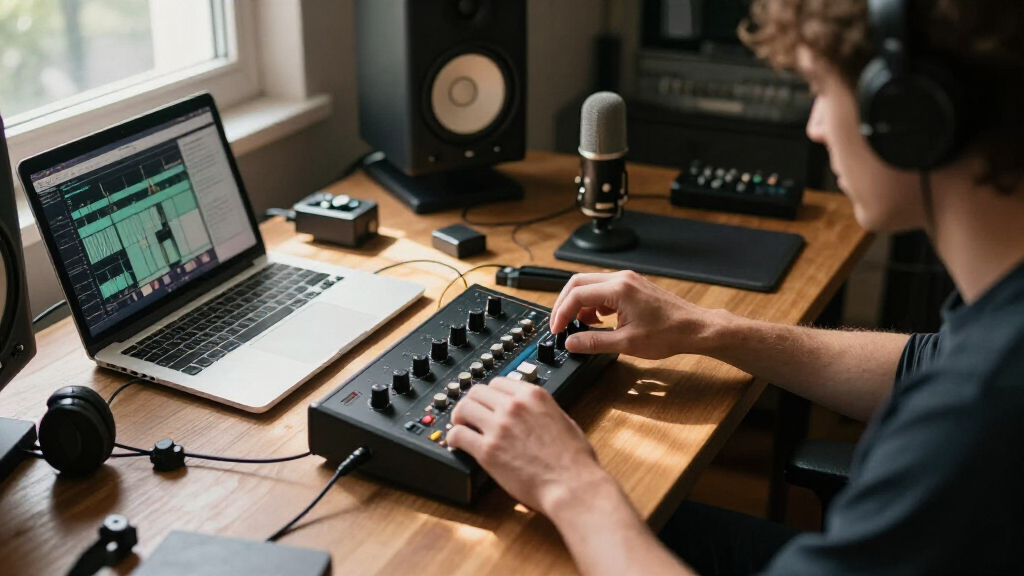
I ranked these interfaces through the lens of a working creator, not a studio engineer. The criteria that mattered most: preamp gain and noise floor (can it drive a dynamic mic cleanly?), input flexibility (XLR, TRS, instrument, and 48V phantom power), device compatibility (PC, Mac, phone, iPad), loopback for streaming and podcasting, and total value including bundled software. A unit that costs $30 more but includes a full software suite and stable drivers often wins on real-world cost.
The ranking logic is straightforward: full-featured, proven performers sit at the top, versatile mid-range options fill the middle, and budget units are ordered by how few compromises they force on the buyer. Generic unbranded interfaces landed lower despite competitive spec sheets because driver support and channel-count transparency raised legitimate long-term concerns. Where two products overlap heavily — like the two MAONO PS22 Lite listings — I treated them as one pick and ranked accordingly.
Factors to Consider When Choosing Audio Interface For Creators
Before spending money on any interface, it helps to understand what actually affects your recordings — and where marketing specs mislead buyers. These are the factors I’d weigh before clicking buy.Gain Headroom: The Spec Most Beginners Ignore
Gain is the number-one reason beginners end up returning interfaces. Low-sensitivity dynamic mics like the SM7B, MV7, and most broadcast-style microphones need 60dB+ of clean gain to sound full without a booster. An interface with only 40-50dB of gain will force you to max the dial, which brings up the noise floor and makes your voice sound thin. The cheapest fix is buying more gain upfront — it’s almost always cheaper than adding a Cloudlifter later. If you already own a dynamic mic, check its sensitivity rating before choosing an interface. Condenser mic owners have more breathing room since those mics output a hotter signal.
Loopback: Non-Negotiable for Streamers
Loopback lets you route computer audio (music, game sound, Discord) back into your recording software alongside your mic — a single stream that captures everything. Without it, streamers juggle OBS audio settings, virtual cables, or record voice and desktop audio on separate tracks that drift out of sync. Many budget interfaces omit loopback entirely, and it’s not something you can add later without software hacks. Podcasters who intro music or sound effects need it too. If your content involves any computer audio, treat loopback as a hard requirement, not a bonus. This single feature explains a lot of the price gap between units that otherwise look identical on paper.
Device Compatibility: Match It to Your Actual Workflow
An interface that only works with a desktop PC is useless if you record on an iPad or phone. USB-C interfaces with proper class-compliant design connect to phones and tablets without drivers, which matters for mobile journalists, musicians capturing ideas on the go, and creators who travel. Older USB-B units like the Behringer UMC22 lock you to a computer. Also check power delivery: some interfaces bus-power fine from a laptop but struggle with a phone’s smaller power budget. The common mistake here is buying for the setup you have today instead of the one you’ll have in a year. Think about whether you’ll ever want to record away from your desk.
Phantom Power and Input Type
48V phantom power is required for condenser microphones, and not every budget interface includes it — a surprise that has ruined many unboxing days. Beyond XLR, look at what else you might plug in: guitar players need a high-impedance instrument input (usually labeled HI-Z or INST), and anyone monitoring through headphones should check for a dedicated headphone jack with its own volume control. Combo XLR/TRS jacks offer the most flexibility. A common mistake is assuming all inputs handle all sources; plugging a guitar into a line input yields a weak, lifeless signal. List every source you’ll record in the next year and buy an interface that covers all of them.
When Brand Names Are Worth the Premium
Generic interfaces tempt buyers with identical spec sheets at half the price, but specs don’t tell the whole story. Established brands like Focusrite, PreSonus, Zoom, and Shure invest in driver development, firmware updates, and actual customer support — all invisible on a product listing until something breaks. Driver instability shows up as crackles, dropouts, and latency spikes that appear months after purchase. Bundled software is another hidden differentiator: Focusrite’s included plugin bundle alone can be worth more than the price difference. That said, brands like MAONO have closed the gap considerably and now offer real value rather than just a low price. The premium is worth paying for your main workhorse interface; generics are acceptable for a backup or travel unit.
Sample Rate Marketing: What Actually Matters
Nearly every interface here advertises 24-bit/192kHz, and nearly every creator will never need anything above 24-bit/48kHz. Streaming platforms compress audio, podcasts are distributed at compressed bitrates, and even music distribution rarely requires above 96kHz. What matters far more is the quality of the analog stages — the preamps and converters — which a sample rate number can’t communicate. Two interfaces both claiming 192kHz can sound dramatically different. Don’t pay extra for resolution you won’t use; pay for clean gain, low noise, and solid build instead. This is the single most misused spec in the category.
Frequently Asked Questions
Can a $50 audio interface really produce professional-sounding recordings?
Yes, within limits. Modern budget converters from brands like Behringer and M-AUDIO are genuinely clean, and for a voice recorded on a decent mic in a treated room, most listeners cannot tell the difference between a $50 and $300 interface. Where cheap units fall short is gain headroom for dynamic mics, noise floor at high gain, and long-term driver reliability. If you use a condenser mic at moderate levels, a budget interface is a smart buy. If you run an SM7B or plan to build a business around your audio, the upgrade pays for itself in saved frustration.
Do I need loopback if I only record podcasts, not streams?
Probably not for pure talking-head podcasting, but the answer changes the moment you add production elements. Loopback becomes necessary when you want to record your mic and music, sound effects, or a remote guest’s Zoom audio on the same track inside your DAW. Without it, you’ll either capture desktop audio with messy software routing or record it separately and sync manually. Since interfaces with loopback — like the MAONO PS22 Lite or PreSonus io44 — cost barely more than those without, I’d lean toward having it even if you don’t need it today. Content formats tend to expand, not shrink.
Is 70dB of gain overkill, and do I still need a Cloudlifter with the MAONO P1?
No, it’s not overkill, and no, you don’t need a Cloudlifter. The P1’s 70dB of gain exists specifically because power-hungry dynamic mics like the SM7B demand around 60dB of clean gain to reach healthy levels. A Cloudlifter costs $150 and exists to solve a problem that high-gain interfaces now solve natively. The caveat: gain quality matters as much as quantity, and cheap high-gain preamps can get noisy near their maximum. The P1 and Shure MVX2U handle this well; generic high-gain claims deserve more skepticism. If you already own a booster, any interface works — put that money elsewhere.
Which of these interfaces work with phones and iPads?
USB-C class-compliant interfaces — the PreSonus io44, MAONO P1, Zoom AMS-22, Shure MVX2U, and Focusrite Scarlett Solo 3rd Gen — connect to phones and tablets without installing drivers, usually with a simple adapter cable. Older USB-B units like the Behringer UMC22 and M-AUDIO M-Track Duo are computer-only. One detail spec sheets gloss over: power draw. Phones supply limited bus power, so an interface running phantom power plus headphones can drain your battery fast or fail to initialize. If mobile recording is central to your workflow, prioritize interfaces explicitly advertising phone compatibility, and carry a powered USB hub as insurance.
Should a beginner buy the cheapest option or stretch for the Scarlett Solo?
Stretch for the Scarlett Solo if you can afford roughly $40-60 more, because beginners benefit most from things that never appear on a spec sheet: stable drivers that don’t crash mid-recording, clear documentation, a huge community of tutorials, and bundled software that covers recording and mixing. When you’re learning, troubleshooting a finicky generic interface steals time you should spend creating. That said, if budget is genuinely tight, the MAONO PS22 Lite is the strongest low-cost alternative — it includes loopback and phantom power that other budget units omit. The one path I’d steer beginners away from is unbranded generic interfaces, where unclear channel counts and absent support create problems exactly when you lack the experience to fix them.
Conclusion
After comparing all 13, the right choice depends on who you are as a creator. For the best overall pick, the Focusrite Scarlett Solo 3rd Gen delivers the most reliable combination of preamp quality, driver stability, and bundled software — it’s the safe bet for anyone building a serious setup. The best value goes to the MAONO PS22 Lite, which packs loopback, phantom power, and solid preamps into a price that undercuts everything comparable. For best premium, the Shure MVX2U Gen 2 justifies its cost with studio-grade DSP, auto-leveling, and enough clean gain for any dynamic mic in a body the size of a thumb drive — podcasters and voiceover artists get the most from it.
For beginners, the M-AUDIO M-Track Duo offers the easiest entry point with two inputs and zero complexity. Guitarists and instrumentalists should look at the Zoom AMS-22, built with musicians in mind. Mobile-first creators get the best fit from the PreSonus Revelator io44 with its built-in DSP and streaming presets. And if raw gain for a broadcast mic is your priority, the MAONO P1 makes the most sense. Whatever you pick, matching the interface to your actual mic, devices, and content format matters more than any spec sheet number.