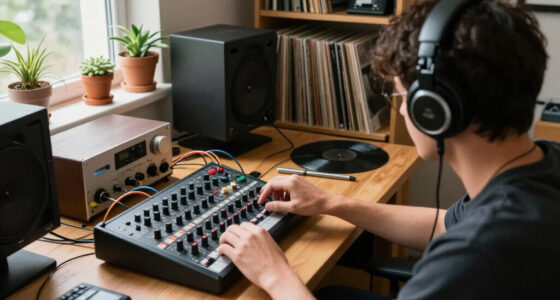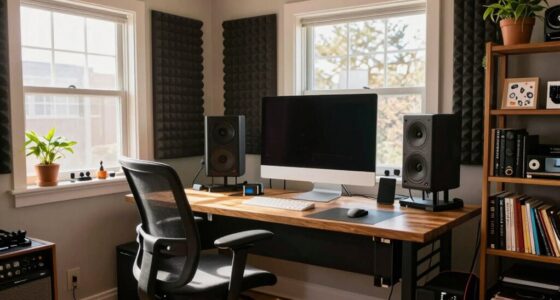
Headphone bleed happens when sound escapes from your ear cups or tips, often because of design limits, volume levels, or how well your headphones fit. Over-ear and open-back styles tend to leak more, especially at high volumes. Using snug-fitting, closed-back headphones and lowering the volume helps contain sound. Wireless models with noise cancellation also reduce leakage and improve privacy. If you want to learn more about minimizing headphone bleed, keep exploring these tips and tricks.

Get audio and creator gear delivered free with Prime
- Fast, free delivery on millions of items
- Prime Video, Amazon Music and more included
- Member-only deals all year
Key Takeaways
- Sound leakage occurs when audio escapes through ear cups or tips, especially at high volumes or with open-back designs.
- Over-ear and open-back headphones tend to leak more due to their design, while closed-back and in-ear monitors contain sound better.
- Improving fit with snug ear tips, padded cups, or acoustic padding reduces sound escape and minimizes bleed.
- Using headphones with active noise cancellation (ANC) and moderate volume levels helps contain sound and prevent leakage.
- Earbuds or in-ear monitors offer better sound isolation, significantly reducing headphone bleed.

Have you ever noticed sound from your headphones leaking into your environment or being heard by others? This phenomenon, known as headphone bleed, can be frustrating, especially if you’re trying to enjoy your music or focus without disturbing those around you. The good news is that understanding why it happens and applying effective soundproofing techniques can considerably reduce bleed. It’s also worth considering your headphones’ wireless connectivity options, as they can influence how much sound escapes.
Headphone bleed occurs when audio signals escape the headphones’ ear cups or ear tips, often due to design limitations or volume levels. Over-ear and open-back headphones tend to leak more sound because their design doesn’t fully isolate the audio inside the cups. Conversely, closed-back headphones and in-ear monitors are better at containing sound, but even these can leak at high volumes. The primary cause is the physical structure of the headphones, which may not be sealed tightly enough to contain the sound, especially when playback volume is high. When you crank up the volume, the increased pressure inside the headphones pushes sound waves outward, making leakage more noticeable. Additionally, passive isolation depends heavily on the fit and design of the headphones, which can vary widely between models.
Headphone bleed results from design limits and high volume pushing sound outward.
To combat headphone bleed, you should explore soundproofing techniques that enhance insulation. For instance, choosing headphones with better passive isolation—like snug-fitting ear tips or padded ear cups—can make a big difference. Using foam or acoustic padding around your listening area can also help absorb sound and prevent leakage into your environment. If you prefer wireless connectivity, look for models that feature active noise cancellation (ANC). These headphones not only block external noise but also help contain your audio, reducing the chances of sound escape. The wireless aspect reduces cable-related vibrations that can sometimes contribute to additional sound leakage, making your listening experience cleaner and more private.
Another tip is to keep your volume at a reasonable level. Listening at extremely high volumes can cause more sound to escape, especially with open-back designs. Not only does this reduce headphone bleed, but it also protects your hearing. If you’re in a shared space, consider using earbuds or in-ear monitors, which naturally provide better sound isolation and minimize bleed. Adjusting fit can also help; ensuring your headphones sit snugly on your ears or inside your ears prevents sound from leaking out. Additionally, some headphones come with customizable ear tips or cushions, allowing you to create a tighter seal for enhanced soundproofing.
closed-back noise isolating headphones
As an affiliate, we earn on qualifying purchases.
As an affiliate, we earn on qualifying purchases.
Frequently Asked Questions
Can Headphone Bleed Damage My Audio Equipment?
Headphone bleed typically won’t damage your audio equipment, but it can affect your audio fidelity by introducing unwanted noise. If you use headphones with poor durability or low-quality components, persistent bleed might stress the drivers over time. To protect your gear, opt for headphones designed for durability and good sound isolation. While bleed isn’t usually harmful, maintaining quality equipment guarantees better sound clarity and longer-lasting headphones.
Does Headphone Material Affect Bleed Levels?
Think of headphone material as the fortress walls of your sound castle. Thinner or porous materials, like fabric or plastic, are more like open gates, allowing sound leakage to escape and cause more bleed. Conversely, dense materials like leather or metal act as sturdy barriers, reducing sound leakage. So, your choice of headphone material directly affects bleed levels, helping you keep your audio in and sound leakage out.
Are Open-Back Headphones More Prone to Bleed Than Closed-Back?
Yes, open-back headphones are more prone to sound leakage than closed-back ones due to their design differences. Their open-back design allows sound to escape, increasing sound leakage and making them less ideal in quiet environments. You’ll notice more bleed with open-back models, which can disturb others nearby. If minimizing sound leakage is a priority, closed-back headphones are better suited because their design helps contain sound, reducing bleed considerably.
How Does Headphone Volume Impact Bleed Intensity?
Your headphone volume directly impacts bleed intensity because higher volume increases audio leakage, especially with open-back headphones. By managing your volume levels carefully, you can reduce audio leakage and minimize bleed into microphones or nearby devices. Lowering the volume helps contain sound within your headphones, making your listening experience more private and less disruptive to others. Always keep your volume at a comfortable, moderate level to balance sound quality and bleed control.
Can Using Noise-Canceling Headphones Reduce Bleed?
Using noise-canceling headphones can reduce bleed, as they block out ambient sound and minimize leakage. Noise-canceling technology actively filters external noise, helping you keep the music inside and prevent sound from escaping into your environment. When ambient sound is reduced, there’s less chance of audio bleed affecting others nearby. So, if you want to limit headphone bleed, choosing noise-canceling headphones is a smart move.
in-ear monitors with sound isolation
As an affiliate, we earn on qualifying purchases.
As an affiliate, we earn on qualifying purchases.
Conclusion
Understanding headphone bleed helps you enjoy better sound quality and respect others’ space. By choosing closed-back headphones, lowering volume, or using soundproofing, you can mitigate the issue effectively. Don’t you want to experience clear audio without disturbing those around you? Taking these simple steps ensures your listening stays private and enjoyable. So next time you crank up your tunes, ask yourself: am I doing everything I can to keep the sound where it belongs—inside your headphones?
wireless headphones with active noise cancellation
As an affiliate, we earn on qualifying purchases.
As an affiliate, we earn on qualifying purchases.
ear tips for better fit and sound isolation
As an affiliate, we earn on qualifying purchases.
As an affiliate, we earn on qualifying purchases.
Fall Picks
fall essentials
As an affiliate, we earn on qualifying purchases.