
When live streams drift out of sync with video, it’s usually due to internet issues, device limitations, or server delays. Slow internet can cause buffering and lag, making audio and video fall out of step. Older or overloaded devices may struggle to keep everything in sync too. Server-side problems can also disrupt the flow. If you want to understand the common causes and fixes, keep exploring what’s behind these frustrating moments.
Key Takeaways
- Buffering delays caused by slow internet connections can lead to the video lagging behind the audio.
- Audio lag occurs when streaming devices or platforms do not synchronize sound with video playback properly.
- Server-side issues, such as platform infrastructure problems, can disrupt the delivery timing of video and audio streams.
- Local network problems like unstable Wi-Fi or high device usage can cause data delivery delays, resulting in out-of-sync streams.
- Hardware limitations, including outdated processors or insufficient RAM, can impair streaming performance and cause synchronization issues.
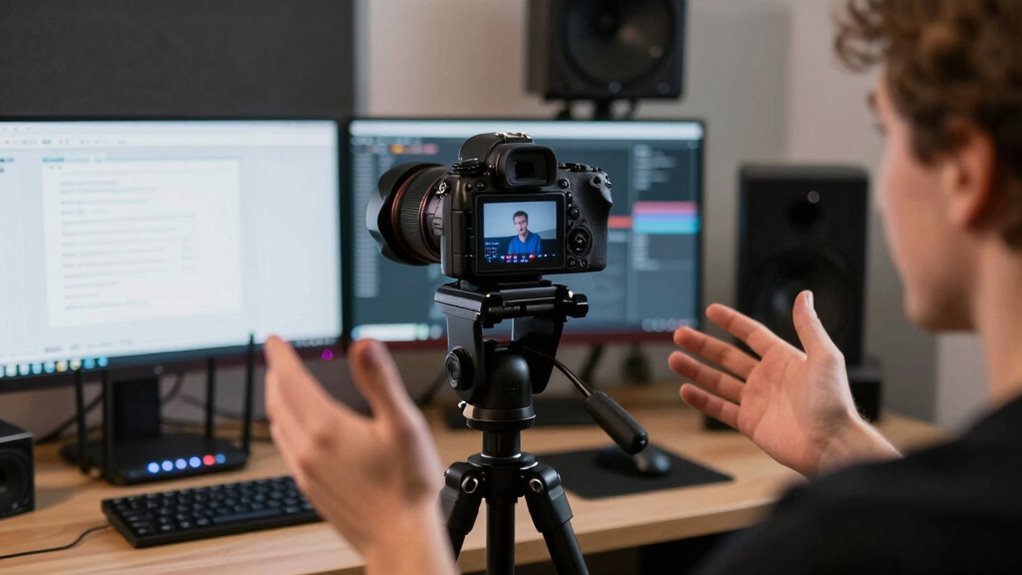
Live streams often out of sync can ruin your viewing experience, making it frustrating to follow what’s happening on screen. When the video and audio aren’t perfectly aligned, it can feel like watching a poorly dubbed movie, where the dialogue doesn’t match the characters’ lip movements. This mismatch is usually caused by buffering delays and audio lag, two common issues that disrupt the natural flow of live content. Buffering delays happen when your internet connection struggles to keep up with the data stream, causing pauses or slow loading times. During these moments, the video might freeze or stutter, and once the stream resumes, it often falls behind the audio, creating a noticeable drift. Audio lag, on the other hand, occurs when the sound doesn’t sync with the video, making it seem like the dialogue is ahead of or behind the picture. This is particularly distracting because our brains rely heavily on audio cues to interpret what’s happening. When the two are out of sync, it becomes difficult to follow the story or understand what’s being communicated, especially during fast-paced scenes or live events. Sometimes, the issue is on the server side, where the streaming platform’s infrastructure isn’t robust enough to serve multiple viewers simultaneously, leading to delays that ripple through to your device. Other times, it’s your local network—slow Wi-Fi, high device usage, or insufficient bandwidth—that causes the lag. Additionally, hardware limitations on your device, such as outdated processors or insufficient RAM, can exacerbate buffering issues and contribute to out-of-sync playback. Improving your network stability and device performance can significantly reduce these problems, especially when combined with streaming optimization techniques.
Frequently Asked Questions
Can Live Stream Synchronization Issues Be Completely Eliminated?
You can’t completely eliminate live stream synchronization issues, but you can minimize buffering delays and audio lag. Ensuring a stable internet connection, using high-quality streaming equipment, and choosing a reliable platform help reduce these problems. Regularly updating your software and adjusting stream settings can also improve sync. While perfection isn’t always possible, these steps markedly enhance your viewing experience by keeping audio and video in better sync.
How Do Different Devices Affect Stream Sync Quality?
About 60% of stream issues come from device compatibility and screen resolution differences. When you use different devices, the stream’s sync quality can vary because some devices struggle with high-resolution videos or have outdated hardware. Faster, newer devices handle stream synchronization better, but older models or those with lower screen resolutions might cause lag or desync. To improve, guarantee your device’s software and hardware are optimized for live streaming.
Does Internet Speed Impact Stream-Video Synchronization?
Yes, your internet speed impacts stream-video synchronization. Slow speeds can cause buffering delays, making the video appear out of sync with the audio. Additionally, network jitter — fluctuations in your connection — can disrupt smooth data flow, leading to audio and video drifting apart. To improve sync, guarantee you have a stable, high-speed connection, and minimize other devices or applications consuming bandwidth during streaming.
Are There Software Tools to Fix Sync Problems in Real-Time?
Think of live stream sync issues as a delicate dance disrupted by audio delay or hardware mismatch. Luckily, software tools like OBS Studio or vMix act as conductors, adjusting audio and video in real-time. They help you fine-tune synchronization, ensuring your stream flows smoothly. These tools analyze and correct delay problems on the fly, letting you restore harmony without missing a beat, even amidst technical chaos.
How Does Encoding Quality Influence Live Stream Timing?
Encoding quality directly impacts live stream timing because poor quality settings can cause compression artifacts and buffering delays. When you lower encoding quality, the stream processes faster but may introduce artifacts that distort the video. Conversely, higher quality encoding takes longer to process, increasing the chance of buffering delays. Balancing encoding settings helps maintain smooth timing, reducing drift and ensuring viewers get a consistent, high-quality experience.
Conclusion
To keep your live streams in sync, stay aware of network issues, choose reliable platforms, and update your software regularly. By checking your connection, adjusting settings, and staying informed, you can prevent lag and drift. Don’t let delays disrupt your experience—stay proactive, stay connected, and stay in control. With these steps, you’ll enjoy smoother streams, clearer videos, and a seamless viewing experience every time.