
Dithering is a simple process where tiny color patterns are added to images to make smooth gradients and avoid ugly visual artifacts like banding or posterization. When colors are limited, your eyes can be fooled into seeing a seamless shift because of these patterns. It tricks your brain into blending the shades for a more natural look. If you want to understand how this clever illusion works, there’s more behind the scenes to explore.

Get audio and creator gear delivered free with Prime
- Fast, free delivery on millions of items
- Prime Video, Amazon Music and more included
- Member-only deals all year
Key Takeaways
- Dithering adds small patterns of different colors to make images look smoother.
- It tricks the eye into seeing more colors and gentle gradients.
- By blending tiny color variations, dithering prevents harsh banding.
- It is especially useful on devices with limited color options.
- Dithering uses human visual perception to create the illusion of seamless images.

Have you ever wondered how digital images display smooth gradients and subtle color shifts despite limited color options? This fascinating feat relies heavily on the concept of color depth, which determines how many colors a device can display. Color depth influences visual perception because, with fewer colors, images risk looking banded or posterized—those harsh lines where smooth transitions should be. To counter this, digital artists and programmers use a technique called dithering, which tricks your eye into seeing a seamless blend of colors even when only a limited palette is available.
At its core, dithering adds tiny patterns of different colors or shades to an image, creating an illusion of more colors and smoother gradients. It works because your visual perception interprets these patterns as continuous color shifts rather than discrete dots. Think of it like a mosaic: instead of a solid color, you see many small tiles that, together, form the illusion of a softer, more natural transition. This process is especially crucial in environments with low color depth, such as old video games, early digital images, or devices with restricted displays. Without dithering, these images would appear jagged, with abrupt color boundaries that ruin the visual experience.
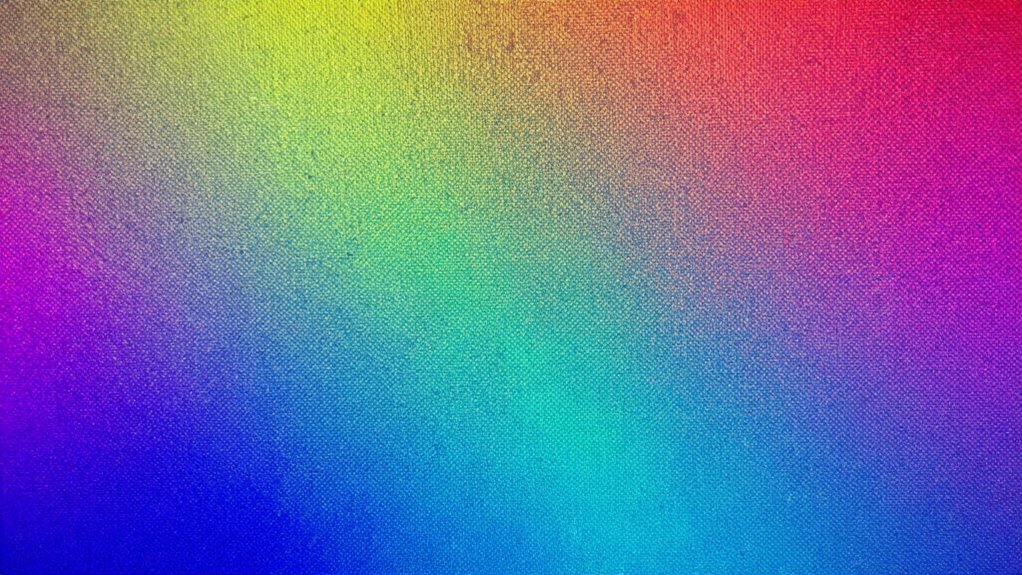
Dithering creates the illusion of smooth gradients using tiny color patterns, enhancing images with limited color depth.
When you view a dithered image, your brain combines the patterns and shades, perceiving a gradient that’s much smoother than what’s actually rendered. The trick lies in how your eyes and brain process the tiny details—your visual perception fills in the gaps, making it seem like there’s a continuous color flow. This is why dithering is so effective: it leverages human perception to enhance images where hardware limitations might otherwise cause visual artifacts like banding or posterization. By introducing carefully arranged noise or patterns, dithering masks the limited color palette, making images appear richer and more natural.
Understanding how dithering influences visual perception helps explain why it’s such a powerful tool in digital imaging. It allows creators to optimize the display of images within the constraints of hardware, without sacrificing visual quality. When you look at a dithered image, remember that what you’re seeing is a clever illusion—an intricate balance between the technical limitations of color depth and the brain’s remarkable ability to interpret patterns as smooth gradients. This tiny step, often unnoticed, guarantees your digital visuals are vibrant, seamless, and free of distracting artifacts, making your viewing experience much more pleasant.
Color depth is a fundamental factor in how digital images are rendered and perceived, influencing the effectiveness of dithering techniques.
As an affiliate, we earn on qualifying purchases.
Frequently Asked Questions
How Does Dithering Affect Image File Sizes?
Dithering slightly increases your image file size because it adds visual texture to simulate color depth reduction. When you reduce bit depth, dithering compensates for fewer colors by creating patterns, which can make files larger due to the added detail. This process balances visual quality and file size, ensuring your image retains detail without looking flat or weird, making it a smart choice for optimizing both appearance and storage.
Can Dithering Be Used in Audio or Video Editing?
Yes, you can use dithering in audio and video editing. In audio, dithering algorithms add tiny noise to reduce quantization errors during bit-depth reduction, improving sound quality. For video, dithering helps create smoother color gradients by simulating more colors within a limited palette, using specific dithering algorithms. This technique enhances visual quality, especially in low-color-depth formats, making your audio and video look more natural and less posterized.
What Are Common Mistakes When Applying Dithering?
When applying dithering, you often make mistakes like neglecting palette optimization, which leads to poor color choices and banding. Using inappropriate dithering algorithms can cause unwanted noise or artifacts, reducing image quality. To avoid these issues, select the right dithering algorithm for your project and optimize your palette beforehand. This guarantees smoother gradients and more precise color representation, giving you professional-looking results without distracting artifacts.
Is Dithering Necessary for All Digital Displays?
You may wonder if dithering’s needed on every digital display. Think of your display technology as a painter choosing colors from a palette; without dithering, gradients can look jagged, like rough brush strokes. While not always essential, dithering smooths out color transitions, especially on displays with limited color depth. It’s a tiny step that can turn a rough sketch into a seamless picture, making your visuals much more pleasing.
How Does Dithering Impact Color Accuracy?
Dithering improves color accuracy by reducing color banding, which can make gradients look smooth and natural. Without dithering, you might notice harsh progressions between colors, diminishing visual fidelity. When you enable dithering, tiny noise is added to blend colors seamlessly, resulting in more vibrant and accurate images. So, if you care about high-quality visuals, dithering is essential to maintain realistic color shifts and prevent distracting artifacts.
As an affiliate, we earn on qualifying purchases.
Conclusion
So, next time you see a smooth gradient or a grainy photo, thank dithering. It’s the tiny trick that keeps your images from looking weird or posterized—though you might never notice it happening. Ironically, this small step does so much, yet it’s often invisible to the naked eye. Without it, your digital world might just look a lot more bizarre. So, give a nod to dithering—your silent hero in the domain of pixels.
As an affiliate, we earn on qualifying purchases.
As an affiliate, we earn on qualifying purchases.
Halloween Picks
halloween
As an affiliate, we earn on qualifying purchases.