To reduce listening fatigue with simple EQ moves, start by lowering the high frequencies to soften sharp sounds and prevent ear strain. Gently cut treble to create a more comfortable listening environment and smooth out harsh edges. Boost the midrange slightly to bring clarity to vocals and instruments, making sounds easier to process. By adjusting these settings, you’ll enjoy longer sessions without discomfort—continue exploring ways to protect your ears and improve sound quality.
Key Takeaways
- Gently cut treble frequencies to soften harsh, piercing sounds and create a more comfortable listening environment.
- Slightly boost midrange frequencies to enhance vocal and instrumental warmth, improving clarity without increasing fatigue.
- Reduce overall volume levels to prevent ear strain while maintaining sound quality through EQ adjustments.
- Use EQ to smooth out sharp audio edges, minimizing mental effort needed to interpret sounds during extended listening sessions.
- Regularly adjust your EQ settings based on listening duration and environment to prevent overstimulation and protect ear health.
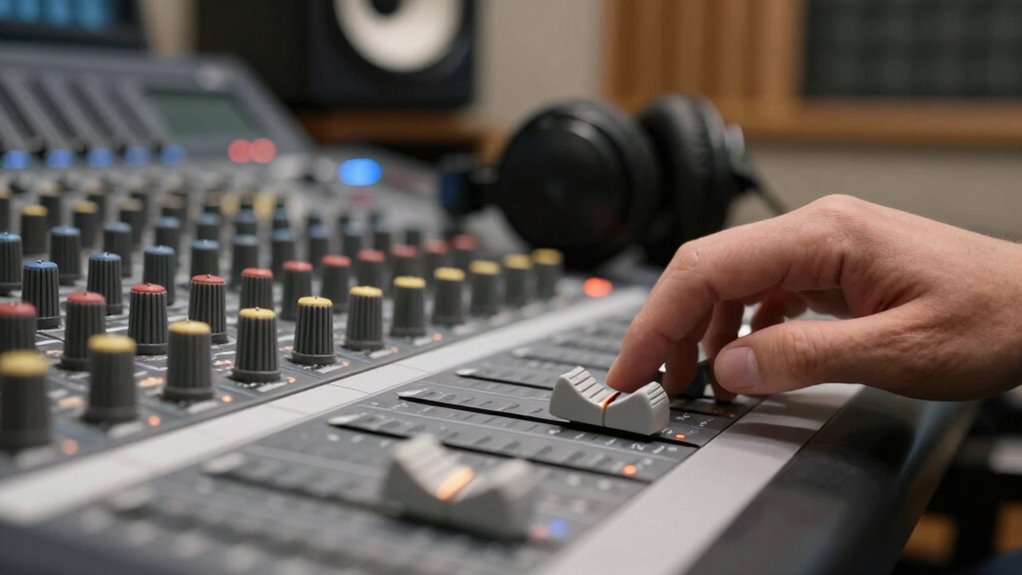
Have you ever felt mentally drained after a long conversation or listening session? That sense of exhaustion often comes from overstimulation and strain on your ear health, which can make even everyday interactions feel overwhelming. To combat this, you can use simple EQ moves to reduce listening fatigue and protect your ears. By adjusting your audio settings, you’re not only improving sound clarity but also supporting your ear health, preventing long-term damage that can come from constant exposure to loud or harsh sounds.
One of the easiest ways to reduce listening fatigue is to lower the high-frequency range on your EQ. Sharp, piercing sounds can cause your ears to work harder, leading to fatigue. By gently cutting back on treble frequencies, you’ll create a softer, more comfortable listening environment. This doesn’t mean sacrificing sound quality; instead, it smooths out harsh edges, making audio easier on your ears over extended periods. Think of it as sound therapy — a way to tailor your listening experience to be more soothing and less stressful.
Another effective move is to boost the midrange frequencies slightly. These are the sounds that carry most of the vocal and instrumental warmth, making speech clearer and music more natural. Enhancing the midrange can help your brain process sounds more efficiently, reducing mental effort and fatigue. When sounds are clearer and more balanced, your ears don’t have to strain as much to distinguish different elements, which is essential if you spend hours on calls or listening to music.
Additionally, consider reducing overall volume levels. Listening at high volumes not only risks damaging your ear health but also increases fatigue because your ears are constantly working to interpret loud sounds. Using EQ to make sounds more balanced at lower volumes allows you to enjoy audio comfortably without risking hearing issues down the line. It’s a simple tweak that makes a substantial difference in how long you can listen without feeling worn out.
Furthermore, understanding how home theatre projectors work can help you create an optimal listening environment by controlling the acoustics and sound setup in your space, which also contributes to reducing fatigue. Finally, incorporate regular breaks into your listening routine. Even with optimized EQ settings, giving your ears a rest prevents cumulative fatigue. During these breaks, you can practice sound therapy techniques like focusing on silence or gentle ambient sounds, which helps reset your ear’s sensitivity and maintain overall ear health. Remember, protecting your ears isn’t just about volume; it’s about creating a balanced, mindful approach to listening, where simple EQ moves support both your mental clarity and long-term ear health.

BERIBES Bluetooth Headphones Over Ear, 65H Playtime and 6 EQ Music Modes Wireless Headphones with Microphone, HiFi Stereo Foldable Lightweight Headsets, Deep Bass for Home Office Cellphone PC Ect.
Optional 6 Music Modes: Adopted most advanced dual 40mm dynamic sound unit and 6 EQ modes, BERIBES updated…
As an affiliate, we earn on qualifying purchases.
As an affiliate, we earn on qualifying purchases.
Frequently Asked Questions
Can EQ Adjustments Eliminate All Listening Fatigue?
EQ adjustments can’t eliminate all listening fatigue because psychoacoustic effects and ear fatigue vary greatly among listeners. While simple EQ moves can reduce harsh frequencies and improve comfort, they don’t address underlying causes like prolonged exposure or individual sensitivities. You may experience less ear fatigue, but complete elimination isn’t realistic. Focus on balanced levels, breaks, and proper monitoring to minimize fatigue effectively alongside EQ tweaks.
Does Listening Fatigue Affect Audio Quality Perception?
Think of listening fatigue as a fog that clouds your audio perception, making sounds feel distant or harsh. Yes, it affects how you perceive audio quality because your hearing sensitivity diminishes with fatigue, blurring details and reducing clarity. When you’re tired, your ears struggle to distinguish nuances, so even high-quality audio can seem dull or distorted. Managing fatigue guarantees your perception stays sharp, letting you truly enjoy every sound.
Are Certain Genres More Prone to Causing Listening Fatigue?
Certain genres are more prone to causing listening fatigue due to genre-specific fatigue and musical complexity. For example, genres like electronic dance music or heavy metal often have intense, layered sounds that can overwhelm your ears over time. You might find yourself tiring faster with highly complex arrangements or constant high energy. To prevent this, try adjusting EQ settings to reduce harsh frequencies and give your ears a break from demanding sonic textures.
How Often Should I Re-Evaluate My EQ Settings?
A stitch in time saves nine, so you should re-evaluate your EQ settings regularly. Typically, check your settings every few days or after significant changes in your listening environment. Use monitoring techniques like taking breaks and listening on different devices to identify fatigue. Adjust frequency settings as needed to maintain comfort and clarity, ensuring your audio remains balanced and fatigue-free over time.
Can Headphones Influence the Experience of Listening Fatigue?
Yes, headphones can influence your listening fatigue. The design and sound isolation play key roles; headphones with poor sound isolation force you to turn up volume, increasing fatigue. Over-ear models generally offer better comfort and sound quality, reducing strain. Noise-canceling features help block out external noise, allowing you to listen at lower volumes. Choosing headphones with ergonomic design and effective sound isolation minimizes fatigue, making your listening experience more comfortable and sustainable.

EQ 7 Band Sound Equalizer Home Audio, 2 Channel Car Audio Equalizer, 3.5mm Interface Digital Headphone Stereo Equalizer for Home Audio, 12dB High Bass Adjustment
EQ equalizer home audio provides precise control over 7 frequency bands: 60Hz, 150Hz, 400Hz, 1KHz, 3KHz, 6.5KHz, and…
As an affiliate, we earn on qualifying purchases.
As an affiliate, we earn on qualifying purchases.
Conclusion
By making simple EQ adjustments, you’re gently guiding your ears away from the storm of fatigue, like a lighthouse steering a ship through fog. These subtle moves act as a calm harbor, offering relief and clarity amidst the chaos of sound. Remember, your ears are the bridge between you and your music—treat them with care, and they’ll carry you smoothly through every sonic voyage. Keep the waves of sound balanced, and let your listening journey remain peaceful and enduring.

ProCase Noise Reduction Ear Muffs, Sound Proof Ear Protection, NRR 28dB Noise Cancelling Headphones for Adults Kids Autism, Hearing Protection for Shooting Gun Range Mowing -Red
Constructed by solid ABS shell and thickened foam, the ear muffs achieve NRR 28 dB (SNR 34 dB)…
As an affiliate, we earn on qualifying purchases.
As an affiliate, we earn on qualifying purchases.

MICNAUX 31-Band Digital Equalizer for Home Stereo Audio System, Professional Dual Channel Graphic Equalizer Music EQ Studio Equalization with PC Tuning, Spectrum Analyzer Display & Noise Reduction
Versatile Connectivity for Studio & Live Applications: This digital EQ features a wide range of input/output options including…
As an affiliate, we earn on qualifying purchases.
As an affiliate, we earn on qualifying purchases.