Imaging in audio is how sound is positioned within a space, making you feel immersed and aware of where each instrument or voice is located. By adjusting stereo levels, panning, and effects, producers create a sense of width and direction, helping you distinguish individual sources and the environment. Pay attention to how sounds seem to sit or spread out across your headphones or speakers. If you keep exploring, you’ll discover techniques that enhance this spatial experience even more.
Key Takeaways
- Imaging creates a sense of space and direction, making sounds appear positioned within a stereo or surround sound field.
- It involves adjusting levels, timing, and panning to accurately place sound sources in the listening environment.
- Listening for imaging means noticing how vocals and instruments are distributed across the stereo spectrum.
- A well-imaged recording provides clarity, separation, and a realistic sense of where each sound source is located.
- Techniques like stereo positioning, reverb, and soundstage width manipulation enhance the immersive, three-dimensional audio experience.
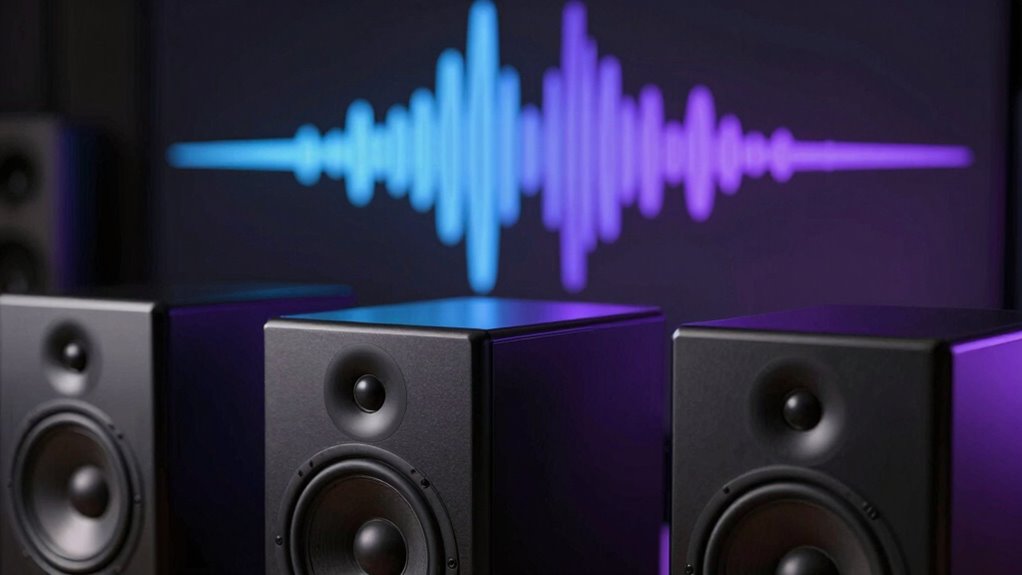
Have you ever wondered how audio engineers create a sense of space and direction in sound recordings? It all comes down to the art of imaging, which is how sound sources are placed within a stereo or surround sound field. When you listen to music or a film soundtrack, the goal is to make you feel like you’re right there, hearing instruments and voices positioned in specific locations. Achieving this effect relies heavily on techniques that manipulate stereo positioning and soundstage width, giving your ears clues about where each sound is coming from.
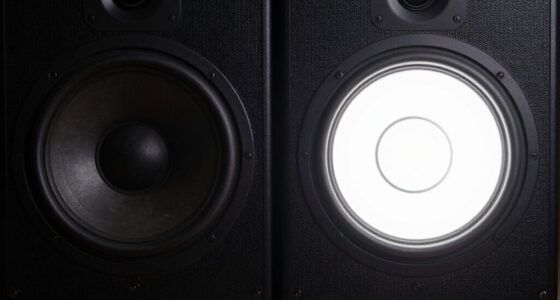
Stereo positioning involves adjusting the relative levels and timing of sounds between the left and right channels. When an instrument is panned slightly to the left, your brain perceives it as coming from that side, creating a clear sense of direction. Engineers often use panning controls, along with slight delays or phase adjustments, to place sounds precisely within the stereo field. This careful placement helps differentiate individual instruments and vocals, preventing them from blending into a muddy mess. It also adds a layer of realism, making the recording feel more immersive.
Adjusting levels and timing between stereo channels creates a realistic sense of sound direction and space.
Soundstage width refers to how broad or narrow the perceived space in a recording feels. With a wider soundstage, sounds seem to extend beyond the speakers or headphones, enveloping you in a more expansive environment. Conversely, a narrower soundstage feels more confined, like you’re listening through a small window. Skilled audio engineers manipulate the soundstage width by blending different panning techniques, reverb, and stereo effects to craft a convincing spatial image. This manipulation can make you feel as if the performers are on a stage spread out across a large hall or tightly clustered in a small room.
To hear imaging effectively, you need to pay attention to how sounds are distributed across the stereo spectrum. Try listening to recordings with good stereo separation and focus on pinpointing individual elements. Notice how vocals might seem to sit right in front of you, while background instruments spread out behind or to the sides. Using headphones can make imaging more precise, as they deliver a more direct stereo image, but good speakers can also produce a convincing soundstage if set up properly.
In essence, imaging in audio is about creating a three-dimensional auditory space that transports you into the music or scene. By understanding stereo positioning and soundstage width, you can better appreciate how your favorite recordings are crafted to deliver a realistic, immersive listening experience. Whether you’re an audiophile or just curious, tuning into these aspects will deepen your connection to what you hear.
Frequently Asked Questions
How Does Imaging Differ Across Various Audio Formats?
Imaging varies across audio formats by how well they deliver spatial cues and stereo placement. Some formats, like high-resolution stereo, provide precise positioning of instruments and vocals, creating a realistic soundstage. Others, like compressed or mono formats, lack detailed spatial cues, making imaging less distinct. You’ll notice richer, more accurate imaging in formats that preserve stereo separation, giving you a more immersive listening experience with clear placement of sounds.
Can Imaging Be Improved With Specific Headphones or Speakers?
Imaging is like a painter’s brushstroke, and you can definitely improve it with the right headphones or speakers. Opt for gear that enhances stereo width and offers precise headphone positioning, so you feel more immersed. High-quality headphones with wide soundstages help you pinpoint instrument placement and vocals better, creating a more realistic soundscape. Upgrading your gear can make your listening experience more vivid, like stepping into the music itself.
What Role Does Room Acoustics Play in Audio Imaging?
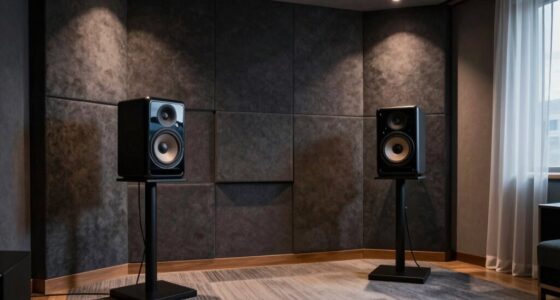
Room acoustics greatly influence your audio imaging by affecting spatial perception and reflections. When your room has ideal acoustics, reflections are balanced, helping you perceive a clear soundstage and instrument placement. Poor acoustics cause excessive reflections, muddying the image and reducing detail. To improve imaging, consider adding sound diffusers or absorbers, and position your speakers carefully to minimize unwanted reflections, enhancing your overall listening experience.
Is Imaging Relevant for All Music Genres Equally?
Imaging isn’t equally essential across all music genres. In genres like classical or jazz, precise imaging immerses you in a rich, three-dimensional soundstage, heightening your experience. But in genres like heavy metal or EDM, the focus often shifts to punchy bass and energetic rhythms, making imaging less prominent. Your listener preferences also shape its importance—some crave detailed spatial cues, while others prioritize raw power.
How Does Digital Processing Affect Audio Imaging Quality?
Digital processing can considerably impact your audio imaging quality by affecting phase coherence and stereo width. When done well, it preserves the accurate placement of instruments and vocals, making the soundstage feel natural and immersive. However, poor processing can cause phase issues, narrowing stereo width and distorting imaging. To maintain high-quality imaging, choose processing tools that prioritize phase coherence and enhance stereo width without compromising clarity.
Conclusion
Understanding imaging in audio helps you pinpoint where sounds come from, making your listening experience more immersive. Did you know that studies show stereo imaging can improve spatial awareness by up to 30%? By paying attention to how sounds are placed in your headphones or speakers, you’ll notice a richer, more realistic soundstage. So next time you listen, focus on where each element lives—it’s like creating your own personal concert hall right in your ears.