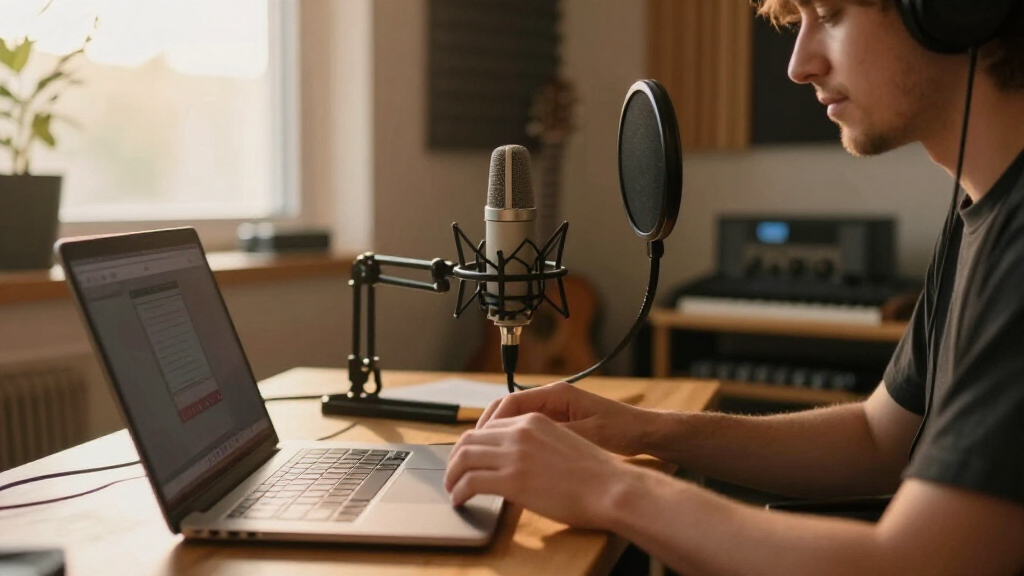

The right USB microphone can make or break your content — and the gap between a $30 budget mic and a $150 studio-grade one is bigger than most creators expect. My top pick overall is the Logitech Blue Yeti, which offers four pickup patterns and Blue VO!CE effects, making it the most versatile option for creators who podcast, stream, and record voiceovers with one mic. If desk space or portability matters, the RØDE NT-USB Mini delivers cleaner, more natural sound in a far smaller body, while the HyperX SoloCast 2 wins on plug-and-play simplicity for gamers who just want to be heard clearly. The main tradeoffs you’ll face in this category are condenser sensitivity versus dynamic noise rejection, all-in-one kits versus bare mics, and USB-only convenience versus hybrid XLR/USB future-proofing. Keep reading for the full breakdown of all twelve models and which one fits your specific setup.

Get audio and creator gear delivered free with Prime
- Fast, free delivery on millions of items
- Prime Video, Amazon Music and more included
- Member-only deals all year
Complete the kit



Key Takeaways
- The Blue Yeti took the top spot because its four pickup patterns make it the only mic here that handles solo streaming, two-person interviews, and room recording without buying a second microphone.
- amazon.com/dp/B0B8SNVK5K?tag=deadsetlive-20&ascsubtag=dc-702335″ target=”_blank” rel=”nofollow sponsored noopener”>FIFINE dominates the value tier — four of the twelve picks are FIFINE — and the AmpliTank K688 stands out as the rare dynamic mic with hybrid XLR/USB output, letting you upgrade to an audio interface later without replacing the mic.
- Condenser mics like the Blue Yeti Nano and Razer Seiren V3 Mini sound richer in treated rooms but pick up keyboard clacks and fan noise; dynamic mics like the K688 are the smarter buy for untreated bedrooms and shared spaces.
- The Amazon Basics condenser proves the budget floor exists but cuts corners on self-noise and build, while the FIFINE K669B costs only slightly more and sounds clearly better — skipping the absolute cheapest option pays off.
- The ZealSound mic is the only pick with direct iOS and Android support, making it the standout choice for mobile-first TikTok and YouTube Shorts creators who record away from a computer.
| HyperX SoloCast 2 Gaming USB Condenser Microphone for PC |  | Best Plug-and-Play Simplicity | Connection: USB-C to USB-A | Sampling Rate: 96kHz | Bit Depth: 24-bit | VIEW LATEST PRICE | See Our Full Breakdown |
| Logitech Blue Yeti Nano USB Microphone for Creators |  | Best Compact Multi-Pattern Mic | Connectivity: USB | Polar Patterns: Cardioid, Omnidirectional | Signal-to-Noise Ratio: 80 dB | VIEW LATEST PRICE | See Our Full Breakdown |
| Logitech Blue Yeti USB Microphone |  | Best Overall Versatility | Pickup Patterns: Cardioid, Omni, Bidirectional, Stereo | Connectivity: USB | Controls: Headphone volume, pattern selection, mute, mic gain | VIEW LATEST PRICE | See Our Full Breakdown |
| FIFINE AmpliTank K688 Dynamic Microphone, XLR/USB Podcast Recording PC Mic |  | Best Growth Path Pick | Type: Dynamic microphone | Connectivity: XLR and USB | Max SPL: 130dB | VIEW LATEST PRICE | See Our Full Breakdown |
| FIFINE AmpliGame A6V USB Gaming Microphone with RGB Lighting |  | Best Budget Streaming Starter | Connectivity: USB (detachable USB-C, 6.5ft cable) | Sampling Rate: 192kHz | Polar Pattern: Bidirectional | VIEW LATEST PRICE | See Our Full Breakdown |
| FIFINE T669 Studio Condenser USB Microphone for Recording and Podcasting |  | Best Budget Starter Kit | Connection: USB | Polar Pattern: Cardioid | Frequency Response: Wide | VIEW LATEST PRICE | See Our Full Breakdown |
| RØDE NT-USB Mini Studio-Quality USB Condenser Microphone |  | Best Premium Compact Pick | Type: USB Condenser Microphone | Sound Signature: Warm and present | Headphone Output: Studio-grade amplifier | VIEW LATEST PRICE | See Our Full Breakdown |
| FIFINE K669B USB Microphone, Condenser Recording Mic for Vocals, Meetings |  | Best Value Workhorse | Connectivity: USB (Type-A and Type-C via included cable) | Polar Pattern: Unidirectional (cardioid) | Frequency Response: 20 Hz – 20 kHz | VIEW LATEST PRICE | See Our Full Breakdown |
| Amazon Basics Condenser Microphone for PC, USB, Cardioid Pickup, Adjustable Stand, Black |  | Best Ultra-Cheap Entry Point | Connectivity: USB | Polar Pattern: Unidirectional (cardioid) | Diaphragm: Large | VIEW LATEST PRICE | See Our Full Breakdown |
| FIFINE AmpliGame A6T USB Gaming Microphone Kit |  | Best Gaming and Streaming Kit | Connectivity: USB (detachable 8.2 ft USB-C to USB-A/C cable) | Polar Pattern: Unidirectional | Frequency Response: 60 Hz – 18 kHz | VIEW LATEST PRICE | See Our Full Breakdown |
| ZealSound K66 Podcast USB Microphone |  | Best for Mobile Creators | Frequency Response: 40Hz–18kHz | Sampling Rate: 46kHz | Sensitivity: –45dB ±3dB | VIEW LATEST PRICE | See Our Full Breakdown |
| Razer Seiren V3 Mini USB Microphone |  | Best Compact Streaming Mic | Type: Condenser Microphone | Pickup Pattern: Supercardioid | Connectivity: USB | VIEW LATEST PRICE | See Our Full Breakdown |
| USB microphones for creator | Connectivity | Compatibility | Polar Pattern |
|---|---|---|---|
| HyperX SoloCast 2 Gaming USB C | — | — | Cardioid |
| Logitech Blue Yeti Nano USB Mi | USB | — | — |
| Logitech Blue Yeti USB Microph | USB | PC, Mac | — |
| FIFINE AmpliTank K688 Dynamic | XLR and USB | — | — |
| FIFINE AmpliGame A6V USB Gamin | USB (detachable USB-C, 6.5ft cable) | Desktop/laptop, PS4/PS5 | Bidirectional |
| FIFINE T669 Studio Condenser U | — | PC, Laptop (not Xbox) | Cardioid |
| RØDE NT-USB Mini Studio-Qualit | — | PC / Mac | — |
| FIFINE K669B USB Microphone | USB (Type-A and Type-C via included cable) | Laptop, Desktop, PS4/PS5, PC | Unidirectional (cardioid) |
| Amazon Basics Condenser Microp | USB | PC / Laptop | Unidirectional (cardioid) |
| FIFINE AmpliGame A6T USB Gamin | USB (detachable 8.2 ft USB-C to USB-A/C cable) | Desktop, Laptop, PS4, PS5, Mac OS, Windows | Unidirectional |
| ZealSound K66 Podcast USB Micr | USB-C with Lightning adapters included | — | — |
| Razer Seiren V3 Mini USB Micro | USB | — | — |
More Details on Our Top Picks
HyperX SoloCast 2 Gaming USB Condenser Microphone for PC
Not everyone wants to spend an evening tuning software before their first stream, and that’s exactly where the SoloCast 2 earns its spot. This option stands out for true plug-and-play setup: plug in the USB-C cable, tap the top to mute, and start recording. Compared with the Blue Yeti Nano, the SoloCast 2 records at a higher resolution (24-bit/96kHz) and includes a built-in pop filter and shock mount in the box, which the Nano leaves you to source separately. The tradeoff is flexibility — it’s cardioid only, so it can’t handle two-person interviews the way the full Blue Yeti’s bidirectional mode can. The tap-to-mute with LED indicator is a genuinely useful touch for streamers who fumble for controls mid-broadcast.
Pros:- 24-bit/96kHz recording resolution that beats most budget competitors
- Built-in pop filter and shock mount eliminate two extra purchases
- Tap-to-mute with LED indicator prevents on-air slip-ups
- Compact footprint fits crowded gaming desks
Cons:- Cardioid-only pickup limits multi-speaker recording scenarios
- Advanced sound shaping requires the optional NGENUITY software
- No boom arm included — you’re stuck with the desktop stand unless you buy one
Best for: Streamers and gamers who want zero-setup audio quality right out of the box
Not ideal for: Podcasters recording multiple people at one desk — the single cardioid pattern can’t capture voices from the sides or rear
- Connection:USB-C to USB-A
- Sampling Rate:96kHz
- Bit Depth:24-bit
- Polar Pattern:Cardioid
- Built-in Features:Pop filter, shock mount, tilt-adjustable stand
- Software:HyperX NGENUITY
Our verdict“Buy this if you value effortless setup over pattern flexibility; skip it if you record groups.”
Logitech Blue Yeti Nano USB Microphone for Creators
The Blue Yeti Nano occupies a smart middle ground in this lineup: it shrinks the famous Yeti formula without gutting what makes it useful. You get cardioid and omnidirectional pickup patterns, giving it flexibility the HyperX SoloCast 2 simply can’t match — flip to omni and it captures a room conversation or roundtable chat. Its compact footprint also makes it a better desk companion than the full-size Blue Yeti, which can dominate a small workspace. Onboard controls plus Blue VO!CE vocal effects let you clean up your sound without a separate audio editor. The compromises are real, though: there’s no XLR path for future gear upgrades, and the effect customization feels shallower than what dedicated software offers on pricier mics.
Pros:- Two pickup patterns (cardioid and omni) add recording flexibility
- Broadcast-grade sound quality in a genuinely compact body
- Onboard controls and Blue VO!CE effects without external software
- Works plug-and-play with both PC and Mac
Cons:- USB-only connectivity with no XLR upgrade path
- Vocal effects are less customizable than on higher-end options
- Requires a powered USB port, which complicates some mobile setups
Best for: Solo creators and streamers with limited desk space who still want pattern flexibility
Not ideal for: Creators planning to eventually move to an XLR audio interface — the USB-only design is a dead end
- Connectivity:USB
- Polar Patterns:Cardioid, Omnidirectional
- Signal-to-Noise Ratio:80 dB
- Form Factor:Desktop
- Compatible Devices:PC, Mac, laptop, podcasting setups
- Channels:2
Our verdict“This pick makes the most sense for space-constrained creators who want Yeti versatility at two-thirds the size.”
Logitech Blue Yeti USB Microphone
When I rank microphones by how many recording situations they handle, the full-size Blue Yeti still sits near the top. Its four pickup patterns — cardioid, omni, bidirectional, and stereo — cover nearly every creator scenario: solo voiceover, room ambience, face-to-face interviews, and musical or ASMR capture. Compared with its sibling, the Blue Yeti Nano, the standard Yeti doubles your pattern options and adds onboard gain control, which matters when you need to fine-tune levels without digging into software. The Blue VO!CE effects suite offers deeper processing than the Nano’s. The price of that versatility is physical: this is a bulky microphone that eats desk real estate, and its USB tether means it stays wherever you plug it in. The learning curve on the software is steeper than the HyperX SoloCast 2‘s tap-and-go approach.
Pros:- Four pickup patterns handle virtually any recording scenario
- Onboard gain, mute, and headphone volume controls for real-time adjustment
- Blue VO!CE effects add professional polish to raw recordings
- Trusted broadcast sound that holds up across platforms
Cons:- Large footprint crowds smaller desks
- Software effects take time to learn and tune properly
- USB-only with no upgrade path to XLR gear
Best for: Multi-format creators who podcast, stream, record interviews, and dabble in music or ASMR with one mic
Not ideal for: Minimal desk setups or laptop-based creators — the size and fixed USB cable make it awkward to reposition or travel with
- Pickup Patterns:Cardioid, Omni, Bidirectional, Stereo
- Connectivity:USB
- Controls:Headphone volume, pattern selection, mute, mic gain
- Software:Blue VO!CE effects
- Design:Adjustable desktop stand, pivotable mic
- Compatibility:PC, Mac
Our verdict“If your content spans interviews, streams, and music, the Yeti’s four patterns justify the desk space it demands.”
FIFINE AmpliTank K688 Dynamic Microphone, XLR/USB Podcast Recording PC Mic
Most USB microphones in this roundup become obsolete the day you outgrow them — the AmpliTank K688 is the exception. Its dual XLR and USB outputs mean you can start recording over USB today and, when you buy an audio interface later, plug into XLR without replacing the mic. As a dynamic microphone, it also rejects room noise far better than condensers like the Blue Yeti, which makes it the smarter choice for creators in echoey bedrooms or untreated offices. That noise rejection comes with a physical cost: you must speak close to the capsule for good levels, which surprises anyone coming from a forgiving condenser. Unlike the FIFINE AmpliGame A6V, the accessories list stops short — no arm stand or XLR cable in the box — so budget for those.
Pros:- Dual XLR/USB outputs protect your investment as your setup grows
- Dynamic capsule naturally rejects background and room noise
- Built-in mute and gain controls for on-the-fly adjustments
- Includes windscreen and shock mount
Cons:- Requires speaking very close to the mic for adequate volume
- Arm stand, mic stand, and XLR cable sold separately
- Hardware function keys only work over the USB connection
Best for: Podcasters in noisy or untreated rooms who plan to upgrade to an XLR interface eventually
Not ideal for: Creators who like to lean back or move around while talking — dynamic capsules need close-mic technique
- Type:Dynamic microphone
- Connectivity:XLR and USB
- Max SPL:130dB
- Signal-to-Noise Ratio:80dB+
- Cable Length:8.2ft (2.5m)
- Included Accessories:Windscreen, shock mount, USB-C to USB-A cable, adapter, manual
Our verdict“This is the pick for creators thinking two gear upgrades ahead — dynamic noise rejection plus a real XLR future.”
FIFINE AmpliGame A6V USB Gaming Microphone with RGB Lighting
For creators building a first streaming kit on a tight budget, the AmpliGame A6V bundles nearly everything you’d otherwise buy piecemeal: shock mount, pop filter, gain knob, tap-to-mute, and a detachable USB-C cable — all at a price that undercuts the HyperX SoloCast 2, which includes neither pop filter alternatives nor lighting. The customizable RGB lighting syncs visually with a gaming battlestation, and console compatibility with PS4/PS5 gives it reach beyond the PC-only competition. The tradeoffs come in audio refinement: a 70dB signal-to-noise ratio means more audible self-noise than the Blue Yeti Nano’s 80dB, and the frequency response tops out at 18kHz, rolling off sparkle compared with dedicated studio condensers. Serious vocal work will eventually outgrow it, but as an entry point it delivers remarkable completeness.
Pros:- Complete starter kit with shock mount and pop filter included
- Console compatibility extends use to PS4 and PS5
- Customizable RGB lighting matches gaming setups
- Tap-to-mute and gain control right on the mic
Cons:- 70dB signal-to-noise ratio produces noticeable self-noise
- RGB lighting can be distracting in video backgrounds
- Frequency response caps at 18kHz, dulling high-end detail
Best for: First-time streamers on a budget who want a complete kit with visual flair
Not ideal for: Vocal-focused podcasters or musicians — the higher noise floor and limited frequency range show in detailed listening
- Connectivity:USB (detachable USB-C, 6.5ft cable)
- Sampling Rate:192kHz
- Polar Pattern:Bidirectional
- Frequency Response:60Hz–18kHz
- Signal-to-Noise Ratio:70 dB
- Compatibility:Desktop/laptop, PS4/PS5
Our verdict“An easy recommendation for budget-conscious gamers who want a full kit now and can upgrade audio quality later.”
FIFINE T669 Studio Condenser USB Microphone for Recording and Podcasting
Most cheap microphones sell you a capsule and leave you scrambling for mounts, filters, and cables. The FIFINE T669 flips that by bundling a boom arm, shock mount, pop filter, and USB cable in one box — the kind of accessory package you’d otherwise pay extra to assemble around a Blue Yeti. Compared with the RØDE NT-USB Mini, the T669 trades refinement for value: sound is clean and full enough for voice recording, but it lacks onboard DSP and a headphone amp, so processing has to happen in software. The tradeoff is real, though — the arm stand needs desk space, and it won’t work with consoles or phones. For a first-time podcaster building a setup from zero, this kit makes the most sense because it solves the whole desk, not just the mic.
Pros:- Complete kit with boom arm, shock mount, and pop filter included
- Plug-and-play USB setup with no drivers or software needed
- Warm, clear voice capture that punches above its price
- Sturdy adjustable arm that rivals more expensive bundles
Cons:- Computer-only — no console or phone support
- Boom arm requires meaningful desk real estate
- No onboard controls like mute or headphone volume
Best for: First-time podcasters and home recorders who want a complete boom-arm setup without buying accessories separately
Not ideal for: Console gamers and mobile creators — the T669 is computer-only and won’t connect to Xbox, PS5, or phones
- Connection:USB
- Polar Pattern:Cardioid
- Frequency Response:Wide
- Included Accessories:Boom arm stand, pop filter, shock mount, USB cable
- Compatibility:PC, Laptop (not Xbox)
- Form Factor:Boom arm studio kit
Our verdict“Buy this if you’re starting a podcast or voiceover hobby from scratch and want everything in one affordable box.”
RØDE NT-USB Mini Studio-Quality USB Condenser Microphone
The NT-USB Mini is what happens when a professional audio company shrinks a studio mic to desk size. Its warm, present sound signature gives vocals an immediacy that flatter mics like the FIFINE K669B can’t match, and the built-in studio-grade headphone amplifier delivers zero-latency monitoring that actually sounds good. Where the Blue Yeti Nano offers solid capture, the Mini counters with RØDE’s DSP suite — noise gate, compressor, Aural Exciter, and Big Bottom — which smooths out a stream or voiceover before your editing software even opens. The catch: unlocking those processors requires installing RØDE’s software, and there’s no analog or console path at all. This model is better suited to creators who treat audio quality as part of their brand and are willing to pay a premium per feature for it.
Pros:- Warm, studio-quality sound that flatters vocals and instruments
- Excellent built-in headphone amp for direct zero-latency monitoring
- Onboard DSP including compressor, noise gate, and Aphex effects
- Compact footprint fits tight desks and travel setups
Cons:- Advanced features require downloading and learning RØDE Connect software
- USB-only with no console or mobile support
- Premium price with no stand accessories beyond a basic desk mount
Best for: Musicians, voiceover artists, and serious podcasters who want refined, warm sound and pro monitoring in a small footprint
Not ideal for: Budget-conscious buyers — you pay a premium for the RØDE name, and comparable clarity costs far less in the FIFINE lineup
- Type:USB Condenser Microphone
- Sound Signature:Warm and present
- Headphone Output:Studio-grade amplifier
- DSP Features:Noise gate, compressor, Aural Exciter, Big Bottom
- Compatibility:PC / Mac
- Form Factor:Compact desktop mic
Our verdict“This is the pick when sound quality is the product — worth it for creators whose voice is their income.”
FIFINE K669B USB Microphone, Condenser Recording Mic for Vocals, Meetings
The K669B is the microphone you recommend when someone asks for “a good USB mic” and doesn’t want a lecture. Its solid metal build puts it a step above the Amazon Basics condenser in both durability and character, and unlike the T669, it includes both USB-A and USB-C cables plus PS4/PS5 support, so it travels between setups without adapters. The tactile volume knob is a small thing that matters daily — you can ride your level mid-stream instead of alt-tabbing into settings. Compared with the RGB-laden AmpliGame A6T, the K669B skips the gamer aesthetic entirely, which is either a pro or a con depending on your audience. Its frequency response tops out at 20 kHz, fine for voice, but the single unidirectional pattern and console quirks mean it’s a voice mic first and nothing more.
Pros:- Rugged all-metal construction that survives desk abuse and travel
- Works with PS4/PS5 and includes both USB-A and USB-C cables
- Physical volume knob for quick level adjustments
- Cardioid pattern effectively tames keyboard and room noise
Cons:- Unidirectional only — no flexibility for interviews or room capture
- Some apps need sound-activation settings disabled to record properly
- No headphone jack for direct monitoring
Best for: Streamers, remote workers, and students who want dependable voice quality with console support at a rock-bottom price
Not ideal for: Xbox players and phone-based creators — it supports neither, and mobile-first TikTok creators should look at the ZealSound instead
- Connectivity:USB (Type-A and Type-C via included cable)
- Polar Pattern:Unidirectional (cardioid)
- Frequency Response:20 Hz – 20 kHz
- Cable:6.5 ft USB-B to USB-A/C
- Compatibility:Laptop, Desktop, PS4/PS5, PC
- Enclosure:Metal
- Controls:On-body volume dial
Our verdict“The safest cheap mic in the lineup — buy it if you need reliable voice capture across PC and PlayStation for under the price of a game.”
Amazon Basics Condenser Microphone for PC, USB, Cardioid Pickup, Adjustable Stand, Black
Sometimes you just need a microphone that exists, plugs in, and works — and that’s the entire value proposition here. At a price below even the FIFINE K669B, this Amazon Basics model offers high sensitivity, low noise, and a 360° adjustable stand that’s surprisingly flexible for positioning on a crowded desk. The built-in mute function is genuinely useful for call-heavy workdays and something the K669B doesn’t offer. But the compromises stack up quickly: unlike the FIFINE options, there’s no boom arm, no shock mount, no pop filter, and no console support — it’s PC and laptop only. Sound is serviceable for meetings and casual streaming, but anyone comparing recordings side by side with the RØDE NT-USB Mini will hear the gap immediately. This pick makes sense as a first mic or a backup, not as a long-term creative tool.
Pros:- Lowest cost of entry in the roundup
- 360° adjustable stand for easy positioning
- Built-in mute button for calls and quick silences
- True plug-and-play with no drivers required
Cons:- PC and laptop only — no console or phone support
- Bare-bones package with no pop filter, shock mount, or boom arm
- Audio quality caps out at ‘fine for meetings,’ not polished content
Best for: Students, remote workers, and absolute beginners who need a working USB mic for calls and casual recording at the lowest possible price
Not ideal for: Serious creators building a channel — no accessories, no monitoring, and sound quality trails every other mic in this lineup
- Connectivity:USB
- Polar Pattern:Unidirectional (cardioid)
- Diaphragm:Large
- Special Feature:Built-in mute function
- Stand:360° adjustable desk stand
- Compatibility:PC / Laptop
- Weight:0.2 kg (3.37 x 3.37 x 5.79 in)
Our verdict“Buy this only if price is the deciding factor; spend slightly more on the K669B if you can, because the jump in quality is worth it.”
FIFINE AmpliGame A6T USB Gaming Microphone Kit
The AmpliGame A6T understands what streamers actually interact with: a touch-mute button you can slap mid-rage, a volume dial you can find without looking, and RGB lighting that sells the on-camera aesthetic. Compared with its sibling the K669B, the A6T is the fuller package — boom arm, shock mount, and pop filter included, much like the T669 but aimed at Twitch rather than podcasting. Its frequency range starts at 60 Hz, which trims low-end rumble nicely for voice but means it’s no instrument mic. Against the Razer Seiren V3 Mini, the A6T wins on included hardware but lacks the Seiren’s tighter supercardioid rejection. The lighting is polarizing: perfect for a stream overlay, distracting if you record video next to it. For a PS5 or PC streamer building a visible setup, this kit covers everything in one purchase.
Pros:- Full kit with boom arm, shock mount, and pop filter included
- Touch mute and volume control right on the mic body
- Works across PC, Mac, PS4, and PS5
- Detachable 8.2 ft USB-C cable supports modern and legacy ports
Cons:- RGB lighting is distracting for off-camera or video-adjacent recording
- Frequency response starts at 60 Hz, cutting low-end richness
- No compatibility with analog or XLR audio gear
Best for: Twitch and YouTube streamers who want a complete boom-arm kit with on-mic controls and RGB that matches their battlestation
Not ideal for: Podcasters and musicians — the 60 Hz low-end cutoff and gamer styling make the T669 or NT-USB Mini better fits for spoken and musical work
- Connectivity:USB (detachable 8.2 ft USB-C to USB-A/C cable)
- Polar Pattern:Unidirectional
- Frequency Response:60 Hz – 18 kHz
- Controls:Touch mute, volume dial
- Lighting:Customizable RGB
- Included Accessories:Boom arm, shock mount, pop filter
- Compatibility:Desktop, Laptop, PS4, PS5, Mac OS, Windows
Our verdict“The one-buy streaming solution — get it if you game on camera and want controls within reach; skip it for pure audio production.”
ZealSound K66 Podcast USB Microphone
What sets the ZealSound K66 apart from nearly everything else in this roundup is its device reach. Where the Blue Yeti and Razer Seiren V3 Mini tie you to a computer, the K66 ships with Lightning and USB-C adapters, so an iPhone or Android phone becomes a legitimate recording rig. For TikTok and mobile-first creators, that flexibility matters more than raw studio polish. The onboard gain, volume, echo, and mute controls let you adjust levels mid-recording without touching software, and the zero-latency monitoring jack means you hear yourself in real time. The tradeoffs are real, though: the noise reduction mode isn’t automatic and needs manual activation, and there’s no XLR path if you eventually outgrow USB. Compared with the FIFINE T669, it trades a bit of warmth for convenience, but for creators recording away from a desk, it’s the more sensible pick.
Pros:- Works across iPhone, iPad, Android, PC, Mac, and PlayStation with included adapters
- Onboard gain, volume, echo, and mute controls enable mid-recording adjustments
- Zero-latency headphone monitoring for real-time self-monitoring
- Plug-and-play setup with no drivers or software required
Cons:- Noise reduction mode must be manually activated rather than working automatically
- USB-only with no XLR option, limiting long-term upgrade paths
- Knob-based controls are less precise than software-based tuning on competitors like the Razer Synapse ecosystem
Best for: Mobile-first TikTok and YouTube creators who record on phones and tablets as often as on a PC
Not ideal for: Creators planning to upgrade to an XLR audio interface later — there’s no analog path at all
- Frequency Response:40Hz–18kHz
- Sampling Rate:46kHz
- Sensitivity:–45dB ±3dB
- Connectivity:USB-C with Lightning adapters included
- Device Compatibility:Windows, Mac, iPhone, iPad, Android, PS4, PS5
- Features:Noise Reduction Mode, Zero-Latency Monitoring, Adjustable Gain, Echo Control, Mute Button
Our verdict“Buy this if you create content on a phone or tablet and need one mic that follows you across every device; skip it if you’re building a fixed studio desk setup.”
Razer Seiren V3 Mini USB Microphone
The Razer Seiren V3 Mini occupies a specific niche in this lineup: the streamer who wants focused voice capture without a boom arm and a spider shock mount eating up the desk. Its supercardioid pickup pattern is tighter than the cardioid on the HyperX SoloCast 2 or FIFINE K669B, which means it rejects keyboard clatter and room noise more aggressively — a genuine advantage if you type mid-stream. The tap-to-mute sensor with LED indicator is faster and quieter than fumbling for a button, and Razer Synapse unlocks EQ and gain tuning the hardware doesn’t expose. But that compact size cuts both ways: the fixed supercardioid pattern means no stereo or omnidirectional modes like the Blue Yeti offers, and you’ll need to stay consistently on-axis for best sound. This pick makes the most sense for single-speaker gamers; podcasters recording multiple people at one desk should look elsewhere.
Pros:- Supercardioid pattern rejects keyboard and background noise better than typical cardioid mics
- Tap-to-mute with LED indicator gives instant, silent muting mid-stream
- Synapse software offers deeper EQ and gain customization than the hardware alone
- Compact footprint with detachable stand fits crowded gaming desks
Cons:- Single fixed pickup pattern — no multi-pattern flexibility like the Blue Yeti’s four modes
- USB-only connectivity with no XLR upgrade path
- Small size and built-in shock absorber can’t fully isolate against heavy desk bumps
Best for: Single-host game streamers with noisy keyboards or untreated rooms who want tight voice isolation in a small footprint
Not ideal for: Multi-person podcast recordings — the fixed supercardioid pattern captures only what’s directly in front of it
- Type:Condenser Microphone
- Pickup Pattern:Supercardioid
- Connectivity:USB
- Color:Black
- Mute Mechanism:Tap-to-mute sensor with LED indicator
- Included Accessories:Shock absorber, detachable stand
- Software:Razer Synapse customizable audio settings
Our verdict“Choose this if you’re a solo streamer who prioritizes rejecting mechanical keyboard noise over recording versatility; multi-voice recordings call for something more flexible.”
How We Picked
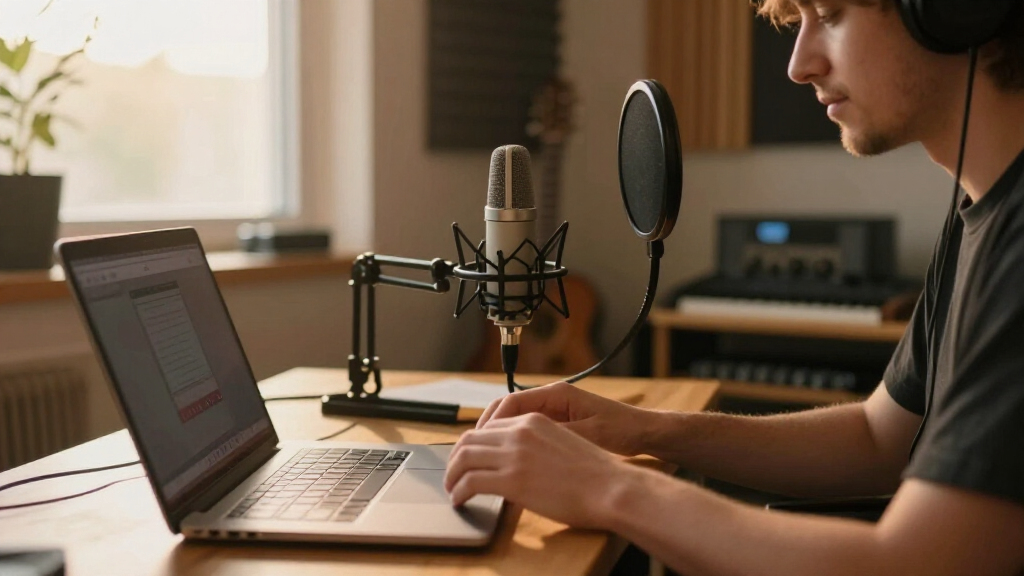
I evaluated these twelve microphones through the lens of a working creator’s actual desk, not a soundproof studio. The criteria that separated the ranking: sound quality across realistic rooms (untreated bedrooms, gaming setups with mechanical keyboards), setup friction (true plug-and-play versus drivers and software), monitoring and controls (headphone jacks, gain knobs, mute buttons within arm’s reach), and future-proofing like the K688’s XLR option or Blue VO!CE’s processing tools. Mics that forced me to dig through software to change basic settings ranked lower than ones with physical controls.
Price-to-performance carried the most weight, which is why FIFINE appears four times — the brand genuinely outperforms its price tier, though never without compromises in build feel or premium tuning. I also weighed versatility: a mic that serves streaming, podcasting, and voiceover scored higher than a gaming-specialized mic with the same sound quality, because most creators wear multiple hats within a year. Finally, I flagged each product’s honest weaknesses — every mic here has one, and knowing them matters more than the feature list.
| USB microphones for creator | Polar Pattern | Connectivity |
|---|---|---|
| HyperX SoloCast 2 Gaming USB C | Cardioid | — |
| Logitech Blue Yeti Nano USB Mi | — | USB |
| Logitech Blue Yeti USB Microph | — | USB |
| FIFINE AmpliTank K688 Dynamic | — | XLR and USB |
| FIFINE AmpliGame A6V USB Gamin | Bidirectional | USB (detachable USB-C, 6.5ft cable) |
| FIFINE T669 Studio Condenser U | Cardioid | — |
| RØDE NT-USB Mini Studio-Qualit | — | — |
| FIFINE K669B USB Microphone | Unidirectional (cardioid) | USB (Type-A and Type-C via included cable) |
| Amazon Basics Condenser Microp | Unidirectional (cardioid) | USB |
| FIFINE AmpliGame A6T USB Gamin | Unidirectional | USB (detachable 8.2 ft USB-C to USB-A/C cable) |
| ZealSound K66 Podcast USB Micr | — | USB-C with Lightning adapters included |
| Razer Seiren V3 Mini USB Micro | — | USB |
Factors to Consider When Choosing USB Microphones For Creators
Before you commit to a mic, it helps to understand what actually drives the price differences and which specs genuinely affect your recordings. These are the factors that shaped my ranking — and the mistakes I see first-time buyers make most often.Condenser vs. Dynamic: The Decision That Matters Most
This single choice affects your recordings more than any price bracket. Condenser mics (the Yeti, NT-USB Mini, most FIFINE studio models) capture fine detail and brighter vocal tone, but they also capture everything — chair squeaks, PC fans, housemates. Dynamic mics like the FIFINE AmpliTank K688 reject background noise because they demand you speak close to the capsule. The common mistake is assuming condenser always means better; in an untreated room, a dynamic mic will produce a cleaner recording than a $150 condenser. Ask yourself honestly what your recording space sounds like before choosing, not what your favorite streamer uses — they likely have acoustic treatment you can’t see on camera.
Pickup Patterns and Why More Isn’t Always Better
Cardioid (front-only capture) covers 90% of creator use cases, which is why single-pattern mics like the Razer Seiren V3 Mini still rank well. Multi-pattern mics like the full Blue Yeti add bidirectional for two-person interviews and omnidirectional for room recording — genuinely useful if you’ll ever record with a guest at the same desk. The mistake buyers make is paying extra for patterns they’ll never select. If you always record alone, that money is better spent on a better-sounding single-pattern mic or a boom arm. One warning: omnidirectional on a USB mic in a normal room picks up more echo than most people expect, so test it before relying on it for a published episode.
On-Mic Controls and Headphone Monitoring
A zero-latency headphone jack on the microphone itself is the feature most often sacrificed at lower prices, and it’s the one buyers regret losing. Monitoring through your computer’s audio introduces delay that makes monitoring nearly useless for real-time performance. Physical gain knobs and tap-to-mute — found on the Yeti, ZealSound, and FIFINE AmpliGame models — mean you never fumble through software mid-stream to fix levels or silence a cough. The Amazon Basics mic’s lack of a mute button becomes a real problem the first time you need to sneeze on a live stream. Before buying, picture your actual workflow: if you stream live, on-mic controls move from luxury to necessity.
USB-Only vs. Hybrid XLR/USB Future-Proofing
Most creators start USB-only, and that’s fine — but think 18 months ahead. If there’s any chance you’ll upgrade to an audio interface, a hybrid mic like the FIFINE K688 lets you keep the microphone and just add the interface, protecting your investment. Pure USB mics can’t make that jump, which is the hidden cost of their convenience. The tradeoff: hybrid mics at the same price often cut corners elsewhere, like software features or included accessories. If you’re confident USB covers your needs permanently — and for most podcasters and streamers it does — don’t pay a premium for a port you won’t use. This decision is about your upgrade path, not sound quality; USB and XLR outputs on the same mic sound virtually identical.
Room Treatment Beats Mic Upgrades (Until It Doesn’t)
Here’s the pattern I see repeatedly: a creator buys a better mic, their recordings still sound echoey, and they conclude the mic is bad. Hard walls and bare floors reflect sound into every microphone above the budget tier. A $40 investment in a thick blanket behind your recording position, recording closer to the mic, or even a closet full of clothes will improve clarity more than jumping from the T669 to the NT-USB Mini. That said, room treatment can’t fix a genuinely noisy mic or a bad capsule — which is why the Amazon Basics mic struggles no matter the room. Get the room roughly right first, then let the mic’s quality actually show through.
Bundled Accessories: Where Budget Kits Earn Their Keep
At the entry level, what comes in the box often matters as much as the mic itself. The FIFINE T669 and AmpliGame A6T include boom arms, shock mounts, or pop filters — accessories that would cost $30–50 separately and immediately improve your recordings by isolating desk vibrations. Premium mics like the RØDE NT-USB Mini include less, betting you’ll buy mounts to match their build quality. The mistake is comparing bare mic prices against kit prices without accounting for accessories you’ll inevitably need. A $60 mic with a boom arm is often a better total package than a $70 mic that sits on a flimsy desk stand. Factor in the full cost of a working setup, not just the microphone’s sticker price.
Frequently Asked Questions
Is the Blue Yeti Nano good enough, or should I pay more for the full Blue Yeti?
The Nano is the better pick if you value a smaller footprint and cleaner desk setup — it keeps Blue VO!CE software support and solid sound for solo recording. But it drops two of the four pickup patterns, so you lose bidirectional mode for in-person interviews and omnidirectional for room capture. It also has a smaller body that produces a slightly less full low-end response. If you record alone and mostly stream or voiceover, the Nano covers you and saves money and space. The moment a second person sits at your desk regularly, the full Yeti earns its higher price. My advice: buy the Nano for solo work, the Yeti if a co-host or guest is in your plans within the next year.
Will a USB microphone pick up my mechanical keyboard and PC fans?
Yes, if it’s a condenser mic — and most of the models here, including the Yeti family, NT-USB Mini, and Razer Seiren V3 Mini, are condensers. Cardioid patterns help by rejecting sound from behind the mic, but keyboard noise travels through your desk and air regardless. Practical fixes: position the keyboard slightly behind or beside the mic’s dead zone, add a shock mount to cut desk-borne vibration, and lower your gain while speaking closer. If noise is unavoidable in your space, the FIFINE AmpliTank K688’s dynamic capsule is the real solution — dynamic mics simply hear less of the room. Software noise suppression like NVIDIA Broadcast can clean up the rest, but it works better on a good recording than a bad one.
Can I use these USB microphones with an iPhone, iPad, or Android device?
Only one pick here is built for it: the ZealSound podcast mic, which supports iOS, iPadOS, and Android directly alongside PC and Mac. Everything else is designed for computers, though some may work with a USB-C adapter or USB camera kit depending on the phone’s power delivery and the mic’s draw — results are inconsistent and I wouldn’t buy a computer mic expecting reliable mobile use. Power-hungry mics with RGB lighting are the least likely to work on phones. If mobile recording is central to your workflow, treat mobile support as a primary buying criterion rather than a nice-to-have. For everyone else, a phone’s built-in mic or a small wireless lav is usually the better mobile companion anyway.
Do I need the XLR option on the FIFINE K688 if I’m just starting out?
Not today — but it changes how long the mic stays relevant. Over USB, the K688 performs as a complete podcast mic with no interface required, which is exactly what a beginner needs. The XLR port becomes valuable when you outgrow USB: adding an interface unlocks better preamps, hardware monitoring, and multi-mic setups for a future co-host. The tradeoff is that a dynamic mic demands close, consistent mic technique — you need to speak within a few inches of the capsule, which surprises people upgrading from condensers. If you’re uncertain about your long-term audio plans, the hybrid capability is cheap insurance. If you’re certain USB is forever, a purpose-built USB mic with more features at the same price may serve you better.
Are cheap FIFINE microphones actually good, or should I save for a Blue Yeti or RØDE?
FIFINE mics are legitimately good for their price — the K669B, T669, and AmpliGame models outperform what their cost suggests, and four of my twelve picks are FIFINE for that reason. The honest differences sit in refinement: capsule consistency, self-noise levels, and build feel all favor the Yeti and RØDE, and RØDE’s tuning is noticeably more natural out of the box. If you’re two weeks into streaming and unsure you’ll continue, a FIFINE kit with a boom arm is the smarter financial risk. If audio is your product — podcasting, voiceover work, client videos — the premium tier’s cleaner signal saves editing time on every single recording. The worst outcome is overspending on a hobby you drop or underspending on work that pays your bills; match the tier to what your content actually is.
Conclusion
The right choice here depends less on specs and more on what you actually make. For the best overall pick, the Logitech Blue Yeti covers streaming, podcasting, interviews, and voiceover with a versatility no other mic in this lineup matches. The best value is the FIFINE K669B — genuine recording quality at a rock-bottom price — with the FIFINE T669 kit as the value winner if you want the boom arm and accessories included. Best for beginners goes to the HyperX SoloCast 2, which removes every setup decision a newcomer can get wrong. On the premium side, the RØDE NT-USB Mini delivers the most refined sound in the smallest, best-built package.
For specific needs: noisy-room creators should choose the FIFINE AmpliTank K688 for its dynamic capsule and XLR upgrade path; mobile-first TikTok and Shorts creators need the ZealSound; streamers who want RGB and on-mic controls will be happy with the FIFINE AmpliGame A6T; and space-constrained setups get great results from the Blue Yeti Nano or Razer Seiren V3 Mini. Whatever you choose, pair it with a quiet-ish room and close mic technique — that combination matters more than the last $50 of microphone budget.
Halloween Picks
halloween
As an affiliate, we earn on qualifying purchases.