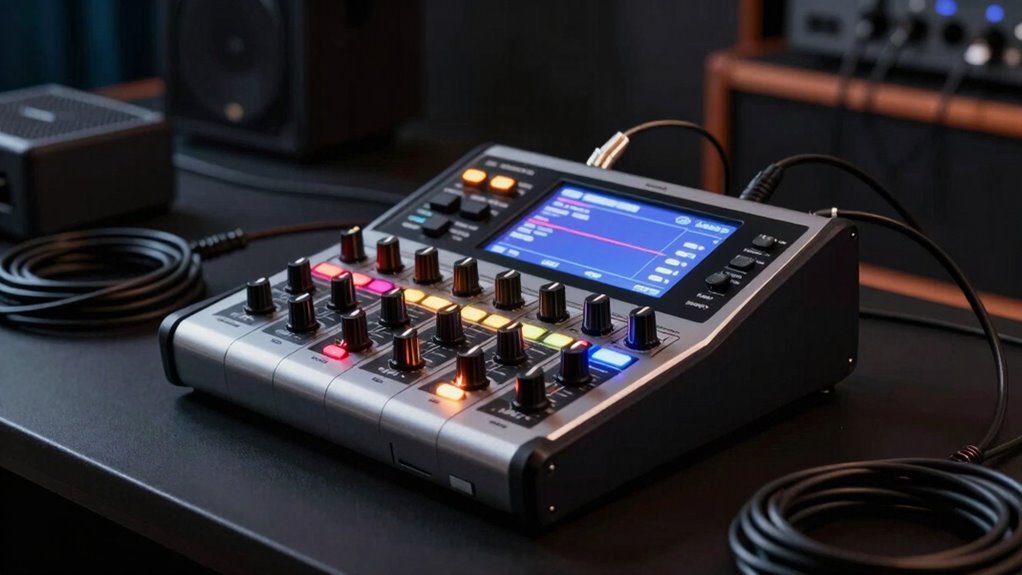

A compact digital mixer for small gigs should make it easy to balance performers, handle a changing set, and pack down without bringing a full-size console. My best overall pick is the Behringer X AIR XR18, which offers extensive channel capacity and remote mixing for more involved live setups. The Behringer FLOW 8 is a simpler app-controlled alternative, while the Yamaha MG06X suits small acts that value physical controls and built-in effects. The main tradeoff is between hands-on simplicity and digital flexibility: smaller analog-style mixers are easier to operate at a glance, while app-based models offer more control but depend on a device and a reliable connection. Read on for the full breakdown of how these 11 options fit different small-gig needs.

Get audio and creator gear delivered free with Prime
- Fast, free delivery on millions of items
- Prime Video, Amazon Music and more included
- Member-only deals all year
Complete the kit


Key Takeaways
- The XR18 is the capacity pick: its 18-channel design and Wi-Fi control make it better suited to multi-mic bands than the compact four- and six-input mixers.
- The FLOW 8 is the more approachable digital route: it offers app control in a smaller, less expansive setup than the XR18.
- Physical controls can matter more than extra features: the Yamaha MG06 and Mackie Mix5 are straightforward choices when quick adjustments matter more than digital scene control.
- The MG06X adds effects without changing the basic workflow: it is a practical step up from the MG06 for small setups that want built-in reverb or delay.
- Bluetooth and USB labels do not tell the whole story: the listed smaller mixers vary in channel count and connection options, so buyers should check whether a feature supports the actual live signal path they need.
| MW-6 White 6 Channel Professional DJ Audio Mixer, Portable Controller Mixer with DSP 99 Preset Effects for Live Streaming, Podcasting, Family Party, Music Recording |  | Best for Built-In Effects and Recording | Channels: 6 | Connectivity: Bluetooth, USB | Effects: 99 DSP presets | VIEW ON AMAZON | See Our Full Breakdown |
| 4-Channel DJ Audio Mixer, Bluetooth Sound Board with USB MP3 Input |  | Best for Backpack-Friendly Gigs | Channels: 4 | Inputs: XLR, 6.35 mm | Phantom power: +48 V | VIEW ON AMAZON | See Our Full Breakdown |
| ALTO TMD16 16-Channel Digital Mixer with Bluetooth and 7″ Display |  | Best for Small Venues with Larger Input Counts | Channels: 16 | Inputs: 12 | Outputs: XLR main, 4 aux sends, 4 subgroups | VIEW ON AMAZON | See Our Full Breakdown |
| Behringer X AIR XR18 18-Channel Digital Mixer with Wi-Fi and USB Interface |  | Best for Tablet-Controlled Multitrack Recording | Channels: 18 | Buses: 12 | Preamps: 16 MIDAS preamps | VIEW ON AMAZON | See Our Full Breakdown |
| 4-Channel Bluetooth Audio Mixer with XLR USB Interface |  | Best Compact Pick for Vocal Effects | Channels: 4 | Inputs: XLR, 1/4 inch | Bluetooth: Input only | VIEW ON AMAZON | See Our Full Breakdown |
| Mackie Mix5 5-Channel Compact Mixer |  | Best for Simple, Small-Rig Gigs | Channels: 5 | Mic/line inputs: 1 | Stereo line inputs: 2 stereo 1/4-inch line inputs | VIEW ON AMAZON | See Our Full Breakdown |
| FULUODE 8-Channel Audio Mixer with Bluetooth and USB Recording |  | Best for Bluetooth and USB Convenience | Channels: 8 | Connectivity: Bluetooth, USB, MP3, microphone, and instrument | Phantom power: 48V | VIEW ON AMAZON | See Our Full Breakdown |
| Yamaha MG06 6-Input Compact Stereo Mixer |  | Best for Hands-On Sound Control | Channels: 6 | Mixer type: Standalone stereo mixer | Preamps: Class A D-PRE with inverted Darlington circuit | VIEW ON AMAZON | See Our Full Breakdown |
| YAMAHA MG06X 6-Input Compact Stereo Mixer with Effects |  | Best for Built-In Effects in a Compact Analog Mixer | Channels: 6 | Mixer type: Analog stereo mixer | Microphone preamps: 2 | VIEW ON AMAZON | See Our Full Breakdown |
| Behringer FLOW 8 8-Input Digital Mixer with Bluetooth and App Control |  | Best Digital Control for Small Gigs | Inputs: 8 | Connectivity: Bluetooth | Control: App control | VIEW ON AMAZON | See Our Full Breakdown |
| Pyle 4 Channel Audio Mixer with Bluetooth (PMXU43BT) |  | Best for Simple Bluetooth-Enabled Setups | Channels: 4 | Connectivity: Bluetooth, USB, XLR, 1/4-inch TRS | Phantom power: 48V | VIEW ON AMAZON | See Our Full Breakdown |
| compact digital mixer for small gig | Channels | Connectivity | Phantom power | EQ |
|---|---|---|---|---|
| MW-6 White 6 Channel Professio | 6 | Bluetooth, USB | — | — |
| 4-Channel DJ Audio Mixer | 4 | Bluetooth input, USB audio interface | +48 V | — |
| ALTO TMD16 16-Channel Digital | 16 | USB, Bluetooth | — | 3-band parametric input EQ; 7-band graphic output EQ |
| Behringer X AIR XR18 18-Channe | 18 | Built-in Wi-Fi, USB | — | — |
| 4-Channel Bluetooth Audio Mixe | 4 | — | +48 V | 7-band |
| Mackie Mix5 5-Channel Compact | 5 | — | Yes | 2-band |
| FULUODE 8-Channel Audio Mixer | 8 | Bluetooth, USB, MP3, microphone, and instrument | 48V | — |
| Yamaha MG06 6-Input Compact St | 6 | — | — | 3-band |
| YAMAHA MG06X 6-Input Compact S | 6 | — | — | Included; band count not specified |
| Behringer FLOW 8 8-Input Digit | — | Bluetooth | Yes | — |
| Pyle 4 Channel Audio Mixer wit | 4 | Bluetooth, USB, XLR, 1/4-inch TRS | 48V | 3-band per channel |
More Details on Our Top Picks
MW-6 White 6 Channel Professional DJ Audio Mixer, Portable Controller Mixer with DSP 99 Preset Effects for Live Streaming, Podcasting, Family Party, Music Recording
The MW-6 pairs six channels with direct USB recording, making it a flexible fit for a small gig that also needs a simple recording or streaming path. Its 99 DSP presets offer more ready-made vocal and ambience choices than the Behringer XR18 approach, which prioritizes deeper digital control over a compact, self-contained layout. Bluetooth and USB playback also make it easy to add music from a phone or computer between sets.
The tradeoff is that the listed 220 V AC requirement may limit where this mixer can be powered, so I would check local compatibility before buying. Its 99 effects are a broad palette, but the product details do not establish how much hands-on control or output routing it offers. Compared with the Yamaha MG06X, it favors connectivity and effect variety over a clearly specified, straightforward analog-style setup.
Pros:- Six channels suit a small combination of microphones and playback sources.
- Built-in USB sound card supports direct recording and playback with a computer or phone.
- Bluetooth and broad mobile-device compatibility simplify backing-track playback.
- 99 DSP presets provide multiple ready-to-use effects.
Cons:- The specified 220 V AC power requirement may not match local mains power.
- Product information gives limited detail on routing, control layout, and maximum input or output levels.
Best for: Solo performers and small gig hosts who want six channels, built-in effects, and USB recording or playback in one portable unit.
Not ideal for: Musicians gigging in regions without compatible 220 V AC power, or buyers who need fully documented routing and output controls.
- Channels:6
- Connectivity:Bluetooth, USB
- Effects:99 DSP presets
- Output connectors:RCA, XLR
- Power:Corded electric; 220 V AC listed
- Dimensions:10.31 × 1.65 × 8.66 inches
- Weight:4 pounds
Our verdict“Choose the MW-6 if you want a portable six-channel mixer with abundant presets and USB recording, but verify its power compatibility first.”
4-Channel DJ Audio Mixer, Bluetooth Sound Board with USB MP3 Input
For a small gig where low carry weight matters more than extra channels, this four-channel mixer is the most travel-friendly choice here: it weighs 0.61 kg and measures 7.87 × 6.7 × 1.57 inches. Unlike the six-channel MW-6, it gives up two channels but adds a clearly described combination of XLR and 6.35 mm inputs, +48 V phantom power, and USB flash-drive MP3 playback. That makes it a practical option for a compact vocal-and-instrument setup with music on hand.
Bluetooth is input-only, so it can receive music from a phone but cannot send audio wirelessly to speakers. The ALTO TMD16 offers far more channels and onboard processing for a larger stage setup, but is a very different proposition for someone carrying gear by hand. I would also check the venue connection plan: this mixer lists several output connector types, but its output routing and monitoring details are sparse.
Pros:- Light 0.61 kg body and compact dimensions suit backpack transport.
- XLR and 6.35 mm inputs accommodate microphones and instruments.
- +48 V phantom power supports compatible condenser microphones.
- USB interface and flash-drive MP3 playback cover recording and backing-track needs.
Cons:- Four channels leave less room to expand than the MW-6 or larger digital mixers.
- Bluetooth receives audio only and cannot provide wireless output to speakers.
- Available details do not clearly describe monitor routing or output-level capabilities.
Best for: DJs, solo performers, and mobile podcasters who need a very light mixer with phantom power and direct USB-stick playback.
Not ideal for: Bands with more than four sources to mix, or performers who need Bluetooth audio transmission to a speaker system.
- Channels:4
- Inputs:XLR, 6.35 mm
- Phantom power:+48 V
- Connectivity:Bluetooth input, USB audio interface
- USB playback:MP3 playback from USB flash drive
- Dimensions:7.87 × 6.7 × 1.57 inches
- Weight:0.61 kg
Our verdict“Pick this model for a minimal, portable four-channel rig with phantom power, but skip it if your source count or wireless-output needs are likely to grow.”
ALTO TMD16 16-Channel Digital Mixer with Bluetooth and 7″ Display
The ALTO TMD16 is the channel-capacity pick for a small venue that has outgrown a basic portable mixer: it provides 16 channels, 12 inputs, four aux sends, and four subgroups. Its 7-inch color touchscreen, touch faders, and scene recall are aimed at managing a more involved mix without relying on a phone or tablet for every adjustment. Compared with the four-channel Bluetooth Audio Mixer with XLR USB Interface, it gives a band or event crew substantially more room for microphones, instruments, and sends.
That capacity comes with a bigger learning curve and a less certain portability picture: the listing calls it compact but provides no dimensions or power details. Its 16 effects and input/output EQ offer useful sound shaping, while the Behringer XR18 provides more channels and a multi-channel USB interface for buyers centered on tablet control and recording. Choose the TMD16 for tactile operation; skip it if you need a proven small-footprint specification or a clearly documented recording workflow.
Pros:- Sixteen channels and 12 inputs accommodate a larger small-venue setup.
- Four aux sends and four subgroups offer flexible stage and mix routing.
- Touchscreen, touch faders, and scene recall support hands-on operation and repeatable setups.
- Built-in effects and separate input/output EQ reduce reliance on external processing.
Cons:- Dimensions and power requirements are not specified, making transport and setup planning harder.
- The available details do not state maximum input or output levels.
- Its channel count and digital controls may be unnecessary complexity for a one- or two-person act.
Best for: Small-venue bands and event operators who need many inputs, aux sends, subgroup control, and onboard touchscreen operation.
Not ideal for: Solo performers seeking a grab-and-go mixer, or buyers who require confirmed dimensions, power requirements, or detailed recording specifications.
- Channels:16
- Inputs:12
- Outputs:XLR main, 4 aux sends, 4 subgroups
- Display:7-inch color touchscreen
- Connectivity:USB, Bluetooth
- Built-in effects:16 presets
- EQ:3-band parametric input EQ; 7-band graphic output EQ
- Chassis:Metal
Our verdict“Choose the TMD16 when your small venue needs many inputs and tactile digital control, not when compact carry size is your main priority.”
Behringer X AIR XR18 18-Channel Digital Mixer with Wi-Fi and USB Interface
The XR18 suits small gigs that need serious routing and recording more than a traditional mixer surface. It offers 18 channels, 12 buses, 16 MIDAS preamps, built-in Wi-Fi, and a multi-channel USB interface, giving a band scope to capture separate sources rather than only a stereo mix. Compared with the ALTO TMD16, the XR18 adds two channels and puts control on a tablet instead of a built-in touchscreen; that can reduce the hardware footprint, but it changes how the operator works.
The central compromise is tablet dependence and a steeper setup curve. A tablet-based interface can be flexible around a stage, yet it may feel less immediate than the TMD16’s tactile controls, and this listing does not detail all outputs or control features. Its integrated Wi-Fi avoids an external router, though buyers should still plan for a reliable control connection. I would choose it for multitrack recording and configurable digital mixing, not for someone who wants simple knobs and faders.
Pros:- Eighteen channels and 12 buses support complex small-stage routing.
- Sixteen MIDAS preamps provide dedicated microphone inputs for a band-sized setup.
- Multi-channel USB interface supports recording individual sources.
- Built-in Wi-Fi enables tablet control without an external router.
Cons:- Tablet-based operation requires comfort with app-controlled digital mixing.
- The supplied specifications omit details about several outputs and other operating features.
- Firmware updates may be needed for auto-mixing functionality.
Best for: Small-venue bands and sound operators who want tablet-based control, multiple buses, and multichannel USB recording from a compact rack-style mixer.
Not ideal for: Performers who want physical channel faders, straightforward plug-and-play operation, or a mixer that can be fully controlled without a tablet.
- Channels:18
- Buses:12
- Preamps:16 MIDAS preamps
- Connectivity:Built-in Wi-Fi, USB
- USB interface:Multi-channel recording interface
- Main outputs:2 XLR
- Control:iPad or Android tablet
Our verdict“Choose the XR18 if multichannel recording and flexible tablet mixing outweigh the convenience of physical faders.”
4-Channel Bluetooth Audio Mixer with XLR USB Interface
This four-channel model is a compact effects-focused choice for a small gig built around vocals and a few instruments. Its metal chassis, USB interface, +48 V phantom power, 7-band EQ, and 99 DSP effects make it more adjustable than a bare-bones travel mixer. Compared with the other four-channel option in this batch, the 4-Channel DJ Audio Mixer, it highlights a 7-band EQ and extensive effects rather than listing USB flash-drive MP3 playback. That distinction matters if shaping a vocal sound is more useful than playing tracks directly from a drive.
The omissions are meaningful: Bluetooth is input-only, and no dedicated headphone amp or monitor outputs are listed. That leaves less clarity around cueing and stage monitoring than I would want for a more involved live setup. The six-channel MW-6 provides two extra channels, while this model’s specified metal construction and EQ make it a tighter fit for a compact vocal rig. I would confirm the monitoring connections before relying on it at a gig.
Pros:- Metal chassis offers a durable build for portable use.
- Ninety-nine DSP effects and a 7-band EQ provide substantial sound-shaping options.
- +48 V phantom power supports compatible condenser microphones.
- USB interface and Bluetooth input accommodate computer recording and wireless playback.
Cons:- Bluetooth is input-only and cannot send audio to speakers.
- No dedicated headphone amp or monitor outputs are specified.
- Four channels provide less expansion room than the MW-6 and larger digital mixers.
Best for: Solo singers, acoustic duos, and compact streaming performers who want onboard vocal effects, EQ, and phantom power in a small metal mixer.
Not ideal for: DJs needing Bluetooth output, performers who rely on dedicated headphone or monitor outputs, or groups needing more than four channels.
- Channels:4
- Inputs:XLR, 1/4 inch
- Bluetooth:Input only
- DSP effects:99
- EQ:7-band
- Phantom power:+48 V
- USB interface:Yes
- Build material:Metal chassis
Our verdict“Pick this mixer for a compact vocal setup that benefits from onboard effects and EQ, but confirm monitoring connections before taking it to a gig.”
Mackie Mix5 5-Channel Compact Mixer
The Mackie Mix5 suits a small gig where one microphone and a few playback sources are enough, and keeping the setup straightforward matters more than digital control. Its mic/line input includes phantom power, while stereo line and RCA connections let a performer add instruments or a playback device without carrying a larger board. Compared with the Yamaha MG06, it gives up a channel, three-band EQ, and one-knob compression, but keeps the control set lean and the mixer compact. That simplicity is also its limit: the single mic/line input and basic two-band EQ leave little room for a growing band or detailed tone shaping. I’d choose it for a stripped-down acoustic act, not a multi-mic group.
Pros:- Compact design suits a small gig bag and quick setup.
- Phantom power supports a condenser microphone.
- Stereo line and RCA inputs accommodate playback sources.
- High-headroom, low-noise performance is suited to clean basic mixing.
Cons:- Only one mic/line input restricts multi-microphone setups.
- Two-band EQ offers less tonal control than the Yamaha MG06’s three-band EQ.
- No USB or app-based digital mixing features are specified.
Best for: Solo performers or small acoustic duos using one microphone and a few stereo playback or instrument sources.
Not ideal for: Bands needing several simultaneous microphone inputs, or performers who want detailed EQ, compression, or digital recording features.
- Channels:5
- Mic/line inputs:1
- Stereo line inputs:2 stereo 1/4-inch line inputs
- Additional input:Stereo RCA
- Outputs:Main L/R and stereo RCA
- EQ:2-band
- Phantom power:Yes
Our verdict“Choose the Mix5 for a compact, uncomplicated rig with one microphone; skip it if your gig needs several vocal channels or finer mix control.”
FULUODE 8-Channel Audio Mixer with Bluetooth and USB Recording
The FULUODE CT-80S is the convenience-focused pick here: Bluetooth and USB/MP3 playback make it easy to add backing tracks without relying on a separate playback device, and its eight-channel format leaves more room for sources than the Mackie Mix5. Its thin 1.57-inch profile is useful when a small gig involves carrying gear between rooms or venues. The tradeoff is that the supplied details say less about hands-on mixing tools than the Yamaha MG06, whose three-band EQ, high-pass filters, and compressors offer clearer control over live sources. The FULUODE description mentions reverb but gives limited detail about effects and recording workflow, so buyers seeking a well-documented, finely controlled live mix may prefer another option. Its listed 110V supply also calls for a power check outside compatible regions.
Pros:- Bluetooth and USB/MP3 connectivity simplify playback from common sources.
- Eight channels provide more source capacity than the Mackie Mix5.
- Slim 1.57-inch profile is convenient for portable setups.
- 48V phantom power is specified for microphone use.
Cons:- The listed 110V power supply may need a converter in other regions.
- Mixing controls and effects are less fully specified than on the Yamaha MG06.
- USB recording workflow and required external peripherals are not clearly detailed.
Best for: Karaoke hosts, small event performers, and presenters who want Bluetooth or USB playback and several channels in a slim mixer.
Not ideal for: Musicians who need clearly specified EQ and dynamics controls, detailed effects, or a power supply suited to regions outside 110V service.
- Channels:8
- Connectivity:Bluetooth, USB, MP3, microphone, and instrument
- Phantom power:48V
- Display:Large LED
- Power supply:110V
- Thickness:1.57 inches
Our verdict“Pick the FULUODE for a portable gig rig built around Bluetooth or USB playback, but choose the Yamaha MG06 if defined tone and dynamics controls matter more.”
Yamaha MG06 6-Input Compact Stereo Mixer
The Yamaha MG06 earns its place for small gigs where reliable hands-on control matters more than wireless operation or built-in USB recording. Its Class A D-PRE preamps, three-band EQ, high-pass filters, and one-knob compressors give vocal and instrument sources more shaping and level control than the Mackie Mix5. The rugged metal chassis also makes it a stronger fit for repeated transport than a mixer whose selling point is mainly a slim profile, such as the FULUODE CT-80S. The compromise is a six-channel ceiling and no USB connection, so it won’t serve as a direct computer-recording interface or a roomy board for a larger ensemble. I’d favor it for a small live setup that benefits from practical channel processing but doesn’t need digital app control.
Pros:- Class A D-PRE preamps are designed for natural sound.
- Three-band EQ and high-pass filters offer more shaping than the Mackie Mix5.
- One-knob compressors simplify basic dynamics control for vocals and instruments.
- Powder-coated metal chassis is suited to regular transport.
Cons:- No USB connectivity for direct computer recording.
- Six channels may be limiting for ensembles with several microphones and instruments.
- No Bluetooth or app-based control is specified.
Best for: Small acoustic acts and event performers who want robust construction, vocal dynamics control, and more EQ flexibility in a compact analog mixer.
Not ideal for: Performers who need USB recording, app control, Bluetooth playback, or enough channels for a larger band.
- Channels:6
- Mixer type:Standalone stereo mixer
- Preamps:Class A D-PRE with inverted Darlington circuit
- EQ:3-band
- Additional processing:High-pass filters and one-knob compressors
- Chassis:Powder-coated metal
- USB:No
Our verdict“Choose the MG06 if your compact gig rig needs tactile EQ and simple compression; choose a digital mixer if USB or remote control is a priority.”
YAMAHA MG06X 6-Input Compact Stereo Mixer with Effects
The Yamaha MG06X adds digital effects to a small six-channel analog format, making it a sensible choice for performers who want a little vocal or instrument ambience without bringing a separate effects unit. Its two microphone preamps and dedicated stereo line channels suit a modest gig rig, while the effects distinguish it from the MG06, which is the better fit for buyers prioritizing its specified compressors and high-pass filters. The available product details are sparse, though: they identify digital effects and EQ but don’t specify the effect types, EQ bands, or full connection layout. That makes it harder to judge whether its processing matches a particular set. Compared with the app-controlled Behringer FLOW 8, the MG06X favors a compact, direct analog workflow over remote mixing and USB interface functionality.
Pros:- Built-in digital effects can add ambience without a separate effects processor.
- Two microphone preamps suit a small vocal setup.
- Four dedicated stereo line channels accommodate stereo sources.
- Compact six-channel format fits smaller gig rigs.
Cons:- Available details do not identify the effect types or their controls.
- USB connectivity and app control are not specified.
- The provided information does not establish EQ detail or other processing features.
Best for: Solo performers and small duos who want built-in digital effects in a compact mixer and don’t need app control or a USB interface.
Not ideal for: Buyers who need detailed published specifications, USB recording, remote control, or the MG06’s explicitly listed compression and high-pass filtering.
- Channels:6
- Mixer type:Analog stereo mixer
- Microphone preamps:2
- Stereo line channels:4 dedicated
- Effects:Digital effects
- EQ:Included; band count not specified
Our verdict“Choose the MG06X if onboard effects matter more than digital connectivity, but favor the MG06 for better-documented live processing controls.”
Behringer FLOW 8 8-Input Digital Mixer with Bluetooth and App Control
The Behringer FLOW 8 is the strongest fit for a small gig where compact size must still leave room to shape a changing mix. App control and Bluetooth audio let a performer manage the mixer remotely and add playback, while its USB audio-interface capability supports a computer connection that neither the Yamaha MG06 nor the MG06X specifies. Eight inputs also give it more capacity than those Yamaha mixers. The 60 mm faders provide a more hands-on surface than a simple compact analog board, but app-based control and digital features can be more involved for someone who just wants to set levels and play. Compared with the FULUODE CT-80S, its USB interface and app control are more clearly positioned for mixing and recording; the supplied specifications still leave some connection details unclear.
Pros:- App control supports remote adjustments during a gig.
- Bluetooth audio provides a convenient playback option.
- USB audio-interface capability supports computer-based recording or playback.
- Eight-input design and 60 mm faders offer more control than the Mackie Mix5.
Cons:- App-based digital control may take more setup and learning than the Yamaha MG06.
- The provided product data gives limited detail about software updates.
- Listed output connector and other connection details are unclear for planning a specific rig.
Best for: Small bands, solo performers, and gigging content creators who want remote mix control, Bluetooth playback, and USB audio-interface capability in a compact unit.
Not ideal for: Beginners seeking the simplest analog setup, or buyers who need confirmed output and software details before choosing a mixer.
- Inputs:8
- Connectivity:Bluetooth
- Control:App control
- Faders:60 mm channel faders
- USB:USB audio-interface capability
- Phantom power:Yes
- Dimensions:6.5 x 9.7 x 1.1 inches
- Weight:1400 g
Our verdict“Choose the FLOW 8 for a compact gig setup that needs remote control and USB audio, but pick an analog Yamaha if straightforward physical mixing is the priority.”
Pyle 4 Channel Audio Mixer with Bluetooth (PMXU43BT)
The Pyle PMXU43BT suits small gigs where a few microphone or instrument connections and quick playback matter more than deep digital control. Bluetooth streaming lets a performer send backing tracks from a phone, while USB/MP3 playback offers another convenient source. Its four channels, per-channel 3-band EQ, and 48V phantom power cover a modest setup with condenser microphones. Compared with the more elaborate Behringer FLOW 8, this mixer keeps the controls and connections straightforward, but gives up app-based mixing and broader digital routing. Its compact steel chassis is easy to carry, though the small control surface may feel cramped during a busy changeover. Choose it for uncomplicated gigs; skip it if you need a larger input count or advanced mix control.
Pros:- Bluetooth and USB/MP3 playback provide convenient options for playing backing tracks.
- Four channels and XLR inputs support a small live setup.
- 48V phantom power supports compatible condenser microphones.
- Steel chassis and sealed rotary controls suit portable use.
Cons:- Four channels limit its usefulness as a band’s input needs grow.
- The compact control surface can feel crowded during live adjustments.
- Its feature set is basic compared with digital mixers such as the Behringer FLOW 8.
Best for: Solo performers, small duos, or mobile DJs who need a compact mixer for a few sources plus wireless backing tracks.
Not ideal for: Bands with several microphones and monitor mixes, or engineers who need app control, extensive routing, or a roomy control surface.
- Channels:4
- Connectivity:Bluetooth, USB, XLR, 1/4-inch TRS
- Phantom power:48V
- EQ:3-band per channel
- Effects:16-bit DSP effects
- Dimensions:7.49 × 9.26 × 2.56 inches
- Weight:2.9 lb
- Power supply:100–240V AC
Our verdict“Choose the PMXU43BT for a small gig setup that needs straightforward mixing and Bluetooth playback, not advanced digital control.”
How We Picked
I ranked these mixers for small-gig practicality, not feature count alone. The main criteria were usable input capacity, connection options, the amount of control available during a performance, portability, and how much setup complexity a buyer takes on. I also weighed whether a mixer’s advertised features fit common live needs, such as connecting microphones and instruments, handling playback, and making quick level changes.
The XR18 ranks first for buyers whose gigs need many inputs and remote control, while the FLOW 8 gives smaller acts a more compact digital alternative. Mixers with physical controls rank well for ease of operation, but they cannot match the larger channel counts and app-based flexibility of the digital models. The Bluetooth-focused four- and eight-channel options remain useful for simpler setups, but their fit depends on verifying the exact inputs and controls required; the product names alone do not establish that they can replace a performance mixer for every act.
Factors to Consider When Choosing Compact Digital Mixer For Small Gigs
Before choosing a mixer, I would plan around the gig rather than the most impressive feature list. A solo performer with a vocal mic and playback source has different needs from a band mixing several microphones and instruments from the stage. These factors can help you avoid buying too little capacity, or paying in setup complexity for functions you will not use.
Count Inputs for the Full Set, Not Just the Soundcheck
List every source that needs its own level control: vocal microphones, instruments, playback devices, and any microphones used for announcements. Then leave at least one spare input if your setup changes between venues or performers. A common mistake is counting stereo playback as one source when it may occupy two inputs, depending on the mixer. Small boards such as the MG06 and Mix5 suit lean setups, but they leave less room to expand than the eight- and 18-channel options. Extra inputs are only useful if the mixer provides the connector types and control you need for those sources. I would choose for the largest regular gig, not an unusually stripped-down rehearsal.
Choose a Control Style You Can Operate During a Performance
Physical knobs and faders are easy to reach when a performer needs a quick level correction, and they do not require opening an app. A digital mixer can offer more detailed control, but the operator may need to work through a screen or device interface. That is manageable when one person can mix from the audience or save a repeatable setup, but less convenient if nobody has time to manage a tablet during a set. Before choosing app control, check which devices the system supports and how its controls behave if the device disconnects. A hybrid workflow may suit some acts, but do not assume a wireless feature means the mixer can be controlled entirely without a connected device. Match the interface to the person who will actually mix.
Separate Bluetooth Playback From Mixer Control
Bluetooth may serve as a way to play backing tracks, while wireless control is a separate function that lets an app adjust mixer settings. Neither feature automatically supplies reliable stage monitoring or a full multitrack recording workflow. Before buying, confirm what the Bluetooth connection sends, whether playback occupies an input you can control, and whether the mixer can still take wired sources at the same time. For live music, a wired playback connection may be easier to troubleshoot than a wireless one. If recording matters, check the product’s specific USB capabilities rather than treating a USB port as proof of multitrack recording. This distinction helps prevent a convenient extra from being mistaken for a complete live setup.
Decide Which Effects and Processing You Need Onboard
Built-in effects can reduce the need for separate gear, especially when a vocal needs a touch of reverb or delay. They are less useful if your act already relies on pedals or dedicated processors, or if the mixer makes effect changes awkward during a song. Compare the type and control of onboard processing, not just the number of presets. The MG06X adds effects to the MG06’s straightforward format, while the XR18 offers a more involved digital mixing environment. A larger feature set can be valuable for changing configurations, but it also adds decisions to setup and operation. I would pay for processing only when it replaces gear you otherwise need or supports a repeatable gig routine.
Plan for Setup, Power, and a Reliable Control Connection
A compact footprint does not tell you how quickly a mixer will be ready for a show. Think about where it will sit, how its cables will route, whether the control position is accessible, and whether the operator needs to stand away from the unit. Remote mixing can help place the operator where the audience hears the sound, but a wireless control link introduces another connection to manage. If a gig takes place in a crowded wireless environment, plan a tested backup method instead of relying on a connection you have not checked at the venue. Also confirm the power and cabling requirements before packing; convenience features cannot compensate for a missing adapter or the wrong cable. A small checklist and a saved setup can make a more feature-rich mixer feel simpler on gig day.
Pay for Headroom, Not Speculation
More channels and deeper digital features make sense when your act already needs them or has a clear plan to grow. Buying far beyond the current setup can mean carrying extra complexity without improving the sound of a small performance. On the other hand, choosing a mixer with no spare inputs can force a replacement after adding one vocalist or playback source. I would compare the cost of moving up with the cost of adding separate gear, while keeping the workflow in view. A simple analog board can be the smarter choice if quick, direct adjustments matter most; a digital model earns its place when saved settings, remote control, or greater channel capacity solve a real problem. The right balance is enough room for likely changes without turning every setup into a project.
Frequently Asked Questions
Is the Behringer XR18 too much mixer for a two-person act?
It may be more mixer than a two-person act needs if the setup uses only a vocal mic, an instrument, and simple playback. The XR18’s appeal is its larger input capacity and remote digital control, which matter more when the stage setup changes or several sources need separate adjustment. A smaller option such as the FLOW 8 may be a closer fit for a compact digital workflow with fewer inputs. If you choose the XR18, make sure someone is prepared to manage its app-based control and setup. Buy it for a real need for capacity or flexibility, not just the channel count.
Should I choose the Yamaha MG06 or MG06X for a small live set?
The main decision is whether onboard effects are useful for your performance. The MG06 keeps the setup focused on mixing, while the MG06X adds effects in a similar compact format. If you already use a vocal processor or do not need effects, the MG06 may be the more direct fit. If you want basic effect options without adding another unit, the MG06X is the stronger match. Check the complete input and output layout against your microphones, instruments, and speakers before deciding between them.
Can I use a Bluetooth mixer as the only mixer for a live band?
That depends on the mixer’s actual input count, connector types, and control layout, not just its Bluetooth label. Several products in this roundup advertise Bluetooth, but a small four-channel model may not have room for a full band’s microphones and instruments. Bluetooth is commonly useful for playback, but it does not necessarily provide wireless control of the mix. Make a list of all live sources and confirm that each can connect and receive the control it needs. For a multi-mic band, input capacity should take priority over wireless playback convenience.
Do I need app control to mix a small gig from the audience?
Remote control can help when the mixer sits onstage but the sound needs adjustment from the audience area. It is not required for every small gig, particularly if the room is predictable and someone can operate physical controls from a suitable position. An app-based system also adds a device and a wireless connection that need to be set up and checked. If you depend on remote control, confirm the supported app and plan how you will respond if the connection drops. Choose it when access to the mix position is a recurring problem, not simply because the feature is available.
Is USB on a compact mixer enough for recording a live performance?
Not necessarily, because USB capabilities differ between mixers. A USB port might support playback, a computer connection, or recording, and those functions are not interchangeable. Check whether the mixer records a stereo output or offers separate channels, and confirm what software or device it supports. For capturing a simple board mix, a stereo recording path may be enough; editing individual microphones later calls for a different workflow. Verify the recording format and routing before treating USB as a replacement for a dedicated recorder.
Conclusion
For most small acts that need room to grow and want remote digital control, my best overall choice is the Behringer X AIR XR18. The Behringer FLOW 8 is my best value-style fit for a smaller digital setup, while the Yamaha MG06 is a strong beginner-friendly pick for performers who prefer direct physical controls. Choose the Yamaha MG06X when you want a compact board with onboard effects, or the Mackie Mix5 when a very simple, low-input setup matters more than digital features. For a larger band setup that calls for extensive inputs and remote adjustment, the XR18 is the best premium-style choice in this lineup; the smaller Bluetooth mixers are better reserved for straightforward playback and modest input needs. Before ordering, match the connector layout and control method to your actual stage plot so the mixer fits the gig you play, not just the one you imagine.
Halloween Picks
halloween
As an affiliate, we earn on qualifying purchases.