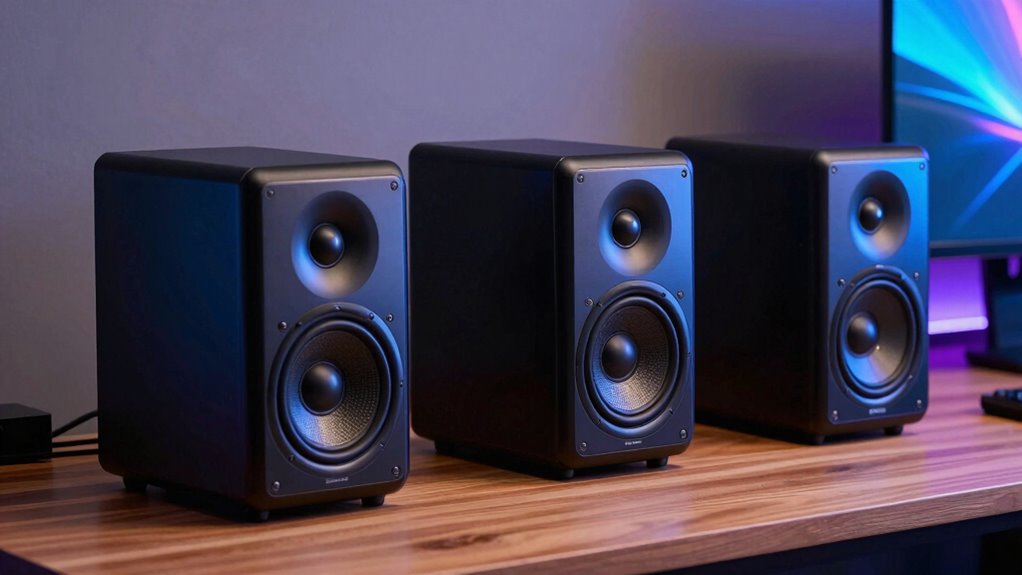

For a high-end desktop setup, I would start with the Edifier MR3 for balanced nearfield use, the Yamaha HS5 for studio-focused accuracy, or the Edifier M60 when compact dimensions and USB-C matter most. They solve different problems: one offers versatile inputs and EQ, one prioritizes a revealing monitor presentation, and one fits neatly beside a computer while adding modern wireless playback.

Get audio and creator gear delivered free with Prime
- Fast, free delivery on millions of items
- Prime Video, Amazon Music and more included
- Member-only deals all year
The tradeoff is not simply sound quality versus convenience. Larger monitors can give mixes more room to breathe, but they take up more desk space and may need an interface or careful positioning. Compact computer speakers are easier to place and connect, though their smaller drivers limit low-frequency reach. I rank these five by how convincingly they serve close listening at a desk, while weighing source flexibility, placement, and how much control a buyer gets over the sound.
Complete the kit


Key Takeaways
- The Edifier MR3 is my most balanced nearfield pick: it combines balanced TRS inputs, Bluetooth 5.4, and app-based EQ in a compact powered pair.
- Choose the Yamaha HS5 when mix translation and a studio-monitor presentation matter more than desk footprint or wireless convenience.
- The Edifier M60 suits a field computer or compact workstation that needs USB-C, Bluetooth LDAC, AUX, and included angled stands.
- The Drop BMR1 V2 offers the most flexible physical placement and a broad desktop presentation, but its 80 Hz lower response limit points to a subwoofer for deeper bass.
- The Focal Alpha-Twin EVO is the room-filling, professional-leaning choice here; sparse supplied specifications make it harder to judge fit and system requirements.
| Edifier MR3 Powered Studio Monitor Speakers |  | Best Overall for Flexible Nearfield Listening | Configuration: Powered 2.0 pair | Frequency response: 52 Hz–40 kHz | Power output: 18 W × 2 RMS | VIEW ON AMAZON | See Our Full Breakdown |
| Yamaha HS5 W 5-Inch Powered Studio Monitor (White, 2-Pack) Bundle |  | Best for Accuracy-Focused Mixing | Speaker type: Powered studio monitor | Bundle: Two monitors | Woofer: 5 inches | VIEW ON AMAZON | See Our Full Breakdown |
| Edifier M60 66W RMS Multimedia Speakers, Black | 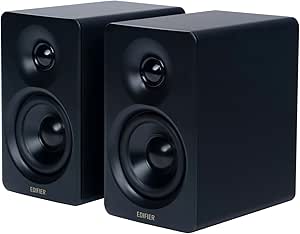 | Best Compact Pick for a Field Computer | Configuration: Stereo, two-way active | Total output: 66 W RMS | Mid-low driver: 3-inch aluminum diaphragm | VIEW ON AMAZON | See Our Full Breakdown |
| Drop BMR1 V2 Nearfield Monitors, Compact Desktop Speakers, Black |  | Best for Flexible Placement and Wide Presentation | Driver: One 2-inch Balanced Mode Radiator per speaker | Passive radiators: Dual force-canceling | Amplifier: Class D | VIEW ON AMAZON | See Our Full Breakdown |
| Focal Alpha-Twin EVO Active 2.5-Channel Studio Monitor |  | Best Premium Studio-Oriented Choice | Type: Active studio monitor | Configuration: 2.5-channel | Cone: Slatefiber | VIEW ON AMAZON | See Our Full Breakdown |
| desktop speakers for nearfield listening high end | Configuration |
|---|---|
| Edifier MR3 Powered Studio Mon | Powered 2.0 pair |
| Yamaha HS5 W 5-Inch Powered St | — |
| Edifier M60 66W RMS Multimedia | Stereo, two-way active |
| Drop BMR1 V2 Nearfield Monitor | — |
| Focal Alpha-Twin EVO Active 2. | 2.5-channel |
More Details on Our Top Picks
Edifier MR3 Powered Studio Monitor Speakers
The MR3 takes the lead because it bridges a computer desk and a modest monitoring setup without making either use feel like an afterthought. Its 3.5-inch mid-low driver and 1-inch tweeter are a sensible scale for close listening, while balanced TRS, RCA, AUX, Bluetooth 5.4, and a headphone output let it serve multiple sources. That breadth is more useful for everyday nearfield use than the HS5’s more studio-centered proposition, and more production-ready than the M60’s USB-C-and-AUX focus.
Its listed response reaches from 52 Hz to 40 kHz, and the 18-watt-per-channel rating gives the pair a clear role for desktop playback and monitoring at sensible distances. App EQ and sound modes add a way to adapt the presentation to placement or taste. I would favor this over the M60 when a balanced TRS connection and tuning options matter; I would favor the M60 when USB-C direct connection, a smaller cabinet, and included angled stands are the stronger priorities.
The tradeoff is that advanced adjustment depends on the app, which may feel like extra setup for someone who wants a straightforward plug-in pair. The supplied details also do not specify a built-in microphone, so I would not choose it as a conferencing speaker on that assumption. As a single pair for computer playback, wired sources, and entry-level monitoring, though, it makes the broadest case in this group.
Pros:- Balanced TRS, RCA, AUX, Bluetooth, and headphone connections cover varied desktop systems.
- App-based EQ and sound modes allow some tuning for room placement and preference.
- 3.5-inch mid-low drivers suit close listening without the footprint of larger monitors.
- Specified response extends to 52 Hz, giving buyers a clearer bass reference than some compact options.
Cons:- Advanced customization depends on using the app.
- No built-in microphone is specified for calls.
Best for: Desk listeners who want one active pair for computer audio, wired studio sources, Bluetooth playback, and adjustable sound.
Not ideal for: Buyers seeking a built-in conferencing microphone, the smallest possible speaker, or a monitor with detailed room-control specifications.
- Configuration:Powered 2.0 pair
- Frequency response:52 Hz–40 kHz
- Power output:18 W × 2 RMS
- Drivers:3.5-inch mid-low; 1-inch tweeter
- Inputs:Bluetooth 5.4, RCA, AUX, balanced TRS
- Other connection:Headphone output
- Cabinet:MDF
Our verdict“I recommend the MR3 as the most adaptable nearfield pair here for buyers who want computer convenience without giving up studio-oriented connections.”
Yamaha HS5 W 5-Inch Powered Studio Monitor (White, 2-Pack) Bundle
The HS5 is the clear specialist in this ranking: it is aimed at hearing a mix plainly, not at adding computer-speaker conveniences. Its 5-inch woofer is larger than the MR3’s 3.5-inch driver, and the supplied description frames the pair around accurate reproduction for recording and mixing. That makes it the stronger candidate when revealing balance decisions takes precedence over Bluetooth, compact dimensions, or touch controls.
Compared with the Focal Alpha-Twin EVO, the Yamaha’s studio role is easier to understand from the supplied product information: it is a pair of powered monitors for a stereo setup, with a bi-amplified design and bass-reflex enclosure. The Focal is positioned as a more ambitious 2.5-channel monitor, but its listing provides fewer technical specifics. The HS5 also has a clearer place for a buyer who wants a recognizable studio-monitor format rather than an all-purpose desktop speaker.
The compromises are substantial for a desk. The bundle listing gives no Bluetooth or USB-C connection information, and the provided dimensions appear unusual for a single compact monitor, so I would check the actual cabinet and available desk space before ordering. A monitor-focused setup may also call for an audio interface or other suitable source gear, unlike the M60’s direct USB-C connection. I would choose the HS5 for mix-focused listening and a larger workspace, not for the tidiest everyday computer arrangement.
Pros:- Five-inch woofer offers a larger monitor format than the compact Edifier and Drop pairs.
- Bi-amplified design is suited to studio monitoring use.
- Bundle includes two monitors for a stereo desk arrangement.
- Its stated accuracy-focused role is a better match for mix decisions than casual convenience listening.
Cons:- The provided listing does not specify Bluetooth or USB-C connectivity.
- The described dimensions warrant checking against available desk space.
- Studio-oriented setup may call for additional source equipment.
Best for: Music makers and critical listeners who prioritize studio-style sound reproduction and can accommodate larger monitors.
Not ideal for: Small-desk users who need Bluetooth, USB-C, quick computer setup, or compact speakers angled toward a seated listener.
- Speaker type:Powered studio monitor
- Bundle:Two monitors
- Woofer:5 inches
- Tweeter:1 inch
- Design:Bi-amplified; bass-reflex enclosure
- Placement:Tabletop
- Finish:White
Our verdict“I would pick the HS5 over the more convenient Edifier models when mix accuracy matters more than desk footprint and direct computer connections.”
Edifier M60 66W RMS Multimedia Speakers, Black
The M60 is the easiest recommendation for a compact field-computer workstation when the computer can send audio over USB-C and space is at a premium. Each speaker measures just 100 × 168 × 147 mm, and the included 15-degree aluminum stands angle the sound toward a seated listener. That combination addresses two common small-desk problems at once: speakers that occupy too much room and drivers aimed below ear level.
Its two-way design pairs a 3-inch aluminum mid-low driver with a 1-inch silk dome tweeter, backed by 66 watts RMS total output. For a small cabinet, the separate drivers and stated output make it a more substantial computer pair than the BMR1 V2, whose single 2-inch full-range driver per speaker is paired with passive radiators. Connections are another strength: USB-C, AUX, and Bluetooth 5.3 with LDAC make switching between a computer and wireless source straightforward. LDAC support is specified for Android 8.0 or later, so the wireless high-resolution feature is not equally relevant to every device.
The M60 does not offer the MR3’s balanced TRS input or described app EQ, so I would not rank it above that model for a flexible studio chain. It is also not a substitute for a larger monitor if deep bass or more physical scale is the goal. Touch controls, a lit panel, and the angled stands are practical flourishes, but its strongest argument is still small footprint plus direct computer connectivity. Skip it if your desk has room for larger monitors and your priority is serious mix work.
Pros:- USB-C gives a field computer or laptop a direct wired audio option.
- Compact cabinets and included 15-degree stands suit crowded desks.
- Two-way drivers and 66 W RMS total output distinguish it from smaller single-driver desktop speakers.
- Bluetooth 5.3 with LDAC adds wireless playback alongside AUX.
Cons:- LDAC support is specified for Android 8.0 or later, limiting its relevance on other devices.
- No balanced TRS input is listed for a studio interface.
- Small 3-inch mid-low drivers are not the choice for substantial deep bass.
Best for: Laptop and field-computer users who need a compact stereo pair with USB-C, Bluetooth, AUX, and desktop-friendly angled stands.
Not ideal for: Studio users who need balanced TRS inputs, deeper low-frequency extension, or more control over monitor response.
- Configuration:Stereo, two-way active
- Total output:66 W RMS
- Mid-low driver:3-inch aluminum diaphragm
- Tweeter:1-inch silk dome
- Connections:Bluetooth 5.3, USB-C, AUX
- Bluetooth codec:LDAC; Android 8.0 or later specified
- Dimensions:100 × 168 × 147 mm per speaker
- Included stands:15-degree angled aluminum pair
Our verdict“I recommend the M60 for a compact field-computer desk where USB-C, sensible speaker angling, and wireless flexibility matter more than studio input options.”
Drop BMR1 V2 Nearfield Monitors, Compact Desktop Speakers, Black
The BMR1 V2 is the unusual option in this group. Its Balanced Mode Radiator drivers and dual force-canceling passive radiators aim to create a broad stereo presentation from a compact desktop speaker, and the cabinets can sit vertically or horizontally. That orientation choice is more practical than it may sound: a narrow monitor can fit beside a display in one position, then rotate to work under a shelf or in a tighter layout.
Against the M60, the BMR1 V2 gives up USB-C and LDAC but offers a headphone output with microphone passthrough and an auxiliary/subwoofer output. Its Bluetooth 5.0 supports AAC and SBC, and the listed V2 updates include multi-device pairing, automatic input muting, cooler operation, and manual standby. Compared with the MR3, however, it has a single 2-inch full-range driver per speaker rather than a separate mid-low driver and tweeter, and its listed response begins at 80 Hz. Buyers wanting stronger bass foundations should look at a larger monitor or plan around the subwoofer output.
This is a compact nearfield pick, not a tiny version of a full studio monitor. The listed 15 W RMS and frequency range make its limits easier to interpret than broad claims of full-range sound: it is built for desktop scale, with low-end extension that may not satisfy bass-heavy listening or mix checks. Magnetic grilles are sold separately, and it still needs wired power. I would choose it over the M60 when flexible orientation and its extra output connection matter more than USB-C or a two-way driver layout.
Pros:- Vertical or horizontal orientation offers uncommon flexibility for desk layouts.
- Subwoofer output provides a path to extend the low end.
- Bluetooth and 3.5 mm analog input cover common casual sources.
- V2 features include multi-device Bluetooth pairing and automatic input muting.
Cons:- The specified frequency response starts at 80 Hz, limiting bass reach without a subwoofer.
- Magnetic grilles are sold separately.
- Requires a wired power connection.
Best for: Desktop listeners with tight or changing layouts who value horizontal or vertical placement, Bluetooth, and a subwoofer output.
Not ideal for: Listeners who need USB-C, deep bass from the speakers alone, or a conventional two-way studio-monitor design.
- Driver:One 2-inch Balanced Mode Radiator per speaker
- Passive radiators:Dual force-canceling
- Amplifier:Class D
- Power:15 W RMS; 30 W peak
- Frequency response:80 Hz–24 kHz (±6 dB)
- Inputs:Bluetooth 5.0; TRRS 3.5 mm
- Outputs:Headphone with microphone passthrough; AUX/subwoofer
- Orientation:Vertical or horizontal
Our verdict“I would choose the BMR1 V2 for flexible compact placement and a possible subwoofer add-on, but not as my first pick for full-range monitoring.”
Focal Alpha-Twin EVO Active 2.5-Channel Studio Monitor
The Alpha-Twin EVO is the lineup’s premium-leaning studio monitor, and its role is different from the compact computer pairs above. Focal lists wide dispersion, strong dynamics, a Slatefiber cone, and the ability to connect up to three sources. Those traits suggest a monitor intended to serve a broader production setup than the M60 or BMR1 V2, particularly where more than one audio source needs to remain connected.
In a nearfield ranking, I place it below the HS5 and MR3 not because its described ambition is modest, but because the supplied details do not give buyers enough information to judge the practical match as confidently. There is no listed frequency response, output rating, cabinet size, or detailed connection type here. The HS5 provides a clearer picture of its monitor format, while the MR3 spells out inputs and response range in a way that makes desk-system planning easier. The Alpha-Twin EVO’s 2.5-channel design and three-source capability give it a distinct professional role, but the listing leaves important comparisons unresolved.
It may be the right shortlist candidate for a buyer already building a more demanding studio system and seeking the Focal design features described. It is harder to recommend as a plug-and-play desktop upgrade: check the exact dimensions, input format, and system needs before committing. The potential drawback is not just its professional focus; it is the limited published specification detail in the information available for this roundup. Compared with the clearly computer-oriented Edifiers, it asks the buyer to do more homework.
Pros:- Wide dispersion is intended to keep presentation consistent across a broader listening area.
- Slatefiber cone is a distinctive part of the monitor design.
- Can connect up to three audio sources.
- Its 2.5-channel studio role sets it apart from compact multimedia speakers.
Cons:- Detailed response, output, size, and connection specifications are not supplied here.
- Its professional orientation may be excessive for casual desktop playback.
- Buyers need to verify fit and system compatibility before choosing it.
Best for: Studio users seeking a premium-leaning active monitor with wide dispersion, Slatefiber construction, and multiple source connections.
Not ideal for: Computer users who need a compact, fully specified pair with clear USB-C or Bluetooth details and easy desk-fit planning.
- Type:Active studio monitor
- Configuration:2.5-channel
- Cone:Slatefiber
- Dispersion:Wide dispersion described
- Source connections:Up to three audio sources
- Dynamics:Described as excellent
- Published technical detail:Frequency response, output, and dimensions not provided
Our verdict“I would shortlist the Alpha-Twin EVO for a more ambitious studio system, but the MR3 or HS5 is easier to recommend when nearfield specifications and setup needs must be clear.”
How We Picked
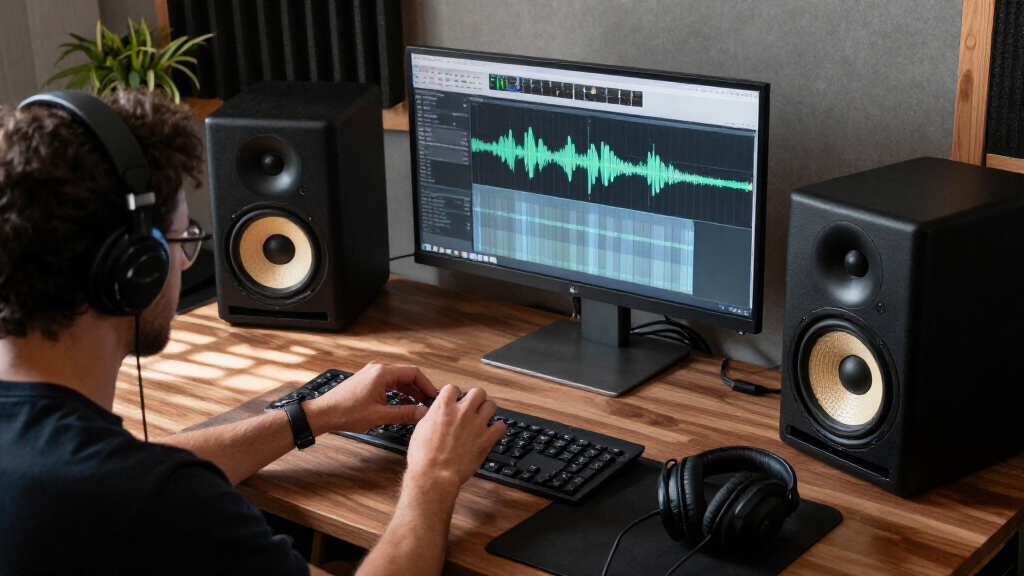
I ranked these models for nearfield desktop listening, not for filling a large room or delivering cinema-style bass. My main questions were whether the speaker format makes sense at short listening distances, whether its connections suit common computer and studio sources, and whether its physical design can work on a real desk. I also looked for useful ways to shape or place the sound, because a speaker that cannot fit the workspace is not a practical upgrade.
The lineup spans two-way powered speakers, conventional studio monitors, and a compact full-range desktop design. That variety makes direct feature-count comparisons misleading. The M60 earns credit for a particularly computer-friendly connection set and stands; the MR3 ranks above it for balanced studio and everyday use, with TRS and app EQ; the HS5 is a stronger fit for accuracy-focused work but less flexible for casual computer use. The BMR1 V2 stands out for orientation options and a stated frequency range, while the Alpha-Twin EVO offers a more ambitious studio-monitor role but arrives with limited supplied technical detail.
I have not treated certification labels or broad claims such as “neutral” as proof of a particular listening result. Where the provided information is thin, I say so rather than filling gaps with assumptions. I also give weight to drawbacks: small drivers constrain bass, studio monitors can need suitable source gear and positioning, and Bluetooth convenience does not replace a wired monitoring chain when dependable production work is the priority. This ordering favors useful nearfield fit and source flexibility, then rewards options with a clearer case for specialized monitoring.
Factors to Consider When Choosing Desktop Speakers For Nearfield Listening High End
I would choose nearfield speakers by matching their size and connections to the desk before comparing broad sound claims. At a short listening distance, placement and source compatibility shape the result as much as the speaker category does.
Match the speaker format to the work
For music production, a monitor-oriented pair such as the Yamaha HS5 or Edifier MR3 makes more sense than choosing purely for convenience. The HS5 takes the more specialized route, while the MR3 includes a wider connection set and app EQ that can also suit regular computer listening. For mixed work and casual use, I would favor that flexibility unless mix accuracy is the overriding priority.
For a compact workstation or field computer, the M60 has the most direct case: USB-C, AUX, Bluetooth, small cabinets, and angled stands. The BMR1 V2 is also desk-focused, but its placement flexibility and subwoofer output matter more than a direct USB connection. I would not buy the Alpha-Twin EVO from a sparse listing alone; confirm its dimensions and inputs against the rest of the system first.
Treat driver size and bass claims realistically
Driver dimensions help set expectations, but they do not tell the whole story. The HS5’s five-inch woofer is larger than the MR3’s 3.5-inch mid-low driver and the M60’s three-inch unit, yet room placement and the actual mix still shape bass perception. The BMR1 V2 specifies an 80 Hz lower response point, a useful clue for buyers who listen to bass-heavy material or need to judge low frequencies accurately.
If deep bass is important, avoid assuming a compact desktop pair will reproduce it with the same authority as a larger system. The BMR1 V2 at least lists a subwoofer output. The other product details supplied here do not establish a matching subwoofer path, so I would verify that before planning an upgrade.
Check connections against your computer and other gear
USB-C is a direct advantage for a compatible field computer or laptop: the M60 lists it explicitly. Bluetooth is convenient for phones and quick listening, and the M60 adds LDAC while the MR3 lists Bluetooth 5.4. For production, balanced TRS can be more relevant than a newer Bluetooth version; the MR3 lists TRS and the HS5 description does not specify its inputs.
Do not assume that a headphone output, a microphone feature, or an audio interface comes with every pair. The MR3 lists a headphone output but no built-in microphone. The BMR1 V2 describes headphone output with microphone passthrough, which is not the same thing as a built-in speaker microphone. Match the exact input and output you need before choosing based on a general “computer speaker” label.
Measure the desk and plan speaker aim
Leave space for both cabinets and the cables that connect them, then check whether the tweeters can point toward your listening position. The M60 includes angled stands, a useful benefit when speakers sit below ear height. The BMR1 V2 can be positioned vertically or horizontally, giving it more flexibility around screens and shelves. The HS5 uses a larger monitor format, so desk depth and placement deserve extra attention.
Nearfield speakers work best when the pair and listener form a reasonably balanced triangle. Avoid placing a cabinet flush against a wall without checking how that affects the bass and sound balance. If your desk forces an unusual layout, the BMR1 V2’s orientation options may be more useful than a larger driver; if a normal stereo position is available, the MR3 offers a strong balance of size and input flexibility.
Decide how much sound adjustment you want
The MR3 offers app-based EQ and sound modes, which may help tailor output to a desk or personal preference, though they add setup. The M60 provides touch controls and an app, while the supplied details do not describe equivalent room correction. The HS5 is presented around accuracy rather than a collection of computer-focused features. The Alpha-Twin EVO is described as neutral, but the limited technical information makes it hard to judge its adjustment options.
I would not treat more controls as automatically better. If you want quick, simple playback, a compact pair with familiar inputs may suit you better than a speaker that asks for app adjustments. If you are making mix decisions, prioritize a monitor’s role, connections, and placement before sound modes or wireless convenience.
Frequently Asked Questions
Which pair is the best all-around choice for desktop nearfield listening?
I would start with the Edifier MR3 because it combines balanced TRS, RCA, AUX, Bluetooth, and a headphone output with app-based EQ. That makes it more flexible across a computer, studio interface, and casual wireless sources than the Yamaha HS5. Choose the M60 instead if compact size and direct USB-C connection matter more than balanced TRS.
Which speakers make the most sense for a field computer?
The Edifier M60 is the clearest fit when the field computer supports USB-C audio and the workspace is compact. Its small cabinets and included angled stands also help with desk placement. I would choose the MR3 if the field setup uses balanced TRS or needs a broader mix of wired sources, and confirm compatibility with the exact computer before relying on USB-C audio.
Are the Yamaha HS5 or Focal Alpha-Twin EVO better for mixing?
The HS5 has the clearer case from the supplied information: it is a pair of powered studio monitors described for accurate reproduction and mixing, with a five-inch woofer. The Alpha-Twin EVO is a more premium-leaning studio option with a Slatefiber cone and multiple source connections, but response, output, and dimensions are not provided here. I would compare those specifications and the actual system inputs before choosing the Focal.
Can compact desktop speakers replace a subwoofer?
Not necessarily. Compact cabinets and small drivers can work well at a desk, but buyers who need strong low-frequency reproduction should check the stated response rather than relying on general full-range claims. The BMR1 V2 lists a lower response limit of 80 Hz and an auxiliary/subwoofer output, so it offers a clear route to add bass support. The provided details do not establish the same option for every other model.
Should I prioritize Bluetooth or wired inputs for nearfield listening?
I would prioritize the connection that matches the main source. Bluetooth is useful for quick phone playback, but a wired connection is usually the more practical choice for a fixed computer or studio setup. The M60 suits USB-C computer audio and wireless listening, while the MR3 adds balanced TRS for compatible studio gear. Check which connections your computer or interface actually supports before selecting a pair.
Conclusion
For most buyers who want one versatile nearfield pair, I recommend the Edifier MR3: its range of connections and adjustable sound make it the most adaptable choice in this comparison. For a compact field computer or laptop desk, the Edifier M60 is the better match, especially when USB-C and included angled stands can simplify the setup. Choose the Yamaha HS5 if your priority is studio-style accuracy and you have room for larger monitors.
The Drop BMR1 V2 is the pick for flexible horizontal or vertical placement and a future subwoofer connection, rather than deep bass from the speakers alone. I would shortlist the Focal Alpha-Twin EVO for a more demanding studio system only after confirming missing size, response, output, and input details. That leaves a straightforward choice: MR3 for versatility, M60 for compact computer use, HS5 for mix work, BMR1 V2 for adaptable placement, and Alpha-Twin EVO for a carefully checked premium studio setup.