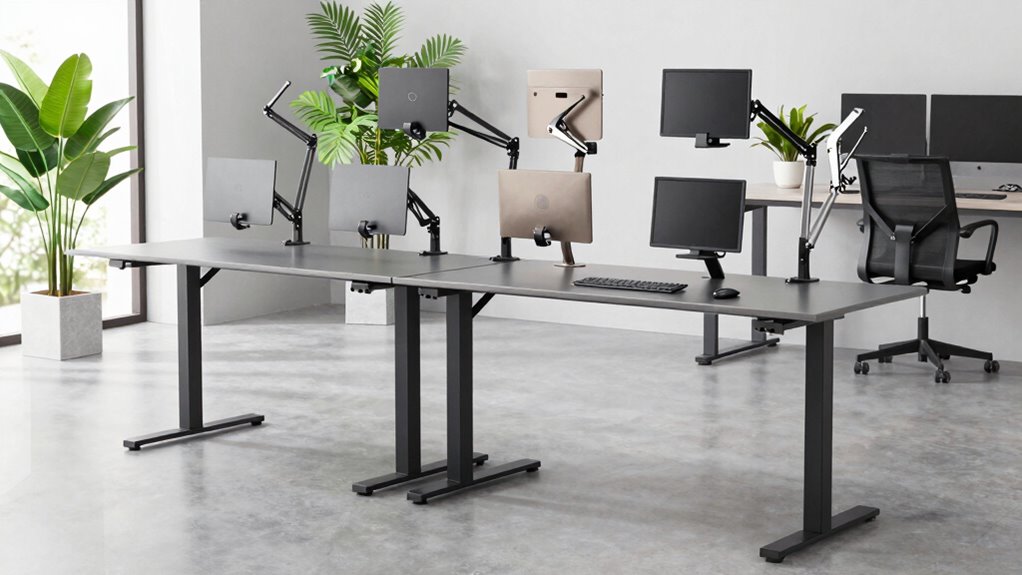

For a standing desk, I’d start with the TOPSKY No-Drill CPU Holder as the best overall choice for its 50-pound capacity and tool-free mounting approach. The VIVO Heavy Duty Under-Desk Mount and Mount-It! Heavy Duty Mount stand out for heavier towers, while the VIVO Clamp-on Desk Leg Mount suits desks where attaching a holder beneath the desktop is impractical. The main tradeoffs are mounting method, case fit, weight capacity, and clearance as the desk moves. A mount that fits the computer but interferes with the frame or cables can make a sit-stand setup awkward. Read on for how the 15 options differ and which type of mount best matches your desk and PC.

Get audio and creator gear delivered free with Prime
- Fast, free delivery on millions of items
- Prime Video, Amazon Music and more included
- Member-only deals all year
Complete the kit



Key Takeaways
- No-drill mounting is a leading differentiator: TOPSKY and Mount-It! are designed for setups where drilling into a desktop is not wanted, but buyers still need to confirm the mounting surface and attachment requirements.
- Heavy towers narrow the shortlist: The VIVO Heavy Duty and Mount-It! options list 66-pound capacities, compared with 50 pounds for TOPSKY and another clamp-holder option; match capacity to the fully loaded PC, not an estimate.
- Desk-leg clamps solve a different fit problem: VIVO MOUNT-PC01C and the JOY worker leg mount attach to a desk leg rather than beneath the top, which can help when the desktop underside is crowded.
- Case dimensions matter as much as weight: monTEK gives a stated fit range of 16.1–25.6 inches and a 66-pound maximum, making its sizing information particularly useful for checking tower compatibility.
- These mounts are not interchangeable: Clamp-on, no-drill, wall-compatible, and swivel designs place the PC differently; desk frame shape, travel clearance, cable slack, and access needs can decide the best pick.
| TOPSKY Under Desk PC Mount No Drill CPU Holder 50 lb Capacity |  | Best No-Drill Leg-Mount Fit | Weight capacity: 50 lbs | Supported PC width: 6.89–11.22 inches | Maximum PC height: 21.65 inches | VIEW ON AMAZON | See Our Full Breakdown |
| VIVO Black Large Under Desk and Wall Office PC Mount MOUNT-PC01L |  | Best for Flexible Mounting and Port Access | Model: MOUNT-PC01L | Weight capacity: 44 lbs | Adjustable width: 8.3–13 inches | VIEW ON AMAZON | See Our Full Breakdown |
| VIVO Heavy Duty Under Desk Large Office PC Mount Holds 66 lbs |  | Best for Heavy Towers on a Fixed Under-Desk Mount | Weight capacity: 66 lbs | Adjustable height: 16–24 inches | Adjustable width: 5–10 inches | VIEW ON AMAZON | See Our Full Breakdown |
| VIVO Black Clamp-on Desk Leg PC Mount MOUNT-PC01C |  | Best for Lightweight Towers and Tool-Free Setup | Mounting type: Side clamp | Maximum load: 22 lbs | Adjustable width: 3.5–7.8 inches | VIEW ON AMAZON | See Our Full Breakdown |
| Mount-It! Heavy Duty Under Desk PC Mount for Standing Desk, No-Drill, 66 lb |  | Best Heavy-Duty Desk Clamp | Weight capacity: 66 lbs | Maximum height: 25.6 inches | Maximum width: 11.8 inches | VIEW ON AMAZON | See Our Full Breakdown |
| VIVO Under Desk and Wall Office PC Mount with Swivel |  | Best for Flexible Placement | Mounting options: Under desk or wall | Maximum load: 22 lb | Adjustable width: 3.5–7.8 in | VIEW ON AMAZON | See Our Full Breakdown |
| Under Desk PC Mount for Standing Desks – No Drill CPU Holder and Tower Stand |  | Best for No-Drill Leg-Mount Setup | Material: Alloy steel | Dimensions: 2.8 × 2 × 9 in | Weight: 2.4 kg | VIEW ON AMAZON | See Our Full Breakdown |
| Adjustable Under Desk PC Mount, Clamp-On CPU Holder, Black |  | Best for Heavier Mid-Tower PCs | Maximum load: 66 lb | Height adjustment: 14.9–20.7 in | Width adjustment: 5.9–9.6 in | VIEW ON AMAZON | See Our Full Breakdown |
| JOY worker Under Desk PC Mount for Standing Desk, Clamp-On Leg CPU Holder |  | Best for Inverted-Leg Desks | Material: Alloy steel | Dimensions: 10.43 × 8.07 × 5.31 in | Weight capacity: 44 lb | VIEW ON AMAZON | See Our Full Breakdown |
| Under Desk PC Mount for Standing Desk, Clamp-On PC Holder |  | Best for Desks with 80×50 mm Legs | Desk leg size: 3⅛ × 2 in (80×50 mm) | Supported PC width: 5.7–9.84 in (145–250 mm) | Maximum case depth: 19.68 in (500 mm) | VIEW ON AMAZON | See Our Full Breakdown |
| monTEK Under Desk PC Mount, Fits 16.1-25.6″ PC Cases, Max 66lbs, Black |  | Best for Wide Case Adjustment | Mount type: Under-desk mount | Weight capacity: 66 lbs | Supported case height: 16.1–25.6 inches | VIEW ON AMAZON | See Our Full Breakdown |
| Heavy Duty Under Desk PC Mount, Height Adjustable, Max Load 66 lbs, Black |  | Best for Airflow | Maximum load: 66 lbs | Height adjustment: 17.3–25.1 inches | Maximum PC case width: 9.6 inches | VIEW ON AMAZON | See Our Full Breakdown |
| Under Desk PC Mount Clamp-on Computer Tower Holder, Supports Up to 50 lbs |  | Best Clamp-On Pick for Compatible Desk Legs | Mount type: Clamp-on desk-leg mount | Maximum load: 50 lbs | Compatible desk-leg sizes: 2 5/8 x 1 3/4 inches; 3 x 1 3/4 inches; 3 1/8 x 2 inches | VIEW ON AMAZON | See Our Full Breakdown |
| JOY worker Under Desk PC Mount with Protective Arms, Clamp-On Leg CPU Mount |  | Best for Protective Clamping | Mounting type: Clamp-on desk-leg mount | Maximum load capacity: 44 lbs | Supported case width: 5.9–9.8 inches | VIEW ON AMAZON | See Our Full Breakdown |
| Under Desk PC Mount No Drill Clamp Holder CPU Stand Fits 80x50mm |  | Best for Precisely Matched 80 x 50 mm Legs | Mount type: No-drill U-clamp | Compatible desk-leg sizes: 2 5/8 x 1 3/4 inches; 3 x 1 3/4 inches; 3 1/8 x 2 inches | Supported case width: 5.7–9.84 inches | VIEW ON AMAZON | See Our Full Breakdown |
| under desk pc mount for standing desk | Material | Color |
|---|---|---|
| TOPSKY Under Desk PC Mount No | Alloy steel | Black |
| VIVO Black Large Under Desk an | Steel | — |
| VIVO Heavy Duty Under Desk Lar | Alloy steel | Black |
| VIVO Black Clamp-on Desk Leg P | Alloy steel | — |
| Mount-It! Heavy Duty Under Des | Steel | Black |
| VIVO Under Desk and Wall Offic | Matte steel | Black |
| Under Desk PC Mount for Standi | Alloy steel | Black |
| Adjustable Under Desk PC Mount | Carbon steel | Black |
| JOY worker Under Desk PC Mount | Alloy steel | Black |
| Under Desk PC Mount for Standi | Heavy-duty steel | Black |
| monTEK Under Desk PC Mount | Alloy steel | Black |
| Heavy Duty Under Desk PC Mount | Steel and wood | Black |
| Under Desk PC Mount Clamp-on C | Steel | — |
| JOY worker Under Desk PC Mount | Alloy steel | Black |
| Under Desk PC Mount No Drill C | High-strength steel | — |
More Details on Our Top Picks
TOPSKY Under Desk PC Mount No Drill CPU Holder 50 lb Capacity
For a compatible standing-desk leg, TOPSKY keeps installation simple: its clamp attaches without drilling, while the open frame leaves room for airflow and lifts the tower off the floor. The 50-pound capacity and adjustable 6.89-to-11.22-inch width suit many standard rectangular mid-towers, but the desk-leg dimensions are the deciding factor: this mount is specified for 65×45mm, 75×45mm, or 80×50mm legs. Unlike the VIVO MOUNT-PC01L, which can attach under a desk or to a wall and swivels for access, TOPSKY is a more targeted leg-clamp choice. That avoids relying on a broad under-desk mounting surface, but offers less flexibility if your desk leg does not match. Skip it for oversized or unusually shaped cases; its listed maximum height is 21.65 inches.
Pros:- No-drill clamp installation
- Supports PC towers up to 50 pounds
- Open-frame design allows airflow around the case
- Lifts a compatible tower off the floor
Cons:- Fit depends on matching one of the specified desk-leg dimensions
- Not suited to oversized full-tower or wide gaming cases
- Limited to standard rectangular PC towers
Best for: Standing-desk owners with one of the listed leg sizes and a standard rectangular mid-tower weighing no more than 50 pounds.
Not ideal for: Owners of oversized or unusually wide towers, or standing desks with legs outside the three specified dimensions.
- Weight capacity:50 lbs
- Supported PC width:6.89–11.22 inches
- Maximum PC height:21.65 inches
- Compatible desk legs:65×45mm, 75×45mm, or 80×50mm
- Material:Alloy steel
- Dimensions:12.2 × 10.04 × 4.13 inches
- Color:Black
Our verdict“Choose TOPSKY if your desk leg matches its stated dimensions and you want a no-drill mount for a standard mid-tower.”
VIVO Black Large Under Desk and Wall Office PC Mount MOUNT-PC01L
Mounting flexibility is the MOUNT-PC01L’s main advantage: it can attach beneath a desk or to a wall, and its 135-degree swivel makes reaching rear ports easier than with a fixed holder. The adjustable 8.3-to-13-inch width and 14.6-to-25.2-inch height cover a broad range of cases, including taller towers that exceed the TOPSKY’s 21.65-inch limit. Its 44-pound capacity, however, falls below the 66-pound limit of the VIVO Heavy Duty Under Desk Large Office PC Mount. That makes this a better fit for a large but not especially heavy tower, rather than the heaviest builds. Under a standing desk, check the desk’s underside and overhang before choosing it; wall mounting is an alternative, but may not suit a setup where the PC needs to move with the desk.
Pros:- Can mount under a desk or on a wall
- 135-degree swivel improves access to ports
- Adjustable width and height accommodate varied case sizes
- Steel construction
Cons:- 44-pound capacity is lower than the VIVO Heavy Duty mount’s 66-pound limit
- Optimal under-desk installation requires a suitable desk overhang
- May not accommodate very large or unusually shaped cases
Best for: Standing-desk users with a tower under 44 pounds who want adjustable sizing and swivel access to ports, or who may prefer wall mounting.
Not ideal for: Owners of towers heavier than 44 pounds or desks without a suitable underside mounting area and no interest in wall mounting.
- Model:MOUNT-PC01L
- Weight capacity:44 lbs
- Adjustable width:8.3–13 inches
- Adjustable height:14.6–25.2 inches
- Mounting options:Under desk or wall
- Swivel:135 degrees
- Material:Steel
- Item weight:6.5 pounds
Our verdict“Pick the MOUNT-PC01L if swivel access and under-desk-or-wall mounting matter more than maximum load capacity.”
VIVO Heavy Duty Under Desk Large Office PC Mount Holds 66 lbs
Load capacity is the reason to choose this VIVO: it supports up to 66 pounds, matching the Mount-It! Heavy Duty mount’s stated capacity and exceeding the 44-pound limit of VIVO’s MOUNT-PC01L. The open frame provides ventilation, and protective padding helps limit scratches where the case contacts the holder. Its adjustable range is more restrictive than those alternatives, though: width is 5 to 10 inches and height is 16 to 24 inches, so a particularly wide or tall case may not fit even if it is within the weight limit. This is a fixed under-desk solution, not the swivel or wall-mount option offered by the MOUNT-PC01L. The desktop also needs to be at least 0.75 inches thick, a fit requirement worth checking before selecting it for a standing desk.
Pros:- Supports towers up to 66 pounds
- Open-frame construction promotes airflow
- Protective padding helps guard the case from scratches
- Adjustable height and width accommodate a range of cases
Cons:- Requires a desktop at least 0.75 inches thick
- Maximum 10-inch width may rule out wider cases
- No listed swivel or wall-mount option
Best for: Standing-desk owners with a heavy tower that measures within the 5-to-10-inch width and 16-to-24-inch height ranges and a desktop at least 0.75 inches thick.
Not ideal for: Owners of towers outside its size range, desks with thinner tops, or users who need swivel access or wall mounting.
- Weight capacity:66 lbs
- Adjustable height:16–24 inches
- Adjustable width:5–10 inches
- Minimum desktop thickness:0.75 inches
- Material:Alloy steel
- Dimensions:7 × 9 × 16 inches
- Warranty:3 years
- Color:Black
Our verdict“Choose this VIVO for a heavy tower that fits its relatively narrow size range and a desk top thick enough for installation.”
VIVO Black Clamp-on Desk Leg PC Mount MOUNT-PC01C
The MOUNT-PC01C suits a narrower, lighter tower and attaches to a desk leg with a tool-free side clamp, avoiding the under-desktop mounting approach used by the VIVO Heavy Duty mount. Its 3.5-to-7.8-inch width range fits many compact cases, and the listed height range reaches 20.5 inches. The key compromise is a 22-pound load limit: that is well below the 50-pound TOPSKY and 66-pound Mount-It! options, so it is not a sensible pick for a heavy gaming or workstation tower. Desk-leg shape matters, too; the product notes that the clamp may not suit very thick legs. For buyers with a light PC and a compatible leg, the no-drill, tool-free setup can be more convenient than mounting a frame to the desk underside.
Pros:- Tool-free, no-drill side-clamp installation
- Designed for height-adjustable desks
- Fits cases 3.5–7.8 inches wide
- Three-year warranty
Cons:- 22-pound maximum load excludes many heavy towers
- Clamp may not fit very thick desk legs
- Desk-leg clamp design may not suit every desk style
Best for: Standing-desk owners with a compact PC weighing no more than 22 pounds who want a tool-free clamp attached to a compatible desk leg.
Not ideal for: Owners of heavy towers, cases wider than 7.8 inches, or desks with legs too thick or shaped poorly for the clamp.
- Mounting type:Side clamp
- Maximum load:22 lbs
- Adjustable width:3.5–7.8 inches
- Adjustable height:11.5–20.5 inches
- Material:Alloy steel
- Dimensions:3.5 × 3.5 × 11.5 inches
- Weight:8.2 pounds
- Warranty:3 years
Our verdict“Choose the MOUNT-PC01C for a light, compact tower and a compatible desk leg, not for a heavy full-size PC.”
Mount-It! Heavy Duty Under Desk PC Mount for Standing Desk, No-Drill, 66 lb
Mount-It! pairs a 66-pound capacity with a desk-edge clamp, making it a strong candidate for a heavy mid- or full-tower when drilling into the desk is not wanted. Its height adjusts up to 25.6 inches and width up to 11.8 inches, giving it more vertical room than the VIVO Heavy Duty mount, whose maximum height is 24 inches. The tradeoff is that this clamp depends on a desk thickness between 0.59 and 2.4 inches; the VIVO Heavy Duty model instead specifies a minimum desktop thickness of 0.75 inches and has a narrower maximum width of 10 inches. Padded contact points help protect the desk and PC, but clamp installation can be awkward on uneven surfaces or near the thickness limit. Check the desk edge and case dimensions before committing.
Pros:- Supports PC cases up to 66 pounds
- No-drill clamp installation
- Height adjusts up to 25.6 inches
- Padded contact points protect the desk and PC
Cons:- Fits only desk thicknesses from 0.59 to 2.4 inches
- Clamp may be difficult to tighten on uneven surfaces or near its thickness limits
- Large-case design may be unnecessary for smaller PCs
Best for: Standing-desk owners with a heavy mid- or full-tower, a desk edge 0.59–2.4 inches thick, and a preference for no-drill clamp mounting.
Not ideal for: Owners of desks outside the specified thickness range, uneven clamp surfaces, or smaller PCs that do not need this holder’s large-case range.
- Weight capacity:66 lbs
- Maximum height:25.6 inches
- Maximum width:11.8 inches
- Desk thickness range:0.59–2.4 inches
- Mounting type:Clamp
- Material:Steel
- Finish:Matte
- Color:Black
Our verdict“Choose Mount-It! for a heavy, tall tower if your desk edge fits the clamp range and you want a no-drill installation.”
VIVO Under Desk and Wall Office PC Mount with Swivel
The VIVO stands out for buyers who want a choice of under-desk or wall mounting, rather than a holder tied to a particular standing-desk leg shape. Its adjustable width of 3.5 to 7.8 inches and height of 11.5 to 20.5 inches accommodate a range of cases, while the 135° swivel can bring ports and cables within easier reach. Compared with the no-drill JOY worker clamp-on mount, this VIVO is more adaptable in where it can be installed, but it does not offer the same leg-clamp approach. The tradeoff is its 22 lb capacity, which rules it out for heavier towers, and installation depends on a suitable desk overhang or wall surface. Choose it for a lighter PC and flexible access; skip it if your case is heavy or your desk cannot take an under-mounted bracket.
Pros:- Supports either under-desk or wall installation
- 135° swivel helps bring ports and cables within reach
- Adjustable width and height fit a range of cases
- Matte steel construction
Cons:- 22 lb maximum capacity is lower than the 44 lb and 66 lb options in this lineup
- Requires a suitable mounting surface rather than a no-drill desk-leg clamp
- Mounting hardware details are not specified
Best for: People with a lighter PC who want the option to mount it beneath a desk or on a wall and swivel it toward accessible ports.
Not ideal for: Owners of towers over 22 lb or standing desks without a suitable underside overhang or nearby wall mounting space.
- Mounting options:Under desk or wall
- Maximum load:22 lb
- Adjustable width:3.5–7.8 in
- Adjustable height:11.5–20.5 in
- Swivel:135°
- Material:Matte steel
- Color:Black
- Weight:6.5 lb
Our verdict“Choose the VIVO if mounting flexibility and swivel access matter more than carrying a heavy tower.”
Under Desk PC Mount for Standing Desks – No Drill CPU Holder and Tower Stand
This mount is aimed at standing-desk owners who want a no-drill installation and whose desk legs match its listed dimensions. Its 50 lb capacity gives it more headroom than the 44 lb JOY worker and B0GX68WXL3 clamp-on mounts, while bottom ventilation slots leave room for airflow around the tower. The main catch is compatibility: the product lists three leg sizes—65×45 mm, 75×45 mm and 80×50 mm—so measuring the frame comes before buying. Unlike the VIVO swivel mount, this is a desk-specific solution rather than a holder that can also attach to a wall, and the description says it is intended for standing desks. The listed one-week warranty detail is another limitation for buyers seeking longer stated coverage. It makes sense when the leg fit is confirmed and avoiding drilling is the priority.
Pros:- No-drill installation avoids making holes in the desk
- 50 lb capacity exceeds the 44 lb JOY worker and B0GX68WXL3 mounts
- Bottom slots allow airflow around the computer
- Steel construction is suited to supporting a desktop tower
Cons:- Compatibility depends on matching one of three listed desk-leg sizes
- Described for standing desks, not static desks
- Warranty information in the description is limited to one week
Best for: Standing-desk owners with 65×45 mm, 75×45 mm or 80×50 mm legs who want a no-drill mount with more capacity than a 44 lb holder.
Not ideal for: People with a fixed desk, unlisted leg dimensions, or a preference for clearly stated longer warranty coverage.
- Material:Alloy steel
- Dimensions:2.8 × 2 × 9 in
- Weight:2.4 kg
- Maximum load:50 lb
- Compatible desk legs:65×45 mm, 75×45 mm, 80×50 mm
- Color:Black
- Installation:No-drill
Our verdict“Pick this mount if your standing-desk leg matches the listed sizes and you want no-drill support for a tower up to 50 lb.”
Adjustable Under Desk PC Mount, Clamp-On CPU Holder, Black
Among these five options, this mount offers the greatest stated load capacity at 66 lb, making it the strongest fit for a heavy mid-tower that exceeds the limits of the 44 lb JOY worker and B0GX68WXL3 holders. Its 5.9–9.6-inch width and 14.9–20.7-inch height adjustments help accommodate different case dimensions, and buyers can choose between clamp-on or drill mounting. Anti-slip pads and side baffles help steady and protect the case, while the open bottom supports airflow. That adjustability comes with a setup tradeoff: the mount needs assembly and careful fitting, and the stated fit is limited to mid-tower cases. Unlike the VIVO, it does not offer wall mounting or a stated swivel. Choose it for load capacity and case support, but check your tower dimensions before committing.
Pros:- 66 lb capacity is higher than the other four products in this batch
- Clamp-on and drill-in installation options
- Adjustable width and height accommodate a range of mid-tower dimensions
- Anti-slip pads, side baffles and an open bottom support stability and airflow
Cons:- Requires assembly and adjustment to fit the case
- Designed for mid-tower PCs and may not fit larger or unconventional cases
- No wall-mount or swivel option is specified
Best for: Standing-desk owners with a heavier mid-tower PC who want a choice of clamp-on or drilled installation and adjustable case fit.
Not ideal for: People with a compact or unusually shaped PC, or anyone who needs wall mounting, swivel access, or a straightforward fit without assembly.
- Maximum load:66 lb
- Height adjustment:14.9–20.7 in
- Width adjustment:5.9–9.6 in
- Material:Carbon steel
- Color:Black
- Mounting options:Clamp-on or drill-in
- Case fit:Most mid-tower cases
Our verdict“Choose this adjustable mount for a heavy mid-tower when its dimensions fit and 66 lb capacity matters more than a simpler setup.”
JOY worker Under Desk PC Mount for Standing Desk, Clamp-On Leg CPU Holder
The JOY worker is a focused pick for standing desks with inverted legs: it clamps on without drilling, and the included accessories and guide are intended to make setup more straightforward than a drilled bracket such as the VIVO Under Desk and Wall Office PC Mount. Its 44 lb capacity and 5.9–9.8-inch case-width range cover many everyday towers, while the open arrangement is described as supporting airflow and reducing dust intake. That convenience depends on the desk frame: the product is not compatible with round legs and is primarily intended for inverted-leg designs. Its capacity also falls short of the 66 lb adjustable mount in this lineup, so owners of heavier PCs should look there instead. This is a practical fit when the leg shape and case width both match; outside those limits, its no-drill approach is not enough to make it a safe choice.
Pros:- Clamps onto compatible desk legs without drilling
- Included accessories and a detailed guide support installation
- 44 lb capacity suits many desktop towers
- Adjustable fit is specified for cases 5.9–9.8 inches wide
Cons:- Not compatible with round desk legs
- Designed primarily for inverted desk legs
- 44 lb limit is lower than the 50 lb and 66 lb mounts in this batch
Best for: Standing-desk owners with inverted, non-round legs and a tower 5.9–9.8 inches wide who want a guided, no-drill installation.
Not ideal for: People with round or non-inverted desk legs, cases outside the stated width range, or towers heavier than 44 lb.
- Material:Alloy steel
- Dimensions:10.43 × 8.07 × 5.31 in
- Weight capacity:44 lb
- Supported PC width:5.9–9.8 in
- Mounting type:Clamp-on
- Desk compatibility:Standing desks with inverted legs; not round legs
- Color:Black
Our verdict“Choose the JOY worker when your standing desk has compatible inverted legs and your tower fits its width and weight limits.”
Under Desk PC Mount for Standing Desk, Clamp-On PC Holder
This clamp-on holder is a match-specific choice: it is made for standing-desk legs measuring 80×50 mm, and it accepts cases 5.7–9.84 inches wide with a stated maximum depth of 19.68 inches. That case range is slightly wider at its lower end than the JOY worker’s listed 5.9-inch minimum, but the JOY worker is described for inverted legs rather than one exact leg measurement. The B0GX68WXL3 avoids drilling and has a 44 lb capacity, with an open frame intended to keep air moving around the PC. Its main limitation is clear: unlike the adjustable-height B0H5JCQ94D, it has no stated height adjustment, and its leg compatibility is narrow. Measure both the frame and tower before choosing it; if either falls outside the specifications, a more adjustable mount is the safer direction.
Pros:- Clamp-on installation requires no drilling
- Supports cases 5.7–9.84 inches wide and up to 19.68 inches deep
- 44 lb capacity suits many standard desktop towers
- Open-frame construction supports airflow around the PC
Cons:- Compatible only with 80×50 mm desk legs
- No height-adjustment feature is specified
- 44 lb capacity is below the 50 lb and 66 lb options in this batch
Best for: Standing-desk owners with 80×50 mm legs and a tower no wider than 9.84 inches or deeper than 19.68 inches.
Not ideal for: People with any other desk-leg size, a tower outside the listed dimensions, or a need to adjust mount height.
- Desk leg size:3⅛ × 2 in (80×50 mm)
- Supported PC width:5.7–9.84 in (145–250 mm)
- Maximum case depth:19.68 in (500 mm)
- Weight capacity:44 lb (20 kg)
- Material:Heavy-duty steel
- Color:Black
- Mounting type:Clamp-on
Our verdict“Pick this holder when your desk legs measure 80×50 mm and your tower fits the stated size and 44 lb limits.”
monTEK Under Desk PC Mount, Fits 16.1-25.6″ PC Cases, Max 66lbs, Black
The monTEK is a strong fit for standing-desk owners who need more room to size a tower than a fixed clamp mount offers. Its 7.1–11.8-inch width support and adjustable height cover a broad range of cases, while the 66-pound limit accommodates heavier gaming PCs. Compared with the Heavy Duty Under Desk PC Mount, which tops out at 9.6 inches wide, monTEK leaves more room for broad cases. Its steel construction and anti-scratch pads add reassurance when the desk moves, and lifting the tower off the floor can help keep it clear of kicks and dust. The tradeoff is a more involved under-desk installation than a clamp-on-leg holder, and the stated case-size range still rules out unusually large builds. I’d choose it when case fit and load capacity matter more than a drill-free setup.
Pros:- Supports PCs up to 66 pounds.
- Adjusts for cases 7.1–11.8 inches wide and 16.1–25.6 inches high.
- Anti-scratch pads help protect the PC and desk.
- Raises the tower off the floor to free workspace and reduce exposure to dust and kicks.
Cons:- Installation and assembly may take more effort than a clamp-on-leg design.
- Cases outside the specified height or width ranges will not fit.
Best for: Standing-desk owners with a heavy or wide gaming tower who want adjustable under-desk clearance and protective contact pads.
Not ideal for: Buyers who want a no-drill clamp-on-leg installation or whose PC falls outside the stated width and height ranges.
- Mount type:Under-desk mount
- Weight capacity:66 lbs
- Supported case height:16.1–25.6 inches
- Supported case width:7.1–11.8 inches
- Material:Alloy steel
- Color:Black
- Item dimensions:7.9 x 13.8 x 30.7 inches
- Item weight:11.7 pounds
Our verdict“Choose the monTEK if your standing desk needs to hold a heavier or wider tower than narrower mounts can accommodate.”
Heavy Duty Under Desk PC Mount, Height Adjustable, Max Load 66 lbs, Black
This mount’s open-frame design makes it a sensible pick for a standing-desk PC that runs warm: it holds the tower off the floor without surrounding the case with a closed enclosure. The 66-pound capacity matches the monTEK, but its 9.6-inch maximum case width makes it less accommodating for broader builds. Height adjusts from 17.3 to 25.1 inches, and the product includes installation hardware, which gives buyers a clearer setup path than models whose installation details are less explicit. The main constraint is fit: a case wider than 9.6 inches is out, and the mount itself needs enough clear space beneath the desk. I’d put it ahead of the JOY worker mount for buyers prioritizing a high load limit and airflow, but not for anyone needing a no-drill desk-leg clamp.
Pros:- Supports a substantial 66-pound load.
- Open frame leaves the case less enclosed for airflow.
- Height adjusts from 17.3 to 25.1 inches.
- Installation hardware is included.
Cons:- Maximum supported case width is 9.6 inches.
- Requires usable space beneath the desk.
- Unlike leg-clamp models such as the JOY worker, it is not described as a no-drill clamp-on-leg holder.
Best for: Standing-desk users with a warm-running PC no wider than 9.6 inches who want an open mount and a 66-pound capacity.
Not ideal for: Owners of wide towers or desks with limited under-desk clearance; also skip it if you specifically need a clamp-on-leg mount.
- Maximum load:66 lbs
- Height adjustment:17.3–25.1 inches
- Maximum PC case width:9.6 inches
- Frame design:Open frame
- Material:Steel and wood
- Color:Black
- Product dimensions:22 x 9.6 x 25.1 inches
- Item weight:12.83 pounds
Our verdict“Pick this open-frame mount if your tower fits within 9.6 inches and airflow matters more than clamp-on-leg convenience.”
Under Desk PC Mount Clamp-on Computer Tower Holder, Supports Up to 50 lbs
For a standing desk with one of the listed rectangular leg sizes, this clamp-on mount offers a way to raise a PC without drilling into the desktop. Its 50-pound limit covers many standard towers, though it falls short of the 66-pound monTEK and Heavy Duty mounts for heavier gaming builds. Case width adjusts from 5.6 to 9.64 inches, so it can handle a useful range of narrower cases. The catch is desk compatibility: the mount is designed around three specific leg profiles and explicitly excludes round or irregular legs. That makes measuring the desk leg a necessary step, not a detail to leave until installation. Compared with the JOY worker, it provides stated leg dimensions and a slightly lower load ceiling; I’d favor it when those exact dimensions match and avoiding drilling is the priority.
Pros:- Clamp-on installation avoids drilling.
- Supports PC towers up to 50 pounds.
- Adjustable width accommodates cases from 5.6 to 9.64 inches.
- Elevates the tower to free floor space and improve airflow.
Cons:- Fits only the specified desk-leg dimensions.
- Does not support round or irregular legs.
- Its 50-pound limit is lower than the 66-pound mounts in this roundup.
Best for: Standing-desk owners whose rectangular legs match a listed size and whose PC tower weighs no more than 50 pounds.
Not ideal for: Buyers with round, irregular, or unlisted desk legs, or with a PC heavier than the 50-pound capacity.
- Mount type:Clamp-on desk-leg mount
- Maximum load:50 lbs
- Compatible desk-leg sizes:2 5/8 x 1 3/4 inches; 3 x 1 3/4 inches; 3 1/8 x 2 inches
- Adjustable case width:5.6–9.64 inches
- Material:Steel
Our verdict“Choose this mount when your desk leg matches its listed rectangular sizes and you want a drill-free holder for a midweight tower.”
JOY worker Under Desk PC Mount with Protective Arms, Clamp-On Leg CPU Mount
The JOY worker’s adjustable protective arms and silicone gaskets give it a more cushioned grip than a basic clamp-on holder, a useful distinction when a standing desk moves through its height range. It supports cases 5.9–9.8 inches wide and up to 44 pounds, so it suits many standard office and gaming towers but has less load headroom than the 50-pound leg mount or the 66-pound monTEK. Installation does not require drilling, which keeps the desk surface untouched. Compatibility is the main caveat: this design is intended chiefly for inverted desk legs and is not suited to round legs. Unlike the Heavy Duty Under Desk PC Mount, it attaches to a desk leg rather than occupying a conventional under-desk mounting area. I’d choose it for a compatible leg and a case that benefits from the padded, adjustable hold.
Pros:- Clamp-on installation requires no drilling.
- Adjustable arms help secure and protect the PC case.
- Silicone gaskets add grip and cushioning.
- Fits cases from 5.9 to 9.8 inches wide.
Cons:- Designed mainly for inverted desk legs and not suitable for round legs.
- The 44-pound capacity is lower than the 50- and 66-pound alternatives.
- No cable-management features are specified.
Best for: Standing-desk owners with compatible inverted legs who want a no-drill clamp and protective contact around a standard-width PC case.
Not ideal for: People with round or incompatible desk legs, towers wider than 9.8 inches, or PCs weighing over 44 pounds.
- Mounting type:Clamp-on desk-leg mount
- Maximum load capacity:44 lbs
- Supported case width:5.9–9.8 inches
- Material:Alloy steel
- Color:Black
- Dimensions:10.43 x 8.27 x 6.3 inches
- Weight:2.85 kg
Our verdict“Pick the JOY worker if your desk has compatible inverted legs and padded clamping matters more than maximum load capacity.”
Under Desk PC Mount No Drill Clamp Holder CPU Stand Fits 80x50mm
This holder is for buyers who can match their desk-leg measurement exactly, not for anyone seeking a universal clamp. It comes in three fixed leg-size options, including 80 x 50 mm, and the supplied description stresses that the selected size must match the desk. Once compatible, the no-drill U-clamp raises the PC and uses non-slip pads to help limit sliding and case scratches. Its 5.7–9.84-inch case-width range is generous for this style, but the 40-pound limit is the lowest among the clamp-on choices here: the 50-pound mount offers more headroom, while the monTEK supports substantially heavier towers. The open frame is a useful airflow feature, but it cannot make an incompatible desk leg fit. I’d consider it only after measuring both the leg and PC case.
Pros:- No-drill U-clamp attaches the holder to a compatible desk leg.
- Fits PC cases 5.7–9.84 inches wide.
- Open-frame construction supports airflow around the PC.
- Non-slip pads help reduce sliding and scratches.
Cons:- Available only for three fixed desk-leg sizes, so measuring is essential.
- The 40-pound capacity is lower than the other clamp-on options listed here.
- The design works best with inverted legs and is not universal.
Best for: Owners of standing desks with a precisely matching 80 x 50 mm leg option and a PC tower weighing 40 pounds or less.
Not ideal for: Anyone unsure of their desk-leg dimensions, with a round or unlisted leg, or with a tower heavier than 40 pounds.
- Mount type:No-drill U-clamp
- Compatible desk-leg sizes:2 5/8 x 1 3/4 inches; 3 x 1 3/4 inches; 3 1/8 x 2 inches
- Supported case width:5.7–9.84 inches
- Maximum load:40 lbs
- Frame design:Open frame
- Material:High-strength steel
- Included contact protection:Non-slip pads
Our verdict“Choose this holder only if your leg matches one of its fixed sizes and your PC stays within its 40-pound limit.”

How We Picked
I ranked these mounts around the real constraints of a standing desk: attachment compatibility, tower fit, stated load capacity, and movement clearance. A mount can have a high capacity and still be a poor match if its clamp conflicts with the desk frame, its supported dimensions do not suit the case, or its position leaves too little slack for cables when the desk rises. I also considered how easy the mounting approach is to understand and how well each design may serve a specific setup, such as a heavy tower, a crowded desktop underside, or a desk leg that offers a more suitable attachment point.
The order favors options with a useful mix of fit flexibility and clear use cases, then separates specialized designs by who is likely to benefit. TOPSKY ranks first as a balanced no-drill-style pick with a 50-pound capacity. The VIVO Heavy Duty and Mount-It! models rank highly for buyers who need the stated 66-pound support, while desk-leg, swivel, and dimension-specific choices follow when their particular mounting geometry is a better match. Where product names do not provide full adjustment ranges or installation details, I avoid treating those details as confirmed and recommend checking the current specifications before buying.
Factors to Consider When Choosing Under Desk Pc Mount For Standing Desk
The right mount depends on more than whether a tower can hang beneath a desk. I’d first check the PC and desk together: case dimensions, frame geometry, attachment surface, and the desk’s full range of motion. The points below address common fit mistakes that are easy to miss when choosing from capacity claims alone.
Match the holder to the desk’s attachment points
Start by looking underneath the desk for crossbars, control boxes, cable trays, and motor housings. These can block a clamp or leave too little room for the PC, even when the mount itself appears compact. A desk-leg model may bypass a crowded underside, but it needs a leg shape and width that suit its clamp. No-drill does not mean universal: check what surface the holder attaches to and whether your desktop or frame provides that surface. I’d sketch the mount’s intended position before ordering, including the path of the desk frame as it moves. Choosing by the desk’s actual geometry is more reliable than choosing by the product name alone.
Measure the case, including feet and protrusions
Measure the tower where the holder will contact it, not just the manufacturer’s headline case dimensions. Feet, side panels, handles, and unusual shapes can change how the PC sits in a cradle or between protective arms. Leave room for ventilation and avoid a fit that presses against intake areas or exposed ports. If the holder lists an adjustment range, check that both the narrowest and widest settings accommodate your case securely. A little extra space can help with insertion, but too much may let the tower shift. If dimensions are missing, ask the seller or choose a model with a clearly stated fit range rather than guessing.
Treat weight capacity as a limit, not a target
Use the weight of the complete PC, including installed drives and other components, when comparing capacity claims. Don’t assume a holder rated for a given load has the same margin or attachment strength as another model with the same number. The desk material and the way the mount fastens also affect the practical load the setup can support. Heavy-duty choices such as the VIVO and Mount-It! models list 66 pounds, while several options list 50 pounds; that difference matters most for heavier towers, not every desktop PC. If your system is near a mount’s stated limit, a safer choice is one with more headroom and a secure attachment compatible with the desk.
Check clearance through the full standing range
A mount must clear the desk frame, floor, walls, and nearby furniture at both the lowest and highest desk positions. Measure the tower’s hanging height and the available space below the desktop, then account for anything that shifts as the desk rises. Check that the PC will not hit a chair, drawer unit, or wall when the desk changes height. A swivel mount can make access easier, but its movement also needs clearance around the tower and its cables. Set aside enough cable slack for the desk’s full travel without leaving loops that can snag. This is a layout check, not a feature that a weight rating can answer.
Choose between access, protection, and a fixed position
Think about how often you reach the PC’s front ports, power button, or side panel. A fixed holder can keep the tower tucked away, while a swivel design may make occasional access less awkward if there is room to turn it. Protective arms can help keep the case contained, but they must contact sturdy parts of the chassis rather than delicate panels or vents. Also consider dust and cleaning: lifting the tower off the floor can make the area easier to manage, but a mount does not remove the need to clear dust from filters and fans. If you rarely access the case, a simpler fixed arrangement may be preferable to extra movement. If you frequently plug in devices or service the PC, prioritize access without compromising stability.
Decide when paying for extra capacity or flexibility makes sense
More capacity is useful when the tower is heavy or when you want a wider safety margin, but it does not automatically make a mount a better fit for your desk. Extra adjustability can help with unusual case sizes, while a simpler clamp may be easier to position in a straightforward setup. A wall-compatible option can add placement choices, though wall installation may require different tools and a suitable mounting surface. Compare the value of those capabilities against your actual needs instead of selecting the longest feature list. For a standard-size tower and an uncomplicated desk, fit and secure attachment may matter more than added movement. Pay for flexibility when it solves a specific clearance, access, or compatibility problem.
Frequently Asked Questions
Can I mount a PC under a standing desk without drilling?
Yes, several options in this roundup are described as no-drill or clamp-on, including the TOPSKY and Mount-It! models. The exact installation method still matters: a clamp needs an accessible, compatible edge or leg, and some designs may need a different attachment surface. Check the desk frame and underside for obstructions before choosing. Confirm the product’s current instructions and supported surfaces rather than interpreting “no-drill” as a guarantee that it fits every desk. Also test the mount’s position across the desk’s full height range before routing cables permanently.
How much weight capacity should I choose for my desktop tower?
Weigh the fully assembled PC and compare it with the mount’s stated maximum capacity. The 66-pound VIVO Heavy Duty and Mount-It! models offer more listed capacity than options rated for 50 pounds, but capacity alone does not confirm desk compatibility or attachment strength. Avoid choosing a holder whose limit is close to your tower’s weight if you can select one with more headroom. Check whether the rating applies to the complete holder and the intended mounting method. If your PC’s weight is unknown, use its specifications or weigh it before ordering.
Will an under-desk PC mount fit any standing desk?
No. Frame rails, cable trays, motor housings, desktop thickness, and desk-leg shape can all rule out a particular mounting style. A clamp-on leg holder may work where a desktop clamp is blocked, but only if the leg matches its clamp requirements. Check the desk maker’s guidance for attachments and keep the mount clear of moving parts. Measure the case and the intended mounting area, then confirm the tower will not collide with the floor, chair, or nearby furniture as the desk moves. When measurements are unclear, verify them with the seller before buying.
Should I choose a swivel mount or a fixed mount?
A swivel mount is useful if you regularly need access to rear connections or want to move the PC for maintenance. A fixed mount can make more sense when the tower will stay tucked in one position and you want to avoid needing extra turning clearance. Either design still needs cable slack for sit-to-stand movement. Check where the PC’s ports face and whether there is enough room to swing the case without hitting a wall, leg, or chair. Choose based on how you use the computer, not on movement as a feature by itself.
Is a 50-pound mount enough, or should I choose a 66-pound model?
A 50-pound rating may be suitable if your complete tower is comfortably below that limit and the mount fits your desk securely. The 66-pound models in this roundup provide a higher stated capacity, which is more relevant for heavier cases or buyers who need additional load headroom. That number does not make a mount automatically safer if its clamp conflicts with the desk or its supported case dimensions are wrong. Compare your PC’s actual weight, attachment method, and case fit together. When the tower’s weight is near the stated maximum, choose a higher-capacity compatible option or confirm the setup with the manufacturer.
Conclusion
For most buyers, I’d choose the TOPSKY No-Drill CPU Holder as the best overall starting point because it pairs a 50-pound stated capacity with a no-drill approach. The Mount-It! Heavy Duty Mount is my best value-style pick for a setup that needs a stated 66-pound capacity without prioritizing swivel access, while the VIVO Heavy Duty Mount is a strong alternative for buyers comparing heavy-tower support. For beginners, I’d favor a mount whose attachment method and case fit are clearly compatible with the desk rather than one with features they may not use. Choose the VIVO Clamp-on Desk Leg Mount or a JOY worker leg option when the desktop underside is crowded, and consider the VIVO Swivel Mount when regular PC access matters and there is room to turn it. Buyers with a specific case size should give extra attention to the monTEK’s stated 16.1–25.6-inch fit range. Before committing, verify the tower’s weight, mounting surface, and clearance through the full standing range; those checks matter more than a capacity number on its own.
Halloween Picks

Halloween Inflatable Haunted House Maze – 20×20 ft with Removable Roof and Blower

8.5 Foot Halloween Inflatable Haunted House Castle with Skeleton, Ghost & Skulls

Thuodo 8 FT Tall Halloween Inflatable Three-Headed Dragon with LEDs
As an affiliate, we earn on qualifying purchases.