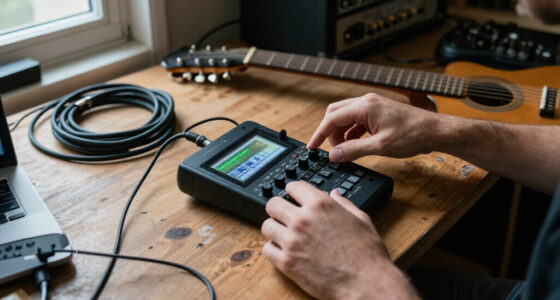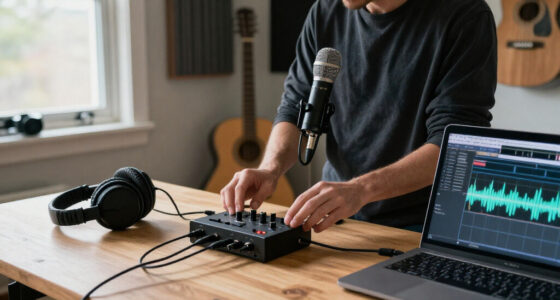

USB audio mixers for streaming range from simple desktop controls to XLR-capable interfaces with more room to grow. My best overall pick is the Audio-Technica AT-UMX3 for streamers who want a focused, desktop-friendly mixer from an established audio brand. The MAONO G3 is a stronger fit for creators who want gaming controls and XLR flexibility, while the FIFINE AmpliGame SC3 favors accessible soundboard-style features. The main tradeoff is between easy-to-use streaming controls and flexible inputs that take more setup. Read on for the full breakdown and help matching a mixer to your microphone, devices, and streaming style.

Get audio and creator gear delivered free with Prime
- Fast, free delivery on millions of items
- Prime Video, Amazon Music and more included
- Member-only deals all year
Complete the kit


Key Takeaways
- The Audio-Technica AT-UMX3 stands out as the focused desktop option; its white version is a color alternative, not a meaningfully different mixer choice.
- The MAONO G3 and MAONO G1 Neo pair gaming-oriented controls with XLR support, making them more relevant to creators planning around an XLR microphone than compact line-in-only devices.
- The FIFINE SC3, SC3W, and SC8 put gaming features front and center, so buyers should compare their particular connection and control needs rather than treating the similarly named models as interchangeable.
- The Pyle PMUX6 and PAD43MXUBT serve a different purpose from gaming-first mixers: their interface and multi-channel or Bluetooth positioning may suit broader audio sources, with more setup complexity.
- The MAONO P1, Cubilux CB5, and bundled FIFINE KS5 options show that a useful streaming setup can also be portable, minimal, or microphone-inclusive—but each solves a narrower problem than a full desktop mixer.
| PUPGSIS Gaming Audio Mixer for PC Streaming with Soundboard and Voice Changer |  | Best for On-the-Fly Voice Effects | Channels: 4 | Connectivity: USB | Audio inputs: 1/4-inch TRS; 3.5 mm microphone support | VIEW LATEST PRICE | See Our Full Breakdown |
| FIFINE AmpliGame SC3 Gaming Audio Mixer |  | Best Value for XLR Streaming Controls | Channels: 4 | Connectivity: USB-C; XLR microphone input | Phantom power: 48V | VIEW LATEST PRICE | See Our Full Breakdown |
| MAONO G3 Gaming Audio Mixer and XLR Interface for PC Streaming |  | Best for Multi-Source Gaming Mixes | Channels: 4 | Faders and submixes: Four physical faders; three submixes | Microphone input: XLR | VIEW LATEST PRICE | See Our Full Breakdown |
| Audio-Technica AT-UMX3 USB Desktop Audio Mixer |  | Best Compact Loopback Mixer | Channels: 2 | Microphone input: One XLR or 1/4-inch combo input | Other inputs: Two LINE inputs for guitar and keyboard | VIEW LATEST PRICE | See Our Full Breakdown |
| Pyle PMUX6 USB Audio Interface |  | Best for Basic Recording and Monitoring | Channels: 2 | Maximum sample rate and resolution: 48 kHz; 24-bit | Inputs: Two combo XLR/6.35 mm jacks and one 3.5 mm AUX jack | VIEW LATEST PRICE | See Our Full Breakdown |
| Pyle PAD43MXUBT 4-Channel Bluetooth Audio Mixer with USB Interface |  | Best for Bluetooth-First Streaming | Channels: 4 | Bluetooth: Version 5.0; range up to 50 ft | USB interface: USB 2.0 Type-B | VIEW LATEST PRICE | See Our Full Breakdown |
| FIFINE SC8 Gaming Audio Mixer with Virtual 7.1 Surround Sound |  | Best for Game-and-Chat Streaming | Channels: 5 | Connectivity: USB-C, optical, 3.5 mm AUX | Microphone inputs: XLR and 6.35 mm | VIEW LATEST PRICE | See Our Full Breakdown |
| FIFINE Ampligame SC3W 4-Channel Gaming Audio Mixer | 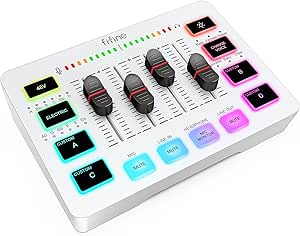 | Best for Hands-On Starter Streaming | Channels: 4 | Microphone input: XLR | Phantom power: 48V | VIEW LATEST PRICE | See Our Full Breakdown |
| Audio-Technica AT-UMX3 USB Desktop Audio Mixer, White |  | Best for Clean Computer Loopback | Channels: 2 | Connectivity: USB-C | Microphone input: One XLR or 1/4-inch input | VIEW LATEST PRICE | See Our Full Breakdown |
| Cubilux CB5 USB Audio Interface with Microphone, Line-In, Line-Out and Headphone Jacks |  | Best Compact USB Connection Hub | Connectivity: USB | Inputs and outputs: Two stereo microphone jacks, line-in, line-out, and headphone jack | Channels: 3 | VIEW LATEST PRICE | See Our Full Breakdown |
| MAONO G1 Neo Gaming Audio Mixer with XLR Input and 48V Phantom Power | 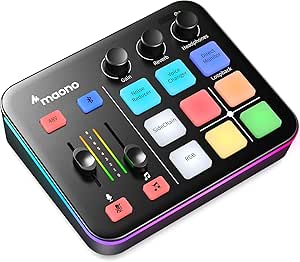 | Best for Streaming Effects | Channels: 4 | Connectivity: USB | Audio input: XLR | VIEW LATEST PRICE | See Our Full Breakdown |
| MAILANGSHI Gaming Audio Mixer with XLR Input and Noise Reduction |  | Best for Hands-On Source Control | Channels: 4 | Connectivity: XLR, Bluetooth | Audio input: XLR | VIEW LATEST PRICE | See Our Full Breakdown |
| MAONO P1 USB Audio Interface for PC, Phone, iPad, and Guitar |  | Best for Solo Recording and Streaming | Channels: 2 | Maximum gain: 70 dB | Maximum sample rate: 192 kHz | VIEW LATEST PRICE | See Our Full Breakdown |
| FIFINE Gaming Microphone and Audio Mixer Bundle, XLR/USB Dynamic Mic, KS5W |  | Best Simple Mic-and-Mixer Bundle | Microphone type: Dynamic | Connectivity: USB, XLR | Mixer channels: 1 | VIEW LATEST PRICE | See Our Full Breakdown |
| FIFINE AmpliGame KS5 XLR/USB Gaming Microphone and Audio Mixer Bundle |  | Best Bundled Four-Channel Setup | Microphone type: Dynamic | Connectivity: XLR, USB | Mixer channels: 4 | VIEW LATEST PRICE | See Our Full Breakdown |
| USB audio mixers for streaming | Channels | Connectivity | Phantom power |
|---|---|---|---|
| PUPGSIS Gaming Audio Mixer for | 4 | USB | — |
| FIFINE AmpliGame SC3 Gaming Au | 4 | USB-C; XLR microphone input | 48V |
| MAONO G3 Gaming Audio Mixer an | 4 | — | 48V |
| Audio-Technica AT-UMX3 USB Des | 2 | — | 48V |
| Pyle PMUX6 USB Audio Interface | 2 | — | +48V DC |
| Pyle PAD43MXUBT 4-Channel Blue | 4 | XLR/6.35 mm combo, RCA, 3.5 mm, USB, Bluetooth | +48V |
| FIFINE SC8 Gaming Audio Mixer | 5 | USB-C, optical, 3.5 mm AUX | 48V |
| FIFINE Ampligame SC3W 4-Channe | 4 | — | 48V |
| Audio-Technica AT-UMX3 USB Des | 2 | USB-C | — |
| Cubilux CB5 USB Audio Interfac | 3 | USB | — |
| MAONO G1 Neo Gaming Audio Mixe | 4 | USB | 48V |
| MAILANGSHI Gaming Audio Mixer | 4 | XLR, Bluetooth | 48V |
| MAONO P1 USB Audio Interface f | 2 | — | 48V |
| FIFINE Gaming Microphone and A | — | USB, XLR | — |
| FIFINE AmpliGame KS5 XLR/USB G | — | XLR, USB | — |
More Details on Our Top Picks
PUPGSIS Gaming Audio Mixer for PC Streaming with Soundboard and Voice Changer
Four programmable sound pads, voice changing, and adjustable reverb make the PUPGSIS a fit for streamers who want effects at hand without relying on separate software. Bluetooth input can feed background audio into a session, while compatibility with PC, phones, tablets, and PS4/PS5 gives it broader device reach than the Windows-focused MAONO G3. The tradeoff is microphone flexibility: it does not support USB microphones or 48V phantom power, so it is a poor match for many condenser-mic setups. XLR microphones need a separate 1/4-inch TRS-to-XLR cable, and monitoring must be wired. Compared with the FIFINE AmpliGame SC3, this is more effect-focused, but less suitable for streamers who need phantom power and independent channel controls.
Pros:- Four programmable sound-effect pads and a built-in voice changer support quick live effects.
- Adjustable reverb and noise reduction offer basic vocal shaping.
- Works with PC, phones, tablets, PS4, and PS5.
- Bluetooth input can add background audio.
Cons:- Does not support USB microphones or microphones requiring 48V phantom power.
- XLR microphones require a separate 1/4-inch TRS-to-XLR cable.
- Bluetooth is input-only, and monitoring requires a wired connection.
Best for: Console and multi-device streamers using a compatible 3.5 mm or non-phantom-powered microphone who want programmable effects and voice changes.
Not ideal for: Streamers with USB microphones or 48V condenser microphones, or anyone who wants wireless headphone monitoring.
- Channels:4
- Connectivity:USB
- Audio inputs:1/4-inch TRS; 3.5 mm microphone support
- Microphone compatibility:XLR requires a 1/4-inch TRS-to-XLR cable; USB microphones and 48V phantom-power microphones are not supported
- Effects:Four programmable sound pads, voice changer, adjustable reverb, and noise reduction
- Bluetooth:Input only for background audio
- Compatible devices:PC, phone, tablet, PS4, and PS5
- Dimensions:16.5 × 15 × 3.5 in
Our verdict“Choose the PUPGSIS for live effects across several device types, but skip it if your microphone needs USB or phantom power.”
FIFINE AmpliGame SC3 Gaming Audio Mixer
The FIFINE AmpliGame SC3 brings together 48V phantom power, separate level controls, and quick mute and monitoring buttons in a USB-powered desktop mixer. That combination suits streamers who want control over mic, line-in, headphone, and line-out levels without moving up to the MAONO G3’s faders and three submixes. Four customizable effect buttons plus voice-changing and auto-tune modes add live-production options, though they are not a substitute for a flexible multi-output routing setup. It connects to Windows and macOS, while the PUPGSIS is the more appealing pick for console compatibility and Bluetooth background audio. The SC3’s main limitation is microphone choice: it does not support USB microphones, and its XLR cable is not included. It is a practical control surface for a single-mic streaming desk, not a universal audio hub.
Pros:- 48V phantom power supports compatible condenser microphones.
- Independent controls cover microphone, line-in, headphone, and line-out audio.
- Mute and monitoring buttons make common live adjustments accessible.
- Includes customizable sound buttons, voice-changing modes, and auto-tune effects.
Cons:- Does not support USB microphones.
- XLR cable is not included.
- Cable length, shielding, and connector condition can affect audio quality.
Best for: PC or Mac streamers using an XLR microphone who want phantom power, independent level controls, and built-in effects.
Not ideal for: Creators using USB microphones, console-first setups, or workflows needing several separate audience and teammate mixes.
- Channels:4
- Connectivity:USB-C; XLR microphone input
- Phantom power:48V
- Outputs:3.5 mm line-out and headphone jacks
- Effects:Four customizable sound-effect buttons, six voice-changing modes, and 12 auto-tune changes
- Compatibility:Windows and macOS
- Included cables:USB-C to USB-A/C cable and 3.5 mm audio cable
- Dimensions and weight:4.44 × 6.45 × 1.6 in; 0.5 kg
Our verdict“Pick the SC3 for a PC or Mac XLR-mic setup with hands-on controls and effects, but look elsewhere for USB-mic support or advanced submixes.”
MAONO G3 Gaming Audio Mixer and XLR Interface for PC Streaming
Four physical faders and three submixes give the MAONO G3 a more hands-on, routing-focused design than the FIFINE AmpliGame SC3. That matters when a streamer wants to adjust sources directly and create separate mixes for themselves, the audience, and teammates. Its XLR input, 48V phantom power, direct monitoring, and preamp gain up to 57 dB make it better equipped for a dedicated microphone setup than the PUPGSIS, which lacks phantom power. The G3 also includes customizable sound pads and mute buttons, but its workflow leans on MAONO Arena for Windows; Mac-first creators should check compatibility before choosing it. A listed gain figure does not guarantee a good match for every demanding dynamic microphone, and this gaming mixer is not aimed at studio recording needs.
Pros:- Four physical faders and dedicated mute buttons enable direct source control.
- Three submixes support separate creator, audience, and teammate audio mixes.
- XLR input includes 48V phantom power and direct monitoring.
- Dual USB-C connectivity and customizable sound pads suit streaming workflows.
Cons:- Designed primarily for Windows workflows; Mac compatibility should be checked.
- May not suit demanding studio recording setups.
- May be a poor fit for very gain-hungry dynamic microphones.
Best for: Windows-based gaming streamers who manage multiple audio sources and want separate mixes for themselves, viewers, and teammates.
Not ideal for: Mac-first creators, demanding studio recording workflows, or users whose dynamic microphone needs more gain than the mixer can provide cleanly.
- Channels:4
- Faders and submixes:Four physical faders; three submixes
- Microphone input:XLR
- Preamp gain:Up to 57 dB
- Phantom power:48V
- USB connectivity:Dual USB-C
- Monitoring and software:Direct monitoring; MAONO Arena for Windows
- Included items:Mixer, USB cable, and quick start guide
Our verdict“Choose the G3 if Windows-based streaming and separate listener mixes matter more than broad operating-system flexibility or studio use.”
Audio-Technica AT-UMX3 USB Desktop Audio Mixer
The AT-UMX3 is the lineup’s compact, straightforward choice for combining a microphone or instrument with computer audio through loopback. Its combo input accepts XLR or 1/4-inch sources, and two LINE inputs add room for instruments such as guitar and keyboard. Compared with the effect-heavy FIFINE AmpliGame SC3, it favors a cleaner, simpler streaming workflow over sound pads and voice-changing modes. It also supports up to 24-bit/192 kHz conversion, though streaming buyers may value its loopback function more than the headline resolution. The central tradeoff is capacity: there is only one microphone input, so it is not built for co-hosts or several live microphones. The MAONO G3 is the stronger fit for multiple source mixes, while this Audio-Technica makes more sense for a small desktop setup that needs dependable input and computer-audio blending.
Pros:- Loopback combines microphone or instrument input with computer audio for streaming.
- Combo input accepts an XLR microphone or 1/4-inch source.
- Two LINE inputs support instruments such as guitar and keyboard.
- Plug-and-play connection works with computers and mobile devices.
Cons:- Provides only one microphone input.
- Compact format limits the available inputs and channel options.
- Does not offer the sound pads and voice-changing effects found on gaming-focused mixers.
Best for: Solo streamers and podcasters who want a compact USB mixer for one mic or instrument plus computer audio loopback.
Not ideal for: Two-person shows, multi-mic streams, or creators who want onboard sound pads, voice effects, or extensive channel controls.
- Channels:2
- Microphone input:One XLR or 1/4-inch combo input
- Other inputs:Two LINE inputs for guitar and keyboard
- Loopback:Mixes microphone or instrument inputs with computer audio
- A/D converter resolution:Up to 24-bit/192 kHz
- Phantom power:48V
- Outputs:TRS and USB Type B
- Dimensions and weight:5.2 × 5 × 1.7 in; 12 oz
Our verdict“Choose the AT-UMX3 for a compact solo setup with loopback, but pick the MAONO G3 if you need more hands-on source mixing.”
Pyle PMUX6 USB Audio Interface
The Pyle PMUX6 is a simple option for streamers who need two combo inputs, 48V phantom power, and several monitoring connections without gaming-oriented effects. It can accept microphone or instrument connections through its XLR/6.35 mm jacks, while the AUX input provides another route for external audio. Compared with the Audio-Technica AT-UMX3, the PMUX6 emphasizes practical input and headphone/monitor connections over a stated 24-bit/192 kHz converter ceiling and loopback workflow. Its own maximum is 24-bit/48 kHz, which covers common streaming needs but offers less headroom for higher-resolution recording. The two-channel design also falls short of the MAONO G3’s faders and separate submixes. Think of it as a compact interface for straightforward recording and monitoring, not a full-featured streaming control surface.
Pros:- Two combo XLR/6.35 mm inputs accept microphones or instruments.
- 48V phantom power supports compatible condenser microphones.
- Includes AUX, headphone, and left/right monitor connections.
- Rugged metal housing in a compact format.
Cons:- Limited to two channels.
- Maximum recording resolution is 24-bit/48 kHz.
- Lacks the dedicated streaming effects and submix controls of the MAONO G3.
Best for: Streamers and home recordists who need two mic or instrument inputs, phantom power, and direct headphone or monitor connections.
Not ideal for: Creators who need sound pads, voice effects, multiple submixes, or recording above 24-bit/48 kHz.
- Channels:2
- Maximum sample rate and resolution:48 kHz; 24-bit
- Inputs:Two combo XLR/6.35 mm jacks and one 3.5 mm AUX jack
- Outputs:6.35 mm and 3.5 mm headphone outputs; L/R monitor output
- Phantom power:+48V DC
- USB interface:USB 2.0 Type-B
- Power:DC 5V or PC power; 3W consumption
- Housing and dimensions:Rugged metal; 1.5 × 5.6 × 4.1 in
Our verdict“Pick the PMUX6 for straightforward two-input recording and monitoring, but choose a gaming mixer if you need effects or separate live mixes.”
Pyle PAD43MXUBT 4-Channel Bluetooth Audio Mixer with USB Interface
The Pyle PAD43MXUBT suits a desktop stream where a phone or other wireless source needs to join microphones and instruments without taking up a separate computer input. Its Bluetooth 5.0 connection, USB playback and recording, and RCA and 3.5 mm inputs give it more ways to bring in audio than the more focused Audio-Technica AT-UMX3, which prioritizes computer loopback and higher-resolution conversion. The Pyle also adds +48V phantom power, per-channel EQ and pan, and built-in echo, so it can handle a modest mix without extra processing hardware.
The tradeoff is its compact four-channel layout: it is a practical fit for a straightforward stream, not a growing setup with many independent sources. Bluetooth is useful for casual audio playback, but it is not a substitute for a wired, predictable feed when timing matters. I would choose it for flexible source connections, not for the most refined computer-focused workflow.
Pros:- Bluetooth 5.0 and USB playback and recording support several common streaming sources.
- +48V phantom power accommodates condenser microphones.
- Per-channel two-band EQ, pan, and built-in echo offer basic mix shaping.
- Compact metal chassis fits a desktop or portable setup.
Cons:- Four channels may feel restrictive as a stream adds microphones and separate audio sources.
- Bluetooth playback is less suited than a wired connection when consistent timing is required.
- The included USB cable is only 3.94 ft long.
Best for: Desktop streamers who mix an XLR condenser mic with a phone, instrument, or other wired and Bluetooth audio sources.
Not ideal for: Streamers building a larger multi-mic production or needing a tightly computer-centered loopback workflow; its four-channel format is less suited to complex routing than a dedicated production mixer.
- Channels:4
- Bluetooth:Version 5.0; range up to 50 ft
- USB interface:USB 2.0 Type-B
- Connectivity:XLR/6.35 mm combo, RCA, 3.5 mm, USB, Bluetooth
- Phantom power:+48V
- Channel controls:Built-in echo, two-band EQ, and pan
- Dimensions:5.35 × 5.13 × 1.38 in
- Power:DC 5V, 500mA; 7W power consumption
Our verdict“Choose the Pyle if Bluetooth source playback and flexible basic inputs matter more than advanced routing or room to expand.”
FIFINE SC8 Gaming Audio Mixer with Virtual 7.1 Surround Sound
For a streamer who needs to keep game audio and voice chat in balance, the FIFINE SC8 makes that control more direct than the general-purpose Pyle PAD43MXUBT. Its dedicated game/chat volume control, USB-C connection, optical input, and 3.5 mm input are geared toward a gaming desk, while voice effects and customizable sound buttons support a more performative stream. XLR and 6.35 mm mic inputs plus 48V phantom power also leave room for a condenser microphone, rather than locking the setup into a gaming headset mic.
This focus comes with real compatibility limits: USB microphones are not supported, and an XLR cable is not included. Virtual 7.1, EQ presets, and voice effects are gaming-oriented features, not a replacement for a flexible production mixer. Compared with the FIFINE SC3W, the SC8 offers a more explicit game/chat workflow, but buyers should check their mic and connection requirements before choosing it.
Pros:- Dedicated game/chat balance control suits live gaming sessions.
- XLR and 6.35 mm microphone inputs with 48V phantom power support compatible mics.
- USB-C, optical, and 3.5 mm inputs offer several ways to connect gaming audio.
- Four customizable sound buttons and voice effects support quick stream cues.
Cons:- Does not support USB microphones.
- An XLR cable is not included, adding a separate setup requirement.
- Virtual surround and gaming effects are less useful for general-purpose audio production.
Best for: PC or console streamers with an XLR or 6.35 mm microphone who want separate game/chat level control and quick sound effects.
Not ideal for: Streamers who already own a USB microphone, or anyone seeking a neutral mixer for varied recording and production tasks.
- Channels:5
- Connectivity:USB-C, optical, 3.5 mm AUX
- Microphone inputs:XLR and 6.35 mm
- Phantom power:48V
- Audio features:Virtual 7.1 surround; three EQ presets
- Voice controls:Eight voice effects; four customizable sound buttons
- Outputs:3.5 mm audio jack and USB
- USB microphone compatibility:Not supported
Our verdict“Pick the SC8 for game-and-chat control with a compatible wired mic, but skip it if your streaming setup depends on a USB microphone.”
FIFINE Ampligame SC3W 4-Channel Gaming Audio Mixer
The FIFINE Ampligame SC3W is a straightforward choice for a new streamer who wants separate level adjustments without stepping up to a more connection-heavy board. Its four individual channel faders make it easier to adjust a stream mix on the fly than the Cubilux CB5, which is a compact USB interface rather than a hands-on fader mixer. An XLR input with 48V phantom power supports a condenser mic, while mute, volume, and monitoring controls keep common live adjustments close at hand.
RGB lighting and voice-changing effects add a gaming flavor, but the SC3W is less compelling for someone seeking high-resolution capture details or broader wired input choices. Its listed output is 3.5 mm, so buyers should confirm that suits their headphones and monitoring chain. Compared with the game/chat-focused FIFINE SC8, this model emphasizes accessible fader control rather than dedicated game/chat balance and optical input.
Pros:- Four individually adjustable channel faders provide direct control during a stream.
- XLR microphone input includes 48V phantom power.
- Mute, volume, and real-time monitoring controls suit live adjustments.
- Voice-changing effects and RGB lighting add gaming-oriented features.
Cons:- The listed 3.5 mm output may not suit every monitoring setup.
- Its described connectivity is less varied than the SC8’s USB-C, optical, and AUX options.
- Gaming effects may matter little to streamers focused on clean production audio.
Best for: Beginner gaming streamers who want physical channel faders, a compatible XLR condenser mic, and simple mute and monitoring controls.
Not ideal for: Streamers who need optical or multiple specified input types, dedicated game/chat balancing, or a different output connection for their audio chain.
- Channels:4
- Microphone input:XLR
- Phantom power:48V
- Output:3.5 mm
- Controls:Individual channel faders, mute, and volume
- Monitoring:Real-time monitoring
- Dimensions:4.44 × 6.45 × 1.6 in
- Weight:8 oz
Our verdict“Choose the SC3W for approachable physical faders and XLR mic support, not for the widest connection options or advanced routing.”
Audio-Technica AT-UMX3 USB Desktop Audio Mixer, White
The Audio-Technica AT-UMX3 is the most computer-centered option in this group: its loopback function mixes microphone and instrument inputs with computer audio, which directly addresses the core need of many livestreams. USB-C plug-and-play support for computers and mobile devices keeps setup simple, and conversion up to 24-bit/192 kHz gives it a stronger stated resolution specification than the gaming-focused FIFINE SC3W. Two line inputs add flexibility for instruments or other line-level sources.
The tradeoff is capacity. With just one microphone input and two channels, it is a focused desktop tool rather than a mixer for several speakers or multiple independent mic feeds. The Pyle PAD43MXUBT offers four channels and Bluetooth, making it more adaptable to mixed casual sources, while the AT-UMX3 is the better fit when computer audio loopback is the priority. Streamers needing a larger live mix should look elsewhere.
Pros:- Loopback combines mic and instrument inputs with computer audio for streaming.
- USB-C plug-and-play connectivity works with computers and compatible mobile devices.
- Supports conversion up to 24-bit/192 kHz.
- Two line inputs accommodate instruments or other line-level sources.
Cons:- Only one microphone input limits multi-speaker streams.
- Two-channel capacity offers less room for additional independent sources than the Pyle PAD43MXUBT.
- Its focused desktop design lacks the gaming effects and dedicated game/chat controls found on the FIFINE SC8.
Best for: Solo livestreamers and desktop creators who need to combine one microphone or instrument with computer audio through loopback.
Not ideal for: Panel hosts, co-streamers, or musicians who need multiple microphone inputs and more than two channels.
- Channels:2
- Connectivity:USB-C
- Microphone input:One XLR or 1/4-inch input
- Line inputs:2
- Maximum sample rate:192 kHz
- Audio resolution:Up to 24-bit
- Compatible systems:Windows and macOS
- Weight:334 g
Our verdict“Choose the AT-UMX3 when dependable computer-audio loopback for a solo stream matters more than extra mic channels or gaming controls.”
Cubilux CB5 USB Audio Interface with Microphone, Line-In, Line-Out and Headphone Jacks
The Cubilux CB5 is the smallest, most connection-focused pick here, aimed at adding mic, line, and headphone jacks to a computer rather than providing the surface controls of a traditional streaming mixer. Its stereo microphone inputs, line-in, line-out, and headphone jack make it useful for a compact desk or travel setup, and it needs no external power. Against the four-channel FIFINE SC3W, the CB5 gives up physical channel faders and gaming effects in exchange for a much smaller USB interface footprint.
Its listed recording support reaches 96 kHz/24-bit, while the DAC output specification goes up to 192 kHz/32-bit; those are separate figures, not a promise of matching recording resolution. A further routing limit is that line-out and audio output cannot be used at the same time. I would treat it as a compact connection solution for a modest stream, not as a full-featured mixer for active live adjustment.
Pros:- Combines two stereo microphone jacks, line-in, line-out, and headphone connections in a compact interface.
- No external power source is required.
- Supports multi-track recording with independently assigned device names.
- DAC output is specified up to 192 kHz/32-bit.
Cons:- Line-out and audio output jacks cannot be used simultaneously.
- Recording quality is specified up to 96 kHz/24-bit, below the stated DAC output capability.
- It lacks the physical faders and direct live controls of the FIFINE SC3W.
Best for: Traveling or space-limited creators who need a bus-powered way to connect microphones, a line-level source, and headphones to a Windows or Mac computer.
Not ideal for: Streamers who need physical faders, live channel mixing, simultaneous line-out and audio output, or higher recording resolution than 96 kHz/24-bit.
- Connectivity:USB
- Inputs and outputs:Two stereo microphone jacks, line-in, line-out, and headphone jack
- Channels:3
- Recording quality:Up to 96 kHz/24-bit
- DAC output:Up to 192 kHz/32-bit
- Power:No external power source required
- Compatible operating systems:Windows and macOS
- Weight:0.11 kg
Our verdict“Pick the CB5 when a tiny, bus-powered connection hub is more useful than hands-on mixing controls or flexible output routing.”
MAONO G1 Neo Gaming Audio Mixer with XLR Input and 48V Phantom Power
The MAONO G1 Neo suits streamers who want mic handling and audience-facing effects in one compact USB mixer. Its XLR input with 48V phantom power supports compatible condenser microphones, while sound pads, voice effects, one-click noise reduction, and loopback offer more on-the-fly options than the more recording-focused MAONO P1. Direct monitoring and one-click mute also fit a live workflow where quick control matters. Bluetooth accompaniment can bring in audio without adding another wired source. The tradeoff is that its small control layout may take some setup time to learn, and it is less clearly suited to the hands-on multi-fader workflow of the MAILANGSHI. Choose it for compact streaming features and effects; skip it if you need several clearly separated physical faders or a straightforward recording interface.
Pros:- XLR input and 48V phantom power support compatible condenser microphones.
- Sound pads, voice effects, and one-click noise reduction add live-stream controls.
- Loopback, direct monitoring, and one-click mute support common streaming tasks.
- Bluetooth accompaniment input and customizable RGB lighting add flexibility and personalization.
Cons:- Compact controls may require consulting the manual during setup.
- Corded electric power means it is not a self-powered portable mixer.
Best for: Solo gamers and live streamers who want an XLR microphone input, loopback, sound pads, and quick voice effects in a compact setup.
Not ideal for: Creators who want four dedicated physical faders for separate sources or prefer a simple interface with minimal controls to configure.
- Channels:4
- Connectivity:USB
- Audio input:XLR
- Phantom power:48V
- Output connector:USB Type-C
- Power:Corded electric; 5 volts
- Dimensions:6.29 × 2 × 5.19 inches
- Weight:1.2 pounds
Our verdict“Pick the G1 Neo if streaming effects and compact XLR connectivity matter more than a bank of physical faders.”
MAILANGSHI Gaming Audio Mixer with XLR Input and Noise Reduction
The MAILANGSHI stands out for streamers who want to adjust several audio paths without reaching for software: four physical faders and dedicated mute buttons cover microphone, accompaniment, speaker, and headset audio. That makes it a more tactile choice than the compact MAONO G1 Neo, which emphasizes effects and compactness rather than the same explicitly described fader layout. It also supports dynamic and condenser XLR microphones, with 48V phantom power, Bluetooth audio, one-touch noise reduction, and customizable sound pads. The feature set is broad for a desktop streaming hub, but setup depends on the device and the right cables or adapters; compatibility also varies across computers, mobile devices, and supported consoles. Choose it for hands-on mixing, not if you want a plug-in-and-go device with universal console support.
Pros:- Four physical faders and dedicated mute buttons provide direct control of multiple audio paths.
- Supports dynamic and condenser XLR microphones with 48V phantom power.
- Bluetooth audio, one-touch noise reduction, voice effects, and four customizable sound pads support varied streams.
- Compact desktop footprint with RGB lighting.
Cons:- Required cables and adapters can vary with the connected computer, phone, or console.
- Compatibility is limited to supported devices and game consoles rather than guaranteed across all setups.
Best for: Streamers and podcasters who regularly balance a microphone, accompaniment, headset, and speaker audio using physical controls.
Not ideal for: Buyers seeking a minimal interface, or console users who have not confirmed that their specific device and connection method are supported.
- Channels:4
- Connectivity:XLR, Bluetooth
- Audio input:XLR
- Phantom power:48V
- Microphone support:Dynamic and condenser XLR microphones
- Signal-to-noise ratio:85 dB
- Voice effects:6 effects, 12 Auto-Tune levels, reverb, and echo
- Dimensions and weight:8.1 × 6.1 × 2.3 inches; 0.46 kg
Our verdict“Choose the MAILANGSHI if separate physical faders and mutes are your priority and you can verify device compatibility before setup.”
MAONO P1 USB Audio Interface for PC, Phone, iPad, and Guitar
The MAONO P1 is the recording-minded pick in this group: its two-channel layout, 24-bit/192 kHz support, up to 70 dB of gain, and direct monitoring favor a solo creator recording vocals or an instrument alongside computer audio. Loopback helps route computer sound into a stream, while dual USB connectivity broadens its use with compatible computers and mobile devices. Compared with the MAONO G1 Neo, the P1 gives up sound pads, voice effects, and gaming-oriented controls in favor of a more interface-focused workflow. That distinction also sets its limit: two channels are not a fit for a full band or a large multi-person podcast. Buyers need to match inputs and power settings to their microphone or instrument, so it is better for creators comfortable checking their signal chain than for someone seeking an all-in-one effects mixer.
Pros:- Up to 70 dB of gain supports microphones that need substantial amplification.
- 24-bit/192 kHz capability and 48V phantom power suit a recording-focused setup.
- Direct monitoring and loopback support recording and computer-audio streaming.
- Compact metal housing and dual USB connectivity support compatible computers and mobile devices.
Cons:- Two channels are not designed for full-band sessions or larger podcast groups.
- Input selection and power settings require matching the interface to the connected microphone or instrument.
Best for: Solo musicians, voice creators, and streamers who need a compact two-channel interface with loopback and broad computer or mobile compatibility.
Not ideal for: Full-band recordists, multi-guest podcasters, or gamers who want built-in sound pads and live voice effects.
- Channels:2
- Maximum gain:70 dB
- Maximum sample rate:192 kHz
- Bit depth:24-bit
- Phantom power:48V
- Inputs:Microphone, guitar, bass, and computer or mobile audio
- Supported software:Includes OBS Studio, Pro Tools, Ableton Live, Logic Pro, GarageBand, and FL Studio
- Dimensions:5.9 × 5.98 × 3.46 inches
Our verdict“Choose the P1 for solo recording and streaming when interface features matter more than gaming effects or multiple mic inputs.”
FIFINE Gaming Microphone and Audio Mixer Bundle, XLR/USB Dynamic Mic, KS5W
The FIFINE KS5W is for a streamer who wants a microphone and basic mixer together, rather than a feature-rich control surface. Its included dynamic microphone supports USB and XLR, and the mixer adds a slider fader for quick level changes. That makes this a simpler starting point than the four-channel FIFINE AmpliGame KS5, whose mixer is described with individual channel controls and headphone monitoring. The KS5W’s main compromise is its one-channel mixer: it is a poor match for managing several separate sources, and the microphone’s mute, monitoring, and other controls work only over USB. Keep it connected by USB if you want those functions; choosing XLR means giving them up. Its limited channel count makes this a focused bundle for a basic PC streaming desk, not a flexible expansion platform.
Pros:- Bundle includes a dynamic microphone and mixer for a single purchase setup.
- Microphone supports both USB and XLR connections.
- Slider fader offers direct level adjustment.
- USB microphone connection provides gain, mute, and headphone monitoring controls.
Cons:- Mixer has only one channel, limiting separate source control.
- Microphone mute, monitoring, and RGB functions are unavailable when connected via XLR.
Best for: A PC streamer or voice-over beginner who wants a bundled dynamic microphone and a simple fader-based mixer for one primary audio channel.
Not ideal for: Creators who need independent control of multiple audio sources or plan to use the microphone over XLR while retaining its USB-only controls.
- Microphone type:Dynamic
- Connectivity:USB, XLR
- Mixer channels:1
- Compatible devices:Personal computer
- Operating systems:Linux, Windows, macOS
- Microphone controls:Gain knob, mute button, and headphone monitoring over USB
- Mixer features:Slider fader and five RGB lighting modes
- Weight:1.46 kg
Our verdict“Pick the KS5W for a basic one-mic PC setup, but choose the four-channel KS5 if you need more source control.”
FIFINE AmpliGame KS5 XLR/USB Gaming Microphone and Audio Mixer Bundle
The FIFINE AmpliGame KS5 is the stronger bundle for streamers who want to manage more than a single microphone channel: its four-channel mixer adds individual mute control, headphone monitoring, and a volume fader alongside an included dynamic microphone. Compared with the one-channel FIFINE KS5W, this layout gives a growing gaming or podcast setup more room to manage separate audio sources. The microphone offers USB and XLR connections, but the connection choice changes what remains available: its listed mute, gain, monitoring, and headphone-volume controls work over USB, not XLR. The mixer’s controls and RGB functions are also listed as unavailable over the microphone’s XLR connection. That makes the USB path the more complete choice for convenience, while XLR suits buyers prioritizing that connection over the bundle’s USB-specific control features.
Pros:- Four-channel mixer offers more source-management room than the one-channel FIFINE KS5W.
- Individual mute control, headphone monitoring, and a volume fader support hands-on operation.
- Included dynamic microphone supports USB and XLR connectivity.
- Five RGB lighting effects allow some desk setup customization.
Cons:- Microphone mute, gain, monitoring, and headphone-volume controls are available only over USB.
- Listed mixer control and RGB functions are unavailable when using the XLR connection.
Best for: Gaming streamers and small podcast setups that want a bundled dynamic mic plus four-channel controls for managing several sources.
Not ideal for: Buyers who plan to connect the microphone by XLR and expect to retain the listed USB-only mute, gain, monitoring, and volume functions.
- Microphone type:Dynamic
- Connectivity:XLR, USB
- Mixer channels:4
- Maximum sample rate:48 kHz
- Audio inputs:XLR, USB
- USB microphone controls:Mute, gain, real-time monitoring, and headphone volume
- Mixer features:Individual mute control, headphone monitoring, volume fader, and five RGB effects
- Weight:1.48 kg
Our verdict“Choose the KS5 for a bundled multi-source streaming setup if you are comfortable using USB for the microphone’s full control set.”
How We Picked
I ranked these USB audio mixers for streaming by how well their stated design fits common creator workflows: connecting a microphone, monitoring audio, handling game or playback sound, and adjusting levels without interrupting a stream. I gave more weight to useful input and output options, clear control layouts, and flexibility across a PC, phone, or other source than to feature claims that matter only to a narrow setup. XLR support and phantom power counted as meaningful advantages for buyers who plan to use compatible microphones, while bundled microphones counted as convenience rather than proof of better mixer performance.
The order reflects streaming fit, ease of setup, and room to adapt, not a claim that one device is best for every creator. Focused desktop options rank ahead for a straightforward solo setup; gaming-oriented mixers earn their place through accessible controls and soundboard features; and general-purpose or compact interfaces rank lower when they serve fewer streaming tasks or require closer attention to connections. The list also includes closely related models and color or bundle variants, so I distinguish their roles without treating a shared product family as a guarantee of identical features.
Factors to Consider When Choosing USB Audio Mixers For Streaming
Before choosing a mixer, map the signal path you actually need: microphone, computer audio, guest or phone audio, headphones, and any second source. That simple inventory can prevent a common mismatch—buying a device with attractive gaming controls but the wrong inputs for your microphone or streaming platform.
Match the mixer to your microphone
Start by checking whether your microphone connects over USB or XLR, then confirm that the mixer accepts that connection in the way you intend to use it. An XLR input can make sense if you want to connect compatible microphones and keep the mic signal separate from computer audio. If a microphone needs 48V phantom power, confirm that the exact mixer provides it; an XLR socket alone does not answer that question. USB microphones often connect directly to a computer rather than serving as a mixer input, so do not assume a mixer can accept every USB mic. Bundles can simplify a first setup, but they limit your choice of microphone and may add gear you would rather select separately.
Count sources and outputs, not just channels
Write down every source you want to hear or route: your mic, game audio, music, a phone, a co-host, or a console. Then check which sources can be connected at the same time, since a channel count by itself may not describe the routing you need. A Bluetooth input can be handy for playback, but wireless audio may add delay and is not a substitute for a dependable wired mic connection. Check headphone monitoring and the connection to your streaming computer separately; those solve different parts of the signal path. If you stream with guests or multiple devices, plan the routing before buying rather than expecting a compact mixer to behave like a full production console.
Choose controls that fit your on-stream habits
Physical level controls and mute buttons help when you need to react quickly without opening software. Sound pads and voice effects can add interaction, but they are less useful if your show depends on consistent, natural speech. Before treating a feature as a selling point, ask how often you will use it and whether it affects the microphone, playback, or both. A simpler interface can be easier to operate while gaming, while more controls can reduce software adjustments once you learn the layout. Prioritize the actions you need to perform live, not the largest number of buttons.
Check software and operating-system expectations
USB connection does not guarantee that every mixer exposes audio to a computer in the same way or supports every feature without extra software. Check the device’s operating-system support and whether effects, virtual surround, or soundboard functions rely on a companion application. A feature that works only in a particular software setup may not carry over to a console, phone, or another computer. For a dependable stream, test the complete path in the software you plan to broadcast with, including monitoring and any audio routing tools. Keep the setup simple if you do not want to troubleshoot device settings during a live session.
Pay for flexibility you will use
A more capable mixer is worth choosing when its extra inputs, microphone support, or controls remove a real limitation in your setup. It is harder to justify extra complexity for features you will rarely touch, especially if a compact interface already handles one microphone and headphone monitoring. Beginners often benefit more from an understandable layout and a clean connection path than from a long feature list. Creators planning to change microphones or add sources should give expansion options more weight than buyers with a fixed solo setup. Treat bundled microphones, effects, and wireless playback as workflow choices, not automatic upgrades.
Think through portability and desk space
A small mixer can leave room for a keyboard, controller, or camera gear, but a compact footprint may mean fewer dedicated controls or connections. If the device will travel, account for the cables, microphone, and power arrangement as well as the mixer itself. A desktop unit designed for gaming may be convenient at a fixed PC station but less suited to a phone-based or mobile recording setup. Conversely, a portable interface may be easy to carry yet slower to adjust during a live stream. Choose around where you will operate it, not just its size on a product page.
Frequently Asked Questions
Do I need an XLR mixer for a USB microphone?
Not usually: a USB microphone normally connects to the computer directly, so an XLR input on a mixer may not accept it as a microphone source. Check whether the mixer offers a compatible way to bring in computer audio if you want to combine the mic with other sources. If you are happy with your USB microphone and only need basic monitoring, a separate mixer may add complexity without solving a real problem. Choose an XLR-capable model when you plan to use an XLR microphone or need the mixer’s input and routing options. Confirm the exact connection path before buying, especially for a bundle.
When does 48V phantom power matter for streaming?
Phantom power matters when your chosen microphone requires it, commonly certain condenser microphones that connect over XLR. It is not a general sound-quality switch, and many dynamic microphones do not need it. Check the microphone’s requirements and the mixer’s specifications together rather than assuming every XLR mixer supplies phantom power. If you expect to change microphones later, a model with 48V support can give you more options. If your current mic does not need it and your plans are fixed, the feature may not affect your choice.
Can a USB mixer combine game audio and microphone audio for a stream?
Many streaming mixers are intended to handle microphone and playback sources, but the specific connections and routing differ by model. Confirm how computer or console audio enters the mixer and how the mixed signal reaches your streaming software. A headphone output only lets you monitor sound; it does not necessarily mean the computer receives the same mix. For console use, verify the console’s audio output method and any required adapters before purchase. A short routing diagram can reveal missing connections before you commit to a setup.
Should I choose a gaming mixer with sound pads or a simpler USB interface?
Choose sound pads when you expect to trigger clips, effects, or quick audio cues during a show and want direct access to those actions. A simpler interface may suit a talk-focused stream where clean mic input, playback, and headphone monitoring matter more than performance controls. Extra effects can also create more settings to manage, so check whether they work with your streaming software and intended computer. Think about what you will operate while live, not what seems entertaining in a feature list. The SC3-style gaming options and compact interfaces in this roundup reflect those different priorities.
Is a microphone-and-mixer bundle a good choice for a first streaming setup?
A bundle can reduce the number of separate compatibility decisions and may be convenient if you are starting without a microphone. It is a poorer fit if you already own a mic or have a particular model in mind, since the included equipment may overlap with what you have. Check whether the microphone uses USB or XLR and whether that matches the mixer’s actual inputs and your preferred setup. Also compare the bundle’s controls and connection options with a standalone mixer rather than assuming the package is more capable. Choose it for convenience, not simply because it contains more pieces.
Conclusion
For most solo creators who want a straightforward desktop choice, I recommend the Audio-Technica AT-UMX3 as the best overall; choose the white version only if its finish better suits your setup. For gaming controls and XLR flexibility, the MAONO G3 is my best value pick, while creators seeking a more feature-led gaming workflow can look at the FIFINE SC3 or SC8. The AT-UMX3 is also my best beginner choice for a focused desktop setup, while the Pyle PAD43MXUBT makes more sense for buyers who need multi-channel or Bluetooth source options. For portable, phone-oriented use, consider the MAONO P1; for a microphone-inclusive setup, compare the FIFINE KS5 bundles. I would call a mixer premium only when its added inputs and routing match a real need: among these options, prioritize the model whose connections fit your full signal path rather than paying for controls you will not use.