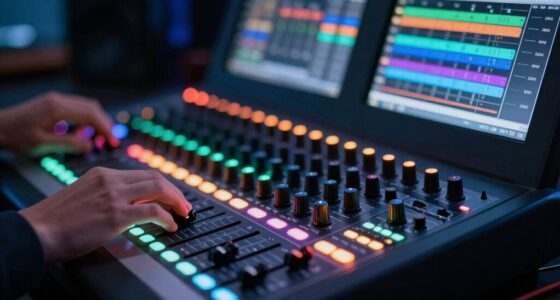

Loudness normalization adjusts playback levels so that different tracks sound equally loud to your ears, even if their actual volume levels vary. It considers how your hearing perceives sounds, including frequency content and dynamic range, to create a consistent listening experience. When one song sounds quieter than another, it’s often because of differences in their intended loudness or dynamic range. To understand how this keeps your listening smooth without jarring jumps, keep exploring further.

Get audio and creator gear delivered free with Prime
- Fast, free delivery on millions of items
- Prime Video, Amazon Music and more included
- Member-only deals all year
Key Takeaways
- Different tracks may have varying dynamic ranges, affecting perceived loudness even if their actual sound levels are similar.
- Perceptual loudness normalization adjusts for how the human ear perceives volume, not just raw audio levels.
- Variations in frequency content can make certain sounds seem louder or quieter, impacting overall perceived loudness.
- Some tracks are mastered with a wider dynamic range, causing softer passages to sound quieter after normalization.
- Normalization targets consistent perceived loudness, so tracks with different original mastering can still sound uneven in volume.
Have you ever noticed how some songs or videos suddenly seem much louder or softer than others? This phenomenon often puzzles listeners because the volume difference isn’t always due to the actual sound level but rather how our ears perceive the audio. That’s where loudness normalization comes into play, aiming to create a consistent listening experience by adjusting the perceived loudness across different tracks. One key concept behind this process is the dynamic range, which refers to the difference between the quietest and loudest parts of a piece of audio. A track with a wide dynamic range can have soft whispers and explosive crescendos, while a track with a narrow dynamic range stays relatively consistent in volume. When loudness normalization works, it reduces the disparity caused by varying dynamic ranges, making one song sound neither overly quiet nor painfully loud compared to another. Additionally, perceptual measurement is essential because it considers how our ears interpret different sounds, allowing for more natural adjustments.
Loudness normalization relies heavily on perceptual measurement—how our ears perceive loudness rather than just measuring sound pressure levels. Unlike traditional volume measurements, perceptual measurement considers factors like frequency content and how the human auditory system interprets different sounds. For example, a sound with more high frequencies might seem louder to us even if its physical volume is the same as a deeper, bass-heavy sound. This approach allows audio engineers and streaming services to adjust tracks so they sound equally loud to your ears, regardless of their original production levels. By applying perceptual measurement, normalization processes can fine-tune audio levels in a way that feels natural, avoiding the jarring jumps in volume that happen when tracks are played back without adjustment.
When loudness normalization is properly implemented, it balances the perceived loudness, ensuring you don’t have to constantly turn your volume up or down. Without it, you might find yourself reaching for the remote to lower the volume during loud sections or increasing it during quieter passages. This inconsistency can become tiring and detract from your listening experience. Modern streaming platforms and broadcasters use sophisticated algorithms that analyze the perceptual loudness of each track, adjusting playback levels to match a target loudness standard. This process respects the dynamic range of the original recording but ensures that the overall perceived volume remains consistent across different content. The result is a smoother, more enjoyable listening experience, where you can focus on the music or video without distraction caused by sudden volume changes.
In essence, loudness normalization leverages our understanding of perceptual measurement and dynamic range to deliver a balanced audio experience. It’s designed to make sure that each track sounds as intended, without startling jumps in volume, so you can enjoy your favorite songs and videos at a comfortable, consistent level every time.
As an affiliate, we earn on qualifying purchases.
Frequently Asked Questions
How Does Human Perception Influence Loudness Normalization?
Your perception influences loudness normalization because your ears use perceptual weighting, emphasizing certain frequencies over others, which affects how loud a track sounds. Auditory masking also plays a role, where louder sounds hide quieter ones, making some parts seem quieter. These factors help algorithms adjust volume levels so that your listening experience feels consistent, despite differences in raw audio levels, ensuring you perceive tracks as equally loud.
Can Loudness Normalization Affect Audio Quality?
Loudness normalization can affect audio quality by impacting your listening experience. It adjusts the dynamic range, making quiet parts louder and loud parts quieter, which might lead to audio artifacts like distortion or a loss of detail. These changes can sometimes make the music sound less natural or more compressed, so you might notice a reduction in overall clarity and nuance, especially if the normalization is aggressive.
What Are the Best Practices for Consistent Loudness Across Platforms?
Think of your audio as a river flowing smoothly; to keep it consistent across platforms, you should control its ebb and flow. Use dynamic range compression to tame peaks and boost quieter parts, ensuring uniform loudness. Apply loudness normalization techniques during mastering, and check levels on different devices. This way, your audio maintains a steady, balanced sound, regardless of where it’s played, creating a seamless listening experience.
How Do Different Audio Formats Impact Loudness Normalization?
Different audio formats impact loudness normalization through their encoding standards and dynamic range. For instance, lossy formats like MP3 may compress dynamic range, making tracks sound less lively and harder to normalize consistently. Lossless formats like FLAC preserve dynamic range, allowing for more accurate normalization. Understanding these differences helps you select formats that maintain the intended loudness and guarantee uniform playback across platforms.
Is Loudness Normalization Suitable for Live Audio Performances?
Loudness normalization can be suitable for live audio performances, but it depends on your setup. It helps manage dynamic range and ensures consistent volume levels, providing a smoother experience for your audience. However, because it relies on real-time processing, it may introduce latency or affect sound quality if not properly configured. You should test it beforehand to balance clarity and responsiveness, making sure it enhances rather than hinders your live sound.
As an affiliate, we earn on qualifying purchases.
Conclusion
Remember, loudness normalization isn’t about making every track sound the same, but about respecting each piece’s unique voice. When you understand its subtle dance, you’ll find your listening experience more balanced and engaging. Embrace the quiet moments as much as the loud ones, for they often hold the true essence of a song. Sometimes, a gentle whisper can tell you more than a loud shout—trust in the art of nuance.
As an affiliate, we earn on qualifying purchases.
audio editing tools for normalization
As an affiliate, we earn on qualifying purchases.
As an affiliate, we earn on qualifying purchases.
Fall Picks
fall essentials
As an affiliate, we earn on qualifying purchases.