
TL;DR

Get audio and creator gear delivered free with Prime
- Fast, free delivery on millions of items
- Prime Video, Amazon Music and more included
- Member-only deals all year
Buying an AI workstation now often matches or beats building in cost, with faster deployment, validated thermals, and less hassle. Building offers total control and customization, but at higher upfront and ongoing costs. Hybrid models combine speed with control, making the decision more strategic than ever.
You need an AI workstation. Fast. Reliable. Ready to go. But should you build it yourself, or just buy a prebuilt that’s already tuned, tested, and ready to deploy? The answer isn’t as clear as it used to be, and that’s a good thing. The landscape has shifted in 2026, with prices, quality, and strategic value all changing the game. You can explore the Build vs Buy a Prebuilt AI Workstation options to understand current trends.
In this article, you’ll discover how to weigh speed, cost, control, and operational risk in your decision. Whether you’re a researcher chasing the latest models or a business aiming for quick results, this guide will help you see the hidden tradeoffs — and pick the right approach for your needs.
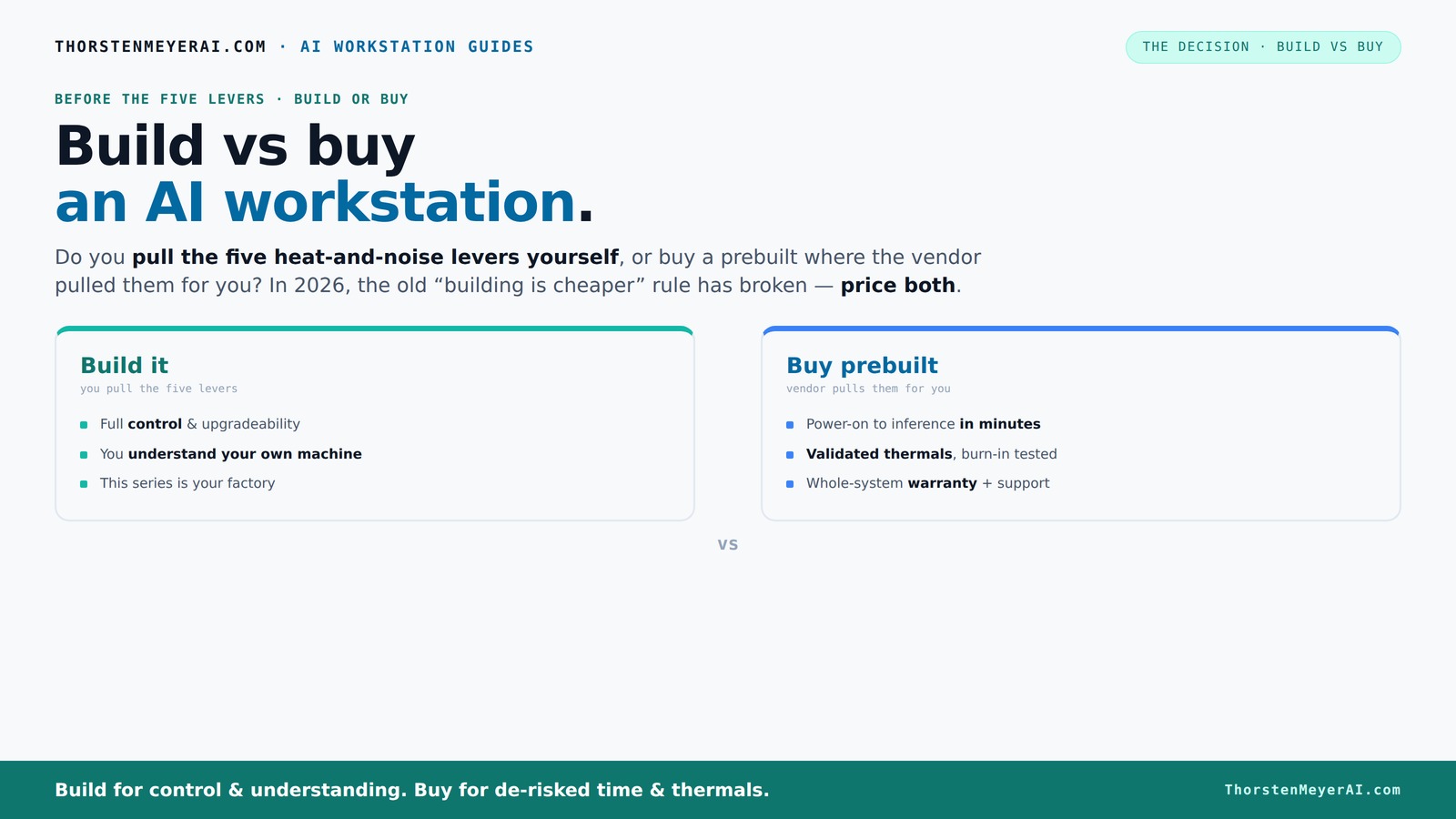
Build vs buy
an AI workstation.
The real question behind this whole series: do you pull the five heat-and-noise levers yourself, or buy a prebuilt where the vendor pulled them for you? And in 2026, the old “building is cheaper” rule has broken. Match your situation in Part 3.
Key Takeaways
- Component shortages and bulk buying in 2026 make prebuilt AI workstations often more cost-effective than DIY builds. For more insights, see Build vs Buy a Prebuilt AI Workstation.
- Prebuilts save weeks of setup time, reduce operational risk, and come with validated thermals and warranties.
- Building your own rig offers full customization, control over security, and the ability to upgrade as needed, but at higher upfront and ongoing costs.
- Hybrid models combine the speed of prebuilt hardware with the flexibility of custom software and upgrades.
- The decision now depends more on strategic needs — speed and support versus control and differentiation — rather than just cost.
As an affiliate, we earn on qualifying purchases.
Why 2026 Changes Everything for Build vs. Buy
Building your own AI workstation used to be the clear winner on price. Not anymore. Component shortages and bulk buying have driven up prices for GPUs, RAM, and SSDs, making DIY rigs cost more than ever before. Meanwhile, prebuilt vendors have secured supply chains and can offer systems at prices that are hard to beat.
For example, a DIY build that once cost $1,000 now easily hits $1,250 or more, while prebuilt options from trusted vendors can come in around the same or even less. This shift turns the traditional wisdom on its head — cost isn’t the only factor anymore. Now, speed, support, and reliability matter just as much.
Implications of this shift mean that organizations and individuals need to reconsider their priorities. To compare options, visit Build vs Buy a Prebuilt AI Workstation. If building was once the cost-saving route, today it might introduce delays, uncertainty, and hidden expenses like troubleshooting or compatibility issues. Conversely, prebuilt systems, with their validated configurations and support, can provide a more predictable and faster path to operational readiness. The tradeoff is that you may sacrifice some degree of customization, but in a competitive or time-sensitive environment, that tradeoff often favors prebuilt solutions.
As an affiliate, we earn on qualifying purchases.
The Five Levers of a High-Power AI Workstation — Who Pulls Them?
Making a high-power AI rig run cool and quiet is a balancing act. Learn more about hardware customization at Impossible Gears. It’s about five levers: undervolting the GPU, matching the cooler, optimizing airflow, tuning fans, and careful placement. These levers directly influence thermal performance, noise levels, and system stability. The decision to build or buy hinges on who handles these levers because they determine operational efficiency and user experience.
If you buy a prebuilt, the vendor pulls these levers — they validate thermals, run burn-in tests, and tune for silence and stability. For instance, companies like Lambda or BIZON do this at scale, guaranteeing lower noise and temperature without you lifting a finger. This process reduces the risk of thermal throttling or overheating, which can degrade performance and hardware lifespan, especially during intensive AI workloads.
But if you build yourself, you get to choose every component, fine-tune settings, and learn how to fix issues down the line. It’s a game of control and knowledge. Want a whisper-quiet system tuned precisely to your needs? That’s a DIY project. However, it requires expertise and time investment, and the tradeoff is that you might face setbacks if thermal management isn’t optimized, potentially risking hardware longevity or causing unexpected downtime. The core implication is that control over these levers can lead to better performance tailored to your environment, but only if you have the skills and resources to manage them effectively.
high performance AI GPU workstation
As an affiliate, we earn on qualifying purchases.
As an affiliate, we earn on qualifying purchases.
When a Prebuilt Workstation Saves You Time and Headaches
A prebuilt AI workstation is a turnkey solution. Discover more about ready-to-deploy systems at World Fine Crafts. You power it on, install your data, and start training or inference within hours. No sourcing parts, no BIOS tweaks, no driver hunts. If your time is valuable, this can be a game-changer because it minimizes setup complexity and reduces the likelihood of configuration errors that often lead to delays or hardware compatibility issues.
Imagine a research team racing against a deadline. They order a prebuilt from a vendor like Puget or Lambda, get a system with CUDA, TensorFlow, and Docker ready. They’re running models in record time, not waiting for parts or troubleshooting hardware. This rapid deployment allows teams to focus on their core research or development tasks rather than technical logistics, which can be time-consuming and frustrating.
Plus, vendors validate thermals and offer warranties. If something fails during a critical run, support kicks in — reducing operational risks that often trip up DIY setups. The reliability and peace of mind offered by prebuilt systems mean less downtime, fewer surprises, and a smoother path from purchase to production. These factors are crucial in high-stakes environments where delays can cost time and money, making prebuilt systems a strategic choice for many organizations.
As an affiliate, we earn on qualifying purchases.
Cost Showdown: Building vs. Buying in 2026
Cost is a major factor, but it’s not just the sticker price. For a detailed comparison, see This Design Girl. Think of the total cost of ownership — including time, support, upgrades, and potential downtime. The initial purchase price is only part of the story; ongoing maintenance, troubleshooting, and the risk of hardware failure also impact overall expenses.
Here’s a quick comparison:
| Build | Buy |
|---|---|
| Lower initial hardware cost (if you source parts) | Higher upfront cost, but includes validation and support |
| Requires time for sourcing, assembly, troubleshooting | Fast deployment — often within days |
| Ongoing maintenance, upgrades, and troubleshooting | Vendor handles support and upgrades |
| Potential for hidden costs if parts don’t perform as expected | Predictable expenses, with warranty coverage |
Furthermore, the implications of these costs extend beyond the initial purchase. Building a system may seem cheaper upfront, but unforeseen issues like component incompatibility, thermal inefficiencies, or software conflicts can lead to delays and additional expenses. Conversely, prebuilt systems often include support and warranty services that mitigate these risks, ensuring smoother operations and less unplanned expenditure. Industry data indicates that over a typical three-year cycle, these factors often tip the scale in favor of prebuilt solutions, especially for organizations that cannot afford downtime or technical setbacks.
Performance and Customization: Which Fits Your Work?
Building your own rig gives you the power to choose every component — GPU, CPU, RAM, cooling — tailored to your workload. Want a GPU with 48GB VRAM? You pick it. Need a custom cooling loop? You set it up. This level of customization allows you to optimize performance precisely for your specific tasks, reducing bottlenecks and ensuring maximum efficiency. It also provides the flexibility to upgrade individual components as technology advances, extending the system's lifespan and adapting to evolving project needs.
Prebuilts are optimized for most users, with validated configurations. They often include professional-grade cooling, noise reduction, and stability testing. For example, systems from Lambda are tested under continuous load, ensuring no thermal throttling or performance dips during intensive AI tasks. This validation process reduces trial-and-error, saves time, and guarantees a baseline of reliability, which is particularly important in production environments where consistency matters.
However, if your workflow requires a highly specialized setup—such as integrating new hardware, experimenting with cutting-edge components, or customizing cooling systems—building your own rig is often the better choice. It allows you to push the boundaries of performance and tailor the system precisely to your unique requirements, even if it involves more effort and technical skill. The tradeoff here is between convenience and precision: prebuilt offers a reliable, ready-to-go solution, while custom builds provide maximum control and potential performance gains.
Security, Data Governance, and Future Upgrades
If your AI work involves sensitive data or regulatory compliance, owning your hardware becomes more attractive. Building your own system means you control data residency, access policies, and audit trails, which is crucial for maintaining compliance and security standards. It also allows you to implement tailored security measures, such as hardware encryption modules or air-gapped environments, that align with your organizational policies.
Prebuilt systems often come with cloud-like management features, but vendor lock-in can be a concern if you need to switch hardware or software later. Proprietary components or configurations may limit flexibility, and support policies might restrict upgrades or hardware modifications. These limitations can hinder future scalability or adaptation to new security requirements.
Planning for future scalability is another key factor. Building your own system allows you to design for expansion—adding more GPUs, faster storage, or new cooling solutions as your needs grow. This flexibility can extend the system’s useful life and adapt to evolving AI workloads, but it requires foresight and technical expertise. Conversely, prebuilt systems may have limited upgrade paths, potentially leading to costly replacements sooner than expected. The core implication is that control over security and upgrade paths can significantly influence long-term operational stability and compliance, making custom builds more suitable for sensitive or evolving enterprise environments.
Hybrid Approaches: The Best of Both Worlds?
More organizations now combine the two. They buy a validated, high-quality base system from a vendor, then customize the software environment, storage, or networking. This hybrid approach offers speed and control by leveraging the reliability of prebuilt hardware while still allowing tailored software configurations and upgrades. It minimizes initial setup time while offering flexibility for future adjustments, making it a strategic choice for many organizations aiming to balance efficiency and customization.
Imagine purchasing a prebuilt with enterprise-grade components, then installing a custom AI pipeline or security layer on top. It’s a flexible, strategic move, especially if your core IP needs protection but you also want agility. This layered approach allows you to rapidly deploy reliable hardware, then adapt the software stack to your specific workflows without the delays of building from scratch.
Recent guidance suggests that this approach is becoming the standard for organizations seeking speed without sacrificing control. It enables them to quickly scale operations, experiment with new software, and maintain a level of security and customization previously only achievable through full builds. The tradeoff involves balancing initial investment against long-term flexibility, but for many, this hybrid model provides the optimal combination of speed, control, and adaptability.
Frequently Asked Questions
Should I build or buy my AI workstation if I need rapid deployment?
If speed matters most, a prebuilt system is your best bet. It arrives ready, tested, and optimized, letting you start working in days rather than months. This approach reduces the risk of configuration errors, compatibility issues, and delays, ensuring that your project timelines stay on track. For teams under tight deadlines or with limited technical support, prebuilt systems provide a reliable, quick-start solution that minimizes operational uncertainties.
Is building a cheaper option in 2026?
Not necessarily. Component shortages and bulk buying have driven prices up for DIY parts. Often, prebuilt systems match or beat DIY costs when factoring in time, support, and operational risks. Additionally, the hidden costs of troubleshooting, compatibility issues, and potential downtime can make building less economical in the long run. For organizations prioritizing speed and reliability, prebuilt solutions often offer better value despite higher initial costs.
How much control do I lose if I buy prebuilt?
You trade some customization options for convenience. Prebuilt systems are optimized for general use and often come with fixed configurations, which may limit your ability to tailor hardware or software precisely to your needs. This can impact performance tuning, security measures, or future upgrades. However, many vendors now offer some degree of configurability, balancing ease of deployment with flexibility. The key is to evaluate your specific requirements and choose a solution that aligns with your operational priorities and security standards.
Can I upgrade a prebuilt system later?
It depends. Some vendors design for upgrades, offering accessible slots for additional GPUs, RAM, or storage, while others lock configurations with proprietary components or limited support paths. Upgrading a prebuilt system can be straightforward if supported, but often involves compatibility checks and potential warranty considerations. Always review upgrade policies and hardware accessibility before purchasing to ensure your future scalability and maintenance needs are met.
Is a hybrid approach practical for enterprise AI teams?
Yes. It offers a balanced strategy — buy validated hardware for speed and reliability, then customize the software environment, security measures, and workflows. This approach allows organizations to rapidly deploy robust systems while maintaining the flexibility to adapt and upgrade over time. It reduces initial setup time and costs, while still providing control over critical aspects such as security and performance tuning. For enterprise teams with evolving requirements, a hybrid model delivers agility without sacrificing the benefits of proven hardware platforms.
Conclusion
The old rule — build cheaper, buy faster — no longer always applies in 2026. Instead, think about your core needs: do you want quick deployment and minimal hassle, or full control over every component? The best choice depends on your strategic goals, not just your budget.
In a world where supply chains shift and prices fluctuate, a hybrid approach might be the smartest move. Buy the base, build your edge.
Halloween Picks
halloween
As an affiliate, we earn on qualifying purchases.