
When vocals won’t sit in the middle, it usually means there’s a phase cancellation or stereo imaging issue. Check if your tracks are out of phase by flipping the polarity of one channel or using phase correlation meters. Also, guarantee panning and effects like reverb aren’t pulling vocals away from the center. Addressing these problems can restore clarity and focus. Keep exploring, and you’ll find tips to fix your center image and make your vocals sit solidly in the middle.
Key Takeaways
- Check for phase cancellation by flipping the polarity of one vocal track to center vocals properly.
- Use mono listening to confirm vocals are balanced in the middle and identify phase issues.
- Adjust panning and stereo effects to prevent vocals from drifting away from the center.
- Ensure proper mic placement and recording techniques to avoid phase discrepancies during capture.
- Utilize phase correlation meters and re-align tracks during mixing to maintain a focused, centered vocal image.
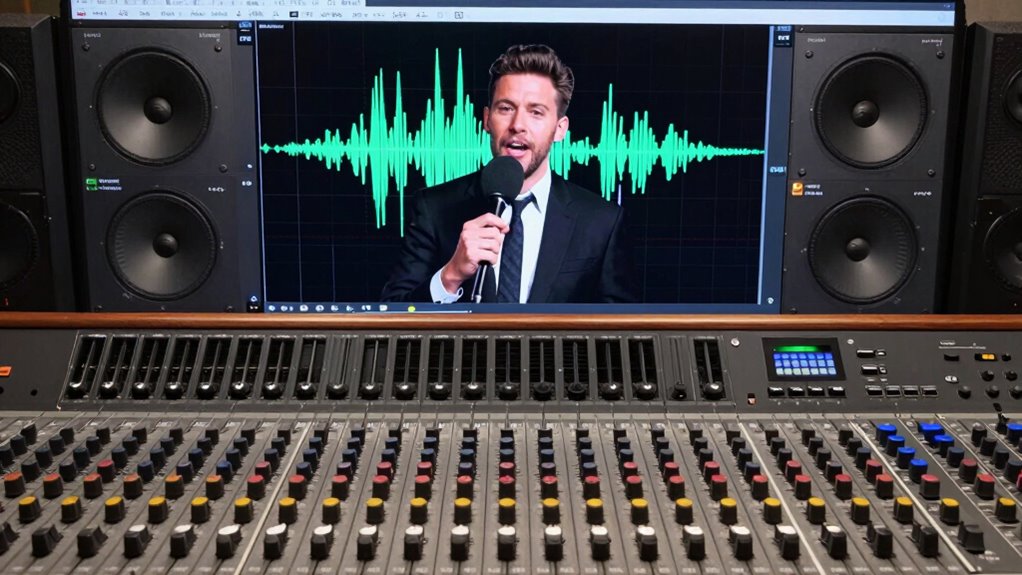
Center image problems can substantially impact how others perceive your organization or brand. When your vocals or key elements don’t sit properly in the middle of a mix, it can make your recordings sound unbalanced or disjointed. This issue often stems from phase cancellation or poor stereo imaging, both of which can distort the clarity and focus of your sound. Understanding these problems is vital if you want your music or content to sound professional and engaging.
Phase cancellation occurs when audio signals that should reinforce each other instead cancel out due to timing differences. Imagine singing into a microphone and then playing that back through speakers; if the sound waves reach your ears at different times or phases, they can interfere destructively. This interference can cause vocals to lose their center position, appearing to shift left or right, or even disappear altogether. When you’re mixing, it’s important to check for phase issues, especially if you’re working with multiple microphones or stereo recordings. Small phase discrepancies can make vocals seem off-center or create a hollow, thin sound. Correcting phase issues involves flipping the polarity of one channel or aligning tracks more precisely, ensuring that the vocals sit firmly in the middle.
Stereo imaging plays a pivotal role in how your mix is perceived. It determines the perceived width and placement of sounds within the stereo field. When stereo imaging isn’t properly managed, vocals and other critical elements may drift away from the center, making your mix sound wide but unfocused. This can happen if stereo panning isn’t balanced or if effects like reverb or delay are used improperly. You want your vocals to be centered because it helps listeners focus on the main message, making your content more impactful. To improve stereo imaging, use panning subtly and listen in mono occasionally to check if your vocals remain centered. If they don’t, you might need to adjust your stereo spread or re-balance certain effects.
If you notice your vocals or main elements aren’t sitting in the middle, start by checking for phase cancellation issues. Use phase correlation meters or invert the polarity of channels to identify and resolve problems. Next, evaluate your stereo image—listen in mono to confirm that your vocals stay in the center and aren’t unintentionally drifting. Properly managing phase cancellation and stereo imaging guarantees your vocals remain focused and centered, providing clarity and strength to your mix. In the end, tackling these issues will give your recordings a professional polish, enabling your audience to experience your content exactly as intended, with a clear, centered vocal that commands attention.

ETCR ETCR1000D Non-Contact Phase Sequence Tester, Phase Rotation Meter, AC 70-1000V, Wire Diameter 0.4-1.6 inch
Wide Test Range – AC 70V-1000V, 45-65Hz; compatible with wire diameters 0.4–1.6 in (Φ10–40mm).
As an affiliate, we earn on qualifying purchases.
As an affiliate, we earn on qualifying purchases.
Frequently Asked Questions
How Do I Identify if My Vocals Are Not Centered?
You can identify if your vocals aren’t centered by listening for phase cancellation effects, like a hollow or thin sound, especially when you flip the stereo phase. Use a mono check—if the vocals disappear or weaken considerably, they’re likely not centered. Also, check your stereo imaging; if vocals seem to drift or aren’t balanced in the middle, it indicates they’re off-center, affecting your mix’s clarity.
What Equipment Can Improve Vocal Placement?
Think of your microphone like a musical compass—perfect placement guides your vocals to sit right in the middle. Use a good quality condenser microphone and experiment with mic placement—closer, slightly off-axis, or at different angles. Adjust EQ settings to carve out space for vocals in the mix, reducing mud and emphasizing clarity. These tools help your vocals find their true center, making your recordings sound more balanced and professional.
Can Room Acoustics Affect Vocal Centering?
Yes, room acoustics can affect vocal centering. High room resonance and uneven frequency response can cause vocals to shift or sound off-center. When your room amplifies certain frequencies, it creates phase issues that make vocals drift away from the center image. To improve this, use acoustic treatment like bass traps and diffusers, which help balance frequency response and reduce resonance, giving your vocals a clearer, more centered position.
Are There Specific Mixing Techniques for Centered Vocals?
Imagine your vocals floating perfectly in the center of the stereo field, like a spotlight on stage. To achieve this, you can use phase cancellation techniques to align your vocal tracks, ensuring they don’t cancel each other out. Adjust stereo imaging by panning and EQ, creating a balanced, focused sound. These methods help your vocals sit confidently in the middle, enhancing clarity and presence in your mix.
How Does Speaker Placement Influence Vocal Imaging?
You can improve vocal imaging by optimizing speaker placement and alignment. Proper speaker positioning creates better stereo imaging, helping vocals sit centrally in your mix. Keep speakers equidistant from your listening position and aligned at ear level, forming an equilateral triangle. Avoid toe-in angles that distort stereo image. When speakers are correctly aligned, vocals become clearer and more centered, ensuring your mix feels balanced and cohesive.

ASHATA Portable Mini Speaker 3.5mm, Retractable, Black, 180mAh Battery, 5W, Mono, 2.2 Channel, 3.5mm Aux, USB, 1.5Hrs Playtime, Compatible with iPod, MP3, MP4, MP5, Smartphone, Desktop, Laptop
Small and lightweight, hook hole design, easy to carry.
As an affiliate, we earn on qualifying purchases.
As an affiliate, we earn on qualifying purchases.
Conclusion
Remember, a balanced mix is like a well-tuned instrument—you can’t afford to ignore the small details. When vocals refuse to sit in the middle, it’s tempting to focus solely on the technical fix, but sometimes, it’s about stepping back and trusting your ears. As the saying goes, “A chain is only as strong as its weakest link.” Address the underlying issues, and your mix will be stronger, clearer, and more cohesive.

Neumann MA 1 Monitor Alignment Microphone and Calibration System
Automatic Monit Alignment System f KH DSP Loudspeakers/Subwoofers with Calibration Software Measurement Microphone – macOS/Windows
As an affiliate, we earn on qualifying purchases.
As an affiliate, we earn on qualifying purchases.
stereo imaging correction plugin
As an affiliate, we earn on qualifying purchases.
As an affiliate, we earn on qualifying purchases.