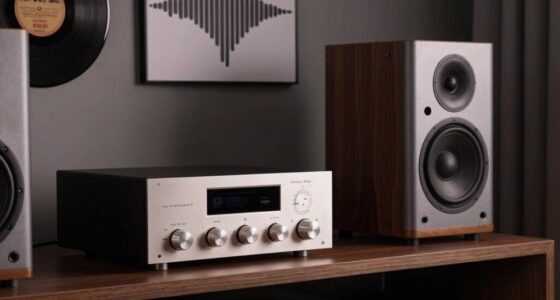
To get the best multiroom audio, start by ensuring your Wi-Fi or mesh network is strong enough to handle multiple streams without lag. Place speakers near common areas and elevate them to ear level for better sound. Stick to compatible devices from the same ecosystem for easy control and setup. Regularly optimize speaker positions and network settings to keep sound balanced and seamless across rooms. Keep exploring these tips, and you’ll discover how to create a truly immersive listening experience everywhere.

Get audio and creator gear delivered free with Prime
- Fast, free delivery on millions of items
- Prime Video, Amazon Music and more included
- Member-only deals all year
Key Takeaways
- Ensure a strong, reliable Wi-Fi or mesh network to prevent lag and buffering across all rooms.
- Position speakers at ear level and away from obstructions for balanced, immersive sound.
- Use compatible speakers within the same ecosystem for seamless setup and centralized control.
- Optimize network infrastructure and control options for consistent, easy management of multiroom audio.
- Regularly fine-tune speaker placement and system settings for a cohesive, high-quality listening experience throughout the home.
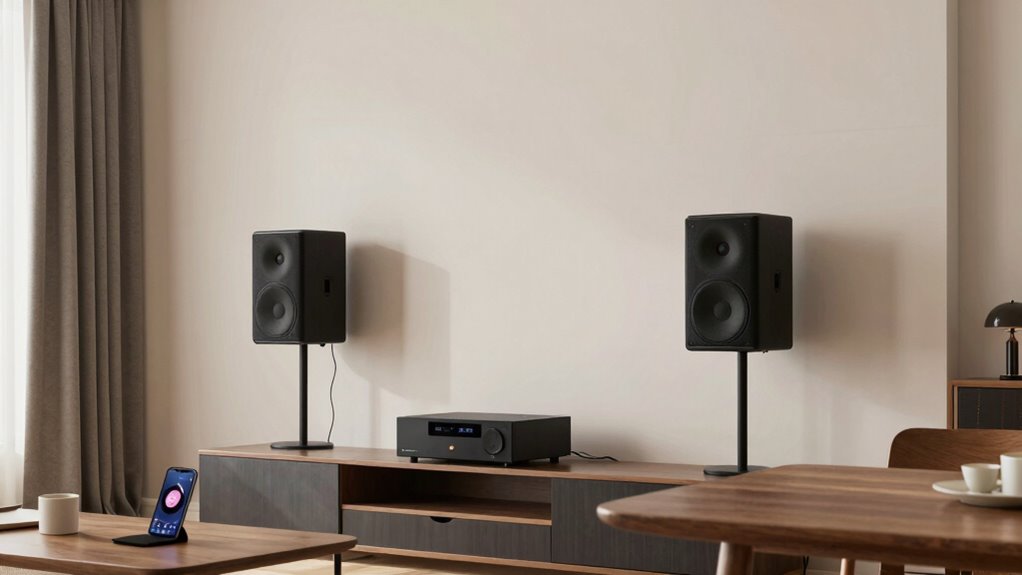
Ever wondered how to fill your entire home with music seamlessly? Multiroom audio systems make this possible, and it all starts with understanding a few basics. At the heart of a good setup is wireless connectivity. You want a system that communicates smoothly across your home without hiccups or dead zones, so choosing a system with robust wireless connectivity is key. This guarantees your music streams effortlessly from your smartphone or control device to all speakers, no matter where they’re placed. A reliable Wi-Fi network or a strong mesh system is essential because it minimizes lag and buffering, giving you a continuous listening experience in every room.
Speaker placement also plays a vital role. Instead of randomly scattering speakers around, think about where you’ll most often want to listen to music. For example, placing speakers near common areas like the living room, kitchen, or bedroom ensures you get the best sound where you spend most of your time. Keep in mind that speaker placement isn’t just about proximity; it’s also about optimizing sound quality. Elevate speakers to ear level when possible, and avoid placing them behind furniture or in corners that can muffle or distort the sound. Proper positioning helps create a balanced soundstage, making your music feel more immersive and natural. Additionally, understanding the compatibility between different speaker systems can help you avoid issues down the line and ensure a seamless experience.
As you map out your multiroom system, consider the type of speakers you choose. Wireless speakers come in various forms, from compact units to larger, more powerful models. Some systems allow you to connect different brands or types, while others work best when all speakers are from the same ecosystem. This compatibility can simplify setup and control, especially if you want to manage everything from a single app. Think about how you’ll control your music—whether through a dedicated app, voice assistants, or integrated smart home platforms—and make sure your speakers support those options. Taking into account the network infrastructure during setup can help prevent connectivity issues and improve overall performance. A well-planned network setup can make a significant difference in the reliability and ease of use of your multiroom system.
Finally, remember that a successful multiroom setup isn’t just about technology — it’s about creating a cohesive listening experience. Regularly check your network and speaker placement to fine-tune the system. Test different configurations to find what sounds best in each room. With a bit of planning, your home will become an effortless, seamless space filled with rich, high-quality music wherever you are. This way, you’re not just listening room to room; you’re living your music everywhere. Considering wireless connectivity options during setup ensures your system remains reliable and easy to use over time.
multiroom wireless speaker system
As an affiliate, we earn on qualifying purchases.
As an affiliate, we earn on qualifying purchases.
Frequently Asked Questions
How Do I Synchronize Audio Between Multiple Rooms Seamlessly?
To synchronize audio seamlessly across multiple rooms, start with strategic speaker placement to guarantee even sound distribution. Use a multiroom audio system that supports synchronization features, then perform sound calibration for each speaker. Adjust levels so all speakers output consistent volume and tone. Many systems allow you to sync speakers via an app, making it simple to keep everything in harmony, creating a smooth, unified listening experience throughout your home.
What Is the Best Wireless Protocol for Multiroom Audio?
The best wireless protocol for multiroom audio is Wi-Fi, as it offers superior audio quality and stable connectivity for well-placed speakers. With Wi-Fi, you can optimize speaker placement without worrying about signal loss, ensuring seamless synchronization across rooms. It handles high-resolution audio streams better than Bluetooth or other protocols, giving you consistent sound quality and a more immersive listening experience.
Can I Integrate Multiroom Audio With Existing Smart Home Systems?
Yes, you can integrate multiroom audio with your existing smart home systems. Many systems support voice control, allowing you to play, pause, or change music with simple commands. Make certain your smart home devices have compatible wireless connectivity, like Wi-Fi or Zigbee, to seamlessly connect with your multiroom audio setup. This integration offers a unified experience, making it easy to control your music across rooms using voice or app commands.
How Do I Troubleshoot Audio Lag or Latency Issues?
To troubleshoot audio lag or latency, first check your audio codec—using an efficient one can reduce delays. Make certain your Wi-Fi signal isn’t weak or experiencing interference, as this can cause signal interference and disrupt synchronization. Restart your devices and update firmware to fix potential bugs. If issues persist, try repositioning your router or using a wired connection for more stable signal transmission, which helps minimize latency.
What Security Concerns Exist With Multiroom Audio Systems?
Security concerns with multiroom audio systems include privacy vulnerabilities and unauthorized access. You might think these devices are safe, but hackers can exploit weak Wi-Fi or outdated firmware to gain control or eavesdrop on your conversations. To protect yourself, regularly update firmware, use strong, unique passwords, and enable network encryption. Being proactive reduces the risk of privacy breaches and unauthorized listening, keeping your multiroom setup secure and your personal space private.
mesh Wi-Fi router for multiroom audio
As an affiliate, we earn on qualifying purchases.
As an affiliate, we earn on qualifying purchases.
Conclusion
Now that you’ve got the basics down, think of your multiroom audio system as a well-conducted orchestra, each speaker playing its part perfectly in harmony. With a little setup and some smart choices, you’ll be able to enjoy seamless sound across every room—like having your favorite concert flowing through your home. So go ahead, tune in and let your music move with you, turning every space into a personal concert hall.
smart home multiroom speaker setup
As an affiliate, we earn on qualifying purchases.
As an affiliate, we earn on qualifying purchases.
best compatible multiroom speakers
As an affiliate, we earn on qualifying purchases.
As an affiliate, we earn on qualifying purchases.
Fall Picks
fall essentials
As an affiliate, we earn on qualifying purchases.