
Finding the right audio editing software comes down to one big tradeoff: power versus simplicity, with subscription pricing layered on top. Adobe Audition earns my best overall pick for its unmatched combination of waveform precision editing, multitrack mixing, and best-in-class noise reduction — the catch is that it only makes sense as a subscription. If you’d rather own your software outright, SOUND FORGE Audio Studio 16 delivers serious restoration and mastering tools for a one-time price, while WavePad is the lightweight, budget-friendly option for quick edits. Podcasters, musicians, and video editors all weight different features differently, which is why the rankings below vary sharply depending on your use case. Read on for the full breakdown of what separates these six programs and which one fits your workflow.

Get audio and creator gear delivered free with Prime
- Fast, free delivery on millions of items
- Prime Video, Amazon Music and more included
- Member-only deals all year
Complete the kit


Key Takeaways
- Subscription versus perpetual licensing is the single biggest decision in this lineup: both Adobe Audition options and the one-time-purchase alternatives (WavePad, Sound Forge) represent fundamentally different commitments, not just different prices.
- The two Sound Forge versions split by era — Audio Studio 10 is a legacy bargain for basic tasks, while version 16 adds modern restoration and mastering tools worth the upgrade for anyone repairing old recordings.
- Adobe Audition appears twice only because the 1-month and 12-month plans suit opposite buyers: the monthly plan fits short projects, and the annual plan roughly halves the effective monthly cost for ongoing work.
- PreSonus Studio One Pro 7 is the only true DAW in the roundup — the right choice if editing is a step toward full music production, but overkill for someone who just needs to trim and clean podcasts.
- WavePad wins on speed and simplicity for single-file edits but falls short on multitrack work, which is exactly where Audition and Studio One pull ahead.
| WavePad Audio Editing Software – Professional Audio and Music Editor for Download | 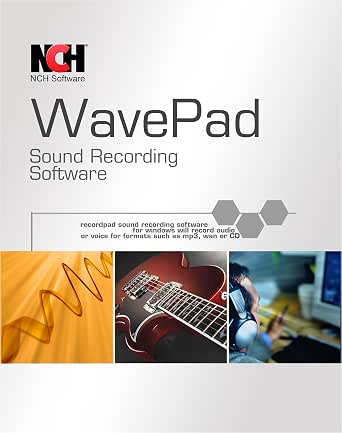 | Best Format Flexibility | Supported Formats: wav, mp3, vox, gsm, wma, real audio, au, aif, flac, ogg | Core Features: record, edit, add effects, normalize | Effects: equalizer, reverb, reverse | VIEW LATEST PRICE | See Our Full Breakdown |
| Sony Sound Forge Audio Studio 10 |  | Best Budget Classic | Built-in Effects: 30+ | Core Functions: record, edit, produce music and sound | Analog Conversion: records and tapes to digital | VIEW LATEST PRICE | See Our Full Breakdown |
| SOUND FORGE Audio Studio 16 – Complete Audio Editing, Recording, Restoration & Mastering Software for Windows |  | Best All-Round Windows Editor | Operating System: Windows 10/11 | Processor: 1.4 GHz or higher | Memory: 512 MB RAM | VIEW LATEST PRICE | See Our Full Breakdown |
| Adobe Audition Audio Recording, Editing, and Mixing Software 1-Month Subscription |  | Best Short-Term Pro Tool | Subscription Duration: 1 month | Platform: PC/Mac | Editing Modes: multitrack, waveform, spectral display | VIEW LATEST PRICE | See Our Full Breakdown |
| Adobe Audition Audio Recording, Editing, and Mixing Software 12-Month Subscription | | Best Professional Pick | Subscription Duration: 12 months | Compatibility: PC/Mac | System Requirements: Windows 10, Mac OS X | VIEW LATEST PRICE | See Our Full Breakdown |
| PreSonus Studio One Pro 7 Music Production Software |  | Best Full Production Suite | Platform Compatibility: macOS, Windows, Linux (public beta) | Processor Support: Intel, Apple Silicon, AMD | Minimum RAM: 8 GB | VIEW LATEST PRICE | See Our Full Breakdown |
| audio editing software | Core Functions |
|---|---|
| WavePad Audio Editing Software | — |
| Sony Sound Forge Audio Studio | record, edit, produce music and sound |
| SOUND FORGE Audio Studio 16 | — |
| Adobe Audition Audio Recording | record, edit, mix, restore audio |
| Adobe Audition Audio Recording | record, edit, mix, restore audio |
| PreSonus Studio One Pro 7 Musi | — |
More Details on Our Top Picks
WavePad Audio Editing Software – Professional Audio and Music Editor for Download
WavePad earns its spot through sheer format versatility — it handles wav, mp3, flac, ogg, and a half-dozen more, which matters if your projects pull audio from mixed sources. Compared with Sony Sound Forge Audio Studio 10, WavePad goes further by supporting VST plugins, so you can expand your effects rack instead of being limited to what ships in the box. The auto-trim and noise reduction tools translate into real time savings on voice work. The tradeoff: the interface skews busier than Sound Forge’s, and NCH is cagey about which features sit behind the paid tier, so the free experience may not match expectations. It also lacks the mastering-oriented polish of SOUND FORGE Audio Studio 16.
Pros:- Supports a very wide range of audio formats including wav, mp3, flac, and ogg
- VST plugin support lets you extend the effects library
- Built-in noise reduction and auto-trim speed up cleanup work
- Scales from basic trims to professional-grade effect chains
Cons:- Interface can feel cluttered and confusing for newcomers
- Unclear boundaries between free and paid features
- No listed price makes budgeting difficult
Best for: Podcasters and hobbyists who work with many audio file formats and want room to grow via plugins
Not ideal for: Buyers who want transparent, one-time pricing — the free-versus-paid feature split is unclear before you commit
- Supported Formats:wav, mp3, vox, gsm, wma, real audio, au, aif, flac, ogg
- Core Features:record, edit, add effects, normalize
- Effects:equalizer, reverb, reverse
- Cleanup Tools:noise reduction, auto-trim
- Plugin Support:VST plugins
- Skill Level:Beginner to professional
Our verdict“Pick WavePad if format variety and plugin expansion matter more to you than a clean interface or upfront pricing.”
Sony Sound Forge Audio Studio 10
This older Sound Forge release remains a value pick for audio restoration, particularly its tools for transferring records and tapes to digital — a niche that newer editors like WavePad handle with less focus. With over 30 built-in effects, you get a complete toolbox without buying anything extra, which is the whole appeal: it’s a one-purchase, no-subscription editor in a market where Adobe Audition charges monthly. The catch is age — this version predates the modernEQ and modernReverb effects found in SOUND FORGE Audio Studio 16, and product documentation is thin on system requirements and pricing. Buyers wanting current-generation features should step up to version 16; buyers wanting cheap, dependable stereo editing will be satisfied here.
Pros:- Over 30 built-in effects with no add-ons required
- Purpose-built tools for transferring analog records and tapes to digital
- Audio cleanup and enhancement tools included
- One-time purchase instead of a subscription
Cons:- Older release lacking the modern effects of Audio Studio 16
- Sparse documentation on features, pricing, and system requirements
Best for: Casual users digitizing vinyl or cassette collections who want a one-time purchase
Not ideal for: Anyone needing modern effects and current OS support — the newer Audio Studio 16 supersedes it
- Built-in Effects:30+
- Core Functions:record, edit, produce music and sound
- Analog Conversion:records and tapes to digital
- Cleanup Tools:audio restoration and enhancement
- Licensing:one-time software purchase
- Publisher:Sony
Our verdict“A sensible budget choice for analog-to-digital conversion, as long as you accept its dated feature set.”
SOUND FORGE Audio Studio 16 – Complete Audio Editing, Recording, Restoration & Mastering Software for Windows
Audio Studio 16 is the strongest one-purchase option in this lineup, pairing editing, restoration, and mastering in a package that runs on modest hardware — just 512 MB of RAM and a 1.4 GHz processor. Compared with the older Sony Sound Forge Audio Studio 10, it adds the modernEQ and modernReverb effects, CD burning, and podcast-focused recording tools, making it the clear upgrade path. Against Adobe Audition, you give up spectral editing and deep video-workflow integration, but you avoid a recurring subscription entirely. The main friction points: registration requires an internet connection, and it lacks the high-end mastering features professionals would find in full-fat Sound Forge Pro or PreSonus Studio One Pro 7. For Windows-based hobbyists and semi-pros, though, the balance of capability and cost is hard to beat.
Pros:- Complete workflow from recording to restoration to mastering
- New modernEQ and modernReverb effects improve on version 10
- Runs comfortably on low-spec hardware
- Includes analog conversion and CD burning tools
Cons:- Requires internet connection for registration and some functions
- Windows-only, so Mac editors must look elsewhere
- Lacks the advanced pro features of higher-tier software
Best for: Windows podcasters and home studio owners who want recording through mastering without a subscription
Not ideal for: Mac users and high-end professionals needing advanced mastering chains beyond this Studio tier
- Operating System:Windows 10/11
- Processor:1.4 GHz or higher
- Memory:512 MB RAM
- Storage:500 MB or more
- Key Functions:editing, recording, restoration, mastering
- Extras:podcast recording, analog conversion, CD burning
- New Effects:modernEQ, modernReverb
- Additional Requirements:Internet connection for registration and validation
Our verdict“The best value-per-dollar for Windows users who want a full editing toolkit they own outright.”
Adobe Audition Audio Recording, Editing, and Mixing Software 1-Month Subscription
This one-month Audition subscription is the lowest-commitment way into professional audio editing, which is exactly its role: a single-project rental rather than a long-term tool. You get the full feature set — multitrack, waveform, and spectral editing — the same engine as the 12-month plan, and spectral display is something no other product in this roundup, including SOUND FORGE Audio Studio 16, matches for surgical noise removal. The tradeoff is cost efficiency: month-to-month pricing adds up fast if you keep renewing, so anyone editing regularly should buy the 12-month Audition subscription instead. Also note the listing requires linking to an existing subscription to add the term, which complicates first-time setup for some buyers.
Pros:- Full professional feature set including spectral editing
- Multitrack and waveform displays suit complex mixes
- Deep integration with video production workflows
- Low upfront commitment for short projects
Cons:- Requires an existing subscription to link the new term
- Poor value if renewed repeatedly versus the annual plan
- Steep learning curve for new users
Best for: Freelancers and video editors who need pro-grade audio tools for one defined project
Not ideal for: Regular users — recurring monthly costs quickly exceed the 12-month plan, and setup requires an existing subscription link
- Subscription Duration:1 month
- Platform:PC/Mac
- Editing Modes:multitrack, waveform, spectral display
- Core Functions:record, edit, mix, restore audio
- Workflow Focus:video production integration
- Billing:auto-renewal
Our verdict“Rent this for a single high-stakes project; commit to the annual plan if audio editing is a regular part of your work.”
Adobe Audition Audio Recording, Editing, and Mixing Software 12-Month Subscription
For working professionals, the 12-month Audition subscription is the most capable editor here. Its spectral display editing lets you visually isolate and erase specific noises — a restoration precision that WavePad and SOUND FORGE Audio Studio 16 can’t replicate — and its multitrack environment handles full mix sessions, not just stereo files. The annual term costs far less per month than renewing the 1-month plan, which is why it takes the professional slot. The honest tradeoffs: you never own the software, the learning curve is the steepest in this roundup, and if your needs are simple podcast trims, you’re paying for capability you’ll never touch. Buyers doing music production rather than audio-for-video may prefer PreSonus Studio One Pro 7 instead.
Pros:- Spectral editing enables precise, visual noise removal
- Full multitrack mixing environment for complex sessions
- Streamlines audio workflows inside video production pipelines
- Annual pricing is far cheaper per month than the 1-month plan
Cons:- Never owned outright — renewal required after 12 months
- Steepest learning curve of any option in this roundup
- Ongoing cost accumulates against one-time-purchase rivals
Best for: Professional video editors, podcast producers, and audio restorers working in Audition daily
Not ideal for: Casual editors and budget-conscious buyers — subscription costs accumulate and the toolset is overkill
- Subscription Duration:12 months
- Compatibility:PC/Mac
- System Requirements:Windows 10, Mac OS X
- Editing Modes:multitrack, waveform, spectral display
- Core Functions:record, edit, mix, restore audio
- Workflow Focus:professional video production
Our verdict“The clear choice if audio editing is your profession — just go in expecting a learning curve and recurring costs.”
PreSonus Studio One Pro 7 Music Production Software
Where WavePad and Sound Forge Audio Studio are built around editing existing audio files, Studio One Pro 7 is a full digital audio workstation — recording, mixing, mastering, and even live performance live inside one project. This pick makes the most sense for buyers whose work goes beyond trimming clips: podcasters producing their own music beds, musicians tracking full sessions, or engineers who want Dolby Atmos mixing and AI stem separation without buying add-ons.
The tradeoff is weight. Compared with Adobe Audition, which leans on a subscription, Studio One’s one-time purchase model is friendlier long-term, but its 40 GB install and 8 GB RAM minimum demand a modern machine, and the sheer depth of features means a steeper learning curve than a dedicated editor. Internet activation is also required, which may annoy offline studios.
Pros:- Complete all-in-one production environment covering recording through mastering
- Includes over 45 effects, 9 virtual instruments, and a full symphonic orchestra library
- One-time purchase versus Adobe Audition’s recurring subscription
- Modern extras like AI stem separation and Dolby Atmos mixing built in
Cons:- 40 GB storage and 8 GB RAM requirements are heavy for older computers
- Learning curve is steeper than simpler editors like WavePad or Sound Forge
- Requires internet access for activation
Best for: Musicians, producers, and podcasters who want recording, editing, mixing, and mastering in one permanently licensed package
Not ideal for: Buyers who only need quick waveform edits or podcast cleanup — WavePad or Sound Forge do that faster and cheaper with a lighter footprint
- Platform Compatibility:macOS, Windows, Linux (public beta)
- Processor Support:Intel, Apple Silicon, AMD
- Minimum RAM:8 GB
- Storage Required:40 GB
- Monitor Resolution:1280 x 768
- Included Content:Over 45 effects, 9 virtual instruments, Presence XT soundsets, Symphonic Orchestra
- Additional Features:AI stem separation, Dolby Atmos mixing, cloud collaboration, Splice integration
Our verdict“Choose Studio One Pro 7 if you need a complete production studio you’ll own outright; pick a dedicated editor like Sound Forge or Audition if editing is your only job.”

How We Picked
I evaluated these six programs through the lens of what actually drives buyer satisfaction with audio editing software: editing depth (destructive waveform tools, nondestructive multitrack workflows), restoration quality (noise reduction, click removal, hum removal), learning curve, licensing model, and workflow fit — because a podcaster, a musician, and a video editor each need different things from the same category. Price alone didn’t determine rankings; a higher cost was acceptable when the tool clearly saved time or unlocked professional-grade output.
The ranking order reflects a simple principle: versatility first, specialization second, price third. Adobe Audition tops the list because it handles editing, mixing, and restoration at a professional level. Studio One Pro 7 follows as the production-focused alternative, then Sound Forge 16 as the best perpetual-license editor, with WavePad and the older Sound Forge 10 filling value and beginner roles. Duplicate Audition listings are compared on subscription economics rather than features, since the software itself is identical.
| audio editing software | Core Functions |
|---|---|
| WavePad Audio Editing Software | — |
| Sony Sound Forge Audio Studio | record, edit, produce music and sound |
| SOUND FORGE Audio Studio 16 | — |
| Adobe Audition Audio Recording | record, edit, mix, restore audio |
| Adobe Audition Audio Recording | record, edit, mix, restore audio |
| PreSonus Studio One Pro 7 Musi | — |
Factors to Consider When Choosing Audio Editing Software
Before committing to any of these six programs, it helps to understand the category-wide forces that shape pricing, features, and long-term costs. These are the factors that most often cause buyers to regret their choice.Subscription vs. Perpetual License: The Hidden Math
The subscription-versus-ownership question matters more here than in almost any software category, because audio tools tend to be used for years. A subscription like Adobe Audition’s looks cheap in month one, but a 12-month plan renewed over three years can cost more than three perpetual licenses of competing software. The counterargument is real, though: subscriptions include every update, and Audition’s noise reduction and feature cadence genuinely improve year over year, while perpetual licenses can age badly — the gap between Sound Forge 10 and 16 proves that point. A common mistake is buying a perpetual license for occasional projects, then discovering you need the newer version’s restoration tools two years later and paying twice. My rule of thumb: if audio work is weekly income, a subscription pays for itself; if it’s monthly hobby use, buy outright.
Destructive Editing vs. Multitrack Workflows
Buyers frequently confuse two different jobs that both get called ‘audio editing.’ Destructive waveform editing — cutting, fading, normalizing, removing noise on a single file — is what Sound Forge and WavePad are built around, and they’re faster and simpler for it. Multitrack editing, where you layer voice, music, and effects nondestructively, is Audition’s and Studio One’s strength. If you produce podcasts with intro music and multiple speakers, a pure waveform editor will frustrate you within weeks. Conversely, paying for a full multitrack environment to trim lecture recordings wastes both money and screen space. Match the architecture to the job before comparing feature lists at all.
Restoration Tools: Where Cheap Software Shows Its Limits
Restoration — removing hiss, hum, clicks, and room echo — is the feature gap that most often separates a usable recording from an embarrassing one, and it’s where budget options fall behind fastest. Lower-priced editors include basic noise gates, but professional spectral editing and adaptive noise reduction exist mainly in Audition and the newer Sound Forge. The practical consequence: if you record in untreated rooms or work with archival tape and vinyl, cheap software will cost you hours of manual cleanup that better tools automate in minutes. Buyers routinely overestimate what they can fix manually and underestimate how often ‘we’ll fix it in post’ fails. If your source material is noisy, prioritize restoration quality over raw editing features.
Learning Curve and Ecosystem Lock-In
The steepest hidden cost in audio software isn’t the price tag — it’s the dozens of hours spent learning a workflow you may then be locked into. Adobe Audition pairs naturally with Premiere Pro, which makes it nearly automatic for video editors, but that convenience nudges you deeper into Adobe’s ecosystem and its recurring fees. Studio One Pro 7 pulls you toward PreSonus hardware and a music-production mindset. Meanwhile, WavePad and Sound Forge are shallow enough to learn in an afternoon but cap out sooner. Before choosing, ask which ecosystem you’ll realistically still want to be inside in three years, because switching tools means relearning muscle memory from scratch.
System Requirements and Longevity
Several of these products have specific OS and hardware demands that buyers skip past at their peril. Older versions like Sound Forge Audio Studio 10 are tempting bargains precisely because they run on modest, aging machines — but they may lack support on future operating system updates, turning a deal into a dead end. Modern suites like Audition and Studio One Pro 7 assume reasonably current hardware, and their performance on weak laptops can be sluggish during real-time effects playback. Also check whether a license covers one machine or several, since podcasters often work across a desktop and a laptop. Buying for the computer you’ll own in two years, not the one on your desk today, avoids the most common repurchase cycle.
Frequently Asked Questions
Is the Adobe Audition 1-month or 12-month subscription the better deal?
It depends entirely on how long your project runs. The 1-month plan is designed for short bursts of work — a single podcast season, a one-off video job — and lets you cancel without penalty once the project wraps. The 12-month plan costs less per month, so if you’ll need Audition for more than roughly three or four months out of the year, the annual plan wins on pure math. The trap to avoid is subscribing monthly for years out of inertia; that’s the most expensive way to own the capability. A reasonable strategy is starting with one monthly plan to test whether Audition fits your workflow, then switching to annual once you know you’ll stick with it.
Is SOUND FORGE Audio Studio 16 worth the upgrade over version 10?
For most buyers, yes — the gap between the two versions is larger than typical point updates. Version 16 adds modern restoration plug-ins, improved mastering tools, and a redesigned interface, while version 10 reflects software from an era when audio restoration meant much more manual work. If you’re cleaning up old recordings, vinyl transfers, or noisy voice tracks, the newer restoration features alone justify the price difference. Version 10 only makes sense if you need basic cuts and fades on an older machine, or you find it heavily discounted. Treat it as a legacy utility rather than a long-term editing platform.
Do I need a full DAW like Studio One Pro 7, or is an audio editor enough?
The honest answer is that most people who ask this question need an editor, not a DAW. Studio One Pro 7 shines when audio editing is one step in music production — composing, arranging with virtual instruments, mixing full songs — because it keeps everything in one environment. But if your work is podcast editing, voiceover cleanup, or trimming field recordings, a DAW adds complexity, steeper learning demands, and cost without giving you better results on those tasks. Audition sits in a useful middle ground: multitrack-capable but still editing-first. Choose the DAW only if you can name a production feature — MIDI, comping, instrument tracks — that you actually need.
Can WavePad handle podcast production, or will I outgrow it quickly?
WavePad handles the mechanical side of podcasting — cutting, fading, normalizing, basic noise reduction — very well and at a fraction of the cost of bigger suites. Where it strains is anything multitrack: layering music beds under multiple speakers, adjusting levels across segments nondestructively, or rounding out a polished mix. Podcasters with a simple single-voice format often stay satisfied with WavePad indefinitely, while interview-style or music-heavy shows typically hit its ceiling within a few months. If you anticipate growth, starting with Sound Forge 16 or a monthly Audition plan may save you a frustrating migration later. Think of WavePad as a tool you choose knowingly for simplicity, not one you settle for.
What’s the best option if I only need audio editing occasionally?
For occasional use, avoid subscriptions entirely — paying monthly for software you open six times a year is the worst value in this category. A perpetual license like WavePad or Sound Forge Audio Studio 16 costs roughly what two or three Audition months cost, and it stays installed and ready whenever you need it. Between the two, occasional light edits point to WavePad, while occasional but quality-sensitive work — say, restoring family recordings or mastering a demo — points to Sound Forge 16. Another consideration for rare users: simpler software is easier to relearn each time you return to it, which favors WavePad’s shallow learning curve over a complex suite. The rarest users should spend the least, not the most.
Conclusion
Mapping these six options to buyer types closes the decision cleanly. Best overall goes to Adobe Audition — take the 12-month plan if audio work is a regular part of your income, or a single 1-month plan for bounded projects. Best value is WavePad, which covers 90% of everyday editing tasks at a one-time price that undercuts everything else here. Best premium pick is PreSonus Studio One Pro 7 for anyone whose editing feeds into full music production and needs a complete DAW. Best for beginners is Sound Forge Audio Studio 16, which balances genuinely capable restoration and mastering tools with a far gentler learning curve than Audition or Studio One — and doubles as the best pick for restoration-focused work like archival transfers and noisy voice recordings. Budget-limited buyers with simple needs can grab legacy Sound Forge Audio Studio 10, accepting its dated toolset in exchange for the lowest entry price. Decide first whether you’ll edit audio weekly or occasionally, second whether you need multitrack workflows, and the right choice from this list becomes obvious.
Fall Picks
fall essentials
As an affiliate, we earn on qualifying purchases.