Wireless studio monitor headphones can make editing and casual listening more convenient, but wireless features do not replace a dependable wired option when timing and consistency matter. I rank the Audio-Technica ATH-M50xBT2 as the best overall for its studio-oriented design and wireless flexibility, while the OneOdio Studio Max 1 stands out for buyers who want both wireless and wired use. The Audio-Technica ATH-M20xBT is a simpler entry point for listeners who want familiar studio-style headphones without as many premium expectations. The main tradeoffs are wireless convenience versus latency, connection options, and how well a headphone suits long sessions. Read on for how all six compare and which one fits your work.

Get audio and creator gear delivered free with Prime
- Fast, free delivery on millions of items
- Prime Video, Amazon Music and more included
- Member-only deals all year
Complete the kit


Key Takeaways
- The ATH-M50xBT2 leads the roundup for buyers seeking a studio-focused all-rounder with wireless convenience; it remains a listening tool, not a substitute for checking mixes on speakers.
- Wired fallback matters: the OneOdio Studio Max 1 and OneOdio A70 are worth a closer look if your workflow needs a cable option alongside Bluetooth.
- The ATH-M20xBT is the more approachable Audio-Technica pick, while the ATH-M50xBT2 is the stronger choice for buyers who want a more capable all-purpose model.
- DJ-oriented models are not automatically better for mixing. The OneOdio Studio Max 2 and PUPGSIS PG-MXPRO should be matched to your monitoring and connection needs, not their DJ labeling alone.
- Wireless monitoring has limits in recording workflows: Bluetooth delay can interfere with live performance monitoring, so a reliable wired mode is a key selection factor.
| Audio-Technica ATH-M50xBT2 Wireless Over-Ear Headphones, Black |  | Best Overall for Balanced Studio and Everyday Use | Type: Wireless over-ear headphones | Driver size: 45 mm | Battery life: Up to 50 hours | VIEW LATEST PRICE | See Our Full Breakdown |
| Audio-Technica ATH-M20xBT Wireless Over-Ear Headphones, Black |  | Best Value for Long Listening Sessions | Design: Wireless over-ear | Driver size: 40 mm | Bluetooth version: 5 | VIEW LATEST PRICE | See Our Full Breakdown |
| OneOdio Studio Max 1 Wireless DJ and Wired Studio Headphones |  | Best for Single-Ear DJ Monitoring | Driver size: 50 mm | Bluetooth version: 5.2 in specifications; description states 5.3 | Bluetooth range: 10 meters | VIEW LATEST PRICE | See Our Full Breakdown |
| PUPGSIS PG-MXPRO Wireless DJ Headphones |  | Best for Multi-Mode Wireless Monitoring | Wireless modes: 2.4 GHz and Bluetooth 5.3 | Wired connections: 3.5 mm and 6.35 mm | Latency: 20 ms in 2.4 GHz mode | VIEW LATEST PRICE | See Our Full Breakdown |
| OneOdio Studio Max 2 Wireless DJ Headphones |  | Best for Low-Latency Wireless Studio Work | Driver size: 45 mm | Wireless modes: 2.4 GHz and Bluetooth 6.0 | Latency: 9 ms | VIEW LATEST PRICE | See Our Full Breakdown |
| OneOdio A70 Bluetooth Over-Ear Headphones, Hi-Res Wired DJ Studio, Black | 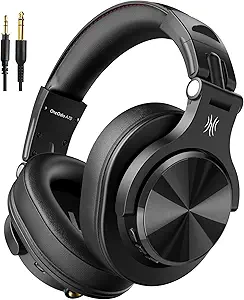 | Best for Long Listening Sessions | Connectivity: Bluetooth and wired | Wireless playtime: Up to 72 hours | Driver size: 40 mm neodymium | VIEW LATEST PRICE | See Our Full Breakdown |
| wireless studio monitor headphone | Driver size | Battery life | Latency |
|---|---|---|---|
| Audio-Technica ATH-M50xBT2 Wir | 45 mm | Up to 50 hours | — |
| Audio-Technica ATH-M20xBT Wire | 40 mm | Up to 60 hours | — |
| OneOdio Studio Max 1 Wireless | 50 mm | Up to 120 hours in Bluetooth mode; 50 hours with dongle | 20 ms |
| PUPGSIS PG-MXPRO Wireless DJ H | 50 mm | Up to 60 hours Bluetooth; 30 hours 2.4 GHz | 20 ms in 2.4 GHz mode |
| OneOdio Studio Max 2 Wireless | 45 mm | Up to 120 hours | 9 ms |
| OneOdio A70 Bluetooth Over-Ear | 40 mm neodymium | — | — |
More Details on Our Top Picks
Audio-Technica ATH-M50xBT2 Wireless Over-Ear Headphones, Black
The ATH-M50xBT2 is my most balanced pick for listeners who want familiar studio-style tuning without giving up wireless convenience. Its 45 mm drivers and clear presentation with deep, accurate bass make it a stronger fit for checking mixes than the more budget-focused ATH-M20xBT, while still working for music and calls. Multipoint pairing is useful when switching between a computer and phone, and beamforming microphones are a practical advantage for calls that the other studio-oriented models do not emphasize.
The main tradeoff is that its 50-hour battery life is shorter than the ATH-M20xBT’s 60 hours and the OneOdio Studio Max models’ stated 120 hours. It also takes 3.5 hours for a full charge. I’d choose it for its balance of sound, usability, and call features—not for maximum runtime or low-latency wireless monitoring.
Pros:- 45 mm drivers are described as delivering clear sound and deep, accurate bass.
- Beamforming microphones support clearer calls.
- Multipoint Bluetooth pairing connects to two devices.
- Rapid charging provides up to 3 hours of use from a 10-minute charge.
Cons:- Its 50-hour stated battery life is below the ATH-M20xBT and OneOdio Studio Max models.
- A full charge takes 3.5 hours.
- No dedicated 2.4 GHz low-latency mode is listed.
Best for: Home producers and music listeners who want clear, bass-aware sound, reliable calls, and Bluetooth multipoint in one pair.
Not ideal for: DJs or gamers who need dedicated low-latency wireless transmission, or frequent travelers prioritizing the longest listed battery life.
- Type:Wireless over-ear headphones
- Driver size:45 mm
- Battery life:Up to 50 hours
- Rapid charging:10 minutes for up to 3 hours of use
- Bluetooth pairing:Multipoint; connects to two devices
- Microphones:Dual microphones with beamforming technology
- Charging connection:USB-C
- Included accessories:USB charging cable, audio cable, and pouch
Our verdict“Choose the ATH-M50xBT2 for a versatile studio-style wireless headphone with stronger call features than the lineup’s DJ-focused alternatives.”
Audio-Technica ATH-M20xBT Wireless Over-Ear Headphones, Black
The ATH-M20xBT is the straightforward choice for buyers who want wireless studio-style listening and long battery life without the extra call technology of the ATH-M50xBT2. Its up to 60 hours of playback exceeds that model’s 50 hours, and multipoint pairing helps when a laptop and phone share listening duties. A supplied 1.2 m cable also gives you a wired option for equipment with a 3.5 mm output.
Its 40 mm drivers are described as detailed with enhanced bass, but the product data does not make a case for it as a dedicated mix-reference tool. Compared with the OneOdio Studio Max 1 and PG-MXPRO, it lacks a stated 2.4 GHz mode and rotating cups for single-ear monitoring. There is no noise control, so it suits quieter rooms better than noisy commutes. The full charge takes three hours, despite the useful rapid-charge feature.
Pros:- Up to 60 hours of stated battery life.
- Multipoint pairing connects to two devices.
- Includes a 1.2 m cable for 3.5 mm wired listening.
- A 10-minute rapid charge provides up to 3 hours of use.
Cons:- No noise control is listed.
- Does not list a dedicated 2.4 GHz low-latency mode like the PG-MXPRO.
- A full battery charge takes three hours.
Best for: Budget-conscious home listeners who want long wireless sessions, multipoint pairing, and a cable for occasional wired use.
Not ideal for: DJs, gamers, and producers who need 2.4 GHz low-latency wireless or single-ear monitoring.
- Design:Wireless over-ear
- Driver size:40 mm
- Bluetooth version:5
- Bluetooth range:10 m
- Battery life:Up to 60 hours
- Rapid charging:10 minutes for up to 3 hours of use
- Wired connection:3.5 mm jack; 1.2 m cable
- Impedance:36 ohm
Our verdict“Pick the ATH-M20xBT for uncomplicated wireless listening and longer stated runtime, but look to the DJ models for low-latency monitoring features.”
OneOdio Studio Max 1 Wireless DJ and Wired Studio Headphones
The OneOdio Studio Max 1 puts DJ-style flexibility ahead of the simpler Bluetooth focus of the Audio-Technica ATH-M20xBT. Its rotating, foldable ear cups support single-ear monitoring, while 3.5 mm and 6.35 mm connections make it easier to work with different audio gear. Wireless use is also broad: the listed battery life reaches 120 hours over Bluetooth, or 50 hours with the transmitter, and the low-latency transmitter is aimed at DJing, gaming, and studio use.
That feature set makes it more versatile for monitoring than the ATH-M50xBT2, but the product information lists 20 ms latency, rather than the 9 ms claim for the OneOdio Studio Max 2. The Studio Max 2 also lists Bluetooth 6.0 and a rapid-charge figure; this model lists Bluetooth 5.2 and does not provide a charging-time figure. The description and specifications conflict on Bluetooth version, so buyers should treat that detail cautiously.
Pros:- Rotating, foldable ear cups support single-ear monitoring and storage.
- Wired and wireless connectivity includes 3.5 mm and 6.35 mm options.
- Up to 120 hours of Bluetooth playback is stated.
- Includes a travel case and cables.
Cons:- Bluetooth version is inconsistent across the listing: 5.2 in the specifications and 5.3 in the description.
- The stated 20 ms latency is higher than the Studio Max 2’s 9 ms.
- The product data does not specify charging time.
Best for: DJs and home creators who need swiveling cups, both common wired jack sizes, and long wireless playback.
Not ideal for: Buyers who need unambiguous connectivity specifications or the shortest stated wireless latency in this group.
- Driver size:50 mm
- Bluetooth version:5.2 in specifications; description states 5.3
- Bluetooth range:10 meters
- Connectivity:Wired and wireless
- Headphone jacks:3.5 mm and 6.35 mm
- Battery life:Up to 120 hours in Bluetooth mode; 50 hours with dongle
- Latency:20 ms
- Audio codecs:LDAC and LC3
- Warranty:2 years
Our verdict“Choose the Studio Max 1 if swivel-cup DJ monitoring and broad wired compatibility matter more than the Studio Max 2’s lower stated latency.”
PUPGSIS PG-MXPRO Wireless DJ Headphones
The PUPGSIS PG-MXPRO is the clearest choice here for buyers who want a dedicated wireless transmitter alongside Bluetooth and wired listening. Its 2.4 GHz mode is specified at 20 ms latency, giving a separate route for monitoring that the Audio-Technica ATH-M50xBT2 and ATH-M20xBT do not list. The 50 mm drivers, 180-degree rotating cups, and included 3.5 mm and 6.35 mm connections also suit a setup that moves between DJ use and conventional studio gear.
Compared with the OneOdio Studio Max 2, the PG-MXPRO offers the same broad connection concept but lists higher latency: 20 ms versus 9 ms. Its Bluetooth battery figure reaches 60 hours, while 2.4 GHz use is listed at 30 hours; the Studio Max 1 and 2 claim longer Bluetooth runtimes. The transmitter is required for the low-latency mode, and the listing gives no charging-time figure, which makes planning around long sessions less certain.
Pros:- Offers 2.4 GHz, Bluetooth 5.3, and wired connection modes.
- Includes a transmitter and both 3.5 mm and 6.35 mm wired options.
- 180-degree rotating ear cups support single-ear monitoring.
- Foldable design and included storage case aid portability.
Cons:- The low-latency 2.4 GHz mode requires the supplied transmitter.
- Its 20 ms latency is higher than the OneOdio Studio Max 2’s listed 9 ms.
- Charging time is not specified.
Best for: DJs and creators who want Bluetooth convenience plus a supplied 2.4 GHz transmitter for wireless monitoring.
Not ideal for: Buyers who need the lowest listed latency, maximum wireless runtime, or a documented charging time.
- Wireless modes:2.4 GHz and Bluetooth 5.3
- Wired connections:3.5 mm and 6.35 mm
- Latency:20 ms in 2.4 GHz mode
- Driver size:50 mm
- Frequency response:20 Hz–40 kHz
- Battery life:Up to 60 hours Bluetooth; 30 hours 2.4 GHz
- Ear cups:180° rotating
- Included accessories:2.4 GHz transmitter, 6.35 mm adapter, 3.5 mm cable, USB-A to USB-C charging cable, storage case, and manual
Our verdict“Pick the PG-MXPRO for a supplied 2.4 GHz transmitter and flexible connections, but choose the Studio Max 2 if lower stated latency is the priority.”
OneOdio Studio Max 2 Wireless DJ Headphones
The OneOdio Studio Max 2 is my strongest fit for creators who want wireless monitoring features without giving up wired studio connections. Its standout figure is 9 ms latency, lower than the PG-MXPRO’s 20 ms and the Studio Max 1’s 20 ms. It also supports 2.4 GHz and Bluetooth 6.0, with 3.5 mm and 6.35 mm wired options for connecting to a wider range of equipment. The 180-degree swivel cups add DJ flexibility that the Audio-Technica ATH-M50xBT2 does not list.
Battery life is stated at up to 120 hours, and a five-minute charge is listed for up to nine hours of playback. That combination is more useful for frequent sessions than the ATH-M20xBT’s slower rapid-charge figure. The tradeoff: no active noise cancellation is listed, and its 45 mm drivers are smaller than the 50 mm drivers in the Studio Max 1 and PG-MXPRO. Treat the latency and battery figures as listing specifications, not a substitute for wired reference monitoring.
Pros:- Listed 9 ms latency is lower than the PG-MXPRO and Studio Max 1 figures.
- Supports 2.4 GHz, Bluetooth 6.0, and wired listening.
- Up to 120 hours of battery life, with a five-minute charge stated to provide up to nine hours.
- Includes 3.5 mm and 6.35 mm cables, an EVA case, and swiveling ear cups.
Cons:- No active noise cancellation is listed.
- Its 45 mm drivers are smaller than the 50 mm drivers in the Studio Max 1 and PG-MXPRO.
- Full battery charging takes 2.5 hours.
Best for: Producers, gamers, and DJs who need low-latency wireless options, fast top-ups, and wired compatibility with studio gear.
Not ideal for: Mix engineers who require active noise cancellation or buyers seeking a product explicitly presented as a wired reference monitor.
- Driver size:45 mm
- Wireless modes:2.4 GHz and Bluetooth 6.0
- Latency:9 ms
- Audio frequency response:20 Hz–40 kHz
- Wired connections:3.5 mm and 6.35 mm
- Battery life:Up to 120 hours
- Fast charging:5 minutes for up to 9 hours of playback
- Impedance:34 ohm
- Fit and earcup feature:Over-ear; 180° swivel
Our verdict“Choose the Studio Max 2 if low listed latency and flexible wired or wireless connections matter more than active noise cancellation.”
OneOdio A70 Bluetooth Over-Ear Headphones, Hi-Res Wired DJ Studio, Black
I’d choose the OneOdio A70 for its unusually long stated wireless playtime: up to 72 hours means fewer charging breaks during extended listening. It also works in wired mode without battery power, a practical fallback for studio sessions or when the battery is depleted. The included 3.5 mm-to-6.35 mm cable suits common audio equipment, while the 40 mm drivers and over-ear memory foam cushions make it a flexible option for casual monitoring and DJ use.
Compared with the Audio-Technica ATH-M50xBT2, the A70 emphasizes endurance and included cable options rather than a more premium monitoring proposition. Its foldable, rotatable design is convenient to carry, but the product details don’t establish wireless audio as a substitute for a purpose-built reference setup. Audio sharing is also less straightforward than it sounds: compatible additional headphones and cable connections are required.
Pros:- Up to 72 hours of stated wireless playtime
- Wired listening works without battery power
- Includes both 3.5 mm-to-6.35 mm and 3.5 mm-to-3.5 mm cables
- Foldable, rotatable design with memory foam ear cushions
Cons:- Audio sharing requires compatible additional headphones and cable connections
- The supplied information does not establish wireless playback as a replacement for dedicated reference monitoring
Best for: Listeners and beginner DJs who want long wireless sessions, a wired fallback, and included connections for common audio gear.
Not ideal for: Producers seeking a dedicated, clearly specified wireless reference monitor or buyers who need uncomplicated wireless sharing between headphones.
- Connectivity:Bluetooth and wired
- Wireless playtime:Up to 72 hours
- Driver size:40 mm neodymium
- Included cables:3.5 mm to 6.35 mm; 3.5 mm to 3.5 mm
- Microphone:Built-in HD microphone with noise reduction
- Design:Over-ear, rotatable, and foldable
- Color:Black
Our verdict“Choose the A70 if long battery life and flexible wired connections matter more than a clearly defined professional wireless-monitoring feature set.”
How We Picked
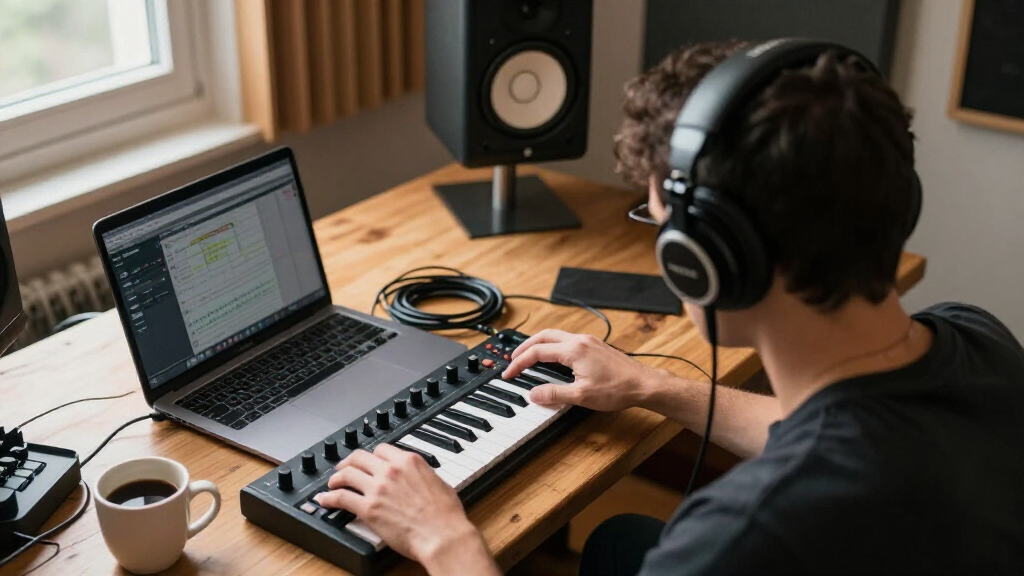
I ranked these six options around how well they serve the particular mix of needs implied by wireless studio monitor headphones: useful monitoring, convenient wireless listening, and practical ways to connect to studio or DJ equipment. I weighed wired flexibility, intended use, everyday usability, and whether the product’s feature set makes sense for a home studio, recording desk, or DJ setup. I also considered the gap between a model’s studio or DJ positioning and what wireless headphones can reliably do during critical work.
The ATH-M50xBT2 takes the top spot as the strongest all-round studio-oriented choice in this group; the ATH-M20xBT follows as a more straightforward entry-level alternative. OneOdio’s Studio Max models and A70 earn their places through different wireless-and-wired use cases, while the PUPGSIS PG-MXPRO is a more specialized option. I place wired fallback and fit for the intended workflow ahead of feature count: a headphone that cannot serve a buyer’s monitoring connection needs should not rank higher just because it is wireless.
| wireless studio monitor headphone | Battery life |
|---|---|
| Audio-Technica ATH-M50xBT2 Wir | Up to 50 hours |
| Audio-Technica ATH-M20xBT Wire | Up to 60 hours |
| OneOdio Studio Max 1 Wireless | Up to 120 hours in Bluetooth mode; 50 hours with dongle |
| PUPGSIS PG-MXPRO Wireless DJ H | Up to 60 hours Bluetooth; 30 hours 2.4 GHz |
| OneOdio Studio Max 2 Wireless | Up to 120 hours |
| OneOdio A70 Bluetooth Over-Ear | — |
Factors to Consider When Choosing Wireless Studio Monitor Headphones
Before choosing, I would separate wireless convenience from the job of making dependable mix decisions. The right choice depends on where the headphones will be used, how they connect to your gear, and whether they need to cover casual listening as well as studio work.
Decide Whether Wireless Is for Monitoring or Convenience
Bluetooth is handy for editing away from a desk, listening between sessions, or moving around a room without a cable. It can add delay, though, which may make live performance monitoring feel disconnected from the source. A common mistake is assuming that the word “studio” means a wireless model is suitable for tracking vocals or playing an instrument in real time. Check whether the headphone supports a wired connection and plan to use it whenever timing matters. For critical mixing, treat headphones as one reference among several rather than relying on them alone. Choose wireless chiefly for mobility if your core studio work already happens through monitors or wired headphones.
Check the Connection Against Your Actual Equipment
List the sources you expect to use before comparing feature lists: a computer, audio interface, phone, DJ mixer, or instrument output may call for different connections. Bluetooth pairing alone does not tell you whether a headphone can connect to an interface or mixer by cable. Also check what the package includes and whether the cable has the connector your setup needs; an adapter may be necessary for some equipment. Buyers often focus on wireless versions and overlook the wired input until their first recording session. If you switch between devices, favor a model whose connection options match that routine instead of paying for features you will not use. A quick compatibility check can prevent a convenient headphone from becoming awkward at the desk.
Match the Sound to the Work, Not the Label
“Monitor” and “DJ” describe intended use, but neither word guarantees that a headphone will translate mixes accurately for every listener. For detailed balance decisions, you want a sound you can learn and compare against trusted references, not simply a presentation that makes music enjoyable. If you mainly edit, practice, or listen casually, a more forgiving sound may be perfectly suitable. A frequent misstep is buying based on a claimed studio identity without checking how the headphone fits your own workflow. Keep familiar reference tracks and compare your headphone decisions on speakers or another known playback system. That habit is more useful than expecting any single headphone to reveal every mix problem.
Prioritize Fit for the Length of Your Sessions
Comfort changes how long you can work and how consistently you listen, so fit deserves attention alongside sound and connectivity. Over-ear designs can vary in clamp, weight, ear-pad space, and heat, and those differences matter more during extended sessions than during a quick product comparison. If possible, check the return terms and try a headphone during a normal-length listening session before relying on it for daily work. Glasses, larger ears, and sensitivity to pressure can all change how a fit feels. Do not assume a foldable or DJ-oriented design will automatically be comfortable for long editing sessions. A comfortable headphone you can wear reliably may serve you better than a feature-heavy model that becomes tiring.
Pay More Only for a Benefit You Will Use
A higher-tier model makes sense when it delivers a difference that matters to your routine, such as more useful connections or a stronger all-purpose role. If you mainly want wireless playback and occasional home practice, a simpler pick like the ATH-M20xBT may be a better match than stepping up automatically. Conversely, buyers using one pair for studio listening and mobile playback may value the broader role of the ATH-M50xBT2. Avoid paying extra for a DJ feature set if you do not use DJ equipment or need that style of workflow. Decide which two or three tasks the headphone must handle, then compare candidates against those needs. This keeps a category with overlapping product labels from turning into a feature-count contest.
Plan for Maintenance and Everyday Handling
Headphones used at a desk, in a backpack, or at a DJ setup face different wear patterns, so build and replaceable or manageable parts can affect long-term usefulness. Cables are easy to misplace or damage, while ear pads can wear down with frequent use; check what can be replaced and how readily you can store the headphones safely. Foldability can help with travel, but it does not remove the need to protect hinges and cups from pressure. Wireless models also depend on battery charge, so consider how often you can recharge and whether wired use remains available when power runs low. Buyers sometimes treat portability as a bonus without thinking about how they will carry or maintain the product. Match the design to where it will live most of the time.
Frequently Asked Questions
Can wireless studio monitor headphones be used for recording vocals?
They can be useful for playback and some recording tasks, but Bluetooth delay can make it difficult to hear your voice in time while performing. For live vocal monitoring, use a wired connection if the headphone supports one, or choose a wired monitoring setup. Also check whether the headphones leak enough sound to reach a sensitive microphone, since that can affect a take. A wireless model is more straightforward for editing and listening back than for monitoring your performance. If recording is your main use, treat wired support as a practical requirement rather than an optional extra.
Will any of these headphones connect directly to an audio interface?
That depends on the specific model, the cable supplied, and the output on your interface. Bluetooth pairing does not establish that a headphone can make a direct wired connection, so confirm the product’s wired input and connector details before buying. Some interfaces use a larger headphone jack, which may call for an adapter depending on the cable. If you plan to use the headphones while recording, check the interface’s monitoring setup as well as the headphone itself. The safest choice is the model and cable combination that matches your equipment without relying on wireless playback.
Are DJ headphones a good substitute for headphones made for mixing?
They can work for listening and some studio tasks, but a DJ label alone does not tell you how well a headphone will suit mix decisions. DJ use may prioritize handling and practical booth use, while mixing calls for a sound you can interpret consistently against references. The OneOdio and PUPGSIS models in this roundup should be judged by their connection needs and intended workflow, not by the label alone. If you choose one for mixing, compare your work on other playback systems before finalizing it. Buyers focused on critical mix translation may prefer to keep a separate reference option available.
Should I choose the ATH-M50xBT2 or the less complex ATH-M20xBT?
Choose the ATH-M50xBT2 if you want the stronger all-round studio-oriented option in this roundup and expect to use one headphone across more than casual listening. The ATH-M20xBT makes more sense when you want a simpler entry into wireless studio-style listening and do not need the broader role of the higher-ranked model. Neither choice removes the need to check connection compatibility or use wired monitoring when timing matters. Think about how often the headphones will support actual studio work versus everyday playback. If those needs are modest, the more straightforward model may be the more sensible fit.
What should I do if Bluetooth audio feels delayed?
First, use a wired connection if your headphone and audio source support one; that is the most direct fix for work where timing matters. You can reserve Bluetooth for listening, editing that does not require live performance, and moving around between tasks. If you are using a computer, check the audio settings and connection path, since delay can involve the source as well as the headphones. Do not judge a headphone’s usefulness for a full studio workflow from wireless playback alone. A model that supports both connection types gives you a more practical fallback.
Conclusion
My best overall pick is the Audio-Technica ATH-M50xBT2 for buyers who want the most capable all-round studio-oriented option here. For best value and beginners, I would start with the ATH-M20xBT if a straightforward wireless entry point is the priority. Buyers seeking a premium all-purpose choice should look first at the ATH-M50xBT2, while those who need a more specific wireless-and-wired or DJ-focused setup should compare the OneOdio Studio Max 1, Studio Max 2, A70, and PUPGSIS PG-MXPRO against their equipment and working style. For critical recording or timing-sensitive monitoring, prioritize a usable wired connection whichever model you choose. That distinction is the clearest way to pick among these six without expecting Bluetooth to do every studio job.
Fall Picks
fall essentials
As an affiliate, we earn on qualifying purchases.