
The best audio editing software balances raw editing power against how steep the learning curve is and what you’ll pay — either once or forever. Adobe Audition stands out as the best overall pick for serious editors, thanks to its spectral editing, multitrack mixing, and tight integration with Premiere Pro, though it demands a subscription. SOUND FORGE Audio Studio 16 earns the best-value spot with one-time pricing and genuinely capable restoration and mastering tools, while WavePad is the easiest entry point for casual editors on a budget. The main tradeoff in this category is subscription versus perpetual licensing, followed closely by depth versus simplicity. Keep reading for the full breakdown, including which picks make sense for music production versus podcast cleanup.

Get audio and creator gear delivered free with Prime
- Fast, free delivery on millions of items
- Prime Video, Amazon Music and more included
- Member-only deals all year
Complete the kit



Key Takeaways
- Subscription versus one-time pricing was the single biggest divider in this lineup: Adobe Audition (both the 1-month and 12-month plans) is powerful but recurring-cost, while SOUND FORGE Audio Studio 16 and WavePad are perpetual licenses that cost less over three years.
- Two products on this list are near-duplicates — SOUND FORGE Audio Studio 16 versus the older Sony Sound Forge Audio Studio 10 — and the newer version wins on restoration tools and Windows 11 compatibility; the legacy version only makes sense if you find it heavily discounted.
- MAGIX Music Maker and MixPad are better classified as music production tools than audio editors; buyers who need waveform editing and restoration should lean toward Audition or SOUND FORGE instead.
- The PreSonus AudioBox USB 96 package is the only hardware-plus-software bundle here, making it the clear pick for anyone starting a home studio from zero rather than just editing existing files.
- WavePad’s biggest strength is onboarding speed — most common edits are one or two clicks away — but it lacks the spectral repair and batch processing depth that separates Audition and SOUND FORGE from the pack.
| MAGIX Music Maker 2024 Premium – Music Production Software for Windows |  | Best for Beginners | Platform: Windows 10/11 | Processor: 2 GHz | RAM: 2 GB | VIEW LATEST PRICE | See Our Full Breakdown |
| Adobe Audition Audio Recording, Editing, and Mixing Software – 1-Month Subscription |  | Best Overall | Subscription Duration: 1 month | Platform: PC/Mac | Editing Modes: Multitrack, waveform, spectral display | VIEW LATEST PRICE | See Our Full Breakdown |
| SOUND FORGE Audio Studio 16 – Complete Audio Editing, Recording, Restoration & Mastering Software for Windows 10/11 |  | Best Value | Compatibility: Windows 10/11 | Version: 16 | Functions: Recording, editing, restoration, mastering | VIEW LATEST PRICE | See Our Full Breakdown |
| Sony Sound Forge Audio Studio 10 |  | Best Budget Restoration Tool | Version: 10 (legacy release) | Functions: Recording, editing, music and sound production | Built-in Effects: 30+ | VIEW LATEST PRICE | See Our Full Breakdown |
| PreSonus AudioBox USB 96 25th Anniversary Studio Recording Package |  | Best Hardware-and-Software Bundle | Interface: AudioBox USB 96 | Preamps: Two class-A mic preamps | Microphone: M7 large-diaphragm condenser | VIEW LATEST PRICE | See Our Full Breakdown |
| Adobe Audition | Audio Recording, Editing, and Mixing Software | 12-Month Subscription |  | Best Professional Pick | Subscription Duration: 12 months | Platform: PC/Mac | Display Modes: Multitrack, waveform, spectral | VIEW LATEST PRICE | See Our Full Breakdown |
| WavePad Audio Editing Software – Professional Audio and Music Editor for Download | 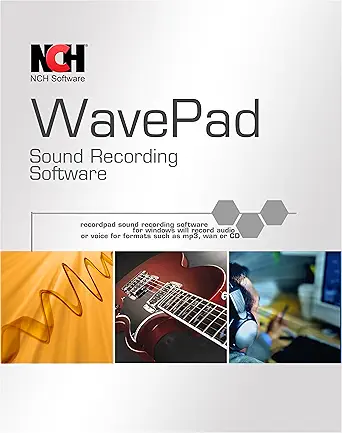 | Best for Format Flexibility | Supported Formats: wav, mp3, vox, gsm, wma, real audio, au, aif, flac, ogg | Effects: echo, amplification, noise reduction, normalize, equalizer, envelope, reverb, reverse | Editing Functions: cut, copy, paste, delete, insert, silence, auto-trim | VIEW LATEST PRICE | See Our Full Breakdown |
| MixPad Multitrack Recording Software for Sound Mixing and Music Production |  | Best for Multitrack Beginners | Supported Sample Rates: 6 kHz to 96 kHz | Bit Depth: Up to 32-bit floating point | Track Count: Unlimited | VIEW LATEST PRICE | See Our Full Breakdown |
| audio editing software | Licensing |
|---|---|
| MAGIX Music Maker 2024 Premium | — |
| Adobe Audition Audio Recording | Requires Adobe account; links to existing subscription |
| SOUND FORGE Audio Studio 16 | One-time purchase |
| Sony Sound Forge Audio Studio | One-time purchase |
| PreSonus AudioBox USB 96 25th | — |
| Adobe Audition | Audio Recordi | Subscription (renewal required) |
| WavePad Audio Editing Software | — |
| MixPad Multitrack Recording So | — |
More Details on Our Top Picks
MAGIX Music Maker 2024 Premium – Music Production Software for Windows
MAGIX Music Maker 2024 Premium stands out for how quickly it turns a complete novice into someone with a finished track. The AI song creation tools and large sound pools mean you can build a song by dragging loops rather than learning engineering, which is a fundamentally different starting point than SOUND FORGE Audio Studio 16, where you are expected to understand EQ and mastering concepts from day one. Compared with Adobe Audition, this is far less intimidating, but the tradeoff is real: this is music creation software first and an editor second, so anyone focused on podcast cleanup or audio restoration will find the toolset thin. The VST support and 64-bit multicore processing leave room to grow, though activation and content downloads require an internet connection, and performance on older hardware can suffer.
Pros:- AI-powered song creation lowers the entry barrier dramatically
- Large library of sound pools and professional effects included
- VST, 64-bit, and multicore support allows room to advance
- Interface is approachable for users with zero production experience
Cons:- Internet connection required for activation and content downloads
- Editing and restoration tools are limited compared to dedicated editors
- Modest system requirements suggest weak performance headroom on older machines
Best for: First-time music producers who want to make beats and songs quickly without learning a traditional DAW
Not ideal for: Podcasters and audio restoration-focused editors — the editing toolkit is shallow next to Adobe Audition or Sound Forge
- Platform:Windows 10/11
- Processor:2 GHz
- RAM:2 GB
- Graphics:Onboard, min. 1280 x 768
- Hard Drive Space:2 GB for installation
- Optical Drive:CD-ROM or DVD drive
- Internet Connection:Required for activation and content download
Our verdict“This pick makes the most sense for beginners who want to create music fast, not for anyone whose priority is precision audio editing.”
Adobe Audition Audio Recording, Editing, and Mixing Software – 1-Month Subscription
Adobe Audition earns the top spot because no other option here matches its combination of multitrack, waveform, and spectral display editing in a single environment. The spectral view is the differentiator: removing a hum or isolated noise visually is something SOUND FORGE Audio Studio 16 approaches differently and MAGIX Music Maker doesn’t attempt at all. Its tight integration with video workflows also makes it the clear choice over any product in this lineup for editors working alongside Premiere Pro projects. The tradeoff is structural rather than functional — the 1-month subscription model means costs accumulate, the term requires linking to an existing Adobe account, and auto-renewal catches plenty of buyers off guard. For project-based work, a month here and there is economical; for permanent ownership, look elsewhere in this roundup.
Pros:- Spectral display enables visual, surgical noise removal
- Multitrack and waveform editing coexist in one workflow
- Purpose-built to accelerate video production audio pipelines
- Cross-platform on PC and Mac, unique among Windows-only rivals here
Cons:- Subscription-only pricing adds up over time
- Auto-renewal and account linking add friction
- Overkill for simple trim-and-export tasks
Best for: Professional editors, podcast producers, and video creators who need restoration-grade tools on a flexible month-to-month basis
Not ideal for: Hobbyists wanting a one-time purchase — recurring subscription costs exceed a perpetual license like Sound Forge within months
- Subscription Duration:1 month
- Platform:PC/Mac
- Editing Modes:Multitrack, waveform, spectral display
- Primary Use:Audio editing, mixing, and restoration
- Workflow Integration:Built for video production pipelines
- Licensing:Requires Adobe account; links to existing subscription
Our verdict“If editing quality is the priority and a subscription fits your budget, Audition is the strongest all-around choice in this lineup.”
SOUND FORGE Audio Studio 16 – Complete Audio Editing, Recording, Restoration & Mastering Software for Windows 10/11
SOUND FORGE Audio Studio 16 is the value play: a one-time purchase that covers recording, editing, restoration, and mastering — capabilities that would take months of Adobe Audition subscription fees to access. The modernEQ and modernReverb plug-ins plus a rebuilt resampling engine deliver results that punch well above the price, and unlike the aging Sony Sound Forge Audio Studio 10, this version runs natively on Windows 10/11 with current effects architecture. The honest tradeoff is depth versus approachability: this option is better suited to users who already know what compression and mastering entail, whereas MAGIX Music Maker welcomes absolute beginners. Windows-only support also locks out Mac users, who have to turn to Audition instead. For a hobbyist or semi-pro who wants professional tools without recurring fees, the balance here is hard to beat.
Pros:- One-time purchase with no recurring fees
- Full pipeline: record, edit, restore, and master in one app
- modernEQ, modernReverb, and a new resampling engine for current-gen sound quality
- More capable than the older Sound Forge 10 at a similar price point
Cons:- Windows 10/11 only, no Mac support
- Steeper learning curve than loop-based tools like MAGIX Music Maker
Best for: Hobbyists and semi-professional editors who want a full editing, restoration, and mastering toolkit for a single one-time payment
Not ideal for: Mac users and complete beginners — it’s Windows-only and assumes some prior audio editing knowledge
- Compatibility:Windows 10/11
- Version:16
- Functions:Recording, editing, restoration, mastering
- Effects Plug-ins:modernEQ, modernReverb, advanced effects
- Resampling Engine:New resampling engine included
- Licensing:One-time purchase
Our verdict“The best price-to-capability ratio in this roundup for Windows users who want ownership instead of a subscription.”
Sony Sound Forge Audio Studio 10
Sony Sound Forge Audio Studio 10 still exists in the market for one main reason: cheap, no-nonsense analog-to-digital transfer. If the job is digitizing tapes or vinyl and applying the 30-plus built-in effects to clean up hiss and hum, it does that competently at a bargain price. Compared with SOUND FORGE Audio Studio 16, the appeal is purely cost — version 16 offers the modern interface, updated plug-ins, and current Windows support, while this legacy edition has quietly fallen behind on compatibility with newer hardware and formats. Against WavePad, it holds its own on restoration effects but offers less ongoing development. Buyers should go in knowing this is dated software distributed as a digital download only, with sparse documentation. That makes it a sensible occasional tool, not a daily workstation.
Pros:- Very low price for a functional audio editor
- Over 30 built-in effects for cleanup and enhancement
- Effective tools for transferring analog recordings to digital
Cons:- Legacy software lacking updates and modern format support
- Digital download only, with limited documentation
- Superseded in nearly every way by Sound Forge Audio Studio 16
Best for: Budget-conscious users digitizing tapes and vinyl who need basic cleanup effects without paying for modern software
Not ideal for: Anyone on a modern production workflow — version 16 or Adobe Audition offer current features, support, and formats
- Version:10 (legacy release)
- Functions:Recording, editing, music and sound production
- Built-in Effects:30+
- Analog Transfer:Tape-to-digital conversion tools
- Distribution:Digital download
- Licensing:One-time purchase
Our verdict“A cheap, dated but serviceable pick if tape digitization is the whole job; spend a little more on version 16 for anything beyond that.”
PreSonus AudioBox USB 96 25th Anniversary Studio Recording Package
The PreSonus AudioBox USB 96 package answers a different question than everything else in this roundup: not just which software, but how you get sound into the computer at all. With a USB audio interface featuring two class-A mic preamps, an M7 large-diaphragm condenser microphone, HD7 headphones, cables, and a stand, this is a recording studio in a box. The bundled Studio One Artist and Studio Magic Suite — over $1000 of software at listed value — means a podcaster can be recording the same day the box arrives, something no software-only option like Adobe Audition or SOUND FORGE can claim. The tradeoffs are twofold: it costs more than any software title here, and the software side carries a genuine learning curve. Buyers who already own an interface and microphone should skip it — the value collapses when you only need the software half.
Pros:- Complete signal chain: interface, condenser mic, headphones, cables, and stand
- Two class-A mic preamps deliver clean, professional input quality
- Includes Studio One Artist plus Studio Magic Suite software
- Ready to record out of the box the same day
Cons:- Costs substantially more than software-only alternatives
- Studio One has a real learning curve for newcomers
- Overkill for buyers who only need editing software
Best for: Podcasters and home musicians starting from zero who need an interface, microphone, and software in a single purchase
Not ideal for: Anyone who already owns recording hardware — the bundle price only makes sense if you need every component
- Interface:AudioBox USB 96
- Preamps:Two class-A mic preamps
- Microphone:M7 large-diaphragm condenser
- Headphones:HD7
- Included Software:Studio One Artist, Studio Magic Suite
- Accessories:Cables and desktop mic stand included
Our verdict“The right buy only if you’re building a home studio from scratch; otherwise pick a standalone editor elsewhere in this list.”
Adobe Audition | Audio Recording, Editing, and Mixing Software | 12-Month Subscription
Adobe Audition is the most capable editor in this roundup, and the 12-month subscription makes far more sense than the one-month Audition plan unless your editing needs are genuinely sporadic. Its standout strength is the spectral display, which lets you visually isolate and remove noises — a restoration capability that WavePad’s simpler effects chain can’t match for precision work. Compared with SOUND FORGE Audio Studio 16, Audition leans harder into video production workflows, so podcasters and video editors who need polished dialogue and soundtrack mixing in one place get more direct value. The tradeoff is real, though: you’re renting, not owning, and the annual renewal adds up against one-time-purchase rivals. Newcomers should also expect a steeper learning curve than something like MixPad offers.
Pros:- Spectral display enables precise visual audio restoration
- Multitrack, waveform, and mixing tools in one workstation
- Tight integration with video production workflows
- 12-month plan is far better value than the monthly Audition subscription for regular users
Cons:- Subscription model means ongoing costs with no permanent license
- Steeper learning curve than consumer-oriented alternatives
Best for: Video editors and podcast producers who need professional-grade restoration and multitrack mixing within a video workflow
Not ideal for: Hobbyists on a budget — the recurring subscription costs more over time than one-time-purchase editors like SOUND FORGE
- Subscription Duration:12 months
- Platform:PC/Mac
- Display Modes:Multitrack, waveform, spectral
- Core Tools:Audio recording, editing, mixing, restoration
- Workflow Focus:Video production and post-production audio
- Licensing:Subscription (renewal required)
Our verdict“If you edit audio professionally and regularly, this is the tool worth paying rent for — casual editors should look elsewhere.”
WavePad Audio Editing Software – Professional Audio and Music Editor for Download
WavePad earns its spot as the format Swiss Army knife of this lineup. Where MixPad focuses on multitrack music production, WavePad is built around single-file editing and enhancement, swallowing everything from FLAC and OGG to legacy formats like VOX and GSM without conversion headaches. Its effects arsenal — noise reduction, reverb, equalization, normalization — covers most cleanup jobs, and VST plugin support means you can extend it the way Adobe Audition users extend their setup, at a fraction of the complexity. The interface is denser than a beginner will appreciate, and unlike Audition there’s no cloud tie-in or video-workflow polish. Pricing opacity is also frustrating — check the license terms before committing. Still, for sheer breadth of supported files, nothing else here matches it.
Pros:- Handles an unusually wide range of audio formats including FLAC, OGG, VOX, and GSM
- Full effects suite covering noise reduction, EQ, reverb, and normalization
- VST plugin support extends capability with third-party tools
- Core editing functions like auto-trim and envelope control rival pricier editors
Cons:- Interface can feel cluttered and unintuitive for newcomers
- No transparent upfront pricing information
- Download-only — no cloud-based workflow
Best for: Podcasters and audio restorators who work with unusual or legacy file formats and need serious effects in a lightweight editor
Not ideal for: Absolute beginners — the busy interface and unclear pricing make simpler tools like MixPad a friendlier starting point
- Supported Formats:wav, mp3, vox, gsm, wma, real audio, au, aif, flac, ogg
- Effects:echo, amplification, noise reduction, normalize, equalizer, envelope, reverb, reverse
- Editing Functions:cut, copy, paste, delete, insert, silence, auto-trim
- Plugin Support:VST
- Delivery:Digital download
- Skill Level:Amateur to professional
Our verdict“The pick when your audio files come in every format imaginable and you need one editor that handles them all.”
MixPad Multitrack Recording Software for Sound Mixing and Music Production
MixPad is the easiest path into multitrack music production in this roundup. While Adobe Audition demands a subscription and a learning investment, MixPad gets you recording unlimited tracks simultaneously within minutes of installing — a genuinely friendly onramp for first-time producers. It punches above its weight technically, supporting sample rates up to 96 kHz at 32-bit floating point, so home recordings aren’t compromised by the approachable interface. Compared with WavePad, which excels at single-file editing and restoration, MixPad is clearly built for building songs and mixes rather than cleaning up dialogue. The flip side: it ships with no bundled plugins or instruments, so you’ll outgrow its stock sound quickly if you’re chasing polished productions. And unlike the PreSonus AudioBox package, there’s no hardware included to bridge your gear.
Pros:- Genuinely beginner-friendly interface for fast multitrack projects
- Unlimited tracks with simultaneous recording capability
- High-resolution support up to 96 kHz / 32-bit floating point
- Flexible export options from WAV to compressed formats
Cons:- No bundled plugins or instruments to grow with
- Documentation on advanced features is thin
- Requires local download and installation
Best for: Home musicians and first-time producers who want to layer multiple tracks without fighting complex software
Not ideal for: Producers wanting an all-in-one solution — no bundled plugins, instruments, or hardware means extra purchases later
- Supported Sample Rates:6 kHz to 96 kHz
- Bit Depth:Up to 32-bit floating point
- Track Count:Unlimited
- Recording:Simultaneous multitrack
- Export Formats:WAV and high-compression formats
- Delivery:Digital download and installation
Our verdict“The smart first multitrack recorder for home musicians — just plan on buying plugins when your skills outgrow the stock toolkit.”
How We Picked
I evaluated each option through one lens: how well it handles core audio editing tasks — cutting, cleanup, restoration, mixing, and export. Beyond features, I weighed total cost of ownership, comparing subscription totals over one to three years against one-time license prices. Workflow mattered just as much: how quickly a new user can complete a basic edit, and whether the software grows with them into multitrack projects or mastering work.
I also factored in platform support, update history, and whether each product overlaps redundantly with another pick on the list. That’s why the ranking favors tools with a distinct role — professional depth (Audition), best value (SOUND FORGE 16), beginner accessibility (WavePad), and studio-in-a-box (PreSonus) — while older or overlapping versions sit lower with narrower justifications for buying them.
| audio editing software | Licensing |
|---|---|
| MAGIX Music Maker 2024 Premium | — |
| Adobe Audition Audio Recording | Requires Adobe account; links to existing subscription |
| SOUND FORGE Audio Studio 16 | One-time purchase |
| Sony Sound Forge Audio Studio | One-time purchase |
| PreSonus AudioBox USB 96 25th | — |
| Adobe Audition | Audio Recordi | Subscription (renewal required) |
| WavePad Audio Editing Software | — |
| MixPad Multitrack Recording So | — |
Factors to Consider When Choosing Audio Editing Software
Choosing audio editing software comes down to matching the tool to your actual workflow, not chasing the longest feature list. These are the factors that most often make or break the purchase.Subscription or One-Time License?
This is the decision that shapes everything else. Subscriptions like Adobe Audition keep you on the latest version and spread costs out, but a 12-month plan costs more than several perpetual licenses in this roundup after just two years. One-time purchases (SOUND FORGE, WavePad, MAGIX) protect you from price hikes and let you pause spending when projects dry up — the catch is that major version upgrades usually cost extra. A common mistake is buying a subscription for occasional edits; if you edit audio a few times a month, a perpetual license almost always wins on math alone.
Editing Depth: Waveform vs. Multitrack vs. Production
Audio software splits into three camps, and buying the wrong one is the most frequent regret I see. Waveform editors (SOUND FORGE, Wavepad’s core mode) excel at cutting, restoration, and mastering a single file. Multitrack editors (Audition, MixPad) layer many clips for podcasts, voiceover, and mixing. Music production environments (MAGIX Music Maker) prioritize loops, instruments, and beat-making over file cleanup. If your goal is removing noise from recordings, a production tool will fight you every step of the way.
Restoration and Repair Tools
Buyers routinely underestimate how much of real-world audio editing is repair work: hum removal, click elimination, de-reverbing a room, salvaging quiet recordings. Look for noise reduction, click/crackle removal, and spectral editing — the ability to visually identify and erase a specific sound on a spectrogram. This is where price tiers genuinely separate. Budget tools handle basic hiss; only the mid and top tier options can surgically remove a phone buzz mid-sentence. If you record in untreated rooms, prioritize this category above almost everything else.
Learning Curve and Time Budget
Professional suites can add weeks to your timeline before you produce anything usable. Be honest about how much time you’ll invest: a hobbyist podcaster will get more value from a tool they master in a weekend than from a pro suite they abandon. Check for guided workflows, sensible presets, and an active tutorial ecosystem — software with a large user base has far more free learning material. The mistake to avoid is assuming more power automatically means better output; a well-edited file in a simple tool beats a rough one in a complex one.
Hardware and Bundles
If you’re recording rather than just editing, software alone isn’t the full purchase. Interface-and-software bundles like the PreSonus package handle the mic preamp, latency, and DAW integration in one decision, often for less than buying separately. Watch compatibility details too: some picks here are Windows-only, and a few older versions lack support for current operating systems. Confirm your OS version, available RAM, and whether you’ll need ASIO drivers before committing — these details cause more returns than feature complaints do.
Frequently Asked Questions
Is Adobe Audition worth the subscription, or should I just buy SOUND FORGE once?
It depends on how often you edit and whether you need multitrack work. Audition combines waveform and multitrack editing in one app with spectral repair, which makes it the stronger choice if you produce podcasts, video soundtracks, or client work weekly. SOUND FORGE Audio Studio 16 covers waveform editing, restoration, and mastering well for a single payment that’s less than a few months of Audition. If you edit occasionally or mostly clean up single files, the one-time license pays for itself quickly. Heavy, deadline-driven users get their money’s worth from Audition’s workflow speed instead.
Do I need an audio interface, or is software enough?
Software alone is fine if you’re editing existing files — trimming, mastering, noise removal, and export don’t need any hardware. An interface becomes necessary the moment you record with a professional XLR microphone, because it supplies the preamp and low-latency monitoring your computer’s sound card can’t. That’s the logic behind the PreSonus AudioBox bundle: it’s aimed at people building a recording setup, not people fixing audio after the fact. If you already own a USB microphone, skip the interface and spend your budget on better software. Buying hardware you don’t need is one of the most common overspending mistakes in this category.
Can beginner software like WavePad grow with me, or will I outgrow it fast?
WavePad covers far more than most beginners expect — effects, batch processing, and basic spectral tools are all present — so casual editors can stay with it for years. The ceiling shows up with multitrack projects: layering dialogue, music, and effects across many synced clips is where a single-waveform editor becomes clumsy. If you can already see yourself producing podcasts or video audio within a year, starting in a multitrack-capable tool saves a painful migration later. Otherwise, outgrowing a cheap license is a cheap problem — upgrading later costs less than overbuying now.
Is the older Sony Sound Forge Audio Studio 10 still worth buying at a discount?
Only in narrow circumstances. Version 16 added meaningfully better restoration tools, a modernized interface, and current Windows 10/11 support, so the price gap usually justifies the upgrade. The legacy version 10 makes sense if you run an older machine, find it heavily discounted, or need to open legacy project files. The risk is compatibility: aging software on a current operating system is a support gamble, and there will be no fixes. For most buyers, the newer version is the safer long-term purchase even at a higher price.
What’s the difference between audio editing software and music production software like MAGIX Music Maker?
Music production software is built around creating sound — virtual instruments, loop libraries, drum sequencers, and MIDI — while audio editing software is built around shaping recorded sound: cutting, cleaning, balancing, and mastering. MAGIX Music Maker and MixPad lean toward the production side, so they’re the right choice if your goal is making songs from loops and samples. But someone trying to remove background noise from an interview or master a voiceover will find production tools clumsy and short on repair features. Match the category to your output, not the feature count on the box.
Conclusion
For most buyers, Adobe Audition is the best overall pick — its combination of waveform precision, multitrack mixing, and spectral repair covers nearly every editing scenario, provided the subscription fits your budget. Best value goes to SOUND FORGE Audio Studio 16, which delivers professional restoration and mastering tools for a one-time price that undercuts a year of Audition. Best for beginners is WavePad, with the fastest path from install to finished edit. Best premium setup is the PreSonus AudioBox USB 96 package for anyone building a complete home studio, hardware and software together. For specific needs: choose MAGIX Music Maker or MixPad if your real goal is music production rather than editing, and grab Sony Sound Forge 10 only as a budget legacy option on older hardware. Whatever you pick, decide subscription versus one-time first — that single choice narrows this list faster than any feature comparison.
Halloween Picks

Spirit Halloween 54-Inch Sitting Scarecrow Animatronic

Haunted Hill Farm 2-Ft. Zombie Raccoon Halloween Animatronic

Halloween Inflatable Haunted House Maze – 20×20 ft with Removable Roof and Blower
As an affiliate, we earn on qualifying purchases.