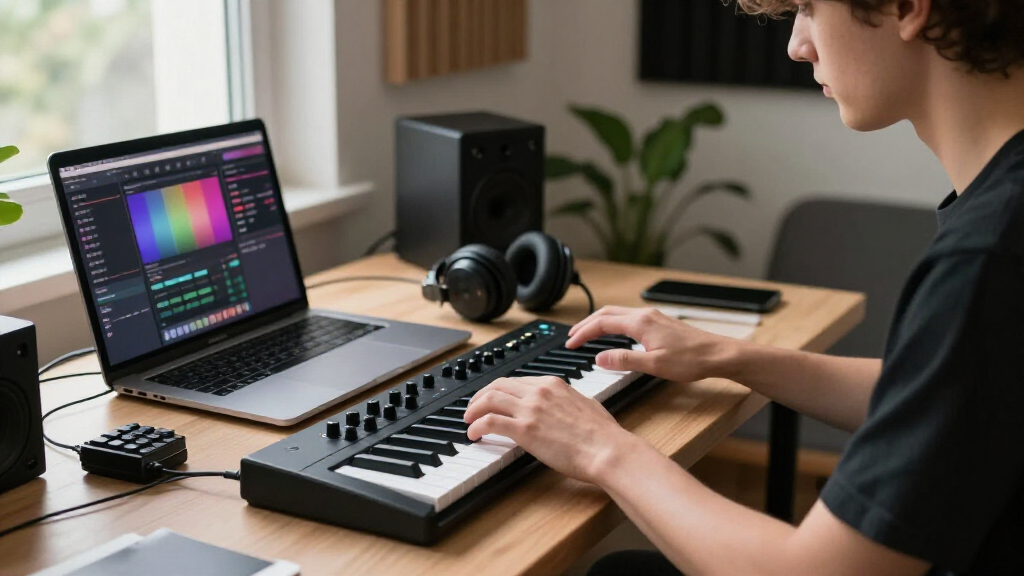

MIDI keyboard controllers turn your computer into a full production studio, but the right one depends heavily on how many keys you need, how much control surface you want, and where you plan to play. Across this lineup, the Novation Launchkey 61 MK4 earns the top spot for its deep Ableton integration, scale and chord modes, and the most playable keybed in the group. If budget or desk space is the priority, the M-Audio Keystation 49 MK3 delivers a full-size semi-weighted experience at an entry price, while the Arturia MiniLab 3 packs surprising hands-on control into a compact frame. The main tradeoff you’ll face in this category is portability versus playability — mini keys travel well but frustrate two-handed playing — plus the choice between pure keyboard controllers and hybrid units with pads, knobs and onboard sounds. Read on for the full breakdown of all 15 models.

Get audio and creator gear delivered free with Prime
- Fast, free delivery on millions of items
- Prime Video, Amazon Music and more included
- Member-only deals all year
Complete the kit


Key Takeaways
- Keybed size was the single biggest divider in this lineup: 25-key mini controllers (Donner N-25, Akai LPK25, MPK Mini models) suit basslines and travel, while 61- and 88-key models (Launchkey 61, Keystation 88) are the only ones suitable for genuine two-handed piano playing.
- DAW integration quality separated the premium picks from the budget ones — Novation‘s Launchkey MK4 series and Arturia‘s MiniLab series auto-map controls in major DAWs, whereas Keystation and Donner models keep things basic with minimal assignable hardware.
- The Akai MPK Mini Play MK3 is the only model here with onboard sounds and a speaker, making it uniquely portable for sketching away from a computer — a tradeoff that adds weight and cost compared to the standard MPK Mini IV.
- Full-size, semi-weighted keys under $150 (Keystation 49/61/88 MK3) consistently beat mini-key models for beginners learning proper technique, even though compact units win on features per dollar.
- Aftertouch, pitch and modulation options vary widely: Launchkey and MiniLab controllers include full pitch/mod wheels or touch strips, while the cheapest 25-key units force you to control expression through software.
| Donner N-25 Mini MIDI Keyboard Controller, 25 Velocity-Sensitive Keys |  | Best Budget Starter Pick | Keys: 25 velocity-sensitive mini keys | Connectivity: USB-MIDI | Controls: Programmable banks, arpeggiator, sustain, octave, tap tempo, pitch bend | VIEW LATEST PRICE | See Our Full Breakdown |
| Akai Professional MPK Mini Plus 37-Key USB MIDI Keyboard Controller |  | Best for Hardware and Modular Integration | Keys: 37 mini keys (Gen 2 dynamic keybed) | Octaves: 3 | Pads: 8 RGB MPC pads | VIEW LATEST PRICE | See Our Full Breakdown |
| M-Audio Keystation 88 MK3 USB MIDI Controller |  | Best Full-Size Piano Feel | Key count: 88 | Key type: Full-size, velocity-sensitive, semi-weighted | Connectivity: USB | VIEW LATEST PRICE | See Our Full Breakdown |
| M-Audio Keystation Mini 32 MK3 USB MIDI Controller |  | Best Ultra-Portable Desk Companion | Keys: 32 miniature velocity-sensitive keys | Connection: USB (bus-powered) | Velocity response: Selectable velocity curves | VIEW LATEST PRICE | See Our Full Breakdown |
| Akai Professional MPK Mini IV 25-Key USB-C MIDI Keyboard Controller, Black |  | Best Overall Mini Controller | Keys: 25 velocity-sensitive mini keys | Pads: 8 velocity- and pressure-sensitive MPC pads with RGB feedback | Knobs: 8 assignable 360° knobs | VIEW LATEST PRICE | See Our Full Breakdown |
| M-Audio Keystation 49 MK3 USB MIDI Controller |  | Best Plug-and-Play Simplicity | Keys: 49 full-size velocity-sensitive keys | Connectivity: USB-MIDI, class-compliant plug-and-play | Compatibility: Mac, PC, iOS (adapter sold separately) | VIEW LATEST PRICE | See Our Full Breakdown |
| Novation Launchkey 61 MK4 USB MIDI Keyboard Controller |  | Best for Two-Handed Players | Keys: 61 semi-weighted keys | Connectivity: USB and MIDI | Pads: 16 FSR pads with polyphonic aftertouch | VIEW LATEST PRICE | See Our Full Breakdown |
| M-Audio Keystation 61 MK3 USB MIDI Controller |  | Best Budget Full-Range Controller | Keys: 61 full-size velocity-sensitive semi-weighted keys | Controls: Volume fader, transport and directional buttons, pitch/mod wheels, octave buttons | Pedal Input: Sustain pedal input | VIEW LATEST PRICE | See Our Full Breakdown |
| Akai Professional MPK Mini Play MK3 25-Key USB MIDI Keyboard Controller |  | Best Portable Standalone | Keys: 25 Gen 2 dynamic keys | Drum Pads: 8 velocity-sensitive backlit MPC pads | Display: OLED | VIEW LATEST PRICE | See Our Full Breakdown |
| Novation Launchkey 49 MK4 USB MIDI Keyboard Controller |  | Best Overall DAW Controller | Keys: 49 semi-weighted keys | Connectivity: USB and MIDI | Pads: 16 velocity-sensitive FSR pads with polyphonic aftertouch | VIEW LATEST PRICE | See Our Full Breakdown |
| Donner DMK-25 Pro 25-Key USB-C MIDI Keyboard Controller |  | Best for Beginners | Keys: 25 | Drum Pads: 8 | Display: OLED | VIEW LATEST PRICE | See Our Full Breakdown |
| Arturia MiniLab 3 MIDI Controller, White |  | Best Software Ecosystem Pick | Keys: 25 velocity-sensitive | Drum Pads: 8 | Faders: 4 | VIEW LATEST PRICE | See Our Full Breakdown |
| Akai Professional MPK Mini MK3 25-Key USB MIDI Keyboard Controller |  | Best for Beat Makers | Keys: 25 velocity-sensitive mini keys | Pads: 8 backlit velocity-sensitive MPC-style pads | Knobs: 8 assignable 360-degree knobs | VIEW LATEST PRICE | See Our Full Breakdown |
| Akai Professional LPK25 25-Key USB MIDI Keyboard Controller |  | Best Ultra-Minimal Pick | Keys: 25 mini keys | Connectivity: USB (bus-powered, plug-and-play) | Arpeggiator: Built-in with clock | VIEW LATEST PRICE | See Our Full Breakdown |
| Arturia MiniLab 37 MIDI Keyboard Controller |  | Best Compact Two-Handed Play | Keys: 37 slim keys | Pads: 8 pads (2×4 layout) | Display: Real-time mini display | VIEW LATEST PRICE | See Our Full Breakdown |
| MIDI keyboard controller | Keys | Connectivity | Controls | Included software |
|---|---|---|---|---|
| Donner N-25 Mini MIDI Keyboard | 25 velocity-sensitive mini keys | USB-MIDI | Programmable banks, arpeggiator, sustain, octave, tap tempo, pitch bend | — |
| Akai Professional MPK Mini Plu | 37 mini keys (Gen 2 dynamic keybed) | USB, CV/Gate, MIDI I/O | — | MPC Beats, Komplete 15 Select, 60 days Splice Creator |
| M-Audio Keystation 88 MK3 USB | — | USB | Volume fader, transport buttons, pitch and modulation wheels, octave buttons | MPC Beats, Ableton Live Lite, Mini Grand, Xpand!2, TouchLoops, Velvet |
| M-Audio Keystation Mini 32 MK3 | 32 miniature velocity-sensitive keys | — | Pitch bend and modulation buttons, octave buttons, volume knob, sustain button | MPC Beats |
| Akai Professional MPK Mini IV | 25 velocity-sensitive mini keys | USB-C and full-size MIDI Out | — | Ableton Live Lite 12, virtual instruments, 30-day Melodics trial, 2 months Splice |
| M-Audio Keystation 49 MK3 USB | 49 full-size velocity-sensitive keys | USB-MIDI, class-compliant plug-and-play | Volume fader, transport and directional buttons, pitch/mod wheels, octave buttons | MPC Beats, Ableton Live Lite, Velvet, Xpand2, Mini Grand, Touch Loops |
| Novation Launchkey 61 MK4 USB | 61 semi-weighted keys | USB and MIDI | — | — |
| M-Audio Keystation 61 MK3 USB | 61 full-size velocity-sensitive semi-weighted keys | USB, plug-and-play | Volume fader, transport and directional buttons, pitch/mod wheels, octave buttons | MPC Beats, Ableton Live Lite, Velvet, Xpand2, Mini Grand, Touch Loops |
| Akai Professional MPK Mini Pla | 25 Gen 2 dynamic keys | USB MIDI with included USB Type B to A cable | 4 encoder knobs, arpeggiator, note repeat | MPC Beats, AIR Music Tech instruments, Melodics lessons, NKS bundle selection |
| Novation Launchkey 49 MK4 USB | 49 semi-weighted keys | USB and MIDI | — | — |
| Donner DMK-25 Pro 25-Key USB-C | 25 | — | Arpeggio, note repeat, chord mode, pitch/modulation touch bar, 4 wheels, 6 transport buttons | — |
| Arturia MiniLab 3 MIDI Control | 25 velocity-sensitive | — | — | — |
| Akai Professional MPK Mini MK3 | 25 velocity-sensitive mini keys | USB (bus-powered) | Four-way pitch/modulation joystick; built-in arpeggiator | MPC Beats, 3 virtual instruments, 2GB sound content |
| Akai Professional LPK25 25-Key | 25 mini keys | USB (bus-powered, plug-and-play) | Octave up/down buttons, sustain button | — |
| Arturia MiniLab 37 MIDI Keyboa | 37 slim keys | — | DAW-integrated pads, faders, and custom mappings | — |
More Details on Our Top Picks
Donner N-25 Mini MIDI Keyboard Controller, 25 Velocity-Sensitive Keys
For an ultra-affordable entry point, the N-25 covers more ground than its price class usually allows. Beyond the 25 velocity-sensitive mini keys, you get a built-in arpeggiator, programmable control banks, and 40 bundled keyboard lessons — a starter curriculum the similarly sized Akai LPK25 doesn’t attempt to match. The pitch-bend rocker sits where a wheel would normally go, which takes adjustment but keeps the footprint tiny. Compared with the M-Audio Keystation Mini 32 MK3, you trade three keys and a slightly more established brand for the arpeggiator and mobile support across Android and iOS. The tradeoff is real: the mini keybed feels toy-like to trained hands, and connecting to a phone usually means sourcing an OTG adapter.
Pros:- Built-in arpeggiator rare at this size and price
- 40 bundled keyboard lessons for genuine beginners
- Works across Mac, Windows, iOS, and Android
- Programmable control banks add flexibility
Cons:- Mini keys feel cramped for adult or trained hands
- Phone connections often require a separate OTG adapter
- Pitch-bend rocker is less intuitive than wheels
Best for: Total beginners and mobile producers who want lessons and an arpeggiator without spending much
Not ideal for: Players with piano training — the mini keys will frustrate anyone used to full-size spacing
- Keys:25 velocity-sensitive mini keys
- Connectivity:USB-MIDI
- Controls:Programmable banks, arpeggiator, sustain, octave, tap tempo, pitch bend
- Included lessons:40 keyboard teaching courses
- Compatible platforms:Android, Mac, Windows, iOS
- Compatible software:Cubase LE, Ableton Live, Logic Pro, Pro Tools, Studio One
Our verdict“A sensible first controller for someone learning the ropes on a tight budget who mostly plays melodies and bass lines.”
Akai Professional MPK Mini Plus 37-Key USB MIDI Keyboard Controller
What separates the MPK Mini Plus from the sea of desktop mini controllers is its CV/Gate and MIDI I/O — features you otherwise have to buy standalone interfaces to get. That makes this the rare compact keyboard that can sequence a modular synth or trigger vintage hardware without a computer in the chain, helped along by the built-in 64-step sequencer. Compared with its sibling, the MPK Mini MK3, you gain two octaves of the Gen 2 keybed, real MIDI ports, and standalone sequencing — a meaningful step up for gear-centric studios. The limitations: the sequencer tops out at two tracks, so it’s a sketchpad rather than a production hub, and the mini keys still won’t satisfy pianists. The Novation Launchkey 61 MK4 offers deeper DAW control, but nothing at this price talks to modular racks as directly.
Pros:- CV/Gate and MIDI I/O for direct hardware and modular control
- Built-in 64-step sequencer works without a computer
- Full 3-octave keybed in a compact footprint
- Generous software bundle including Komplete 15 Select
Cons:- Sequencer limited to two tracks
- Mini keys feel cramped for two-handed pianistic playing
Best for: Producers with modular synths, drum machines, or hardware sound modules who want one compact hub
Not ideal for: DAW-first producers who never touch hardware — the CV/Gate features go unused and a Launchkey fits better
- Keys:37 mini keys (Gen 2 dynamic keybed)
- Octaves:3
- Pads:8 RGB MPC pads
- Knobs:8 assignable rotary knobs
- Sequencer:Built-in 64-step, 1 drum and 1 melody/chord track
- Connectivity:USB, CV/Gate, MIDI I/O
- Included software:MPC Beats, Komplete 15 Select, 60 days Splice Creator
Our verdict“The clear choice if your studio includes hardware that needs triggering — everyone else can save money elsewhere.”
M-Audio Keystation 88 MK3 USB MIDI Controller
When the goal is actual piano-style playing, mini controllers stop making sense, and the Keystation 88 MK3 is the straightforward answer. Its 88 full-size semi-weighted keys let you practice two-handed pieces and perform expressive dynamic passages in a way the 25-to-37-key options in this roundup simply cannot. Compared with the smaller Keystation 49 MK3 or 61 MK3, you’re paying mainly in desk space for those extra octaves — but if you’re learning repertoire or scoring with orchestral libraries, that range earns its footprint. The control set stays deliberately lean: pitch and mod wheels, a volume fader, transport buttons, and a sustain pedal input, which matters far more for pianists than pads would. The honest catch is that semi-weighted isn’t hammer-action; classical players will notice the difference. And iOS use demands a separately sold Camera Adapter.
Pros:- Full 88-note range for genuine two-handed playing
- Semi-weighted action supports dynamic expression
- Sustain pedal input for authentic piano technique
- Plug-and-play USB with Mac and PC
Cons:- Semi-weighted keys fall short of true hammer action
- iOS use requires a separately sold Camera Adapter
Best for: Pianists, students, and composers who need a full 88-note range for two-handed playing
Not ideal for: Desk producers who mainly program beats — the size dominates a small setup and offers pads they’d use more than keys
- Key count:88
- Key type:Full-size, velocity-sensitive, semi-weighted
- Connectivity:USB
- Controls:Volume fader, transport buttons, pitch and modulation wheels, octave buttons
- Sustain pedal input:Yes
- Compatibility:Mac, PC, iOS (adapter required)
- Included software:MPC Beats, Ableton Live Lite, Mini Grand, Xpand!2, TouchLoops, Velvet
Our verdict“The pick when playing technique matters more than production features — just don’t expect digital-piano key feel.”
M-Audio Keystation Mini 32 MK3 USB MIDI Controller
Sometimes you just need keys that disappear into a laptop bag, and the Keystation Mini 32 MK3 is built for exactly that. It’s bus-powered with no drivers, so it works the moment you plug in — a simpler proposition than the Donner N-25, which layers on an arpeggiator and lessons you may never touch. What this model gets right that cheaper minis often skip is selectable velocity curves, letting you tune the response so quiet passages don’t vanish on tiny keys. Pitch bend and modulation live on buttons rather than wheels, which is workable for occasional use but limiting for expressive lead lines. Against the Arturia MiniLab 3, you give up pads and knobs entirely — this is a keys-only tool, full stop. That minimalism is the point: nothing on board distracts from entering notes.
Pros:- No drivers or power supply needed
- Selectable velocity curves tailor response to your touch
- Slim enough for any laptop bag
- Includes MPC Beats and Melodics lesson access
Cons:- Miniature keys limit expressive two-handed playing
- Button-based pitch bend and modulation feel imprecise
Best for: Laptop producers and travelers who need a no-frills, plug-and-play keyboard for note entry
Not ideal for: Anyone who wants pads or knobs for live performance — this has neither
- Keys:32 miniature velocity-sensitive keys
- Connection:USB (bus-powered)
- Velocity response:Selectable velocity curves
- Controls:Pitch bend and modulation buttons, octave buttons, volume knob, sustain button
- Compatibility:Windows and Mac
- Included software:MPC Beats
- Learning content:60 interactive Melodics lessons
Our verdict“A dependable spare-room and travel keyboard for note entry — not a performance instrument.”
Akai Professional MPK Mini IV 25-Key USB-C MIDI Keyboard Controller, Black
The MPK Mini IV is where compact design and genuine control depth meet most productively. Akai’s velocity- and pressure-sensitive MPC pads remain the benchmark for finger drumming at this size, and this generation adds a color screen that makes editing assignments far less painful than the menu-diving on the MPK Mini MK3. The addition of full-size MIDI Out means it can drive hardware sound modules directly — a capability the Donner N-25 lacks, though it stops short of the MPK Mini Plus’s CV/Gate and sequencer. Eight 360° knobs round out a layout that handles mixing, synths, and drum programming without touching a mouse. The tradeoffs are familiar: 25 mini keys constrain melodic work, and USB-powered operation ties you to a connected device. Still, as a single do-everything desktop controller, this hits the widest sweet spot.
Pros:- Pressure-sensitive RGB MPC pads excel at finger drumming
- Color screen simplifies on-device editing
- MIDI Out connects directly to hardware sound modules
- Modern USB-C connectivity
Cons:- 25 mini keys limit two-handed melodic playing
- Requires USB power from a connected device — no battery option
Best for: Bedroom producers who want pads, knobs, and keys in one travel-friendly controller
Not ideal for: Pianists and melodic composers — 25 mini keys cap how much music you can physically play
- Keys:25 velocity-sensitive mini keys
- Pads:8 velocity- and pressure-sensitive MPC pads with RGB feedback
- Knobs:8 assignable 360° knobs
- Connectivity:USB-C and full-size MIDI Out
- Display:Color screen
- Power:USB-powered
- Compatibility:Mac, PC, and mobile setups
- Included software:Ableton Live Lite 12, virtual instruments, 30-day Melodics trial, 2 months Splice
Our verdict“The most complete mini controller for producers who finger-drum as much as they play.”
M-Audio Keystation 49 MK3 USB MIDI Controller
The Keystation 49 MK3 stands out for doing one thing without friction: you plug it in, your computer recognizes it, and you play. There are no drivers to install and no power supply cluttering your desk, which puts it ahead of feature-rich rivals like the Novation Launchkey 49 MK4 when the goal is zero-setup simplicity rather than deep DAW control. The full-size velocity-sensitive keys feel natural for piano-inspired playing, and the pitch and mod wheels plus a single volume fader cover the fundamentals of expression. Compared with the Keystation 61 MK3, this 49-key version trades two octaves of range for a footprint that fits tighter desks. The tradeoff is control depth — there are no pads, no screens, and no scale or chord tools, so producers who like to build beats and launch clips from the keyboard will outgrow it quickly. The bundled software and lessons soften that gap for newcomers.
Pros:- True plug-and-play with no drivers or external power needed
- Full-size velocity-sensitive keys with a natural playing feel
- Compact footprint that fits most desks and stage rigs
- Generous software bundle plus Skoove and Melodics lessons
Cons:- No pads, encoders, or deep DAW integration
- iOS use requires a separately sold Apple adapter, and a sustain pedal is not included
Best for: Beginners and casual players who want a no-fuss, full-size keybed for learning and basic recording
Not ideal for: Beatmakers and clip-launching producers — the absence of pads and DAW controls makes a controller like the Launchkey 49 MK4 far more practical
- Keys:49 full-size velocity-sensitive keys
- Connectivity:USB-MIDI, class-compliant plug-and-play
- Compatibility:Mac, PC, iOS (adapter sold separately)
- Controls:Volume fader, transport and directional buttons, pitch/mod wheels, octave buttons
- Sustain Pedal Input:1/4-inch (6.3mm), pedal sold separately
- Power:USB-powered
- Included Software:MPC Beats, Ableton Live Lite, Velvet, Xpand2, Mini Grand, Touch Loops
Our verdict“If you want to sit down and start playing within a minute of unboxing, this is the straightforward choice — just don’t expect production controls.”
Novation Launchkey 61 MK4 USB MIDI Keyboard Controller
Five octaves changes how you play. The Launchkey 61 MK4 makes the most sense for keyboardists who want genuine two-handed playing range — bass line in the left hand, chords or leads in the right — something no 25 or 37-key compact option like the Akai MPK Mini Plus can deliver. What separates it from the simpler Keystation 61 MK3 is everything around the keys: 16 pads with polyphonic aftertouch, an OLED display, and Scale, Chord, and Arpeggiator tools that keep performances in key and generate musical ideas on the fly. The semi-weighted bed gives enough resistance for expressive playing without the heft of a full piano action. The honest tradeoff is size and workflow dependency — this is a large controller that assumes a computer-centered setup, and at this key count your desk real estate and gig bag space both take a hit.
Pros:- 61 semi-weighted keys with genuine two-handed range
- 16 FSR pads with polyphonic aftertouch
- Scale, Chord, and Arpeggiator modes with an OLED display for feedback
- Deep integration with Ableton Live, Logic Pro, Cubase, and more
Cons:- Large footprint demands serious desk or studio space
- USB-based workflows require a compatible computer or music device
Best for: Keyboardists and producers who need full two-hand playing range plus modern beatmaking controls in one board
Not ideal for: Mobile producers or anyone with limited desk space — the 61-key footprint is substantial and it depends on a connected computer or compatible device
- Keys:61 semi-weighted keys
- Connectivity:USB and MIDI
- Pads:16 FSR pads with polyphonic aftertouch
- Additional Features:Scale Mode, Chord Modes, Arpeggiator, Chord Detector, OLED display
- Compatible Devices:PC, synthesizer, groovebox
- Supported Software:Ableton Live, Logic Pro, Cubase, Reason, Reaper, FL Studio, Ardour
Our verdict“The pick for players who refuse to compromise on key range while still wanting pads and DAW control at their fingertips.”
M-Audio Keystation 61 MK3 USB MIDI Controller
Sometimes the right tool is the plain one that covers the basics at a low price. The Keystation 61 MK3 delivers five octaves of semi-weighted, velocity-sensitive keys with the same driver-free setup as its 49-key sibling, but adds enough key resistance to make longer playing sessions more comfortable. Measured against the Novation Launchkey 61 MK4, the difference is control surface, not keybed utility: Novation brings pads, aftertouch, and creative modes, while this M-Audio board keeps things to a fader, transport buttons, wheels, and octave shifts. That restraint is the point — players who primarily perform piano and synth parts, and handle beats elsewhere, save money and skip features they’d never touch. The drawbacks are predictable: no pads or encoders means no clip launching, and iPad users must buy the Apple camera adapter separately. Still, for a full-range keybed without complexity, it holds its own against pricier boards.
Pros:- 61 full-size semi-weighted velocity-sensitive keys
- Plug-and-play USB with no drivers or power supply
- Volume fader, transport controls, and pitch/mod wheels included
- Software bundle with MPC Beats, Ableton Live Lite, and lessons
Cons:- No pads, knobs, or advanced DAW integration
- iOS connectivity requires a separately sold adapter
Best for: Piano-first players and students who want maximum key range and semi-weighted feel at a modest price
Not ideal for: All-in-one producers who want pads, aftertouch, and DAW mixing control — the Launchkey 61 MK4 covers that ground better
- Keys:61 full-size velocity-sensitive semi-weighted keys
- Controls:Volume fader, transport and directional buttons, pitch/mod wheels, octave buttons
- Pedal Input:Sustain pedal input
- Connectivity:USB, plug-and-play
- Computer Compatibility:Mac and PC
- iOS Compatibility:Via Apple USB Camera Adapter, sold separately
- Included Software:MPC Beats, Ableton Live Lite, Velvet, Xpand2, Mini Grand, Touch Loops
Our verdict“The value play for anyone who measures a controller by its keybed rather than its gadgetry.”
Akai Professional MPK Mini Play MK3 25-Key USB MIDI Keyboard Controller
Most mini controllers are lifeless without a computer — this one isn’t. The MPK Mini Play MK3 carries over 100 built-in sounds and an onboard speaker, so you can sketch ideas on a train or warm up backstage with nothing attached, running on batteries or USB. That standalone streak is its defining difference from USB-tethered rivals like the Donner DMK-25 Pro or the MPK Mini MK3, which both assume a laptop in the loop. As a MIDI controller it’s serviceable rather than luxurious: eight backlit MPC pads, four encoders, an arpeggiator, and note repeat give it more hands-on character than you’d expect at this size, though the OLED display is small and the 25 keys limit you to melodies, bass lines, and chords rather than full arrangements. Serious players will feel cramped compared with even a 37-key option like the Arturia MiniLab 37. As a pocketable idea machine, though, it’s in a class of one here.
Pros:- Built-in speaker and 100+ internal sounds enable fully standalone play
- Battery or USB power for true portability
- Eight velocity-sensitive MPC pads plus arpeggiator and note repeat
- OLED display and bundled software with Melodics lessons
Cons:- Only 25 mini keys, which caps expressive playing
- Batteries are not included
- Onboard speaker is basic and best for sketching, not performance
Best for: Traveling producers and musicians who want to play and sketch ideas anywhere without a computer
Not ideal for: Players who need real keyboard range — 25 mini keys rule out two-handed playing and complex voicings
- Keys:25 Gen 2 dynamic keys
- Drum Pads:8 velocity-sensitive backlit MPC pads
- Display:OLED
- Controls:4 encoder knobs, arpeggiator, note repeat
- Internal Sounds:Over 100 drum and instrument sounds
- Connectivity:USB MIDI with included USB Type B to A cable
- Power:USB or batteries (not included)
- Included Software:MPC Beats, AIR Music Tech instruments, Melodics lessons, NKS bundle selection
Our verdict“The go-anywhere pick for capturing musical ideas without a laptop, as long as you accept mini-key limits.”
Novation Launchkey 49 MK4 USB MIDI Keyboard Controller
Of everything in this lineup, the Launchkey 49 MK4 hits the broadest sweet spot between playing surface and production control. Four octaves of semi-weighted keys are enough for most composing without the desk dominance of the 61-key version, and the 16 aftertouch-capable pads, encoders, and OLED chord display turn it into a genuine command center for Ableton Live, Logic, and Cubase. Where the M-Audio Keystation 49 MK3 stops at transport buttons and a fader, this board handles clip launching, mixer control, and instrument tweaking directly from its surface — and the Scale and Chord modes quietly make weaker players sound better by locking notes to a key. The editable arpeggiator adds another creative layer the M-Audio boards simply don’t have. The compromise is weight and price-class: it costs more than basic controllers, carries more complexity than a beginner may want, and still leans on a computer for its richest features.
Pros:- Semi-weighted 49-key bed balances range and desk footprint
- 16 FSR pads with polyphonic aftertouch for expressive drumming
- Scale, Chord, and arpeggiator tools with an OLED chord display
- Deep out-of-the-box integration with major DAWs and Native Instruments software
Cons:- More expensive and complex than simple keyboard-only controllers
- Full feature set depends on a connected computer and compatible DAW
Best for: Home studio producers who want one board to play instruments, launch clips, and control their DAW
Not ideal for: Absolute beginners who just want keys to practice on — the extra controls add cost and learning curve the Keystation line avoids
- Keys:49 semi-weighted keys
- Connectivity:USB and MIDI
- Pads:16 velocity-sensitive FSR pads with polyphonic aftertouch
- Additional Features:Scale and Chord modes, editable arpeggiator, chord detector with OLED display
- Compatible Devices:PC, synthesizer, groovebox
- Supported Software:Ableton, Logic Pro, Cubase, HUI
Our verdict“The most complete all-rounder here for producers who want playing and production control on a single surface.”
Donner DMK-25 Pro 25-Key USB-C MIDI Keyboard Controller
Of all the budget controllers here, this is the one that most obviously wants to teach you music, not just control a DAW. The bundled 40 keyboard teaching courses and 16 scale modes give newcomers a structured on-ramp that competitors like the Akai LPK25 simply don’t attempt. The OLED display is a genuine rarity at this end of the market — it shows you what scale, chord, or arpeggio setting you’re in instead of leaving you guessing with tiny LEDs. Compared with the Akai MPK Mini MK3, the Donner trades MPC-style pads and bundled sound content for educational depth and a modern USB-C connection. The touch-sensitive pitch and modulation bar works, but players used to physical wheels will miss the tactile feedback.
Pros:- 40 bundled keyboard teaching courses give beginners a structured learning path
- OLED display makes settings visible at a glance, rare at this price point
- 16 scale modes plus arpeggio, chord, and note repeat tools lower the theory barrier
- USB-C connection and mobile compatibility suit modern laptop and tablet setups
Cons:- Produces no sound on its own and fully depends on a connected device running a DAW
- Some mobile devices require a separately purchased adapter
- Touch-based pitch/modulation bar lacks the tactile feel of physical wheels
Best for: Complete beginners who want guided lessons and scale assistance built into their first controller
Not ideal for: Producers who mainly want finger-drumming pads and deep software bundles — the MPK Mini MK3 serves that workflow better
- Keys:25
- Drum Pads:8
- Display:OLED
- Connection:USB-C
- Scale Modes:16
- Controls:Arpeggio, note repeat, chord mode, pitch/modulation touch bar, 4 wheels, 6 transport buttons
- Learning Content:40 keyboard teaching courses
- Compatibility:PC and mobile devices; works with various DAWs
Our verdict“Beginners who want their first controller to double as a music teacher will get more from this than any other budget pick here.”
Arturia MiniLab 3 MIDI Controller, White
The MiniLab 3 stands out for its tight Analog Lab and DAW integration — its knobs, pads, and faders map themselves sensibly the moment you plug in, which the more barebones M-Audio Keystation line can’t claim. The addition of four faders matters more than it sounds: compared with the Donner DMK-25 Pro, you get hands-on mixing and plugin control rather than only keyboard performance tools. Velocity-sensitive keys and eight pads cover the fundamentals of beat-making and melodic work in one small footprint. The white finish is also a refreshing visual change in a market dominated by black plastic. It’s a polished, no-drama controller — but it doesn’t include onboard learning content or scale assistance, and players wanting two-handed chord shapes will find the key count limiting next to the MiniLab 37.
Pros:- Four faders add real hands-on mixing and plugin control rarely found at this size
- Velocity-sensitive keys and eight pads handle both melodic and rhythmic work
- Deep integration with Arturia’s software and major DAWs reduces setup friction
- Lightweight, travel-friendly footprint slips into a backpack
Cons:- No bundled teaching content or scale-guidance features for beginners
- 25 keys restrict two-handed playing and wide chord voicings
- No onboard display, so setting changes rely on software feedback
Best for: Producers who want a controller that auto-maps neatly to their DAW and Arturia’s software ecosystem
Not ideal for: Players who need two-handed keyboard technique — 25 keys and a compact frame cap melodic range
- Keys:25 velocity-sensitive
- Drum Pads:8
- Faders:4
- Knobs:Assignable encoders
- Color:White
- Integration:Arturia software ecosystem and major DAWs
Our verdict“This pick makes the most sense for producers who value effortless software integration and mixing control over raw key count.”
Akai Professional MPK Mini MK3 25-Key USB MIDI Keyboard Controller
This is the controller that beat-makers keep buying for a reason: the eight MPC-style pads carry the feel and lineage of Akai’s legendary hardware, and nothing else in this lineup — including the Arturia MiniLab 3 — matches them for finger-drumming response. The four-way pitch/modulation joystick is a smarter use of limited panel space than separate wheels, and the eight assignable knobs mean you can twist filter cutoffs and effects without touching your mouse. The bundled MPC Beats software, three virtual instruments, and 2GB of sounds let you start producing immediately, where the LPK25 assumes you already own your tools. Tradeoffs are real, though: the mini keys feel cramped for anyone with piano training, and like every controller here it’s a desk-tethered device with no standalone sound.
Pros:- MPC-style pads deliver authentic finger-drumming feel unmatched in this lineup
- Eight assignable 360-degree knobs give hands-on plugin and mixer control
- Bundles MPC Beats, three virtual instruments, and 2GB of sound content
- Four-way joystick combines pitch bend and modulation in one efficient control
Cons:- Mini keys feel cramped for players accustomed to full-size keyboards
- USB-powered only, so it always requires a connected computer
- No display, which makes deeper editing dependent on software
Best for: Hip-hop and electronic producers whose workflow centers on finger drumming and knob tweaking
Not ideal for: Pianists or melodic players who need full-size keys — the mini keybed will feel cramped and fatiguing
- Keys:25 velocity-sensitive mini keys
- Pads:8 backlit velocity-sensitive MPC-style pads
- Knobs:8 assignable 360-degree knobs
- Controls:Four-way pitch/modulation joystick; built-in arpeggiator
- Connectivity:USB (bus-powered)
- Integration:NKS (Native Instruments Kontrol Standard)
- Included Software:MPC Beats, 3 virtual instruments, 2GB sound content
Our verdict“If your beats start with pads and knobs rather than keyboard lines, this remains the defining compact controller to buy.”
Akai Professional LPK25 25-Key USB MIDI Keyboard Controller
Sometimes the right controller is the one that disappears into your bag, and that’s the LPK25’s entire argument. It strips away pads, knobs, and displays to deliver a pure plug-and-play keyboard that works instantly across Mac, PC, and every major DAW — no mapping sessions, no drivers. Compared with the Akai MPK Mini MK3 from the same brand, the LPK25 gives up MPC pads and assignable knobs in exchange for a smaller, lighter frame and a simpler price. The built-in arpeggiator with clock and a sustain button add more expressive range than you’d expect from something this spartan, and eight programmable presets let you recall favorite setups. What you sacrifice is substantial: there are no pitch bend or modulation wheels, so expressive lead lines are off the table.
Pros:- Extremely compact and light, the most portable option in this lineup
- True plug-and-play USB power across Mac, PC, and all major DAWs
- Built-in arpeggiator with clock adds creative movement to sketches
- Eight programmable preset slots save setups for different instruments
Cons:- No pitch bend or modulation controls, limiting expressive playing
- Mini keys may frustrate players used to full-size keybeds
- No pads or faders, so beat-making and mixing stay mouse-driven
Best for: Songwriters and travelers who want the lightest possible keyboard for sketching melodies anywhere
Not ideal for: Producers who need performance controls — no pads, knobs, pitch bend, or modulation wheels means constant mouse work
- Keys:25 mini keys
- Connectivity:USB (bus-powered, plug-and-play)
- Arpeggiator:Built-in with clock
- Preset Slots:8 programmable
- Controls:Octave up/down buttons, sustain button
- Compatibility:Mac, PC; GarageBand, Logic, Studio One, Cubase, Ableton Live, Pro Tools, FL Studio, and more
Our verdict“Melody sketchers who value portability above all else will love it; anyone needing performance controls should step up to the MPK Mini MK3.”
Arturia MiniLab 37 MIDI Keyboard Controller
Most compact controllers force a painful choice: portability or two-handed playing. The MiniLab 37 refuses that tradeoff, squeezing 37 slim keys into a footprint that still fits a shallow desk or a carry-on. That extra octave changes how you work — compared with the MiniLab 3, you can play real chord voicings and bass-and-melody lines simultaneously instead of constantly stabbing the octave button. The real-time mini display, Chord mode, and built-in arpeggiator push it closer to the Donner DMK-25 Pro’s creative toolset, but with stronger DAW mappings for pads and faders that support clip launching and finger drumming in a 2×4 layout. The catch is the slim key feel: they’re playable and fast, but pianists weaned on full-size weighted keys will notice the difference within minutes.
Pros:- 37 keys enable genuine two-handed play in a compact, shallow footprint
- Real-time mini display shows settings without reaching for the computer screen
- Chord mode and built-in arpeggiator speed up harmonic idea generation
- 2×4 pad layout doubles for finger drumming and clip launching with custom DAW mappings
Cons:- Slim mini keys feel less substantial than full-size keys
- Lightweight build prioritizes portability over a solid, desk-planted feel
- Deeper control surface means a slightly steeper learning curve than the LPK25
Best for: Space-constrained producers and mobile rig builders who refuse to give up two-handed playing
Not ideal for: Traditional pianists who need full-size, weighted-feel keys — the slim keybed won’t satisfy serious keyboard technique
- Keys:37 slim keys
- Pads:8 pads (2×4 layout)
- Display:Real-time mini display
- Features:Built-in arpeggiator, Chord mode, transposition
- Controls:DAW-integrated pads, faders, and custom mappings
- Form Factor:Compact, lightweight, shallow desktop design
Our verdict“This is the pick for producers who want full harmonic range from a controller that still fits in a backpack or tiny studio corner.”

How We Picked
My ranking rests on four buyer-facing criteria. Playability came first: key count, key size, action type (mini synth keys versus full-size semi-weighted), and the presence of pitch and mod controls that shape real expression. Control surface depth was next — pads, knobs, faders and arpeggiators matter enormously for beat-making and live performance, which is why the Launchkey and MiniLab lines rank highly despite costing more than bare-bones options. DAW and software integration formed the third pillar; controllers that auto-map to major DAWs and bundle useful software save hours of setup frustration compared to generic units.
The fourth criterion was value relative to intended use rather than raw price. A cheap controller that frustrates its target user ranks below a well-matched one at the same cost, which is why the ranking mixes price tiers instead of simply ordering from cheapest to most expensive. I also weighed portability, power options (USB-C versus older USB-B), and build durability, since a travel controller lives a harder life than a studio-only board. Products are ordered so that the top picks serve the broadest range of buyers, with specialists grouped lower for people with specific needs.
Factors to Consider When Choosing MIDI Keyboard Controllers
Before settling on a specific model, it helps to understand the decisions that shape every MIDI controller purchase. These are the factors that actually change how a controller feels in daily use — and the mistakes buyers most often regret.Key Count and Key Size Are Not the Same Decision
Most buyers fixate on key count (25, 37, 49, 61, 88) while ignoring key size, which arguably matters more for playability. A 25-key controller with full-size keys feels more like an instrument than a 37-key unit with mini keys, and anyone with larger hands or classical training will fight mini keybeds on fast passages. If you plan to learn piano technique alongside production, full-size keys are non-negotiable — small savings on a mini keyboard often end with a second purchase within a year. On the other hand, if the controller lives in a backpack for sketching melodies in cafes or hotel rooms, mini keys are a fair sacrifice. The honest middle ground is a 37-key full-size or near-full-size board, which covers most chord voicings without dominating a desk.
Velocity Sensitivity and Aftertouch
Every controller in this lineup offers velocity sensitivity, but the quality of the response curve varies, and that difference shows up in your recordings. Cheap keybeds tend to have a narrow dynamic range — quiet notes come out louder than intended — which forces manual velocity editing in your DAW. Aftertouch, found on higher-end keybeds, lets you add expression by pressing harder after the initial strike, a technique common in pads and lead sounds. If you produce electronic music with evolving textures, aftertouch should influence your shortlist more than pad count. Beginners can safely skip it early on, but should know it exists so they don’t feel cheated later when their technique outgrows a basic keybed.
Control Surface: Pads, Knobs and Faders
Controllers split into two philosophies: pure keyboards (the Keystation line) that play notes and nothing else, and hybrid control surfaces (Launchkey, MPK Mini, MiniLab) that also trigger drum samples, tweak plugin parameters and adjust mixer levels. The mistake I see most often is beginners buying a hybrid controller and never touching the pads, paying for hardware they don’t use. The opposite mistake is worse: a beat-maker buying a keyboard-only controller and reaching for the mouse hundreds of times per session. Ask yourself honestly what you’ll adjust most — if the answer is filter cutoff and drum programming, pads and knobs will transform your workflow. If the answer is ‘just melody lines,’ put that money toward better keys instead.
DAW Integration and Mapping
A controller with deep native integration for your specific DAW behaves like an extension of the software, while a generic MIDI controller requires manual MIDI-mapping every control — a chore that can eat an entire evening. Novation’s Launchkey series is built around Ableton Live, Arturia’s MiniLab ships with tight mapping in most major DAWs, and Akai’s MPK line includes a preset editor. Before buying, check which DAW you actually use (or plan to use) and confirm the controller supports it, because this is the one spec that can’t be fixed later with money. Also check what software bundles with the controller — bundled DAWs and instrument libraries can be worth a substantial part of the purchase, and they differ meaningfully between brands even at similar hardware prices.
Portability, Power and Connection
Connection standards are quietly shifting: newer controllers like the Donner DMK-25 Pro and Akai MPK Mini IV use USB-C, while older staples still ship with USB-B cables that need adapters on modern laptops. Bus power is standard across this category, but check whether a controller works with iOS devices or needs a powered hub. Weight matters more than buyers expect — a 1.5 kg mini keyboard travels constantly, while an 88-key controller effectively becomes furniture. There’s also the question of whether you’ll ever play away from a computer, which is exactly the niche the MPK Mini Play fills with onboard sounds and battery operation. Decide where the controller will physically live before comparing feature lists.
When to Pay More — and When Not To
Spending more in this category buys three things: better keybed action, deeper software integration, and more assignable hardware. It does not buy better MIDI data — a cheap controller sends the same notes as an expensive one, so raw sound quality is never a reason to upgrade. Pay more when you record expressive parts regularly, when you’ve outgrown mouse-based mixing, or when your DAW has native support for a specific line. Don’t pay more for onboard arpeggiators, chord modes or scale modes you haven’t yet felt the need for; those features are genuinely transformative for some workflows and forgotten gimmicks for others. The most expensive purchase is the one that doesn’t match how you actually work.
Frequently Asked Questions
Do I need 25, 49, 61 or 88 keys for home production?
For most home producers, 49 keys is the practical sweet spot — enough for two-handed chord voicings without eating your entire desk. A 25-key controller works fine for basslines, lead melodies and drum programming, but you’ll hit octave-shift buttons constantly when playing chords. 61 keys make sense if you’re coming from piano lessons or recording live parts in one pass, while 88 keys are only worth it if you genuinely play piano repertoire, since an 88-key controller is a permanent piece of furniture. One honest point many guides skip: you can always record parts an octave at a time, so key count limits convenience more than capability.
Are mini keys really a problem for learning piano?
Yes, if your goal is piano technique — mini keys are narrower and shorter than piano keys, so your hands learn incorrect spacing and distance that doesn’t transfer to a real instrument. However, if your goal is music production rather than piano performance, mini keys are a completely legitimate tool, and many professional producers work entirely on compact keybeds. The compromise worth knowing about: full-size keys without weighting (like the Keystation line) teach correct hand spacing at a lower price than weighted boards. Weighted action, found at the 88-key end, is another tier up and only matters for players who want the feel of an acoustic piano under their fingers.
What’s the difference between the Akai MPK Mini models (MK3, IV, and Play MK3)?
The MPK Mini MK3 is the baseline: 25 mini keys, eight pads, four knobs and bundled software. The MPK Mini IV refines it with USB-C, improved pads and more onboard controls, making it the better choice if the price gap is small. The MPK Mini Play MK3 is a different product entirely — it adds onboard sounds, a built-in speaker and battery operation so you can sketch ideas with no computer at all. That standalone capability is genuinely useful for travel and quick idea capture, but it adds weight and cost that’s wasted if the controller never leaves your desk. Choose based on where you’ll use it, not on spec-sheet length.
Is the Novation Launchkey MK4 worth it if I don’t use Ableton Live?
Partially. The Launchkey MK4’s headline features — clip launching, scale mode, chord mode and automatic parameter mapping — are tuned for Ableton Live, and without it you lose a meaningful chunk of what you’re paying for. That said, the MK4 still functions as a solid generic MIDI controller in FL Studio, Logic Pro and other DAWs, with the excellent keybed, pads and encoders working fine through standard MIDI mapping or partial integration. If you use a non-Ableton DAW, compare it directly against the Arturia MiniLab 37, which spreads its integration more evenly across major DAWs and includes strong bundled software. Buy the Launchkey mainly if Ableton is in your present or near future.
Can a cheap MIDI controller limit my music as a beginner?
A cheap controller won’t limit what notes you can play, but it can limit expression and workflow in ways that are hard to notice until they’re gone. Budget keybeds often have narrow velocity ranges, making recordings sound dynamically flat, and the absence of pitch/mod controls or assignable knobs pushes you toward mouse-heavy production habits. That said, the smart beginner move is a middle-tier controller with full-size keys rather than the cheapest option or a premium one — you get honest playability without paying for advanced features you haven’t grown into yet. The real ceiling for beginners is rarely the controller anyway; it’s learning your DAW, and any controller that keeps your hands on keys instead of menus supports that goal.
Conclusion
After comparing all 15 models, the right choice comes down to how you work rather than which controller has the longest spec sheet. For the best overall pick, the Novation Launchkey 61 MK4 stands out with the most playable keybed, the deepest control surface and integration that grows with you — the Launchkey 49 MK4 is the same package if desk space is tighter. The best value goes to the M-Audio Keystation 49 MK3, which delivers full-size keys and a no-nonsense layout at a price that leaves budget for software and monitors. For beginners, I’d point to the Keystation 61 MK3 — full-size keys build correct technique, and its simplicity keeps the learning curve on your DAW rather than the hardware.
For portable producers, the Akai MPK Mini Play MK3 is unmatched thanks to onboard sounds and speaker, while the Arturia MiniLab 3 takes the best compact slot for laptop-based work with real hands-on control. The MiniLab 37 and MPK Mini Plus 37 are the smart middle ground for anyone who finds 25 keys cramped but doesn’t want a full desk board. Piano players should go straight to the Keystation 88 MK3, and ultra-minimal setups are well served by the Donner N-25 or Akai LPK25. Match the controller to the music you actually make, and you won’t outgrow it in six months.
Fall Picks
fall essentials
As an affiliate, we earn on qualifying purchases.