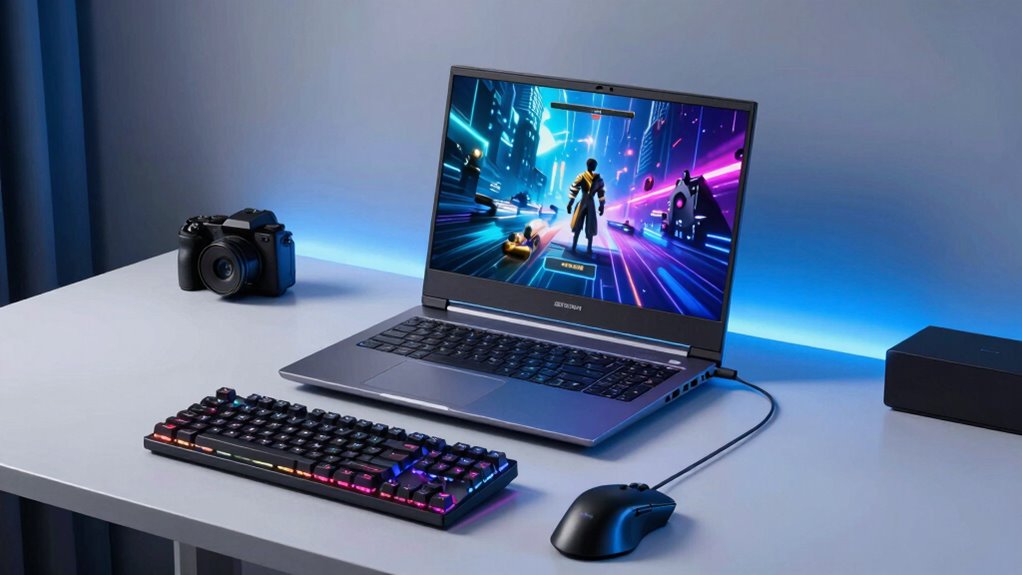

For a gaming laptop under $1,000, I would start with the Acer Nitro V with RTX 4050 as the strongest balance of dedicated graphics and modern performance, while the Lenovo LOQ stands out for its 16GB memory and 2TB storage. The HP Victus with Ryzen 7 and RTX 4050 is another strong option for buyers who want a capable graphics chip in a familiar 15.6-inch format. The main tradeoff is between newer GPUs that suit demanding games and lower-cost or older configurations that may need compromises in settings, storage, or upgrades. Integrated-graphics models can handle lighter gaming, but they are not direct substitutes for an RTX laptop. Read on for the full breakdown, ranking logic, and advice on which compromises make sense for your games.

Get audio and creator gear delivered free with Prime
- Fast, free delivery on millions of items
- Prime Video, Amazon Music and more included
- Member-only deals all year
Complete the kit


Key Takeaways
- RTX 4050 models lead this lineup for gaming headroom: the Acer Nitro V, Lenovo LOQ, and HP Victus with Ryzen 7 are the clearest choices for buyers prioritizing dedicated graphics.
- The Lenovo LOQ pairs gaming hardware with unusually generous listed storage: its 2TB drive and 16GB of DDR5 reduce immediate space and memory concerns, though the exact configuration still merits checking before purchase.
- The Acer Nitro V 16S AI has the most ambitious listed configuration: RTX 5060, 32GB DDR5, a 180Hz WUXGA screen, and 1TB SSD make it the performance-focused pick, but verify its final price and the listed processor details.
- RTX 3050 and GTX 1650 options are compromises, not peers to the RTX 4050 group: they can suit lighter gaming or older titles, but buyers should expect less graphics headroom.
- The NIMO laptops and the 8GB Lenovo are better judged by their workloads and upgrade paths: integrated Radeon 680M graphics or modest starting memory can work for study and casual play, but they do not match dedicated-GPU models for demanding games.
| ASUS TUF Dash 15 (2021) Ultra Slim Gaming Laptop |  | Best for Portable Gaming | Processor: Intel Core i7-11370H | Graphics: NVIDIA GeForce RTX 3050 Ti, 4GB GDDR6 | Display: 15.6-inch Full HD (1920 x 1080), 144Hz | VIEW ON AMAZON | See Our Full Breakdown |
| Acer Nitro V 16S AI Gaming Laptop |  | Best for Memory and Storage | Processor: AMD Ryzen 7 2600 | Graphics: NVIDIA GeForce RTX 5060 Laptop GPU | Display: 16-inch WUXGA IPS, 180Hz | VIEW ON AMAZON | See Our Full Breakdown |
| Lenovo LOQ Gaming Laptop |  | Best Overall Balance | Processor: AMD Ryzen 7 170, 8 cores/16 threads, 3.2GHz base and 4.75GHz boost | Graphics: NVIDIA GeForce RTX 4050, 6GB GDDR6 | Display: 15.6-inch IPS, 1920 x 1080, 144Hz | VIEW ON AMAZON | See Our Full Breakdown |
| NIMO Light Gaming Laptop with AMD Ryzen 7 7735HS |  | Best for Casual Gaming and Portability | Processor: AMD Ryzen 7 7735HS, 8-core | Graphics: AMD Radeon 680M integrated graphics | Display: 15.6-inch Full HD, 1920 x 1080 | VIEW ON AMAZON | See Our Full Breakdown |
| Acer Nitro V Gaming Laptop with Intel Core i5-13420H and RTX 4050 |  | Best for High-Refresh RTX 4050 Gaming | Processor: Intel Core i5-13420H | Graphics: NVIDIA GeForce RTX 4050 | Display: 15.6-inch Full HD IPS, 165Hz | VIEW ON AMAZON | See Our Full Breakdown |
| Lenovo 15 Gaming Laptop, AMD Ryzen 5 7535HS, 8GB DDR5, 256GB PCIe SSD |  | Best for Everyday Gaming on Integrated Graphics | Processor: AMD Ryzen 5 7535HS | Graphics: AMD Radeon 660M integrated graphics | Memory: 8GB DDR5 | VIEW ON AMAZON | See Our Full Breakdown |
| NIMO 15.6″ Light Gaming Laptop with AMD Ryzen 7, 16GB DDR5, 512GB SSD, FHD Display, Backlit Keyboard, AI Content Creators & Students |  | Best Portable Integrated-Graphics Pick | Processor: AMD Ryzen 7 7735HS | Graphics: AMD Radeon 680M integrated graphics | Memory: 16GB DDR5 5600MHz | VIEW ON AMAZON | See Our Full Breakdown |
| HP Victus 15.6″ Full HD 144Hz Gaming Laptop with Intel Core i5 and NVIDIA GeForce RTX 3050 |  | Best Overall Dedicated-Graphics Pick | Processor: Intel Core i5-12450H, up to 4.4GHz | Graphics: NVIDIA GeForce RTX 3050, 6GB GDDR6 | Memory: 16GB DDR4 | VIEW ON AMAZON | See Our Full Breakdown |
| HP Victus 15 Gaming Laptop with NVIDIA GeForce RTX 3050 and 12th Gen Intel Core i5 |  | Best Entry Point to Dedicated Graphics | Processor: 12th Gen Intel Core i5-12500H | Graphics: NVIDIA GeForce RTX 3050 | Memory: 8GB DDR4 SDRAM | VIEW ON AMAZON | See Our Full Breakdown |
| Acer Nitro 5 Gaming Laptop, 9th Gen Intel Core i5-9300H, NVIDIA GeForce GTX 1650, 15.6″ Full HD IPS Display, 8GB DDR4, 256GB NVMe SSD, Wi-Fi 6, Backlit Keyboard, Alexa Built-in |  | Best for Older and Lighter PC Games | Processor: Intel Core i5-9300H, up to 4.1GHz | Graphics: NVIDIA GeForce GTX 1650, 4GB GDDR5 | Memory: 8GB DDR4 2666MHz | VIEW ON AMAZON | See Our Full Breakdown |
| HP Victus 15.6″ 144Hz FHD Gaming Laptop with AMD Ryzen 7 and NVIDIA RTX 4050 |  | Best Balanced RTX 4050 Pick | Display: 15.6-inch IPS anti-glare, 1920 x 1080, 144Hz | Processor: AMD Ryzen 7 7445HS, 6 cores, up to 4.7GHz | Graphics: NVIDIA GeForce RTX 4050, 6GB GDDR6 | VIEW ON AMAZON | See Our Full Breakdown |
| gaming laptop under 1000 | Processor | Graphics | Display | Memory |
|---|---|---|---|---|
| ASUS TUF Dash 15 | Intel Core i7-11370H | NVIDIA GeForce RTX 3050 Ti, 4GB GDDR6 | 15.6-inch Full HD (1920 x 1080), 144Hz | 8GB DDR4 |
| Acer Nitro V 16S AI Gaming Lap | AMD Ryzen 7 2600 | NVIDIA GeForce RTX 5060 Laptop GPU | 16-inch WUXGA IPS, 180Hz | 32GB DDR5 5600MHz |
| Lenovo LOQ Gaming Laptop | AMD Ryzen 7 170, 8 cores/16 threads, 3.2GHz base and 4.75GHz boost | NVIDIA GeForce RTX 4050, 6GB GDDR6 | 15.6-inch IPS, 1920 x 1080, 144Hz | 16GB DDR5 |
| NIMO Light Gaming Laptop with | AMD Ryzen 7 7735HS, 8-core | AMD Radeon 680M integrated graphics | 15.6-inch Full HD, 1920 x 1080 | Dual DDR5 RAM; capacity not specified |
| Acer Nitro V Gaming Laptop wit | Intel Core i5-13420H | NVIDIA GeForce RTX 4050 | 15.6-inch Full HD IPS, 165Hz | 8GB DDR5 |
| Lenovo 15 Gaming Laptop | AMD Ryzen 5 7535HS | AMD Radeon 660M integrated graphics | 15.3-inch IPS, 1920 x 1200 | 8GB DDR5 |
| NIMO 15.6" Light Gaming Laptop | AMD Ryzen 7 7735HS | AMD Radeon 680M integrated graphics | 15.6-inch FHD, 1920 x 1080 | 16GB DDR5 5600MHz |
| HP Victus 15.6" Full HD 144Hz | Intel Core i5-12450H, up to 4.4GHz | NVIDIA GeForce RTX 3050, 6GB GDDR6 | 15.6-inch Full HD IPS, 1920 x 1080, 144Hz | 16GB DDR4 |
| HP Victus 15 Gaming Laptop wit | 12th Gen Intel Core i5-12500H | NVIDIA GeForce RTX 3050 | 15.6-inch FHD IPS, 1920 x 1080 | 8GB DDR4 SDRAM |
| Acer Nitro 5 Gaming Laptop | Intel Core i5-9300H, up to 4.1GHz | NVIDIA GeForce GTX 1650, 4GB GDDR5 | 15.6-inch Full HD IPS, 1920 x 1080 | 8GB DDR4 2666MHz |
| HP Victus 15.6" 144Hz FHD Gami | AMD Ryzen 7 7445HS, 6 cores, up to 4.7GHz | NVIDIA GeForce RTX 4050, 6GB GDDR6 | 15.6-inch IPS anti-glare, 1920 x 1080, 144Hz | 16GB DDR5-5600, 2 slots |
More Details on Our Top Picks
ASUS TUF Dash 15 (2021) Ultra Slim Gaming Laptop
The ASUS TUF Dash 15 makes the most sense for buyers who value a lighter carry over newer graphics hardware. At 4.4 pounds, its slim build is easier to take between classes or trips than the heavier Acer Nitro V with RTX 4050, while the 144Hz Full HD display gives fast-paced games room to look smooth. Its RTX 3050 Ti is a dedicated GPU, but it sits behind the RTX 4050 options in this roundup for graphics headroom. The main compromise is the listed 8GB of RAM, which can constrain newer games and multitasking; the Lenovo LOQ’s 16GB is a more comfortable starting point. I’d pick this ASUS for portability and connectivity, including Thunderbolt 4, but skip it if you want the strongest graphics performance or ample memory out of the box.
Pros:- Slim 4.4-pound design is easier to carry than the Acer Nitro V with RTX 4050.
- 144Hz Full HD screen supports smoother motion in fast games.
- RTX 3050 Ti provides dedicated graphics for gaming workloads.
- Thunderbolt 4, HDMI, Ethernet, and Wi-Fi 6 offer flexible connections.
Cons:- 8GB RAM can limit demanding games and heavy multitasking.
- RTX 3050 Ti has less graphics headroom than the RTX 4050 laptops in this batch.
- Battery life can vary substantially with gaming and other intensive use.
Best for: Students and frequent travelers who want a relatively light gaming laptop with dedicated graphics and a high-refresh display.
Not ideal for: Buyers who play demanding new games while streaming or multitasking, since the listed 8GB RAM and RTX 3050 Ti offer less headroom than the RTX 4050 models.
- Processor:Intel Core i7-11370H
- Graphics:NVIDIA GeForce RTX 3050 Ti, 4GB GDDR6
- Display:15.6-inch Full HD (1920 x 1080), 144Hz
- Memory:8GB DDR4
- Storage:512GB PCIe NVMe SSD
- Weight:4.4 pounds
- Operating system:Windows 10 Home
- Connectivity:Wi-Fi 6, Bluetooth 5.0, USB 3.2, HDMI, Thunderbolt 4, Ethernet
Our verdict“Choose the ASUS TUF Dash 15 if portability matters more to you than the newer RTX 4050 graphics and larger memory configurations available elsewhere in this roundup.”
Acer Nitro V 16S AI Gaming Laptop
The Acer Nitro V 16S AI stands apart from the smaller-budget-spec configurations here by pairing an RTX 5060 with 32GB of DDR5 memory and a 1TB Gen 4 SSD. That combination gives buyers more room for game libraries, creative projects, and concurrent apps than the Acer Nitro V with RTX 4050 and 8GB RAM. Its 16-inch 180Hz WUXGA screen also offers a larger, faster-refresh canvas than the 15.6-inch panels on the ASUS TUF Dash 15 and Lenovo LOQ. The tradeoff is that its listed Ryzen 7 2600 processor is an older model, and the product data provides no weight or battery-life figures for judging portability. I’d put this first for spec-rich gaming and multitasking, but buyers focused on a lighter, more clearly specified carry should compare it with the ASUS or LOQ.
Pros:- RTX 5060 is the most advanced listed GPU among these five products.
- 32GB DDR5 memory offers more multitasking capacity than the 8GB Acer Nitro V and ASUS TUF Dash 15.
- 1TB PCIe Gen 4 SSD provides more listed built-in storage than the ASUS TUF Dash 15 and NIMO.
- 16-inch WUXGA IPS display with a 180Hz refresh rate combines extra screen area with high refresh.
Cons:- The listed Ryzen 7 2600 processor is an older model compared with newer-generation options.
- Weight and battery life are not provided, making portability harder to judge.
- The product data notes only two RAM slots, which may limit memory expansion options.
Best for: Gamers and student creators who want generous memory, a 1TB SSD, and a larger high-refresh display for running games and multiple apps.
Not ideal for: Buyers who prioritize a clearly documented lightweight design, battery life, or a newer-listed processor model.
- Processor:AMD Ryzen 7 2600
- Graphics:NVIDIA GeForce RTX 5060 Laptop GPU
- Display:16-inch WUXGA IPS, 180Hz
- Memory:32GB DDR5 5600MHz
- Storage:1TB PCIe Gen 4 SSD
- Wi-Fi:Wi-Fi 6
Our verdict“Choose the Acer Nitro V 16S AI if memory, storage, and the listed RTX 5060 matter more than documented portability or a newer-listed CPU.”
Lenovo LOQ Gaming Laptop
The Lenovo LOQ is my best-balanced pick in this group: it combines an RTX 4050, 16GB of DDR5 memory, and a 144Hz IPS display without leaning as heavily into any single spec as the Acer Nitro V 16S AI. Compared with that Acer, the LOQ has less listed memory and a smaller, slower-refresh screen, but its specs identify an eight-core Ryzen 7 processor and a lighter 3.97-pound weight. Its storage listing needs a closer read: the stated 2TB combines a 1TB SSD with a 1TB docking-station set, so it is not clearly 2TB of internal laptop storage. That makes it less straightforward than the Acer’s 1TB SSD. I’d favor the LOQ for a balanced gaming setup and useful ports, while buyers who want the biggest display or clear internal storage capacity should compare alternatives.
Pros:- RTX 4050 and 16GB DDR5 provide a more balanced listed gaming configuration than the 8GB RTX 4050 Acer Nitro V.
- 144Hz IPS Full HD display suits fast-paced gaming.
- Listed weight of 3.97 pounds is lower than the ASUS TUF Dash 15 and Acer Nitro V.
- Wi-Fi 6, HDMI, USB-C, Ethernet, and a card reader support varied setups.
Cons:- The advertised 2TB storage includes a docking-station set, so the internal SSD capacity is not clearly 2TB.
- Its 144Hz 15.6-inch screen is smaller and has a lower refresh rate than the Acer Nitro V 16S AI’s 180Hz 16-inch display.
- Battery-life information is not provided.
Best for: Gamers who want an RTX 4050, 16GB of DDR5 memory, and a high-refresh 1080p display in a relatively light 15.6-inch laptop.
Not ideal for: Buyers who need clearly specified all-internal 2TB storage or prefer a larger, faster-refresh screen like the Acer Nitro V 16S AI’s.
- Processor:AMD Ryzen 7 170, 8 cores/16 threads, 3.2GHz base and 4.75GHz boost
- Graphics:NVIDIA GeForce RTX 4050, 6GB GDDR6
- Display:15.6-inch IPS, 1920 x 1080, 144Hz
- Memory:16GB DDR5
- Storage:Listed as 2TB: 1TB SSD plus 1TB docking-station set
- Weight:3.97 pounds
- Operating system:Windows 11 Home
- Ports:USB-C, 2 x USB-A, HDMI, RJ45, audio jack, card reader
Our verdict“Choose the Lenovo LOQ for a well-rounded RTX 4050 configuration, but verify the storage arrangement if internal capacity is a priority.”
NIMO Light Gaming Laptop with AMD Ryzen 7 7735HS
The NIMO Light Gaming Laptop is the portability-first choice for buyers whose games are not demanding enough to need a dedicated GPU. Its Ryzen 7 7735HS, dual DDR5 memory, and Radeon 680M integrated graphics suit everyday multitasking, light gaming, and student workloads in a 3.8-pound design. That makes it lighter than the Lenovo LOQ and ASUS TUF Dash 15, but the graphics tradeoff is substantial: the LOQ’s RTX 4050 is a better fit for newer, graphics-intensive games. The NIMO also has only a 512GB SSD, compared with the larger listed capacities of the Lenovo LOQ and Acer Nitro V 16S AI. I’d choose it when portability and general-use performance come first; skip it if your shortlist is built around high settings, demanding games, or a high-refresh display, which the supplied specifications do not list.
Pros:- At 3.8 pounds, it is lighter than the Lenovo LOQ and ASUS TUF Dash 15.
- Ryzen 7 7735HS and dual DDR5 memory are suited to multitasking and everyday creative work.
- Radeon 680M handles casual gaming without a separate listed graphics card.
- Dual USB-C, HDMI 2.0, and a Micro SD reader add connection options.
Cons:- Integrated Radeon 680M graphics are a weaker fit for demanding games than the dedicated RTX 4050 in the Lenovo LOQ.
- 512GB SSD offers less listed storage than the Acer Nitro V 16S AI’s 1TB SSD.
- No refresh-rate figure is provided for the display.
Best for: Students and casual gamers who want a light Windows laptop for everyday work, multitasking, and less-demanding games.
Not ideal for: Gamers targeting graphics-intensive new releases or high-refresh competitive play, since Radeon 680M is integrated graphics and no display refresh rate is listed.
- Processor:AMD Ryzen 7 7735HS, 8-core
- Graphics:AMD Radeon 680M integrated graphics
- Display:15.6-inch Full HD, 1920 x 1080
- Memory:Dual DDR5 RAM; capacity not specified
- Storage:512GB PCIe 4.0 SSD
- Battery:53.58Wh
- Weight:3.8 pounds
- Operating system:Windows 11
- Connectivity:Dual USB-C, HDMI 2.0, Micro SD reader
Our verdict“Choose the NIMO if you want a lighter everyday laptop for casual gaming, not a dedicated-GPU system for demanding titles.”
Acer Nitro V Gaming Laptop with Intel Core i5-13420H and RTX 4050
The Acer Nitro V with RTX 4050 pairs dedicated graphics with a 165Hz Full HD IPS screen, giving fast-action games a higher listed refresh rate than the Lenovo LOQ’s 144Hz panel. Its Core i5-13420H and RTX 4050 make it a more gaming-focused option than the integrated-graphics NIMO, but the 8GB DDR5 RAM is its biggest catch: the Lenovo LOQ’s 16GB is a more comfortable starting point for newer games and multitasking. The 512GB SSD is also modest beside the Acer Nitro V 16S AI’s 1TB drive. At 4.7 pounds, this Nitro is the heaviest of the five products with a listed weight. I’d choose it for its screen and dedicated GPU, provided you are comfortable with the memory and storage limits; buyers seeking a more complete out-of-box configuration should look at the LOQ.
Pros:- RTX 4050 offers dedicated gaming graphics compared with the integrated Radeon 680M in the NIMO.
- 165Hz IPS display has a higher listed refresh rate than the Lenovo LOQ’s 144Hz screen.
- Core i5-13420H supports gaming and general multitasking workloads.
- Thunderbolt 4, Ethernet, HDMI, and Wi-Fi 6 provide versatile connectivity.
Cons:- 8GB DDR5 RAM is limited compared with the Lenovo LOQ’s 16GB configuration.
- 512GB SSD offers less listed capacity than the Acer Nitro V 16S AI’s 1TB drive.
- At 4.7 pounds, it is heavier than the other products here with listed weights.
Best for: Players who prioritize an RTX 4050 and a high-refresh 15.6-inch screen for fast-paced games, and who can work within 8GB RAM and 512GB storage.
Not ideal for: Buyers who run demanding games alongside streaming, creative apps, or many background programs, since the listed 8GB RAM trails the Lenovo LOQ’s 16GB.
- Processor:Intel Core i5-13420H
- Graphics:NVIDIA GeForce RTX 4050
- Display:15.6-inch Full HD IPS, 165Hz
- Memory:8GB DDR5
- Storage:512GB PCIe Gen 4 SSD
- Weight:4.7 pounds
- Operating system:Windows 11 Home
- Connectivity:Wi-Fi 6, Bluetooth, Ethernet, HDMI, USB, Thunderbolt 4
Our verdict“Choose this Acer Nitro V for its RTX 4050 and 165Hz display if you can accept less memory, less storage, and more weight than the Lenovo LOQ.”
Lenovo 15 Gaming Laptop, AMD Ryzen 5 7535HS, 8GB DDR5, 256GB PCIe SSD
The Lenovo 15 makes the most sense for buyers who want a capable everyday laptop and plan to play lighter games, rather than demanding modern titles at high settings. Its Ryzen 5 7535HS and Radeon 660M integrated graphics can handle general multitasking and casual gaming, while the 1920 x 1200 display gives more vertical workspace than the HP Victus models’ 1080p panels. That extra screen space is useful for schoolwork, though it is not a substitute for dedicated gaming graphics.
Compared with the NIMO 15.6-inch, this Lenovo has less memory and storage, and the NIMO’s Radeon 680M is the stronger integrated-graphics configuration on paper. The Lenovo counters with a stated battery-life estimate of up to eight hours. Its 8GB RAM and 256GB SSD are the main constraints, so I would skip it for heavy multitasking or a large game library.
Pros:- Ryzen 5 7535HS suits everyday productivity and multitasking
- 1920 x 1200 IPS display offers more vertical workspace than the 1080p HP Victus models
- Battery life is specified as up to eight hours, with fast charging
- Wi-Fi 6 and Bluetooth 5.3 provide modern wireless connectivity
Cons:- Radeon 660M integrated graphics are less suited to demanding games than the Victus RTX 3050 configurations
- 8GB RAM can constrain multitasking and gaming
- 256GB SSD leaves limited room for a sizeable game library
Best for: Students and casual players who want one laptop for everyday work, lighter games, and a higher-resolution 16:10-style workspace.
Not ideal for: Players focused on demanding current games, or anyone who regularly runs several apps at once; integrated graphics and 8GB RAM are limiting.
- Processor:AMD Ryzen 5 7535HS
- Graphics:AMD Radeon 660M integrated graphics
- Memory:8GB DDR5
- Storage:256GB PCIe SSD
- Display:15.3-inch IPS, 1920 x 1200
- Operating system:Windows 11 Home
- Battery life:Up to 8+ hours
- Connectivity:Wi-Fi 6, Bluetooth 5.3, HDMI, DisplayPort, USB-C
Our verdict“Choose the Lenovo 15 for general-purpose use and lighter gaming, but pick a dedicated-graphics Victus if gaming performance is the priority.”
NIMO 15.6″ Light Gaming Laptop with AMD Ryzen 7, 16GB DDR5, 512GB SSD, FHD Display, Backlit Keyboard, AI Content Creators & Students
The NIMO 15.6-inch is a better fit for portability and everyday flexibility than for graphics-heavy gaming. Its Ryzen 7 7735HS, Radeon 680M integrated graphics, and 16GB of DDR5 memory give it a stronger starting point for multitasking than the Lenovo 15, which has 8GB RAM and Radeon 660M graphics. The 512GB SSD also makes room for more work files and games than the Lenovo’s 256GB drive.
At under 1.7 kg, this is the easiest model in this batch to carry, and its broad selection of ports is handy for connecting accessories without a hub. Still, integrated graphics are a clear ceiling: the HP Victus RTX 3050 models are the more suitable choice for buyers seeking dedicated graphics and a high-refresh gaming screen. The NIMO’s battery runtime is not specified, and its gaming performance is not detailed, so I would choose it for light play rather than rely on it for demanding titles.
Pros:- Ryzen 7 7735HS and 16GB DDR5 support multitasking better than the Lenovo 15 configuration
- Under 1.7 kg makes it easier to carry than the listed HP Victus models
- 512GB PCIe 4.0 SSD offers more capacity than the Lenovo 15 and Acer Nitro 5
- Two USB-C ports, three USB-A ports, HDMI, and microSD cover a wide range of peripherals
Cons:- Radeon 680M is integrated graphics, not a dedicated gaming GPU like the RTX 3050 in the HP Victus models
- Battery runtime is not specified
- Gaming capability details are limited, making it a less certain pick for demanding games
Best for: Students and mobile users who want a light laptop for coursework, multitasking, creative basics, and occasional lighter games.
Not ideal for: Gamers who want dedicated graphics or predictable performance in demanding titles; the Radeon 680M is integrated, and specific gaming performance is not provided.
- Processor:AMD Ryzen 7 7735HS
- Graphics:AMD Radeon 680M integrated graphics
- Memory:16GB DDR5 5600MHz
- Storage:512GB PCIe 4.0 SSD
- Display:15.6-inch FHD, 1920 x 1080
- Battery:53.58Wh
- Weight:Under 1.7 kg
- Ports:2 USB-C, HDMI 2.0, 3 USB-A, microSD, 3.5mm audio
- Additional features:Backlit keyboard, fingerprint login, 180° hinge, 100W PD charging
Our verdict“Pick the NIMO for a light, well-connected school or work laptop that can handle lighter games, not as a substitute for an RTX gaming laptop.”
HP Victus 15.6″ Full HD 144Hz Gaming Laptop with Intel Core i5 and NVIDIA GeForce RTX 3050
The HP Victus with RTX 3050 is the most balanced choice here for buyers who mean gaming first: its dedicated RTX 3050 6GB and 16GB RAM give it a stronger gaming foundation than the integrated-graphics Lenovo 15 and NIMO. The 144Hz Full HD display can show motion more smoothly in games that reach higher frame rates, while the Core i5-12450H and 512GB SSD round out a sensible configuration for play and everyday multitasking.
Compared with the other HP Victus in this batch, this version pairs its RTX 3050 with twice the memory and specifies a 144Hz screen, making it the more complete out-of-the-box setup. The tradeoff is portability: its listed weight is 7 pounds, much heavier than the NIMO. The 250-nit brightness is modest, and battery life is not listed, so I would treat it as a laptop best used near a power outlet rather than a frequent travel companion.
Pros:- Dedicated GeForce RTX 3050 with 6GB GDDR6 is better suited to gaming than the integrated graphics in the Lenovo 15 and NIMO
- 144Hz Full HD display supports smoother motion when games reach suitable frame rates
- 16GB RAM is more accommodating for gaming and multitasking than the 8GB HP Victus configuration
- 512GB PCIe SSD and Wi-Fi 6 support a useful gaming and connectivity setup
Cons:- Listed weight of 7 pounds makes it cumbersome for frequent travel
- 250-nit display brightness may be limiting in bright rooms
- Battery life is not specified
Best for: Players who want dedicated RTX graphics, 16GB RAM, and a high-refresh display in a single gaming-focused setup.
Not ideal for: Students who carry a laptop all day or buyers who need strong unplugged runtime; the listed weight is 7 pounds and battery life is unspecified.
- Processor:Intel Core i5-12450H, up to 4.4GHz
- Graphics:NVIDIA GeForce RTX 3050, 6GB GDDR6
- Memory:16GB DDR4
- Storage:512GB PCIe SSD
- Display:15.6-inch Full HD IPS, 1920 x 1080, 144Hz
- Brightness:250 nits
- Operating system:Windows 11 Pro
- Weight:7 pounds
- Connectivity:Wi-Fi 6, Bluetooth 5, HDMI, USB, USB-C, Ethernet
Our verdict“Choose this Victus if gaming performance and the 144Hz screen matter more than carrying weight or unplugged use.”
HP Victus 15 Gaming Laptop with NVIDIA GeForce RTX 3050 and 12th Gen Intel Core i5
This HP Victus 15 brings dedicated GeForce RTX 3050 graphics to a configuration that keeps the processor and 512GB SSD appealing for gaming and everyday use. That makes it a clearer gaming choice than the Lenovo 15 or NIMO, whose Radeon graphics are integrated. The Core i5-12500H also gives this Victus a strong multitasking base, and its full-size backlit keyboard with a numeric keypad suits buyers who use the same machine for study or office work.
The catch is the 8GB RAM: the other HP Victus in this batch includes 16GB and a specified 144Hz screen, so it is the more complete option for buyers who want to start gaming without compromises to memory. This model’s display refresh rate is not stated, nor is battery runtime. I would favor it for buyers prioritizing RTX graphics and storage over a higher memory configuration, and skip it if frequent multitasking is part of the plan.
Pros:- Dedicated RTX 3050 graphics provide a better gaming foundation than the Lenovo 15 and NIMO integrated GPUs
- 12th Gen Core i5-12500H supports gaming and general multitasking
- 512GB SSD offers more room than the Lenovo 15 and Acer Nitro 5 drives
- Full-size backlit keyboard includes a numeric keypad
Cons:- 8GB RAM is less accommodating than the 16GB configuration in the other HP Victus
- Display refresh rate is not specified
- Battery runtime is not specified
Best for: Budget-conscious players who want dedicated RTX graphics and a 512GB SSD, and whose gaming and work habits fit within 8GB RAM.
Not ideal for: Multitaskers or buyers who want a confirmed high-refresh screen; the other HP Victus here has 16GB RAM and a specified 144Hz display.
- Processor:12th Gen Intel Core i5-12500H
- Graphics:NVIDIA GeForce RTX 3050
- Memory:8GB DDR4 SDRAM
- Storage:512GB SSD
- Display:15.6-inch FHD IPS, 1920 x 1080
- Operating system:Windows 11 Home
- Weight:2.29 kg
- Connectivity:Wi-Fi 5, Bluetooth 5.2, HDMI, USB
- Keyboard:Full-size backlit QWERTY with numeric keypad
Our verdict“Choose this Victus for its dedicated RTX graphics and 512GB SSD, but favor the 16GB Victus if multitasking or a confirmed 144Hz screen matters.”
Acer Nitro 5 Gaming Laptop, 9th Gen Intel Core i5-9300H, NVIDIA GeForce GTX 1650, 15.6″ Full HD IPS Display, 8GB DDR4, 256GB NVMe SSD, Wi-Fi 6, Backlit Keyboard, Alexa Built-in
The Acer Nitro 5 is the most clearly dated gaming option in this group. Its dedicated GTX 1650 with 4GB VRAM gives it a gaming-focused advantage over the Lenovo 15’s Radeon 660M for compatible titles, but it sits behind both HP Victus RTX 3050 configurations in graphics hardware. The 9th Gen Core i5-9300H, 8GB RAM, and 256GB SSD point toward older games, lighter settings, and a modest installed library rather than demanding new releases.
Compared with the Lenovo, the Nitro’s dedicated GPU is a meaningful distinction, while the Lenovo has a newer processor and a higher-resolution 1920 x 1200 display. The Nitro lists up to eight hours of battery life and Wi-Fi 6, but its 5.1-pound weight and Windows 10 Home make it less appealing as a modern all-purpose pick. I would choose it only when its older gaming hardware fits the games you actually play.
Pros:- Dedicated GTX 1650 graphics are a more gaming-oriented setup than the integrated Radeon graphics in the Lenovo 15
- Full HD IPS display suits everyday gaming and media
- Wi-Fi 6, Gigabit Ethernet, and HDMI 2.0 support flexible connections
- Battery life is listed as up to eight hours
Cons:- GTX 1650 is behind the RTX 3050 graphics in both HP Victus models
- 8GB RAM and 256GB SSD limit multitasking and installed game capacity
- 5.1-pound weight and older Windows 10 Home setup make it a less appealing modern travel pick
Best for: Players focused on older or less demanding PC games who prefer a dedicated GPU and do not need a large game library installed.
Not ideal for: Buyers seeking current-game headroom, light carry weight, or ample storage; the Victus RTX 3050 models offer stronger graphics, and this drive is only 256GB.
- Processor:Intel Core i5-9300H, up to 4.1GHz
- Graphics:NVIDIA GeForce GTX 1650, 4GB GDDR5
- Memory:8GB DDR4 2666MHz
- Storage:256GB PCIe NVMe SSD
- Display:15.6-inch Full HD IPS, 1920 x 1080
- Operating system:Windows 10 Home
- Weight:5.1 pounds
- Battery life:Up to 8 hours
- Networking:Wi-Fi 6, Gigabit Ethernet
Our verdict“Pick the Nitro 5 for older and lighter games if its GTX 1650 fits your needs, but choose an HP Victus for stronger graphics headroom.”
HP Victus 15.6″ 144Hz FHD Gaming Laptop with AMD Ryzen 7 and NVIDIA RTX 4050
I’d shortlist this Victus for buyers who want a current-generation RTX 4050 and a fast 1080p screen without stepping up to a larger 16-inch machine. Its 144Hz IPS display can make fast-moving games look smoother, while the Ryzen 7 7445HS and 16GB of DDR5 provide a capable base for gaming, schoolwork, and lighter content creation. Compared with the Lenovo LOQ, which also pairs an RTX 4050 with 16GB of memory, this HP has less listed storage: 512GB versus the LOQ’s 2TB. That can mean managing installs sooner, though the SSD is a fast PCIe Gen4 drive. The tradeoffs are a 5.06-pound chassis and no touchscreen. I’d choose it for balanced performance and portability within the 15.6-inch class, not for maximum game-library capacity.
Pros:- RTX 4050 with 6GB GDDR6 for dedicated graphics performance
- 144Hz Full HD IPS anti-glare display
- 16GB DDR5-5600 memory with two slots
- PCIe Gen4 NVMe SSD and a listed 70Wh battery
Cons:- 512GB storage may fill quickly with large modern games
- At 5.06 pounds, it is less convenient to carry every day
- No touchscreen option
Best for: 1080p gamers who want an RTX 4050, 16GB of memory, and a 15.6-inch high-refresh display for both play and everyday work
Not ideal for: Players who keep many large games installed or want more storage out of the box; the Lenovo LOQ listing offers 2TB
- Display:15.6-inch IPS anti-glare, 1920 x 1080, 144Hz
- Processor:AMD Ryzen 7 7445HS, 6 cores, up to 4.7GHz
- Graphics:NVIDIA GeForce RTX 4050, 6GB GDDR6
- Memory:16GB DDR5-5600, 2 slots
- Storage:512GB PCIe Gen4 NVMe SSD
- Operating system:Windows 11 Home
- Battery:70Wh, listed for up to 12 hours
- Weight:5.06 lbs
- Connectivity:Wi-Fi 6, Bluetooth 5.4, Ethernet, HDMI 2.1, USB-C, USB-A
Our verdict“Choose this Victus if you want a balanced 15.6-inch RTX 4050 gaming laptop and can live with 512GB of storage.”

How We Picked
I ranked these laptops around the parts that most affect everyday gaming: graphics capability, processor class, memory, storage, and display. Dedicated RTX graphics receive more weight than integrated graphics because they are generally a better fit for modern, graphically demanding games. I also considered whether the listed memory and drive capacity are ready for a new owner or likely to prompt an early upgrade. Screen refresh rate and resolution matter, but they cannot make a weaker GPU perform like a stronger one.
The order reflects the listed configurations, not a claim that every version of a model has identical parts or performance. The RTX 4050 options rank ahead of RTX 3050 and GTX 1650 laptops for gaming headroom, while the RTX 5060 Acer is treated as the premium performance choice rather than an automatic best buy: its price must actually fit the buyer’s limit, and its processor listing should be confirmed. Older, integrated-graphics, and 8GB configurations rank lower because their tradeoffs are more pronounced. I would verify the exact SKU, upgrade access, power adapter, and return terms before buying.
| gaming laptop under 1000 | Operating system |
|---|---|
| ASUS TUF Dash 15 | Windows 10 Home |
| Acer Nitro V 16S AI Gaming Lap | — |
| Lenovo LOQ Gaming Laptop | Windows 11 Home |
| NIMO Light Gaming Laptop with | Windows 11 |
| Acer Nitro V Gaming Laptop wit | Windows 11 Home |
| Lenovo 15 Gaming Laptop | Windows 11 Home |
| NIMO 15.6" Light Gaming Laptop | — |
| HP Victus 15.6" Full HD 144Hz | Windows 11 Pro |
| HP Victus 15 Gaming Laptop wit | Windows 11 Home |
| Acer Nitro 5 Gaming Laptop | Windows 10 Home |
| HP Victus 15.6" 144Hz FHD Gami | Windows 11 Home |
Factors to Consider When Choosing Gaming Laptop Under 1000
Shopping this category is less about choosing the biggest number on a spec sheet and more about matching the laptop to the games, settings, and daily tasks you expect. I would use these checks to separate a genuinely suitable gaming machine from a laptop that only handles lighter play.
Choose the GPU for the games you actually play
Start with the graphics chip, since it has the greatest influence on gaming performance. An RTX 4050-class laptop is a more flexible starting point for demanding games than an RTX 3050 or GTX 1650 model, while integrated graphics are best suited to lighter titles and less demanding settings. Do not treat GPU names as a complete performance guarantee: laptop power limits and cooling can affect how a chip performs. Check independent benchmarks for the exact laptop configuration and games you care about. If your library is mostly esports or older games, a less powerful GPU may be a sensible way to save room for memory or storage. For newer graphically intensive games, prioritize the GPU before display extras.
Check the full configuration, not just the model name
A laptop family can be sold with several processors, GPUs, memory amounts, and screens, so confirm the complete configuration on the listing. This roundup includes a 16GB RTX 4050 LOQ as well as an 8GB Lenovo model, despite both carrying Lenovo gaming branding. That difference can affect multitasking and may determine whether an upgrade is needed soon after purchase. Look for whether memory is replaceable, how many slots are occupied, and whether the drive can be expanded. Also verify the operating system and included features rather than assuming every listing matches the model name. A precise SKU check prevents paying for a configuration that is weaker than the headline suggests.
Treat screen refresh rate as a supporting feature
A 144Hz or 180Hz panel can make motion appear smoother, particularly in fast competitive games, but only when the laptop can produce enough frames to take advantage of it. A high refresh rate does not compensate for a GPU that struggles with the game’s resolution or settings. Compare resolution, panel type, brightness, and color coverage alongside refresh rate, especially if you also edit photos or watch video. WUXGA provides extra vertical workspace compared with standard FHD, while FHD can be a practical match for entry-level gaming hardware. If you play mostly slower single-player games, screen quality and comfortable brightness may matter more than the highest refresh rate. Match the panel to both the GPU and your use outside games.
Budget for storage and memory upgrades
Modern games can occupy substantial drive space, and an SSD that fills quickly can become a daily annoyance. A 2TB configuration offers more room for a large game library than a 256GB or 512GB drive, but drive capacity alone does not determine gaming speed. Check whether the laptop has an open storage slot or whether replacing the existing drive is the only upgrade route. Memory matters too: 8GB may restrict modern games and multitasking, while 16GB is a more comfortable baseline for many buyers. Before planning upgrades, confirm that the parts are user-replaceable and that added memory or storage will not affect coverage. Include those future costs in your comparison rather than focusing only on the initial configuration.
Look beyond performance to cooling, noise, and portability
Gaming laptops can run warm and loud under sustained load, and compact or slim designs may make different cooling compromises from thicker machines. A graphics chip’s name alone will not tell you how the laptop behaves during a long session. Look for reviews that report temperatures, fan noise, and sustained performance for the exact configuration. If you plan to carry the laptop to classes or work, compare weight, charger size, battery expectations, and chassis dimensions rather than judging portability from screen size alone. A gaming laptop is generally most capable when plugged in, so do not assume a strong GPU also means long unplugged gaming sessions. Decide which inconvenience you would rather accept: more weight, more fan noise, or less performance headroom.
Spend more only when the upgrade changes your experience
A higher-tier GPU can be worthwhile if it moves your preferred games into a smoother or more visually detailed experience, but extras such as a faster panel or larger drive are useful only when they match your needs. Compare the final purchase cost with the exact configuration, warranty, and likely upgrade needs; do not assume a model belongs under your limit just because its name appears in a roundup. The Acer Nitro V 16S AI’s listed RTX 5060 and 32GB memory make it the performance-oriented option here, but only if its actual offer fits your budget. Buyers who play casual games may get more practical value from an RTX 4050 system with enough memory than from paying for unused headroom. If a model requires an immediate memory or SSD replacement, count that expense before deciding it is the better deal.
Frequently Asked Questions
Is an RTX 4050 laptop a better buy than an RTX 3050 model?
For buyers playing newer or more demanding games, an RTX 4050 configuration is generally the stronger place to start in this lineup. The RTX 3050 Victus models can still suit lighter games, older releases, or buyers willing to reduce graphics settings. Compare the exact laptop’s benchmark results rather than relying on the GPU label alone, since cooling and power limits vary. Also check memory: an RTX 4050 paired with too little RAM may need an upgrade to deliver a comfortable overall experience. If the RTX 3050 option is meaningfully less expensive and your games are modest, it may still be the more sensible fit.
Should I choose integrated Radeon 680M graphics or an older dedicated GPU?
That depends on your games and how you use the laptop outside gaming. Radeon 680M integrated graphics can make sense for students or general users who prioritize a lighter everyday workload and play less demanding titles. An older dedicated GPU such as the GTX 1650 or RTX 3050 is usually a better fit when gaming performance is the main goal, though those chips also have limits with newer games. Look up results for the specific games and settings you plan to use. If gaming is occasional, integrated graphics may be enough; if it is a core use, I would favor a dedicated GPU.
Is 8GB of RAM enough for a gaming laptop?
Eight gigabytes can handle basic use and some lighter games, but it is a restrictive starting point for a current gaming laptop, especially if you keep a browser, voice chat, or other apps open. A 16GB configuration is a safer target for a more flexible gaming and multitasking setup. Before buying an 8GB model, find out whether its memory is upgradeable, how many slots it has, and whether any memory is soldered. An upgrade can add cost and may be inconvenient if the laptop is difficult to open. Compare the full cost of an upgraded model against a configuration that already includes more memory.
Can a 144Hz or 180Hz screen improve gaming if the GPU is entry-level?
A higher refresh rate can make motion look smoother, but the benefit depends on the laptop producing enough frames in the games you play. Competitive and lighter games are more likely to take advantage of a fast panel than graphically demanding games running at high settings. A 180Hz screen should not take priority over a stronger GPU if your main goal is better performance in demanding titles. Resolution also affects the workload: more pixels can be harder for the GPU to render. I would weigh panel quality and refresh rate against graphics performance rather than choosing by refresh rate alone.
How can I tell whether a listed laptop actually fits my budget?
Check the current offer for the exact configuration, not just the laptop family or a price shown for a different specification. Listings can pair the same model name with different GPUs, memory, storage, and screens, which can change the total substantially. Factor in any memory or storage upgrades you would need, plus accessories or coverage you plan to buy. The RTX 5060 Acer in this roundup is best treated as a performance pick only if its specific offer remains within your spending limit. If the configuration does not fit, the RTX 4050 options are more grounded alternatives in this comparison.
Conclusion
For most buyers whose priority is gaming capability, I would choose the Acer Nitro V with RTX 4050 as the best overall direction in this lineup, while checking the exact CPU, memory, and display configuration before ordering. The Lenovo LOQ is my best value-style pick for buyers who want 16GB memory and substantial listed storage alongside RTX 4050 graphics. The Acer Nitro V 16S AI is the best premium-performance choice only when its RTX 5060 configuration fits the buyer’s budget and the listing details check out. For beginners, the HP Victus with RTX 3050 offers a straightforward entry into dedicated-GPU gaming, but buyers should accept lower graphics headroom than the RTX 4050 models. For students or casual players who value everyday use over demanding games, the NIMO Radeon 680M options may suit the workload better; for older games, the GTX 1650 Nitro 5 is a legacy choice rather than a strong pick for new releases. My final check would be the exact SKU, upgrade options, and return policy, since those details can change whether any of these models truly fits the buyer’s needs.
Halloween Picks

Gemmy 6.4 ft Beetlejuice Animatronic Halloween Decoration with Spinning Head

Pumpkin Halloween Fog Machine with 12-Color LED Lights, Bluetooth Speaker, and Remote

Spirit Halloween Scary Sitting Scarecrow Animatronic, 4 ft 6 in
As an affiliate, we earn on qualifying purchases.