
To catalog your record collection without turning it into a second job, start by choosing simple digital tools like spreadsheets or dedicated apps that fit your style. Break the task into small steps—catalog a handful of records at a time—and update regularly. Use consistent categories, tags, or labels to make searches quick and easy. Staying organized and consistent saves you time and makes managing your collection enjoyable; keep going, and you’ll discover even more helpful tips.
Key Takeaways
- Use a dedicated digital cataloging tool or app for quick, structured data entry and easy updates.
- Categorize records by genre or artist to streamline organization and retrieval.
- Set aside regular, short sessions for catalog updates to prevent it from feeling overwhelming.
- Implement consistent labeling and tagging for efficient filtering and searching.
- Back up your digital catalog regularly to ensure data safety and easy access across devices.

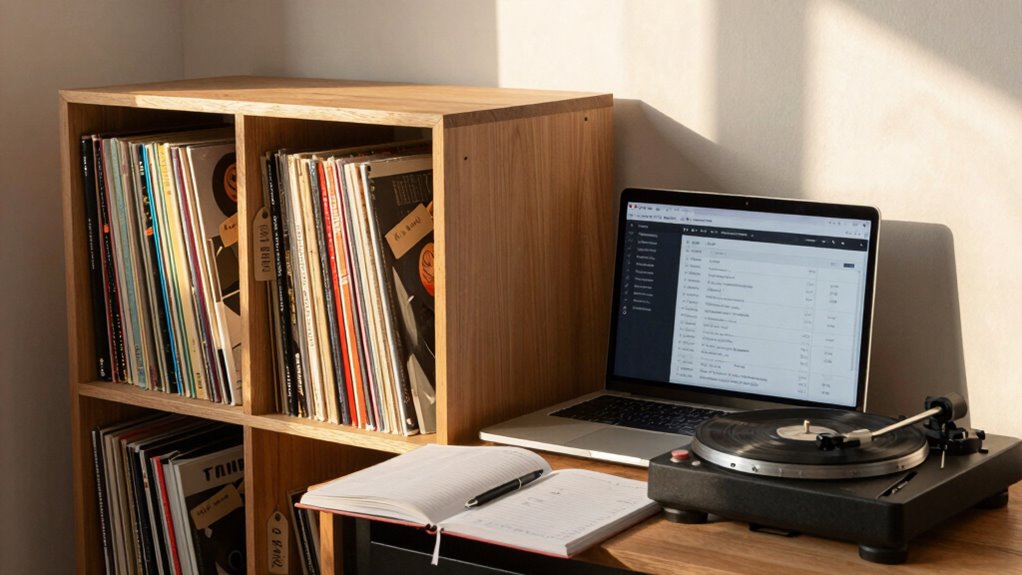
Are you wondering how to organize your record collection efficiently? The key is to leverage digital tools and smart organizational strategies that make cataloging straightforward and manageable. Instead of letting your collection become an overwhelming clutter, you can use technology to keep everything accessible and well-structured. Digital tools, like specialized cataloging apps or spreadsheet programs, allow you to create a virtual inventory that’s easy to update and search. These tools often come with features that let you add details such as artist, album title, release year, genre, and even personal notes. This way, you won’t need to flip through stacks or rely solely on memory to find that elusive record. Instead, you can simply search your digital catalog in seconds.
Organizational strategies are vital to maintaining order without turning cataloging into a full-time job. Start by categorizing your records into broad genres or artists, then refine your system based on your listening habits. For example, you might group your jazz records separately from rock or classical. Once you have your categories, assign consistent tagging or labeling, which makes filtering and locating specific records much easier later on. Consider using a spreadsheet if you prefer a DIY approach, as it offers customizable columns for all relevant details. Alternatively, dedicated record cataloging apps often provide pre-set fields and even barcode scanning options to streamline data entry. Whichever method you choose, the goal is to develop a system that is logical and easy to maintain. Recognizing that digital cataloging can significantly improve your organization is essential for long-term success.
Another effective organizational strategy involves setting aside regular times to update your catalog. Instead of trying to catalog your entire collection in one sitting, break the process into manageable chunks—say, 10 or 15 records at a time. This prevents burnout and ensures your catalog stays current as you add new records. Also, keep your digital files backed up, so you don’t risk losing your organized data due to technical issues. Using cloud-based storage ensures your catalog is accessible from multiple devices and safe from hardware failures.
Ultimately, integrating digital tools with well-thought-out organizational strategies transforms cataloging from a tedious chore into a simple, even enjoyable task. It helps you stay connected with your collection, discover new listening patterns, and impress friends with your neat, accessible library. The right combination of technology and planning keeps your record collection organized without dominating your free time. With just a little effort upfront, you’ll have an efficient system that makes enjoying your vinyl records even more satisfying.
digital record collection cataloging app
As an affiliate, we earn on qualifying purchases.
As an affiliate, we earn on qualifying purchases.
Frequently Asked Questions
What Are the Best Apps for Cataloging Records?
You should try Discogs, which is popular among the collector community for cataloging vinyl preservation. It offers a complete database, barcode scanning, and easy organization. Another great option is MusicBrainz, which helps you track your collection efficiently. Both apps keep your records well-organized without turning it into a second job, making it simple to enjoy your vinyl collection and connect with fellow enthusiasts.
How Often Should I Update My Collection Catalog?
You should update your collection catalog regularly, ideally after adding new records or making significant changes. Maintaining cataloging consistency is key, so set a routine—perhaps monthly or quarterly—to review and update your entries. This way, your catalog stays accurate and manageable without becoming a burden. Consistent updating frequency helps you keep track of your collection efficiently, ensuring it’s always current and easy to navigate.
Can I Include Digital Music in My Catalog?
Yes, you can include digital music in your catalog. Use cataloging software that supports digital music integration and verify its compatibility with your preferred formats. This way, you can organize both physical records and digital files seamlessly. Make sure to input relevant details like file location, format, and metadata. Including digital music guarantees your entire collection is easily accessible and properly documented without turning cataloging into a time-consuming task.
How Do I Organize Records by Genre or Artist?
Imagine stumbling upon a perfect record of your favorite band—organize your collection by genre or artist using clear record labeling and display shelving. You just need to sort your records accordingly, making sure each label indicates the artist or genre. Place them on display shelving by category; it’s that simple. This way, you find what you want quickly and keep your collection neat without it feeling like a second job.
What Is the Best Way to Back up My Catalog Data?
You should create a digital backup of your catalog data and store it in cloud storage for easy access and security. Regularly update your backup to guarantee all new entries are preserved. Using reputable cloud services like Google Drive, Dropbox, or OneDrive makes it simple to access your catalog from anywhere. This way, your collection remains safe even if your device fails or gets lost.

Handmade Flexible Record Template, 3-Pack Stencils Drafting Tools, Reusable Templates Planner Stencils for Journaling Checklists Boxes Lines & Daily Planning (Set B)
Keep your diary entries neatly arranged for a more aesthetically pleasing look
As an affiliate, we earn on qualifying purchases.
As an affiliate, we earn on qualifying purchases.
Conclusion
Now that you’ve got a simple system in place, cataloging your record collection becomes like tending a garden—you watch it grow and flourish with just a little care. Keep your records organized and updated, and you’ll enjoy discovering your collection’s hidden treasures without feeling overwhelmed. Remember, a well-maintained catalog is your map to musical adventures. So, put on your favorite record, relax, and watch your collection bloom with every new addition.

NETUM CS7501 QR Code Scanner – Upgraded Bluetooth Barcode Scanner, Mini Portable 1D & 2D Barcode Reader for Inventory Management, Cordless Image Scanner for Tablets, Android, iOS, PC, and POS Systems
**Physical Power Switch: Easily toggle between Power Off, Bluetooth Mode, and 2.4G Wireless Mode with the built-in physical…
As an affiliate, we earn on qualifying purchases.
As an affiliate, we earn on qualifying purchases.

Music Industry Forms: The 75 Most Important Documents for the Modern Musician | Music Business Planning Tools for Musicians and Managers | Project Organization Recording and Career Management Guide
Pages: 128
As an affiliate, we earn on qualifying purchases.
As an affiliate, we earn on qualifying purchases.