
Your master sounds quiet because loudness is measured using LUFS, which reflects how loud audio feels to your ears, not just peak levels. Streaming services often normalize your track to a target LUFS level, like -14, making quieter masters seem less loud. If your track isn’t loud enough regarding LUFS, it gets turned down. Understanding how LUFS works can help you create a louder, more balanced master—there’s more to learn below.

Get audio and creator gear delivered free with Prime
- Fast, free delivery on millions of items
- Prime Video, Amazon Music and more included
- Member-only deals all year
Key Takeaways
- LUFS measures perceived loudness, ensuring your track matches industry standards for consistent playback volume.
- If your master is too quiet, it may be below the target LUFS level, causing it to sound softer after normalization.
- Overly dynamic tracks can be perceived as quieter; balancing dynamic range helps achieve optimal loudness.
- Proper loudness normalization prevents your track from sounding too quiet across streaming platforms.
- Adjusting your master to around -14 LUFS ensures it sounds lively and consistent without sacrificing audio quality.
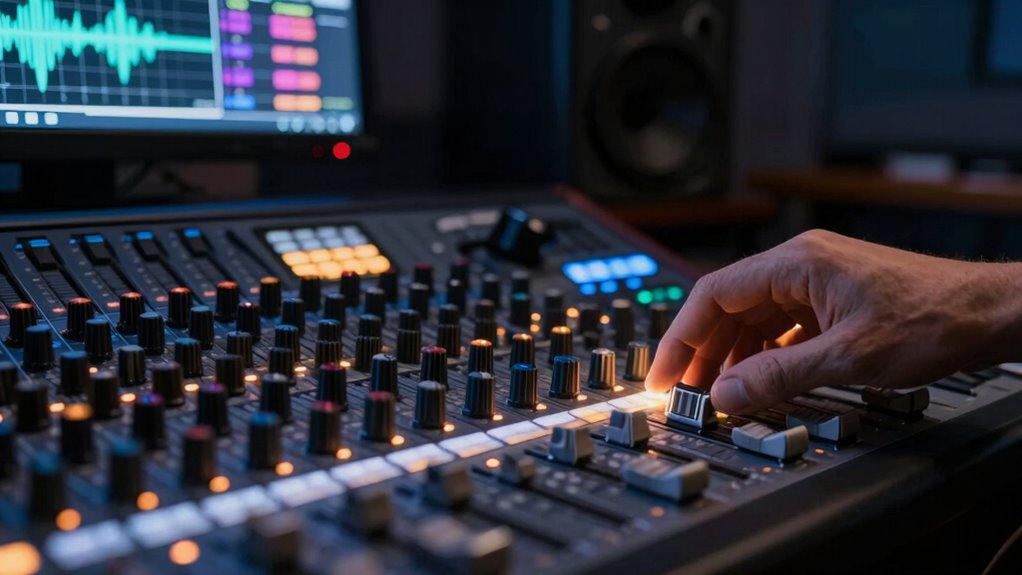
Have you ever wondered how audio levels stay consistent across different platforms and devices? It’s a common question for anyone working with sound, especially when your master sounds unexpectedly quiet compared to other tracks. The answer lies in understanding loudness normalization and the role of LUFS, which helps control how loud your audio appears to listeners. One key aspect influencing perceived loudness is the dynamic range, or the difference between the quietest and loudest parts of your track. If your mix has a wide dynamic range, it might sound softer on streaming services that prioritize loudness normalization to create a uniform listening experience. Conversely, a compressed dynamic range often results in a louder perceived volume but can sacrifice nuance and clarity.
Loudness normalization is a processing technique used by streaming platforms, broadcasters, and devices to ensure a consistent perceived loudness across all content. Instead of relying solely on peak levels, loudness normalization measures the overall perceived volume. This is where LUFS, or Loudness Units relative to Full Scale, comes into play. Think of LUFS as a standardized way to measure how loud your audio feels to the human ear, accounting for the way we perceive different frequencies and sounds. When your content is measured in LUFS, it provides a reliable way to match loudness levels across various platforms, preventing your track from sounding too quiet or overly aggressive.
Loudness normalization uses LUFS to ensure consistent perceived volume across platforms and devices.
When your master is too dynamic, with lots of subtle quiet sections, it may get turned down during loudness normalization, making your track seem quieter overall. On the other hand, if you aim for a very loud sound with minimal dynamic variation, platforms might still reduce its loudness to meet their standards. That’s why many engineers use loudness normalization to their advantage, carefully adjusting their tracks to hit recommended LUFS levels—often around -14 LUFS for streaming services—so their music sounds consistent without sacrificing quality. By managing the dynamic range effectively and adhering to loudness normalization standards, you ensure your master translates well across all devices, from smartphones to high-end sound systems.
Additionally, understanding loudness measurement can help you craft a master that maintains clarity and impact in the digital landscape. In essence, understanding how loudness normalization and LUFS relate to your track’s dynamic range can help you design a master that sounds balanced and professional no matter where it’s played. Instead of being caught off guard by a quiet-sounding master, you can proactively set your levels to meet industry standards, making sure your music retains its impact while fitting seamlessly into the loudness landscape of modern streaming platforms.
audio loudness normalization plugin
As an affiliate, we earn on qualifying purchases.
As an affiliate, we earn on qualifying purchases.
Frequently Asked Questions
How Does LUFS Differ From Traditional Volume Measurements?
LUFS differs from traditional volume measurements like dB because it measures perceived loudness rather than just raw signal levels. While dB simply shows the amplitude, LUFS accounts for how the human ear perceives loudness, making it more accurate for balancing audio. In LUFS vs dB, LUFS provides a better sense of how loud your mix sounds to listeners, helping you avoid overly quiet or harsh masters while maintaining consistent perceived loudness.
Can Adjusting LUFS Improve My Podcast’s Listening Experience?
Think of adjusting LUFS like tuning a radio dial—you’re balancing clarity and comfort. When you optimize LUFS levels, you enhance your podcast’s dynamic range, making quiet moments audible and loud parts not overwhelming. This improves the listening experience by reducing listener fatigue and ensuring your content sounds consistent across devices. Yes, adjusting LUFS can make your podcast more engaging, comfortable, and professional for your audience.
What’s the Optimal LUFS Level for Streaming Platforms?
For streaming platforms, aim for a loudness level around -14 LUFS to meet loudness standards and guarantee playback consistency. This level balances loudness and clarity, preventing your audio from sounding too quiet or overly compressed. Adhering to these loudness standards helps your content sound professional across different devices and platforms, providing a seamless listening experience. Consistently monitoring LUFS ensures your master stays within ideal loudness levels.
Does Loudness Normalization Affect Audio Quality?
Loudness normalization can impact your audio quality more than you might expect. It reduces the dynamic range through audio compression, making quiet parts louder and loud parts quieter. This process can cause your audio to sound less natural, affecting clarity and detail. So, when platforms normalize loudness, they might inadvertently compromise your mix’s punch and nuance, leaving you wondering why your master feels less vibrant than intended.
How Can I Measure LUFS Accurately at Home?
To measure LUFS accurately at home, you need reliable loudness meters. Start by calibrating your audio setup for consistent levels, ensuring your measurements are precise. Use professional loudness meters compatible with your digital audio workstation or standalone hardware. These tools analyze your audio and give you LUFS readings, so you can adjust your mix accordingly. Proper audio calibration and high-quality loudness meters are essential for accurate LUFS measurement in your home studio.
professional mastering loudness meter
As an affiliate, we earn on qualifying purchases.
As an affiliate, we earn on qualifying purchases.
Conclusion
Now that you understand LUFS, you’ve got the power to make your master sound just right. Did you know that streaming platforms like Spotify recommend around -14 LUFS for ideal loudness? That’s a huge difference from traditional broadcast standards! By paying attention to LUFS, you can confirm your music isn’t too quiet or too loud, keeping listeners engaged. So, go ahead—use this knowledge to craft a perfectly balanced master that truly stands out.
studio monitor speakers for mixing
As an affiliate, we earn on qualifying purchases.
As an affiliate, we earn on qualifying purchases.
audio compressor for dynamic range control
As an affiliate, we earn on qualifying purchases.
As an affiliate, we earn on qualifying purchases.
Halloween Picks
halloween
As an affiliate, we earn on qualifying purchases.