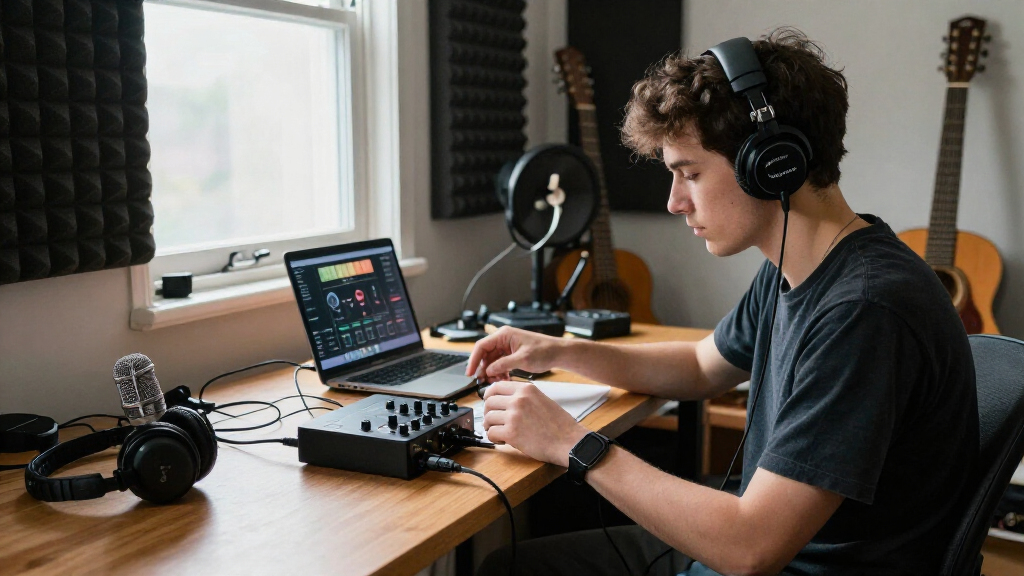
This checklist is for home recordists setting up a space to capture vocals, instruments, or music-making ideas. Use it to compare the key pieces of a home recording setup before you commit to a particular combination.

Get audio and creator gear delivered free with Prime
- Fast, free delivery on millions of items
- Prime Video, Amazon Music and more included
- Member-only deals all year
The sections follow the signal path and studio workflow: connect your gear, capture sound, listen back, create with MIDI, and treat the room. Each slot focuses on a specific job so you can consider how it fits your own sessions.
Check compatibility with the equipment and software you already own, then prioritize what is missing from your workflow. Treat each pick as a starting point, and confirm the included accessories, connection requirements, and physical fit before buying.
USB Audio Interfaces
An interface connects microphones and instruments to a computer and gives you a way to monitor a recording. The Focusrite Scarlett 18i20 4th Gen USB-C Audio Interface is the pick for this slot. Before choosing an interface, count the sources you expect to record at once, such as microphones, instruments, or other audio gear. Buying around a single input can leave you short when a session grows; choosing far more connections than your workflow uses can add unnecessary complexity.
Check the interface’s input and output connections against your microphones, instruments, monitors, and headphones. Confirm that your computer has a compatible USB-C connection or that your setup supports the connection method you plan to use. Also check software and operating-system compatibility, plus whether the monitoring and routing controls suit your recording habits. Connection fit matters as much as the model name: verify the cables and any adapters your setup requires. Think ahead about simultaneous recording and playback needs, then make sure the interface can serve the rest of your studio without forcing a change to your existing gear.
What to look for:
- Count how many sources you need to record at the same time.
- Match inputs and outputs to your microphones, instruments, monitors, and headphones.
- Confirm your computer supports the USB-C connection in your setup.
- Check compatibility with your operating system and recording software.
- Verify that you have the cables or adapters required by your other equipment.
Focusrite Scarlett 18i20 4th Gen USB-C Audio Interface

The Scarlett 18i20 is a USB audio interface for project studios, with eight microphone preamps and extensive analog and digital connections for recording and routing studio gear. Its 24-bit/192 kHz converters, Air modes, Auto Gain, and Clip Safe features support detailed recordings and easier level management.
Pros:
- Eight microphone preamps with up to 69 dB of gain
- Extensive analog and digital connectivity
- 24-bit/192 kHz converters with 122 dB dynamic range
- Auto Gain and Clip Safe help manage recording levels
Cons:
- Weighs 8 pounds
- Requires USB connectivity to a compatible computer or device
Best for: Recordists who need an interface for several connected sources.
Not ideal for: A setup that needs only a single, simple connection.
Bottom line: Count your simultaneous sources and confirm every connection before choosing this interface.
Condenser Microphones
A condenser microphone is a central choice for capturing vocals and other sound sources in a home studio. The Neumann TLM 103 Large-Diaphragm Condenser Microphone with Shockmount, is the listed pick. Before buying any condenser microphone, consider what you plan to record and how your room sounds. A microphone that suits a controlled recording space may be less forgiving when the room or background is audible in the take. Choosing by name alone can overlook the practical needs of placement, support, and connection.
Check the microphone’s connection against your interface and confirm whether the interface supplies the power the microphone requires. The listed name includes a shockmount, but verify exactly what is included and whether it fits your stand or mounting arrangement. Consider whether you have room to position the microphone comfortably and whether your recording space supports the kind of capture you want. Room and setup can shape the result, so think through placement and background sound before treating the microphone as a complete solution. Confirm the necessary cable and stand separately if they are not part of the package.
What to look for:
- Match the microphone connection to an available interface input.
- Confirm the interface provides the power this microphone requires.
- Verify the included shockmount and its fit with your stand.
- Consider room sound and background noise where you plan to record.
- Check whether the package includes the cable and stand you need.
Neumann TLM 103 Large-Diaphragm Condenser Microphone with Shockmount, Nickel

The Neumann TLM 103 is a cardioid large-diaphragm condenser microphone with low self-noise, high sound pressure handling, and a capsule derived from the U 87. This bundle includes a suspension shockmount, stand mount, wooden storage box, and mount adapters for studio, broadcast, or voiceover use.
Pros:
- Low self-noise
- Handles high sound pressure levels
- Cardioid pattern attenuates sound from the rear
- Includes suspension shockmount and mounting accessories
Cons:
- Availability can vary
Best for: A studio adding a large-diaphragm condenser microphone.
Not ideal for: A buyer who has not checked room sound or interface requirements.
Bottom line: Confirm power, mounting, and room suitability before adding this microphone to your setup.
Studio Monitor Speakers
Studio monitors let you listen to your recordings through speakers, making them a key part of a home studio’s playback setup. The Yamaha HS5 Powered Studio Monitors, Pair is the pick here. Before choosing monitors, think about your room, listening position, and how much space you can give the speakers. A common mistake is buying speakers without checking whether they can be placed sensibly or connected to the interface you already use.
Confirm that your interface has outputs compatible with the monitor connections, and identify any cables or adapters your setup needs. Check the speakers’ physical dimensions against your desk, stands, and available room. Think about where you will sit and whether both speakers can be placed in a stable, practical position. Since the pick is a pair, plan for placement and connections for both speakers. Consider how you will switch between speaker monitoring and headphones during a session, and whether your room arrangement makes that easy. The right choice should fit the space and the rest of your signal chain, not just the product category.
What to look for:
- Confirm interface outputs match the speakers’ connections.
- Check whether you need separate cables or adapters.
- Measure the available desk or stand space for both speakers.
- Plan a stable listening position with room for the pair.
- Consider how you will switch between monitor and headphone listening.
Yamaha HS5 Powered Studio Monitors, Pair

This pair of two-way, bi-amplified near-field monitors is designed for music production and studio monitoring. The speakers emphasize a clear, flat response intended to reproduce audio without added coloration.
Pros:
- Pair of monitors included
- Designed for accurate, uncolored sound
- Bi-amplified 70 W system
- Accepts balanced or unbalanced signals
Cons:
- Not water resistant
- No customer review information provided
Best for: Recordists who want a pair of powered monitors for playback.
Not ideal for: A workspace without room for two stable speaker positions.
Bottom line: Check connection type, placement space, and listening position before setting up the pair.
Closed-Back Headphones
Closed-back headphones provide a listening option for recording and monitoring when you do not want to rely on speakers. The Focal Lensys Professional Closed-Back Headphones is the pick for this slot. Before choosing headphones, consider when you will use them: tracking, editing, or checking a mix. A common mistake is assuming one pair will suit every listener and every session without checking comfort, fit, or connection needs.
Confirm that the headphones’ plug works with your interface or that you have the right adapter. If you plan to wear them for extended sessions, check the headband and earcup fit against your preferences and whether replacement parts or accessories are available to you. Consider how they will work alongside your monitors: headphones are useful for personal monitoring, while speakers give you a separate listening reference. Comfort and connection deserve a practical check before purchase. Make sure the cable can reach your listening position without strain, and verify whether the package includes an adapter or storage accessories you expect to use.
What to look for:
- Match the headphone plug to your interface or confirm an adapter is available.
- Check headband and earcup fit for your intended session length.
- Confirm the cable reaches your listening position comfortably.
- Verify which adapters or accessories are included.
- Consider how you will use headphones alongside studio monitors.
Focal Lensys Professional Closed-Back Headphones

The Focal Lensys Professional headphones feature dual Al/Mg drivers and a sound-isolating design, making them suitable for studio monitoring, mixing, and authentic playback. They offer a comfortable fit with memory foam earpads and a durable build, ideal for both professionals and enthusiasts.
Pros:
- Excellent sound quality with dual Al/Mg drivers
- Sound isolation for focused listening
- Comfortable fit for extended use
- Durable construction with carrying case
Cons:
- May be expensive for casual users
- Design may be bulky for portable use
Best for: Recordists who want headphones for personal monitoring and listening.
Not ideal for: Anyone who has not checked fit or connection compatibility.
Bottom line: Check comfort, cable reach, and interface connection before choosing these headphones.
MIDI Keyboard Controllers
A MIDI keyboard controller gives you a hands-on way to work with MIDI instruments and recording software. The Novation Launchkey 49 MK4 USB MIDI Keyboard Controller is the pick for this section. Before selecting a controller, consider how you create: whether you need keys for playing parts, how much desk space is available, and which software you plan to control. A common buying mistake is choosing a keyboard by key count alone without considering its footprint or software compatibility.
Measure the space where you expect to place the controller and confirm your computer can connect through the required USB setup. Check compatibility with your operating system and music software, and confirm whether any particular functions depend on software support. Think about whether the controller will stay on your desk or be stored between sessions; its physical footprint affects how easily it fits alongside a keyboard, interface, and other gear. Review the product details for included cables and software, and compare them with what you already own so you know what else your setup needs.
What to look for:
- Measure desk space for the controller and other gear.
- Confirm your computer supports its USB connection requirements.
- Check operating-system and music-software compatibility.
- Verify which controls or functions your software supports.
- Review included cables and software against what you already own.
Novation Launchkey 49 MK4 USB MIDI Keyboard Controller

The Launchkey 49 MK4 is a USB-C MIDI controller with 49 semi-weighted keys, 16 pads with polyphonic aftertouch, and hands-on controls for playing instruments, launching clips, and adjusting a DAW. It includes scale and chord modes, an editable arpeggiator, an OLED display, and integration with major DAWs and Native Instruments software.
Pros:
- Works with major DAWs
- Pads support polyphonic aftertouch and multiple uses
- Built-in scale, chord, and arpeggiator tools
- Includes music software and lessons
Cons:
- Requires a computer or compatible hardware setup
- Semi-weighted keys may not suit players seeking a fully weighted action
Best for: Producers who want a keyboard controller in their studio setup.
Not ideal for: A workspace without room for a dedicated controller.
Bottom line: Confirm software support and available desk space before choosing this controller.
Acoustic Foam Panels
Acoustic treatment is a way to address how sound behaves in a recording space. The listed pick is the ATS Acoustics Sound Absorbing Acoustic Panel 24" x 24" x 4" Beveled Ed. Before purchasing panels, consider the room and the specific surfaces or listening areas you want to address. A common mistake is buying treatment without planning where it will go, how many panels are needed, or how they will be mounted.
Check the panel’s dimensions against the available wall or ceiling area and verify the full product name and specifications, since the supplied name appears to end mid-word. Confirm the package quantity, mounting method, and whether mounting hardware is included. Think through placement before ordering so panels do not conflict with doors, windows, furniture, or other equipment. Room layout should guide the decision: measure first, then determine how many panels fit your plan. Do not assume a single panel will address every acoustic concern in a room; check the product details and plan treatment around your recording and listening positions.
What to look for:
- Verify the complete product name and panel specifications.
- Measure the surfaces where you intend to place the panels.
- Check the package quantity and mounting method.
- Confirm whether mounting hardware is included.
- Plan placement around doors, windows, furniture, and gear.
ATS Acoustics Sound Absorbing Acoustic Panel 24" x 24" x 4" Beveled Edge (Ivory)

These acoustic panels are designed to improve sound clarity by effectively controlling reverb and echo. Made with a mineral wool core and wrapped in jute burlap fabric, they are suitable for various spaces like studios, offices, and home theaters, offering easy installation and durable construction.
Pros:
- Effective sound absorption with NRC rating of 1.15
- Easy to install with included hardware and template
- Durable, furniture-grade quality with attractive burlap fabric
- Suitable for various residential and commercial spaces
Cons:
- Limited color options (Ivory only)
- May require multiple panels for larger rooms
- Heavy weight (8 pounds) may need sturdy mounting
Best for: Recordists planning sound absorbing panels for a specific room area.
Not ideal for: Anyone expecting one panel to treat an entire room.
Bottom line: Confirm the listing details, quantity, dimensions, and placement plan before ordering.
Build in order of what currently limits your sessions: start with the connections you need to record, then add the microphone or controller that supports your work. Next, plan how you will listen through headphones or monitors, and address room treatment after measuring the space. This buying order keeps each addition tied to a clear need.
A useful home studio comes together one compatible piece at a time. Check the details, measure your space, and choose gear that fits the way you record. With a clear setup plan, you can make steady progress without losing sight of your own workflow.
Halloween Picks
halloween
As an affiliate, we earn on qualifying purchases.